iCloud

See All Stories
iCloud

The best place for all your photos, files, and more.

iCloud was launched in 2011 as the successor to MobileMe and is Apple’s current cloud service that allows iOS and Mac users to save and synchronize information. Apple includes 5GB of iCloud storage for free with all accounts and has paid options starting at $0.99/month for 50GB.

https://www.youtube.com/watch?v=KTrO2wUxh0Q

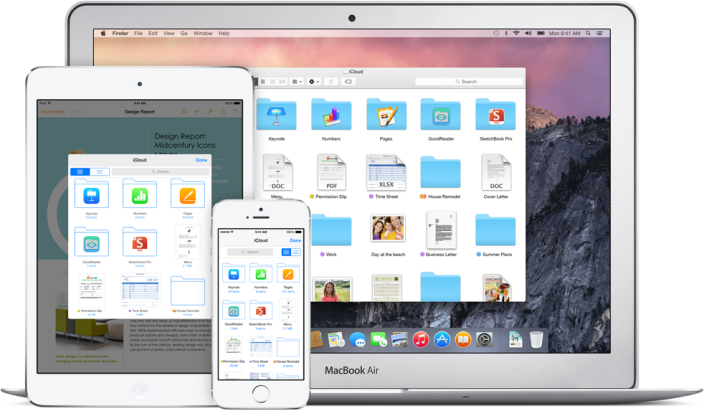
iCloud is built into every Apple device. That means all your stuff — photos, files, notes, and more — is safe, up to date, and available wherever you are. And it works automatically, so all you have to do is keep doing what you love. Everyone gets 5GB of free iCloud storage to start, and it’s easy to add more at any time.

What is iCloud?

iCloud solved a problem that we were facing in 2011. Originally, Apple pitched the Mac as the digital hub to our life. Our iPods (and then iPhones) would sync over a cable to transfer information. As we added iPads, it became a mess. Steve demoted the Mac back to just a device and made the “cloud” the center of our digital life. Using the service, users could sync all of their data over the air. As an example, a Keynote document edited on your Mac would automatically be up to date with the latest changes on your iPad or iPhone. iCloud also allowed you to back up your iOS device for an easy path to change devices without having to set everything up manually.

The problem with this original iCloud pitch is it didn’t cover all of our photos. We didn’t get that until iCloud Photos came in iOS 8. It didn’t cover iMessage, as that didn’t come until a few years ago with messages in the cloud. It didn’t cover all of our files, but only those in the iCloud folder stored inside of app folders. We didn’t get seamless syncing of files until Apple added Desktop and Document folder syncing a few years ago.

Over time, Apple has continued to add features to iCloud, and it’s turned out to be a really robust and reliable service. Users can sync files, photos, notes, reminders, and Safari bookmarks to their Mac, iPhone, iPad, and even Apple TV (photos).

iCloud Troubleshooting

If you’re having trouble using iCloud, you may want to make sure it isn’t affected by downtime. Check Apple’s iCloud Status page here.

How much does iCloud cost?

Pricing can change at anytime (view Apple’s latest pricing page), but here are the current rates for a few countries.

United States
50GB: $0.99
200GB: $2.99
2TB: $9.99

Canada 
50GB: $1.29
200GB: $3.99
2TB: $12.99

United Kingdom
50GB: £0.79
200GB: £2.49
2TB: £6.99

European Union
50GB: 0.99 €
200GB: 2.99 €
2TB: 9.99 €

Read below for all of our coverage

Metadata analysis of leaked photos suggest complete iPhone backups obtained

Site default logo image

A forensics consult and security researcher who analyzed metadata from leaked photos of Kate Upton said that the photos appear to have been obtained using software intended for use by law enforcement officials, reports Wired. The software, Elcomsoft Phone Password Breaker (EPPB), allows users to download a complete backup of all data on an iPhone once the iCloud ID and password have been obtained.

If a hacker can obtain a user’s iCloud username and password with iBrute, he or she can log in to the victim’s iCloud.com account to steal photos. But if attackers instead impersonate the user’s device with Elcomsoft’s tool, the desktop application allows them to download the entire iPhone or iPad backup as a single folder, says Jonathan Zdziarski, a forensics consult and security researcher. That gives the intruders access to far more data, he says, including videos, application data, contacts, and text messages …


Expand
Expanding
Close

Apple sets developer rules for HealthKit, HomeKit, TestFlight, and Extensions ahead of iOS 8 launch

Site default logo image

Today, Apple has updated its official App Store developers Review Guidelines to outline the requirements for iOS 8 applications that will make use of the new HealthKit, HomeKit, TestFlight, and Extensions services. Today’s update indicates that Apple is nearing the release of iOS 8, the next-generation mobile operating system for the iPhone, iPad, and iPod touch ahead of the September 9th Apple media event. Apple will provide developers with a golden master seed of iOS 8 on the day of the event, according to sources with knowledge of the plans. The review guidelines are a “living document” that list reasons that App Store apps could be rejected. Below are the full lists for HealthKit, HomeKit, TestFlight, and Extensions, but here are some of the more significant points:

  • “Apps using the HealthKit framework that store users’ health information in iCloud will be rejected.” This point should reduce fears of intruders being able to access a user’s health data, especially after the scandal surrounding the leak of celebrity photos potentially stored in iCloud.
  • “Apps that share user data acquired via the HealthKit API with third parties without user consent will be rejected.”
  • “Apps that provide diagnoses, treatment advice, or control hardware designed to diagnose or treat medical conditions that do not provide written regulatory approval upon request will be rejected.” This point is crucial in that these fine print allows Apple to work around the FDA’s regulatory guidelines for mobile health applications.
  • “Apps using the HealthKit framework must provide a privacy policy or they will be rejected.”
  • “Apps must not use data gathered from the HomeKit APIs for advertising or other use-based data mining.” Same deal with HealthKit, as we noted earlier this week.
  • There are also a number of third party keyboard guidelines that will be critical for developers to follow.

In addition to those four new sections, Apple has also updated the guidelines to say that “if your app is plain creepy, it may not be accepted.” You can read all of the new bullet points below:


Expand
Expanding
Close

Apple denies iCloud/Find my iPhone breach, says ‘very targeted attack’ hit certain celebrities

Site default logo image

Apple has responded to this week’s hackings of celebrity iCloud accounts, which resulted in postings of private photographs. Here’s Apple’s statement in full:

CUPERTINO, Calif.–(BUSINESS WIRE)–We wanted to provide an update to our investigation into the theft of photos of certain celebrities. When we learned of the theft, we were outraged and immediately mobilized Apple’s engineers to discover the source. Our customers’ privacy and security are of utmost importance to us. After more than 40 hours of investigation, we have discovered that certain celebrity accounts were compromised by a very targeted attack on user names, passwords and security questions, a practice that has become all too common on the Internet. None of the cases we have investigated has resulted from any breach in any of Apple’s systems including iCloud® or Find my iPhone. We are continuing to work with law enforcement to help identify the criminals involved.

To protect against this type of attack, we advise all users to always use a strong password and enable two-step verification. Both of these are addressed on our website at http://support.apple.com/kb/ht4232.

Apple says that it conducted an investigation for more than 40 hours, and denies that iCloud or Find my iPhone was actually breached. Apple is presenting this as a very targeted username, password, and security questions hack on “certain celebrity accounts.” Apple recommends that users utilize the 2-step verification service for Apple IDs/iCloud. The company also says it is continuing to work with law enforcement on finding the hackers involved.


Expand
Expanding
Close

FBI investigating alleged iCloud celebrity hack as Reddit ‘suspect’ declares innocence

Site default logo image

The FBI is now leading the investigation into the alleged iCloud hack in which nude photographs of a number of celebrities were obtained, reports the Telegraph. FBI spokesperson Laura Eimiller said:

[The FBI is] aware of the allegations concerning computer intrusions and the unlawful release of material involving high profile individuals, and is addressing the matter. Any further comment would be inappropriate at this time.

It has been suggested that a vulnerability in the Find My Phone service may have allowed attackers to brute-force passwords in order to access the iCloud accounts of celebrities … 
Expand
Expanding
Close

Vulnerability in Find My Phone service and weak passwords may explain alleged celebrity photo leaks

Site default logo image

The Next Web is reporting that a vulnerability in the Find My Phone service may have allowed attackers to brute-force passwords in order to access the iCloud accounts of celebrities.

The vulnerability allegedly discovered in the Find my iPhone service appears to have allowed attackers to use this method to guess passwords repeatedly without any sort of lockout or alert to the target. Once the password has been eventually matched, the attacker can then use it to access other iCloud functions freely.

A tool to exploit the weakness was uploaded to Github, where it remained for two days before being shared on Hacker News … 
Expand
Expanding
Close

Countless celebrity nude photo leaks being blamed on supposed iCloud hack (Updated)

Site default logo image

A plethora of reports are swirling around the internet that countless private celebrity photos have leaked (no, we’re not going to link you), and—what are as of right now baseless—rumors claim that someone found a vulnerability in Apple’s iCloud platform and exploited it to obtain the images. Of the celebrities reportedly involved are Jennifer Lawrence, Kate Upton, Avril Livigne, Mary Elizabeth Winstead, Mary Kate Olsen, Hillary Duff, and many others.


Expand
Expanding
Close

Site default logo image

iOS 7 How-to: Manage your iCloud storage space from an iOS device


Apple gives all iCloud users 5 GB of iCloud storage. For most users, this is more than plenty of space, but for some, it isn’t nearly enough. This space is used for iOS device backups, iWork and other documents, and email if you are using a @mac.com, @me.com or @icloud.com address.

In this article, we’ll give you some tips for managing your iCloud storage so you can get the most of the space you have available.


Expand
Expanding
Close

Dropbox dramatically cuts pricing to compete, 1TB now just $9.99/month

Site default logo image

Dropbox has today slashed its pricing and doubled the maximum storage space from 500GB to 1TB. Up until yesterday, you’d have been paying $500/year for 500GB; today you can pay just $120/year (or $99/year when paying annually) for a terabyte.

The new deal finally brings Dropbox into line with Google Drive and Microsoft OneDrive. Apple users may want to hold off for now, however, with Apple’s new iCloud pricing – which includes iCloud Drive – expected to be broadly similar … 
Expand
Expanding
Close

Site default logo image

iCloud storage warning emails already referencing iOS 8 & iCloud Drive

Those annoying iCloud storage warning email notifications have begun referencing the upcoming iOS 8 and iCloud Drive, according to multiple tips from readers. This change in the copy within the emails likely indicates that Apple is already preparing for the upcoming debuts of the new iCloud and iOS releases. Here’s one of the emails:

As can be seen, Apple explains how to handle iCloud storage via iOS 8 and mentions iCloud Drive as a feature. Both iOS 8 and iCloud Drive should hit the marketplace around mid-September. iOS 8 adds features like the iCloud Photo Library, new Health app, and HomeKit API, while iCloud Drive is essentially Apple’s variant of Dropbox.


Expand
Expanding
Close

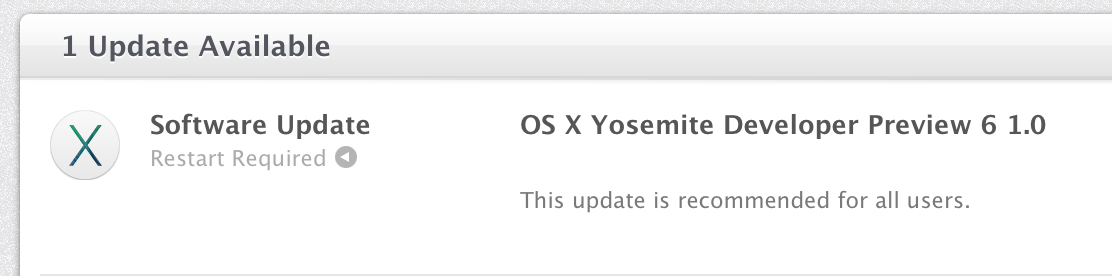
Apple releases OS X Yosemite Developer Preview 6 with new wallpapers & icons

Site default logo image

Right on schedule, Apple has released the sixth preview of the upcoming OS X Yosemite to developers today. This new seed comes two weeks following the previous release, and it likely continues to bring performance enhancements, interface tweaks, and bug fixes. We’ll be updating this post with the changes in Preview 6 as they are discovered. If you find something new, you can let us know at tips@9to5mac.com. The release version of Yosemite is currently scheduled for the later half of October, and it will ship separately from iOS 8, which is not seeing a new beta today. Here’s what’s new:


Expand
Expanding
Close

Site default logo image

App developers can now earn affiliate commissions via Store Kit in iOS 8

Apple’s iTunes Affiliate program has notified users of the program that developers can now earn affiliate commission via the Store Kit feature in iOS 8. StoreKit Product Sheet, which has existed since 2012’s iOS 6, allows developers to put a page inside of their apps to download other items from the iTunes Store, App Store, and iBookstore. However, the feature was not compatible with affiliates until iOS 8. Here’s Apple’s email to affiliate users:

We are excited to announce that Store Kit Product Sheet is now affiliate commissionable on iOS 8.

Store Kit Product Sheet allows app developers to promote the purchase of music, apps, books and more directly from a sheet within your app and earn the standard affiliate commission on all sales within 24 hours.

We encourage you to use Store Kit Product Sheet to provide a superior user experience and keep users in your app longer. Learn how to integrate your affiliate token into the Store Kit Product Sheet in the Developer Documentation.

Apple briefly discussed this iOS 8 enhancement for developers during a WWDC 2014 session, but this email indicates Apple is pushing developers to utilize all of the resources available to increase their monthly revenues.


Expand
Expanding
Close

Apple bolstering ‘Report A Problem’ Maps options in iOS 8

Site default logo image

Apple has shown a renewed focus on Maps with iOS 8. Although headline features like transit did not show at WWDC, recent iOS 8 betas are bringing improvements to the ‘Report A Problem’ features. The frequency at which these updates are passed through has also improved dramatically in the past couple of months.

Apple has added a new explicit ‘follow-up by email’ option at the end of the Report A Problem form. This means Apple is now actively looking to get additional information about map queries from customers via email.


Expand
Expanding
Close

Apple starts using China Telecom’s data centers to store iCloud data for China users, rather than US locations

Site default logo image

Update: Apple confirmed the use of China Telecom servers in a statement to the Wall Street Journal.

But the company said Friday in a statement to The Wall Street Journal that all data stored is encrypted, meaning China Telecom won’t have access to its content.

“Apple takes user security and privacy very seriously. We have added China Telecom to our list of data center providers to increase bandwidth and improve performance for our customers in mainland China,” it said.

Apple has begun using Chinese data centers to store iCloud data for local Apple customers, the first time Apple has used mainland China for iCloud account and information storage. On a municipal government website, Fuzhuo City Telecom said that ‘Apple China has completed the iCloud data dump into China Telecom’s cloud services’. The post has since been taken down from the government site, however.


Expand
Expanding
Close

Site default logo image

Apple says iCloud Mail experiencing outage for some users

Following several reports from readers earlier today that Apple’s iCloud Mail service was experiencing an outage, Apple has now updated its system status page to reflect the downtime.

Apple says that “some users are affected” and that “users may be unable to receive iCloud mail”. Apple’s system status page says the outage started a little before 12PM ET this morning and continues for some. iCloud Mail service also went down last month with a relatively small number of users experiencing an outage for as long as 18 hours.

Apple has made some improvements to the iCloud Mail service recently including flipping the switch on encryption for email sent between providers.

We’ll update here when/if Apple provides an update on the outage.

[tweet https://twitter.com/toddheberlein/status/497771810843160578]

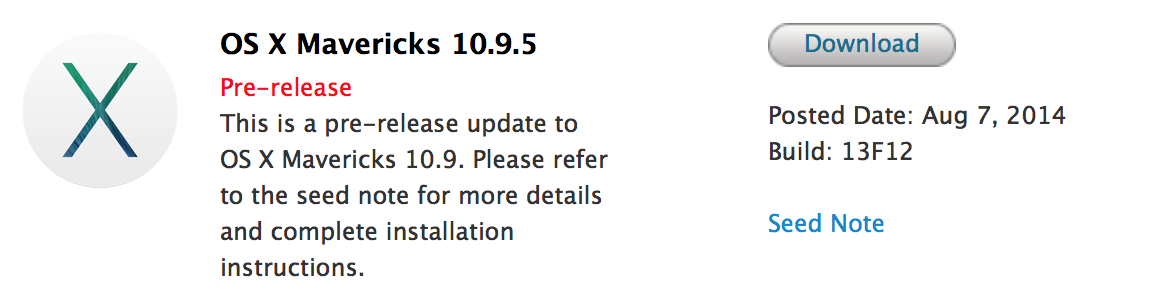
Apple seeds OS X Mavericks 10.9.5 build 13F12 to developers

Site default logo image

Apple today has provided developers with the second beta of the upcoming OS X Mavericks 10.9.5 release. The new build number is 13F12 and it is available on the Mac Developer Center and in Software Update in the Mac App Store for those running the earlier build. Apple asks developers to focus testing on USB, USB Smart Cards, Safari, Graphics, and Thunderbolt.


Expand
Expanding
Close

New Apple TV beta brings refreshed look with iOS-like icons and thinner text (Gallery)

Site default logo image

In addition to issuing updates to the iOS 8 and OS X Yosemite betas, Apple has released a new beta version of the Apple TV software. While earlier Apple TV betas did not bring more than new Family Sharing and iCloud Photos support, today’s update brings a refined look to the Apple TV Home screen. Taking cues from iOS and OS X, the new update brings completely redesigned icons to the Apple set-top-box and a new thinner font first introduced last year with iOS 7. A couple more images of the new interface are below:


Expand
Expanding
Close

Apple releases iOS 8 beta 5 to developers with Health enhancements, UI tweaks

Site default logo image

As expected, Apple has released iOS 8 beta 5 for the iPhone, iPad, and iPod touch to developers this morning. This update, like the past betas, includes various performance and bug fixes. The previous beta brought various minor user-interface touch-ups and a new Tips app to iOS 8. We’ll be updating this post as new discoveries are made in iOS 8 beta, and you can send us what you find to tips@9to5mac.com. You can find what’s new in beta 5, below:


Expand
Expanding
Close

iCloud Mail experiencing issues with slower than normal responses

Site default logo image

iCloud Mail is currently experiencing service issues. The conflict has been impacting users for more than an hour and is currently ongoing according to Apple’s system status page. “Users may experience slower than normal response when using iCloud mail,” Apple’s description of the service disruption says.

It appears Apple’s App Store, iTunes Store, and iBooks Store also experienced down time with customers not being able to make purchases, but Apple’s system status page says that outage was resolved after just over an hour. The iCloud Mail issue, however, is ongoing. (Update: Resolved as expected.)

Nope, it’s not just you, John Hodgman, but we do miss your ads.


Expand
Expanding
Close

Apple to again wipe all CloudKit data tomorrow, July 22nd

Site default logo image

Apple’s release notes for OS X Yosemite Developer Preview 4 reveal that the company will be wiping CloudKit data tomorrow.

This data has to do with the new iCloud storage APIs in iOS 8 and Yosemite as well as with the upcoming iCloud Drive online storage feature. It’s best to safely store anything of importance before tomorrow’s wipe:

CloudKit Note: All public CloudKit databases are scheduled to be emptied on Tuesday, July 22nd.

Apple previously wiped CloudKit data ahead of iOS 8 beta 3 and OS X Yosemite Developer Preview 3. Thanks, Genady!

Update: Apple has emailed developers about the wipe, noting that iCloud Drive, Photos, and other iCloud-related products besides CloudKit storage will not be wiped:


Expand
Expanding
Close

iOS 8 beta 4 includes new Tips app with quick feature tutorials (Gallery)

Site default logo image

iOS 8 beta 4 brings a new app to the iPhone, iPad, and iPod touch called Tips. The application, as the name implies, provides quick tips and tutorials about iOS features. The app will be updated on a regular basis with new ways to use iOS device features. Apple has also launched a Tips website (in beta) so these tutorials can be accessed from a Mac web browser. You can find a full gallery of the current implementation of Tips, below:


Expand
Expanding
Close

Site default logo image

How-to: Safely delete or change an iCloud account from your Mac or iOS device

First off, before we begin and actually discuss how to safely delete or change an iCloud account, we should discuss the different scenarios as to why you might need to delete or change your iCloud account off of your device.

  1. If you are using the same Apple ID as a family member for iCloud, your contacts, calendars, and other content could be merged, or you might be getting each other’s iMessages and FaceTime calls. That’s not an ideal situation if you prefer to keep your data separate.
  2. The email address associated with the Apple ID you are using for iCloud is no longer a valid, active email address. In that case, you’ll need to change the email address associated with your Apple ID.

To get started making the necessary changes to your account on an iOS device, go into the Settings app and scroll down until you see iCloud. To delete the iCloud account from the device, just press “Delete Account.” To do this on a Mac, go into System Preferences and choose iCloud, then press the “Sign Out” button.
Expand
Expanding
Close

Apple ID two-step verification feature rolls out to dozens of new countries

Site default logo image

Apple this week has greatly expanded the availability of its Apple ID two-step verification, bringing the feature from 11 countries to 59 countries. Two-step verification for Apple IDs uses either iOS’s Find my iPhone application or SMS to provide login verification in addition to a password. The feature first rolled out for both Apple ID and iCloud IDs in early 2013 and it expanded to a few more countries later that year. Here are all the countries that support two-step verification (both the original countries and the new ones):


Expand
Expanding
Close

Apple begins encrypting iCloud email sent between providers

Site default logo image

Last month Apple confirmed that it would soon beef up encryption for iCloud email following a report detailing security flaws in major email services. While Apple previously encrypted emails sent between its own iCloud customers, now the company has enabled encryption for emails in transit between iCloud and third-party services for me.com and mac.com email addresses. 

The change is documented on Google’s transparency website that shows the percentage of emails encrypted in transit for both inbound and outbound email exchanges (pictured below):
Expand
Expanding
Close

Apple seeking ‘photography enthusiast’ retail employees to test OS X Photos app

Site default logo image

Apple is seeking employees from its own retail stores who have shown an enthusiasm for photography to test the upcoming OS X Photos application and iCloud Photos feature. Apple, last week, reached out to retail employees offering such a “career experience,” and here is the message to retail staff as provided by multiple retail employees:


Expand
Expanding
Close