iPad (2021)

See All Stories

Apple's tablet debuted in 2010. Since the original version, it's expanded into multiple screen sizes and Pro and non-Pro options.

The iPad is Apple’s base tablet model. In its ninth generation, the iPad focuses on being the perfect tool for education and people who seek a bigger screen to read and surface the web compared to the iPhone. With Apple Pencil and Smart Keyboard support, the iPad has never been better.

History

Site default logo image

The iPad is a line of tablets designed and developed by Apple. It was originally announced in 2010, three years after the first iPhone was introduced. With a 9.7-inch screen and with iPhone OS 3.2 the iPad was a success, hitting 1 million tablets sold in over three months, half the time the first iPhone took to reach this mark.

Steve Jobs then unveiled the iPad 2 in March of 2011. About 33% thinner than its predecessor and 15% lighter, the second generation used the A5 chip, twice as faster as its predecessor. The iPad 2 also introduced front and back cameras that supported FaceTime video calls.

The successor of the iPad 2 wasn’t a success at all. The third generation was introduced in March of 2012 with a Retina display and the A5X processor. The problem with this tablet it was too heavy and the battery didn’t last long enough. In October of the same year, Apple announced the fourth generation with the A6X processor, HD FaceTime camera, improved LTE capabilities, and the Lightning connector.

At this October event, Apple also introduced the first iPad mini. In 2013, Apple went with the first iPad Air and the iPad mini 2. In 2015, the company introduced the first Pro model, with two different sizes.

Site default logo image

In March of 2017, Apple announced the fifth-generation iPad with the A9 processor. It was a budget option compared to the other tablets. It was in 2018 that the company brought expressive news to the base iPad line. The sixth-generation had the A10 Fusion processor and fully supports the first-generation Apple Pencil.

A year later, the seventh generation was announced with a larger 10.2-inch display and support for the Smart Keyboard as well. It retained most of the specs of the previous model.

In September of 2020, the eighth generation was introduced alongside the fourth-generation iPad Air model. The eighth generation received an upgraded processor, now with the A12 Bionic, while keeping the same storage options: 32GB and 128GB.

In September of 2021, the ninth generation was introduced alongside a redesigned iPad mini. This iPad now features the A13 Bionic processor, True Tone support, and new storage options: 64GB and 256GB while keeping the same price.

iPad 9 Specs

Site default logo image

The ninth-generation iPad launched in September of 2021. Available in two colors, Silver and Space Gray, this tablet is made of 100% recyclable aluminum, and supports the first-generation Apple Pencil and Smart Keyboard.

With thinner bezels, the product comes with a 10.2-inch Retina display with a fingerprint-resistant oleophobic coating, and True Tone support for the first time, which adjusts screen content to the color temperature of a room.

This tablet uses the A13 Bionic chip, the same available on the iPhone 11, 11 Pro, and 11 Pro Max. It has an “all-day” battery with up to 10 hours of surfing the web on Wi-Fi or watching videos.

The iPad also comes in 64GB and 256GB storage options and Wi-Fi and Wi-Fi + Cellular versions.

Revamped cameras

Site default logo image

For the first time, this iPad shares the same FaceTime camera as the M1 iPad Pro with the Center Stage experience. With a new 12MP Ultra Wide front camera and Neural Engine, users can enjoy even more engaging video calls.

As users move around, Center Stage automatically pans the camera to keep them in view. When others join in, the camera detects them too, and smoothly zooms out to include them in the conversation. Center Stage makes video calls more natural in FaceTime as well as third-party video-calling apps.

Its main camera is the same: 8MP, f/2.4 aperture, and digital zoom up to 5x.

iPadOS 15

Site default logo image

The ninth-generation iPad comes with the iPadOS 15. Previewed during the WWDC21 keynote, the new operating system brings a redesigned Home Screen with widgets and App Library support.

On iPadOS 15, FaceTime group calls can finally appear in a grid, so it’s easier to see everyone. It’s also possible to share your screen, listen to Apple Music songs together, or watch Apple TV+, HBO Max, Disney+, and others while in a call.

In the productivity section, Apple, unfortunately, didn’t bring all the features pro users wanted to take full advantage of their new M1 iPad Pro, even though Apple made it easier to rely on multitasking features.

There’s a new multitasking menu on the top of the screen. When you click there, it’s possible to see what configurations you can use on Split View or just go to Slide Over with just a tap.

The experience with an external keyboard allows users to get more done with all-new keyboard shortcuts and a redesign of the menu bar.

With the Quick Note feature, users can use the Apple Pencil to add a quick note. They just need to slide the pencil through the bottom right corner to the center of the screen and start writing.

iPadOS 15 launched on September 20. Learn more about it here.

iPadOS 15.1 features

One month after releasing iPadOS 15, Apple released iPadOS 15.1 More notable, the company finally brought SharePlay support for the iPhone, iPad, and Apple TV. Unfortunately, Universal Control wasn’t one of the features added with this new version. Here’s what else is new:

Translate

  • Mandarin Chinese (Taiwan) support in the Translate app and for system-wide translation

Home

  • New automation triggers based on the current reading of a HomeKit-enabled humidity, air quality, or light level sensor

Shortcuts

  • New pre-built actions let you overlay text on images or gifs, plus a new collection of games lets you pass the time with Siri

iPadOS 15.2 features

apple-music-hey-siri-plays-voice-plan-9to5mac-2

Five weeks after releasing iPadOS 15.1, Apple is releasing iPadOS 15.2. It brings more features that were expected to launch alongside iPadOS 15 but, unfortunately, Universal Control is still nowhere to be seen. Here are the top features of this version:

  • Apple Music Voice Plan is a new subscription tier that gives you access to all songs, playlists, and stations in Apple Music using Siri
  • App Privacy Report in Settings lets you see how often apps have accessed your location, photos, camera, microphone, contacts, and more during the last seven days, as well as their network activity
  • Communication safety setting gives parents the ability to enable warnings for children when they receive or send photos that contain nudity
  • Digital Legacy allows you to designate people as Legacy Contacts so they can access your iCloud account and personal information in the event of your death
  • Apple TV app: Store tab lets you browse, buy, and rent movies and TV Shows all in one place

iPadOS 15.3 features

Six weeks after releasing iPadOS 15.2, Apple is releasing iPadOS 15.3. This update foregoes new features in favor of under-the-hood bug fixes and improvements. One of the most notable changes here is a fix for a Safari vulnerability that may have been leaking your browsing history and Google ID data to the websites you visited.

iPadOS 15.4 features

iPadOS 15.4 finally brings one of the most important features expected from iPadOS 15 and that got delayed: Universal Control. Here’s everything new with iPadOS 15.4:

  • Universal Control: This feature allows you to control your Mac and iPad using the same keyboard and mouse/trackpad. Universal Control needs iPadOS 15.4 and macOS Monterey 12.3;
  • New Siri voice: Siri has a fifth American voice. Apple says a member of the LGBTQ+ community recorded the voice and it’s non-binary;
  • More emoji: iPadOS 15.4 also brings new emojis. You can discover all of the new characters here;
  • Shortcuts automation: Adds support for running Personal Automations in the background without requiring a pesky banner notification.

You can learn everything new with this update here.

iPadOS 15.5 features

Different from other software updates, iPadOS 15.5 only improves the Podcast app experience, as Apple focused on Wallet changes for the iPhone this time:

  • Apple Podcasts includes a new setting to limit episodes stored on your iPhone and automatically delete older ones

iPadOS 15.6 features

iPadOS 15.6 is yet another small update for iPad users. Here’s what’s news:

  • TV app adds the option to restart a live sports game already in progress and pause, rewind, or fast-forward.
  • Fixes an issue where Settings may continue to display that device storage is full even if it is available.
  • Fixes an issue that may cause Braille devices to slow down or stop responding when navigating text in Mail.
  • Fixes an issue in Safari where a tab may revert to a previous page.

iPadOS 15.7 features

iPadOS 15.7 only brings bug fixes and some security improvements as the company readies the iPadOS 16 release.

Education

Site default logo image

Apple describes this iPad as the go-to tablet for education. For several years the company discounts this tablet up to 10%.

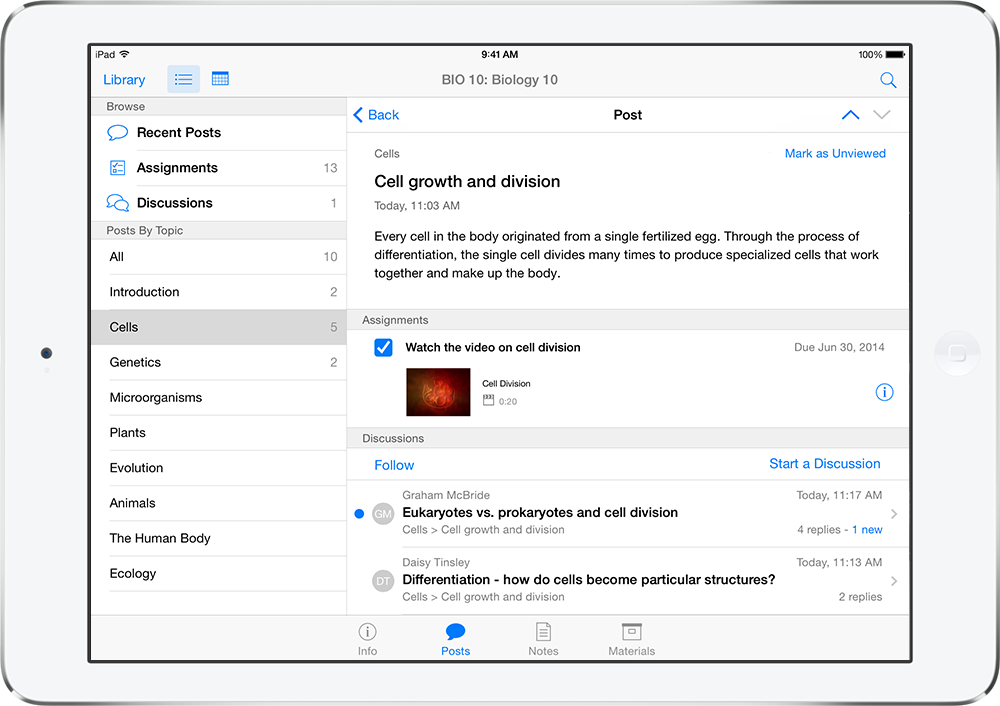
Apple is always promoting ways students can use the iPad to learn new things: using Augmented Reality, the Apple Pencil, and how to code with Playgrounds.

The company says the “App Store is the best place to discover apps” for education purposes:

Let your curiosity run wild with iPad. The App Store is the best place to discover apps that let you get a leg up in geometry, learn a new language, and attend virtual classes. You can even use augmented reality to learn something exciting, like watching the history of spaceflight unfold in your living room or making characters from your favorite book literally leap off the page.

Release date: When Apple will launch the ninth-generation iPad?

Apple launched the iPad 9 on September 24, 2021.

Pricing

iPad (2021) pricing starts at $329 for the 32GB storage option with Wi-Fi only. The prices can go up to $559 with the 128GB storage option and WI-Fi + Cellular. Here are the full prices of the ninth-generation tablet:

  • 32GB with Wi-Fi: $329
  • 32GB with Wi-Fi + Cellular: $459
  • 128GB with Wi-Fi: $429
  • 128GB with Wi-Fi + Cellular: $559
  • Apple Pencil (1st generation): $99
  • Smart Keyboard: $159

Lower prices may be available from Apple’s official Amazon store.

iPad (2021) Review

Site default logo image

Soon, we’ll review the ninth-generation iPad. As for now, you can watch our video review of the eighth-generation iPad, as we described it as the “best value tablet you can buy:”

“The iPad 8 was never meant to be a huge update. But even still, I think this is easily the best value tablet you can buy. For $329, this tablet has so much to offer: The performance, the great battery life, and the Apple pencil functionality. I’d highly recommend you pick up this tablet if you simply need an inexpensive tablet today that’s going to last you for three to four years with no trouble.”

iPad Deals

Over at 9to5Toys, you can find the best deals on the iPad and other Apple products. Download the 9to5Toys iPhone app to receive push notifications for new deals as well.

Rumors

As of now, Bloomberg‘s Mark Gurman said in his Power On newsletter by the end of 2021 that Apple plans a new entry-level iPad for 2022. In June 2022, 9to5Mac exclusively reported the details of the tenth-generation iPad model.

According to Filipe Espósito, this new entry-level tablet will pack the A14 Bionic chip, 5G compatibility, and, for the first time, USB-C connectivity, unlocking new experiences with the second-generation Apple Pencil. Its display will also increase, although it’s unclear whether it will have the same design as the M1 iPad Air.

This iPad could be released in October of 2022.

Facebook rolling out new discovery panel for iPad with game and trending news access

Site default logo image

Facebook is now rolling out a new right-side panel for its iPad application to provide timely information, the social networking company told developers today. In the newest version of the Facebook iPad app, a new panel (shown in the image above) will provide instant access to trending news topics, calendar events, the weather, and games.

In the latest update to Facebook for iPad in the US, we’re testing new ways to help people discover more timely and entertaining content on tablet. This update will surface content on the right-hand side of the iPad that’s relevant to how people use tablets today, which is primarily to read news, watch videos and play games.

The move is primarily positioned by Facebook as a way to continue to attract gaming within the network. Facebook says that over 70% of iPad users have played a game on Facebook over the past three months, so it makes sense for the company to further promote gaming on the platform. This move also serves as a way for Facebook to keep users inside of its app while on the iPad.


Expand
Expanding
Close

Father’s Day giveaway: Win one of 13 prizes including OtterBox, LifeProof cases, Bluetooth speakers, more

Update: Entries are now closed and we’ll be contacting the winners momentarily.

It’s Father’s day once again and to celebrate, we’re giving away a total of 13 products, including cases from OtterBox, LifeProof, and Griffin, as well as other prizes including some wireless Bluetooth speakers, a couple of iPhone speaker docks and more. Read on to learn how to enter…


Expand
Expanding
Close

Apple says some European iPhone USB adapters ‘may pose a safety risk’, announces free replacement program

Site default logo image

Apple has today announced a replacement program for some European iPhone USB adapters. The company says that it has identified that some USB adapters bundled with iPhones (as well as sold separately) may overheat and ‘pose a safety risk’. The adapter shipped with European models of the iPhone 3GS, iPhone 4 and iPhone 4s from October 2009 to September 2012.

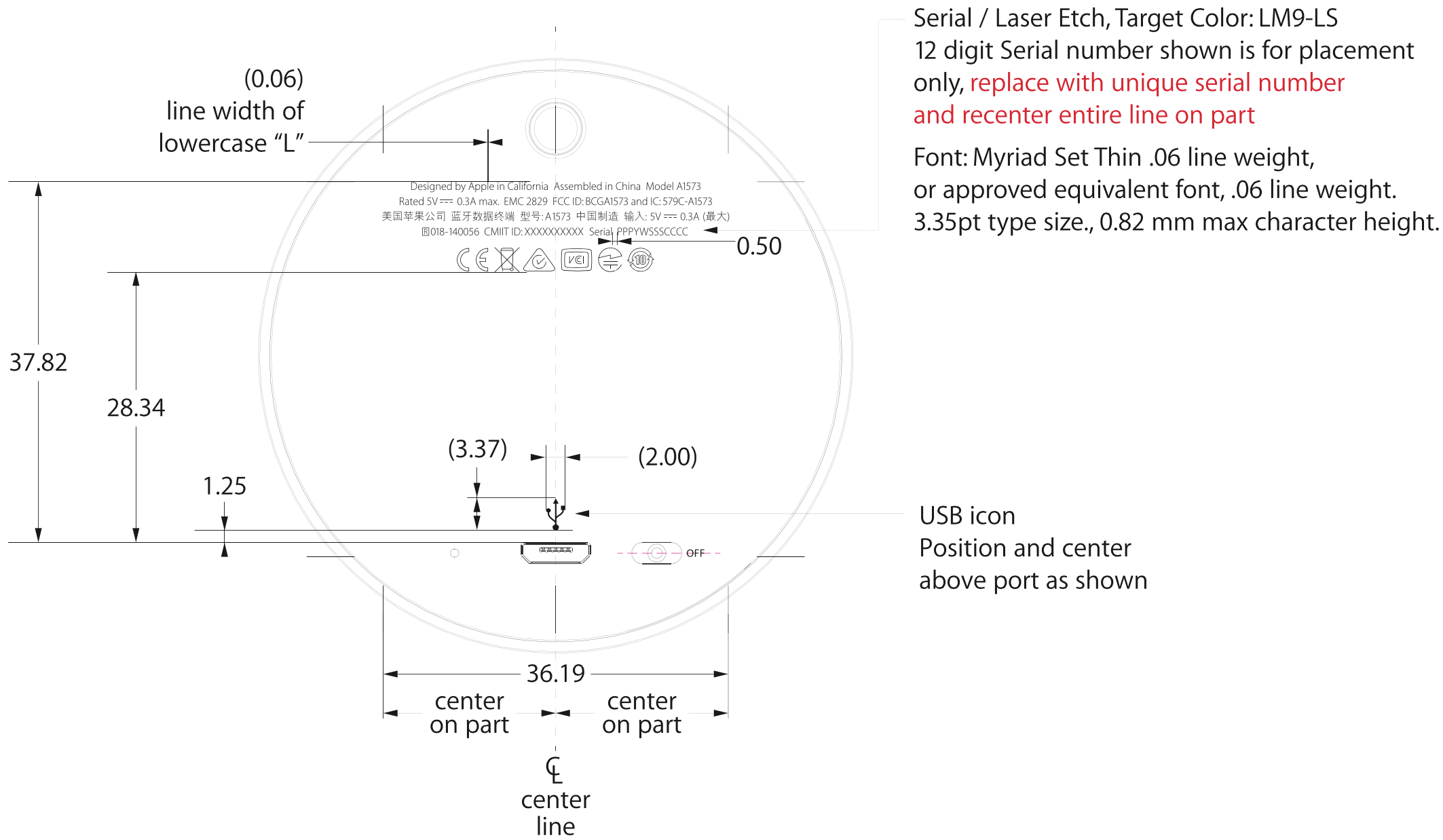
Affected adapters feature the Model ‘A1300’ designation, found on the bottom of the unit as pictured above. Apple will replace the power adapters for free at its dedicated replacement portal website. A full country list is below.


Expand
Expanding
Close

Site default logo image

Watch the 2014 FIFA World Cup on your iPhone or iPad

The 2014 FIFA World Cup is officially kicking off today and, while Google might have you covered for updates through search or Google Now, you’ll need one of a few other iOS apps if you plan on streaming live audio or video of all the upcoming games. Head below for our full list of options for video and audio including options for both those in the US and abroad. Most on the list below have streams on TV and online, but you’ll need to download some apps if you want to tune in on your iPhone or iPad:

US: For video you’ll need to download the WatchESPN apps, which will require you to sign into a supported cable provider to access all 64 games being streamed live on the network. That includes streams in English, Portuguese and Korean, but for a Spanish broadcast Univision has streams also available through its app for iPhone and iPad. Support cable providers for Univision include AT&T, Bright House, DirecTV, Optimum, Cox, Dish, Time Warner Cable and Verizon.

If audio will suffice, iTunes Radio is live streaming games from the ESPN station and TuneIn Radio is aggregating all 64 games from ESPN Radio in its iPhone and iPad app.

UK: The BBC and ITV will be broadcasting the games in the UK, which will also be available in their iOS apps including the iPlayer BBC app and the ITV Player app for iPhone and iPad.

Australia: SBS On Demand will have the games to watch in its iOS apps for Australia, but it doesn’t appear to be offering live streams.

Canada: CBC has all 64 games live through its iOS app and doesn’t require users to sign into a cable provider.

A full list of who has broadcasting rights in which countries this year is here. If there are streams in your country, they will likely be through the broadcaster’s iOS app. FIFA has a full match schedule on its website here.

iOS 8 builds in the technologies Apple needs for an iWatch

Site default logo image

iOS 8 adds several important enhancements to the iPhone and iPad, such as improved notifications, health-tracking, and a more advanced camera application, but the new operating system’s most significant feature may be the groundwork technologies for a future Apple wearable device that integrates deeply with the iPhone.

No matter if it is called the “iWatch,” “iBand,” “iPod,” or something else entirely, a wrist-worn Apple wearable device will likely be announced in October, and the software it will run will set the scope of its capabilities. Besides the new functionality for the iPhone and iPad, iOS 8 includes many new wireless protocols, applications, and features that open the door to several capabilities for a wearable device.

Let’s take a look at how each major iOS 8 feature plays directly into Apple’s ambitions for a wearable computer, below.


Expand
Expanding
Close

Here’s the iPad split-screen app mode Apple is working on in iOS 8 (video)

Site default logo image

As we reported in May, Apple is working on a split-screen multitasking feature for iPad apps for a version of iOS 8. The feature, akin to the key productivity function on the Microsoft Surface, was not announced at WWDC last week, but code references to the feature have been found across the iOS 8 Software Development Kit.

Now, developer Steven Troughton-Smith has dug further into the upcoming split-screen multitasking feature and has hacked the iOS 8 iPad Simulator to make the function partially work. As can be seen  above, Safari is taking up half the display. The tweaking to the simulator is yet to completely unlock all functionality with two different apps running side by side, but this demonstrates that Apple has been definitely testing the feature internally.

Troughton-Smith has also put together a video showing the split-screen mode in action on the simulator. That video can be seen below:


Expand
Expanding
Close

New iPad Air with same design, 8MP rear camera, and more efficient A8 chip enters production this month

Site default logo image

Apple is reportedly set to begin production of its next-generation iPad Air this month with display components going into mass production in the middle of this month and components such as the processor and camera sensors going into production next month. The design of the sixth-generation full sized iPad will mimic that of the current model and the display resolution will stay at 2048 x 1536, according to ETNews.

The new iPad Air will sport a more advanced A8 processor, which sources previously noted focuses on efficiency and battery performance for the iPhone (likely for the iPad too):


Expand
Expanding
Close

Site default logo image

iPads allow kids with challenges to play in high school’s band

The story at NPR reads like an Apple ad, but it’s completely genuine:

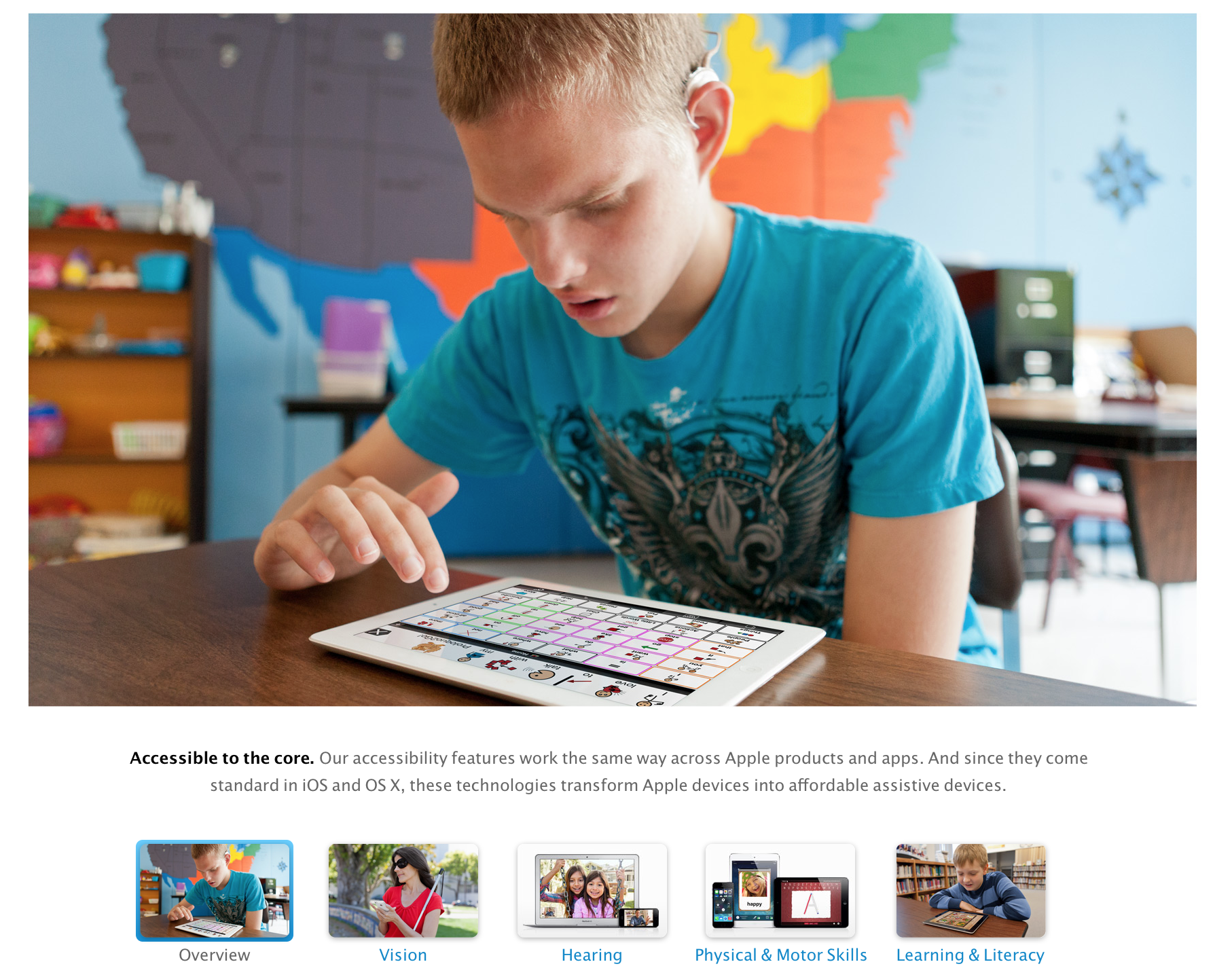
Just what is it about a tablet, or the iPad in particular, that works so well with some students with disabilities and children on the autism spectrum? Educators believe there’s something about the combination of the big, bright, clear visual cues of some of the music apps, and the touchscreen that’s easy to use without creating a sensory or visual overload. Beyond that, many teachers and parents aren’t really sure. It’s still a bit of a mystery. “We have some really, really low-functioning students who I could never really involve in the music activities,” Goldberg says. “But the iPad has pretty much taken care of that. I can’t say I have 100 percent involvement. But it’s pretty close.” And educators say there’s another way the tablets are proving to be game changers for special ed. They’ve begun to make obsolete those large and costly learning devices, allowing a student with disabilities to look like every other student. “It has changed the way people look at people with disabilities,” says Karen Gorman, the director of Assistive Technology for New York City’s Public schools. For years, she said, many kids with severe autism, cerebral palsy or other serious challenges needed these large, clunky and expensive assistive-speaking devices. Some looked like small accordions, worn around students’ necks. Gorman says they looked a little odd, and screamed “disabled kid.” Now the iPad and other tablets, she says, have helped level the playing field socially. “Parents thought for the first time my child with disabilities is using something that looks very cool, and modern and current. And other kids will come over to them now and interact with them.” Once, Gorman says, other students tended to see only the disability: “Kid in a wheelchair, kid in a wheelchair,” she explains. “Kid in a wheelchair with an iPad? How interesting.”

Head over to NPR for the full story.

Site default logo image

PSA: You can now get a new iPad mini at Best Buy for $199.99 shipped ($100 off)

From 9to5Toys.com


Update: Best Buy only offers in-store pickup now.

These things usually go out of stock quickly so you might want to jump all over it, especially with Father’s Day coming up.

Target began the $199 price drop over the weekend but quickly ran out of shippable inventory. They are still available at physical Target and Best Buy stores when this inventory runs out.

This of course isn’t a Retina display model but at a price below the retail price of a Nexus 7 or an Amazon Kindle Fire, who’s complaining?

Looking for a deal on a full-size iPad? Altatac (Top Rated Plus seller) via eBay Daily Deals has a 16GB WiFi model for $399.99 shipped (Reg. $499)

Site default logo image

SteelSeries announces full-sized Made-for-iPhone/iPad bluetooth game controller

We previously reviewed the first Made-for-iPhone/iPad “Stratus” controller launched by SteelSeries and today the company announced a full-sized version with the introduction of Stratus XL:

The Stratus XL Wireless Gaming Controller features a console-style layout with a pressure-sensitive directional pad (D-pad), 4 pressure-sensitive action buttons along with a total of 4 shoulder buttons – 2 pressure-sensitive top shoulder buttons and 2 analog trigger bottom shoulder buttons. In addition to dual analog sticks, Stratus XL includes a dedicated pairing button to connect to iOS devices via Bluetooth and a convenient on/off switch to save on power. The Stratus XL will deliver an estimated 40 hours of gameplay with two standard AA batteries; a battery life indicator is located on the underside of the device.

The controller also includes red LED indicator lights that show up to 4 controllers connected to a single device for multiplayer.

The Stratus XL controller is coming later this year but there is no word on pricing yet. Here’s to hoping the larger size improves on some of the issues we had with the last controller. You can see a size comparison of the two controllers to the right.

Site default logo image

Reminder: 7-1 AAPL stock split takes effect today


Apple’s first stock split since 2005 takes effect today, but the computers that track the stock price often forget to take that into consideration (above).

Why the 7-1 split? The lower buying price may open the door to more investments from smaller investors, and the ~$100 price would let it major indices list AAPL, opening the door to more investment. 
Expand
Expanding
Close

Site default logo image

AT&T expands GoPhone prepaid plans to tablets, iPad mini and iPad 3 supported

In addition to announcing a trio of new Android tablets, AT&T has also announced that it is expanding its GoPhone prepaid plans to support a handful of tablets, including the iPad mini and iPad 3. The GoPhone plans work by purchasing a $10 GoPhone SIM Kit then choosing a pre-paid data plan for your device. For $15/mo you’ll get 250MB of data and 100MB of additional data can be purchased for $10 each. $30 a month will get you 3GB and 500MB of additional data will run you $10. Finally, $50 per month will get you 5GB of data, with each additional GB costing $10.


Expand
Expanding
Close

Site default logo image

Official FIFA iPhone/iPad app updated ahead of 2014 World Cup Brazil

The Official FIFA iPhone and iPad apps, which also happen to act as the Official FIFA World Cup app, has been updated today with a number of new features ahead of 2014 FIFA World Cup Brazil tournament kicking off on June 12.

The app gets a few pre-tournament features leading up to the first official World Cup match, but it will also be getting another update before then to introduce additional features. In today’s update, you’ll find a World Cup latest news section, the ability to discover info for all coaches and players across 32 teams, and a full schedule of all 64 games planned for the tournament. The update will also let you “Explore the host country Brazil and get familiar with the stadiums and cities where the action will happen.” 

In another upcoming update the app will introduce “minute-by-minute action, live from all 64 games” and other features for keeping up with the latest.

The updated Official FIFA World Cup app for iPhone and for iPad are available on the App Store now.

Giveaway: Win a Pad & Quill accessory pack for iPhone, iPad, & Mac ahead of Father’s Day ($600 value)

Site default logo image

Update: Our winners have been chosen at random and contacted. As thanks for everyone participating, Pad & Quill is generously offering 15% off any order for a limited time to our readers using the coupon code DAD14 at checkout. 6/12/14

With Father’s Day quickly approaching, our friends over at Pad & Quill are teaming up with us to give away some cool bags and cases for your iPhone, iPad, Mac, and more. Pad & Quill makes super well-crafted accessories that look and feel very rich and thought out. We’ve had the chance to cover and review several of their products in the past.

We’ll be picking one grand prize winner to receive Pad & Quill’s Field Bag, Aria for iPad Air case, Bell Fino for iPhone 5s case, and any choice of Pad & Quill MacBook case for free (over a $600 value). In addition to the grand prize winner, two additional winners will be selected each to receive their own choice of any Pad & Quill iPhone or iPad case. Find out how to enter after the break…
Expand
Expanding
Close

GoPro iOS app finally gets completely redesigned for iOS 7

Site default logo image

An update to the GoPro app that allows users to remotely control their GoPro cameras has been a long time coming. Just in time for iOS 8, today the app finally gets an overhaul for iOS 7 with a completely redesigned UI that ditches that super outdated design the app has been sporting for quite a while now. 
Expand
Expanding
Close

Site default logo image

Future Macs could lose the cables as Intel demos next-generation wireless charging, docking & displays

If you’re like me and love technology but hate the rats nest of cables it requires, we could be in for some good news. Intel has demonstrated a system that could be incorporated into future computers that allows wireless connectivity for power, displays, and connection to accessories like external drives.

Wireless charging is nothing new, of course, but existing systems are something of a mess. They rely on inductive charging, which is ultra-short range and only suited to low-power devices like smartphones, and there are several competing and incompatible systems in use.

The new system demo’d by Intel uses magnetic resonance charging, which can cope with the power demands of laptops, and works through up to two inches of wood – meaning that the charging plate can be hidden out of sight under a desk. The same charging plate can also charge multiple devices simultaneously, so a single installation under your desk could potentially power your Mac, iPad, iPhone and wireless headset.

For wireless connection to displays and accessories, Intel uses the Wireless Gigabit Alliance system WiGig, which allows speeds of up to 7Gbps over a distance of a few feet – good enough for a completely wireless desk, and rendering my home-brewed iDesk redundant.

The technology will be supported by Skylake, a chip that is currently two generations down the road, and likely to first appear in laptops in 2016. Apple has not yet signed-up, but Asus, Dell, Fujitsu, Lenovo, Logitech, Panasonic and Toshiba are all on board, so it is likely just a matter of time.

(Via CNET)

iOS 8 turns iPhone into the ultimate game controller for iPad & Mac, Game Center hits 130M monthly active users

Site default logo image

Apple took some time to talk gaming during a presentation closed to the public yesterday at WWDC. While noting that gaming is now an area that Apple is “pushing on very strongly”, the company also announced a new feature coming for gamers and developers: Controller Forwarding. 
Expand
Expanding
Close

Apple makes it easy for devs (and others) to screencast iOS apps with OS X Yosemite

Site default logo image

Apple has added a handy feature into OS X to easily capture the screen of an iPad or iPhone on the Mac itself. Apple positions the feature as a way to help developers quickly make app previews, which Apple introduced as part of iOS 8’s improvements to the App Store, but there is no reason why this couldn’t be used by others for different purposes.

When plugging an iPad or iPhone running iOS 8 into a Mac running OS X Yosemite via USB, the iOS device now shows up as a standard camera input. This means any video app can be used to record the screen of the iOS device without the need for additional hardware.

Although Apple is targeting the feature at developers in its documentation for making app previews, it is not limited to being a developer-only feature.


Expand
Expanding
Close

Review: TwelveSouth HoverBar 3 positions your iPad right where you want it

Site default logo image

There are times when an iPad can act as a handy sidekick to your Mac, but with a typical iPad stand you end up looking a little like a nodding dog as you look up at your monitor and down at your iPad. The TwelveSouth HoverBar 3 is designed to solve that, positioning your iPad display right next to your iMac or Apple Thunderbolt/Cinema Display.

The HoverBar can also be used on its own to position an iPad more comfortably, especially when using it to watch movies … 
Expand
Expanding
Close

Polls: What are your first impressions of iOS 8 and Yosemite?

Site default logo image

Now you’ve had a chance to catch up on our coverage of the main new features of iOS 8 and OS X Yosemite, and seen our hands-on videos (iOS 8 overview, OS X Yosemite overviewiOS 8 Spotlight and iOS 8 interactive notifications), we’d like to hear your first impressions of each.

Whether you’re blown away by all the new features, disappointed by things you wanted but didn’t get, or just a bit underwhelmed, here’s your chance to let us know.

We’ve summarized the features Apple has chosen to highlight, and there are separate polls for each platform … 
Expand
Expanding
Close

Android migration means there’s more iPhone growth to come, suggests Cook

Site default logo image

With so many new iOS and OS X features being introduced in yesterday’s WWDC keynote, the numbers that kicked off the show perhaps didn’t get the attention they otherwise might have done.

While the Wall Street line is that the smartphone market is saturated and iPhone and iPad growth is done, Tim Cook clearly thinks otherwise. Business Insider highlighted Cook’s comment on the migration Apple is seeing from Android phones.

“Over 130 million customers who bought an iOS device in the past 12 months were buying their first Apple device,” said Cook before introducing iOS 8, the new software for the iPhone and iPad. “Many of these customers were switchers from Android. They had bought an Android phone — by mistake. Then had sought a better experience … And a better life. And decided to check out iPhone and iOS.”

He added, “Nearly half of our customers in China in the past six months switch from Android to iPhone. This is incredible.”


Expand
Expanding
Close

Apple now stores ‘every photo you take on all of your devices’ with new Photos app

Site default logo image

With iOS 8, Apple will now backup of all your photos. The limitations of Photo Stream seem to have gone away. Apple will now store all of your photos in iCloud, regardless of what device you take them on. iPhones and iPads can view these entire libraries, without having to download them to local storage. The photos stream in as you scroll.

Storage is only limited by your iCloud Storage. Apple has announced new cheaper storage plans to go along with the new philosophy.

Apple is also adding a whole host of color and other editing features into the Photos app. This includes things like color correction, brightness, cropping and more. These edits automatically sync across devices.


New developer APIs for iOS 8 and OS X 10.10 appear in open-source WebKit

Site default logo image

The code shows that this is a new addition for OS X 10.10 and iOS 8.

Slightly ahead of the keynote later today, Apple has pushed some of its new APIs for developers into the open-source channels. The class in question is a new view that appears to replace the current iOS and OS X WebKit implementations, which enables apps to show webpages and other content inline.

The new framework seems to indicate a focus on cross-platform API compatibility, between iOS and OS X. The leaked framework seems to be fully feature-compatible across platforms. This differs to the situation today, where developers must use the ‘WebView’ class for OS X and ‘UIWebView’ for iOS. This should help developers write more reusable code.


Expand
Expanding
Close

OkSiri brings always-on voice control to jailbroken iOS devices

Site default logo image

https://www.youtube.com/watch?v=oNUBWqr3AI4

Even if you’re strictly an iOS user, you’ve probably heard of Android’s “Ok Google” command, which automatically brings up the Google Now voice control interface from the home screen. iOS doesn’t really have an equivalent feature. In order to bring up Siri, you have to hold the home button down for a few seconds.

Today a new jailbreak tweak called OkSiri was released that enables the same functionality on iOS devices. It works just like you see in the video above, though there are a few little annoyances. Keep reading for a full breakdown on the upsides and downsides to this tweak.


Expand
Expanding
Close