Apps

See All Stories

Learn about the latest news for iOS, Mac, Apple Watch, and Apple TV apps

Apps for iOS, macOS, tvOS, and watchOS power our modern world. 9to5Mac will update you on the latest news, review, and updates for all types of apps. “There’s an App for that”.

The term came became part of our vocabulary when Steve Jobs announced The App Store as part of the iPhone 2.0 software update in 2008.

Over the years, the term has become as common as kleenex for describing applications on all of our devices. Apple’s platforms have apps for just about anything from finance, banking, sports, social media, podcasting, music, and more. We have a guide for helping you discover the best ones as well. Apps are now on everything from our TV, to our smartphones, on our laptops, and all the way down to our wrists.

As new ones are released or existing ones have major updates, the team here at 9to5Mac will bring you the latest news and reviews. If you want to follow along with video footage, be sure to follow 9to5Mac on YouTube. Scroll down below our latest updates on all things relating to applications on iPhone, iPad, Mac, Apple TV, and Apple Watch.

Site default logo image

9to5Toys Lunch Break: $30 off Retina iPad mini, Virgin iPhone 5s $440, 15″ Retina MacBook Pro (newest) $1700, more

Be sure to follow 9to5Toys to keep up with the best gear and deals on the web: Twitter, RSS Feed, Facebook, Google+ and subscribe to the new Safari push notifications feature.

Today’s can’t miss deals: 


Apple Tablet Roundup:
 $30 off all iPad mini w/ Retina display WiFi models, iPad 4th gen 128GB $520, more

Virgin Mobile cuts unsubsidized iPhone 5s to $440 or iPhone 5c for $360 shipped (Update)

Apple 15″ MacBook Pro w/ Retina display (current gen) 2.0GHz/8GB RAM/256GB $1,700 shipped (Reg. $1999)

Other great deals from today:


More great deals still alive:

Site default logo image

Popular lyrics site Rap Genius launches new Genius app for iPhone

Just a month after Rap Genius got stung by Google for gaming search engine results, the lyrics and annotation site is delivering its popular service to iOS users with the launch of its first iPhone app.

While it features an optimized view of its annotated lyrics service its known for, it also has a Shazam-like feature for picking out the music playing around you. If you have music saved to your iPhone in the Music app, Rap Genius will pick songs it has lyrics for and present those to you as well. The music discovery feature was a bit hit-or-miss for me and a rather limited number of songs from my Music app appear, but the lyrics service of course works really well for the songs it does have.

Genius by Rap Genius is available for iPhone and iPod touch for free on the App Store.

Expand
Expanding
Close

Site default logo image

Rovio responds to claims Angry Birds was targeted by NSA smartphone surveillance program

Yesterday we reported on new leaked docs from Edward Snowden reported by The New York Times and others that detailed secret NSA and GCHQ programs used to siphon data from popular smartphone apps on both iOS and Android. While Apple and Google have yet to respond to the reports, today one of the main developers singled out in the claims has. Rovio, maker of the popular Angry Birds game that was mentioned several times in the reports, today posted a response on its website.

The developer confirms that it in no way works with NSA, GCHQ or any other government organization to provide data about users, but it does point to third-party advertising networks as a possibility of the leaks:

The alleged surveillance may be conducted through third party advertising networks used by millions of commercial web sites and mobile applications across all industries. If advertising networks are indeed targeted, it would appear that no internet-enabled device that visits ad-enabled web sites or uses ad-enabled applications is immune to such surveillance. Rovio does not allow any third party network to use or hand over personal end-user data from Rovio’s apps.

Referring to the third-party advertising networks, Rovio CEO Mikael Hed said the company would have to “re-evaluate working with these networks if they are being used for spying purposes.”

Angry Birds wasn’t the only app specifically mentioned in the leaked docs, however. The reports claim the NSA program is capable of intercepting information ranging from location, age, and sex of users to address books, buddy lists, phone logs, geographic data and more from various mobile apps and third-party ad networks. Twitter, Google Maps, Facebook and others were also specifically mentioned in yesterday’s reports.

Site default logo image

Facebook update allows you to hide certain stories and people from your news feed

A Facebook for iOS update that was released earlier today includes the ability to hide certain people from your main news feed. To do so, just tap the downward arrow on any post and select the “I don’t like this post” option. From there you can select from a few different options for hiding the post or the user that posted it.

The iPhone version of the app also allows you to see all of your videos in a single album. This feature didn’t make it to the iPad version for some reason, but it might make the jump in a future update.

You can grab the updated app for free on the iOS App Store.

What’s New in Version 6.9

• Choose whose posts you see in News Feed
• See all the videos you’ve uploaded in one album (iPhone only)

Site default logo image

MyPhotostream: Photo Stream for Mac without iPhoto’s baggage

MyPhotostream is a simple, standalone Mac app for viewing your pictures from Photo Stream without having to open the mammoth of an app that iPhoto has become.

This app removes a major point of friction for me, and I’m guessing I’m not alone. Open iPhoto and it’s loading your image library, checking location data, updating Photo Stream and Shared Photo Streams, and who knows what else. If you’re viewing iPhoto in full-screen (as it best appears in my opinion) and you have a camera or iOS device connected, it will pull you back to a desktop view and take over the screen with a modal import prompt (even if auto-import is disabled); it’s a mess.

MyPhotostream digs your Photo Stream photos out of the mess and presents them in a simple, customizable grid view.
Expand
Expanding
Close

New leaked docs show NSA collects personal data from smartphone apps

Site default logo image

New documents leaked by Edward Snowden and reported by The New York Times, The Guardian and ProPublica detail how the NSA and its British counterpart can collect users’ personal data through smartphone apps. The reports specifically mention popular apps like Angry Birds, Twitter, Google Maps and Facebook and claim the NSA is capable of intercepting information ranging from location, age, and sex of users to address books, buddy lists, phone logs, geographic data and more:

The N.S.A. and Britain’s Government Communications Headquarters were working together on how to collect and store data from dozens of smartphone apps by 2007, according to the documents, provided by Edward J. Snowden, the former N.S.A. contractor. Since then, the agencies have traded recipes for grabbing location and planning data when a target uses Google Maps, and for vacuuming up address books, buddy lists, phone logs and the geographic data embedded in photos when someone sends a post to the mobile versions of Facebook, Flickr, LinkedIn, Twitter and other services.

At least one of the app developers, Rovio, is not surprisingly unaware of any of the activity mentioned in the documents, but it will be up to the app developers, Apple, and Google to address the issue and clarify for users if their personal data is safe. In a recent interview with ABC, Apple CEO Tim Cook commented on the controversy over surveillance programs and promised he would press congress for more transparency:
Expand
Expanding
Close

Dark Sky update brings iOS 7 design, beautiful 3D radar maps and more detailed forecasts

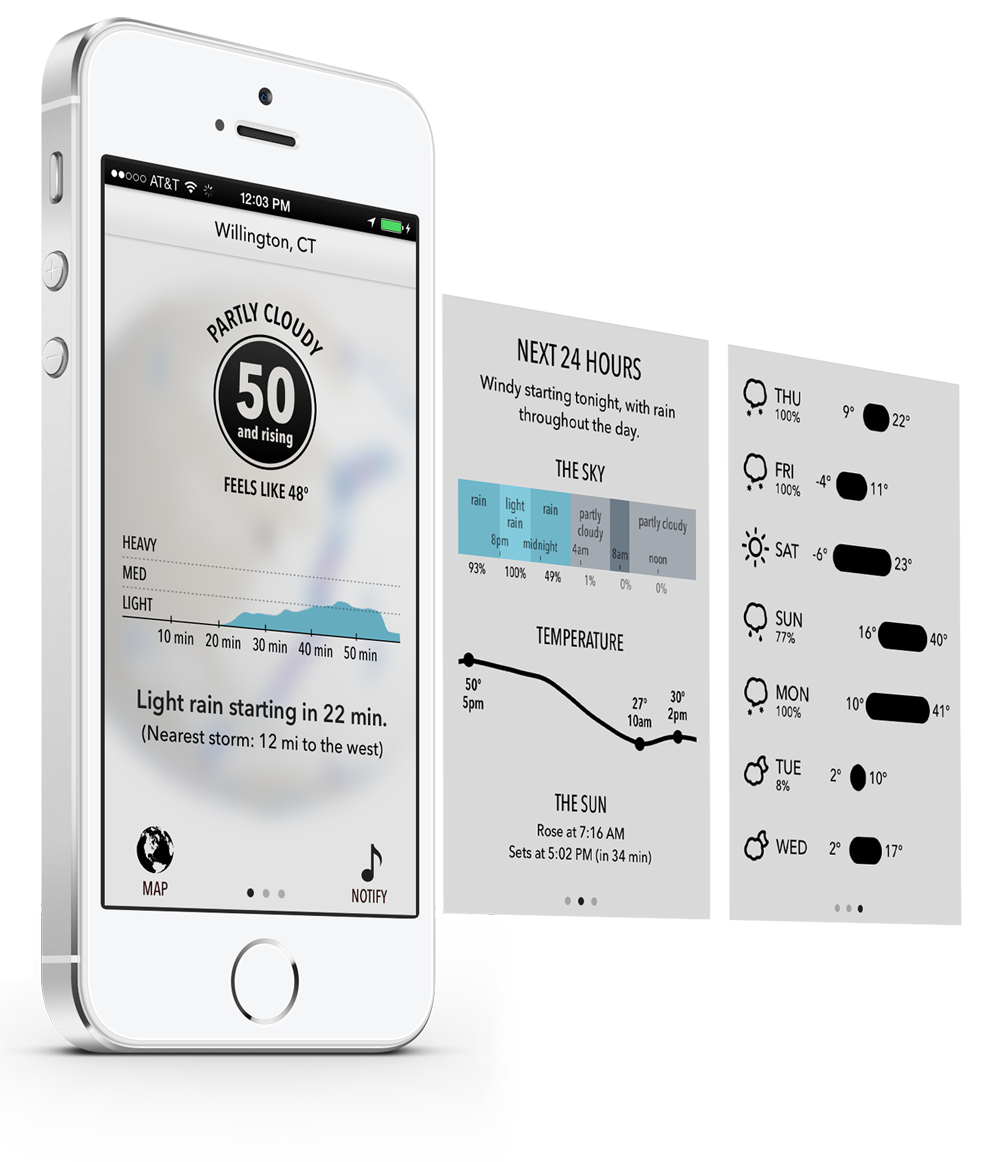
The Forecast team today released their iOS 7 update for Dark Sky ($3.99), the ‘down-to-the-minute’ weather app. The update strips back the bevels and gloss to fit the iOS 7 aesthetic. The new design puts the most important information — the current weather conditions — front and center. A graph plot of upcoming precipitation is also available at a glance on the main page of the app.

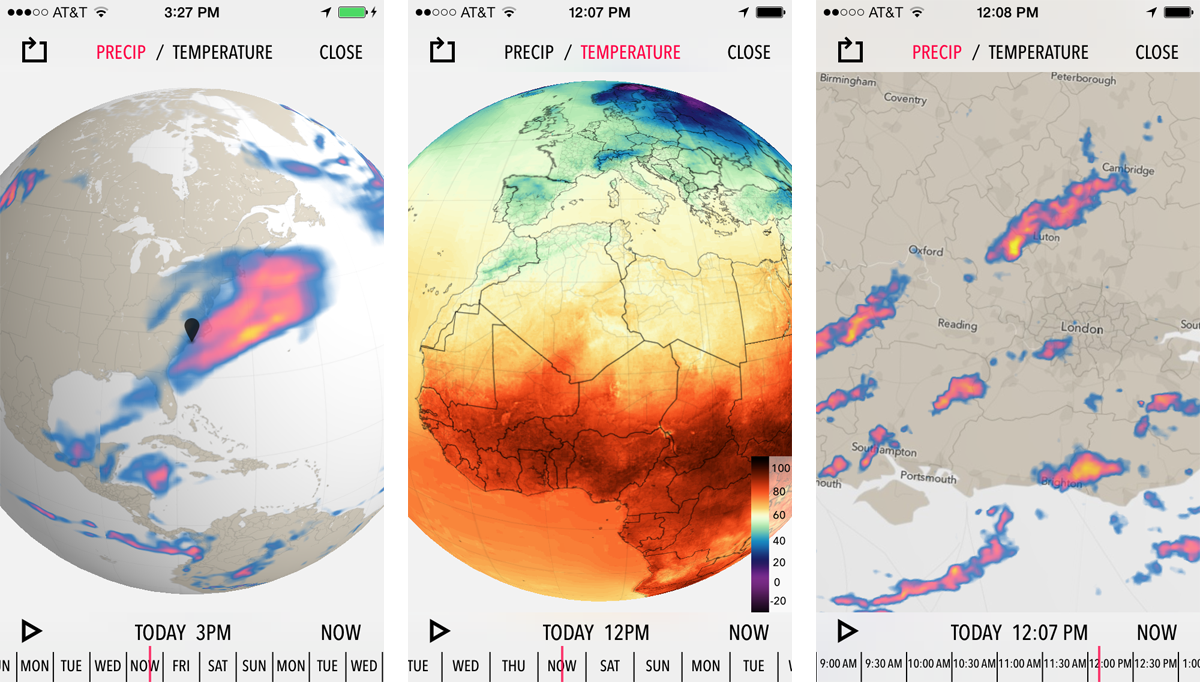
Blurring has also been used to great effect, with the forecast information superimposed on a blurred view of the global radar maps. These maps are beautifully rendered; the radar patterns smoothly transition over time. In addition to the radically new design, version 4 also brings much forecasts that span longer into the future. The next 24 hours is prioritised, but 7-day outlooks are available with a swipe. The day-by-day breakdowns offer a lot of information, more so than most weather reports will provide.

From the developers’ blog:

Completely rewritten from scratch, it sets aside the limitations of the web to become the weather app we’ve always wanted — and always wanted to build. It’s the culmination of over two years of work in figuring out how to display and organize weather data the right way. And it’s a full featured weather app — something we swore we’d never do — but it still remains true to its original focus on what’s happening right now, where you’re standing.

The developers say the app is a complete rewrite, which makes the fact they are not charging for the update impressive. For new customers, Dark Sky is available for $3.99 on the App Store. Note that Dark Sky coverage currently encompasses the United States, the UK and Ireland. The developers have said that they are actively working on adding data for more regions.

Site default logo image

9to5Toys Last Call: $50 off all iPad Air models, 50% off OtterBox Armor Series, up to 73% off SwissGear backpacks, more

Be sure to follow 9to5Toys to keep up with the best gear and deals on the web: Twitter, RSS Feed, Facebook, Google+ and subscribe to the new Safari push notifications feature.

Today’s can’t miss deals: 

Last Call updates:

https://twitter.com/9to5toys/status/426837161368121344
Best Buy 2-Day Doorbuster Sale: $50 off iPad Air plus iPad mini/iPhone discounts

[youtube http://www.youtube.com/watch?v=SFBOnvOR4MA]Get 50% off all Otterbox Armor Series cases & 25% off select Otterbox Defender cases

Amazon Gold Box: Up to 73% off SwissGear computer backpacks

Other great deals from today:

More great deals still alive:

iWork for iOS and Mac updated with password-protected files, new Keynote transitions, and a lot more

Site default logo image

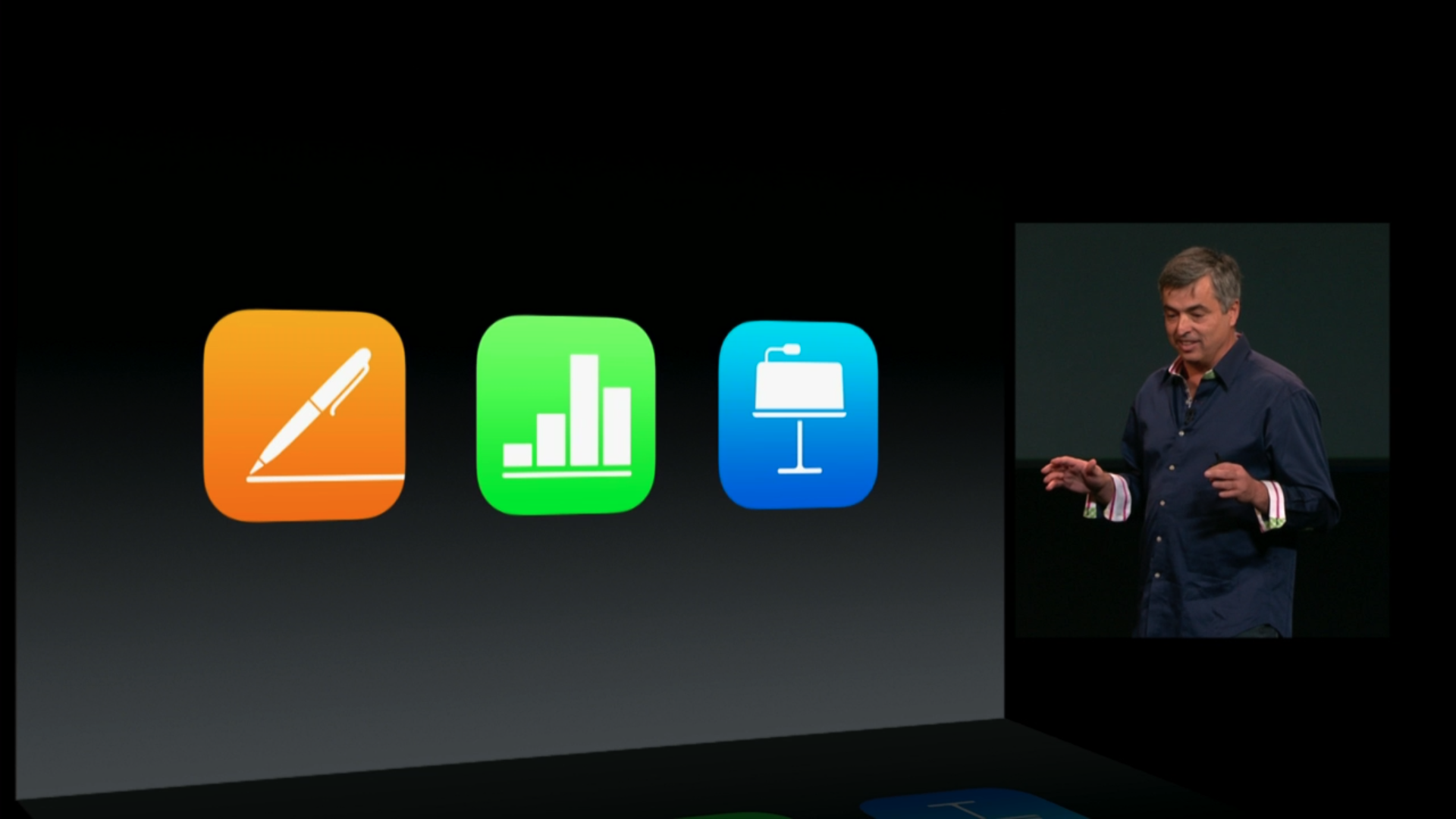
Following today’s Keynote for Mac and iWork for iCloud updates, Apple has updated Pages, Keynote, and Numbers for iPhone and iPad to version 2.1 today. The Mac versions of Pages and Numbers have also received updates. Like the web versions, each app gained support for sharing password-protected documents via iCloud links.

Keynote for iOS also gained new transitions, a remote feature for controlling the Mac version, and more.

Keynote for iOS
• Use the new remote feature to control slideshows on other devices
• New transitions including Droplet and Grid
• Enhanced presenter display options
• Share password-protected documents via iCloud link
• Create charts with date, time, and duration values
• Custom number formats in charts are preserved on import of Keynote ’09 and Microsoft PowerPoint presentations
• Improved compatibility with Microsoft PowerPoint 2013 presentations
• Bug fixes and stability improvements

Keynote Remote, which is integrated into the aforementioned update, is no longer visible in the App Store. But the direct link continues to work.


Expand
Expanding
Close

Site default logo image

Apple’s Podcasts iOS app updated w/ pull to refresh for subscriptions, fixes

Apple has released an update to its Podcasts app on the App Store today that introduces a few new features and fixes. The update brings a pull to refresh function for subscriptions in the My Podcasts section, improvements to overall stability, and a few fixes for bugs related to playback and subscriptions:

• You can now pull to refresh subscriptions in My Podcasts
• Resolved an issue that may cause playback to stop unexpectedly
• Fixed a problem where subscriptions may stop updating with new episodes
• Includes additional improvements to overall stability

Version 2.0.1 is the first update since Apple introduced a redesigned Podcasts 2.0 back in October.

Apple begins flat redesign of iWork for iCloud, adds shared password protected docs & new editing features

Site default logo image

Update: Some users are reporting that after opening a document in iWork for iCloud, that document is unable to be opened in the Mac or iOS versions of iWork.

Apple has just pushed out an update to its iWork for iCloud web apps that brings a redesign for some elements of the three apps and a long list of new features and improvements. Apple has added a new iOS 7-style UI for each app’s template chooser and document library (the first thing you see when launching the apps, pictured above), but when editing a document you’ll still get the old black and grey editor UI for now.

All three apps— Pages, Numbers, and Keynote— get the ability to add passwords and share password protected documents, spreadsheets, or presentations, as well as “improved voice over support for body text and document manager.” You can also now view a list of your documents, spreadsheets, or presentations that others have recently shared with you from a clock icon at the top of each app.

Other improvements in today’s update include new keyboard shortcuts and some highly requested editing features such as rich formatting of text in table cells. A full list of what’s new in each app is below.
Expand
Expanding
Close

Site default logo image

9to5Toys Last Call: Up to 50% off popular Mac games, Bose AE2 ‘phones $99, Philips Brilliance 27″-29″ monitors, more

Be sure to follow 9to5Toys to keep up with the best gear and deals on the web: Twitter, RSS Feed, Facebook, Google+ and subscribe to the new Safari push notifications feature.

Today’s can’t miss deals: 

Last Call updates:

Game/App Deals: Up to 50% off Mac games: Borderlands GOTY, Call of Duty, Star Wars, many more, Carmageddon: FREE, iOS freebies

Bose AE2 fold-flat headphones $99 shipped (Reg. $150)

Philips Monitor Deals: 27″ Quad HD w/ mic & webcam: $600 (Reg. $900), 29″ UltraWide HD display: $450 (Reg. $700)more

Take up to $50 off select iRobot Roomba cleaning robots, deals start at $300 shipped

Other great deals from today:

More great deals still alive:

Site default logo image

SwiftKey bringing its predictive gesture typing from Android to iOS w/ ‘Note’ app

SwitfKey, the popular Android app that replaces the stock on-screen keyboard with a gesture-based, predictive typing system, will soon arrive in an official iOS app from the same developers. While details are slim, the screenshot above from @evleaks comes with the caption “SwitfKey Note,” which we assume is a note taking app of sorts by looking at the image. Since Apple doesn’t allow users to change the system-wide on-screen keyboard to third-party alternatives like on Android, we assume that the gesture and predictive typing features will be accessible only within the new Note app. 
Expand
Expanding
Close

Pixelmator 3.1 brings 16-bit image support for Mac Pro, integrated photo printing and more

Pixelmator have released the latest version of their app today, version 3.1. As usual, it is available exclusively in the Mac App Store for $29.99. Codenamed Marble, this update brings several enhancements to the image editor including specific Mac Pro optimizations such as 16-bit image support.

Primarily, Pixelmator 3.1 optimises for the new Mac Pro’s hardware. Apple has used Pixelmator before to tout the Mac Pro’s performance benefits, and the developers are clearly keen to push this further still.

The “exclusive” support for the new Mac Pro enables the simultaneous use of both GPU’s  for even faster composition and rendering. In fact, the app can compute the autosave data whilst the image is being rendered. This translates to significant speed improvements across the app.


Expand
Expanding
Close

Site default logo image

Apple releases iTunes 11.1.4 w/ Wish List in library, improved Arabic & Hebrew support, more

Apple just released a small update to iTunes on Mac OS X bringing the app up to version 11.1.4 and introducing a few minor features and tweaks. Apple notes that users will now be able to see the Wish List feature while viewing the iTunes library. The latest version of iTunes also introduces improved Arabic and Hebrew support, as well as other “additional stability improvements.”

“This version of iTunes adds the ability to see your Wish List while viewing your iTunes library, improves support for Arabic and Hebrew, and includes additional stability improvements.”

You can grab the update through the Mac App Store or Apple’s iTunes download page on its website.

Site default logo image

Twitterrific 5 updated with streaming support, list management, more

The Iconfactory released a significant update to Twitterrific 5 today bringing support for a highly requested feature: streaming.

Just like Twitter for Mac and Tweetbot for Mac and iOS, Twitterrific will now present new tweets to you as they’re loaded alleviating the need to pull-to-refresh when you’re caught up on your timeline. You will need to enable it in the settings for it to work, and it requires WiFi of course.

The update also features a number of other improvements including list management.
Expand
Expanding
Close

Site default logo image

SnapTax by TurboTax lets you e-file your taxes with your iPhone camera

Gearing up for tax season and looking for the easiest way to get it over with? TurboTax is making tax filing in 2014 as easy snapping a photo with your iPhone. Seriously.

Similar to many banking apps that allow you to take a photo of a physical check to make a deposit, SnapTax app by TurboTax allows you to focus your camera at your W-2 (1040EZ/A) to quickly input most of the important information required for filing your taxes.

After you capture the photo, the app uses optical character recognition to parse out the important information and asks you a few remaining questions and you’re on your way.

This year, TurboTax notes its app is the first of its kind to allow you to e-file your taxes on a mobile device in Spanish making it easier for everyone to take advantage of the app.


Expand
Expanding
Close

Site default logo image

9to5Toys Last Call: Pad & Quill iPhone 5/5s Little Pocket Book $60, 2-pack Sennheiser MX270 earbuds $15, more

Be sure to follow 9to5Toys to keep up with the best gear and deals on the web: Twitter, RSS Feed, Facebook, Google+ and subscribe to the new Safari push notifications feature.

Today’s can’t miss deals: 

Pad & Quill Little Pocket Book for iPhone 5/5S $60 shipped ($10 off)

2-Pack: Sennheiser MX270 Ergonomic Stereo Earphones $15 shipped (Reg. $40)

https://twitter.com/9to5toys/status/425682475931938817
Other great deals from today:

More great deals still alive:

Site default logo image

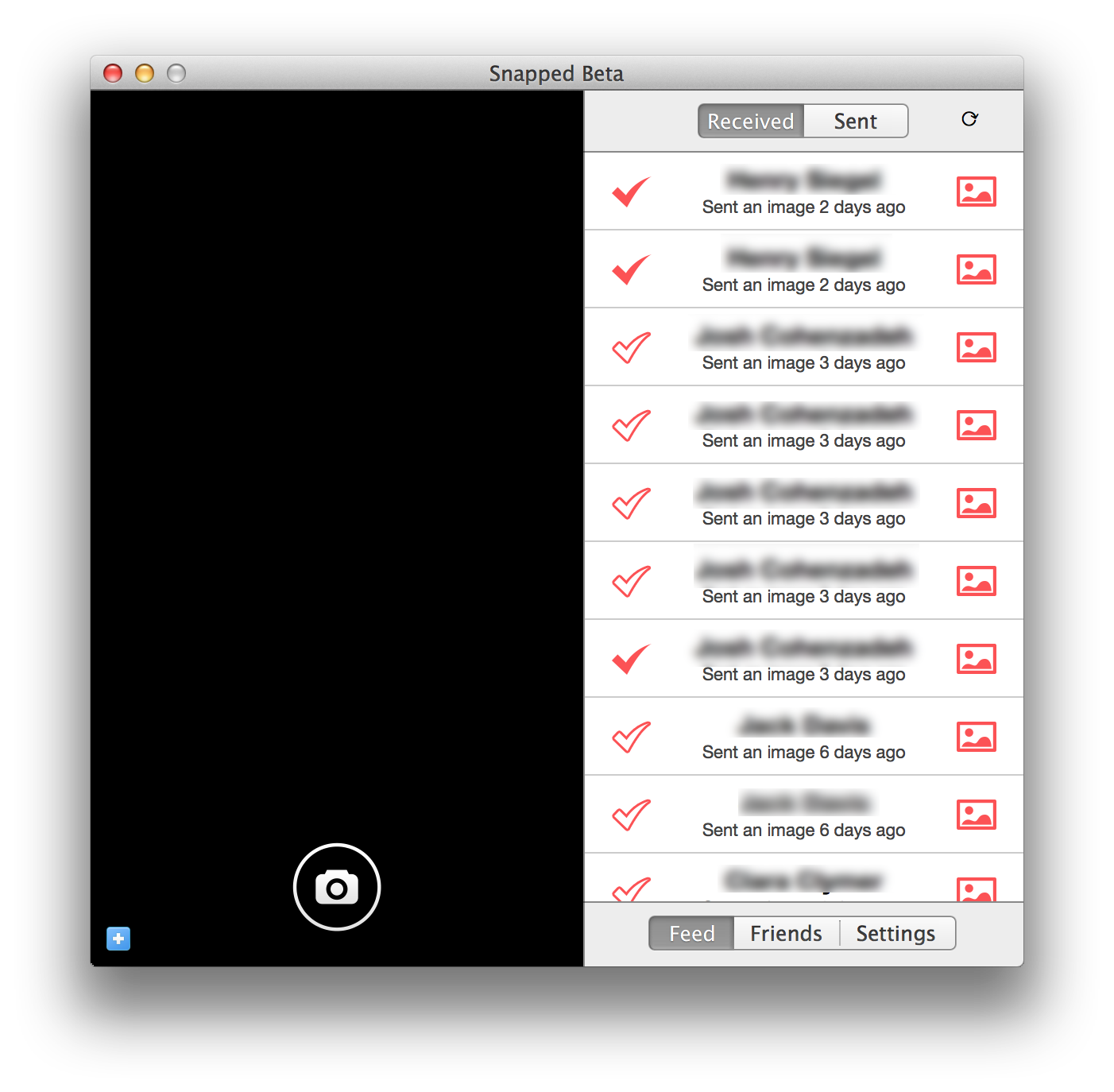
Snapchat comes to the Mac with unofficial “Snapped” beta client, but don’t expect a complete experience just yet

Since the app’s release, Snapchat has only been available for smartphones. An official desktop client has never been created, and due to the nature of the app, it doesn’t seem like one ever will. That’s not to say you’ll never be able to send snaps from your Mac, though

A new app called Snapped was released to the public as a private beta today. It’s a Snapchat client for the Mac, but as a third-party client, the app is subject to certain restrictions and limitations that the official mobile client doesn’t have to deal with.

So what’s in the beta? Keep reading for a full breakdown. Just keep in mind that since this is a beta, it could undergo substantial changes as the development progresses.


Expand
Expanding
Close

Beats Music streaming service launches on iPhone for $9.99 a month

Beats Music is now available for iPhone on the App Store, after being originally announced back in October. The app is a very stylised adaption of a typical music streaming service app, with Beats heavily pushing the idea of customisation and curation to distance it from its many competitors.


Expand
Expanding
Close

Site default logo image

9to5Toys Last Call: LifeProof iPhone 5/5s cases, various iPad models discounted, Logitech gear up to 63% off, more

Be sure to follow 9to5Toys to keep up with the best gear and deals on the web: Twitter, RSS Feed, Facebook, Google+ and subscribe to the new Safari push notifications feature.

Today’s can’t miss deals: 

LifeProof Nuud Series Case for iPhone 5S: $64 shipped (Reg. $90), iPhone 5 Frē case: $40 shipped (Reg. $80)

Tablet Roundup: iPad Air 16GB $460, iPad mini 32GB $340, Kindle Fire HDX $199more

Amazon Gold Box: Up to 63% off Logitech computer accessories

Other great deals from today:

https://twitter.com/9to5toys/status/425388276602523648
More great deals still alive:

Site default logo image

VLC for iOS redesigned for iOS 7, now features Google Drive & Dropbox streaming, more

VLC released an update to its iOS app today introducing an iOS 7-friendly user interface as well as several handy features.

Users will welcome support for streaming media from both Dropbox and Google Drive; previously, VLC required content to be downloaded locally in its entirety before it could be viewed. This will greatly speed up media viewing. The update also features a list of other improvements including new gestures and more.

VLC for iOS is available for free on the App Store.

Site default logo image

Feedly for iOS updated w/ speed reading feature, redesigned iPad UI, night theme, more

Feedly has just updated its iOS app to version 18.0.5 with a handful of new features. For those unfamiliar, Feedly is a service that aggregates conent from a variety of sources, including news sites, YouTube, RSS feeds, and more. The biggest feature in this update according to the developers is a new speed reading functionality. The feature allows users to quickly move from one inlined article to the next by simply tapping on the edge of the interface.

Also new in this update is a redesigned iPad interface, focused on speed and stability, as well as a new night theme that essentially changes all the white interfaces to a darker color. The full change log is below:

Spotlight feature:

  • Speed reading

Other new features:

  • New iPad design
  • New night theme
  • Faster image processing
  • New mark all as read card with reading stats.
  • Crash fixes

The Feedly update is available now on the App Store.

Site default logo image

Review: Tick is a clever, colorful way to manage your to-do list on iOS 7


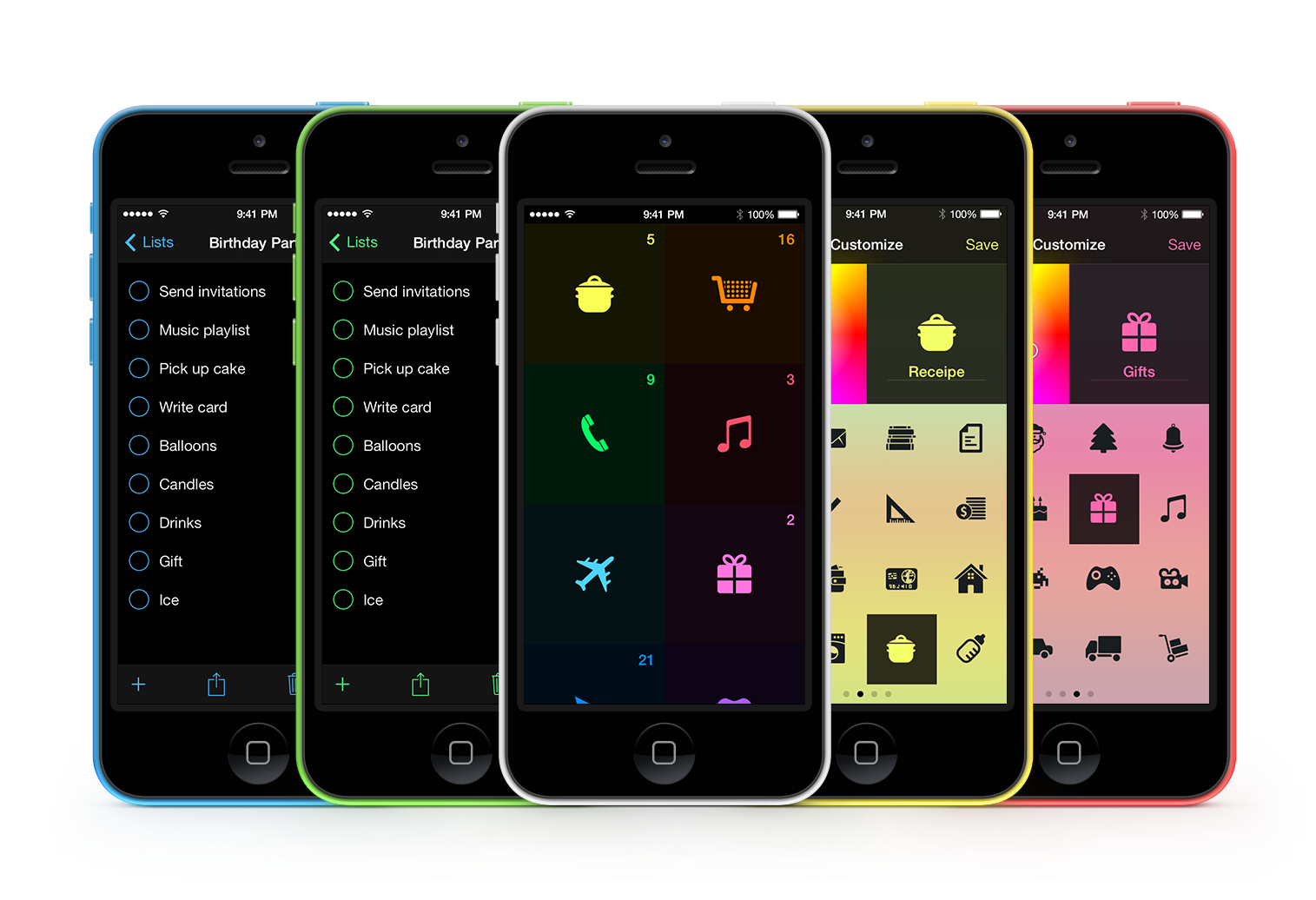
Tick is a simple, highly customizable to-do list app that effectively uses color and animation to deliver a fun and motivating experience.  Developed by Taphive, Tick was created for iOS 7 and recently updated to be more customizable, have better integration with the Reminders app, and include more animations.

I generally don’t like or use to-do apps because I consider them redundant when paired with apps like Reminders and Calendar. However, I find the fun and utterly simple design of this app makes me more motivated to use to-do lists to manage tasks.

Tick’s main interface features a set of colorful square panels. Each panel represents a list of to-dos. To create a new list, you just tap on the + button, type a name for the list, choose any one of the 64 available icons, assign a color, and tap Save. Then you click the + sign icon at the bottom of the screen to add to-dos to the list you just created.

Clever animations and transitions are present throughout the app, whether you’re checking off a completed item or moving back to the main screen. You’ll even see a special animation when you manage to complete all of the tasks on any given list.

[youtube=http://www.youtube.com/watch?v=GBESskDWBTs&hd=1]

Clicking the share icon at the bottom of a list reveals options to print or share your tasks via text or iMessage, email or AirDrop. Sliding from left to right on the main screen reveals a summary with the total number of Lists and To-Dos, and allows you to access the app’s settings.

In settings, you can choose to display the name of each list or just the icon. The app also features a night mode that can be toggled manually or set to automatically switch on at a specific time. The overall appearance of the app is so bright that I actually prefer to leave it in night mode throughout the day.

Settings has numerous other features like the ability to choose from numerous fonts, whether to vibrate or not when you trigger certain functions, and a myriad of choices regarding the app’s home screen badge.

Even the About section of Settings has a number of handy features.

I especially like the fact that the app works with the Dynamic Text accessibility feature found in iOS 7.

Additionally, Tick completely integrates with your existing Reminders app. This allows you to use Siri to add entries to your Tick lists, and keeps your lists synced across all of your devices with iCloud.

I highly recommend Tick to anyone looking for a fresh approach to getting the necessary tasks in their life and work organized. Tick is available for $1.99 on the iOS App Store.