Latest

Site default logo image

2K brings XCOM: Enemy Unknown expansion ‘Enemy Within’ to iOS as standalone app


2K games, maker of BioShock and XCOM have released a new “expansion” for the popular XCOM: Enemy Unknown titled Enemy Within. While the company calls the game an “expansion,” the term “sequel” might be more apt for the iPhone version, which functions as a standalone app rather than an add-on to the previous game.

Enemy Within, which was released for PCs exactly one year ago this past Tuesday to high praise from players, builds on the gameplay of Enemy Unknown, but adds several features and updated mechanics, including new enemies, weapons, abilities, and even an expanded story.

XCOM: Enemy Within is available on the App Store for $12.99. In lieu of a change log, the full App Store description, including a detailed list of the new content, in included below:

COM®: Enemy Within is a standalone expansion to the 2012 strategy game of the year XCOM: Enemy Unknown and it’s now available on iOS devices! Enemy Within features the core gameplay of Enemy Unknown plus more exciting content. Check out the new soldiers, abilities, enemies, maps, missions, and multiplayer mode for the fresh new strategy gaming experience!

• New Soldier Abilities: Build new base facilities to unlock unearthly new capabilities for XCOM’s soldiers. The Genetics Lab will allow soldiers to receive powerful genetic modifications, and the Cybernetics Lab allows soldiers to use devastating mechanized cybersuits in battle.

• New Weapons and Equipment: Give your operatives an extra tactical edge with new projects from your engineering team and the Foundry.

• New Enemy Threats: Adopt new tactics to counter the threats from two new alien types and a deadly new organization known as EXALT.

• New Strategic Resource: A valuable new alien resource, known as Meld, has been discovered. Secure it on the battlefield, research a new technology to unlock its power, and use it carefully back at base to unlock new upgrades and weaponry.

• New Story Elements: Investigate a terrifying threat in an abandoned fishing village, and defend the XCOM headquarters from alien attack in a series of new plot-driven missions.

• New Multiplayer maps, units, and abilities: Create your custom squad from a wider array of options and dominate your opponent in intense, one-on-one, turn-based matches.


Overcast 1.1 adds CarPlay, iPad layout and landscape mode on iPhone

Site default logo image

Overcast 1.1 is out now, bringing several big improvements to the podcast client. The update adds rotation support for the iPhone, which is particularly helpful for people with car docks that enforce landscape device orientation. Arment tastefully uses popovers for the playback settings, a UI element that is generally underused on the iPhone.

For iPad, the app is now truly optimized for the larger canvas, making liberal use of split views and modal sheets. Given that Overcast prides itself on a clean appearance, a native iPad UI for navigation is very welcome indeed. Like the stock Mail app, a list view sits side-by-side with episode details like artwork and show notes. 9to5Mac reviewed Overcast when it originally launched, so check that out if you are looking for more details about the app’s functionality.


Expand
Expanding
Close

Netflix updated for iOS 8, adds 1080p video playback for iPhone 6 Plus

Site default logo image

Netflix for iPhone 6

Netflix updated its iPhone and iPad app to version 7.0 today adding optimization for the larger displays on the iPhone 6 and iPhone 6 Plus introduced in September. The updated version of Netflix shows more content like titles and genres as well as previews of movies and TV shows when browsing for something to watch. In addition to optimizing the Netflix app for iPhone 6 users, Netflix says the new version of its app will now offer video playback in 1080p, full HD, for users with the 5.5-inch iPhone 6 Plus.
Expand
Expanding
Close

Instagram revamps Explore tab, adds caption & location editing

Site default logo image

After updating its app for iPhone 6 and iPhone 6 Plus last month, Instagram is out with a feature update today with some welcome features.

Users will likely appreciate the ability to edit photo captions and locations attached to photos in post now. That means if you make a typo on your caption, you no longer have to choose between correcting yourself in the comments, deleting and re-posting the photo with the correction caption, or just ignoring it altogether.
Expand
Expanding
Close

Site default logo image

Microsoft Office’s Dropbox integration and move to free is paying off on the App Store

Office for iPhone

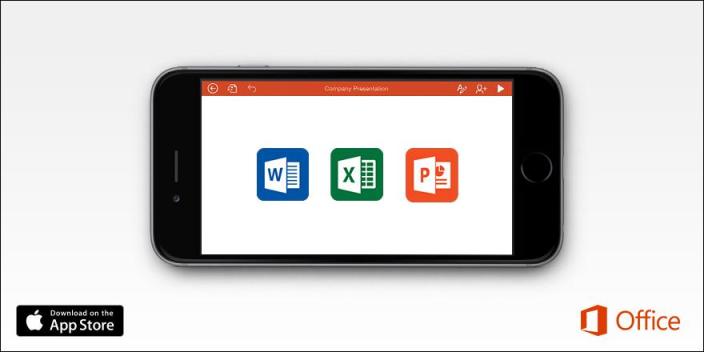
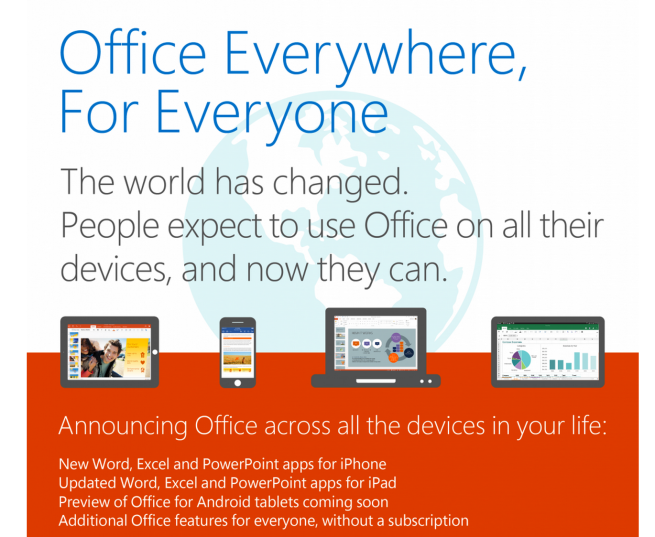
Microsoft announced a number of changes to its Office for iOS apps last week: deep Dropbox integration, dedicated iPhone versions, and editing and saving features without the need for an Office 365 subscription. All of those changes seem to be paying off, at least in the short term, as TechCrunch points out the new and updated Microsoft Office apps are now on top of the App Store charts.

Currently on the iPhone App Store, Microsoft Word takes the #1 spot for Top Free iPhone Apps while Microsoft Excel ranks in at #8 and Microsoft PowerPoint follows at #10. It’s a similar scene on the iPad side with Microsoft Word at #1, Microsoft Excel at #3, and Microsoft PowerPoint at #7 on the Top Free iPad Apps list.
Expand
Expanding
Close

Facebook Messenger mobile apps surpass 500 million monthly users

FB-Messenger-01

Facebook announced this morning that over 500 million people are now using its Messenger app per month. The impressive milestone comes just days after Facebook chief executive Mark Zuckerberg explained why Facebook Messenger was turned into a standalone app for iOS and Android, a move it made in July after disabling messaging in the main Facebook app.
Expand
Expanding
Close

Paper by FiftyThree updated with Adobe Creative Cloud integration, push notifications and other improvements

Mix Paper FiftyThree

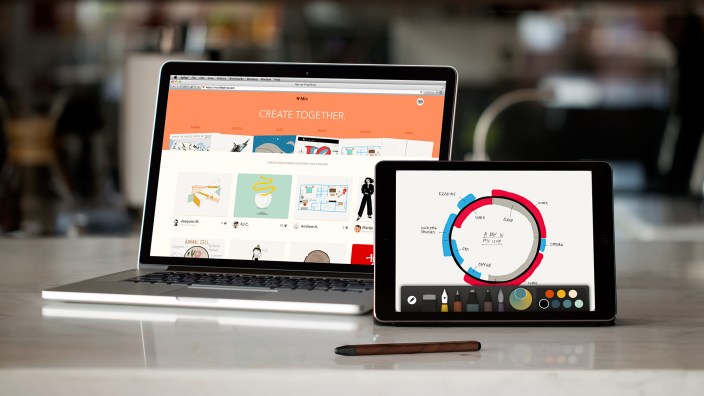
The popular iPad drawing and sketching app Paper by FiftyThree has been updated with Adobe Creative Cloud integration, push notifications and sharing directly from Mix, a camera view during account creation, smoother shadows and general improvements for iOS 8. The updated version of Paper by FiftyThree is available now on the App Store.
Expand
Expanding
Close

CBS Radio News update adds CarPlay support with streaming news, local weather, and bug fixes

Site default logo image

IMG_6423

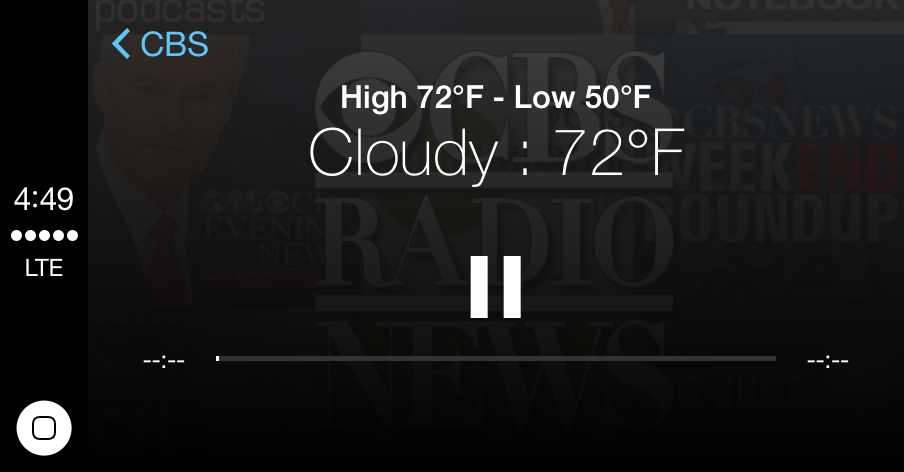
CBS has updated its Radio News application with support for Apple’s CarPlay interface. The new UI allows users to browse and play the network’s library of on-demand shows such as the CBS Evening News and 60 Minutes. Users will also find that the Now Playing screen presents them with their local weather conditions.

Also included in the new update is a set of bug fixes for issues such as two audio tracks playing back at once for some users. There is also a new introduction screen that walks users through the functions of the app. CBS News also rolled out a channel for the Apple TV earlier today.


Expand
Expanding
Close

Site default logo image

Apple releases performance improvement updates for Beats Music, iTunes Connect, iWork for iOS, more

App StoreWhile these updates aren’t major, Apple has released new versions of several of its own iOS and Mac apps with various performance improvements. If you’ve experienced issues with any of these apps, you may find that your issue has been resolved with these new versions. Included in today’s round of maintenance updates is:
  • Beats MusicThis update includes minor stability and performance improvements
  • iTunes Connect: iTunes Connect 3.0.2 includes minor fixes
  • Pages for iOSThis update includes minor stability and performance improvements
  • Numbers for iOSThis update includes minor stability and performance improvements
  • Keynote for iOSThis update includes minor stability and performance improvements
  • Pages for MacThis update includes minor stability and performance improvements

You can find the new version of each app on the App Store and Mac App Store. (Still no CarPlay support for Beats Music, though.)


Google Drive for iOS adds Touch ID unlocking, video saving, iPhone 6/Plus support, more

Site default logo image

In addition to updating its Maps app with an overhauled design, Google has released a new version of its Drive app for iPhone and iPad users adding support for the iPhone 6 and iPhone 6 Plus as well as some new iOS 8 features.

The Google Drive file storage app can now be secured using Touch ID so users with supported devices (iPhone 5s, iPhone 6, iPhone Plus, iPad Air 2, iPad mini 3) can unlock the app using the fingerprint scanner. The new version of Drive also includes an extension to “open form and save to Drive in other apps” for iOS 8 users, and videos can now be saved from Drive to the Photos app (instructions below). Google says the new version of Drive for iPhone and iPad also includes full iOS 8 compatibility, bug fixes, and performance improvements.

Google Drive 3.3 for iPhone and iPad is available for free on the App Store. Full change log below.
Expand
Expanding
Close

Tapbots, makers of Tweetbot, bring Calcbot to the Mac with Yosemite design

Site default logo image

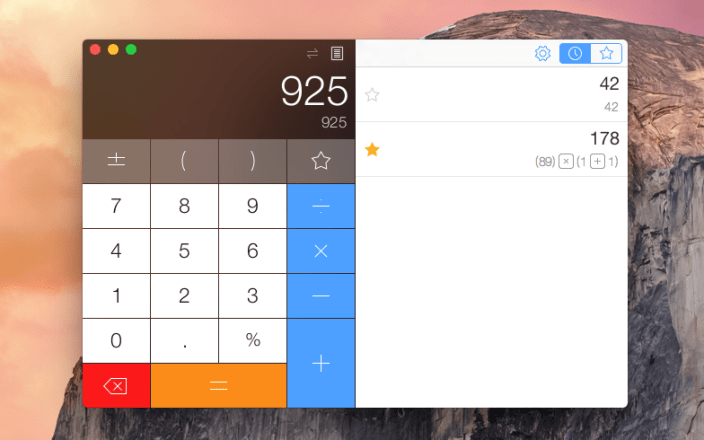
Calcbot for Mac

Tapbots, most known for the popular Twitter client for Mac and iOS called Tweetbot, is out with a new Mac app that some of its followers may recognize from the iPhone and iPad: Calcbot for Mac. Calcbot is described as a simple and intelligent calculator with a “live-as-you-type expression view” for visualizing your calculation history on a scratch sheet-like tape window. Calcbot also packs in a robust unit conversion tool with a wide range of supported categories. Check below for a closer look at Calcbot for Mac and its Yosemite-ready design.
Expand
Expanding
Close

Microsoft releases Office apps for iPhone, makes basic editing features free

Site default logo image

Office-iPhone-apps-02

Microsoft announced today that it’s rolling out standalone Office apps for iPhone after releasing the Word, Excel, and PowerPoint apps exclusively for iPad earlier this year. Microsoft previously had an “Office Mobile” app for iPhone that integrated features of all three Office apps, but today’s release of standalone Word, Excel, and PowerPoint apps for iPhone are officially replacing Office Mobile as Microsoft’s Office solution for iPhone.
Expand
Expanding
Close

Pixelmator 3.3 released with OS X Yosemite optimizations, Repair Tool extension

Site default logo image

Pixelmator 3.3 Limestone

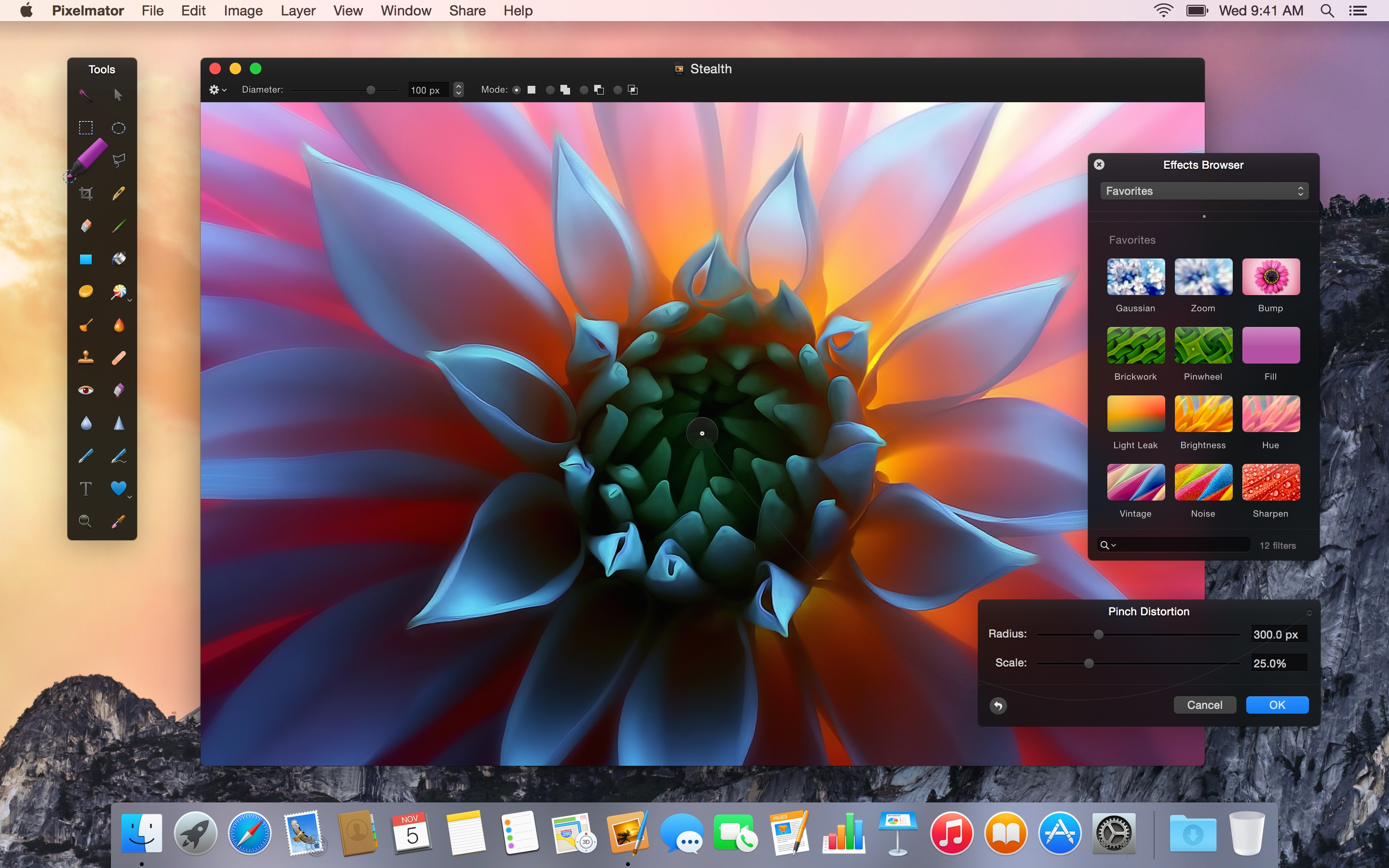
Hot off the heels of their iPad app, the Pixelmator team have today released Pixelmator 3.3 for Mac. This update centers around design and structural optimizations for OS X Yosemite, including an extension for integration with other apps and a new icon to match the ‘flatter’ aesthetic of the operating system. The update also includes a new file format to improve syncing and compatibility with the iPad version.

Although the app largely resembles previous versions, with custom floating panels and black chrome, it now takes advantage of Apple’s transparency effects to mesh well with the OS.


Expand
Expanding
Close

Runtastic releases ‘Sleep Better’ app for tracking sleep habits without additional hardware

Site default logo image

[youtube=http://youtu.be/3E24XCQC7hc]

Runtastic, makers of the popular fitness tracking app of the same name, today announced the introduction of a new app focused on improving sleep habits. Rather than using a wearable or bedside sensor, the company’s new Sleep Better app uses an iPhone placed next to your pillow to track sleep patterns with no additional hardware required. Using the iPhone’s sensors, the app offers sleep tracking features including data on Duration, Cycles and Efficiency as well as Smart Alarm & Wake-Up Window features, Moon Phase tracking, and more. The app is also fully compatible with Apple’s HealthKit and Health app in iOS 8:
Expand
Expanding
Close

WhatsApp update shows read receipts, leaked image suggests future VOIP feature

B1tBWf4IgAAUOkF

Although this isn’t an actual update to the app, WhatsApp is now sporting a nifty new feature that—although small—might make a big difference in how users of the messaging app stay in touch with their friends. The Facebook-owned app, which would previously show double check marks if a sent message had been received, now goes one step further and turns those check marks blue if the message has been read.


Expand
Expanding
Close

Google Maps for iOS updated with a fresh new Material Design layout, integrated OpenTable and Uber

Site default logo image

Update: The new Google Maps app is now available on the App Store.

Google announced an update for its Google Maps for iOS app today that adds a fresh new Material Design layout focusing on bright colors and real world surfaces and shadows. The software’s refreshed interface is set to roll out over the next few days, with new features like dinner reservations from OpenTable (US only) and enhanced information cards with photos and reviews of popular attractions near your location.


Expand
Expanding
Close

Site default logo image

Google Drive now lets you open files in compatible Mac apps w/ new Chrome extension

Chrome-app-launcher-01

Google announced today that it’s releasing a new Chrome extension called Application Launcher for Drive that allows users to open files directly from its Google Drive service in compatible apps on a Mac or PC. The extension adds an “Open With” option that will let users launch files in apps like, for example, Mac OS X’s Preview app or third-party editing apps like those from Adobe and Microsoft.
Expand
Expanding
Close

Site default logo image

Textplus moves on to Nextplus, adds improved WiFi calling/texting, GIFs, and more

Popular texting and calling app Textplus, which is a more affordable alternative to a standard carrier plan, branched off to a new app called Nextplus today. The new app still has the same texting and calling core (coming soon), but is it now optimized for WiFi networks. The developers tell us that many people want to use unlocked older iPhones (without carrier plans) to text and make phone calls, so Nextplus is a solid alternative to signing up for a normal plan from a carrier.

The new app has also (finally) been modernized with GIF images and stickers support. The iPhone and iPad app is free to download and calling/texting between Nextplus/Textplus users is free. If you want to call a landline or a non-Nextplus user, Nextplus offers some competitive rates per minute, with calls to the U.S., U.K., Mexico, Canada, and Australia costing 2 cents per minute.

If you’re an iOS user, making calls between iOS devices via FaceTime Audio is a great solution, but Nextplus is a great option if you’re looking to talk affordably to landlines and other platforms.


Expand
Expanding
Close

Site default logo image

Swype iOS 8 keyboard now available in 20+ languages, adds new layouts & auto Emoji suggestions

Nuance announced an update for its Swype keyboard for iOS 8 today that introduces support for a long list of new languages in addition to new layouts and features for both iPhone and iPad.

New languages include: Czech, Danish, Dutch, UK English, Finnish, Greek, Hinglish, Hungarian, Irish, Norwegian, Polish, Portuguese, Romanian, Russian, Swedish, and Turkish. The app now supports over 20 languages including the previously supported languages– English, French, Italian, German and Spanish.

The keyboard also now includes QWERTY, QWERTZ and AZERTY layouts for both iPhone and iPad as well as access to all Swype themes on iPad. In addition, the update brings an auto-space feature, a “sound on Keypress” option, and auto suggestions for Emoji:

  • Intuitive Emoji Input: Stoked about the upcoming game this weekend? When you message your friends about your excitement, Swype will now automatically suggest the right emoji. Swype will predict emojis based on the words you enter – so if you’re feeling happy, confused, tenacious or satisfied, Swype’s got just the right emoji for you.

The updated Swype keyboard for iOS 8 is available from the App Store for $1.

Microsoft adding Dropbox integration including syncing and sharing to Office for iOS

Site default logo image

Office Dropbox iPad

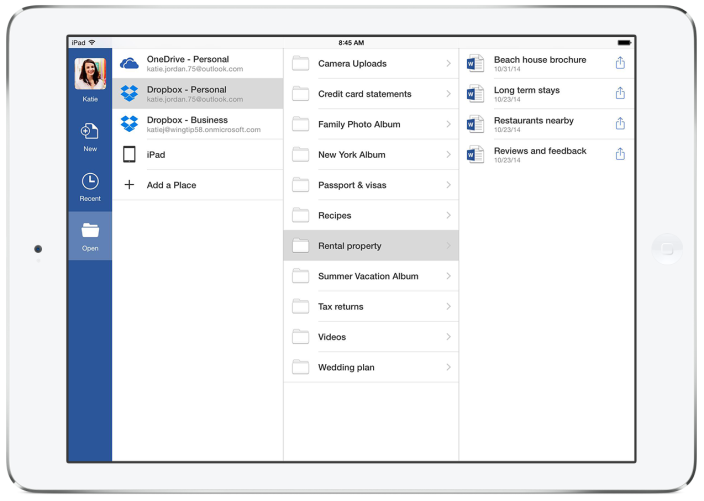
Microsoft and Dropbox announced a new partnership between the two companies today and a commitment to bring integration between Dropbox and Office apps on iOS and Android. Currently Office users rely on local storage for saving files or Microsoft’s own OneDrive service for saving and syncing files, but the newly announced partnership will allow Office users to use the popular Dropbox service as an additional storage and syncing option and introduce new features between the productivity apps and syncing service.
Expand
Expanding
Close

Site default logo image

Google working to bring new Lollipop Google Calendar app to iPhone

[youtube=https://www.youtube.com/watch?v=MSTmkvn060E]

With the first Android 5.0 Lollipop devices becoming available— Nexus 9 today and the Nexus 6 later this month— Google is also showing off its new Google Calendar app arriving for other devices in the coming weeks. The new app comes on devices running Android 5.0 Lollipop, but Google also confirmed today that the app is in the works for iPhone users.

Google highlighted a few of the app’s new features including events from Gmail, suggestions that learn from your habits over time with a new feature called “Assists”, and a brand new schedule view:
Expand
Expanding
Close

Site default logo image

SwiftKey for iOS updated with support for Swedish, Danish, Norwegian, and Dutch

The SwiftKey iOS keyboard has been updated today to include support for several new languages. This will be a welcome update for many users, as the developers say that support for new languages has been one of their most requested changes. The new languages included in this update are:

  • Swedish
  • Danish
  • Norwegian
  • Dutch

The addition of these four languages brings the total to seventeen. SwiftKey is available on the iOS App Store for free.