Latest

Site default logo image

Yahoo Mail iOS app updated w/ travel & event notifications in Today view

Yahoo-Mail-notifications-01Yahoo updated its Yahoo Mail mobile apps today bringing new travel and event notifications to the app for iPhone and iPad.

For travel, the app’s “Today” view will now display information on flights including when flights are cancelled or delayed, and users will be able to “get directions to the airport, call the airline to rebook your flight or go directly to the airline website” in a single tap.

And once you land at your destination, you’ll receive suggestions for the top restaurants and attractions in the area, with reviews and pictures from Yelp.”

Yahoo-Mail-notificaitons-02The updated Yahoo Mail app also provides notifications for events in the Today view from Evite, Eventbrite, and Ticketmaster, event information, and the ability to view and share directions.

Yahoo also said the update includesthe latest headlines with News notifications” that can be switched off in Settings. All of the new features are available in the U.S. only.

The updated Yahoo Mail app for iPhone and iPad is available on the App Store now.

What’s New in Version 3.2.8

– The Multi-talented Yahoo Mail app is now even smarter. Now in Yahoo Today, view your upcoming flight details plus get real time updates of flight delays or changes. Also, see your upcoming events which you can map directions to and easily share with friends. Available in the US only.
– Stay on top of the latest headlines with News notifications. Turn it on or off anytime under Settings. Available in the US only.
– Performance improvements
– Bug fixes


Fantastical for iOS updated w/ Today view widget, extension, interactive notifications

Site default logo image

Fantastical for iPhone and iPad, the alternative calendar and Reminders app from Flexibits, received a major feature update today for iOS 8 users. If you’re unfamiliar with Fantastical, the ability to turn text input like “Dinner with Tim tomorrow night at 7pm” into a calendar appointment without fiddling with menus and dials is it’s killer feature.

Fantastical for iPhone received an update last month which optimized the user interface for iPhone 6 and iPhone 6 Plus users, and today’s new version adds a Today view widget in Notification Center, an app extension for use in other apps, and interactive notifications for responding to alerts without even opening the app. Check out the new features in the latest version of Fantastical for iPhone and iPad below.
Expand
Expanding
Close

Site default logo image

Vine iPhone update adds iPhone 6/Plus enhancements, iOS 8 share extension, & more

The Vine iPhone app today received an updated to version 3.0.0 and with it comes UI enhancements and full support for iPhone 6 and iPhone 6 Plus users. Also included in today’s update is a new share extension for iOS 8, allowing users to take advantage of the new feature for quickly sharing videos from camera roll or other apps to Vine.

Other improvements include a new “+” button for quickly following channels and having featured posts appear in your home feed. The company said it also “updated the app to look great on iPhone 6 and 6 Plus,” which allows the app to display more content on the larger displays of the new iPhones. 

The updated Vine app for iPhone is available on the App Store. A full list of what’s new in version 3.0.0 is below:

What’s New in Version 3.0.0

This release is packed with updates that help you find great Vines to watch, take advantage of iOS 8 extensions, and improve Vine for iPhone 6 and iPhone 6 Plus.
– Follow channels: Tap the new “+” button at the top of any Vine channel to get select featured posts from that channel right in your home feed!
– Share extension: With the new iOS 8 share extension, it’s easier than ever to share videos directly from your camera roll or other video apps with Vine.
– Easy on the eyes: We’ve also updated the app to look great on iPhone 6 and 6 Plus.

Site default logo image

Infuse for iOS updated for iPhone 6 and iOS 8 with new features and design tweaks

Infuse has been updated to version 3.0 and introduced a host of changes and upgrades. The app is now fully compatible with iOS 8 and the newer iPhone models and features several design tweaks such as improvements to browsing TV shows and an all-new dark mode.

Functional improvements include the ability to download videos in the background and stream synced files over HTTP from wireless external hard drive and more. You can mark movies and shows as watched or unwatched and the app now features 2-way sync for your Trakt.tv viewing history. You can also now use your own folder artwork in the file fiewer and quickly access your favorite streamed folders.

Infuse 3 is a free app with a $9.99 in-app purchase to upgrade to Infuse Pro. The extensive list of changes is below:

  • Optimized for iOS 8, iPhone 6, and iPhone 6 Plus
  • Streaming is now available to free users
  • Share synced files via AirDrop
  • Create favorites for quick access to streamed folders
  • Download content from the main ticket view
  • Huge improvements for browsing TV show collections
  • Dark mode theme
  • Download/stream synced files via HTTP
  • Download videos in the background
  • Use your own folder artwork (folder.png or folder.jpg)
  • Default language options for audio, subtitles, and metadata
  • Sync/stream over 4G/LTE cellular
  • Manual artwork for folders (use folder.jpg or folder.png)
  • Mark movies and shows as watched/unwatched
  • 2-way trakt watched history sync
  • Sort files by name or date
  • Tap ticket artwork to start video playback
  • Manual movie/show title search
  • Transfer files via Wi-Fi when iPhone is acting as a hotspot
  • Initial URL scheme for video streaming
  • Better support for subtitle encoding types
  • Better support for some TV series
  • Better handling of new and past In-App purchases
  • Improved AirPlay reliability
  • Improved subtitle support for Arabic languages
  • Improved playback of some h.264 content
  • Resolved issues with missing synced iTunes content
  • Various UI updates
  • Many other reliability and performance improvements

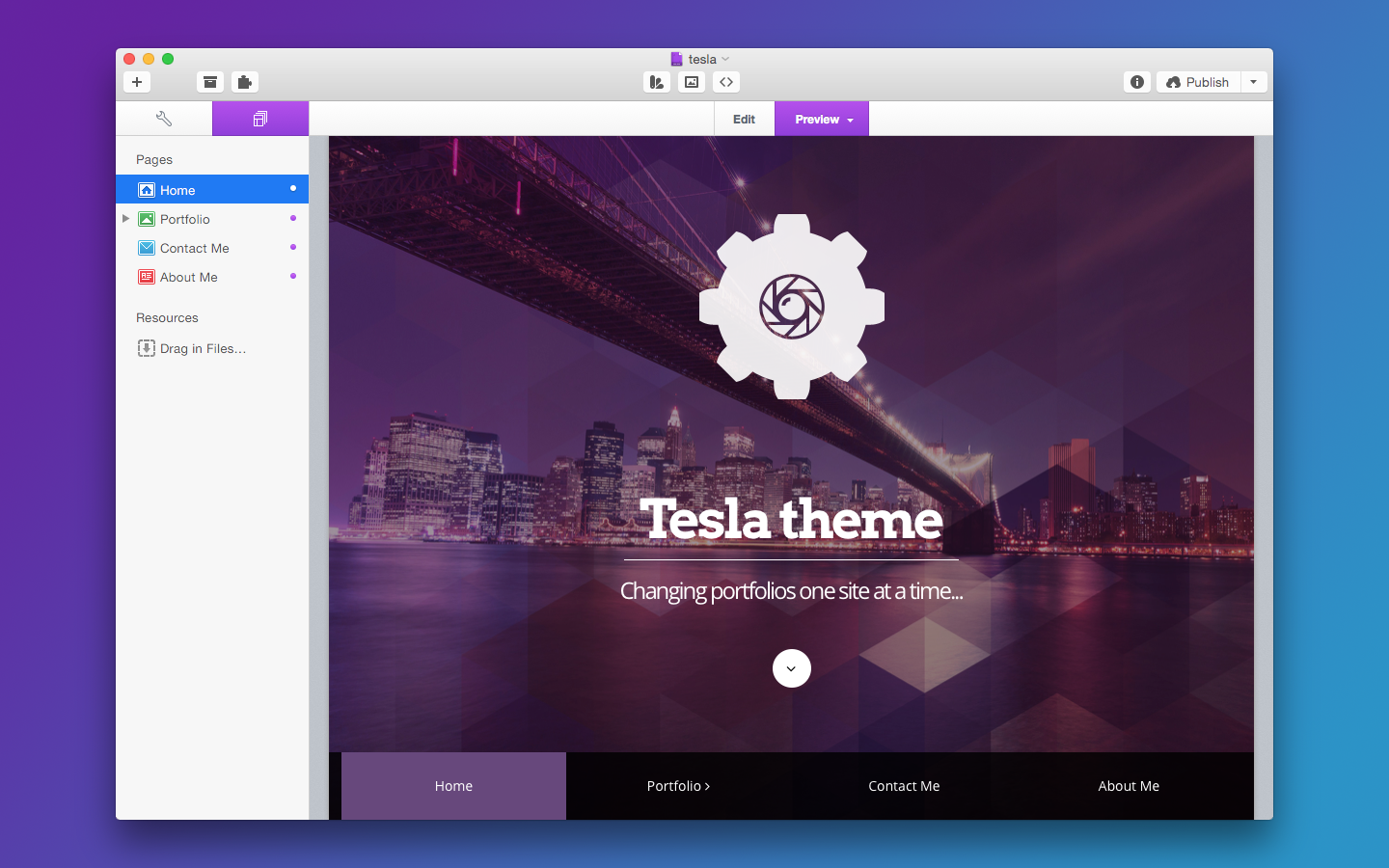
Realmac debuts RapidWeaver 6 with all-new design and features, drops Mac App Store version for now

Site default logo image

1

Realmac Software’s popular website development tool RapidWeaver has been updated to version 6 today. The upgrade introduces many new features and enhancements to the app, including a completely redesigned interface for OS X Yosemite. The new update also adds improved publishing that’s much faster than the previous version and a new addon manager for keeping track of your installed plugins.

Five new responsive themes have been added to support a wide variety of screen sizes, and site previews can take advantage of this feature to show you exactly how your site will appear on a desktop browser or an iOS device. The previews can also be resized to any custom dimensions to fit your target display size.

Newly-added support for site-wide HTML/CSS/JavaScript allows you to write a code snippet once and apply it to your entire site. Markdown can also be used to format pages with a new template.


Expand
Expanding
Close

Site default logo image

Facebook updates Paper app for iPhone 6 and 6 Plus, fixes issues

Facebook has pushed out an update for its popular alternative client, Paper, that adds support for the larger displays on the new iPhone 6 and 6 Plus. It also addresses issues that could arise with the keyboard and video playback. Finally, a few stability issues have been fixed to keep the app from crashing.

The new Paper 1.2.4 update is available for free on the iOS App Store.

Dropbox app updated with iPhone 6 optimizations, Touch ID unlocking

Site default logo image

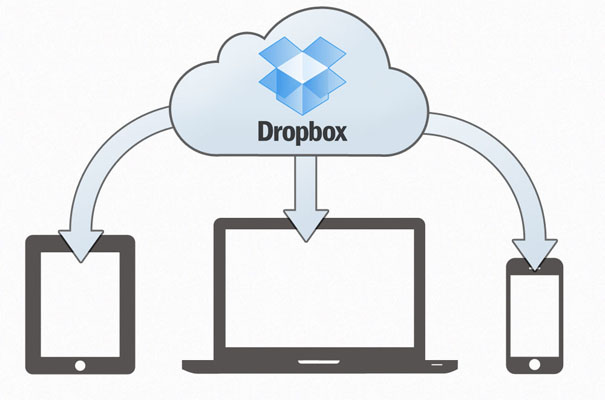
Popular file-sharing / file-syncing app Dropbox has updated its iOS app to version 3.5 today, with some nice improvements. The app now takes advantage of all available resolution on the iPhone 6 and iPhone 6 Plus, rather than in a scaled iPhone 5s form. Dropbox doesn’t do anything novel with the additional space, but there is benefits to being able to see more items in a folder list at a time. The quality of file previews are also noticeably improved because of the additional screen size, with photo viewing mostly affected.


Expand
Expanding
Close

Site default logo image

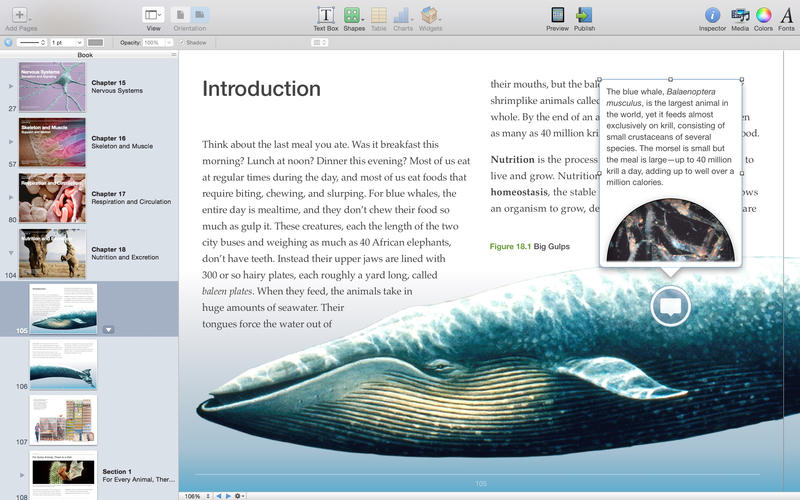
iBooks Author updated with ePub and InDesign importer, new templates, and more

screen800x500

Apple has updated iBooks Author for OS X Yosemite and added support for new file formats and other enhancements. First among these is the ability to import Adobe InDesign and ePub files to a project. New blank templates have been added to accommodate custom designs, and authors can now use hyperlinks to jump to a specific location in other book or add a link to an image.

The app’s widgets have also gotten a few upgrades. Auto-play is now available for the media, Keynote, and HTML widgets, and the HTML widget can now be used directly on the page of a book. The Keynote widget gained improved translation support.

You can download iBooks Author for free on the Mac App Store. The change log is below.

What’s New in Version 2.2

• Import ePub files
• Import Adobe InDesign IDML files
• Create customized books with new Blank templates
• New hyperlink options: link to a location in another book, link from an image, and more
• Improved transition support in Keynote widget
• Enable auto-play for media widget, Keynote widget, and HTML widget
• Readers can now interact with the HTML widget right on a book page

Adobe releases iPhoto/Aperture importer plugin to help users transfer their libraries to Lightroom

Site default logo image

lightroom-vs-aperture-photo1

When Apple announced earlier this year that it would be discontinuing iPhoto and Aperture in favor of the upcoming Photos app for OS X, Adobe announced that it would be releasing a tool that would allow users to transfer their libraries into Lightroom.

That plugin has been released today on Adobe’s website and allows users to import photos, flags, ratings, keywords, and much more from the two outgoing apps into Adobe’s own offering. If you’d like to transfer your data to Lightroom, you can grab the importer for free from Adobe.

The full description of the plugin is below:
Expand
Expanding
Close

iPhoto and Aperture for Mac briefly revived to receive OS X Yosemite compatibility update

Site default logo image

Screenshot 2014-10-16 20.28.28

We all know that iPhoto and Aperture for Mac are on borrowed time: Apple has already announced that the Mac app is going away in favor of a new iCloud-infused Photos app next year and iOS 8 doesn’t even allow users to launch the old iPhoto app. However, that’s not stopping Apple from giving iPhoto for Mac and Aperture for Mac final farewells. The Mac App Store was updated this evening with updates for iPhoto and Aperture that “addresses compatibility with OS X Yosemite and stability improvements.” It’s likely that this will be the last iPhoto update, if not one of the very last ones.


Expand
Expanding
Close

Roundup: Here are some of the best OS X Yosemite-ready apps hitting the Mac App Store

Site default logo image

screen800x500

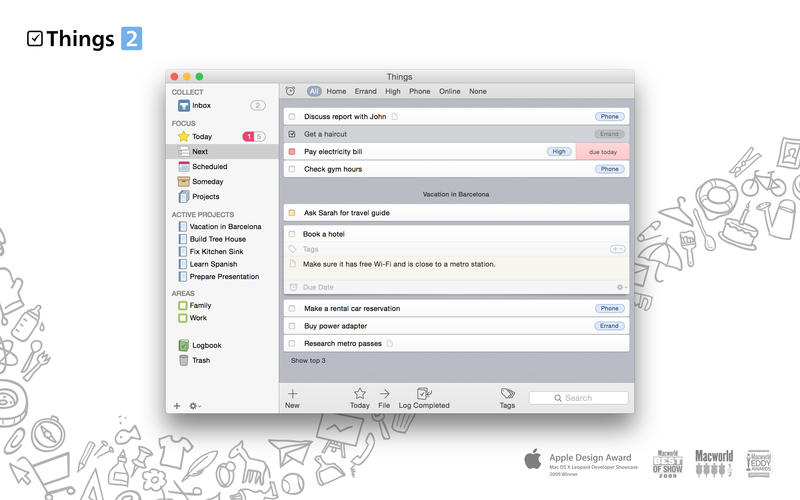
With the release of OS X Yosemite today, app developers have started releasing redesigned or upgraded versions of their apps to incorporate the new features and design language found in the latest version of the Mac operating system. Among those are popular apps like 1Password, Airmail, and Things.

We’ll keep this list updated as more apps get updated, so check back often to see what new apps have been updated.


Expand
Expanding
Close

Rdio announces CarPlay support, 320 kbps audio, & iPhone 6/6 Plus optimizations

Site default logo image

Rdio today announced support for CarPlay, allowing its users to listen and control content from the subscription music service using the built-in touchscreen of CarPlay-enabled vehicles.

CarPlay Support. Control Rdio playback and navigate your favorites and playlists from the built-in display in CarPlay-enabled cars.

Vehicles with CarPlay, Apple’s new feature that brings an iOS-like experience to in-dash touchscreens connected to an iPhone, first hit the road earlier this year in pricey new Ferrari models followed by an aftermarket solution from Pioneer. The service only has a handful of app partners so far, but we noted in our recent review that not all apps are playing nice with the feature yet. Apple currently lists iHeartRadio, MLB At Bat, Spotify, Stitcher Radio, CBS Radio, and its own Podcasts and Beats Music apps as supported apps. 
Expand
Expanding
Close

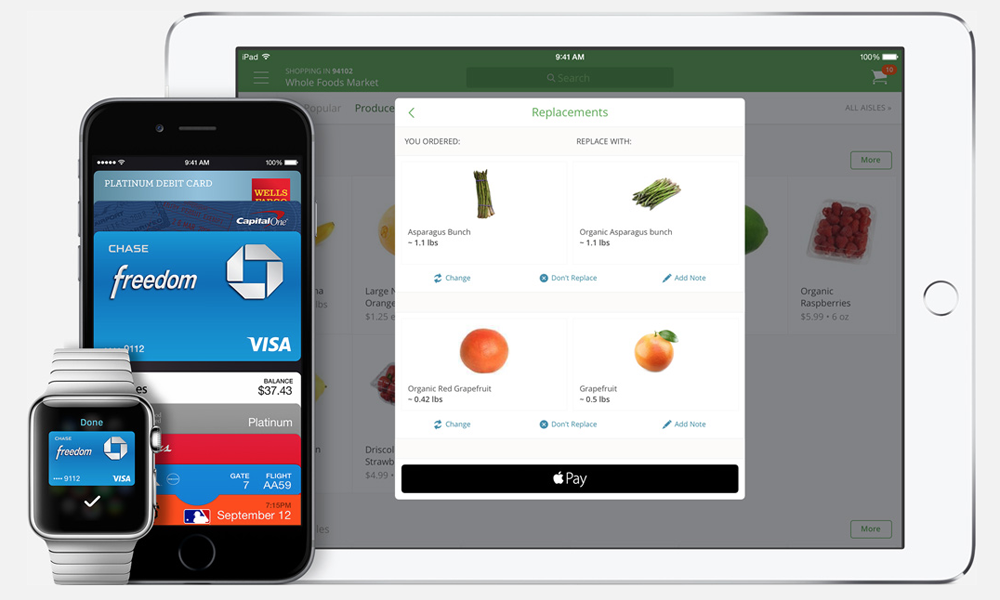
The latest stores and apps to accept Apple Pay (Running list)

Site default logo image

apple-pay

Update: Visit Apple.com/ApplePay for the latest information on where to use Apple Pay in stores, and featured Apple Pay apps for iPhone and iPad here.

With Apple Pay launching on Monday with iOS 8.1 for iPhone 6 and iPhone 6 Plus users, Apple CEO Tim Cook shared an update at today’s special event with additional retailers and iOS apps that will accept Apple Pay at launch or have committed to accept Apple Pay in the future. According to Apple’s microsite for Apple Pay, the company has added 16 additional retailers and venues with plans to accept Apple Pay at launch or in the future. In addition to those retailers and venues, Apple has added 12 additional apps that plan to accept Apple Pay starting on Monday or sometime after the launch date.
Expand
Expanding
Close

Site default logo image

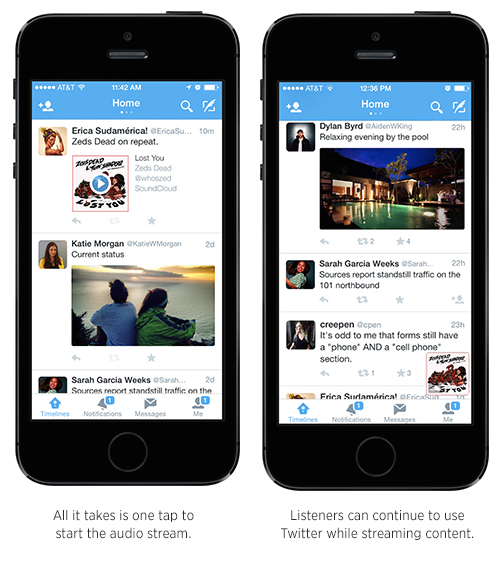
Twitter introduces new audio card, allowing in-line audio playback in mobile apps

twitter audio

Twitter announced a change coming to its mobile apps today that allows users to play music directly from a tweet. The new Twitter Audio Card will allow certain users (there’s a list on Twitter’s blog) to share audio uploaded to SoundCloud with users in-line. Users will be able to listen to these embeds while they continue browsing their timelines.

Twitter says it’s just starting to test the feature right now and plans to roll it out to more content creators and partner audio sites in the future. You can try it out in Twitter for iPhone right now.

Reddit acquires popular Alien Blue iOS app, rebrands it as official client

Site default logo image

Reddit finally has its own official application for browsing and posting to your favorite subreddits, and users of the service will probably be excited to learn that it’s one they may already be using. The site has acquired the rights to the popular Alien Blue client and hired the developer responsible for creating it.

Alien Blue got a few bug fixes today and was released with a new App Store listing and is avaiable for free for all users. For the next week, all users will be able to get the Alien Blue Pro upgrade for free as well. Reddit launched its first official application earlier this year with the release of the Ask Me Anything app.


Expand
Expanding
Close

Site default logo image

Police officer uses Find My iPhone to track and save woman stranded in 500-foot ravine

police-officer-find-my-iphone

A San Jose police officer used Apple’s Find My iPhone service to track down and rescue Melissa Vasquez, a woman who had been trapped in a 500-foot South Bay ravine for 17 hours. According to a report by KGO-TV, officer David Cameron is to thank for locating the stranded driver. After Vasquez was involved in a car accident, OnStar reported her location to the police, but they were unable to find any evidence of the car or driver.

When Cameron, who says he’s known around his department for being a bit of a “tech geek,” searched her house, he found her iPad and realized that he could use Find My iPhone to locate Vasquez’s cell phone. Vasquez’s tablet was locked using a passcode, but it took Cameron only three guesses to figure out the code and gain access to Find My iPhone.

From there it took only 20 minutes for police to track down Vasquez and begin the process of airlifting her to a nearby hospital.

Site default logo image

Facebook and YouTube release iPhone 6/Plus app updates

After more than a month since the new iPhone 6 and iPhone 6 Plus screen sizes were announced, Facebook has released an updated version of its iPhone app to take advantage of the bigger screens. The new app features a smaller navigation bar and shows more content on the screen. Facebook had previously updated its Messenger app for the new iPhones, although its alternative Facebook Paper app is still awaiting an update.

YouTube also released an updated version of its iPhone app today optimized for the iPhone 6 and iPhone 6 Plus screen sizes. This means you can see more video suggestions from the main page as well as well favorites and subscriptions from the side bar.

The status bar and keyboard are also native to the larger iPhone models versus the previously scaled up versions on the new iPhones with the old app. YouTube 2.13 for iPhone and iPad also includes a number of bug fixes for the app:


Expand
Expanding
Close

Site default logo image

Sleep Cycle alarm updated w/ iPhone 6/Plus support & Health app integration

Sleep Cycle has updated its smart alarm app for iPhone to take advantage of the larger displays on the iPhone 6 and iPhone 6 Plus using an adaptive layout to show more content at once.

The updated version of Sleep Cycle also takes advantage of HealthKit for iOS 8 users as the app can now share sleep tracking information with Apple’s Health app. Sleep Cycle says to begin sleep tracking for at least one night before activating sharing between the smart alarm clock and Apple’s Health app.

Sleep Cycle allows iPhone users to capture sleep analysis data by placing the iPhone between the sheets and mattress where you sleep while connected to a power source to measure sleep duration and quality. Previously that data was presented only in the Sleep Cycle app, but the latest update allows iPhone users to also view that data alongside other information available in Apple’s Health app on iOS 8 like step tracking, heart rate, and more.

The app is 99¢ on the App Store and worth trying out for anyone interested in adding sleep tracking data to Apple’s Health app without buying a dedicated fitness band. For more apps that take advantage of Apple’s Health app, check out our running list of supported apps.

Site default logo image

Sonos Controller app updated for iOS 8 & iPhone 6/Plus, Sonos Boost support

Sonos today updated its Controller app for iPhone and iPad bringing full support for iOS 8 and optimizations for the new larger iPhone 6 and iPhone 6 Plus. The app, which offers control of wi-fi connected Sonos audio hardware, also now supports the company’s new Sonos Boost enterprise-grade wi-fi extender accessory:

This update includes support for SONOS BOOST, an accessory that provides enterprise-grade wireless performance for your Sonos system so you get unparalleled reliability – even in homes that are known to have wireless connectivity problems.

Announced earlier this year, the Sonos Boost accessory is available starting today from the Sonos website and other retailers. The Boost will sell for $99 USD, slightly higher than the similar but less powerful $49 Sonos Bridge the company previously offered. “Similar to the BRIDGE ($49 USD), BOOST connects directly to your router to create a dedicated network, allowing all your Sonos speakers and components to talk to each other, with up to 50% greater wireless range.”

Version 5.1.1 of the Sonos Controller app for iOS is available on the App Store now.

What’s New in Version 5.1.1

SUPPORT FOR SONOS BOOST
This update includes support for SONOS BOOST, an accessory that provides enterprise-grade wireless performance for your Sonos system so you get unparalleled reliability – even in homes that are known to have wireless connectivity problems.

SUPPORT FOR NEW APPLE DEVICES AND OPERATING SYSTEMS
This update includes support for iOS 8, including support for iPhone 6 and iPhone 6 Plus.

Site default logo image

‘Borderlands: The Pre-Sequel’ now available on Mac

3705-Borderlands_Pre-Sequel_Mac_screen_5

Borderlands: The Pre Sequel, the latest installment in the popular Borderlands series, launches today for Mac on the same day as the console and PC release. The Mac version of the game is developed by Aspyr and includes cross-platform multiplayer and a promise of all future DLC:

Discover the story behind Borderlands 2 villain, Handsome Jack, and his rise to power. Taking place between the original Borderlands and Borderlands 2, the Pre-Sequel gives you a whole lotta new gameplay featuring the genre blending fusion of shooter and RPG mechanics that players have come to love… Float through the air with each low gravity jump while taking enemies down from above using new ice and laser weapons. Catch-a-ride and explore the lunar landscape with new vehicles allowing for more levels of destructive mayhem.

The game is available starting today for $59.99 through GameAgent (the web store run by developers of the Mac version, Aspyr) as well as through Steam. Aspyr said previously that it’s planning a Mac App Store release of the game for October 16.

The game requires a Mac running OS X 10.9.4 (Mavericks) or later and at least a 2.2GHz Intel Core 2 Duo processor, 4GB of RAM, and 13GB of hard drive space. Supported video cards include NVIDIA GeForce 8800, ATI Radeon HD 2600, or Intel HD 3000 with 256 MB of Video Memory.

Microsoft latest to mimic Snapchat with new Skype Qik ephemeral video messaging app

Site default logo image

https://www.youtube.com/watch?v=LIEnN1KmxKk&feature=youtu.be

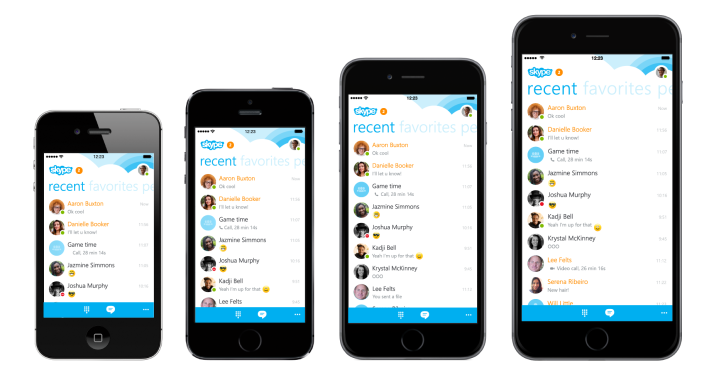
Microsoft has just joined the ranks of companies looking to capitalize on the success of ephemeral messaging apps like Snapchat. Through its Skype division, the company has launched a new cross-platform app for iOS, Android, and (of course) Windows Phone called Skype Qik. The premise of the application, as can be seen in the video above and screenshots below, is simple: you can record a quick video, and then share it to either one person in your address book or multiple groups of people.

Differentiating itself from some of the other players, the Skype-based solution is video-focused, and Skype is positioning it as a communication tool for in between full-scale Skype video chats. Notably, the whole service is connected to your phone number and existing contacts list, so it doesn’t require signing up with a standard Skype account. If you send a message via Qik to a user without the Qik app, the other person will be sent an SMS text message with instructions for downloading the Qik app to view the video message. This app is based on the technology from startup Qik, which Skype acquired a few years ago.

By default, videos will expire after two weeks, and you can also un-send messages at any time. A cool feature of Skype Qik is the ability to pre-record various 5 second GIFs that you can send as instant replies. So, if you don’t have the ability to send a live video reply, you can just choose one of your pre-record defaults. The app is free today on the aforementioned platforms, and Microsoft says that updates, such as one for blocking iPhone contacts (that feature is available today on Android and Windows Phone), will come often to enhance the feature-set.

You can view some screenshots of the iPhone app in action below:


Expand
Expanding
Close

Site default logo image

Hackers claim to have a database of nearly 7 million Dropbox credentials, service denies it was breached

dropbox

A database containing login information for nearly 7 million users of the private cloud storage provider Dropbox has been accessed by hackers, according to a partial dump posted on Pastebin earlier this evening (via The Next Web). However, Dropbox has issued a statement denying that this breach occurred on its end, saying that Dropbox itself was not attacked, but rather a third-party service that had stored user credentials:

Dropbox has not been hacked. These usernames and passwords were unfortunately stolen from other services and used in attempts to log in to Dropbox accounts. We’d previously detected these attacks and the vast majority of the passwords posted have been expired for some time now. All other remaining passwords have been expired as well.


Expand
Expanding
Close

Site default logo image

Dropbox’s Mailbox iOS app updated w/ customizable swipes & iPhone 6 UI as Mac app enters open beta

9to5-image 2014-10-13 at 2.11.02 PM

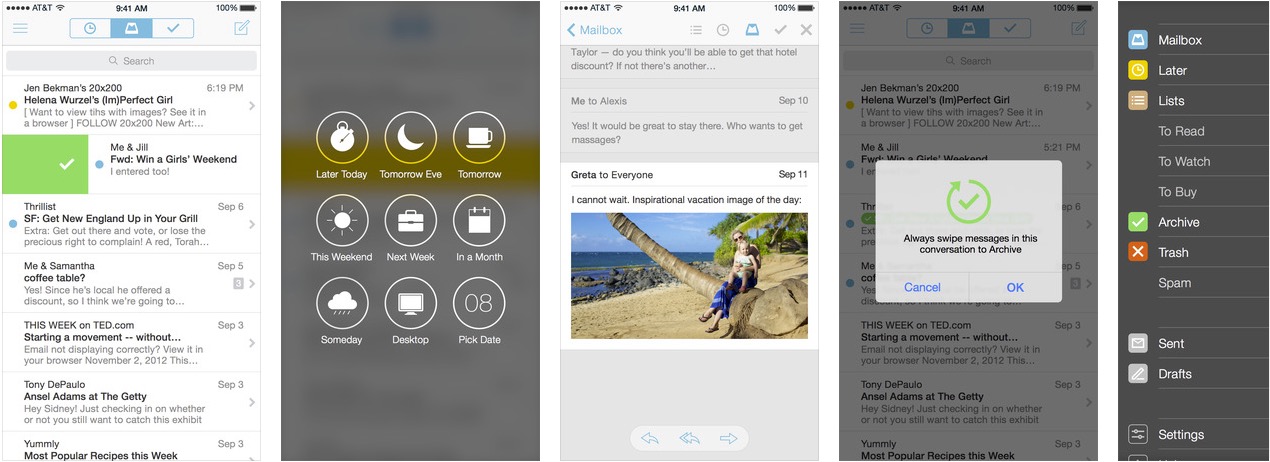
Dropbox updated its Mailbox app today with some necessary features and fixes. The update now includes the ability to customize your swipes. Also, new iPhone 6 and 6 Plus owners will appreciate the optimized UI for bigger displays. Finally, Dropbox has squashed some bugs in Push and otherwise improved the overall performance.

Dropbox’s Mailbox is still only currently for Gmail and iCloud accounts, but the company reminds us again that other email platforms are on the way.

In addition to the updated iPhone and iPad version, the beta version for the Mac is now open to anyone following a public beta coin system for testers before.

https://twitter.com/Mailbox/status/521737188154019841/
Expand
Expanding
Close