Latest

Apple begins rollout of redesigned iTunes Store ahead of OS X Yosemite launch

Site default logo image

Screen Shot 2014-10-10 at 5.11.33 PM

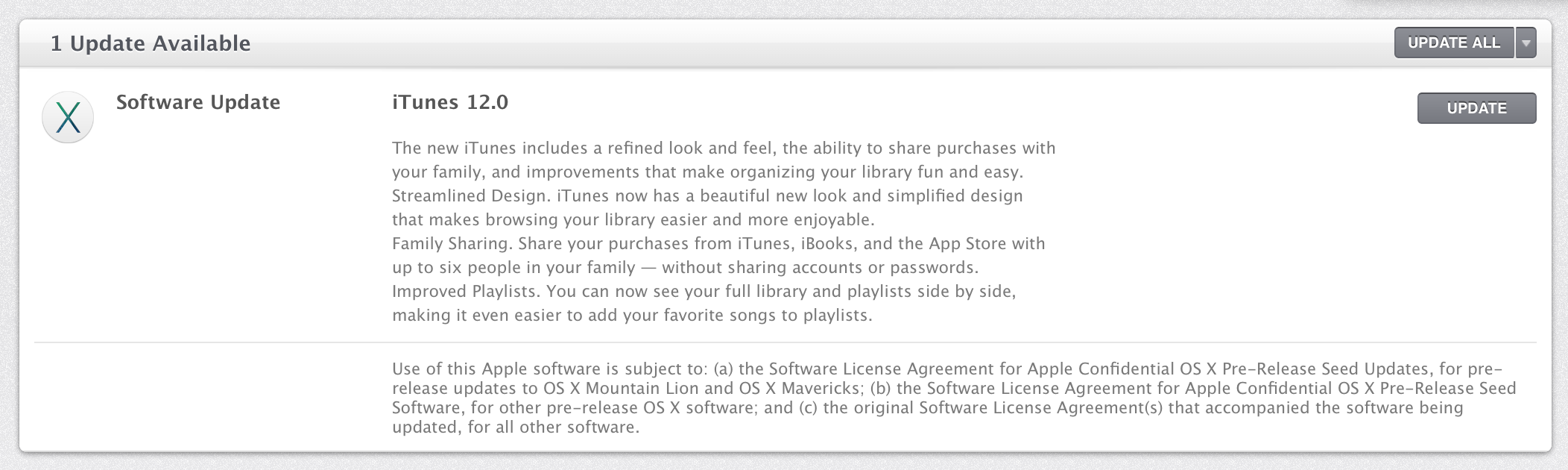
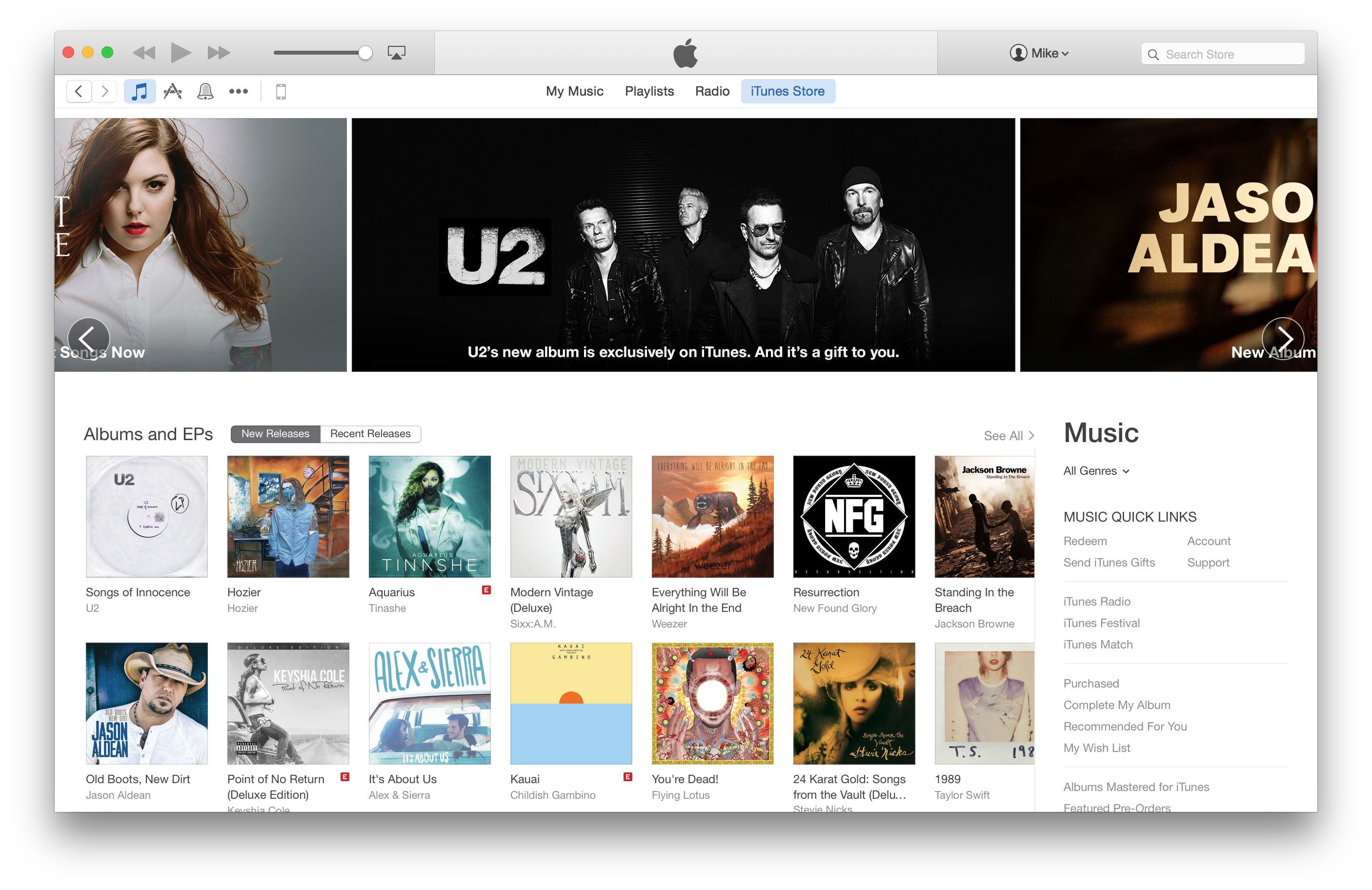
Apple has started rolling out a redesigned version of the iTunes Store for users running iTunes 12 less than a week ahead of what’s expected to be the launch of OS X Yosemite. The new storefront takes design cues from the iTunes and App Store home pages on iOS devices, featuring a flattened, side-scrolling carousel at the top of the page in place of the old “card”-style header. This new header can be scrolled horizontally using two fingers or even dragged around with a mouse.

Individual pages for albums, TV shows, and iOS apps have also been redesigned and now feature more iOS-like controls throughout. Download buttons have been reduced to simple outlines. Shadows and textures have been removed throughout the store, putting the content directly on a stark white or dark gray background.


Expand
Expanding
Close

Site default logo image

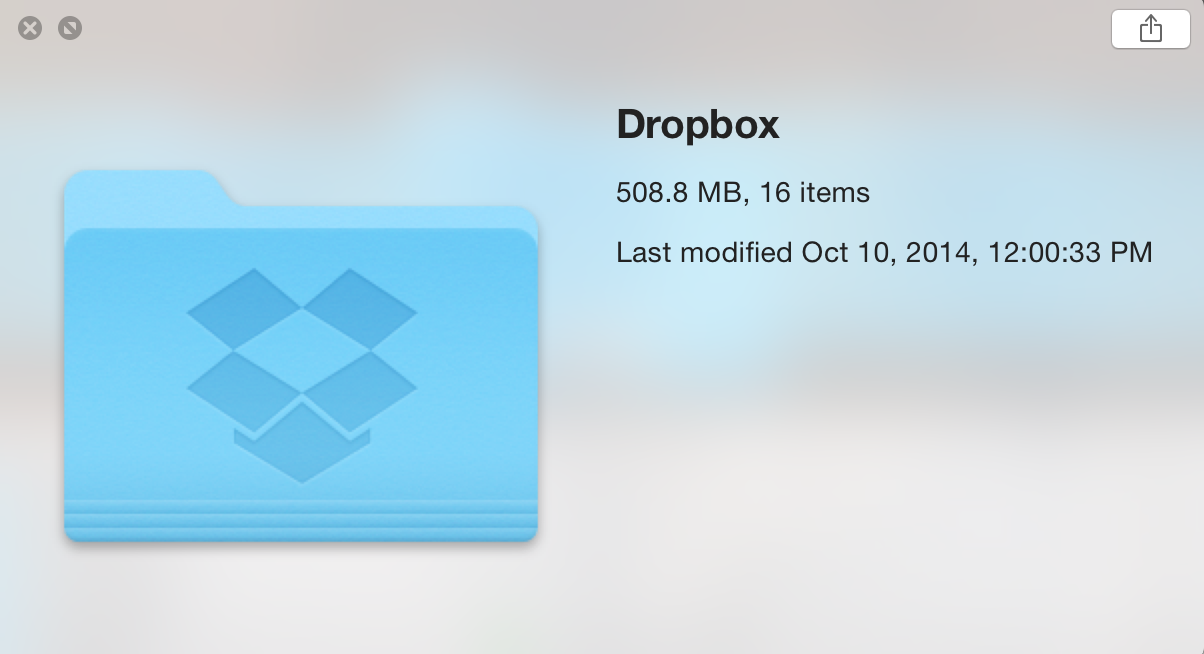
Dropbox experimental build with OS X Yosemite icons available for download

Screenshot 2014-10-10 12.03.39

Good news for Dropbox users running OS X Yosemite: Dropbox has made available an experimental build optimized for Yosemite’s new look (via Zach Kahn). The download brings a new Finder icon, new notification glyphs, and faster uploads for small files among other enhancements. Here’s the full list of what’s new:

New in 2.11.25

  • Updated Camera Uploads folder icon for Yosemite
  • Fixed Copy Link context menu option from the toolbar
  • More Finder integration bug fixes

New in the 2.11 series

  • Rewrite of the Windows & Linux UI. (1)
  • File identifiers. (2)
  • Windows long path support. (3)
  • New Linux headless setup flow.
  • Faster uploads for small files.
  • Updated splash screens.
  • New Finder icon overlays.
  • New Windows notification area icons.

You can update (at your own risk) using the download links here.


Expand
Expanding
Close

Site default logo image

Withings’ Health Mate app adds HealthKit support, bringing more functionality to the Health app

A day after Fitbit announces it has no plans to develop iOS 8 Health app integration, Withings Health Mate app adds HealthKit support. Withings, the makers of the Wireless Blood Pressure Monitor, Smart Body Analyzer scale, Aura an advanced sleep tracker, Pulse and Pulse Ox activity trackers adds extra measurements to the Health app.

With the Wireless Blood Pressure Monitor, you are able to track diastolic blood pressure and systolic blood pressure. With the Smart Body Analyzer, you are able to track body fat percentage, body mass index, heart rate, and weight. With the Aura, you are able to analyze sleep. With the activity trackers Pulse and Pulse Ox you are able to track active calories, oxygen saturation, resting calories, sleep analysis, steps, and walking and running distance. Even if you do not have the Pulse or Pulse Ox, with the Withings HealthMate app you are able to track steps with the iPhone. In the latest update there were improvements made in activity tracking. Also, with the app using the camera you can measure your heart rate.

Since there is a lot of data that this app is tracking, you can now protect your data with Touch ID, which is a new added feature.

Withings HealthMate is available for free on the App Store.


Site default logo image

Autodesk releases all-new SketchBook app for iPhone & iPad

Autodesk today released a new version of its popular Sketchbook painting and drawing app that introduces a single app for both tablets and smartphones alongside new features. Launching today on both iOS and Android the new SketchBook app has a streamlined UI and a number of new features and improvements over previous versions of the app. The company highlighted a few of the new features:

-Layer blending modes including glow and soft glow
-Selection tools for manipulating, transforming, and drawing within specific parts of the image
-All new brushes, including a set of synthetic and smudge brushes (a top community-requested addition)
-Dynamic flood fill tools with solid, linear and radial gradients
-A completely redesigned and customizable UI including the combined Brush and Color Puck enhancements
-An enhanced gallery for an easy way to view, organize and manage sketches
-Optimized for iPhone 6, iPhone 6 Plus, and iOS8

Autodesk notes the app is compatible with most stylus products including the new Wacom Intuos Creative Stylus 2 and Pencil by FiftyThree.

The app is free to download and includes a $3.99 in-app purchase to unlock full features. Autodesk also has memberships for those that want to purchase access to all Pro features on all platforms (iOS, Android, Windows, and Mac). The company also plans to release additional paid content packs in the future. 

The new Sketchbook app is available for iPhone and iPad on the App Store now.

[youtube=https://www.youtube.com/watch?v=J2csTY_5KbY&list=UUqqzJUfJ_ofn8ZmL7dBdUwg]

Site default logo image

Weebly website builder comes to iPad with comprehensive app

04-Editor-Sidebar


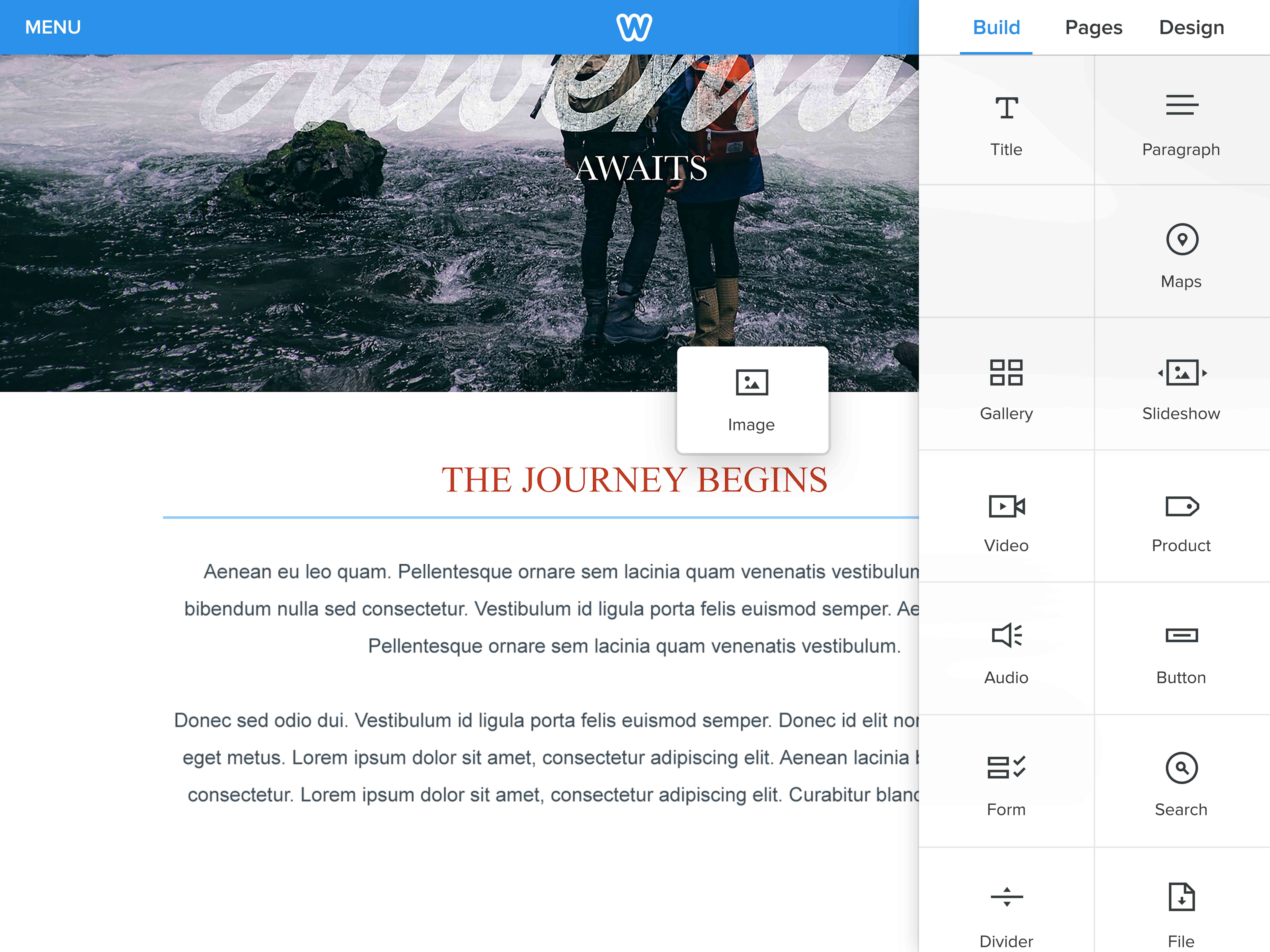
Weebly, one of the more popular web-based, drag-and-drop solutions for creating websites, has made its way to the iPad for the first time. The app, which was demonstrated to us earlier this week, is a comprehensive, end-to-end solution for creating, editing, and managing websites right from the iPad. The video below shows a little bit more about the app:


Expand
Expanding
Close

Chromecast iOS app updated w/ backdrop feature for viewing news & weather, photos, more

Site default logo image

Google today updated the Chromecast app for iPhone and iPad users adding a feature announced earlier this year at Google I/O called Backdrop. When the Chromecast HDMI streaming stick isn’t playing content like Netflix or Pandora Radio through your TV, it already displays the current time and featured photos as a screen saver, but now Chromecast users can display additional content like weather conditions and news headlines on Chromecast-connected TVs. Chromecast also now supports using your own photos from Google+ albums as the backdrop.
Expand
Expanding
Close

Fitbit says it has no current plans for iOS 8 Health app integration

Site default logo image

Fitbit-Health-01

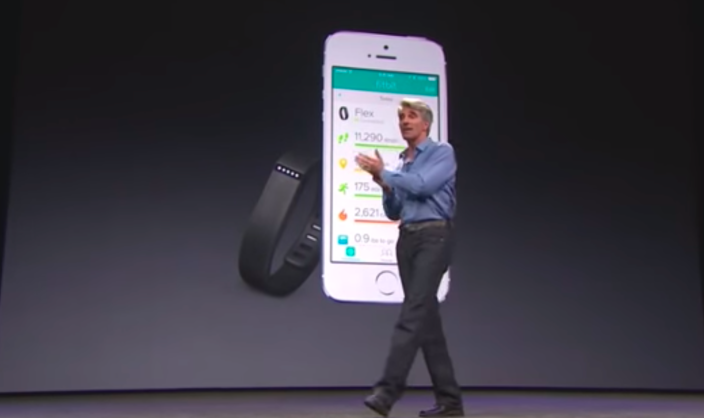
Fitbit, makers of popular fitness tracking wearables and apps, has confirmed it currently has no plans to support Apple’s new iOS 8 Health app. After a bit of a delayed launch last month, a long list of developers have rushed to integrate support for HealthKit, Apple’s new frameworks that allow developers to share and tap into data from one central location on the user’s device: the new Health app in iOS 8. Fitbit, however, has confirmed in a few responses on its customer forums that it isn’t working on integration much to the frustration of its users that have been awaiting an update:
Expand
Expanding
Close

Site default logo image

Google rolling out ‘News & Weather’ app for iOS

Google has a new app for iPhone and iPad users called ‘Google News & Weather‘ that presents local news and weather as well as headlines from a variety of categories and sources in one app. Categories for headlines can be added or removed from within the app for customizing the news you want to follow. Previously, Google News & Weather was only available for Android users.

The app joins a huge list of existing Google apps including Gmail, which was just updated for the new iPhone 6 display sizes yesterday, and Google News & Weather is already optimized for the iPhone 6 and iPhone 6 Plus.

Full description below:
Expand
Expanding
Close

Site default logo image

Square’s Cash iOS app adds ‘Nearby Payments’ for sending money over Bluetooth

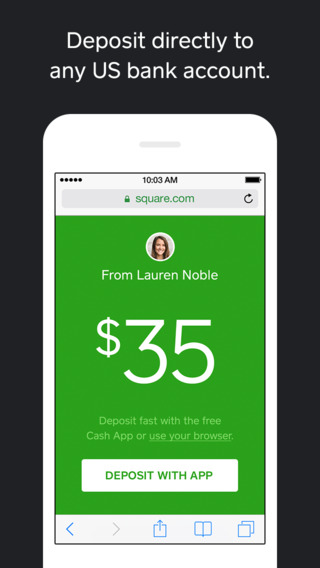
CashSquare-Cash-app-01, the app launched by payments company Square last year for personal money transfers, today updated with a new way to send money on iOS 8 over Bluetooth LE. The feature is called Nearby Payments and allows users to send and receive payments by using Bluetooth to find and connect with nearby users. That’s opposed to the previous methods the app already offered including sending payments via text message and email. In case you’re wondering why it’s iOS 8 only:

Square notes that users will be able to select preferences for nearby visibility to allow either everyone or only contacts to see their availability. Today’s update to version 2.1 also includes the ability to “Quickly approve or decline money requests with actionable push notifications.” 

The updated Cash app by Square is available for free on the App Store now.

Ex-Microsoft exec Ray Ozzie creates messaging iPhone app to ‘revolutionize’ voice calling

Site default logo image

Ray Ozzie, who used to be Microsoft’s Chief Technical Officer and Chief Software Architect, has come out with a new app for the iPhone. In an extensive profile, Steven Levy explains the premise behind the app, dubbed Talko. You can read the full overview on Medium. The app has been in development for more than two years.

A new take on phone calls, the app shows if your recipient is currently walking or driving — giving a hint at attentiveness of the speaker before the conversation even begins. It’s a nice use of the Apple M7 and M8 coprocessors. Any voice communication is archived into the growing thread … to organize a conversation like any other modern chat app really. Talko seems best as an app for modern meetings, like a conference call replacement, although Ozzie insists it can be used beyond business.


Expand
Expanding
Close

Cycloramic figures out how to keep the rounded iPhone 6 spinning for hands-free video

Site default logo image

[youtube=http://youtu.be/_uKkqVKQIbY]

Cycloramic, the app that takes hands-free 360-degree video by using the iPhone’s built-in vibration motors to spin the device, is today arriving for iPhone 6. But with the iPhone 6’s new rounded design (opposed to the flat edges of the iPhone 5 and 5S) the company also had to figure out a way to get it to stand upright on its own.  For that it recommends using the iPhone’s power adaptor that Apple includes in the box, as demoed in the video above released earlier today by the developers.
Expand
Expanding
Close

1Password 5.1 released with iPhone 6 support, third-party keyboard settings, and much more

Site default logo image

1Password, the powerful and popular password manager for iPhone and iPad, has been updated to version 5.1 today, introducing a host of new features and improvements. First on the list is support for the 4.7-inch and 5.5-inch screens on the iPhone 6 and iPhone 6 Plus, with full 3x image support on the Plus model.

Touch ID support has also been significantly improved, with the app’s security settings now simplified to avoid the confusing and unnecessary differentiation between the Master Password and PIN code, and Touch ID is now more reliable. You can also create new tags to add to your stored data, allowing for easier sorting on-the-go.


Expand
Expanding
Close

Site default logo image

Gmail for iOS updated with support for iPhone 6 and 6 Plus display sizes

Google has updated the Gmail app for iOS with support for the larger displays on the iPhone 6 and iPhone 6 Plus. There don’t seem to be any other unmentioned changes (still no unified inbox), but you won’t have to use the awkward zoomed view when using the app anymore.

You can grab Gmail version 3.1415926 (yes, that’s Pi) for free from the iOS App Store.

What’s New in Version 3.1415926
Support for iPhone 6 and iPhone 6 Plus

Site default logo image

Livestream a GoPro camera straight to the web using just your iPhone with this app

The Livestream app has been updated today with a couple of new features, including bug fixes for iOS 8. The headline change however is that the app has added integration with GoPro Hero cameras. This means you can now stream straight to the web whilst in the midst of action.

Effectively, the iPhone acts as a network hub, connecting the GoPro camera to the Internet. The GoPro connects to the phone wirelessly, so the iPhone can just be left in a pocket — like a wireless hotspot. The app handles the uploading of the video in realtime.

You can download the Livestream app for free from the App Store.

New third-party keyboards for iOS 8: Emoji++ & Character Keyboard

Site default logo image

third party keyboards iOS 8

With iOS 8, Apple now allows developers to create alternative keyboards on iPhone and iPad that can be used almost anywhere to replace the system keyboard. We told you about several third-party keyboards for iOS 8 including when the major operating system update was released last month, and a few more interesting third-party keyboards have since been released. The first is an Emoji-only keyboard called Emoji++ that makes finding the right Emoji character much faster, and the second is both a language and symbol keyboard called Character Keyboard for typing out special characters.
Expand
Expanding
Close

Site default logo image

Hulu update brings new cleaner design alongside support for iPhone 6 and iPhone 6 Plus

In version 4 of its app, Hulu has brought a whole new look to its video streaming app on the iPhone. What matters most is that the app is now optimized for the iPhone 6 and iPhone 6 Plus, meaning videos can use all the pixels of the larger 4.7 and an 5.5 inch displays, which is obviously a vital improvement for video viewing.


Expand
Expanding
Close

Apple releases fourth beta of iTunes 12 to developers and AppleSeed users on Yosemite

Site default logo image

Screen Shot 2014-10-02 at 5.10.48 PM

Apple has pushed out the fourth pre-release version of iTunes 12 to users running the developer preview or public beta of OS X Yosemite. The update weighs in at 214 MB, but the seed notes don’t list anything new in this build. There do appear to be some new icons in the preferences screen, but for the most part it’s the same as the other betas we’ve seen.


Expand
Expanding
Close

Site default logo image

Twitter Mac app updated w/ photo features for tweets and DMs

Twitter for MacTwitter has finally updated its Mac app with support for a few photo features the social network introduced over the past year.

Twitter for Mac users can now view and share tweets with up to four photos included, something introduced to iPhone Twitter users in May. The update also includes the ability to see and send photos in privately shared direct messages; iPhone Twitter users received this feature last December.

Twitter for Mac 3.1 is available for free on the Mac App Store. Full release notes below:
Expand
Expanding
Close

Kamcord gameplay recording platform gets into mobile gaming competitions starting w/ SEGA

Site default logo image

Kamcord-hulk-crazy-taxi

Kamcord, the mobile gameplay recording platform that offers developers an easy way to implement cross-platform gameplay recording and sharing features, is today announcing its next big push in mobile gaming: competitions.

The company realized that its SDK provides a lot of unique opportunities for app developers interested in hosting competitions or tournament-style contests, so it’s now working with some to host competitive gaming events in their apps. First up: SEGA. 
Expand
Expanding
Close

Site default logo image

Apple Store app updated for iPhone 6/6 Plus

Nearly two weeks after customers first got their hands on the new iPhone 6 and iPhone 6 Plus models, Apple has updated its Apple Store app to support the larger 4.7-inch and 5.5-inch screen sizes. The release notes add that version 3.0.1 includes an “iOS compatibility update” as well.

The app previously received a major overhaul ahead of the iPhone introduction bringing a single app that works on both iPhone and iPad, a new icon, and features for synchronizing shopping.

The Apple Store app for iPhone is available for free on the App Store.

Tweetbot updated with iPhone 6 support, actionable notifications, 1Password and more

Site default logo image

Tweetbot, the incredibly popular iPhone Twitter client, has just been updated with support for the new iPhone 6 and iPhone 6 Plus displays. The update includes interactive notification banners that allow you to quickly favorite, retweet, or reply to tweets as they come in.

The new version also includes the ability to login to an account using the new 1Password extension introduced in the newest update to that app. Other third-party extensions will also be supported through native iOS 8 share sheets. Other miscellaneous bug fixes are included to round out the update.

You can grab Tweetbot 3.5 for iPhone on the App Store for $4.99. It’s free for existing users. The full change log is below.


Expand
Expanding
Close

Site default logo image

PSA for parents: Apple recommending inappropriate apps for kids due to App Store bug

If you use the Kids sections in the App Store for finding appropriate apps for children, you might want to be careful until Apple fixes a bug that’s currently displaying the wrong apps for kids. Specifically, the “Kids” category under the App Store’s Top Charts section is currently displaying apps that should go in the main “All Categories” section. That means that the All Kids, Kids 5 & Under, Kids 6-8, and Kids 9-11 categories are currently displaying many apps that are inappropriate for kids (pictured above). 

The bug appears to be iOS 8 only, and is present in App Stores in at least the US, Canada, and Germany. Reader and developers at Happy-Touch informed us of the  issue, which we confirmed on an iOS device in the Canadian and US App Stores. Apple is aware of the bug.

Site default logo image

iPhone app Numerous adds iCloud sign-in, Today widget, more

Numerous, the number tracking app for iPhone, previewed a new version of the app over the summer with several features that take advantage of iOS 8. Today the update is live and includes support for HealthKit to read data from Apple’s Health app, a Today widget in Notification Center for glancing at numbers you track, and added AirPlay support for displaying an optimized version of your numbers on Apple TV.

The update also includes iPhone 6 and iPhone 6 Plus enhancements and landscape support, but iCloud sign-in support is probably my favorite addition. Introduced earlier this year at WWDC, iCloud sign-in support allows developers to offer app users an alternative to easy log-ins through social networks like Facebook and Twitter.
Expand
Expanding
Close

Pokemon trading card game demoed in August now available for iPad

Site default logo image

In August we got a glimpse of the upcoming Pokemon trading card game for iPad in what would be the first official Pokemon game for Apple’s platform. Tonight the app became available on the App Store.

The game features both a single-player mode in which you play against a computer as well as an online version that allows you to challenge other players as well as a full deck management system.

You can grab Pokemon TCG for free on any iPad that has a Retina display (non-Retina models aren’t supported). The App Store description is below:


Expand
Expanding
Close