iCloud

See All Stories
iCloud

The best place for all your photos, files, and more.

iCloud was launched in 2011 as the successor to MobileMe and is Apple’s current cloud service that allows iOS and Mac users to save and synchronize information. Apple includes 5GB of iCloud storage for free with all accounts and has paid options starting at $0.99/month for 50GB.

https://www.youtube.com/watch?v=KTrO2wUxh0Q

iCloud is built into every Apple device. That means all your stuff — photos, files, notes, and more — is safe, up to date, and available wherever you are. And it works automatically, so all you have to do is keep doing what you love. Everyone gets 5GB of free iCloud storage to start, and it’s easy to add more at any time.

What is iCloud?

iCloud solved a problem that we were facing in 2011. Originally, Apple pitched the Mac as the digital hub to our life. Our iPods (and then iPhones) would sync over a cable to transfer information. As we added iPads, it became a mess. Steve demoted the Mac back to just a device and made the “cloud” the center of our digital life. Using the service, users could sync all of their data over the air. As an example, a Keynote document edited on your Mac would automatically be up to date with the latest changes on your iPad or iPhone. iCloud also allowed you to back up your iOS device for an easy path to change devices without having to set everything up manually.

The problem with this original iCloud pitch is it didn’t cover all of our photos. We didn’t get that until iCloud Photos came in iOS 8. It didn’t cover iMessage, as that didn’t come until a few years ago with messages in the cloud. It didn’t cover all of our files, but only those in the iCloud folder stored inside of app folders. We didn’t get seamless syncing of files until Apple added Desktop and Document folder syncing a few years ago.

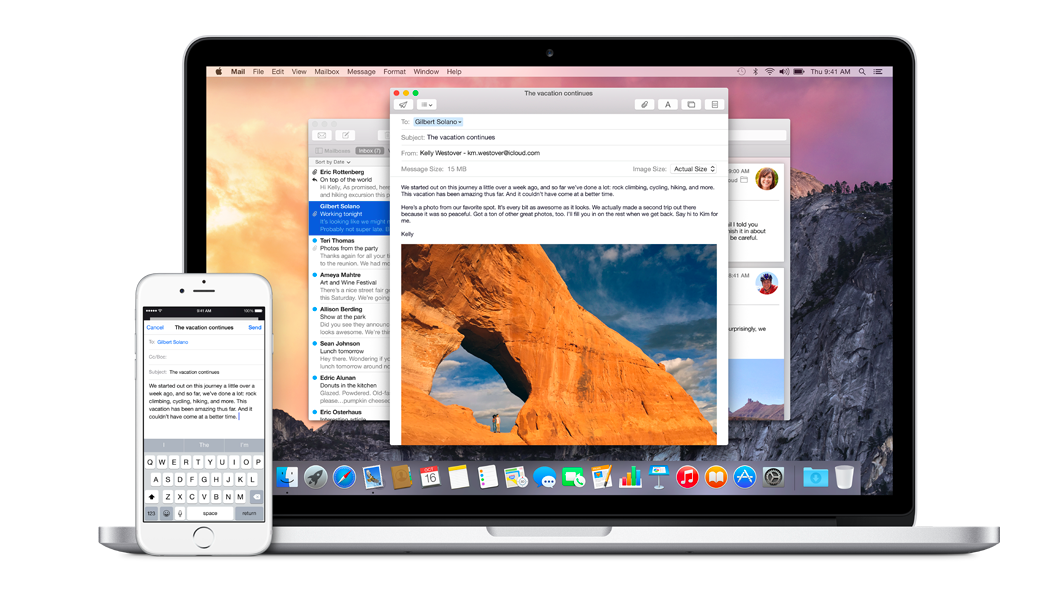
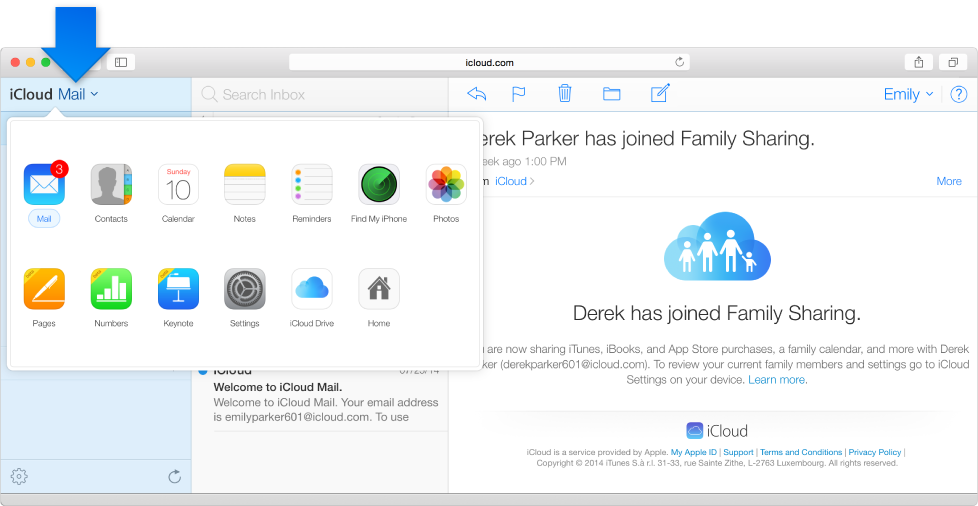
Over time, Apple has continued to add features to iCloud, and it’s turned out to be a really robust and reliable service. Users can sync files, photos, notes, reminders, and Safari bookmarks to their Mac, iPhone, iPad, and even Apple TV (photos).

iCloud Troubleshooting

If you’re having trouble using iCloud, you may want to make sure it isn’t affected by downtime. Check Apple’s iCloud Status page here.

How much does iCloud cost?

Pricing can change at anytime (view Apple’s latest pricing page), but here are the current rates for a few countries.

United States
50GB: $0.99
200GB: $2.99
2TB: $9.99

Canada 
50GB: $1.29
200GB: $3.99
2TB: $12.99

United Kingdom
50GB: £0.79
200GB: £2.49
2TB: £6.99

European Union
50GB: 0.99 €
200GB: 2.99 €
2TB: 9.99 €

Read below for all of our coverage

Yosemite & iOS 8 How-to: Set up and use Handoff

Site default logo image

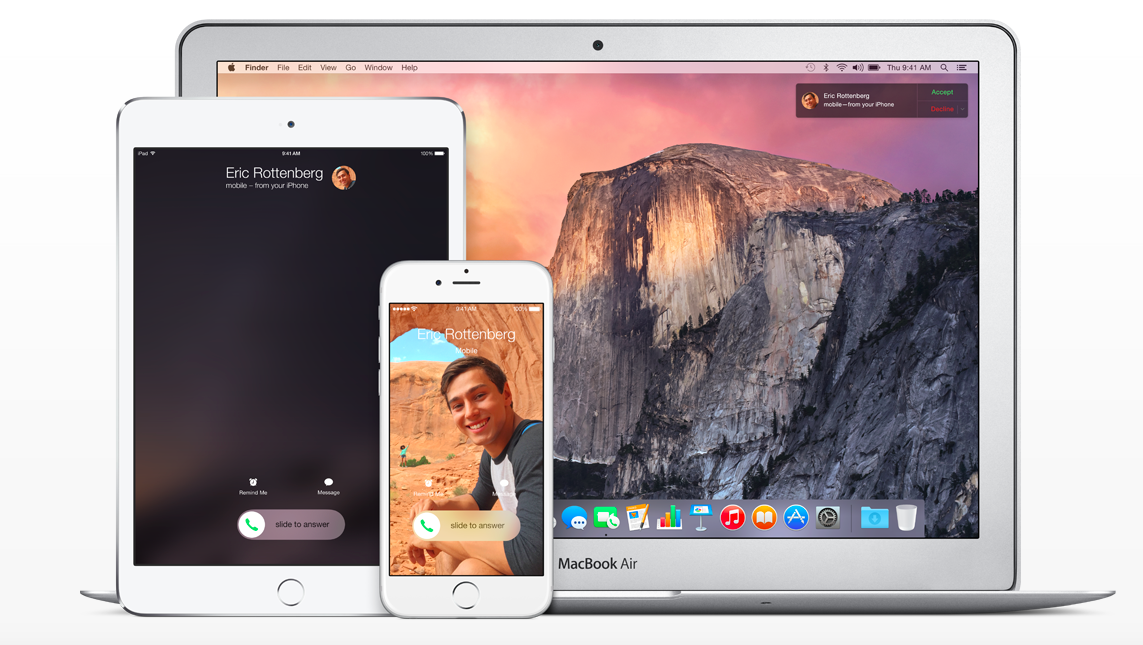
Now that Yosemite is out, with iOS 8 devices you are now able to use Handoff. Handoff will allow you to seamlessly start a task on one device, and pick it up on another device. So for example you start writing a paper on your iPad and then you want to continue it on your Mac, or you start writing an email on your iPhone and want to finish it on your iPad, this is what Handoff does. When signed into the same iCloud account and Bluetooth is turned on, Handoff will allow you to transition your work flow from one device to another.

On the Mac, you will have an additional dock separate from the main dock indicating what is running on the iOS device. On the iOS device on the lock screen you will have an icon indicating the app that is being used on the Mac. Currently it works with Apple’s apps including Mail, Contacts, Calendar, Safari, Reminders, Messages, Maps, Pages, Numbers and Keynote. Developers can also add Handoff to their apps as Things and other apps have already done. In this how-to article, I will discuss how to set up Handoff and how to use it.


Expand
Expanding
Close

Early Yosemite adoption 67% faster than Mavericks, according to analytics

Site default logo image

The numbers are small as yet, but early indications are that Mac users are keen to get their hands on the new Yosemite features. Social sharing tool AddThis, which collects analytics data from 13 million websites, is reporting that Yosemite adoption is already running at 2%, versus 1.2% for Mavericks in the same timeframe … 
Expand
Expanding
Close

iCloud.com Photos app said to be coming next week alongside iOS 8.1

Site default logo image

Earlier this month Apple published some support documents that referred to an iCloud.com-based Photos web app for managing a photo library. It was discovered that when the URL for the app was entered into the beta version of the iCloud site, it produced an error message rather than simply redirecting to the home page like any other invalid link.

Today a 9to5Mac reader attempted to load the app and was presented with the page pictured above indicating that users running iOS 8.1 (which includes the beta version of the iCloud Photo Library feature) will be able to use the web app to view their photos. With iOS 8.1 scheduled for release on Monday, it’s not a stretch to think the online version of the app will be launching then as well.


Expand
Expanding
Close

Site default logo image

Dropbox’s Mailbox iOS app updated w/ customizable swipes & iPhone 6 UI as Mac app enters open beta

Dropbox updated its Mailbox app today with some necessary features and fixes. The update now includes the ability to customize your swipes. Also, new iPhone 6 and 6 Plus owners will appreciate the optimized UI for bigger displays. Finally, Dropbox has squashed some bugs in Push and otherwise improved the overall performance.

Dropbox’s Mailbox is still only currently for Gmail and iCloud accounts, but the company reminds us again that other email platforms are on the way.

In addition to the updated iPhone and iPad version, the beta version for the Mac is now open to anyone following a public beta coin system for testers before.

https://twitter.com/Mailbox/status/521737188154019841/
Expand
Expanding
Close

Apple reminds two-factor users about changes starting tomorrow, provides instructions for passwords

Site default logo image


Apple has sent an email to users of its two-factor authentication system reminding them of an upcoming change to the feature that will take effect tomorrow. Originally the requirement for app-specific passwords was supposed to start on the first of the month, but Apple has informed users that it will begin tomorrow instead. The system to generate and use these passwords is already in place.

App-specific passwords allow you to log into applications that don’t support two-factor logins, such as most email clients or other apps that may want to access your iCloud data. You can create these one-time-use passwords from the Apple ID website. Once you’ve generated the password, just plug it into the app you want to use and you’re all set.


Expand
Expanding
Close

Site default logo image

Adobe updates desktop Creative Cloud apps, debuts new sharing services

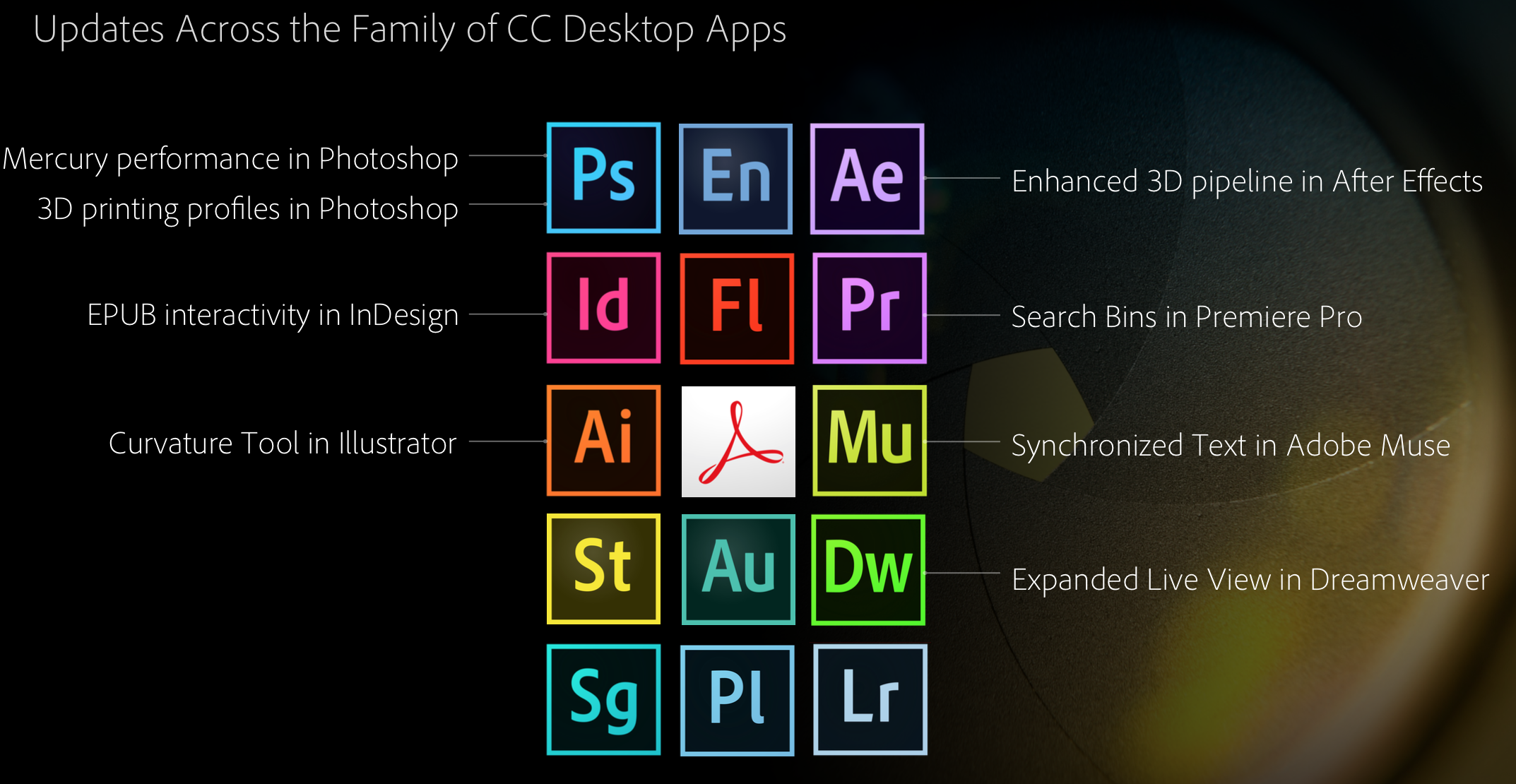
To complement the new Creative Cloud Talent Search, Creative Profile services, and significant mobile app updates, Adobe is today enhancing most of its suite of desktop Creative Cloud applications. Here are the highlights, courtesy of Adobe:

Touch support on Windows 8 devices for key design applications; new 3D print features and enhanced Mercury Graphics Engine performance for Photoshop CC; a new Curvature tool in Illustrator CC; interactive EPUB support in InDesign CC; SVG and Synchronized Text support in Muse CC; GPU-optimized playback for viewing high resolution 4K and UltraHD footage in Premiere Pro CC; and HiDPI and new 3D support in After Effects CC.

Perhaps more interesting on the desktop side of today’s news are some fresh services. Here’s Adobe’s explainer on the new Cloud Market, Cloud Libraries, and Cloud Extract products:

  • Creative Cloud Market is a collection of high-quality, curated content that’s freely accessible to Creative Cloud members. Access and use thousands of professionally crafted files, including user interfaces, patterns, icons, brushes and vector shapes, to speed through desktop and mobile projects.
  • Creative Cloud Libraries is a powerful asset management service that lets creatives easily access and create with colors, brushes, text styles, and vector images through Creative Cloud desktop, mobile apps and services. Creative Cloud Libraries connects desktop tools like Photoshop CC and Illustrator CC to each other — and to companion mobile apps.
  • Creative Cloud Extract is a cloud-based service that reinvents the Photoshop CC comp-to-code workflow for web designers and developers, letting them share and unlock vital design information from a PSD file (such as colors, fonts and CSS) to use when coding mobile and desktop designs.

The Cloud Market feature could give services like Getty Images a run for its money, while Cloud Libraries is the iCloud-like solution that ties all of Adobe’s supported platforms together. Cloud Extract is an advanced cloud-based solution that allows designers and developers working on Photoshop projects together to share data on an asset-by-asset or feature-by-feature basis.

Like with the new services and mobile applications covered in our other Adobe news articles this morning, the updated desktop apps and new Creative Cloud services are free additions for those with existing Creative Cloud subscriptions.


Expand
Expanding
Close

Apple now allows users to see whether a device has Activation Lock enabled from the web

Site default logo image

Apple has unveiled a new tool for users to help determine whether an iPhone, iPad, or iPod touch is configured to use Activation Lock. The page works much like the tools used by carriers such as AT&T to determine whether a potential trade-in device was protected with the feature. You enter the IMEI or serial number of the device, fill in a CAPTCHA, and press “Continue” to get your results (via iDownloadblog).

If the device is protected, you’ll find instructions for disabling the security measure before selling it. You’ll also find help for removing a used device from another user’s account, in the event that you were sold a phone and the original owner had not disabled it (of course, all of those options involve contacting the previous owner and having them do it, for security purposes).


Expand
Expanding
Close

Site default logo image

iPhone app Numerous adds iCloud sign-in, Today widget, more

Numerous, the number tracking app for iPhone, previewed a new version of the app over the summer with several features that take advantage of iOS 8. Today the update is live and includes support for HealthKit to read data from Apple’s Health app, a Today widget in Notification Center for glancing at numbers you track, and added AirPlay support for displaying an optimized version of your numbers on Apple TV.

The update also includes iPhone 6 and iPhone 6 Plus enhancements and landscape support, but iCloud sign-in support is probably my favorite addition. Introduced earlier this year at WWDC, iCloud sign-in support allows developers to offer app users an alternative to easy log-ins through social networks like Facebook and Twitter.
Expand
Expanding
Close

Apple woes continue: Some reporting iCloud down across iOS, Mac, and web

Update: Apple says all is good.

It was less than an hour ago that we told you about a newly-discovered bug within iOS that could potentially delete your iWork files. But now, according to a variety of internet reports, Apple’s month of misadventure continues as iCloud is currently experiencing an outage of some kind. Most notably, it seems as if many are being prompted over and over to enter their iCloud credentials within iOS. Apple has acknowledged the outage on its system status page:


Expand
Expanding
Close

Apple aware of iCloud brute-force vulnerability six months before ‘Celebgate’

Site default logo image

The software developer credited by Apple for discovering last year’s developer center flaw says that he informed Apple of an iCloud weakness that may have been used to obtain celebrity nudes more than six months before the photos were accessed.

The Daily Dot reports that Ibrahim Balic advised Apple in March of a Find My Phone weakness that would allow brute-force attacks on iCloud accounts. It has been suggested that this may have been one of the methods used to access the accounts – or even complete iPhone backups – of celebrities … 
Expand
Expanding
Close

Can’t wait for Photos for OS X? Photos app likely coming to iCloud.com for desktop viewing

Site default logo image

With Photos for OS X not being released until early next year, it seemed like there would be no way to view your photos backed up in iCloud Photo Library away from an iOS device for Mac customers. However, screenshots and error messages from iCloud.com show that a Photos app is in development for the website, so that users could access their pictures in some fashion on a computer. This will likely act as a stopgap before the official native client is ready.

The above screenshot is captured from an Apple help page, clearly showing a Photos app in the menu, which is currently absent from the public site. The app features the same icon as the Photos app, but its unclear what exact functionality it will bring. Poking around a bit, we discovered something that means it is unlikely the screenshot is simply a Photoshop mistake.


Expand
Expanding
Close

Site default logo image

iOS 8.0.1 will reportedly bring fixes for phone & keyboard bugs, Safari video, & more

Apple’s next iOS 8 update following the public release of the operating system earlier this month will reportedly bring various fixes for phone and keyboard related bugs, problems with video in Safari and more. MacRumors claims to have details on the upcoming iOS 8.0.1 release from a source. In addition to fixing bugs with the phone, keyboard, and Safari, the fix will reportedly also include a fix for AirDrop support with Passbook and a problem with installing VPN profiles.

Here’s the full list of changes according to the report:

– Phone: Addresses bugs with call forwarding and freezing when accessing visual voicemail
– Keyboard: Fixes an issue with keypad not appearing to enter iCloud Keychain verification codes
– Safari: Fixes a problem with videos occasionally not playing
– Sharing: Fixes AirDrop support for Passbook passes
– VPN: Addresses an issue with installing VPN profiles

Apple released iOS 8 to the public earlier this month on September 17th two days ahead of its new iPhone 6 and iPhone 6 Plus models going on sale in initial launch countries. Adoption of the new operating system is lagging behind last year’s iOS 7 release, while Apple for the first time used its own CDN to deliver the update this year. A release date for the next iOS 8 update has not yet been confirmed, but Apple has said they are working on a fix for the HealthKit bug that delayed the feature expected later this month.

Site default logo image

Windows users get iCloud Drive support while Mac users await Yosemite

While developers are warning iOS 8 and Mac users to avoid upgrading to Apple’s new iCloud Drive feature before the release of OS X Yosemite, Windows users now have access with an updated iCloud for Windows utility released by Apple. With the update, Windows users can now view and edit content stored in iCloud Drive through File Explorer (via Ars Technica).

As for Mac users, Apple explains in its support document: “If you upgrade to iCloud Drive before OS X Yosemite is available, documents on your Mac won’t be kept up to date with documents on your devices with iOS 8, or on iCloud.com.” Apple allows users to upgrade to iCloud Drive on devices running iOS 8. 

Windows users can download the latest iCloud for Windows here to access the new iCloud Drive features, while Mac users will have to wait for the OS X Yosemite release this fall.

Site default logo image

Apple briefs Congress in its continuing effort to promote its privacy credentials

Politico reports that Apple briefed a Congressional committee on the security and privacy of its products following concerns raised by the celebrity nudes story.

A week after Apple rolled out new products that track users’ health and fitness, the company dispatched its executives to Capitol Hill to address emerging privacy and security concerns […]

Bud Tribble, the company’s chief technology officer, and Afshad Mistri, its health product manager, briefed the powerful House Energy and Commerce Committee, according to three congressional sources.

Apple is clearly focusing on communicating its commitment to securing user data. Tim Cook yesterday published a letter on the company’s website addressing the issue. Apple also added a new webpage specifically focusing on the security credentials of iOS, OS X and its cloud services.

While it now appears clear that the methods used to obtain celebrity nudes from iCloud were a combination of phishing and weak security questions rather than any fundamental weakness in the service itself, Apple will be keenly aware that perceptions matter as much as, if not more than, facts.

Photo credit: Wikipedia

Site default logo image

Dropbox and Carousel showing duplicate photos after earlier syncing outage

An iOS 8 compatibility issue that led the Dropbox and Carousel iOS apps to fail to upload photos has now been resolved with a new version, but you may find that you are seeing duplicates of your photos, reports the company in its blog.

Some iOS 8 users who have downloaded the latest versions of Dropbox and Carousel might be experiencing ‘duplicate’ uploads of their photos. These ‘duplicates’ are backed up versions of thumbnails generated by Apple’s iCloud My Photo Stream and are being recognized as unique images by Dropbox.

Dropbox also acknowledges that “a small number” of users are finding that the app crashes on opening, and is working on a fix for both issues.

Apple released iOS 8 yesterday for the iPhone 4S and up, the iPad 2 and later and the 5th generation iPod Touch. Check out our roundups covering Today widgets, third-party keyboards and extensions and Touch ID support.

Update: Dropbox says it should be resolved.

[tweet https://twitter.com/dropbox_support/status/512670125997051904]

Getting Ready for iOS 8: How to backup your device and set up the new iPhone & iPad OS

Site default logo image

With iOS 8 launching later today, it’s worth taking a look at how you should prepare your device for the new operating system. Before installing the update, it is recommended that you have a backup of your data. This how-to is going to walk you through backing up your iOS 7 device and transitioning it over to iOS 8:


Expand
Expanding
Close

Site default logo image

Apple rolling out app specifics passwords for iCloud, required starting on Oct. 1

Apple has informed iCloud users via email that the company will begin rolling out an app-specific password feature. The feature allows users with iCloud two-factor authentication enabled to use third-party apps.

Apple explains:

It will be required starting October 1st. Apple has also informed users via email about this morning’s general rollout of two-factor verification for iCloud. 


Expand
Expanding
Close

Site default logo image

Apple giving retail employees iPhone 6… posters

In celebration of the launch of the iPhone 6, Apple Retail Store employees will each be given posters of the iPhone 6, we’re told. Not actual iPhones, but posters. The posters show a black phone with one of the colorful flower wallpapers from iOS 8. Steve Jobs gave out original iPhones to all employees back in 2007, but Apple hasn’t given out the latest hardware since that time. For 2015, perhaps they’ll get Apple Watches. Hopefully the gold ones.


Expand
Expanding
Close

Site default logo image

Apple says some users experiencing issues with iCloud Mail & Notes (U: Apple says resolved)

On the same day as the rocky iPhone 6 and iPhone 6 Plus pre-order, Apple is reporting on its iCloud System Status site that a small percentage of users are experiencing issues with iCloud Mail and iCloud Notes. According to the detailed timeline, the issues began about 45 minutes ago and are ongoing for 0.05% of users. August proved a rough month for iCloud uptime, with major issues reported by Apple on multiple occasions, although the current outage seems minor so far.
Expand
Expanding
Close

Site default logo image

New iCloud plans go live, up to 1 TB of storage space now available for purchase

Yesterday Apple revealed the finalized pricing for its revamped iCloud plans, but at the time they weren’t available for purchase. Today the plans have officially gone live for all customers. As you can see in the screenshot above, users can now buy up to 1 TB of storage space, which will cost $19.99 per month.

You can upgrade your current iCloud plan through the iCloud settings on your iOS device or Mac running an iCloud-compatible version of its operating system. Since the plans are account-based and not device-based, you’ll have access to all of that storage on all of your other devices, as well.

Apple is also refunding existing customers and automatically upgrading them:

We recently announced new, more affordable iCloud storage plans. As a thank you for being a current iCloud storage plan subscriber, we’ve increased your storage plan and you will be receiving a refund based on the reduced plan price.

Your plan has been upgraded from 15 GB of total storage at $20.00 a year to 20 GB at just $10.99 a year. You will receive a prorated refund of $0.52, which is based on the price reduction and the remaining months on your subscription. On September 30, 2014 this 20GB plan will automatically renew and you will be charged $10.99.

We increased the amount of storage in our new plans so you can get most out of our new features like iCloud Drive, which lets you store
and access any type of file from all your devices. All edits you make are automatically updated, which means you’ll always have access to the latest version of all your documents. If you need more storage, you can choose a different plan from iCloud Settings at any time, right from your iPhone, iPad, iPod touch, Mac, or PC. Learn more about iCloud storage pricing.

The iCloud Team
NOTE: This annually priced storage plan is only available to current iCloud storage plan subscribers. You may cancel or downgrade from your device at any time. If you choose to change to one of our new plans, you won’t be able to switch back to this annual plan. You can contact Apple for a refund within 15 days of an upgrade. Partial refunds are available where required by law.

Apple now sending email notifications when users sign in to iCloud.com

Site default logo image

Apple is now sending emails to users when they log in to iCloud.com. This is part of Apple’s latest security upgrades to iCloud, which Tim Cook announced late last week. In the interview, Cook said Apple planned to launch the feature within two weeks, but obviously it has been deployed much sooner. The notification is supposed to act as a warning for users, to detect account infiltrations as early as possible. Supposedly, these emails will only be sent once, the first time an account logs in to a particular device, so it shouldn’t spam your inbox with login notifications.


Expand
Expanding
Close

One third of Americans have improved their online security since the iCloud hacks

Site default logo image

A YouGov survey of more than 1,000 American consumers commissioned by security company Tresorit found that just over a third of them have taken steps to beef-up their online security in response to the iCloud hacks.

The most common response was to change passwords for stronger ones, with 13 percent creating different passwords for each online service and 6 percent enabling two-step verification … 
Expand
Expanding
Close

Apple’s digital stores face second outage this week across all platforms (update: resolved)

Site default logo image

Earlier this week, iOS users discovered that the App Store was experiencing some technical issues that caused every item for sale to become unavailable. Now, only two days later, the company’s status page indicates that the App Store on Mac and iOS, iBooks Store, and various iTunes services such as the music store and Radio, are all suffering from even more downtime.

According to the status page, the issues first cropped up around 4:30 PM and have persisted for about three hours so far. A notice on the page states that only “some users” are having difficulty accessing the store, but there’s no mention of exactly how many users could be impacted.


Expand
Expanding
Close

Opinion: After the celebrity hacks, the vulnerability that still exists and what needs to be done

Site default logo image

There are still many unknowns surrounding the leaked celebrity nudes. While Apple appears to have ruled out a theory that a Find My iPhone vulnerability allowed easy brute-force password attacks, some commentators are suggesting that the wording was sufficiently vague that this may indeed have been one route in. (Apple might be arguing that it’s not a breach if the correct password was required.)

But one thing does now appear clear: rather than a single hacker gaining wide access to iCloud, the photos were instead amassed over time by a number of different individuals likely using several different approaches. Phishing was doubtless one of them – some of the claimed emails from Apple are reasonably convincing to a non-techy person – but another was almost certainly to exploit one of the greatest weaknesses found in just about every online service, including iCloud: security questions.

[Update: Tim Cook has confirmed these were the two methods used] 


Expand
Expanding
Close