Touch ID

See All Stories

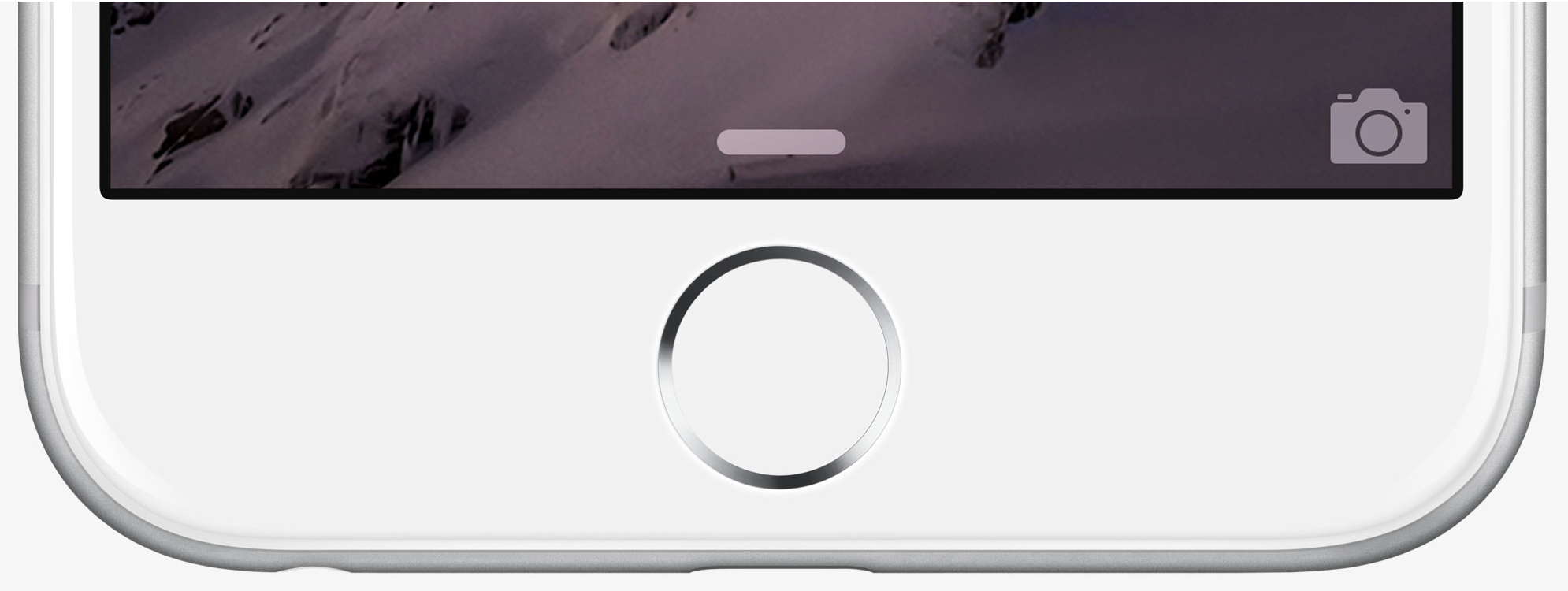
Touch ID is Apple’s fingerprint sensor built-in to the Home button that first debuted with the iPhone 5s. A year later Touch ID became an integral part of Apple Pay that launched just after the iPhone 6 and 6 Plus and also came to the iPad Air 2. The first Mac to gain Touch ID was the MacBook Pro with Touch Bar in late 2016.

Conflicting reports have been plentiful this year as to how Apple will handle Touch ID with the iPhone 8 or whether face recognition may replace it altogether.



PSA: Here’s how to keep seeing iPhone 6s Lock Screen notifications + wallpaper despite super-fast Touch ID

“Faster” is almost always “better” with new iPhones, but the iPhone 6s’s lightning-quick Touch ID fingerprint scanner has created a small new issue: if you touch the Home Button to look at your Lock Screen, you’ll see that it disappears within a split-second. At a minimum, this is visually jarring, but it also impacts historic iPhone functionality — users have been customizing their Lock Screens with photos (most recently, Live Photos) and checking the date/time there since the first iPhone launched in 2007, and it subsequently became an easy place to view notifications and activate the camera.

If you want to continue using the Lock Screen for any of these reasons, there are a couple of workarounds:

  1. Start using the Sleep/Wake Button on the iPhone’s right side for all screen activations and deactivations. This is the easiest way to do a quick turn on and off of the display for notifications.
  2. Go into the Settings app, select Touch ID & Passcode, and remove your most commonly used finger scan from the list of stored Fingerprints. This will let you continue to activate the screen using the Home Button’s Touch ID sensor, without immediately moving to the Home Screen.

The choice between 1 or 2 will come down to personal preference, the way you hold your iPhone, and how you use your iPhone when it’s docked or car-mounted. For example, if you want to quickly check notifications when your iPhone is car-mounted (and your car is stopped), you may find that the Sleep/Wake Button is out of reach or inconvenient to press inward, making the Home Button a better choice. Removing your index finger from the Touch ID list will let you naturally use one finger for screen and Home Button interactions.

More From This Author

Check out more of my editorials, How-To guides, and reviews for 9to5Mac here! I’ve covered a lot of different topics of interest to Mac, iPad, iPhone, iPod, Apple TV, and Apple Watch users. I’ve recently discussed how to safely prepare and wipe your iPhone for resale or trade-in, and how to get the best iPhone trade-in price to help buy an iPhone 6s, amongst many other topics.

Apple finally granted 2007 patent on Touch ID sensor in Macs (with hilariously old image)

While Apple may have waited for the iPhone 5s before it introduced Touch ID, it’s been working on the technology since shortly after the launch of the original iPhone. A patent first filed in 2007 was finally granted today, and includes the use of a fingerprint sensor in laptops – though the drawing Apple used to illustrate the concept seemingly dates back even further than 2007!

A finger sensing apparatus may include a finger sensor including an integrated circuit (IC) substrate, an array of finger sensing elements on the IC substrate, and match circuitry on the IC substrate for performing final finger matching. […] FIG. 1 is a perspective view of an electronic device in the form of a laptop computer including a finger sensor and enhanced security in accordance with the present invention.

The patent also covers use in desktop computers, aka the iMac today, embedding the sensor into the keyboard … 
Expand
Expanding
Close

Early iPhone 6s + 6s Plus buyers report Touch ID, 3D Touch, speaker + power problems

Following last week’s release of the iPhone 6s and iPhone 6s Plus, Apple’s support community pages are lighting up with new reports of problems with the new iPhones for some customers. The issues range from overheating Touch ID buttons to random power-offs, significant audio distortion, and 3D Touch glitches.

Below, we look at some of the most interesting iPhone 6s and iPhone 6s Plus problems users are reporting, as well as possible solutions…


Expand
Expanding
Close

Touch ID on the iPhone 6s is fast, but not so fast you can’t access the lockscreen (Video)

[youtube=https://www.youtube.com/watch?v=iS5U62LVSd0]

There have been some reports that Touch ID on the iPhone 6s is now so fast that you can no longer access the lockscreen, as it unlocks as soon as you touch the home button.

This is a slight exaggeration: Touch ID is indeed much faster than older models, but not quite instant, as the above video shows.

You can check out my first impressions of the iPhone 6, and Dom’s rather more sophisticated video comparing the new iPhone with its predecessor.

New videos compare Touch ID speeds on iPhone 5s, 6, and 6s

Apple announced during the iPhone 6s keynote earlier this month that the phone would include a second-generation Touch ID system that was much faster than its predecessor. Now that iPhone buyers are starting to get their handsets delivered, it’s possible to test just how much faster.

In the video below from iFixYouri, you can see the new phone go head-to-head with the two previous Touch ID-capable phones.


Expand
Expanding
Close

Bank of America adds Touch ID and Apple Watch support to mobile banking app

Bank of America has updated its mobile banking app to allow sign-in using Touch ID, and has added Apple Watch support for balances, recent transactions and alerts.

The new fingerprint and Touch ID sign-in capabilities provide eligible Android, iPhone and iPad customers with a secure and convenient way to log into the mobile banking app using their fingerprint. This feature allows access to the most common functionality of the app without the additional need for a passcode.

The mobile banking app is now compatible with Apple Watch, allowing users to view account balances and recent transactions for their linked checking, savings, credit card and investment accounts, as well as receive real-time alerts and notifications on their wrist … 


Expand
Expanding
Close

1Password iOS update improves Apple Watch & Touch ID experience

A nice update is awaiting 1Password users on iPhone, iPad, and Apple Watch today as the password management app has enhanced a few key parts of the experience. On the iPhone 5s and later plus iPad min 3/iPad Air 2, 1Password’s login screen now features a Touch ID button under the Master Password field so you can choose to sign in using your finger print even if you accidentally hit cancel on the first request. Tapping the fingerprint button prompts the system Touch ID unlock screen.

Also useful for Touch ID users on iOS is an improvement to how the app can stay unlocked between uses in different apps. Previously 1Password’s extension in other apps required being unlocked by password, passcode, or Touch ID each time, but now the 1Password extension and 1Password app share the same unlock time limits. This makes relying on 1Password to enter passwords in the many of supported apps including Safari a faster experience if security is a lower priority.

Finally, 1Password has enhanced its Apple Watch app with the usual bug fixes that give you a better experience, and credit cards saved to the Apple Watch app now include the important PIN codes that 1Password can save. 1Password’s Apple Watch app lets you selectively sync important passwords to the app with an optional added passcode over the app. You can find the full release notes below:
Expand
Expanding
Close

LastPass password manager now free on mobile, but Touch ID users will want to pay

LastPass, which claims to be the world’s most popular password manager, now offers the choice of free usage on either mobile or desktop platforms. Previously, desktop use was free while use on a mobile device required a $12 annual subscription.

You can now use it for free on either platform – but still need to pay to get both mobile and desktop usage. LastPass told us that, seven years in, it was time to change its freemium pricing model … 
Expand
Expanding
Close

Site default logo image

Touch ID built into iPhone display one step closer as third-party company announces new tech

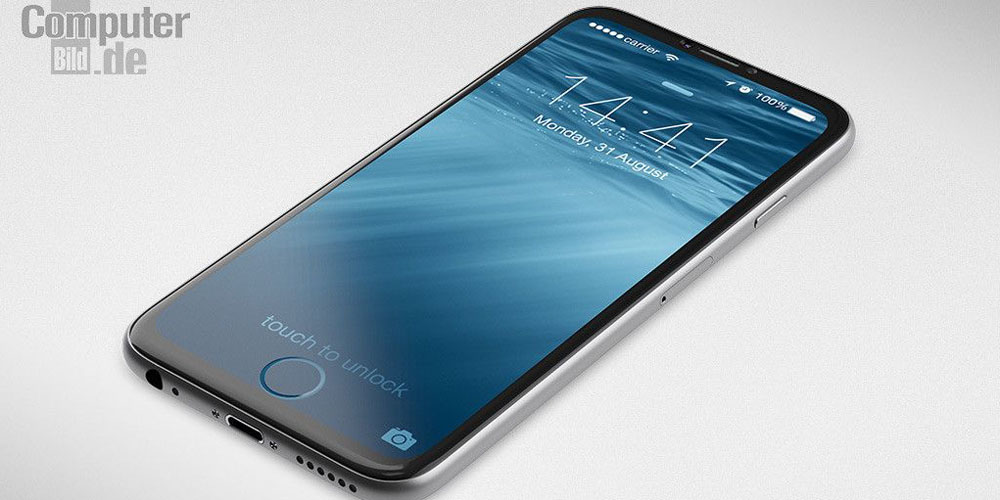
The possibility of Apple embedding the Home button into the display of a future iPhone model got a step closer today as a third-party company announced technology that allows fingerprints to be read through Gorilla Glass.

TNW reports that Sonavation has developed ultrasonic fingerprint sensors capable of 3D scanning from beneath the Gorilla Glass Apple uses for its iPhone displays.

Though details on how it will work are sparse, Sonovation says its sensors are “capable of capturing fingerprint data into the ridges and valleys.” It also says 3D scanning can take place if a finger is wet, dirty or oily — all without compromising accuracy.

There’s nothing to suggest any link between Apple and Sonavation – this is merely an indication that the type of technology required to replace a physical Home button with an embedded one is already out there. A sketchy report last month suggested that Apple is working on this type of technology.

Don’t look for this in the iPhone 6S, though. While a recent leak confirmed our report that the new iPhone would get Force Touch, it also revealed that the external appearance of the phone will be almost identical to the iPhone 6.

Concept image: Martin Hajek for Computer Bild

Site default logo image

Citibank for iPhone adds Touch ID login & Apple Watch support

Citibank has released a major new version of its Citi Mobile app for iPhone with changes that customers should appreciate. Similar to Chase recently, Citibank has added the ability to log in using your fingerprint and Touch ID on the iPhone 5s, iPhone 6, and iPhone 6 Plus. This option allows you to avoid having to tap in your password each time when checking your account information while maintaining security.

The update also adds support for the Apple Watch as you can see above. Citi Mobile now includes customizable notifications for card activity so the added convenience of an Apple Watch app means you can get notified as soon as anything that needs your attention happens. Check out the full release notes below:
Expand
Expanding
Close

Report: Apple already working on putting a virtual Home button into the iPhone screen

Site default logo image

Concept image: Martin Hajek for Computer Bild

The idea of replacing the iPhone’s physical Home button with a pure touch one embedded in the display has been around for quite a while now, but a report from the variably reliable DigiTimes claims that Apple is already working on the technology.

Apple is internally developing touch and display driver integration (TDDI) single-chip solutions for its iPhones, according to sources in Taiwan’s IC design industry.

The TDDI single-chip solutions will also come with integrated fingerprint sensors, said the sources. The integrated design would fit into future iPhone designs – models with ultra-thin and ultra-narrow displays, and with a whole plane design eliminating the Home button.

While the report doesn’t specifically reference embedding the home button into the display itself, referring only to ‘a whole plane design,’ this would seem to be what the report hints at …
Expand
Expanding
Close

Site default logo image

Marriott app adds hotel check-ins from your Apple Watch, PayPal for iPhone gains Touch ID login

Back in March, Marriott Hotels announced that it plans to accept Apple Pay as a payment form at many of its properties this summer, and today the hotel chain has updated its Marriott International app for iPhone to include Apple Watch support.
Expand
Expanding
Close

Apple Store app on iOS updated w/ support for Touch ID & two-step verification

Site default logo image

After being updated with support for Apple Watch last month, the Apple Store app on iOS has been updated today with a pair of highly requested features. With today’s update, which bumps the app to version 3.3, users can now use Touch ID to view orders, access EasyPay receipts, and make reservations at retail locations.


Expand
Expanding
Close

Claimed ‘iPhone 6C’ rear shell leaks, lends further credence to rumors of new 4-inch model

Site default logo image

Image via Future Supplier

Some new photos posted by Future Supplier claim to show the leaked rear casing to the rumored “iPhone 6C.” Recent reports have said that the device will sport a 4-inch screen like that of the iPhone 5, 5C, and 5S, allowing it to appeal to those who prefer smaller displays over the larger iPhone 6 and 6 Plus.

While the veracity of these shots has not been confirmed, there are some interesting details to note that could give us some more clues about the design of the rumored device.

Keep reading for photos and analysis…

Site default logo image

Black Box device can brute-force iOS 8.1 PINs, bypassing repeated attempts lockout & data-wipe

Security company MDSec has been testing a black box device that manages to gain access to iPhones running up to iOS 8.1 by brute-forcing the passcode over a USB connection to simulate keypad entry. Normally, trying every possible 4-digit PIN would be prevented by automated lockout or data wipe after ten incorrect attempts, but the IP Box manages to bypass this.

The IP Box is able to bypass this restriction by connecting directly to the iPhone’s power source and aggressively cutting the power after each failed PIN attempt, but before the attempt has been synchronized to flash memory.

After each attempt, it measures light levels on the screen to see whether it got access to the homescreen; if not, it restarts the phone fast enough that the PIN counter doesn’t get updated.

It’s not a very practical means of attack in the real world. Restarting the phone after every single attempt means that testing every single PIN would take around 111 hours, and thus take an average of around 55 hours to get access. You need physical access to the phone for those 55 hours, and need to have stopped it from gaining any kind of network access in that time to prevent the owner using Find My iPhone to remotely wipe it. But it’s an interesting proof of concept.

Apple appears to have fixed the vulnerability in iOS 8.1.1, as companies selling the kit note that it is not compatible with this version of iOS.

Although this isn’t something to worry about, it’s still good practice to use a complex passcode–not a great hardship on a recent iPhone, where you’ll be using Touch ID most of the time. Just go into Settings > Touch ID & Passcode and slide off the Simple Passcode switch.

Site default logo image

RadPad now lets you easily split rent with roommates using Apple Pay

RadPad, an app we told you about back in November when it launched as one the first to let you pay rent using Apple Pay, now lets you easily split rent with roommates.

Pay with RadPad Roommates makes it really, really easy for renters who have roommates to pay their rent together, using their own credit, debit card or Apple Pay… A roommate signs up and invites their other roommates to pay rent together: RadPad sends invites to each roommate, via text and email. The roommate receives the invite, accepts it and then enters in their credit or debit card or elects to use Apple Pay. That’s it!

You’ll also be able to see when your roommates are slacking with status information on their half of the rent.  The app allows up to four roommates to split the rent and sends a check to the landlord on behalf of the tenants. You can even setup rent payments to your landlord through the app if they aren’t using RadPad.

RadPad tells us it’s expecting to process $14M in annual rents this year after launching in October.

The RadPad app is available on the App Store for free.

Two UK banks now allowing mobile app login using Touch ID

Two UK banks–Royal Bank of Scotland and Nat West–are now allowing customers to login to their mobile banking apps using Touch ID, reports the BBC. The updated RBS app is expected to hit today, with the Nat West one following tomorrow.

RBS and NatWest customers must activate the feature with their security information, but would only need to use Apple’s Touch ID thereafter.

The banks–owned by the same parent company–said that use of Touch ID is subject to a number of security safeguards … 
Expand
Expanding
Close

Rumor says Touch ID coming to MacBooks and Magic Mouse/Trackpad for Apple Pay, but there are roadblocks

Site default logo image

When Apple develops a new technology or feature for its hardware, it typically rolls it out on one product then expands it to the rest of the line. For example, Touch ID launched for the iPhone in 2013 and made its way to the iPad with the iPad Air 2 in 2014. For 2015, Touch ID may make its debut on the Mac, according to a rumor from website apple.club.tw. According to the blog, which published legitimate photos of iPad Air 2 Touch ID and A8X chip components last fall, Touch ID will come to Macs this year to enable Apple Pay functionality…


Expand
Expanding
Close

Apple Pay China expansion reportedly stalled by ChinaUnion, regulators

Site default logo image

We learned last fall that Apple plans to bring Apple Pay to China by partnering with UnionPay. Code found within iOS pointed to Apple preparing its mobile payment service for China while MarketWatch reported Apple was working on a deal with the institution. Several months later, however, MarketWatch now reports that Apple is “struggling with its relationship with UnionPay,” adding that Apple has not yet established an agreement it hoped to reach by March.
Expand
Expanding
Close

KGI: Apple to upgrade Touch ID sensor in next iPhone, expects over a quarter of a billion units in 2015

Site default logo image

KGI is out with a new report today predicting both a large rise in the number of Touch ID sensors shipped this year as well as an improved version of the biometric security reader for the next version of the iPhone. “We raise our 2015F shipments of Touch ID (fingerprint recognition) module by 12.4% to 262mn sets, up 77% YoY.” As for the updated Touch ID sensor, the improved version is believed to offer more reliable reads and better security as Apple continues to push Apple Pay, it’s recently launched mobile payment service:
Expand
Expanding
Close

Site default logo image

Apple’s purchase of AuthenTec cost the Nexus 6 its fingerprint reader, reveals former Motorola CEO

The recessed Motorola logo was originally slated to be a fingerprint sensor

When Apple bought AuthenTec back in 2012, it did more than grab the best fingerprint technology available for itself – it also stopped Google including a fingerprint sensor in the Nexus 6, revealed former Motorola CEO Dennis Woodside. Speaking to the Telegraph, Woodside said that the dimple on the back of the handset was originally intended to be a fingerprint reader.

Indeed, the 6-inch Nexus 6, he can now admit, was stymied by just one of those big players. A dimple on the back that helps users hold the device should, in fact, have been rather more sophisticated. “The secret behind that is that it was supposed to be fingerprint recognition, and Apple bought the best supplier. So the second best supplier was the only one available to everyone else in the industry and they weren’t there yet,” says Woodside.

A fingerprint scanner had been widely rumored prior to the launch of the Android smartphone originally code-named Shamu, and it’s believed one was included in internal prototypes, before it was abandoned. Woodside’s comments provide the explanation, Motorola originally intending to buy or license the sensor from AuthenTec.

You can now unlock Google Docs, Slides and Sheets for iOS with Touch ID

Site default logo image

Google is on a roll this week with updating its iOS apps. Yesterday we saw Chrome for iPhone and iPad pick up a big update bringing Material Design to the browser and adopting Handoff support with OS X Yosemite. Following Chrome’s release, Google today shared new versions of its Docs, Slides, and Sheets apps for iPhone and iPad taking advantage of another Apple technology: Touch ID.

Beginning with Docs version 1.2.6448, Slides version 1.0.5754, and Sheets version 1.1.7297, iPhone and iPad users can now lock and unlock each app using the Touch ID fingerprint scanner as an alternative to the passcode lock screen.
Expand
Expanding
Close