Latest

Site default logo image

Pandora adds alarm clock feature for iPad, new app for Pebble users


After introducing a new alarm clock feature for iPhone users back in December, streaming music service Pandora today updated its iPad app with the same functionality. The app already let users fall asleep to music using a Sleep Timer feature, and with today’s update to version 5.3 iPad users will now be able to set song or artist stations as alarm clocks.

The alarm clock feature also packs in the usual snooze feature and can be configured from Settings inside the Pandora app. The update also includes “other improvements and bug fixes” for both iPhone and iPad users. pebble_app_store

Also available starting today is a Pandora app for Pebble smartwatch users available through the app store within the Pebble Smartwatch app for iOS. Pandora announced the new feature on its blog today and noted Pebble is the first wearable platform that Pandora is debuting on:

Using the Pebble, you can view and change stations, thumb songs up and down, skip, play and pause tracks – all from your wrist!   If you already have a Pebble that is paired to your mobile device, you should get a notification that you can install Pandora, or you can start the install process at any time from the Pebble Settings Page.

Pandora version 5.3 is available on the App Store now.

What’s New in Version 5.3

Start waking up to music you love – the Pandora alarm clock is now available for iPad
• Pick your your favorite station to play as your alarm
• Not ready to wake up? Adjust the snooze time to catch more zzz’s
• Use with the sleep timer to hear your music morning and night

Other improvements and bug fixes to give you the best listening experience
Site default logo image

Readdle’s Calendar apps get new iPad UI, custom reminders on iPhone, & more

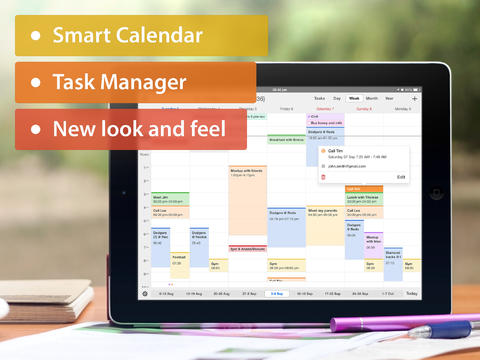
Readdle-Calendar-5Readdle, the developer behind popular Calendar apps for iPhone and iPad, today updated both its free Calendars by Readdle and the $2.99 Calendars 5 with a number of notable new features.

First up, both apps get an updated iPad UI that includes a number of tweaks for improved navigation and layout. For iPhone users, version 5.4 of the apps brings the ability to create custom reminders, while both iPhone and iPad users gain Smart Input support in new languages including Italian, French, and Spanish. Those new features are in addition to a handful of other improvements and fixes that you’ll notice throughout both apps.

Calendars by Readdle is available for free on the App Store, while the more feature filled Calendars 5 sells for $2.99.

Yesterday Readdle’s popular Print Pro for iPhone app went free for 24 hours and quickly became the #1 free app in 15 countries.

What’s New in Version 5.4

– updated iPad UI
– Smart Input now supports French, Italian, and Spanish.
– custom reminders on the iPhone
– lots of minor improvements

Site default logo image

Digital design app Sketch 3 released for Mac

Introducing Sketch 3 from Bohemian Coding on Vimeo.

This will be good news for a lot of graphic designers on the Mac. Bohemian Coding today released version 3.0 of its digital design app Sketch bringing new features and improvements. Here’s the list of features from Sketch 3:

NEW IN VERSION 3:
– Symbols, for reusing elements in your design
– Text Styles and Layer Styles, redesigned and unified for a better experience
– Redesigned inspector, giving you quicker access to everything
– Automatic Slices, export layers directly, without needing to set up manual slices
– Export multiple resolutions from a single slice, at any scale
– Improved PDF, EPS and SVG importing and exporting
– Speed, bug fixes and polish all around
– Presentation Mode, go full screen and hide all controls, perfect for showing off designs
– Improved bitmap editing with Magic Wand, Crop, Invert and Vectorize tools

The app is a paid upgrade so you won’t be able to move from Sketch 2 to Sketch 3 for free. Customers who bought Sketch 2 on the Mac App Store after March 1st, however, can email Bohemian Coding with their receipt and receive Sketch 3 at no cost.

Sketch 3 will be on sale from today until April 21st at $49.99 on the Mac App Store before it returns to its full price of $79.99.

Site default logo image

Readdle’s Printer Pro for iPhone adds new languages, goes free for 24 hours (Reg. $4.99)

Printer Pro by Readdle from Readdle Inc. on Vimeo.

After recently adding support for eight additional languages, Readdles’ Printer Pro app for iPhone is going free for the next 24 hours.

If you haven’t already tried Printer Pro, then now is a great time. The app allows you to print content content and files from a number of apps on iOS to several WiFi printers without AirPrint and any printer connected to a Mac or PC.

Printer Pro is localized in English, German, French, Italian, Spanish, Russian, Chinese, Japanese, and Portuguese. Regular $4.99, Printer Pro is available for free for 24 hours on the App Store. (Printer Pro for iPad is also available for $2.99.)

For more deals, follow @9to5Toys and check out 9to5Toys.com for updates.

Site default logo image

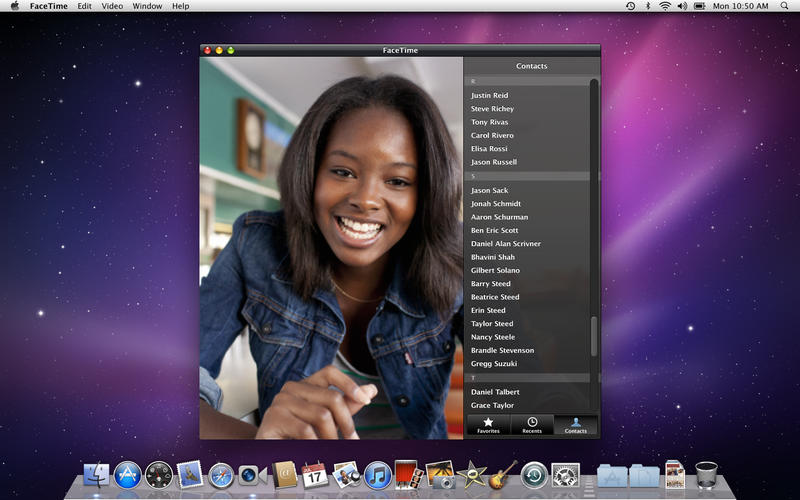
Apple updates standalone FaceTime app for Snow Leopard users with connection bug fix

screen800x500

Remember the good ol’ days when FaceTime wasn’t included with each Mac? Back then, you had to download a bit of software from the Mac App Store in order to make video calls to iPhone owners (though iChat could still do Mac-to-Mac calls). Even today, that standalone app is still available on the Mac App Store for $.99—and for some reason it’s still the #5 paid app on the entire store.

Given its apparent popularity three years after its launch, it makes at least a little sense that Apple updated the app today to fix a bug that could prevent users from connecting to FaceTime calls. Of course, if you’re on anything newer than Snow Leopard, you don’t need this update, but anyone still running OS X 10.6 who already purchased the app can get the free update to resolve the problem.

For Snow Leopard users who haven’t already made the purchase, the app is $.99 on the Mac App Store.

Site default logo image

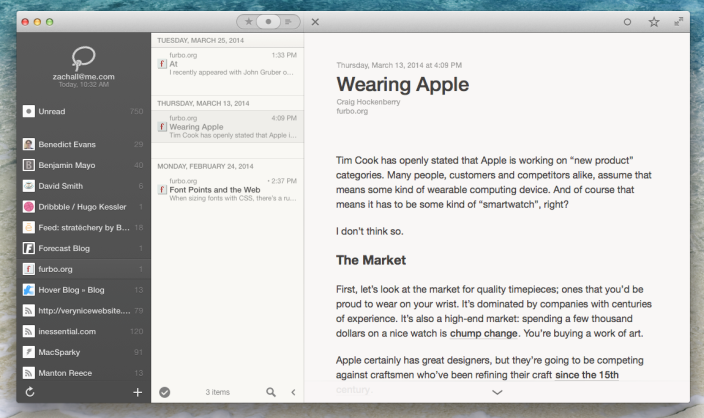
Popular RSS client Reeder 2 for Mac hits first public beta

Popular RSS client Reeder was largely affected by Google’s abrupt shutdown of Google Reader earlier last year as it raced to update its various apps support for alternative RSS subscription services.

Reeder for iOS gained support for services like Feedly and Feed Wrangler pretty quickly last year, but Reeder for Mac has taken a bit longer than had originally been anticipated.

Today, Reeder 2 for Mac is available in its first public beta for free ahead of its final development.
Expand
Expanding
Close

Site default logo image

Apple releases iMovie for Mac 10.0.3 with new sorting options, improved titles, and more

screen800x500

Apple has just published its third update to the revamped Mac version of iMovie launched last year. The update, version 10.0.3, makes changes to the default font in the new titles first added to last year’s release. It also includes the ability to sort events by date to quickly find clips by when they were recorded.

Other improvements include the ability to rotate and crop clips within events rather than projects, an easier method of accessing transition duration settings, faster access to clip speed controls, improvements to how speed changes are handled, and various bugs that could cause the app to crash or not do what was expected.

You can grab the update for free in the Updates tab of the Mac App Store if you already own iMovie 10. Users on previous versions of iMovie can buy the current version for $14.99. The full change log is below:


Expand
Expanding
Close

Site default logo image

Dropbox launches new “Carousel” photo & video gallery app

Dropbox is introducing its latest product today, a photo and video management app called Carousel that integrates many of the features from the photo storage service Snapjoy acquired by Dropbox back in 2012.

The company unveiled the app at an event today in San Francisco as a gallery to store and share all of your photos and videos. The app is built for quick and easy sharing of one or multiple photos to phone contacts or email addresses (even if the recipient doesn’t have a Dropbox account), allowing you to get around the upload limitations usually associated with sharing photos. With everything backed up in full resolution directly to Dropbox, it essentially becomes a standalone app to manage just photos and videos that you want to store in Dropbox.

With Dropbox, we built a home for your photos and videos but never gave you a great way to experience them. We’d like you to meet Carousel, the newest member of the Dropbox family. It’s a gallery that houses your entire life’s memories. Even more, Carousel lets you share and relive these memories in private conversations with friends and family.

Carousel is now available as a free download on the App Store for iOS and the Play Store for Android.

[tweet https://twitter.com/carouselapp/status/453949761830154240]

The company also made some other product announcements today including news regarding versions of its Mailbox app for Android and Mac OS X.

NBC iOS app finally lets you AirPlay its free full-length episodes to Apple TV

Site default logo image

NBC updated its mobile app for iPhone and iPad today with one big update for iOS and Apple TV users: the ability to AirPlay content from the mobile app to your TV via Apple TV.

The update is a big deal for a couple of reasons. The most notable being the fact that NBC offers full TV episodes for free through its mobile app, without the requirement of signing into your existing cable subscription like many other popular network apps. NBC has always been one of the go to apps for cord cutters, and now they’ll be able to beam that content onto the big screen using an Apple TV and AirPlay. Getting a lot of this content on the Apple TV previously required a subscription to Hulu or signing into a cable subscription. 
Expand
Expanding
Close

Adobe debuts Lightroom Mobile for iPad with powerful, on-the-go photo editing

Site default logo image

After briefly leaking earlier this year, Adobe is finally ready to show off its Lightroom Mobile for iPad software for photographers and photo editors. The iPad application borrows many of the essential features from the powerful desktop software and is optimized for the touch input user experience key to the tablet. We’ve taken a sneak peek at Lightroom Mobile for iPad, and we have all the details on Adobe’s latest Lightroom update.
Expand
Expanding
Close

Site default logo image

Amazon updates Instant Video iOS app with iOS 7 inspired redesign

Amazon has just updated its Amazon Instant Video app, which provides access to its catalogue of over 40k movies and TV shows, with a redesign of the entire UI inspired by iOS 7.

Amazon isn’t listing any new features in the iTunes release notes other than bug fixes and stability improvements, but you’ll also find a new icon and some UI tweaks that come as part of the new redesign. The overall navigation of the app remains the same but buttons and icons within have been flattened along with streamlining of other UI elements to make the app fit in with Apple’s iOS 7 redesign.

The redesign isn’t just for iPhone users, as the iPad version has been given a similar facelift:

The updated Amazon Instant Video app version 2.4 is available now on the App Store for iPhone and iPad.

iPhoto for iOS update adds white border printing option alongside various bug fixes

mzl.ghfecfqm

Following a slew of updates to iWork, Apple has released a minor update to iPhoto for iOS, part of its iLife suite. The update adds a new border printing option. When ordering prints, you can now frame your photos with a white border. As usual, the update also includes miscellaneous bug fixes and “other improvements”.

What’s New in Version 2.0.1

• Add a white border to photos when ordering prints
• Includes bug fixes and other improvements

iPhoto costs $5 on the App Store, but new iOS device purchases automatically unlocks the app for the registered account for free.

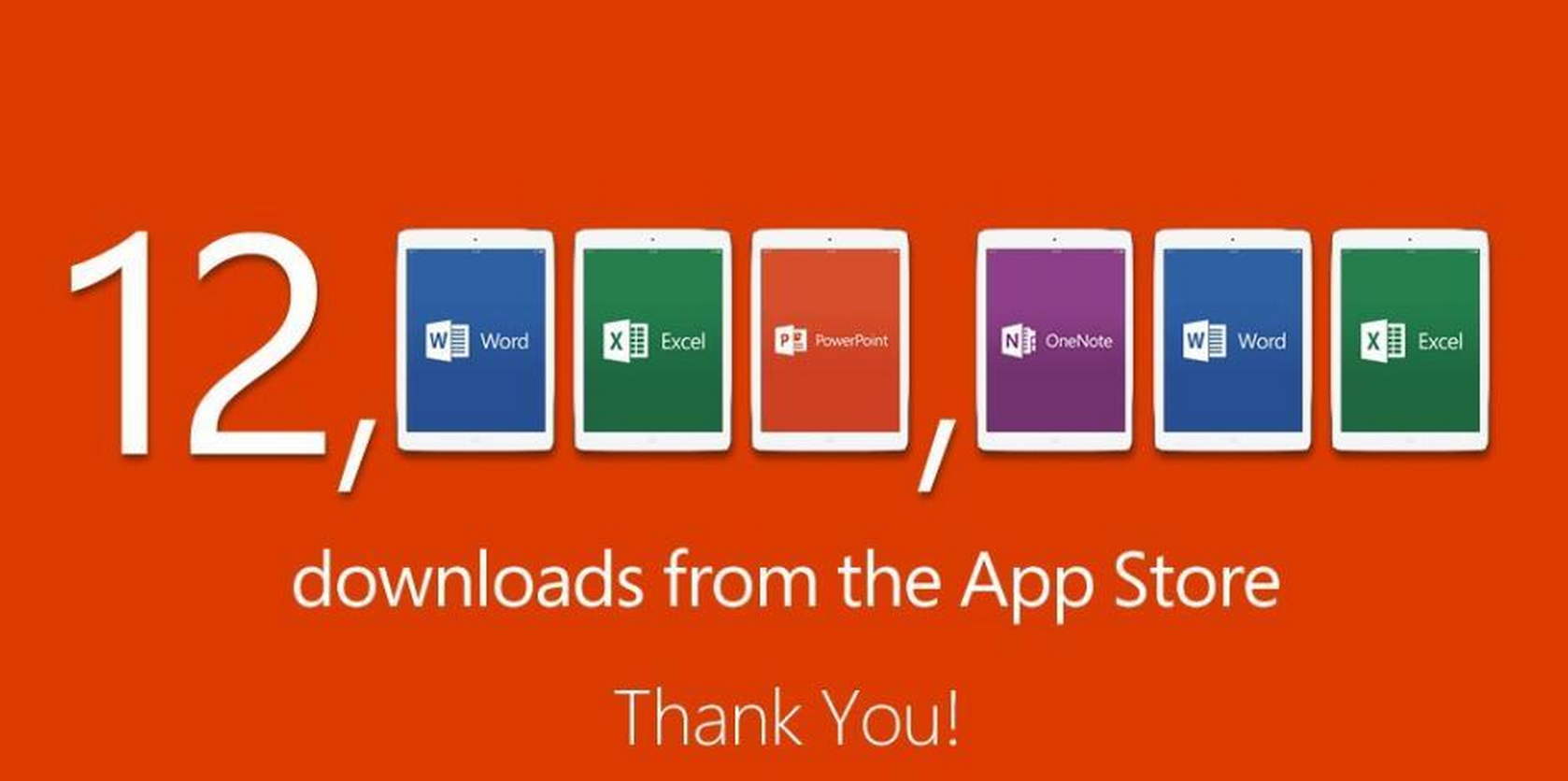
Microsoft says Office iPad apps hit 12 million downloads a week after release

Site default logo image

Office-12-million-downloads

After announcing the release of the Office for iPad apps late last month, Microsoft announced today that the separate Word, Excel and PowerPoint apps for iPad have collectively reached 12 million downloads a week after release. The number also included downloads of the OneNote app for iPad, which has been available for a couple of years leading up to the release of the Office apps, but Microsoft didn’t provide a breakdown of sales by app.
Expand
Expanding
Close

Vine adds private video messaging, profile theming in latest update


messages

Vine has just released its ‘biggest update yet’ to the App Store, bringing one-on-one video messaging to the service for the first time. Analogous with Twitter DM’s, Vine’s VM’s work in the same way — hosting private conversations outside of the main stream. As you might expect, conversations can include short video clips as well as text messages.

You can start a conversation directly to a recipient, or bounce off a public Vine for inspiration. Just share the Vine to as many as friends as you want to start a message. It’s important to note you cannot have group conversations (yet). If you share a Vine to more than one person, a separate thread is created for each recipient.

Version 2 also adds some new customization options for your Vine profile. In Settings, you can theme your profile with a specific color which then shows to all other Vine users.

Vine can be downloaded on the App Store, for free.

Site default logo image

Facebook Messenger for iPhone updated with free calling support

screen568x568Just a week after Facebook added group management to its Messenger app, the social network is out with yet another update to the messaging service: free calls for everyone.

The feature allows you to call your Facebook friends who also have the app over WiFi for free (you can call over cellular as well, but this uses data, of course). Free calling is especially beneficial to users who communicate internationally as calling rates tend to get pricey in that area.

Messaging threads now include a phone icon for prompting calls from the app, and the actual phone user interface resembles the native iOS Phone UI prior to iOS 7.1 introducing a tweaked design to the Phone app.

Facebook-owned Whatsapp is poised to introduce VOIP support in an upcoming update as well. Screenshots of Whatsapp in-app calling leaked earlier this year.

Facebook Messenger 4.1 is available for free on the App Store.

Site default logo image

IFTTT app update brings support for push notifications, new iPad version

If This Then That (IFTTT), the popular web service that allows users to automate tasks from a long list of other mobile apps and web services, is today announcing an update to its iOS app that also introduces full support for iPad and new features for the iPhone version (via TNW).

The most notable new feature is push notification support, allowing any IFTTT “recipe” to result in a push notification to your iPhone or iPad. While you could already get push notifications to show up in a recipe from many apps that send out their own, this will bring universal support for the feature allowing a push notification for any recipe you can think of.

IFTTT allows users to setup “If this then that” recipes that act as rules for when a certain app or web service should begin automating a task. For example, users could setup a recipe that automatically uploads photos posted to Instagram by a certain user directly to Dropbox. With today’s update, users can now setup recipes that end in a push notification being sent to their iPhone or iPad.

The iPad app introduces a new take on the IFTTT mobile UI and the updated app also brings a new Recipe Collections feature that highlights a curated selection of recipes grouped by category. 

The updated IFTTT app is available now in the App Store as a free universal download for iPhone and iPad.

Doo moves beyond document syncing, releases Scanbot for iPhone

Site default logo image

Earlier this year, the developers of the document-syncing application Doo announced that the company was shutting down its backend and removing its app from sale. The company wasn’t going anywhere, however, and had plans for a brand new product that would be revealed soon.

Today, the company has taken the wraps off of its newest app, Scanbot, which allows users to scan documents into their iPhone and store them as PDFs or JPGs on a variety of cloud services. We had a chance to talk to Frank Thelen, CEO of Doo, about why the original service was shuttered, how the company decided on a new direction, and and what lies ahead for Scanbot.
Expand
Expanding
Close

Site default logo image

Adobe announces new features for After Effects, Premiere Pro & more coming to Creative Cloud

Adobe announced a few product updates today at NAB 2014 in Las Vegas including updates to all of its video apps in the Adobe Creative Cloud suite including Adobe Premiere Pro and Adobe After Effects. Among the standout new features are Live Text Templates, autosave, and Masking and Tracking features for Premiere Pro, as well as Master Keying effects and Typekit integration for After Effects:

  • Timesaving editorial features in Premiere Pro CC. New features include Live Text Templates that let users edit text in After Effects CC compositions directly in Premiere Pro CC; Autosave to Creative Cloud for automated backup of projects; and a new Masking and Tracking feature that provides accurate masks that follow subjects and blur out faces and logos, crucial for newsroom editing. In addition, the new Master Clip effect in Premiere Pro and SpeedGrade changes the effects applied to original clips and ripples down through all instances of the clip.
  • Powerful new updates to After Effects CC include Keying effects to provide better keying results with compressed footage; and Typekit integration with Premiere Pro CC and After Effects CC provides users with access to a growing library of fonts worth $30,000, that can be used on the desktop.

Also getting an updated today is Adobe Anywhere, Adobe’s collaboration platform for After Effects CC and Premiere Pro CC. It adds real-time project backups, Rough Cut Support for Prelude CC, :After Effects CC media processing for direct integration between Anywhere and After Effects CC.”

In addition, Adobe showed off new features coming to the rest of its CC video apps. A full list of new features and more on what’s new and coming from Adobe After Effects, Premiere Pro, Adobe SpeedGrade CC, Adobe Audition CC, Adobe Story CC Plus, Adobe Prelude CC, and Adobe Media Encoder CC is here.

Review: Fantastical for iPad completes the improved calendar suite… and it’s pretty sweet

Site default logo image

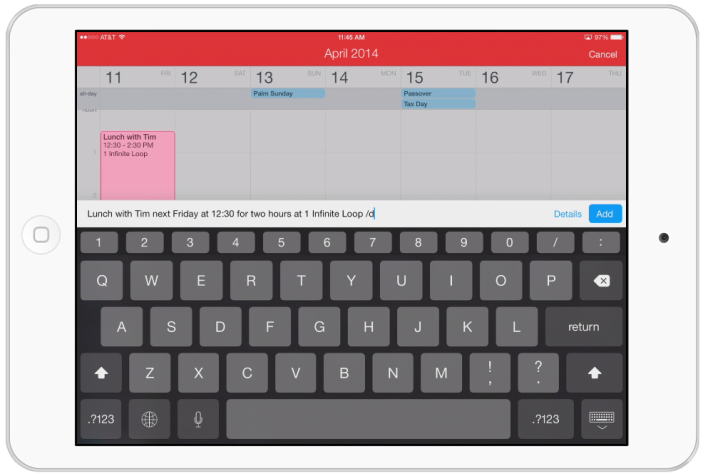
Fantastical for iPad

After first debuting on the Mac then joining iOS with the iPhone, Fantastical is finally ready to replace the calendar on your iPad, too. With Fantastical for iPad, Flexibits has brought the same, streamlined design and natural language parsing for quick event and reminder entry to the iPad. I’ve been using Fantastical for iPad for a few weeks now, so let’s take a look at how it compares to Apple’s calendar app…
Expand
Expanding
Close

Site default logo image

WhatsApp announces 64 billion messages sent through its texting app — in just one day


Whatsapp, the popular messaging client for iOS and Android, announced today on Twitter that it had reached a new record for messages sent in a single day. With 20 billion outgoing messages and 44 incoming messages handled in a single 24-hour period, the grand total came out to 64 billion.

[tweet https://twitter.com/WhatsApp/status/451198381856014337 align=’center’]

Here’s a little perspective on that number: Instagram recently announced that its users had posted 20 billion photos to the service. You’ll notice that’s not a statistic for one day. It’s the total number of photos shared in the history of the network.

That means that in one day, Whatsapp handled over three times as many requests as Instagram has since it launched three years ago. Not too shabby.

Dish subscribers can now access ESPN, Disney & ABC content through mobile apps & online

Site default logo image

Dish and The Walt Disney company announced today that they have reached a multi-year distribution deal that will see Dish subscribers gain access to a ton of Disney content including its ABC and ESPN networks. That means if you subscribe to Dish, you’ll now be able to access the WATCH ABC, WATCH ABC Family, WATCH Disney Channel, WATCH DisneyXD and WatchESPN through your computer, smartphone, tablet and other connected devices like game consoles and Apple TV. The deal will also see Dish launch a number of Disney and ESPN networks while pending litigation between the two companies comes to an end:

The agreement will result in dismissal of all pending litigation between the two companies, including disputes over PrimeTime Anytime and AutoHop. As part of the accord, DISH will disable AutoHop functionality for ABC content within the C3 ratings window. The deal also provides a structure for other advertising models as the market evolves, including dynamic ad insertion, advertising on mobile devices and extended advertising measurement periods.

DISH will make available Disney Junior, Fusion, ESPN Goal Line, ESPN Buzzer Beater, as well as Longhorn Network and the upcoming SEC ESPN Network upon its launch. In addition, DISH, ESPN and ESPN Deportes customers will have access to the live and video-on-demand channel ESPN3… As part of the agreement, DISH will launch ESPNEWS, ESPNU, Disney Channel and ABC Family in high definition. ESPN Classic will be reintroduced as a video-on-demand channel.

For Apple device users, the majority of the content is available through dedicated iOS and Apple TV apps including WatchESPN, WatchABC, and WatchDisneyChannel
Expand
Expanding
Close

Apple releases Safari 7.0.3 with push notification changes, security improvements, and more

Site default logo image


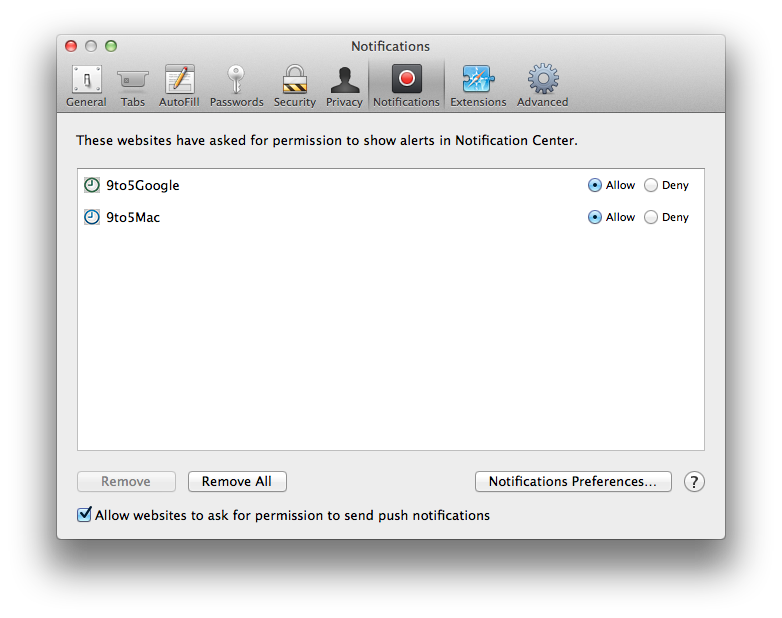
Screen Shot 2014-04-01 at 5.58.17 PM

After updating iWork for iCloud and its Mac and iOS counterparts, Apple has pushed out a new Safari update as well. The new version is 7.0.3 and contains mostly bug and security fixes. Apple has been beta testing this update with developers for the past few weeks. The two biggest parts of this update are changes to push notifications and the way URLs are handled.

For users who don’t want to be asked about push notifications from any site, there’s now a checkbox in the notification preferences that disables them entirely. Unchecking the box for “Allow websites to ask for permission to send push notifications” (seen above) will block all notification prompts in the future.

The second big change enables Safari to recognize new generic top-level domains (the .com bit at the end of the URL). The organization responsible for managing these has recently created several new ones for generic terms (like “.pizza”). Safari will now recognize these and go to the correct URL rather than trying to search for the term.
Expand
Expanding
Close

Apple updates iWork for Mac and iOS with read-only sharing modes and much more

Site default logo image

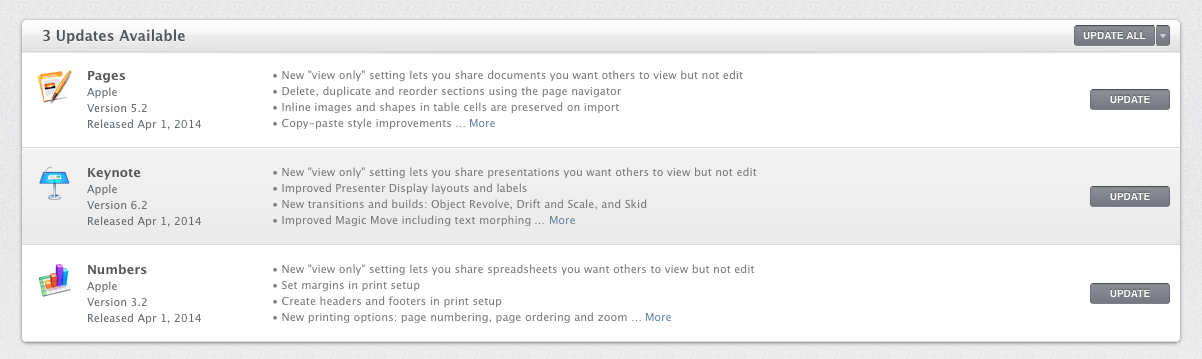
Screen Shot 2014-04-01 at 5.03.57 PM

Following today’s iWork for iCloud update, Apple has pushed out new versions of the iOS and OS X version of the productivity suite, providing feature parity with the online version. Pages (iOS / Mac), Keynote (iOS / Mac), and Numbers (iOS / Mac) each received a new read-only sharing mode to work with the iCloud version of that feature.

Each app also got a long list of changes and enhancements, which are listed below. You can get all of the updates for free if you already own the latest version of iWork. Apple recently started including a copy of the iWork and iLife suites along with new iOS devices and Macs, but users with older devices will need to purchase the current version separately if they haven’t already.
Expand
Expanding
Close