Latest

Apple releases iTunes 12.2.1 w/ fixes for Match and Beats 1 issues

Site default logo image

iTunes 12.2

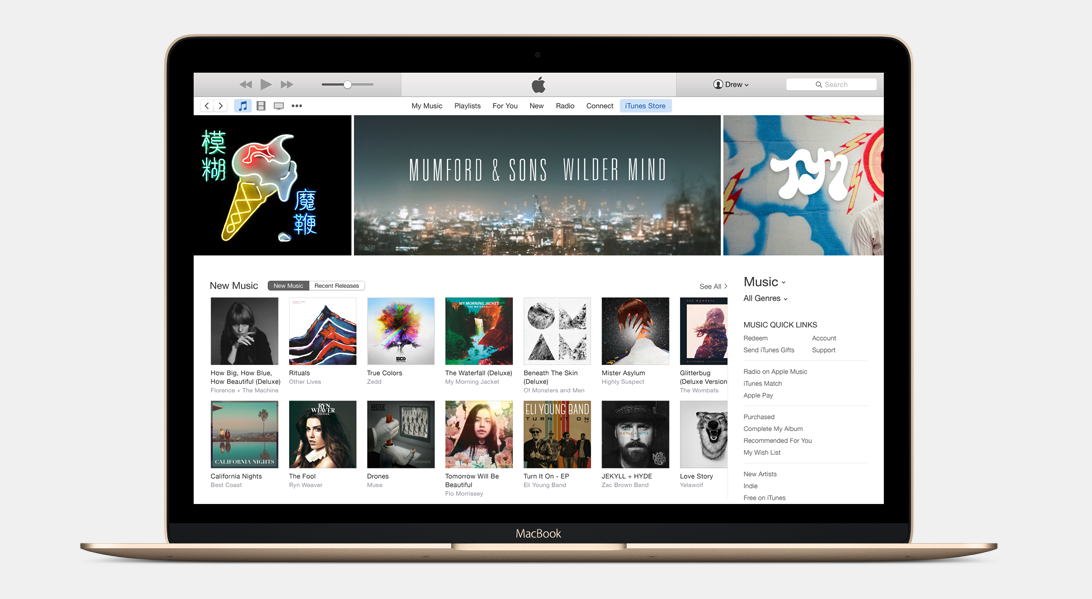
Apple has released a maintenance update to iTunes 12.2 that addresses issues related to Apple Music, iTunes Match, and Beats 1. The release specifically mentions resolving an issue where songs from iTunes Match would become classified as songs from Apple Music, which would result in unnecessary DRM being added.
Expand
Expanding
Close

Site default logo image

NASA’s Mac (and PC) app lets you join New Horizons spacecraft on its Pluto flypast

pluto

The low bit-rate forced by the extreme distance of the New Horizons spacecraft from Earth means that live video isn’t feasible, but a new Mac and PC app from NASA’s Jet Propulsion Laboratory offers the next best thing. The app provides a simulated view of what New Horizons is doing, and allows you to preview the flypast.

While the view is simulated, it uses realistic data to show you what it would be like to track the spacecraft in real or accelerated time, including a “live” mode to show you what New Horizons is doing right now.

Visit the Eyes on Pluto page to install the helper app, then return to the page and click the Launch button to open it. It opens in live mode, and you can click the Preview button to skip ahead, adjusting the time using the buttons at the bottom of the screen.

Via TNW

Google releases ‘Ivy’ app for iOS, an experimental big number calculator

Site default logo image

Google has quietly launched a new iOS app today called Ivy that it describes as an experimental big number calculator.
Expand
Expanding
Close

Site default logo image

YoVivo is a new iPhone app that stores your photos from various cloud services in a central library

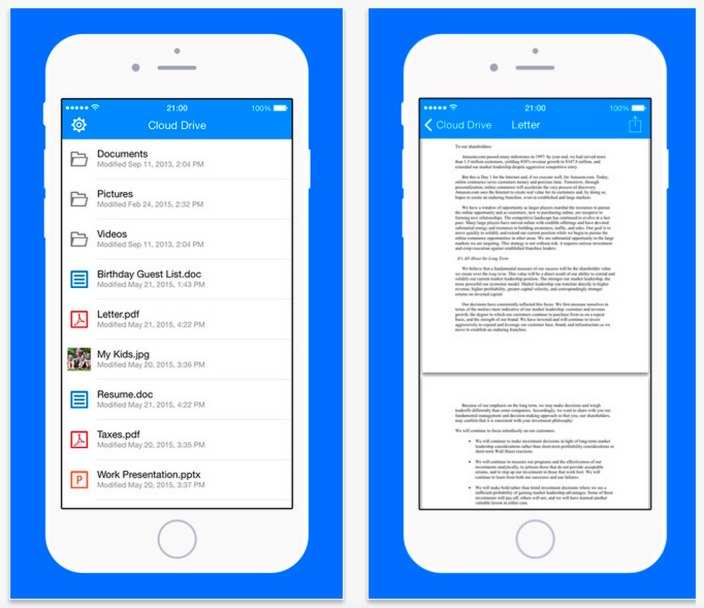
YoVivo is a new iOS app that allows users to easily manage their photos stored across different cloud services. For instance, you can access pictures stored on Instagram, then download them and upload them directly to Dropbox, all via one app. The app also supports the ability to create slideshows using your images from a variety of online sources, set it to music, and share it with everyone.


Expand
Expanding
Close

Site default logo image

Pinterest announces IFTTT & Polyvore apps as first developer platform integrations

Pinterest_Polyvore Integration _1

After introducing a new developers platform and SDK in May, Pinterest is today announcing a couple of the first integrations developers have come up with starting with popular automation platform IFTTT and community based shopping/fashion site Polyvore.

For IFTTT, the service that lets users automate common web and app-based tasks based on a set of rules known as “recipes”, users will now be able to link products and devices on Pinterest to their automated workflows. The company shared some examples: automatically save Pins to a board from simple actions in other apps such as liking a photo on Instagram, upvoting a post on Reddit or favoriting an item on Etsy. There are more than 20 Recipes to choose from starting today. The Pinterest integration for IFTTT is available through desktop and the service’s mobile apps.

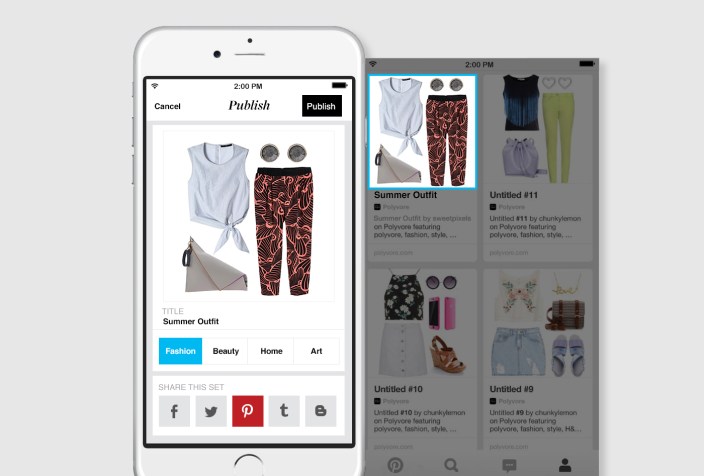
For Polyvore, users can login to the site using their Pinterest account to quickly and easily get access to pinning items from the fashion community/shopping site to Pinterest boards via the company’s iOS app.

In addition, Pinterest noted that new SDKs and documentation for developers are available to all through the company’s new developers site. The new SDKs give devs access to the Pin It button and JS and OAuth support.

Site default logo image

Fleksy keyboard gets new features & themes as app goes free indefinitely

Flesky-iOS-keyboard

After around seven million downloads of its popular third-party keyboard app, Fleksy is today announcing that its mobile apps will be completely free for all going forward.

The company was originally charging $4 for the app but had dropped the price to $1 and even made the app free temporarily a couple times in the past. Starting today, however, Fleksy says its apps for both iOS and Android will be free forever.

For everyone that has paid for the app and feels left out, Fleksy is offering a free gift that it says is worth $8 to make up for it. The in-app download includes a selection of new themes and extensions, which also arrive with today’s update. While the app is going free for all to download and use, the company will continue offering premium themes and extensions as paid in-app purchases.

In addition to going free, the company highlighted some other new features and improvements arriving today:

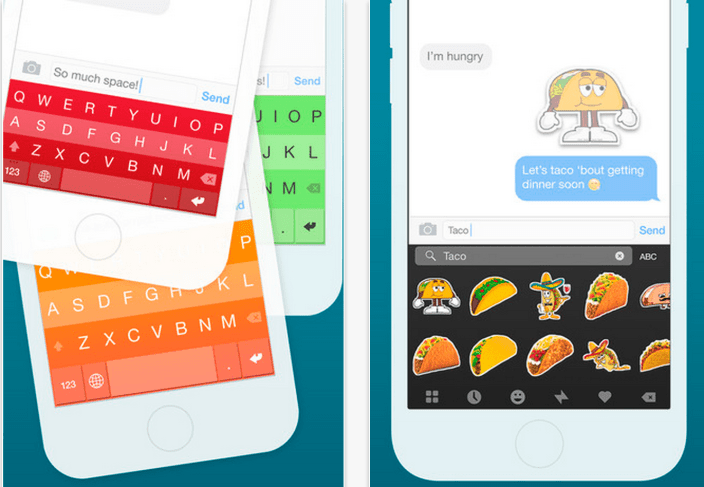
Going free is not the only big update today.  We also launched an improved rich content view called Highlights. Meaning, Fleksy will better assist with GIF, sticker and other content discovery based on what you type. Instead of manually searching for stickers and GIFs on separate pages, now you’ll only need to tap on the auto-recommended hashtag (Highlight) and Fleksy will take you to an integrated page of relevant content all in one convenient place.

The Fleksy Keyboard app for iPhone and iPad is available on the App Store now. A full list of what’s included in the update below:

What’s New in Version 6.0

*Note: Please update to the latest version of iOS 8 to fix key known issues with custom keyboards and improve your Fleksy experience.

Featuring:
• 5 new themes for summertime!
• Consolidated GIF and Imoji extensions to a single bar. Smarter search, more results, all in one view. And just pull down to bring back the keypad!
• Fleksy will now highlight 3 keywords at a time. Easier to get to that perfect GIF or sticker.
• Ever want more Hotkeys? You can now add multiple Hotkey extensions!
• Major language improvements
• Updated Extension tab UI in the container app for easier browsing
• Optimizations for GIF and Imoji Sticker quality

Fixed:
• Fixes for autocorrect capitalizing letters incorrectly for some languages
• Autocorrect on/off Button not showing on spacebar sometimes
• Various other bug fixes and performance improvements

VoiceOver Updates:
• Gesture: swipe down with two fingers to Return (while in Minimal mode)
• “New Line” announced on Return
• Feedback on Shift and Delete buttons
• “No more text to delete” announced when there’s nothing left to delete
• Improved accuracy


Site default logo image

Google Maps for iOS updated with redesigned directions, more sharing options, and more

Google has updated its mapping app for iOS with a redesigned transit view that includes real-time information about your arrival time that previously debuted on Android. The new app also provides additional choices for alternate routes.

The update also gives you new options for sharing your maps with other users, specifically noting that Facebook and its separate Messenger app are both supported now. A gird view of photos has been added for locations, too.

You can download the free Google Maps app on the App Store for free.

What’s New in Version 4.8.0

• Redesigned and improved Transit directions improve the experience in cities, giving you more route choice and real-time arrival information where available
• Additional app options for sharing a place (including Facebook and Facebook Messenger)
• Introduced an Image Gallery for a quick visual understanding of a place through a grid view
• Bug fixes

Site default logo image

Microsoft introduces ‘Tossup’ iOS app to make scheduling outings with family & friends easier

Microsoft today has introduced a new app for iOS and Android that makes it considerably easier for friends and family to make plans while on the go. Dubbed Tossup, the app was developed by the Microsoft Garage, which means it implores new ideas and thinking that the company hopes will catch on to the masses.


Expand
Expanding
Close

Site default logo image

SoundCloud iOS app adds ‘play related tracks’, shuffle for likes & playlists, more

SoundCloud-related-tracks-hero

Popular music sharing app SoundCloud is getting an update on iOS that brings a number of new features to make for a better overall listening experience.

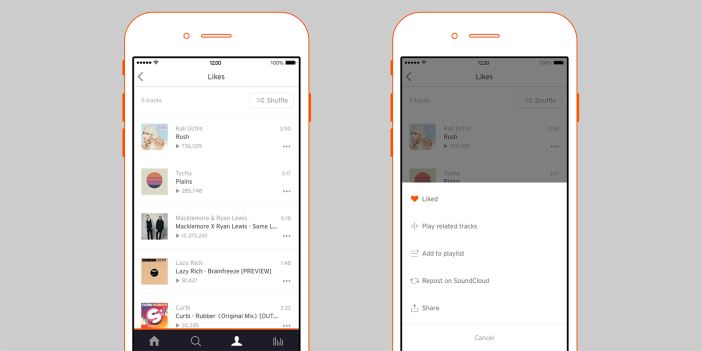
Among the new features, users can now select to ‘play related tracks’ from anywhere in the app: “let our improved algorithm create an endless stream of similar content from the 100 million tracks on SoundCloud. As easy as tapping Play Related Tracks.”

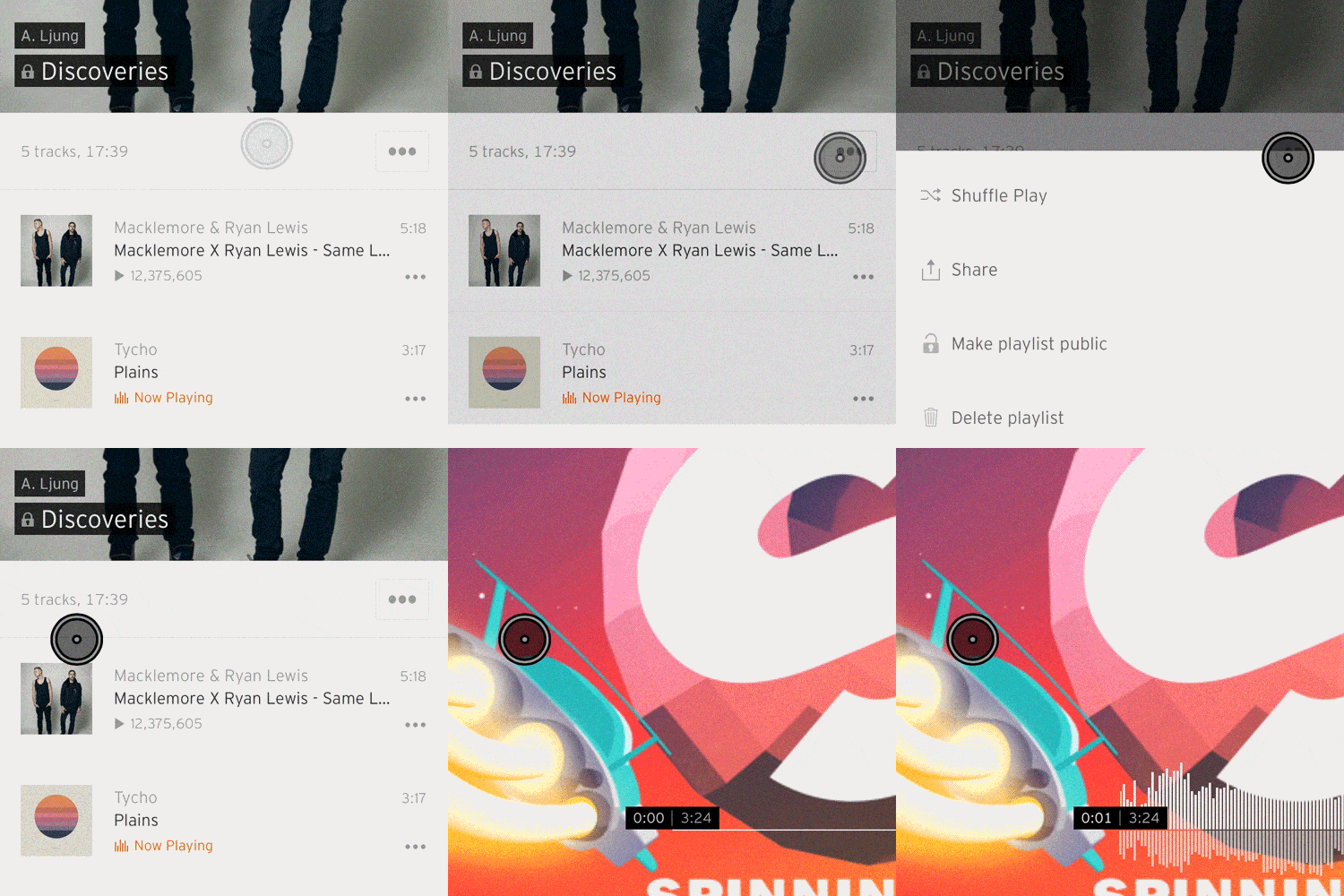
Another new feature that offers an improved listening experience is a Shuffle button for both your created playlists and songs you’ve liked. Here’s how you can shuffle tracks from within a playlist:

Shuffle

The updated app also gets a few other welcomed tweaks including the ability to add or remove tracks from playlists from within the app, and a new option to repost and share tracks from your liked tracks or from within search.

The updated app, version 3.1.0.0, is available on the App Store now.

Scanner Pro 6 adds ability to scan documents in your photo library, 50% off for “limited period”

Site default logo image

Readdle has just updated Scanner Pro to version 6, making it even easier to use your iPhone or iPad to scan documents. Improved edge-detection means that it continues to automatically align documents within the camera frame, and a Scan Radar feature intelligently analyzes your photo library to find pictures of documents.

This feature lets Scanner Pro to automatically find photos that look like document in your Photo Library. This means that you no longer have to launch the app to scan something – simply open your camera app from a lock screen and take pictures of things you want to scan. Once you launch Scanner Pro, it will automatically notify you about the new scans that it found.

The developers say they analyzed more than half a million documents to build the functionality … 
Expand
Expanding
Close

Snapchat no longer requires holding Snaps & Stories to View

Site default logo image

We told you earlier this year that Snapchat was considering changing a major part of how its app works, and today the social network has officially introduced that change: viewing Snaps and Stories now works with a single tap. Previously, part of Snapchat’s signature user experience included holding a finger over a Snap or Story to view it; lifting the finger meant going back to the contact list. Aside from the new Tap to View feature for Snaps and Stories, the update includes a few other changes as well…
Expand
Expanding
Close

Site default logo image

Citibank for iPhone adds Touch ID login & Apple Watch support

Citibank has released a major new version of its Citi Mobile app for iPhone with changes that customers should appreciate. Similar to Chase recently, Citibank has added the ability to log in using your fingerprint and Touch ID on the iPhone 5s, iPhone 6, and iPhone 6 Plus. This option allows you to avoid having to tap in your password each time when checking your account information while maintaining security.

The update also adds support for the Apple Watch as you can see above. Citi Mobile now includes customizable notifications for card activity so the added convenience of an Apple Watch app means you can get notified as soon as anything that needs your attention happens. Check out the full release notes below:
Expand
Expanding
Close

Apple releases GarageBand 10.1 w/ Apple Music Connect publishing, Force Touch, & tons of new content + tools [U: iOS too]

Site default logo image

GarageBand

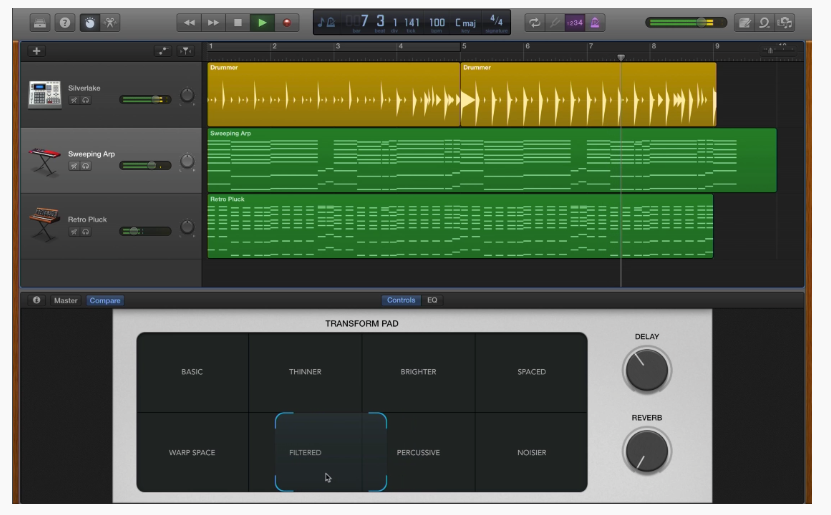
As promised, Apple has released GarageBand 10.1 through the Mac App Store. The update includes previously highlighted new features including 10 new Drummers, new synths and a ‘Transform Pad’ feature. The update also includes support for Apple’s new Force Touch trackpads from the 12-inch MacBook and 15-inch MacBook Pro. For artists publishing to Apple Music, its new streaming music service launched today, GarageBand 10.1 adds the ability to publish directly to Apple Music Connect. Full release notes below:
Expand
Expanding
Close

Site default logo image

SoundHound iOS app adds Apple Music integration for listening, Beats 1 promotion

SoundHound-Apple-Music

SoundHound, a popular sound recognition app for detecting and searching for songs and other audio clips, today gets an update that brings integration with the just launched Apple Music streaming service.

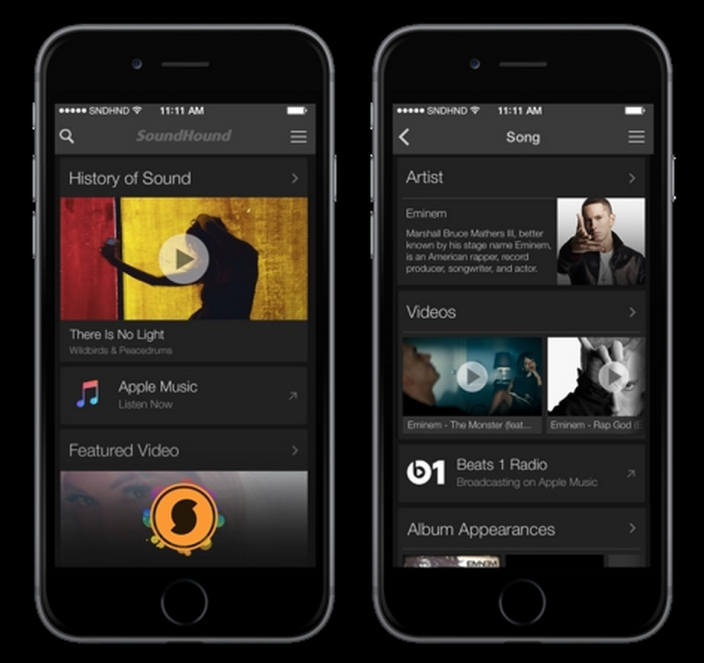
With the updated SoundHound app landing today, users will now get an “Apple Music Listen Now” link to listen to a song on the streaming service (when available) through the home screen, song pages, and throughout the app.

Other competitive apps, such as Shazam, have already updated with similar functionality. The apps previously only linked users to purchase songs through iTunes and other services, but also promote competitive streaming services for listening such as Spotify and Rdio. For SoundHound, users will find an Apple Music streaming link next to songs through various features, including: music identification, personalized History, Top Charts, or Music Maps.

Interestingly, SoundHound will also be promoting Apple Music’s Beats 1 live radio station:

SoundHound is also showcasing Apple Music’s new global radio streaming station Beats 1. Users will see a “Beats 1 Radio” row within song pages, enabling easy, one-tap access to listen to the streaming radio broadcast, which features various artists hosting programs and full-time DJs, led by ex-BBC host Zane Lowe.

You can grab SoundHound on the App Store now.

Site default logo image

Pinterest’s new Buyable Pins shopping feature rolling out now to iPhone & iPad users

iPadMini_iPhone6

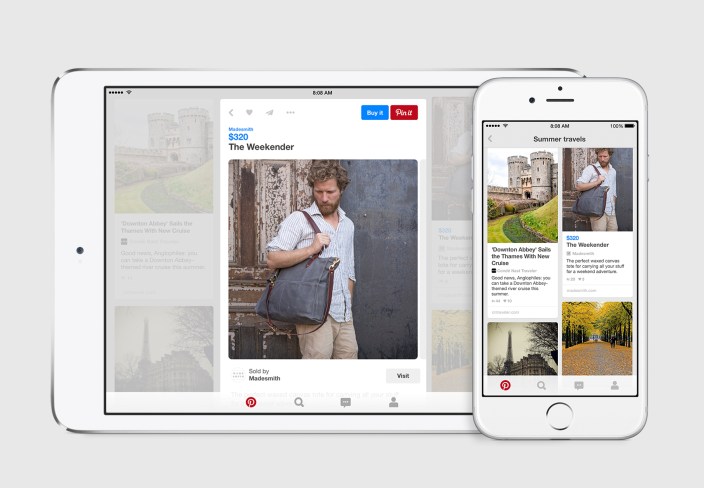
After first announcing plans earlier this month to become a storefront of sorts with a new Buyable Pins feature, Pinterest just confirmed the feature is rolling out today for iPhone and iPad users in the US. In addition to the new buyable pins feature, Pinterest is also launching “Shop our picks” with curated lists of items for various product categories.

As a catalog of ideas, our mission is to help people bring their creative ideas to life. In the next few weeks, 30 million Pins all over Pinterest will become buyable (this includes Pins people have already saved that will light up with blue prices at launch). You’ll see products from brands like Macy’s, Neiman Marcus and Nordstrom, retailers powered by Demandware like Gardener’s Supply Company and Michaels, and Shopify stores like Poler Outdoor Stuff and SOBU.

Pinterest notes that users will notice a blue price tag next to buyable pins that will show up in user’s home feed, boards, category feeds, search results and recommendations.

Here’s a closer look at how the feature will appear in the iPhone app:

The feature is rolling out slowly in the US. If you’re a Pinterest user, keep an eye out for an email notification that will let you know when buyable pins are available to you.

Site default logo image

VLC for iOS gets Apple Watch support for playback controls & library browsing, new mini-player, more

Popular medial player VLC for iOS today gets a notable update that brings support for Apple Watch alongside other new features and a long list of improvements and fixes.
Expand
Expanding
Close

Google updates Hangouts for iOS w/ refreshed UI, multiple photo attachments

Site default logo image

Google has updated Hangouts for iOS today with a handful of new features and what it says is an overall improved user experience.
Expand
Expanding
Close

Site default logo image

Twitterrific for iOS adds facial recognition for framing images, quote tweet notifications, more

Twitterrific facial recognition

Facial recognition isn’t something you immediately consider when you think of a Twitter client, but Twitterrific has added the technology in a clever way to its latest update for iOS. Using Apple’s API for picking out faces in a scene (you probably see this in action the most in the Camera app), Twitterrific now enhances rich media previews by centering images around people rather than cropping around the center. You can see a before and after comparison above showing the new feature in action.
Expand
Expanding
Close