Apps

See All Stories

Learn about the latest news for iOS, Mac, Apple Watch, and Apple TV apps

Apps for iOS, macOS, tvOS, and watchOS power our modern world. 9to5Mac will update you on the latest news, review, and updates for all types of apps. “There’s an App for that”.

The term came became part of our vocabulary when Steve Jobs announced The App Store as part of the iPhone 2.0 software update in 2008.

Over the years, the term has become as common as kleenex for describing applications on all of our devices. Apple’s platforms have apps for just about anything from finance, banking, sports, social media, podcasting, music, and more. We have a guide for helping you discover the best ones as well. Apps are now on everything from our TV, to our smartphones, on our laptops, and all the way down to our wrists.

As new ones are released or existing ones have major updates, the team here at 9to5Mac will bring you the latest news and reviews. If you want to follow along with video footage, be sure to follow 9to5Mac on YouTube. Scroll down below our latest updates on all things relating to applications on iPhone, iPad, Mac, Apple TV, and Apple Watch.


Coda 2.5 won’t be coming to the Mac App Store, but there’s no need to panic

Site default logo image

Mac and iOS development team Panic announced today in a company blog post that the next major version of its Coda web development tool would not be coming to the Mac App Store. The reason? App Store apps need to be sandboxed (a security feature in OS X that doesn’t let apps modify data outside of their designated “sandboxes”), and Coda 2.5 simply doesn’t work as a sandboxed app.

According to Panic, Apple worked with the developers as much as possible to provide temporary exemptions and workarounds that could help alleviate some of the issues encoutered, but ultimately the decision was made to only release the update through the Panic website.


Expand
Expanding
Close

Site default logo image

Flappy Bird will return to App Store in August w/ multiplayer, won’t be as fun

After removing the hit iOS game Flappy Bird from the App Store back in February, the developer confirmed today that the game will make a return in August.

Developer Dong Nguygen confirmed the return date today to CNBC’s Kelly Evans and also claimed that the game would be less addictive, which was originally the main reason he cited for removing the app earlier this year. In addition, the game will also apparently include a multiplayer when making its return to the store.

At its most popular, the original Flappy Bird game was reportedly making as much as $50,000 a day revenue. It didn’t take long for other developers to make clones of the game in order to capitalize on the game’s popularity and many of them remain in the App Store’s top charts for gaming.

Columbia University students create software allowing native iOS apps to run on Android devices

Site default logo image

Photo: Reuters

For some time now, iOS users have cited the quality and quantity of third-party software available for the platform as an important factor in their choice of mobile devices. Over the years Android has amassed its own collection of apps and users have continued butting heads over which system had the better selection.

Now, six Columbia University students have bridged the gap between the two platforms with something called Cider (via The Next Web). Not to be confused with the other Cider software (for OS X), the Android version of Cider essentially fools iOS applications into believing they’re running on an actual iPhone or iPad.


Expand
Expanding
Close

Site default logo image

9to5Toys Last Call: Up to 63% off Logitech mice/keyboards/more, Blu-ray 3-packs $10, Xbox One $399 analysis, more

Be sure to follow 9to5Toys to keep up with the best gear and deals on the web: TwitterRSS Feed,FacebookGoogle+ and Safari push notifications.

Today’s can’t miss deals:

Amazon Gold Box: Up to 63% off select Logitech mice, keyboards, speakers, more

Media Deals: Blu-ray three packs for $10, 3D Blu-rays from $8, George Clooney iTunes movies $10 eachmore

Deal Analysis: Is the Kinect-less Xbox One for $399 a good value?

Save 25% on LifeProof waterproof cases for iPhone 5s/5c/5

Take $150 off early 2014 MacBook Airs (requires .edu email), deals from $750 (up to 17% off)

Other deals from today:

  • New! Games/Apps: Demon’s Souls $11, Splinter Cell Blacklist $10, Fast Cam $3, Freestyle Baseball FREE, more iOS freebies
  • New! Media Deals: Blu-ray three packs for $10, 3D Blu-rays from $8, George Clooney iTunes movies $10 each, more

More deals still alive:

New products/useful info:

Microsoft/Google/Android:

  • Samsung Galaxy Rush on Boost Mobile +$50 Best Buy Gift Card: $50 shipped
  • ZTE is selling the Firefox OS phone direct via Ebay for $100 shipped
Site default logo image

Logic Pro X updated with improvements for 12-core Mac Pros, bug fixes, and more

Logic Pro X has been updated today with a number of bug fixes and improvements. First on the list of changes is better support for 12-core Mac Pros, which can now utilize up to 24 threads at once. Fixes to step sequencer issues when using Low Latency Mode and alignment guides have been implemented, and several XML import and export bugs have been taken care of.

A few extra enhancements also appear in this update: You can now copy automation data and paste it to any location using the Marquee tool; MIDI devices with volume and pan controls can now be set to control the software instrument rather than the channel strip the instrument is recorded on; and volume, pan, and effect send values can now be inserted into the automation track at the current playhead position.

There are also upgrades to the app’s accessiblity features. You can grab the update for free if you already own Logic Pro X. The app is $199.99 for new users on the App Store.

What’s New in Version 10.0.7

• Now supports 24 processing threads on 12-core Mac Pro models
• The current volume, pan, and send values for all selected tracks can now be inserted at the playhead position
• Enabling Low Latency Mode no longer creates sync issues for Drummer, Ultrabeat, Native Instruments Machine and other plug-ins with integrated step sequencers
• Automation can now be copied and pasted to any location using the Marquee tool
• Adds an option for MIDI volume and pan data to control the instrument plug-in instead of the channel strip
• Resolves several snap and alignment guide issues
• Various fixes that improve XML import and export with Final Cut Pro X
• Contains multiple enhancements to Accessibility

Site default logo image

Google Search for iOS 4.0 adds new voice search options, more relevant results, and more

Google has updated its iOS search app to version 4.0, which introduces a variety of new and useful changes. The app now recognizes new voice search cues and conversational input similar to the way Siri works. For example, Google says you can ask the app “What’s the weather like?” and follow up with “How about this weekend?” to get results relevant to the weekend rather than the current day.

The app will now also alert you when you new articles on certain topics appear. The feature is powered by Google Now, which learns your favorite authors, blogs, and more to provide you with customized alerts.

Finally, a few other changes to the app include faster loading, cricket sports data for Google Now, and an updated images search page.

Google Search is available for free on the App Store. The full change log is below:

What’s New in Version 4.0.0

With today’s update, you can ask questions with your voice & get updates on topics you care about.

Have a smarter conversation with Google:
• Tap the microphone or say “Ok Google” to start
• Ask questions such as “What’s the weather like?”
• Then follow up with “How about this weekend?”

At Google, we know the web well. With Google Now, we’ll tell you when there’s an interesting article for:
• Your favorite topics
• Your upcoming trips
• Your favorite authors and blogs

Smaller updates include:
• Cricket sports cards in Google Now
• Faster loading of Google Search and Google Now
• More beautiful and fluid image results

Site default logo image

Review all types of 3D files with this free new Autodesk app for iOS and Mac

[ooyala code=”tyZ3RkZDptTdk4MiQaHJVCnxUdZyD8pf” player_id=”null”]

Today Autodesk launched FBX Review for Apple Mac OS X and iOS 7. The free standalone app gives professional artists and animators a powerful, lightweight tool to conduct detailed reviews of a wide range of 3D assets, including detailed 3D models, environments and character animations.

Now artists on the Windows or Apple platforms can use FBX Review to view 3D assets with a full feature set, without using commercial 3D animation software. An artist working in Autodesk 3ds Max can send an animation file to anyone who has installed FBX Review, and the recipient will have a full menu of features with which to view the assets.

New features coming to the Apple platforms are:

  • Support for ZIP files: makes asset review easier by supporting ZIP files containing both geometry and texture files. When opening the ZIP fileFBX Review automatically assigns the textures, helping to streamline the review process by eliminating the need to bake textures.
  • Geometry cache support: supports geometry cache playback, including Maya cache, 3ds Max cache, and the Alembic cache format. Geometry cache support is available only on desktop versions of FBX Review.
  • Re-focus perspective camera: FX Review now supports changing the focus of the perspective camera by double tapping (mobile) or double-clicking (desktop) on the desired area of focus.

To download FBX Review for iOS, visit: http://autode.sk/1qzHAFX  and for Mac OS X: http://autode.sk/1spZtmp 

For a complete list of FBX Review features, visit: http://area.autodesk.com/products/features/fbx

Sonos releases redesigned iPhone & iPad apps w/ universal search & more

Site default logo image

First launched a couple months back as a beta for Android users, Sonos today announced that its redesigned mobile app for iPhone and iPad users is now available. On top of a streamlined interface with a darker color palette (pictured above), the app also introduces a new universal search feature and much more:
Expand
Expanding
Close

Site default logo image

Twitter officially rolling out ‘mute’ function to its mobile and web apps, enhances iPad app

<a href="https://twitter.com/missambear/status/461870350301941760">Images from @missambear</a>

After a limited test period, Twitter has officially begun rolling out mute functionality to its iOS, Android, and Web applications. The mute feature allows users to block out Tweets and Retweets from individual people in their timelines without actually unfollowing those users.

In the same way you can turn on device notifications so you never miss a Tweet from your favorite users, you can now mute users you’d like to hear from less. Muting a user on Twitter means their Tweets and Retweets will no longer be visible in your home timeline, and you will no longer receive push or SMS notifications from that user. The muted user will still be able to fave, reply to, and retweet your Tweets; you just won’t see any of that activity in your timeline. The muted user will not know that you’ve muted them, and of course you can unmute at any time. To mute a user from a Tweet on your iOS or Android device or on Twitter for web tap more and then mute @username. To mute someone from their profile page, tap the gear icon on the page and choose mute @username.

It appears the feature is rolling out over-the-air, so an update from the App Store or Google Play is unlikely to be required at this time. The feature will roll out to all users over the coming weeks, according to Twitter.

In other Twitter news, the social network has brought some new features to the iPad:


Expand
Expanding
Close

Site default logo image

9to5Toys Last Call: LifeProof iPhone cases 25% off, Foscam wireless cams from $55, HDTV (29″-65″) deals, more

Be sure to follow 9to5Toys to keep up with the best gear and deals on the web: TwitterRSS Feed,FacebookGoogle+ and Safari push notifications.

Today’s can’t miss deals:

Last Call updates:

Take $150 off early 2014 MacBook Airs (requires .edu email), deals from $750 (up to 17% off)

Logitech Ultrathin Portfolio Bluetooth iPad Air keyboard case $50 shipped (Reg. $100)

Harman Kardon 7.1-channel, networked A/V receiver refurb $199 shipped (Reg. $600)

[youtube http://www.youtube.com/watch?v=1CyRZ2gsjbs&w=853&h=480]

Infinity Blade II on iOS drops to $0.99 for a very limited time (Reg. $7)

Other deals from today:

More deals still alive:

New products/useful info:

Microsoft/Google/Android:

Square pulls its mobile payment app Wallet, focuses on SF and NYC with new Order app

Site default logo image

Out with the old and in with the new. That’s how Square is starting the week as it pulls one app from the App Store and replaces it with another. Square Wallet, the commerce company’s not-so-popular mobile payment app, is no longer available on the App Store as the company begins to promote its new mobile payment app called Square Order.

Although Square Wallet boasted support for “thousands of neighborhood businesses” including a deal with Starbucks, it never really felt like its presence was really promoted nor was it more convenient than traditional payment methods. In the case of Starbucks, its support came after the coffee company’s own smartphone app included mobile payments including support for Apple’s Passbook system…
Expand
Expanding
Close

Review: TodoMovies 3 – Manage and discover new movies in a great free app

Site default logo image

Taphive GmbH has recently released a major update to their movie management and discovery app, TodoMovies 3. TodoMovies 3 is a to-do app focused on movies. It has a gorgeous layout, and does a superb job managing a movie related to-do list with a robust set of features.

In this article, I will provide some examples of how the app could be used to aggregate a list of movies you want to watch, explore a vast amount of information about those movies, and discover movies you may not know about.


Expand
Expanding
Close

Site default logo image

Facebook Poke and Camera pulled from the App Store

Even though Facebook seemingly wants to break as many of its functions out into separate apps as possible—see Messenger and Pages Manager, for example—it appears that not every function is worthy its own App Store listing. Earlier today the social network pulled two of its iOS apps from sale: Poke (a Snapchat-like photo messenger) and Camera (which is exactly what it sounds like).

Both apps launched in 2012 and didn’t see many big improvements after that. Camera got a few small updates, though they didn’t seem to be much of a priority for the company. At one point a bug left the app’s internal employee settings exposed to all users for several months before being fixed.

Poke, on the other hand, was virtually ignored by Facebook from the day it went live until it was removed from the store. Most of the Camera app’s features were eventually rolled back into the main Facebook app, but Poke was not so fortunate.

Facebook hasn’t provided any reason for pulling either app, but it’s safe to assume that neither was being used that much anymore. The company now seems more focused on its messaging platform, with the recent acquisition of WhatsApp for $19 billion and the announcement that soon messaging would be removed from the main Facebook client in favor of the free Messenger app.


Expand
Expanding
Close

Site default logo image

Latest Chrome build lets Mac users launch files in Chrome Web apps

Google is experimenting with a new feature in the latest Canary build of Chrome that will allow Mac OS X users to open files from Finder directly in Chrome web apps running in the browser. As highlighted in the image above from Googler Francois Beaufort, that means you’ll be able to launch, for example, a text document in a Chrome web app like Text instead of using TextEdit, Word or another application installed natively on your Mac. Google is presumably hoping the feature will make using Chrome web apps a smoother experience when transitioning from the browser and back to local file management and native apps.

For now the feature is only available if specifically enabled (details here) in the Chrome Canary build, but there’s a good chance this will eventually make its way to the beta and public releases of Chrome for all Mac users.

Site default logo image

9to5Toys Last Call: Infinity Blade II $0.99, Harman Kardon network AV receiver $199, iPad mini $30 off, more

Be sure to follow 9to5Toys to keep up with the best gear and deals on the web: TwitterRSS Feed,FacebookGoogle+ and Safari push notifications.

Today’s can’t miss deals:

Last Call updates:

Incase Compact Campus Macbook backpacks in multiple colors $22 (Reg. $60) Free PC/Mac download from Origin: Plants vs. Zombies Game of the Year Ed. (~$10 value) Men’s Fashion: Brooks Brothers extra 25% off, Express 40% off, Timbuk2 messenger bag $34more New Best Buy promo lets iPhone 4 owners trade up to a Verizon or Sprint 5s for free $100 Apple iTunes gift card for $85 shipped (15% savings) https://twitter.com/9to5toys/status/464787429321613313 Other deals from today:

https://twitter.com/9to5toys/status/464430007050592256 More deals still alive:

https://twitter.com/9to5toys/status/464487530893942784 New products/useful info:

Microsoft/Google/Android:

Site default logo image

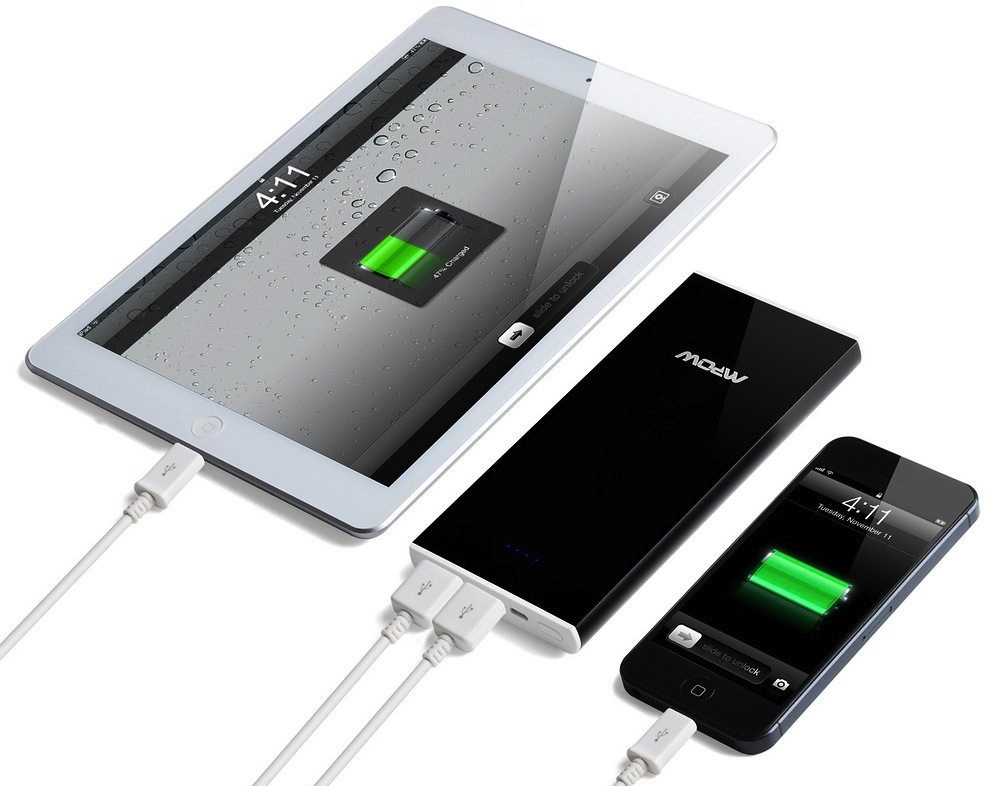
9to5Toys Last Call: Plants vs Zombies free for Mac, up to 25% off iPod touch, Mpow 12000mAh power bank $28, more

Be sure to follow 9to5Toys to keep up with the best gear and deals on the web: TwitterRSS Feed,FacebookGoogle+ and Safari push notifications.

Today’s can’t miss deals:

Last Call updates:

iPod touch (newest version) up to 25% off: 16GB $179, 32GB $224, 64GB $299 Mpow 12000mAh dual-port power bank $28 shipped (Reg. $66) New Best Buy promo lets iPhone 4 owners trade up to a Verizon or Sprint 5s for free Jawbone Jambox portable Bluetooth speaker/mic in a variety of colors:$90 shipped (Reg. $150) $100 Apple iTunes gift card for $85 shipped (15% savings)

Other deals from today:

  • New! Sling Media Slingbox 350, stream live HDTV to your iPhone/iPad $100 shipped (Reg. $180)
  • New! Headphones deals: SOL REPUBLIC $100 (Reg. $200), Scosche RH $63 (Reg. $230), Sennheiser, many more
  • New! OtterBox Defender for iPad mini with Retina display (black) $36 shipped (Reg. 80), more
  • New! New Trent 11200mAh IMP99D External Battery Charger $24 shipped
  • New! Daily Deals: XtremeMac Bluetooth Speaker w/Lightning Dock $49, TOCCs Power Bank $20, Home Goods up to 85% off, more
  • New! Games/Apps: Rayman Jungle Run $1 (Reg. $3), Assassin’s Creed Pirates $1 (Reg. $5), 10% off Xbox gift cards, iOS freebies, more

More deals still alive:

New products/useful info:

Microsoft/Google/Android:


iPhone app screens for skin cancer more accurately than your doctor, shows early testing

Site default logo image

Early testing of an iPhone app developed to detect melanoma – the most dangerous form of skin cancer – found an accuracy rate of around 85 percent. This is similar to that achieved by specialist dermatologists, and more accurate than examination by primary care physicians.

Melanoma, usually caused by too much exposure to the sun, is responsible for around three-quarters of all skin cancer deaths. It’s dangerous because it can spread quickly if not caught at an early stage, but surgery has a high success rate if the condition is detected and treated soon after symptoms appear … 
Expand
Expanding
Close

Site default logo image

GoodReader update adds masses of editing flexibility, offers 60 percent discount

GoodReader, the popular PDF management app for iOS, has been updated to version 4 – with a mass of new editing features. New features are:

  • Insert blank pages for notes and drawings, solving the problem of not having enough space to annotate or draw images on a document
  • Rearrange pages in a document
  • Rotate individual pages – or even all of them
  • Delete any pages from a document
  • Extract individual pages as separate files, and split PDF files into halves – enabling a sub-set of pages to be shared as its own file
  • Email individual pages rather than the entire document
  • Append pages from other PDF files …


Expand
Expanding
Close

Photo editing pioneer Hipstamatic offers Vine-like video app, Cinamatic

Site default logo image

Hipstamatic led the way in offering a fast and fun way to edit and share photos from an iPhone, but has been a little slow to move into video. The company has now corrected this, launching the Cinamatic app designed to compete with Vine and Instagram.

Cinamatic lets you shoot short videos ranging from 3-15 seconds, apply filters to them and then share on Vine, Instagram and Facebook – or send them via email or Messages … 
Expand
Expanding
Close

Adobe Voice debuts on iPad with simple and powerful tools for telling stories through multimedia

Site default logo image

Adobe is out today with a new app for iPad that leverages the use of multimedia and speech to create simple and creative animated videos. The app is called Adobe Voice (it may look familiar to you if you recall Ginger) and the creative software company thinks it can make you a better story teller using your iPad. Adobe Voice combines the use of narration, photographs, text, and iconography with a number of templates which include music to create a really neat experience for making crafty videos. Check out my experience (and videos) below.
Expand
Expanding
Close

Site default logo image

9to5Toys Last Call: TuneIn Radio Pro for iOS goes free, Trent Travelpak $19, Logitech Ultrathin iPad KB $18, more

Be sure to follow 9to5Toys to keep up with the best gear and deals on the web: TwitterRSS Feed,FacebookGoogle+ and Safari push notifications.

Today’s can’t miss deals:

Download TuneIn Radio Pro on iOS for free and listen to over 100,000 ad-free radio stations ($4 value)

New Trent Travelpak PLUS External Charger for Smartphones & Tablets $19 shipped (Reg. $42)

Logitech Ultrathin Bluetooth Keyboard for iPad 2/3/4 (Refurbished) $18 shipped (Reg. $99)


$100 Apple iTunes gift card for $85 shipped (15% savings)


Other deals from today:

  • New! Media Deals: Target $5 Blu-ray sale, up to 54% off Star Wars movie collections, $1 theater admission, more
  • New! Logitech UE Bluetooth Wireless Boombox Speaker refurb: $35 (Reg. $100)
  • New! 1 year magazine subs w/ digital access from $5: Wired, Men’s Health, Macworld, more
  • New! Daily Deals: 16GB iPad mini $269, Motorola Wireless Bluetooth Headset $35, LG Blu-Ray/DVD Player $41, more
  • New! TechMatte Power Pod Qi Wireless Charger for Qi-Enabled devices $15 (Reg. $70)
  • New! Games/Apps: Up to 30% off Macphun creativity apps, Splashtop 2 Remote Desktop $1, Ski On Neon FREE, iOS freebies, more


More deals still alive:

New products/useful info:

Microsoft/Google/Android:


Site default logo image

LinkedIn discontinuing its own CardMunch app in favor of Evernote’s business card scanning feature

LinkedIn announced today plans to shut down its business card scanning app CardMunch in favor of a new partnership with Evernote which offers a competing service. In its initial reasoning for the new approach, LinkedIn points to the more advanced feature set of Evernote’s offering:

Evernote’s card scanning service is fast, reliable, and literally world-class, with support for seven languages.

In Evernote, our members will be able to view profile photos, job titles and company information from LinkedIn right in the notes created when they scan business cards. LinkedIn members will now also be able to enter comments related to the scanned card and geo-tag the location where the card was scanned.


Expand
Expanding
Close