iOS 14: Download, new features, and compatibility

See All Stories

iOS 14 was released on September 16th, 2020. New features include a new home screen design, widgets, picture in picture, and more.

During its WWDC 2020 keynote, Apple announced iOS 14 for iPhone and iPod touch. The update brings a variety of new features and changes.

Features: What features does iOS 14 bring?

iOS 14 was a pretty substantial update, bringing many changes to the fundamental iOS experience that weren’t seen since as early as iOS 7. This update, most notably, brought the addition of the App Library, which gives you a one-stop spot for all your apps. This was coupled with widgets, which for the first time gave app developers a way to present rich data like weather cards or music shortcuts directly on the home screen. The update also brought picture-in-picture to the iPhone, adding a feature that was a mainstay to the iPad experience to the mobile handset.

App Library

iOS 14 adds a new App Library view for organizing all of your apps. Apps are automatically organized in the App Library, and you don’t have to keep all of the icons on your actual home screen view. There is also a new list view as well as features for sorting applications based on usage and more.

Widgets

iOS 14 adds widgets to the home screen of the iPhone and iPad for the first time. Widgets are more data-rich than ever and come in a variety of sizes. Apps move out of the way automatically to make room for the widgets. You access these widgets through the “Widget Gallery,” with multiple different sizing options.

Site default logo image

Picture in Picture on iPhone

iOS 14 also provides support for picture in picture, works very similar to the iPad experience. Meanwhile, Siri has a new interface that does not overtake the entire screen.

Site default logo image

Translate App

A new translate app in iOS 14 is designed for conversations and works completely offline. All you have to do is tap on the microphone icon and the app will translate to your chosen language. There will be 11 languages supported at launch.

Site default logo image

App Clips

iOS 14 also adds a new App Clip feature to easily access applications quickly without downloading the full version from the App Store.

“Small part of an app that is quick and easy to access,” Federighi explains.

Launch an app with a single tap and pay and log in with Apple Pay and Sign in with Apple.

New iMessage Features
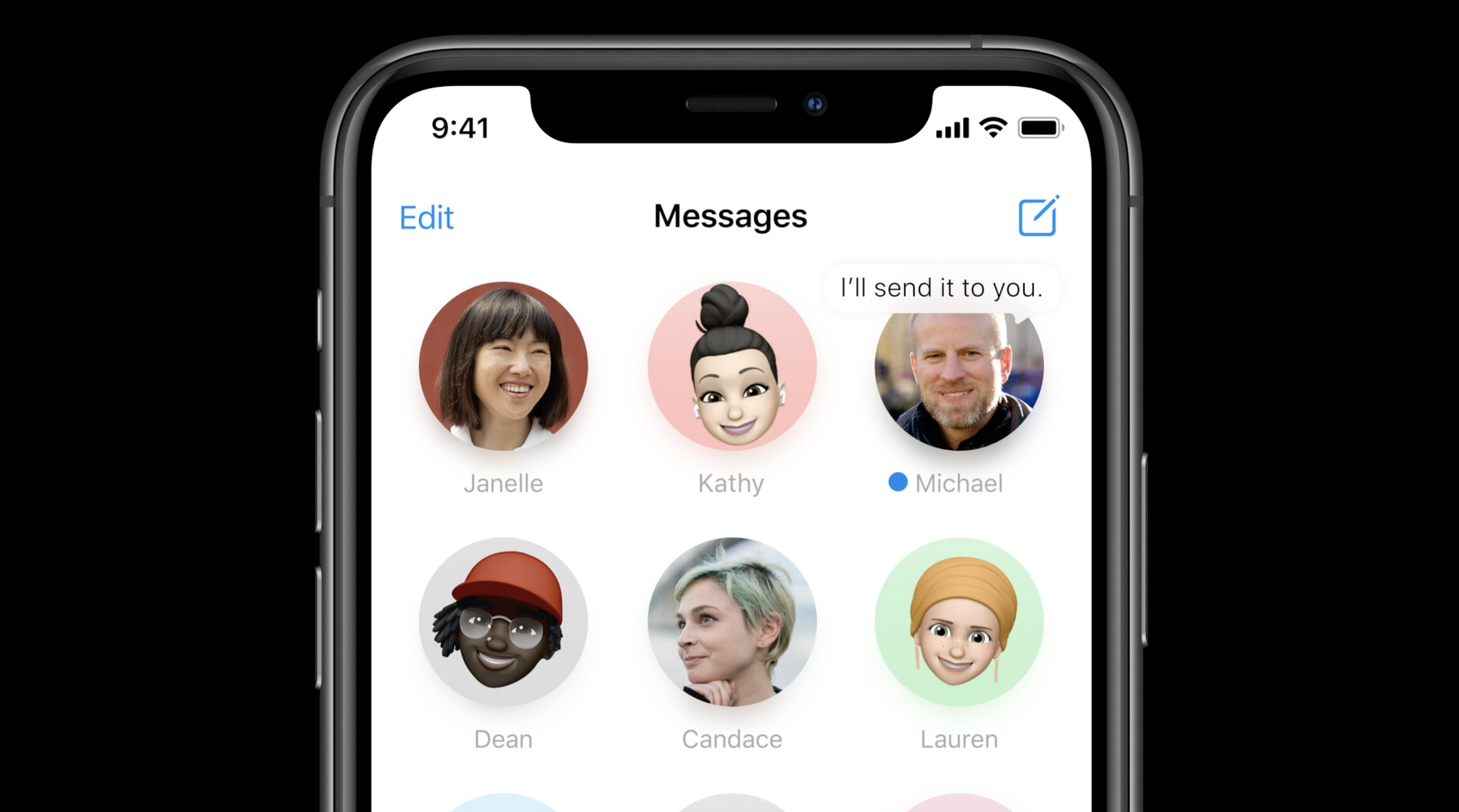
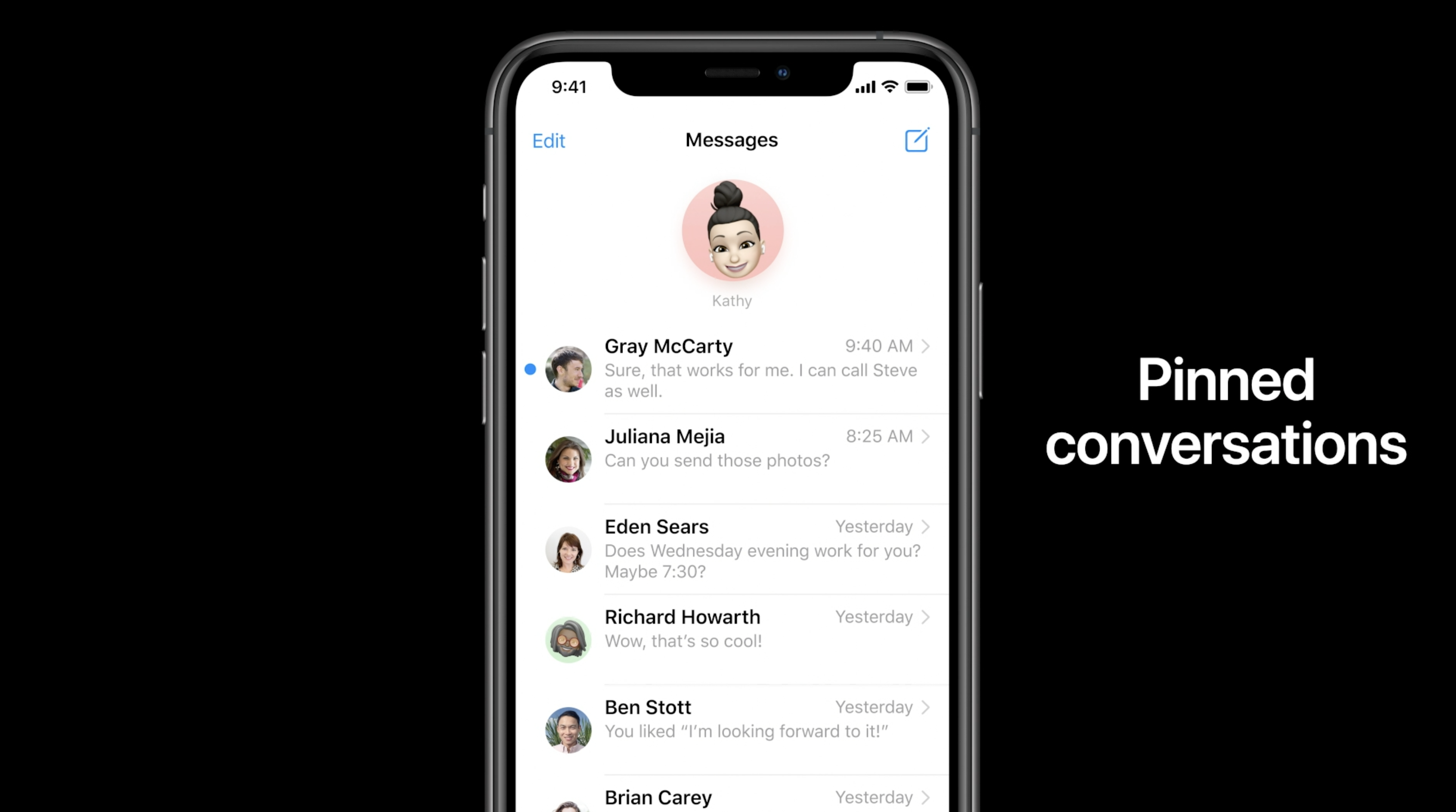
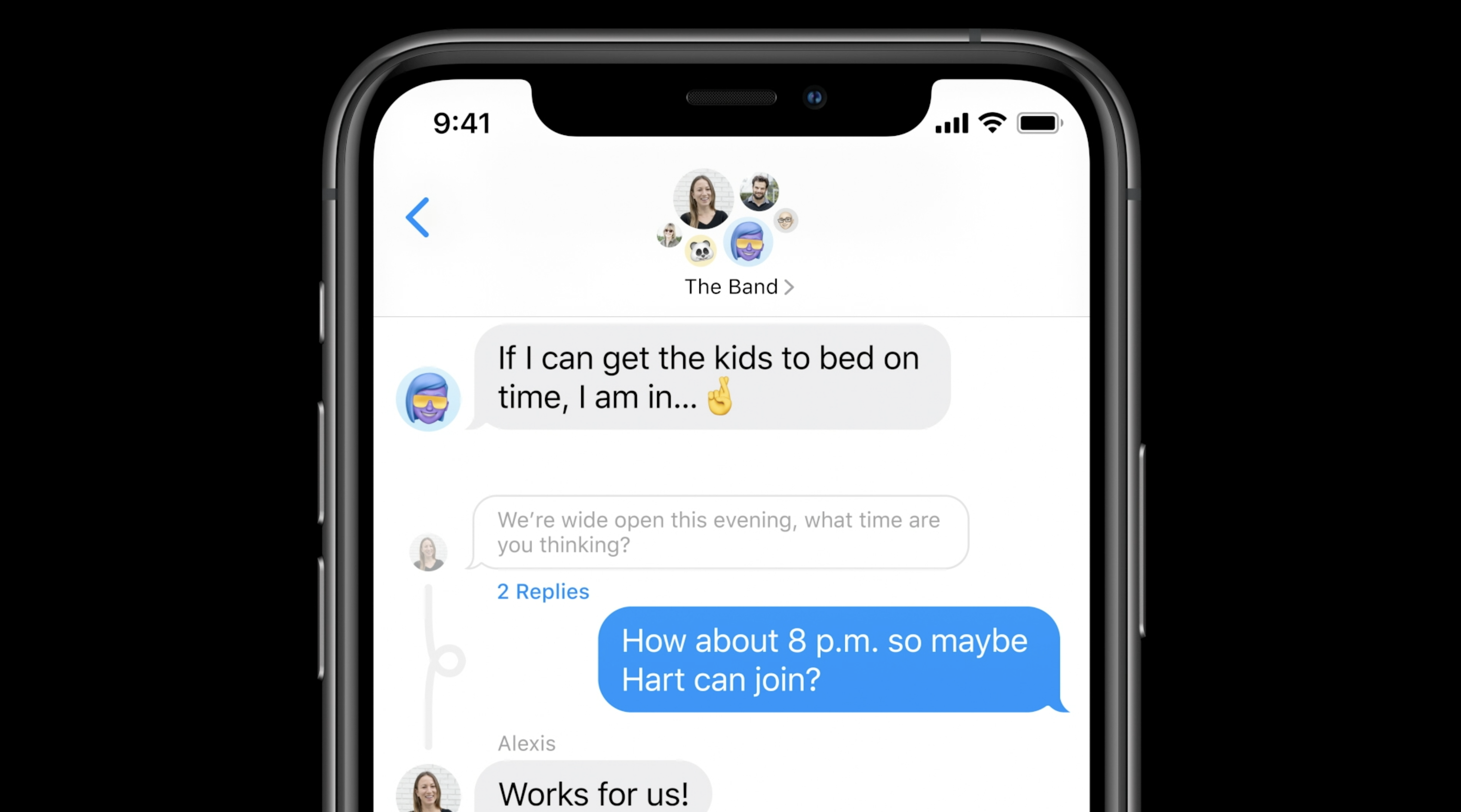
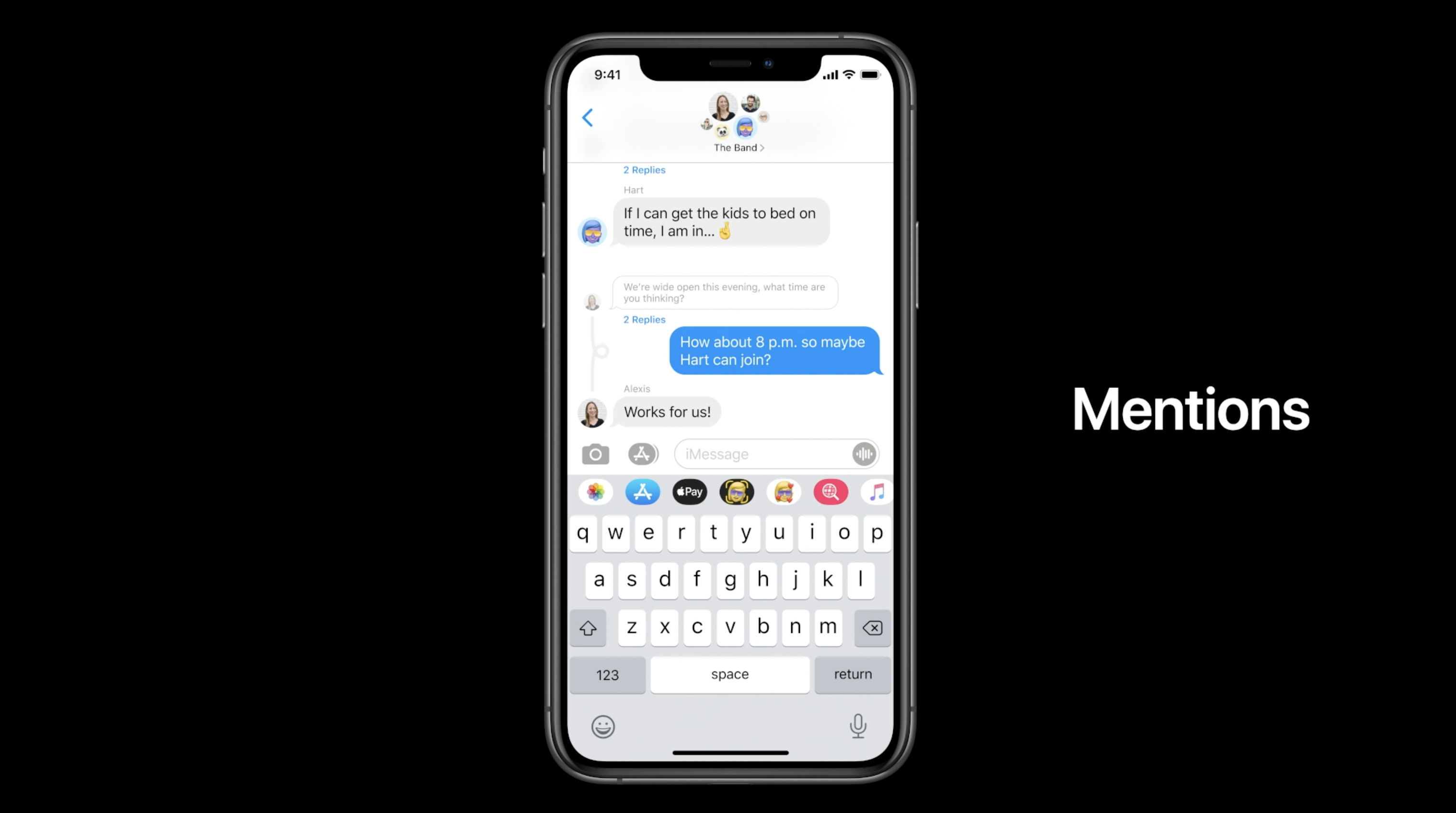
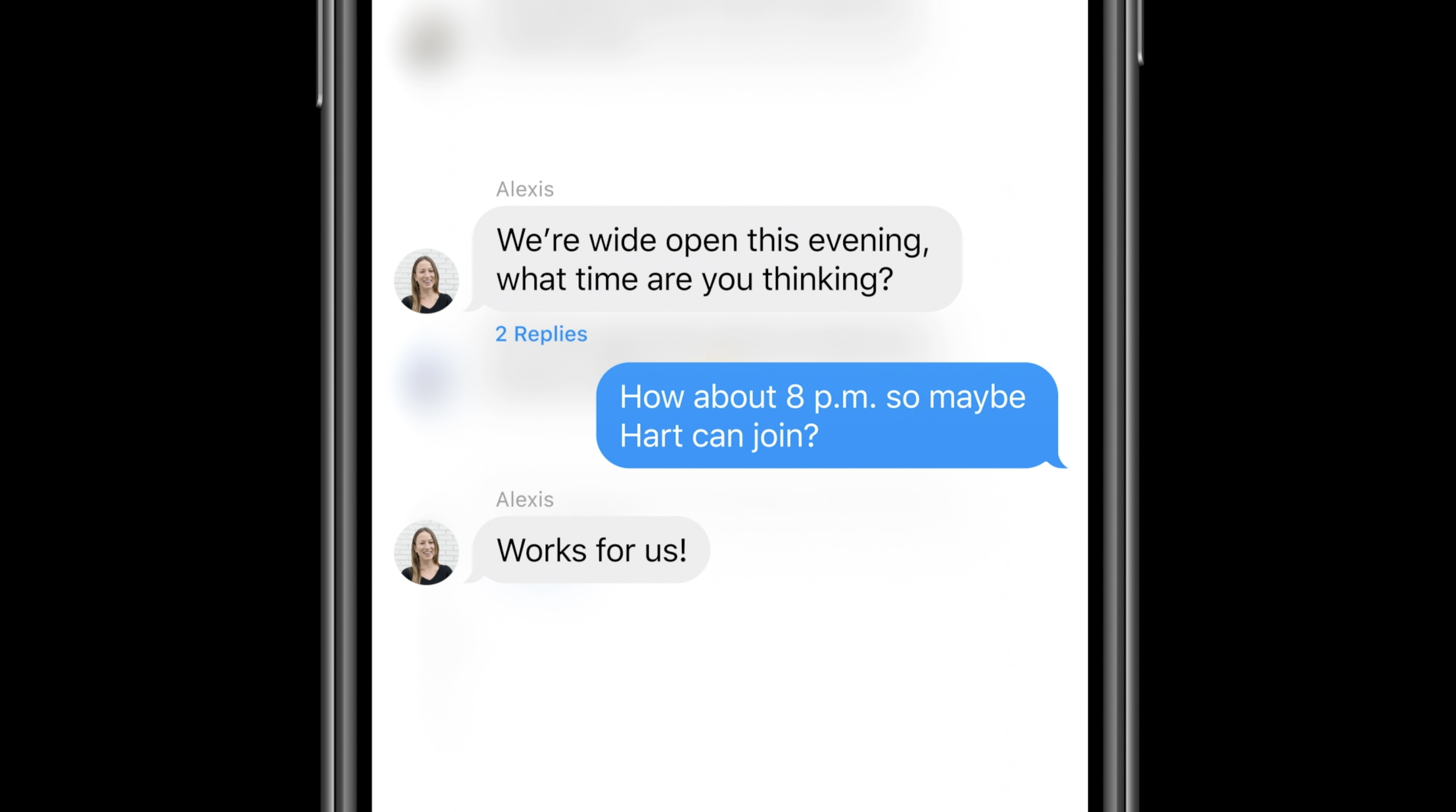
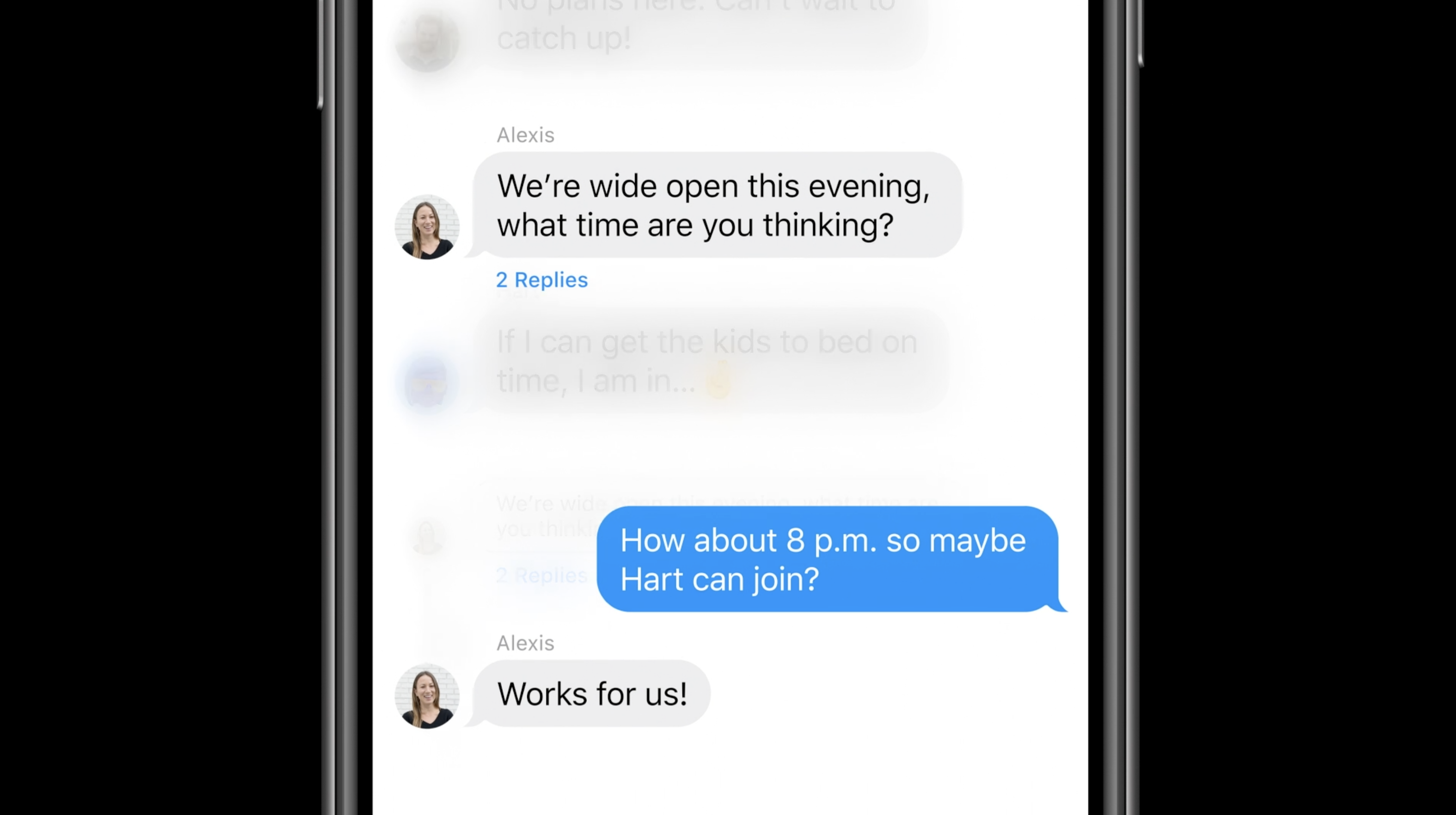
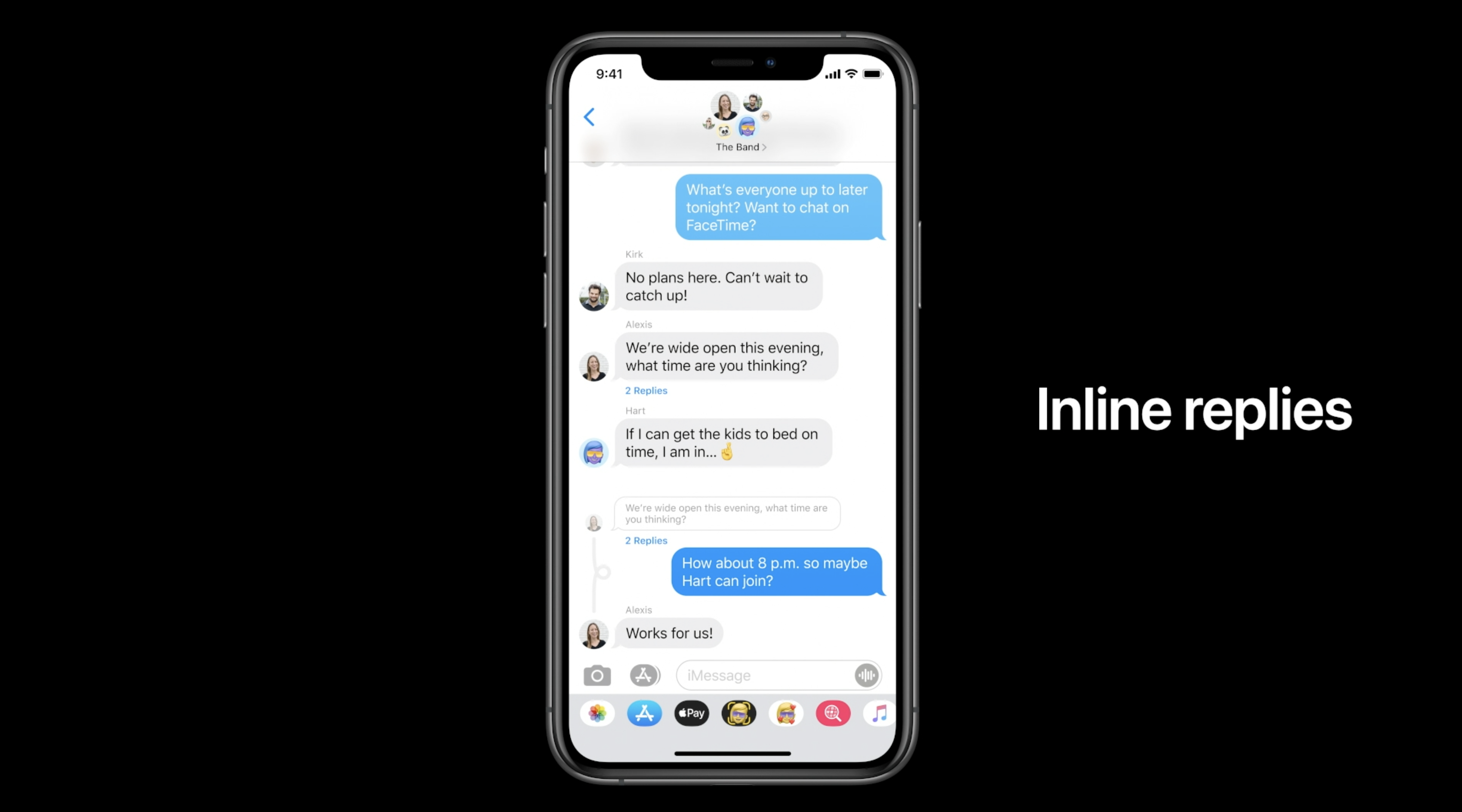
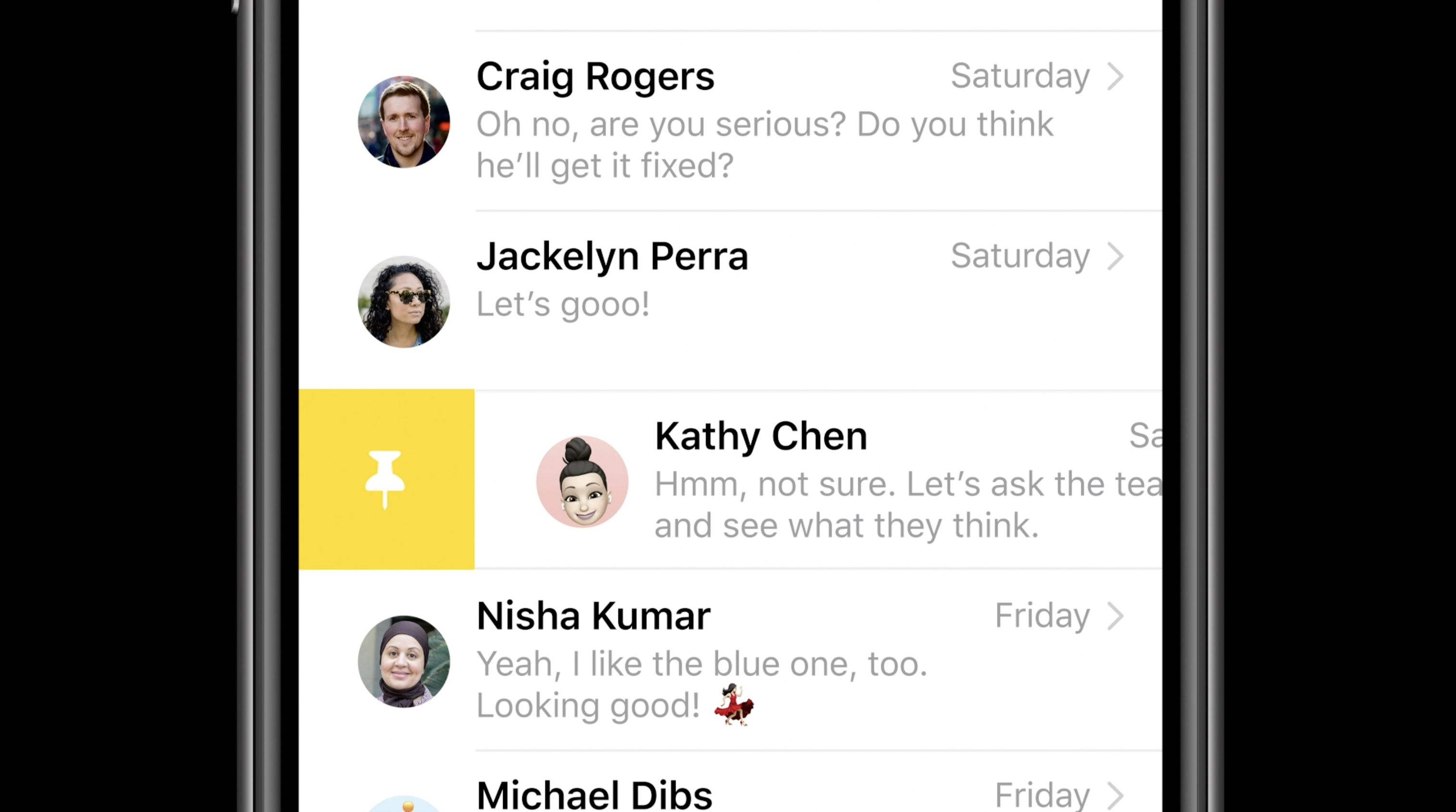
For iMessage, Apple is adding new Memoji accessories (including a new face mask Memoji) as well as pinned messages. New features for group iMessages as well: in-line replies, mentions.

Real-Time Headphone Audio Alerts

You can measure headphone audio levels in real-time with a new option in Control Center. This new feature has a similar interface to the Apple Watch Noise app, which measures the audio levels of the environment instead of headphones.

Site default logo image

QR code payments

9to5Mac reported exclusively that Apple is working on QR code payments for iOS 14.

References found in the iOS 14 code reveal that Apple is working on a new method for letting users make payments with Apple Pay by scanning a QR Code or traditional barcode with the iPhone camera.

This information wasn’t announced at WWDC, so it’s possible it won’t launch with the first version of iOS 14 and could come later in the year.

Leaked passwords

Site default logo image

Leaked passwords are when you use the same password across multiple websites and one of them gets hacked. iCloud keychain is going to build in a feature to alert you about leaked passwords.

With iOS 14, Apple offers a new “Security Recommendations” menu that shows only your passwords that could put your accounts at risk for some reason. This includes passwords that are easy to guess and even those that may have leaked on the web.

Voice Memos

Apple is also updating the Voice Memos app with iPhone and macOS Big Sur. The most exciting feature this year is the new Enhance Recording functionality. The Enhance Recording feature reduces background noise and room reverberation with a single tap. Once you create a recording, you’ll see a small icon similar to the Auto adjustment feature in the Photos app. Details on exactly how this feature works are unclear, but Apple is heavily promoting the simplicity of the process.

Compatible devices: Which devices work with iOS 14?

Apple says that iOS 14 can run on the iPhone 6s and later, which is the exact same compatibility as iOS 13. Here’s the full list:

  • iPhone 11
  • iPhone 11 Pro
  • iPhone 11 Pro Max
  • iPhone XS
  • iPhone XS Max
  • iPhone XR
  • iPhone X
  • iPhone 8
  • iPhone 8 Plus
  • iPhone 7
  • iPhone 7 Plus
  • iPhone 6s
  • iPhone 6s Plus
  • iPhone SE (1st generation)
  • iPhone SE (2nd generation)
  • iPod touch (7th generation)

Release date: When did iOS 14 come out?

iOS was released on September 16th, 2020

iOS engineers detail Apple’s approach to improving accessibility with iOS 14

Apple just gave an overhaul to its accessibility landing page to better highlight the native features in macOS and iOS that allow user’s devices to “work the way you do” and encourage everyone to “make something wonderful.” Now a new interview with Apple’s accessibility and AI/ML engineers goes into more detail on the company’s approach to improving accessibility with iOS 14.

Expand Expanding Close

Widgetsmith updated with new themes and artwork for iOS 14 home screen widgets

Update: Version 2.1 is now available with new widgets and themes. Head below for more.

The popular Widgetsmith app received a major update to version 2.0 today. Widgetsmith, which allows you to create custom widgets for your iOS 14 home screen, now includes pre-built themes for your widgets that are fully customizable, an RGB/HEX color chooser, and more.

Expand Expanding Close

PSA: Don’t enable an Apple ID recovery key yet – or maybe ever

Apple ID recovery key

We explained way back in 2014 why you might want to have an Apple ID recovery key. In those days, it was an extra precaution you could take against getting locked out of your account.

Apple abandoned recovery keys when it switched to a smarter two-factor authentication process, before reintroducing them in a new form in iOS 14. However, they now work in a different way. You definitely won’t want to enable one now, and you may not want to do so ever …

Expand Expanding Close

iOS and macOS tips and tricks to assist friends and family during Thanksgiving

It’s Thanksgiving in the United States, and many of us are getting ready to spend time with family, watch some American football, relax, and get ready to hunt for Black Friday deals ahead of the Christmas shopping season. Even if you aren’t seeing all of your family this year, you might be spending some time with just a few people, so Thanksgiving “tech” tune-ups might be in order.

Expand Expanding Close

iOS 14.3 beta changes and features — Apple ProRAW looks promising [Video]

iOS 14.3 beta what's new

iOS 14.3 beta brings lots of new changes and features to the table for both developers and public beta testers. iOS 14.3 gives us our first look at Apple ProRAW image capture for iPhone 12 Pro users, while also bringing forth new changes to Apple Music, Apple News+ Audio, and more. Watch our hands-on video as we explore the top iOS 14.3 beta changes and features.

Expand Expanding Close

iOS 14.3 will suggest third-party apps to users during the iPhone or iPad setup process

Tech investor Fred Wilson attacks App Store monopoly

As Apple has been investigated for anti-competitive practices, the company is working on new ways to avoid these accusations and even sanctions from governments around the world. With iOS 14.3, which is now available as a beta release for developers, Apple will suggest third-party apps to users during the setup process of a new iPhone or iPad.

Expand Expanding Close

Philips Hue now supports HomeKit Adaptive Lighting for all users

HomeKit Adaptive Lighting for Philips Hue bulbs

Philips Hue lights now support HomeKit Adaptive Lighting for all users, after an earlier smaller-scale rollout. The feature is designed to match the color temperature of smart lights to the time of day, as Apple explains.

Light bulbs that change color can be automatically adjusted throughout the day to maximize comfort and productivity. You can ease into morning with warmer colors, stay focused and alert midday with cooler colors, and wind down at night by removing blue light …

Expand Expanding Close

Zuckerberg claims Apple’s ad-tracking policy will hurt small businesses

Zuckerberg attacks Apple's ad-tracking policy

Facebook CEO Mark Zuckerberg has claimed that a pending version of Apple’s ad-tracking policy will hurt small businesses when it is introduced next year. Further, he says Apple could damage the economic recovery from the coronavirus crisis.

Zuckerberg’s attack relates to a privacy change Apple originally made in iOS 14 and subsequently agreed to delay to give the ad industry time to react …

Expand Expanding Close

iOS 14 beta users are being notified with a constant message about a non-existent update

It’s not just you. Once again, iOS beta users are facing an annoying message about a non-existent update. This time, users with iOS 14 and iPadOS 14 beta installed on the iPhone and iPad are being prompted with erroneous messages informing them to update to the latest beta release, even though there are no updates available.

Expand Expanding Close
How to use iPhone sound recognition iOS 14

Hands-on with iOS 14’s Sound Recognition feature that listens for doorbells, smoke alarms, more

iOS 14 brings a range of valuable new features, and some of them are designed as Accessibility options but happen to be useful for just about everyone. Read along for a hands-on look at how to use iPhone Sound Recognition to get alerts for things like doorbells, running water, smoke alarms, crying babies, animals, and more.


Expand
Expanding
Close