iPad (2021)

See All Stories

Apple's tablet debuted in 2010. Since the original version, it's expanded into multiple screen sizes and Pro and non-Pro options.

The iPad is Apple’s base tablet model. In its ninth generation, the iPad focuses on being the perfect tool for education and people who seek a bigger screen to read and surface the web compared to the iPhone. With Apple Pencil and Smart Keyboard support, the iPad has never been better.

History

Site default logo image

The iPad is a line of tablets designed and developed by Apple. It was originally announced in 2010, three years after the first iPhone was introduced. With a 9.7-inch screen and with iPhone OS 3.2 the iPad was a success, hitting 1 million tablets sold in over three months, half the time the first iPhone took to reach this mark.

Steve Jobs then unveiled the iPad 2 in March of 2011. About 33% thinner than its predecessor and 15% lighter, the second generation used the A5 chip, twice as faster as its predecessor. The iPad 2 also introduced front and back cameras that supported FaceTime video calls.

The successor of the iPad 2 wasn’t a success at all. The third generation was introduced in March of 2012 with a Retina display and the A5X processor. The problem with this tablet it was too heavy and the battery didn’t last long enough. In October of the same year, Apple announced the fourth generation with the A6X processor, HD FaceTime camera, improved LTE capabilities, and the Lightning connector.

At this October event, Apple also introduced the first iPad mini. In 2013, Apple went with the first iPad Air and the iPad mini 2. In 2015, the company introduced the first Pro model, with two different sizes.

Site default logo image

In March of 2017, Apple announced the fifth-generation iPad with the A9 processor. It was a budget option compared to the other tablets. It was in 2018 that the company brought expressive news to the base iPad line. The sixth-generation had the A10 Fusion processor and fully supports the first-generation Apple Pencil.

A year later, the seventh generation was announced with a larger 10.2-inch display and support for the Smart Keyboard as well. It retained most of the specs of the previous model.

In September of 2020, the eighth generation was introduced alongside the fourth-generation iPad Air model. The eighth generation received an upgraded processor, now with the A12 Bionic, while keeping the same storage options: 32GB and 128GB.

In September of 2021, the ninth generation was introduced alongside a redesigned iPad mini. This iPad now features the A13 Bionic processor, True Tone support, and new storage options: 64GB and 256GB while keeping the same price.

iPad 9 Specs

Site default logo image

The ninth-generation iPad launched in September of 2021. Available in two colors, Silver and Space Gray, this tablet is made of 100% recyclable aluminum, and supports the first-generation Apple Pencil and Smart Keyboard.

With thinner bezels, the product comes with a 10.2-inch Retina display with a fingerprint-resistant oleophobic coating, and True Tone support for the first time, which adjusts screen content to the color temperature of a room.

This tablet uses the A13 Bionic chip, the same available on the iPhone 11, 11 Pro, and 11 Pro Max. It has an “all-day” battery with up to 10 hours of surfing the web on Wi-Fi or watching videos.

The iPad also comes in 64GB and 256GB storage options and Wi-Fi and Wi-Fi + Cellular versions.

Revamped cameras

Site default logo image

For the first time, this iPad shares the same FaceTime camera as the M1 iPad Pro with the Center Stage experience. With a new 12MP Ultra Wide front camera and Neural Engine, users can enjoy even more engaging video calls.

As users move around, Center Stage automatically pans the camera to keep them in view. When others join in, the camera detects them too, and smoothly zooms out to include them in the conversation. Center Stage makes video calls more natural in FaceTime as well as third-party video-calling apps.

Its main camera is the same: 8MP, f/2.4 aperture, and digital zoom up to 5x.

iPadOS 15

Site default logo image

The ninth-generation iPad comes with the iPadOS 15. Previewed during the WWDC21 keynote, the new operating system brings a redesigned Home Screen with widgets and App Library support.

On iPadOS 15, FaceTime group calls can finally appear in a grid, so it’s easier to see everyone. It’s also possible to share your screen, listen to Apple Music songs together, or watch Apple TV+, HBO Max, Disney+, and others while in a call.

In the productivity section, Apple, unfortunately, didn’t bring all the features pro users wanted to take full advantage of their new M1 iPad Pro, even though Apple made it easier to rely on multitasking features.

There’s a new multitasking menu on the top of the screen. When you click there, it’s possible to see what configurations you can use on Split View or just go to Slide Over with just a tap.

The experience with an external keyboard allows users to get more done with all-new keyboard shortcuts and a redesign of the menu bar.

With the Quick Note feature, users can use the Apple Pencil to add a quick note. They just need to slide the pencil through the bottom right corner to the center of the screen and start writing.

iPadOS 15 launched on September 20. Learn more about it here.

iPadOS 15.1 features

One month after releasing iPadOS 15, Apple released iPadOS 15.1 More notable, the company finally brought SharePlay support for the iPhone, iPad, and Apple TV. Unfortunately, Universal Control wasn’t one of the features added with this new version. Here’s what else is new:

Translate

  • Mandarin Chinese (Taiwan) support in the Translate app and for system-wide translation

Home

  • New automation triggers based on the current reading of a HomeKit-enabled humidity, air quality, or light level sensor

Shortcuts

  • New pre-built actions let you overlay text on images or gifs, plus a new collection of games lets you pass the time with Siri

iPadOS 15.2 features

apple-music-hey-siri-plays-voice-plan-9to5mac-2

Five weeks after releasing iPadOS 15.1, Apple is releasing iPadOS 15.2. It brings more features that were expected to launch alongside iPadOS 15 but, unfortunately, Universal Control is still nowhere to be seen. Here are the top features of this version:

  • Apple Music Voice Plan is a new subscription tier that gives you access to all songs, playlists, and stations in Apple Music using Siri
  • App Privacy Report in Settings lets you see how often apps have accessed your location, photos, camera, microphone, contacts, and more during the last seven days, as well as their network activity
  • Communication safety setting gives parents the ability to enable warnings for children when they receive or send photos that contain nudity
  • Digital Legacy allows you to designate people as Legacy Contacts so they can access your iCloud account and personal information in the event of your death
  • Apple TV app: Store tab lets you browse, buy, and rent movies and TV Shows all in one place

iPadOS 15.3 features

Six weeks after releasing iPadOS 15.2, Apple is releasing iPadOS 15.3. This update foregoes new features in favor of under-the-hood bug fixes and improvements. One of the most notable changes here is a fix for a Safari vulnerability that may have been leaking your browsing history and Google ID data to the websites you visited.

iPadOS 15.4 features

iPadOS 15.4 finally brings one of the most important features expected from iPadOS 15 and that got delayed: Universal Control. Here’s everything new with iPadOS 15.4:

  • Universal Control: This feature allows you to control your Mac and iPad using the same keyboard and mouse/trackpad. Universal Control needs iPadOS 15.4 and macOS Monterey 12.3;
  • New Siri voice: Siri has a fifth American voice. Apple says a member of the LGBTQ+ community recorded the voice and it’s non-binary;
  • More emoji: iPadOS 15.4 also brings new emojis. You can discover all of the new characters here;
  • Shortcuts automation: Adds support for running Personal Automations in the background without requiring a pesky banner notification.

You can learn everything new with this update here.

iPadOS 15.5 features

Different from other software updates, iPadOS 15.5 only improves the Podcast app experience, as Apple focused on Wallet changes for the iPhone this time:

  • Apple Podcasts includes a new setting to limit episodes stored on your iPhone and automatically delete older ones

iPadOS 15.6 features

iPadOS 15.6 is yet another small update for iPad users. Here’s what’s news:

  • TV app adds the option to restart a live sports game already in progress and pause, rewind, or fast-forward.
  • Fixes an issue where Settings may continue to display that device storage is full even if it is available.
  • Fixes an issue that may cause Braille devices to slow down or stop responding when navigating text in Mail.
  • Fixes an issue in Safari where a tab may revert to a previous page.

iPadOS 15.7 features

iPadOS 15.7 only brings bug fixes and some security improvements as the company readies the iPadOS 16 release.

Education

Site default logo image

Apple describes this iPad as the go-to tablet for education. For several years the company discounts this tablet up to 10%.

Apple is always promoting ways students can use the iPad to learn new things: using Augmented Reality, the Apple Pencil, and how to code with Playgrounds.

The company says the “App Store is the best place to discover apps” for education purposes:

Let your curiosity run wild with iPad. The App Store is the best place to discover apps that let you get a leg up in geometry, learn a new language, and attend virtual classes. You can even use augmented reality to learn something exciting, like watching the history of spaceflight unfold in your living room or making characters from your favorite book literally leap off the page.

Release date: When Apple will launch the ninth-generation iPad?

Apple launched the iPad 9 on September 24, 2021.

Pricing

iPad (2021) pricing starts at $329 for the 32GB storage option with Wi-Fi only. The prices can go up to $559 with the 128GB storage option and WI-Fi + Cellular. Here are the full prices of the ninth-generation tablet:

  • 32GB with Wi-Fi: $329
  • 32GB with Wi-Fi + Cellular: $459
  • 128GB with Wi-Fi: $429
  • 128GB with Wi-Fi + Cellular: $559
  • Apple Pencil (1st generation): $99
  • Smart Keyboard: $159

Lower prices may be available from Apple’s official Amazon store.

iPad (2021) Review

Site default logo image

Soon, we’ll review the ninth-generation iPad. As for now, you can watch our video review of the eighth-generation iPad, as we described it as the “best value tablet you can buy:”

“The iPad 8 was never meant to be a huge update. But even still, I think this is easily the best value tablet you can buy. For $329, this tablet has so much to offer: The performance, the great battery life, and the Apple pencil functionality. I’d highly recommend you pick up this tablet if you simply need an inexpensive tablet today that’s going to last you for three to four years with no trouble.”

iPad Deals

Over at 9to5Toys, you can find the best deals on the iPad and other Apple products. Download the 9to5Toys iPhone app to receive push notifications for new deals as well.

Rumors

As of now, Bloomberg‘s Mark Gurman said in his Power On newsletter by the end of 2021 that Apple plans a new entry-level iPad for 2022. In June 2022, 9to5Mac exclusively reported the details of the tenth-generation iPad model.

According to Filipe Espósito, this new entry-level tablet will pack the A14 Bionic chip, 5G compatibility, and, for the first time, USB-C connectivity, unlocking new experiences with the second-generation Apple Pencil. Its display will also increase, although it’s unclear whether it will have the same design as the M1 iPad Air.

This iPad could be released in October of 2022.

Microsoft’s OneNote for iPad app gets handwriting, and same OCR functionality as Mac app

Site default logo image

[youtube=https://www.youtube.com/watch?v=bOpxNVJ7tZ4]

A day after Microsoft updated its OneNote for Mac app, adding OCR scanning of text within images, it has today updated its iPad app. OneNote for iPad gets the same OCR functionality, along with the ability to add handwritten notes–a feature previously available only on the Windows and Android versions of the tablet app.

As many of you have pointed out, one major feature that has been missing from OneNote for iPad is handwriting. With today’s update, you can pen notes. To get started, just tap the new Draw tab on the ribbon. Select a pen, marker, or highlighter and write, sketch or doodle until your heart’s content.

Handwritten notes can be made using either an iPad-compatible stylus or your finger, with customizable ink color and pen thickness … 
Expand
Expanding
Close

Popular automation app Workflow updated w/ over 50 actions, new features, more

Site default logo image

Leveraging the power of iOS 8 extensions and new system customization options, Workflow debuted on the iPhone and iPad last year bringing a powerful automation app to users. Today the team behind Workflow is releasing version 1.1, which adds support for over 5o new actions in addition to including new features and updating some existing actions. Check out the latest from Workflow for iOS below:
Expand
Expanding
Close

Phorm case for iPad promises tactile typing w/ the on-screen keyboard through a unique approach

Site default logo image


Tactus Technology is introducing a unique, new keyboard case today called Phorm that promises to bring tactile feedback to the typing experience while still using the on-screen touch keyboard. Phorm uses microfluids to raise a segments of a screen protector kept on with a frame and protective case to apply “physical” keys that appear and disappear at the swipe of switch. The goal is to improve typing speed and accuracy when typing with the iPad without requiring a keyboard you have to charge or pair with your tablet. Check out the video below to see Phorm in action.
Expand
Expanding
Close

ESPN app overhauled w/ new look, iPhone 6/6+ & iPad support, more

Site default logo image

ESPN is out with a brand new version of its iPhone app today adding native resolution support for the iPhone 6 and iPhone 6+ while also debuting on the iPad for the first time. The new app not only sports a new look right down to its icon, but ESPN says it “pulled a Puff Daddy and changed the name.” Previously, the app was branded as ESPN SportsCenter, but now it’s simply “ESPN”.
Expand
Expanding
Close

Review: Hyper’s new Pearl is a compact, LED-lit mirror that can fully recharge the iPhone 6

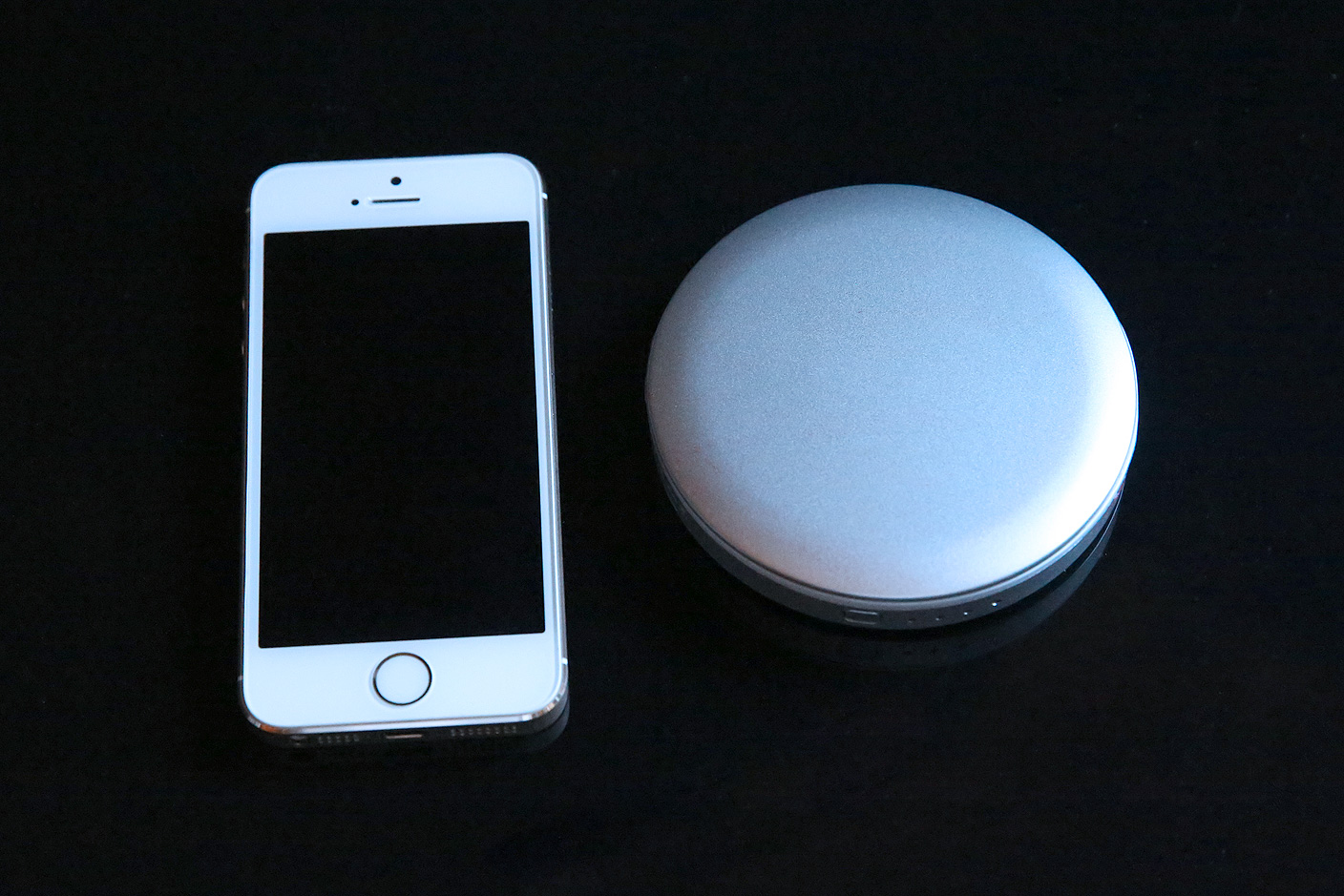
It’s not easy to create a legitimately novel accessory these days, and it’s even harder to sail smoothly through a crowdfunding campaign to bring one to market. Sanho — better-known as Hyper thanks to a popular line of battery products — spent much of 2014 preparing to release a female-friendly combination compact mirror and USB battery pack, using both Kickstarter and Indiegogo campaigns to raise funds for its production. After making a public splash at the 2015 CES alongside the new (and world’s smallest) laser pointer iPin, the mirror-battery Pearl ($40) is now shipping to customers.

The result — a 3.6″-diameter circular double mirror with a 3000mAh battery underneath — has been finished with silver, gold, or red glossy metallic exterior paint, and a white LED light ring inside. In short, it’s an elegant and welcome option for female iPhone users, delivering a combination of solid build quality and good value for the price.


Expand
Expanding
Close

Review: ClamCase Pro case for iPad Air 2 – a premium keyboard case with a premium price

Site default logo image

At first glance, you could be forgiven for thinking you’re looking at some kind of ultra-small MacBook Air on the right, next to my MBA 11. It’s actually my iPad Air 2 in the ClamCase Pro keyboard case that combines all-round protection with a near-laptop-quality keyboard.

I’m testing here the case for the iPad Air 2, but there are other models for the iPad 2/3/4, previous iPad Air and iPad mini … 
Expand
Expanding
Close

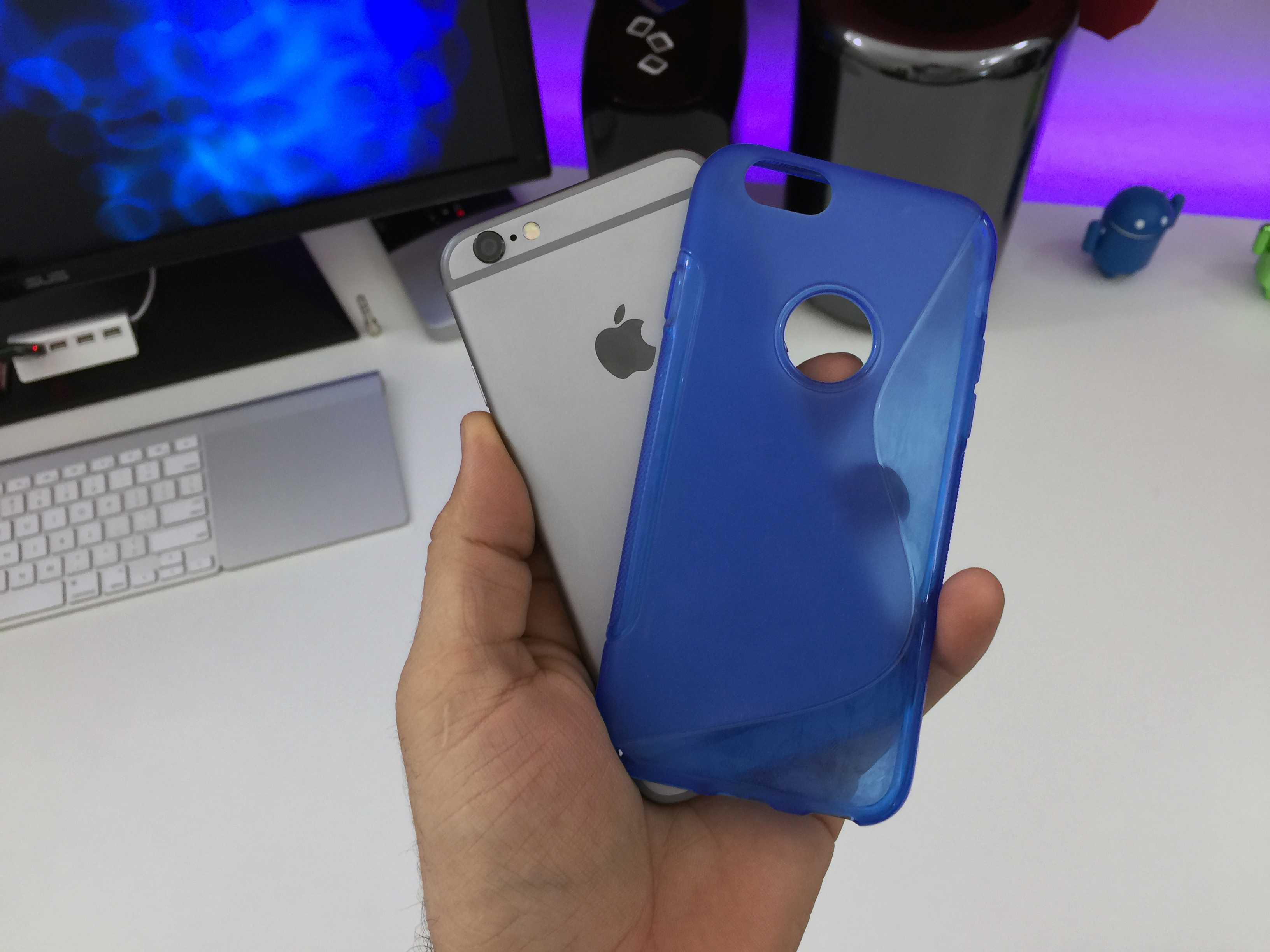
Apple threatens to ban iPhone, iPad accessory makers that design based on leaks

Site default logo image

Apple is working to step up the secrecy surrounding future iPhone and iPad models by targeting a frequent source of leaks: third-party accessory makers. 9to5Mac has learned that in fall 2014, just before the iPhone 6 launched, Apple demanded that a number of leading accessory makers sign agreements barring them from seeking out information about future Apple devices, according to four sources with first-hand knowledge of the matter.

On one hand, the agreement dangled the loss of “future business opportunities that Apple and/or its affiliates may present to you” as a potential consequence of violating or not signing the agreement. On the other hand, signing and following it could lead to months-long delays in making accessories like cases available, during the time of year when those cases were most needed and demanded by customers.
Expand
Expanding
Close

The iPhone and iPad reportedly captured 93% of mobile device profits in holiday quarter, 79% across 2014

Site default logo image

Apple reported the largest profit ever recorded by a public company in the holiday quarter, mostly driven by sales of 74 million iPhones with an average selling price of $687. According to Cannacord, this meant Apple captured 93% of handset smartphone profits. Perhaps more staggering is that it claims Apple dominated on similar levels across the entire of 2014 — with 79% of mobile device profits.

The analyst expects continued growth for the iPhone for the next few users, with an estimated 650 million iPhone users by the end of 2018.


Expand
Expanding
Close

Apple highlights artists making music with iPad apps in new video ad

Site default logo image

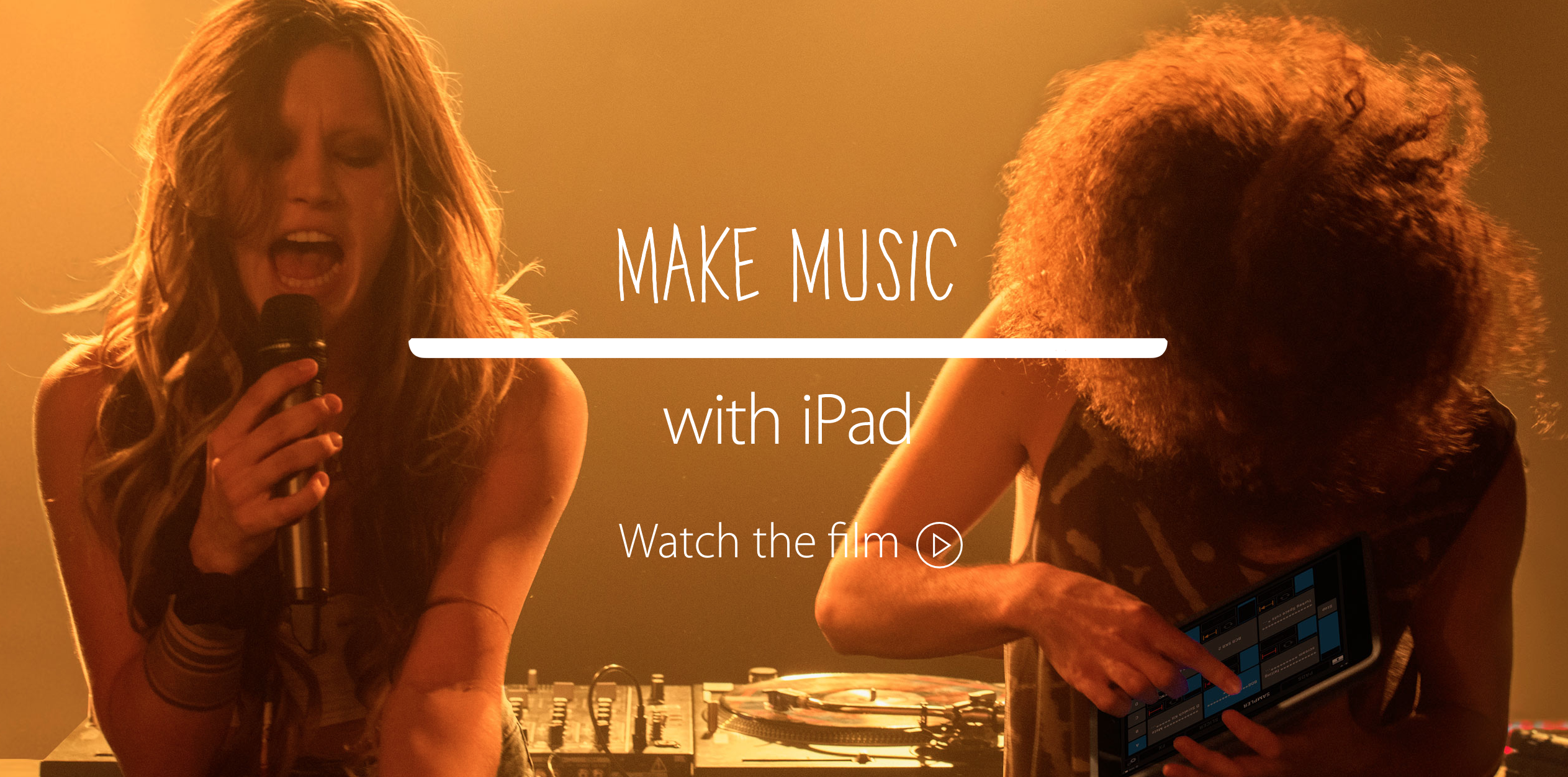
Apple today posted a new advertisement for the iPad to highlight artist Elliphant’s recording and beat making via the tablet. The one minute long ad highlights different applications used to make music with the iPad, ranging from first-party apps like Garageband to third-party programs such as Manual Camera and Nano Studio. The “iPad Remix” of the song All or Nothing is linked to from Apple’s page for the advertisement, and it is worth a listen to see how music made an iPad sounds. The full video advertisement is embedded below. This ad is the latest in a string of iPad Air 2 “Change” ads, which began going live after the new device started shipping last fall.


Expand
Expanding
Close

Paper by FiftyThree’s essential tools now free for all iPad users

Site default logo image

Paper by FiftyThree, the popular illustrating app for iPad, is making a significant change to its app price today. While Paper for iPad has been free to download and use since its debut, the app has also had tools for drawing and illustrating available for unlocking through in-app purchases as well.

Starting today, FiftyThree is making the all tools offered in Paper free for everyone to use. FiftyThree is now including the Draw, Sketch, Outline, Write, and Color tools for every Paper user. Previously, the essential tools were $3.99 to unlock as a package while individual tools could be have for $0.99 each.
Expand
Expanding
Close

Site default logo image

How to watch the Grammy Awards live stream on your iPhone, iPad, Mac or Apple TV

The 57th annual Grammy Awards are scheduled to take place this weekend on Sunday, February 8th, and CBS just sent over details on the only official live stream of the event accessible through iPhone, iPad, Mac, or on the big screen via Apple TV.

Head below for all the details on how to watch official streams for the event on your computer and all of your mobile devices.

iPhone/iPad: CBS mobile app

CBS has broadcasting of the event locked down this year, and so for mobile users the only official live stream available of the actual awards show will be the CBS app (US only).

It will require a CBS All Access subscription, however, and is also only available in 14 major markets, including: New York City, Los Angeles, Chicago, Philadelphia, Dallas, San Francisco, Boston, Detroit, Minneapolis, Miami, Denver, Sacramento, Pittsburgh and Baltimore. It’s clear CBS is trying to push its All Access service, which offers next day access to TV shows, live TV in some markets, and on-demand content, but you can watch using a free trial and cancel before it expires… 

Normally $6 month, you can take advantage of a free week trial of CBS All Access to watch the show.

The live stream kicks off at 8p.m. – 11:30p.m. live ET/ delayed PT.

The official GRAMMYs and CBS apps will have a live stream of the GRAMMY Awards Premiere Ceremony and red carpet festivities starting at noon PT/3 p.m. ET, and the app will offer a second screen experience of sorts for those viewing the awards on TV at home.

Stream the 2015 GRAMMYs LIVE with CBS All Access on February 8th at 8/7c! Get ready to tune in to the GRAMMYs live stream now by starting your free CBS All Access trial.

Mac/Apple TV: CBS.com

Again, CBS will be the only source of a live stream online through its CBS All Access service. The good news is you can grab a free week trial of CBS All Access, which will give you access on mobile devices as well. This will probably also be your best bet for AirPlay streaming or mirroring to the big screen via Apple TV.

Like on mobile devices, GRAMMY.com and CBS will have a live stream of the GRAMMY Awards Premiere Ceremony and red carpet festivities starting at noon PT/3 p.m. ET online, and also offer a second screen experience of sorts for those viewing the awards on TV at home. The main event takes place 8 p.m. – 11:30 p.m. live ET/ delayed PT.

Opinion: Square Enix’s flip-flop on iOS 8 support spotlights App Store ambiguities, risks

Site default logo image

Square Enix’s The World Ends With You


Buying an app from the App Store is designed to be as easy as possible. A large button with a price tag sits as close to the app’s icon and name as possible, while additional details linger below. You’re not supposed to think or worry too much about each purchase — the transaction is impulse-driven when the price is low — and the implication is that the app will work when you get it, and keep working for a long time thereafter.

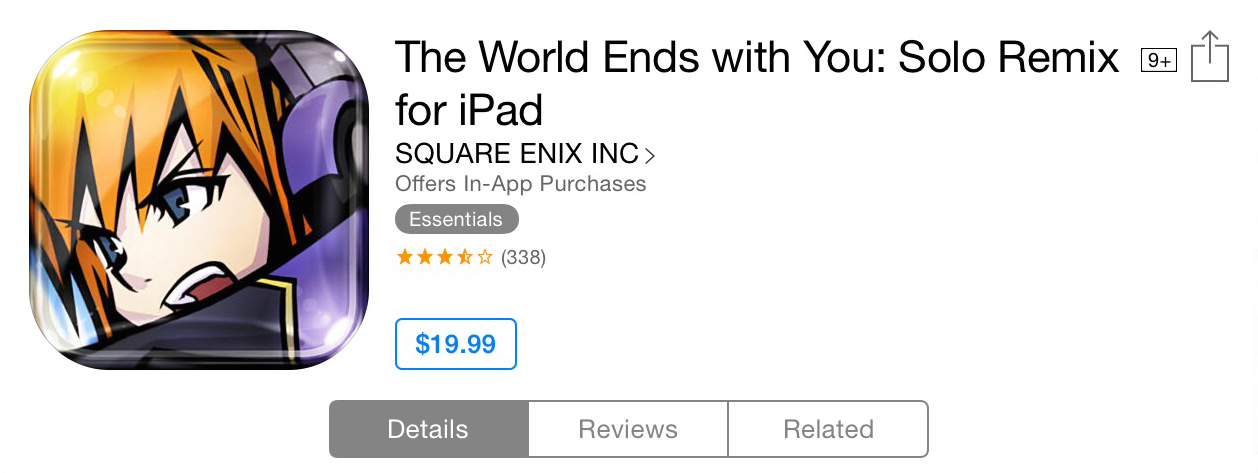
But what happens when an app — marketed as compatible with current iPhones, iPads, and iPod touches — is never updated for the latest version of iOS, and either stops working after an iOS upgrade, or never works at all on new devices? That’s the situation buyers of Square Enix’s $18 The World Ends with You: Solo Remix (and $20 iPad version) have found themselves in since iOS 8 was released. The game’s description claims that it “requires iOS 4.3 or later” and is compatible with devices that shipped with iOS 8, but it wasn’t actually iOS 8-compatible. Yesterday, Square Enix publicly flip-flopped on whether it would leave the game unplayable or fix it. Before changing its tune, the company told customers that they’d need to continue to keep using iOS 7 in order to play the game — an unrealistic alternative, though one that’s faced by users of numerous iOS apps that aren’t being updated by their developers.

By considering abandonment of the 69% of iOS users who are currently on iOS 8, Square Enix wasn’t just making a business choice; it was also spotlighting the risk App Store customers take every time they purchase an app. And it also revealed how long-unsolved App Store listing ambiguities are subjecting users, developers, and Apple itself to unnecessary problems.


Expand
Expanding
Close

IDC: Apple stays atop worldwide tablet sales as leaders lose share to “other” brands

Site default logo image

IDC is out today with its numbers on tablet shipments for Q4 2014 showing Apple remained on top of the market both last quarter and throughout 2014 despite a slight drop in overall market share.

Apple sold 21.4 million iPads during the holiday quarter last year, which gave the company around 28% market share compared to 33% with 26 million units sold during the same quarter last year. Apple beats out number two Samsung, according to IDC, which grabbed 14.5% of the market in Q4 with 11 million units shipped. Samsung also dipped in overall market share from 17.2% with 13.5 million units shipped in the year ago quarter.
Expand
Expanding
Close

Site default logo image

SoundCloud releases redesigned iPad app with new features, removes audio recording

SoundCloud today released a brand new iPad app that has been completely redesigned to offer a better experience for users uploading, sharing, and listening to music through the service.

You’ll have access to just about all the SoundCloud features available on desktop including the ability to build a Collection, explore genres, edit and view profiles, create playlists, and share tracks and artists with other users. 

One feature you won’t find is audio recording, however, as SoundCloud warns users to “Please upload any locally stored sounds before upgrading your iPad app, as audio recording has been removed from this version.” As an alternative, SoundCloud said it recommends downloading one of the many audio recording apps that offer SoundCloud uploads.

You also won’t be able to add or view comments, track info, and follower/following lists, but unlike the audio recording feature SoundCloud said these features will be returning in a later version.

The new SoundCloud app for iPad, version 3.7.1, is available on the App Store now.

What’s New in Version 3.7.1

The beautifully redesigned SoundCloud iPad app gives you a simplified, more intuitive and more visual experience. Discover and hear fresh/new music & audio, and log in to build your Collection, create playlists, and be the first to share your favorite tracks & artists with friends and followers.

Please upload any locally stored sounds before upgrading your iPad app, as audio recording has been removed from this version. For future recording, we recommend downloading one of the many apps that allow you to record and post directly to SoundCloud. For your activity feed, track info and user comments, please go to www.soundcloud.com.

And for both iPhone & iPad users we made some performance improvements which give you a smoother scrolling experience!

Site default logo image

Huge iPhone growth is more than a one-off blip, argues Tim Cook, with most still to upgrade

Updated quote with WSJ correction:

https://twitter.com/daiwaka/status/560882525854121984

While few would expect the record-breaking surge in iPhone sales generated by the larger-screened models to continue into subsequent quarters, Tim Cook argued in a WSJ interview that the potential is there.

In an interview, Apple Chief Executive Tim Cook, not surprisingly, argued that the demand is more than temporary. He said fewer than 15% of older iPhone owners upgraded to the iPhone 6 and 6 Plus and that the majority of switchers to iPhone came from smartphones running Google Inc.’s Android operating system.

“We certainly believe there are legs to it,” said Mr. Cook of the iPhone sales surge.

Cook noted during the Q1 earnings call that the current iPhone lineup had experienced “the highest Android switcher rate in any of the last three launches.” With CIRP data suggesting that the US rate of switching from Android to iOS has remained broadly constant, that suggests the bulk of switchers have been outside the US–China in particular … 
Expand
Expanding
Close

Apple’s Back to School sale returns to Australia and New Zealand w/ gift card promo

Site default logo image

Apple’s annual Back to School sale in Australia and New Zealand has gone live with a promotion for qualifying students to receive Apple Store credit with the purchase of a Mac, iPad, or iPhone. Similar to last year, the Back to School sale includes the usual education pricing on Macs and iPads, but this year Apple is including Apple Store gift cards rather than App Store gift cards like last year.
Expand
Expanding
Close

Tim Cook insists iPad prospects still rosy despite 18% drop in sales, 22% fall in revenue

Site default logo image

Apple’s press release yesterday noted “all-time record revenue from iPhone and Mac sales as well as record performance of the App Store,” while remaining silent on iPad sales. The reason? The slide continued last quarter, with year-on-year sales down 18%, and a reduction in average selling price meaning revenue was down 22%.

Tim Cook acknowledges that the switch to larger-screened iPhones mean the iPad is being squeezed from both sides.

There’s probably some level of cannibalization that’s going on, with the Mac on one side and the phone on the other.

It’s also undeniable that people upgrade their iPads less frequently than their iPhones–Cook putting the number at “somewhere between” the 2-year cycle of the iPhone and 5-year cycle of Mac–meaning that Apple needs to find a continual stream of customers buying an iPad for the first time … 
Expand
Expanding
Close

Apple announces Q1 2015 revenue of $74.6b: 74.4m iPhones, 21.4m iPads, 5.5m Macs

Site default logo image

(Image via Michael Steeber)

Apple announced its Q1 2015 earnings results today reporting $74.6 billion in revenue earning $18 billion in profit during the three-month period.

Apple® today announced financial results for its fiscal 2015 first quarter ended December 27, 2014. The Company posted record quarterly revenue of $74.6 billion and record quarterly net profit of $18 billion, or $3.06 per diluted share. These results compare to revenue of $57.6 billion and net profit of $13.1 billion, or $2.07 per diluted share, in the year-ago quarter. Gross margin was 39.9 percent compared to 37.9 percent in the year-ago quarter. International sales accounted for 65 percent of the quarter’s revenue.

In addition to its revenue and profit disclosure, Apple reported sales numbers for the following categories:

  • iPhone: 74.4 million units
  • iPad: 21.4 million units
  • Mac: 5.5 million units
  • iTunes: $4.7 billion
  • Accessories: $2.6 billion

Totals:

  • Revenue: $74.6 billion
  • EPS: $3.06 per share

Apple CEO Tim Cook said the following regarding the quarter:

“We’d like to thank our customers for an incredible quarter, which saw demand for Apple products soar to an all-time high,” said Tim Cook, Apple’s CEO. “Our revenue grew 30 percent over last year to $74.6 billion, and the execution by our teams to achieve these results was simply phenomenal.”

Apple CFO Luca Maestri added this:

“Our exceptional results produced EPS growth of 48 percent over last year, and $33.7 billion in operating cash flow during the quarter, an all-time record,” said Luca Maestri, Apple’s CFO. “We spent over $8 billion on our capital return program, bringing total returns to investors to almost $103 billion, over $57 billion of which occurred in just the last 12 months.”

Ahead of today’s earnings report, sales numbers for both the iPhone and iPad were particular areas of interest. Q1 2015 held the bulk of the iPhone 6 and iPhone 6 Plus sales in the United States and saw the new iPhone models debut in key countries like China. Meanwhile, the iPad sales numbers were particularly interested following last quarter’s year-over-year shipment decrease and the release of the iPad Air 2 and iPad mini 3 in October.

Apple’s Q1 2015 numbers follow last quarter’s results of $42.1 billion in revenue and sales of 39 million iPhones, 12.3 million iPads, and 5.5 million Macs. For the same quarter a year ago, Apple reported $57.6 billion in revenue and sales of 51 million iPhones, 26 million iPads, and 4.8 million Macs. Compare also to profit last quarter of $8.5 million and a year ago of $13.1 billion.

Apple will hold its conference call today at 2 PM Pacific/5 PM Eastern to discuss the quarter’s numbers, follow along for our coverage then. Both Cook and Maestri will likely share prepared remarks then answer a round of questions from analysts on the call.

For Q2 2015 Apple is providing guidance between $52 billion and $55 billion. The full Q1 earnings results release is below:


Expand
Expanding
Close

Apple releases iOS 8.1.3 software update w/ stability improvements, reduces space required to update

Site default logo image

Apple released the iOS 8.1.3 software update for iPhone, iPad, and iPod touch users today. The update is available over-the-air through the Software Update section of the Settings app. The update includes the usual bug fixes and performances improvements, and notably claims to reduce the amount of free storage required to perform the update.
Expand
Expanding
Close

Site default logo image

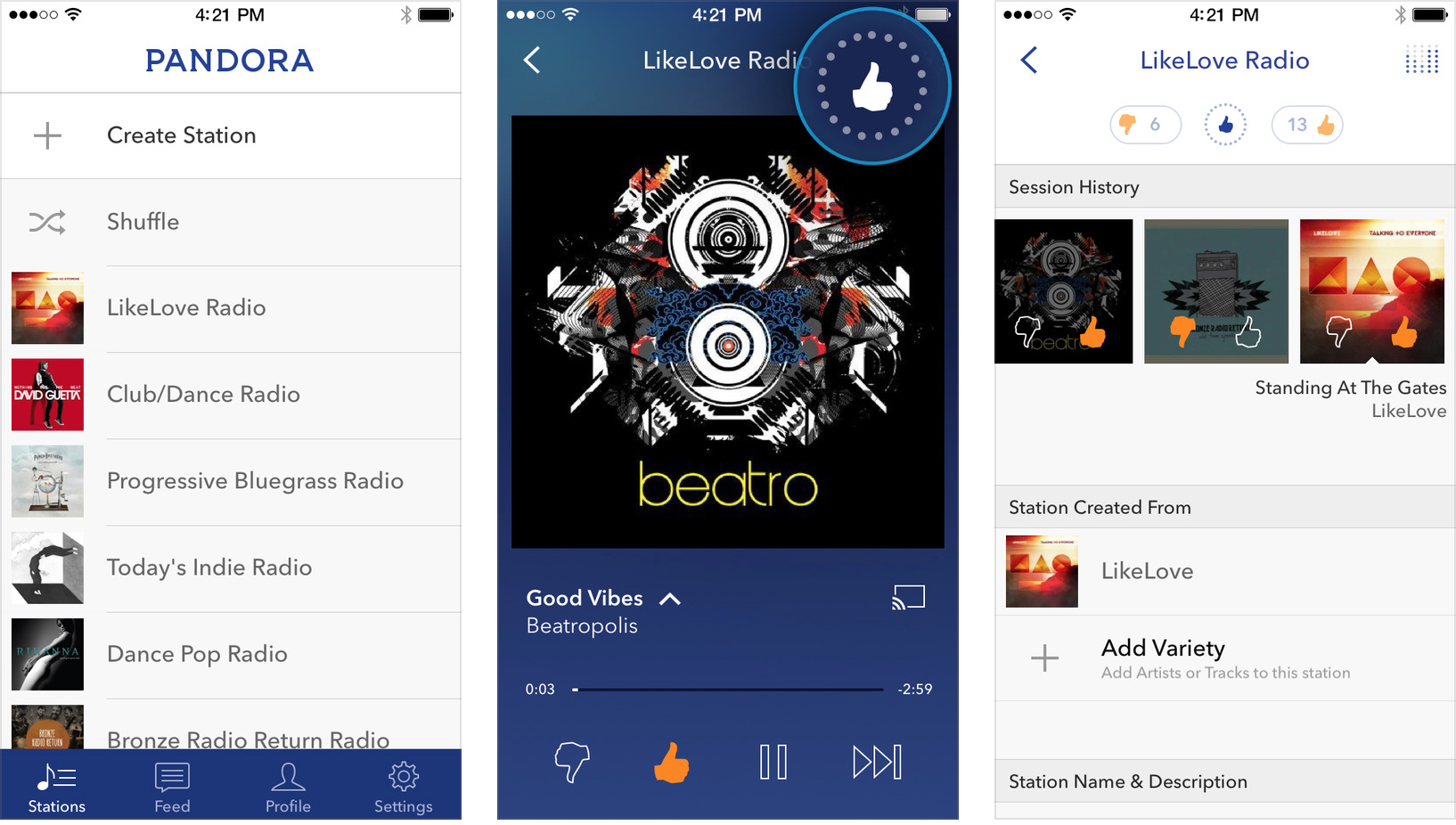
Pandora for iPhone redesigned, adds mini-player and notifications


The Pandora iPhone and iPod touch app today received a thorough redesign that is slightly more starker and in line with the iOS 7/iOS 8 design style. The update formats the app for iPhone 6/iPhone 6 Plus’s higher-resolution display and adds various new mini-player and notifications features:

• With the new Personalization Icon, the Thumb History for your favorite stations is at your fingertips.
• Accidentally thumbed a song up or down – now you can un-thumb simply by re-tapping the Thumb Icon.
• We’ve included a new Mini-Player so you can control your music while you browse your track history.
• Stay in the loop when new music is added to your favorite stations and much more with our redesigned Notification & Activity Feed.

Pandora is free on iTunes.


Expand
Expanding
Close

1Password for iOS adds one-time password tool for two factor auth, new login creator, more

Site default logo image

The popular secure password management app 1Password is out with a big update today adding new features on both iOS and Mac. Arriving in version 5.2 of 1Password for iOS is a new login creator tool, a one-time password tool for use with two factor auth, new entry fields for pro users, and more. On the Mac side, 1Password version 5.1 was released adding a number of improvements to sync. This includes the ability to sync secondary vaults to iOS over WiFi. More on the major new features below:


Expand
Expanding
Close