iPad (2021)

See All Stories

Apple's tablet debuted in 2010. Since the original version, it's expanded into multiple screen sizes and Pro and non-Pro options.

The iPad is Apple’s base tablet model. In its ninth generation, the iPad focuses on being the perfect tool for education and people who seek a bigger screen to read and surface the web compared to the iPhone. With Apple Pencil and Smart Keyboard support, the iPad has never been better.

History

Site default logo image

The iPad is a line of tablets designed and developed by Apple. It was originally announced in 2010, three years after the first iPhone was introduced. With a 9.7-inch screen and with iPhone OS 3.2 the iPad was a success, hitting 1 million tablets sold in over three months, half the time the first iPhone took to reach this mark.

Steve Jobs then unveiled the iPad 2 in March of 2011. About 33% thinner than its predecessor and 15% lighter, the second generation used the A5 chip, twice as faster as its predecessor. The iPad 2 also introduced front and back cameras that supported FaceTime video calls.

The successor of the iPad 2 wasn’t a success at all. The third generation was introduced in March of 2012 with a Retina display and the A5X processor. The problem with this tablet it was too heavy and the battery didn’t last long enough. In October of the same year, Apple announced the fourth generation with the A6X processor, HD FaceTime camera, improved LTE capabilities, and the Lightning connector.

At this October event, Apple also introduced the first iPad mini. In 2013, Apple went with the first iPad Air and the iPad mini 2. In 2015, the company introduced the first Pro model, with two different sizes.

Site default logo image

In March of 2017, Apple announced the fifth-generation iPad with the A9 processor. It was a budget option compared to the other tablets. It was in 2018 that the company brought expressive news to the base iPad line. The sixth-generation had the A10 Fusion processor and fully supports the first-generation Apple Pencil.

A year later, the seventh generation was announced with a larger 10.2-inch display and support for the Smart Keyboard as well. It retained most of the specs of the previous model.

In September of 2020, the eighth generation was introduced alongside the fourth-generation iPad Air model. The eighth generation received an upgraded processor, now with the A12 Bionic, while keeping the same storage options: 32GB and 128GB.

In September of 2021, the ninth generation was introduced alongside a redesigned iPad mini. This iPad now features the A13 Bionic processor, True Tone support, and new storage options: 64GB and 256GB while keeping the same price.

iPad 9 Specs

Site default logo image

The ninth-generation iPad launched in September of 2021. Available in two colors, Silver and Space Gray, this tablet is made of 100% recyclable aluminum, and supports the first-generation Apple Pencil and Smart Keyboard.

With thinner bezels, the product comes with a 10.2-inch Retina display with a fingerprint-resistant oleophobic coating, and True Tone support for the first time, which adjusts screen content to the color temperature of a room.

This tablet uses the A13 Bionic chip, the same available on the iPhone 11, 11 Pro, and 11 Pro Max. It has an “all-day” battery with up to 10 hours of surfing the web on Wi-Fi or watching videos.

The iPad also comes in 64GB and 256GB storage options and Wi-Fi and Wi-Fi + Cellular versions.

Revamped cameras

Site default logo image

For the first time, this iPad shares the same FaceTime camera as the M1 iPad Pro with the Center Stage experience. With a new 12MP Ultra Wide front camera and Neural Engine, users can enjoy even more engaging video calls.

As users move around, Center Stage automatically pans the camera to keep them in view. When others join in, the camera detects them too, and smoothly zooms out to include them in the conversation. Center Stage makes video calls more natural in FaceTime as well as third-party video-calling apps.

Its main camera is the same: 8MP, f/2.4 aperture, and digital zoom up to 5x.

iPadOS 15

Site default logo image

The ninth-generation iPad comes with the iPadOS 15. Previewed during the WWDC21 keynote, the new operating system brings a redesigned Home Screen with widgets and App Library support.

On iPadOS 15, FaceTime group calls can finally appear in a grid, so it’s easier to see everyone. It’s also possible to share your screen, listen to Apple Music songs together, or watch Apple TV+, HBO Max, Disney+, and others while in a call.

In the productivity section, Apple, unfortunately, didn’t bring all the features pro users wanted to take full advantage of their new M1 iPad Pro, even though Apple made it easier to rely on multitasking features.

There’s a new multitasking menu on the top of the screen. When you click there, it’s possible to see what configurations you can use on Split View or just go to Slide Over with just a tap.

The experience with an external keyboard allows users to get more done with all-new keyboard shortcuts and a redesign of the menu bar.

With the Quick Note feature, users can use the Apple Pencil to add a quick note. They just need to slide the pencil through the bottom right corner to the center of the screen and start writing.

iPadOS 15 launched on September 20. Learn more about it here.

iPadOS 15.1 features

One month after releasing iPadOS 15, Apple released iPadOS 15.1 More notable, the company finally brought SharePlay support for the iPhone, iPad, and Apple TV. Unfortunately, Universal Control wasn’t one of the features added with this new version. Here’s what else is new:

Translate

  • Mandarin Chinese (Taiwan) support in the Translate app and for system-wide translation

Home

  • New automation triggers based on the current reading of a HomeKit-enabled humidity, air quality, or light level sensor

Shortcuts

  • New pre-built actions let you overlay text on images or gifs, plus a new collection of games lets you pass the time with Siri

iPadOS 15.2 features

apple-music-hey-siri-plays-voice-plan-9to5mac-2

Five weeks after releasing iPadOS 15.1, Apple is releasing iPadOS 15.2. It brings more features that were expected to launch alongside iPadOS 15 but, unfortunately, Universal Control is still nowhere to be seen. Here are the top features of this version:

  • Apple Music Voice Plan is a new subscription tier that gives you access to all songs, playlists, and stations in Apple Music using Siri
  • App Privacy Report in Settings lets you see how often apps have accessed your location, photos, camera, microphone, contacts, and more during the last seven days, as well as their network activity
  • Communication safety setting gives parents the ability to enable warnings for children when they receive or send photos that contain nudity
  • Digital Legacy allows you to designate people as Legacy Contacts so they can access your iCloud account and personal information in the event of your death
  • Apple TV app: Store tab lets you browse, buy, and rent movies and TV Shows all in one place

iPadOS 15.3 features

Six weeks after releasing iPadOS 15.2, Apple is releasing iPadOS 15.3. This update foregoes new features in favor of under-the-hood bug fixes and improvements. One of the most notable changes here is a fix for a Safari vulnerability that may have been leaking your browsing history and Google ID data to the websites you visited.

iPadOS 15.4 features

iPadOS 15.4 finally brings one of the most important features expected from iPadOS 15 and that got delayed: Universal Control. Here’s everything new with iPadOS 15.4:

  • Universal Control: This feature allows you to control your Mac and iPad using the same keyboard and mouse/trackpad. Universal Control needs iPadOS 15.4 and macOS Monterey 12.3;
  • New Siri voice: Siri has a fifth American voice. Apple says a member of the LGBTQ+ community recorded the voice and it’s non-binary;
  • More emoji: iPadOS 15.4 also brings new emojis. You can discover all of the new characters here;
  • Shortcuts automation: Adds support for running Personal Automations in the background without requiring a pesky banner notification.

You can learn everything new with this update here.

iPadOS 15.5 features

Different from other software updates, iPadOS 15.5 only improves the Podcast app experience, as Apple focused on Wallet changes for the iPhone this time:

  • Apple Podcasts includes a new setting to limit episodes stored on your iPhone and automatically delete older ones

iPadOS 15.6 features

iPadOS 15.6 is yet another small update for iPad users. Here’s what’s news:

  • TV app adds the option to restart a live sports game already in progress and pause, rewind, or fast-forward.
  • Fixes an issue where Settings may continue to display that device storage is full even if it is available.
  • Fixes an issue that may cause Braille devices to slow down or stop responding when navigating text in Mail.
  • Fixes an issue in Safari where a tab may revert to a previous page.

iPadOS 15.7 features

iPadOS 15.7 only brings bug fixes and some security improvements as the company readies the iPadOS 16 release.

Education

Site default logo image

Apple describes this iPad as the go-to tablet for education. For several years the company discounts this tablet up to 10%.

Apple is always promoting ways students can use the iPad to learn new things: using Augmented Reality, the Apple Pencil, and how to code with Playgrounds.

The company says the “App Store is the best place to discover apps” for education purposes:

Let your curiosity run wild with iPad. The App Store is the best place to discover apps that let you get a leg up in geometry, learn a new language, and attend virtual classes. You can even use augmented reality to learn something exciting, like watching the history of spaceflight unfold in your living room or making characters from your favorite book literally leap off the page.

Release date: When Apple will launch the ninth-generation iPad?

Apple launched the iPad 9 on September 24, 2021.

Pricing

iPad (2021) pricing starts at $329 for the 32GB storage option with Wi-Fi only. The prices can go up to $559 with the 128GB storage option and WI-Fi + Cellular. Here are the full prices of the ninth-generation tablet:

  • 32GB with Wi-Fi: $329
  • 32GB with Wi-Fi + Cellular: $459
  • 128GB with Wi-Fi: $429
  • 128GB with Wi-Fi + Cellular: $559
  • Apple Pencil (1st generation): $99
  • Smart Keyboard: $159

Lower prices may be available from Apple’s official Amazon store.

iPad (2021) Review

Site default logo image

Soon, we’ll review the ninth-generation iPad. As for now, you can watch our video review of the eighth-generation iPad, as we described it as the “best value tablet you can buy:”

“The iPad 8 was never meant to be a huge update. But even still, I think this is easily the best value tablet you can buy. For $329, this tablet has so much to offer: The performance, the great battery life, and the Apple pencil functionality. I’d highly recommend you pick up this tablet if you simply need an inexpensive tablet today that’s going to last you for three to four years with no trouble.”

iPad Deals

Over at 9to5Toys, you can find the best deals on the iPad and other Apple products. Download the 9to5Toys iPhone app to receive push notifications for new deals as well.

Rumors

As of now, Bloomberg‘s Mark Gurman said in his Power On newsletter by the end of 2021 that Apple plans a new entry-level iPad for 2022. In June 2022, 9to5Mac exclusively reported the details of the tenth-generation iPad model.

According to Filipe Espósito, this new entry-level tablet will pack the A14 Bionic chip, 5G compatibility, and, for the first time, USB-C connectivity, unlocking new experiences with the second-generation Apple Pencil. Its display will also increase, although it’s unclear whether it will have the same design as the M1 iPad Air.

This iPad could be released in October of 2022.

Site default logo image

Huge iPhone growth is more than a one-off blip, argues Tim Cook, with most still to upgrade

Updated quote with WSJ correction:

https://twitter.com/daiwaka/status/560882525854121984

While few would expect the record-breaking surge in iPhone sales generated by the larger-screened models to continue into subsequent quarters, Tim Cook argued in a WSJ interview that the potential is there.

In an interview, Apple Chief Executive Tim Cook, not surprisingly, argued that the demand is more than temporary. He said fewer than 15% of older iPhone owners upgraded to the iPhone 6 and 6 Plus and that the majority of switchers to iPhone came from smartphones running Google Inc.’s Android operating system.

“We certainly believe there are legs to it,” said Mr. Cook of the iPhone sales surge.

Cook noted during the Q1 earnings call that the current iPhone lineup had experienced “the highest Android switcher rate in any of the last three launches.” With CIRP data suggesting that the US rate of switching from Android to iOS has remained broadly constant, that suggests the bulk of switchers have been outside the US–China in particular … 
Expand
Expanding
Close

Apple’s Back to School sale returns to Australia and New Zealand w/ gift card promo

Site default logo image

Apple’s annual Back to School sale in Australia and New Zealand has gone live with a promotion for qualifying students to receive Apple Store credit with the purchase of a Mac, iPad, or iPhone. Similar to last year, the Back to School sale includes the usual education pricing on Macs and iPads, but this year Apple is including Apple Store gift cards rather than App Store gift cards like last year.
Expand
Expanding
Close

Tim Cook insists iPad prospects still rosy despite 18% drop in sales, 22% fall in revenue

Site default logo image

Apple’s press release yesterday noted “all-time record revenue from iPhone and Mac sales as well as record performance of the App Store,” while remaining silent on iPad sales. The reason? The slide continued last quarter, with year-on-year sales down 18%, and a reduction in average selling price meaning revenue was down 22%.

Tim Cook acknowledges that the switch to larger-screened iPhones mean the iPad is being squeezed from both sides.

There’s probably some level of cannibalization that’s going on, with the Mac on one side and the phone on the other.

It’s also undeniable that people upgrade their iPads less frequently than their iPhones–Cook putting the number at “somewhere between” the 2-year cycle of the iPhone and 5-year cycle of Mac–meaning that Apple needs to find a continual stream of customers buying an iPad for the first time … 
Expand
Expanding
Close

Apple announces Q1 2015 revenue of $74.6b: 74.4m iPhones, 21.4m iPads, 5.5m Macs

Site default logo image

(Image via Michael Steeber)

Apple announced its Q1 2015 earnings results today reporting $74.6 billion in revenue earning $18 billion in profit during the three-month period.

Apple® today announced financial results for its fiscal 2015 first quarter ended December 27, 2014. The Company posted record quarterly revenue of $74.6 billion and record quarterly net profit of $18 billion, or $3.06 per diluted share. These results compare to revenue of $57.6 billion and net profit of $13.1 billion, or $2.07 per diluted share, in the year-ago quarter. Gross margin was 39.9 percent compared to 37.9 percent in the year-ago quarter. International sales accounted for 65 percent of the quarter’s revenue.

In addition to its revenue and profit disclosure, Apple reported sales numbers for the following categories:

  • iPhone: 74.4 million units
  • iPad: 21.4 million units
  • Mac: 5.5 million units
  • iTunes: $4.7 billion
  • Accessories: $2.6 billion

Totals:

  • Revenue: $74.6 billion
  • EPS: $3.06 per share

Apple CEO Tim Cook said the following regarding the quarter:

“We’d like to thank our customers for an incredible quarter, which saw demand for Apple products soar to an all-time high,” said Tim Cook, Apple’s CEO. “Our revenue grew 30 percent over last year to $74.6 billion, and the execution by our teams to achieve these results was simply phenomenal.”

Apple CFO Luca Maestri added this:

“Our exceptional results produced EPS growth of 48 percent over last year, and $33.7 billion in operating cash flow during the quarter, an all-time record,” said Luca Maestri, Apple’s CFO. “We spent over $8 billion on our capital return program, bringing total returns to investors to almost $103 billion, over $57 billion of which occurred in just the last 12 months.”

Ahead of today’s earnings report, sales numbers for both the iPhone and iPad were particular areas of interest. Q1 2015 held the bulk of the iPhone 6 and iPhone 6 Plus sales in the United States and saw the new iPhone models debut in key countries like China. Meanwhile, the iPad sales numbers were particularly interested following last quarter’s year-over-year shipment decrease and the release of the iPad Air 2 and iPad mini 3 in October.

Apple’s Q1 2015 numbers follow last quarter’s results of $42.1 billion in revenue and sales of 39 million iPhones, 12.3 million iPads, and 5.5 million Macs. For the same quarter a year ago, Apple reported $57.6 billion in revenue and sales of 51 million iPhones, 26 million iPads, and 4.8 million Macs. Compare also to profit last quarter of $8.5 million and a year ago of $13.1 billion.

Apple will hold its conference call today at 2 PM Pacific/5 PM Eastern to discuss the quarter’s numbers, follow along for our coverage then. Both Cook and Maestri will likely share prepared remarks then answer a round of questions from analysts on the call.

For Q2 2015 Apple is providing guidance between $52 billion and $55 billion. The full Q1 earnings results release is below:


Expand
Expanding
Close

Apple releases iOS 8.1.3 software update w/ stability improvements, reduces space required to update

Site default logo image

Apple released the iOS 8.1.3 software update for iPhone, iPad, and iPod touch users today. The update is available over-the-air through the Software Update section of the Settings app. The update includes the usual bug fixes and performances improvements, and notably claims to reduce the amount of free storage required to perform the update.
Expand
Expanding
Close

Site default logo image

Pandora for iPhone redesigned, adds mini-player and notifications


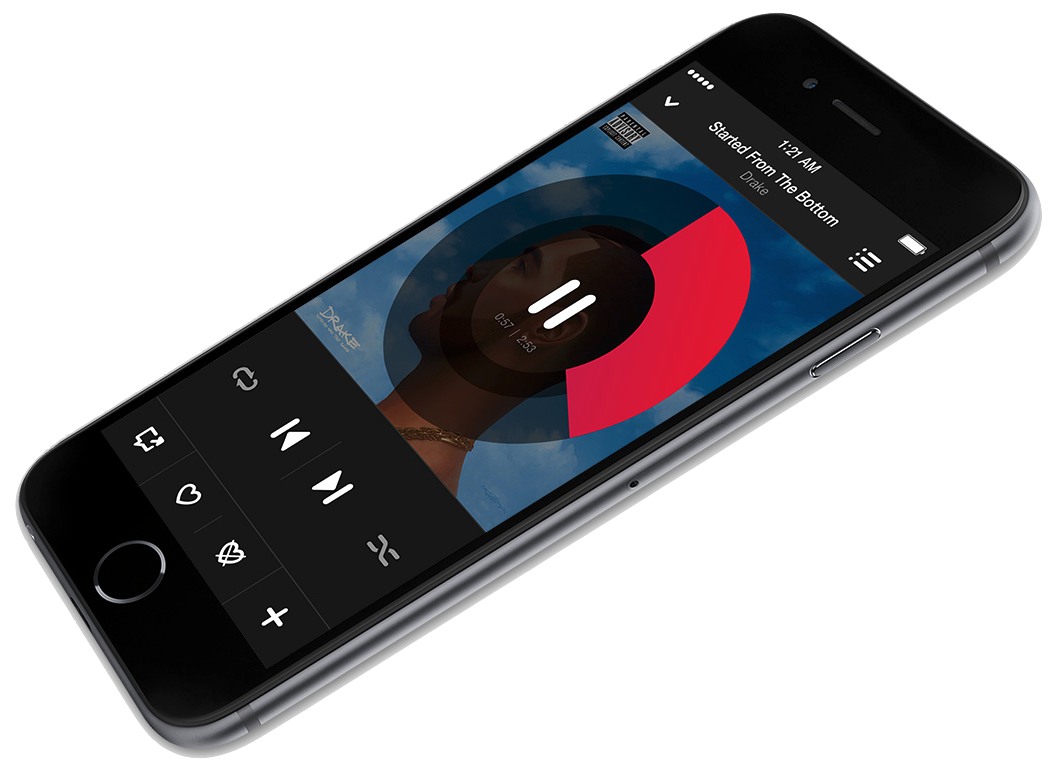
The Pandora iPhone and iPod touch app today received a thorough redesign that is slightly more starker and in line with the iOS 7/iOS 8 design style. The update formats the app for iPhone 6/iPhone 6 Plus’s higher-resolution display and adds various new mini-player and notifications features:

• With the new Personalization Icon, the Thumb History for your favorite stations is at your fingertips.
• Accidentally thumbed a song up or down – now you can un-thumb simply by re-tapping the Thumb Icon.
• We’ve included a new Mini-Player so you can control your music while you browse your track history.
• Stay in the loop when new music is added to your favorite stations and much more with our redesigned Notification & Activity Feed.

Pandora is free on iTunes.


Expand
Expanding
Close

1Password for iOS adds one-time password tool for two factor auth, new login creator, more

Site default logo image

The popular secure password management app 1Password is out with a big update today adding new features on both iOS and Mac. Arriving in version 5.2 of 1Password for iOS is a new login creator tool, a one-time password tool for use with two factor auth, new entry fields for pro users, and more. On the Mac side, 1Password version 5.1 was released adding a number of improvements to sync. This includes the ability to sync secondary vaults to iOS over WiFi. More on the major new features below:


Expand
Expanding
Close

AAPL earnings will come in well above upper end of company’s guidance, say analysts, at $68.3B

Site default logo image

Fortune has done its usual analyst poll ahead of Apple announcing its Q1 earnings tomorrow, and Wall Street is expecting the company to significantly out-perform its earnings guidance of $63.5 to $66.5B.

The consensus among the analysts Fortune polled — 20 professionals and 15 amateurs — is that Apple’s total sales for fiscal Q1 2015 will come in at about $68.3 billion, up 21% year over year.

That would be $1.8B above the upper end of the expectations Apple set back in October … 
Expand
Expanding
Close

Angela Ahrendts recruiting U.S. employees for China as new stores & initiatives revealed

Site default logo image

Apple Senior Vice President of Retail Angela Ahrendts is continuing to go all in on growth in China. In video messages to employees in recent days and weeks, Ahrendts has been recruiting employees from United States-based Apple Retail stores to relocate to China to help build up Apple’s retail efforts in the region. In a note to employees late last week, sources say that Ahrendts reported that approximately 200 Apple retail workers from the U.S. have already offered to make the move. Ahrendts added that the offer to move to China “has no expiration date because as the business grows, our needs will only become greater, so as your personal and professional life changes, just always keep China at the top of your mind, because we’re going to need you…”


Expand
Expanding
Close

Apple targets for Apple Watch battery life revealed, A5-caliber CPU inside

Site default logo image

Although Apple has said that the Apple Watch will need to be charged nightly, the company has not disclosed any details on how long the wearable’s battery will last. For the first time, people with knowledge of the Apple Watch’s development have provided us with the specific performance targets Apple wants to achieve for the Apple Watch battery, but the actual numbers may fall short of those targets.

According to our sources, Apple opted to use a relatively powerful processor and high-quality screen for the Apple Watch, both of which contribute to significant power drain. Running a stripped-down version of iOS codenamed SkiHill, the Apple S1 chip inside the Apple Watch is surprisingly close in performance to the version of Apple’s A5 processor found inside the current-generation iPod touch, while the Retina-class color display is capable of updating at a fluid 60 frames per second.

Apple initially wanted the Apple Watch battery to provide roughly one full day of usage, mixing a comparatively small amount of active use with a larger amount of passive use. As of 2014, Apple wanted the Watch to provide roughly 2.5 to 4 hours of active application use versus 19 hours of combined active/passive use, 3 days of pure standby time, or 4 days if left in a sleeping mode. Sources, however, say that Apple will only likely achieve approximately 2-3 days in either the standby or low-power modes…


Expand
Expanding
Close

Site default logo image

FiftyThree’s Pencil stylus for the iPad now available at Apple Stores, online and retail

[vimeo 78124534 w=1000 h=563]

FiftyThree, the company behind the popular iPad drawing app Paper, has announced that its pressure-sensitive iPad stylus Pencil is now available at the Apple Store for $49.99. Apple is rumored to be launching the 12-inch iPad ‘Pro’ with a Stylus accessory so maybe that’s the new thing.

Pencil was first launched in November 2013.

Pencil is now available at Apple! For the first time ever, see Pencil up close and get it at your local Apple store.

Pencil is currently available in the US, Canada and Europe, with “worldwide availability coming soon.” If you can’t yet get it from your local Apple Store, it’s also available on Amazon. We are also giving away a couple of Pencils this week as a part of our Made in America spotlight on FiftyThree.

The Paper app was updated in November with Adobe Creative Cloud integration, push notifications and sharing directly with the online community Mix.

Chrome for iOS gets Material redesign, OS X Handoff support, iOS 8/iPhone 6 optimizations

Site default logo image

Google is today rolling out Chrome 40 for iOS and with it introducing a redesigned UI, OS X Handoff support, and optimizations for iOS 8 and the new iPhone 6 and 6 Plus.
Expand
Expanding
Close

Site default logo image

Sid Meier’s Starships, a new interstellar strategy game, heads to Mac & iPad early this year

[youtube=https://www.youtube.com/watch?v=CgCt3zWkxCg]

2K and developer Firaxis today announced Sid Meier’s Starships, a new interstellar strategy game arriving early this year on Mac, iPad and PC. The game extends the sci-fi universe introduced last year in Civilization: Beyond Earth, the latest title in Sid Meier’s Civilization series.

The Starships press release describes gameplay as taking “the role of a fleet commander after the age of the Seeding, and tasking them to lead their starships across the universe to defend planets against various enemies, grow their empire, and usher in a new age of peace in the galaxy.” That includes turn-based combat with customizable starships and dynamically generated missions.

Not only will Starships borrow from the universe of Civilization: Beyond Earth, but players with both games will also find integration between the two that 2K says “will enhance and expand the depth of both game experiences.”

“When designing Starships, I was intrigued by the idea of exploring the next chapter in the story of Civilization: Beyond Earth. What happens after we colonize our new home and eventually build starships to take to the stars? What has become of our long-lost brothers and sisters from the planet Earth?” said Sid Meier, director of creative development at Firaxis Games. “My goal was to create an experience that focuses on starship design and combat within a universe filled with interstellar adventure, diplomacy, and exploration.”

2K says the game will arrive sometime in early 2015 for Mac, PC and iPad. Screenshots are below:

iOS developers share their earnings, and the lessons they’ve learned along the way

Site default logo image

If you write iOS apps and wonder how your earnings compare against those of other developers – or you have an idea for an app, and are wondering whether it’s worth pursuing – it can be tough to find any hard information. We hear occasional stories about hugely successful apps like Flappy Bird making hundreds of thousands of dollars per day, and we know there are some apps with literally zero downloads to their name, but what about the middle ground?

Jared Sinclair, developer of the RSS reader Unread, decided last year to share both his earnings from the app, and the lessons he’d learned along the way. It’s taken six months, but several other developers started the new year by following his example, with numbers and lessons shared for podcast player Overcast, graphical game Monument Valley and developer aid Dash … 
Expand
Expanding
Close

Kickstarter iOS app updated w/ new design and iPad support

Site default logo image

Almost a year after shipping its iPhone app, Kickstarter has released version 2.0 which includes full iPad support for the crowdfunding service’s app as well as a new design using a card interface for projects. As with the iPhone version, Kickstarter says its iPad app helps users find new projects to back and keep up with updates on projects you follow, now only bigger with the tablet…
Expand
Expanding
Close

Review: Duet, the app that turns your iPad into a Lightning-connected Mac monitor

Site default logo image

I’m a big-screen fan. It’s the reason my primary Mac is still a 17-inch MacBook Pro, and why I have that hooked up to a 27-inch Apple Thunderbolt Display when I’m in my home office. When travelling, though, I have fewer pixels to play with. Sure, I could get a 15-inch Retina MacBook Pro, but I favor physical screen space over smaller screen elements.

There are existing apps out there, like Air Display, that let you use an iPad as a second monitor for a Mac, but they work via WiFi, which poses two problems. First, they often don’t work on WiFi hotspots, which you’re likely to be using when away from home. Second, even when they do work, there is an annoying amount of lag.

Which is where Duet comes in. Instead of using WiFi, it feeds the video signal from your Mac to iPad using a standard Lightning or 30-pin cable. Built by ex-Apple engineers, I figured it ought to be work well, so put it to the test … 
Expand
Expanding
Close

Site default logo image

Things for iOS updated with Notification Center widget, improved inter-app functionality

Cultured Code released an update for its Things to-do list manager on iPhone and iPad today that added support for a Notification Center widget. The new plugin allows users to keep a list of reminders in the Today view, mark off completed tasks, or quickly access a shortcut for creating new to-dos.

The widget pulls its data from the app’s Today list, and can also let you know which items will be due soon so you can prioritize your activities.

The update also adds a new URI scheme that enables developers working on other apps to integrate their software easily with Things.

You can grab the iPhone version of Things for $9.99 on the App Store. The iPad version is available separately for $19.99.

Site default logo image

9to5Toys Last Call: iPad Leather Smart Covers $15, WD 2TB desktop HDD $65, iPhone 6 ultra-slim case $1, more

Keep up with the best gear and deals on the web by signing up for the brand new 9to5Toys Newsletter. Also, be sure to check us out on: TwitterRSS FeedFacebookGoogle+ and Safari push notifications.

Today’s can’t miss deals:

Last Call Updates:

Apple iPad Leather Smart Covers for iPad 2/3/4 (variety of colors) $15 shipped (orig. $70)

Daily Deals: WD 2TB My Book External HD $65, Klipsch/Bose headphones from $30, Logitech wireless keyboard $18more

iPhone 6 Ultra-slim matte cases in a variety of colors: $1 shipped (up to 8 weeks shipping)

Apple-certified MFi 3.3ft Lightning USB Cable: $7 Prime shipped, more

Small States: Bison Made crafts heirloom quality iPhone 6 wallets and other men’s accessories

More new deals:

More deals still alive:

Software bundles/app deals/more:

New products/ongoing promos/info:

Site default logo image

Apple chip supplier TSMC announces record profits, migrating to more advanced technology

Taiwan Semiconductor Manufacturing Company – better known as TSMC – has posted record Q4 profits after taking around 60% of the orders for the A8 chip in the iPhone 6/Plus. Nasdaq reports the company’s net profits for the quarter rose 79% year-on-year.

TSMC, the world’s largest contract chip maker by revenue, said Thursday that net profit for the three months ended Dec. 31 was 79.99 billion New Taiwan dollars (US$2.51 billion), up from NT$44.81 billion a year earlier.

TSMC’s move into 20-nanometer chip production enabled Apple to reduce its reliance on Samsung for the A8 chip, with the chipmaker saying that it is making further investment in more advanced chip-making technology. It plans to increase its capital expenditure this year to $11.5-12B, up from $9.52B last year.

A KGI report yesterday predicted that TSMC would pick up 100% of orders for the A9X chip expected to be used in the next-generation iPad, as well as making all of the A10 chips for the nominal iPhone 7, and all the S2 chips for the second-generation Apple Watch.

Parallels Access gains new file manager, iPhone 6 support & web version

Site default logo image

Parallels Access today received a significant version 2.5 update with support for the iPhone 6 & iPhone 6 Plus, a new file managing system, improved audio controls, and a new web browser-based version. Parallels Access, as we covered upon its launch for the iPhone last year, is a robust remote computing application that allows you to view and control multiple Macs or Windows PCs via an iPhone, iPad, iPod touch, or Android device.

Besides support for the larger, higher-resolution iPhone 6 and iPhone 6 Plus displays, this new version introduces an improved file management system. The new file picker leverages the new tools in iOS 8 to better work with other applications like Dropbox and Google Drive. Parallels shares the list of enhancements to the feature:


Expand
Expanding
Close

Site default logo image

Google releases Classroom mobile app for iPhone and iPad

[youtube=https://www.youtube.com/watch?v=C2fC7yrj984]

Google announced today that it’s releasing mobile apps for its Google Classroom service for both Android and iOS devices. The company officially launched Classroom to its Apps for Education customers in the US during the summer offering them a web-based platform for planning lessons, handing out assignments, and working alongside students. Teachers and students will now be able to access those features from mobile devices through the new apps and Google is also adding a could of new features to the platform.

In addition to a new teacher assignments page and archiving functions for Classroom, Google notes that the mobile apps will let users snap a photo to share or attach to assignments, share content from other apps, and access content cached for offline viewing.

Snap a photo: Right from the assignment page in the mobile app, students can snap a photo and attach it to their assignment — whether it’s the experiment they just did for a science class, or a drawing they made of their family tree. And if they’ve forgotten their homework, they can ask someone at home to snap a photo, text it and then turn it in with the app. Of course, if the dog has actually eaten it, Classroom can’t help you.

The new Google Classroom apps are available on Google Play and the App Store now as well as on the Google Play for Education store.