Latest

Site default logo image

Clear iOS apps updated with support for iOS 7’s Background Refresh


The popular Clear productivity apps for iOS have been updated today with support for Apple’s Background Refresh feature new in iOS 7. That means your lists in Clear will now update more often, refreshing from iCloud in the background so they’re always up to date across all of your devices running Clear.

The update is available for the $1.99 Clear app for iPhone and the $4.99 Clear+ for iPhone and iPad now. Developer Realmac Software also teased that it’s working on other big new features for a future update:

We’re hard at work on some great new features for Clear – and today we’re releasing a small update to Clear and Clear+ to take advantage of a great new iOS 7 feature: Background Refresh.

iOS 7 launches your most frequently-used apps in the background throughout the day, allowing them to refresh their data. This means that, with today’s update, Clear will refresh your lists from iCloud to ensure they’re always up to date on all your devices.

Site default logo image

NBA Game Time apps updated for 2013-14 season w/ iOS 7 redesign, new free content, and much more

The NBA Game Time apps for both iPhone and iPad have been updated today with a redesign for iOS 7 alongside full support for the 2013-2014 regular season and new content for both free and paid subscribers.

On top of the redesign pictured in the screenshots above, the apps add home and away broadcasts for every game and archives for each nationally broadcast game for those that have an NBA League Pass. It also adds new content for free users, however, including the Game Recaps, Team Video, Player Statistics, Team Rosters, and Team Statistics features previously only available to paid users.

Version 5.1 of NBA Game Time also includes alerts for live streaming videos and push notifications for League Pass subscribers.

NBA Game Time is available for free from the App Store now as separate downloads for iPhone and iPad.

What’s New in Version 5.1

Redesigned and Optimized for iOS7

Full support for the 2013-2014 NBA regular season

NBA League Pass subscribers will now be able to enjoy both the home and away TV broadcasts from every game.

NBA League Pass subscribers will now be able to enjoy archives from each nationally broadcast game.

Game Recaps from every game now free.

Team Video from every team now free.

Player Statistics, Team Rosters, and Team Statistics now free.

Live Video alerts let you know when we’re streaming press conferences and events live.

League Pass Push Notifications now let NBA League Pass users know when games they can watch get exciting.

Many performance improvements.

Site default logo image

Boxie Dropbox iPhone app gains passcode lock, smart text selection & folder-by-folder sorting

Boxie, a new Dropbox client that was launched last week, is already receiving significant updates to make this an even more powerful alternative to the Dropbox app.

Boxie version 1.1 has a lot of behind-the-scenes improvements and optimizations. The update fixes issues with deleting items and offline access. It also adds support for more language including Spanish, Simplified Chinese, Dutch, German, and Portuguese. The new version introduces new error notifications when uploading items into a shared folder fails. It also adds automatic smart selection of text when renaming folders.

New folder-by-folder sorting options let Boxie remember your sorting settings for each folder rather than the app as a whole, allowing you to use customized views in each folder without having to change the view every time you change the folder. Last but not least is an important security setting that allows you to set a passcode to open Boxie, complete with customizable time interval settings and the ability to securely wipe local data.

If you have not tried Boxie yet, check out our in-depth review to learn more about all the features and benefits. Boxie is available in the App Store for $2.99.


Expand
Expanding
Close

Site default logo image

Fandango movie tickets app redesigned for iOS 7, gains improved search

Screen Shot 2013-10-24 at 8.13.25 PM

Fandango, the popular app for browsing movies and theater information, has been redesigned to fit iOS 7’s new interface aesthetic. The new design is simpler and has lots of white space. In addition to the fresh design, the app includes improved trailer playback in the main menu, more powerful search, and exclusive video content.


Expand
Expanding
Close

Site default logo image

How to get your free iWork apps for Macs purchased after Oct. 1

iWork-Up-to-date-program

When Apple unveiled its updated iWork suite during its iPad Air event earlier this week, it also confirmed that it would be making the apps free for all new Mac purchases. That means new Macs shipping with Mavericks would allow users to download Pages, Keynote, and Numbers– previously $20 each– for free from the Mac App Store. That offer also extends to Macs purchased on or after Oct. 1 and yesterday Apple made an Up-To-Date Program available on its website for those that purchased qualifying Mac.

Apple has instructions on its website for applying for the Up-To-Date Program, which requires users to enter their Mac’s serial number, purchase date, and provide Apple with “an electronic copy of a dated, itemized sales receipt indicating the marketing part number(s) of the qualifying product(s) purchased.” Apple will then send codes to customers within 24 hours of confirming the purchase that can be redeemed on the Mac App Store to download the apps.

For those that purchased between Oct. 1 and Oct. 22, you’ll have to apply to the program by Nov. 21. Purchases made after Oct. 22 will have 30 days to qualify.

Apple also says that the program is only for the United States (50 states and the District of Columbia) and Canada, but it’s unclear if it will have similar programs for customers in other countries.

Site default logo image

Are LinkedIn users largely disinterested in its new Intro service?

Yesterday LinkedIn presented a new service called Intro that integrates LinkedIn contact information directly in your iPhone’s Mail app, but it looks like the social networking service is launching to a rather dismal reception.

According to a quick poll held by Polar, more than 80% of users answered negatively when asked if having email proxied was worth native LinkedIn headers.

Personally, I found the setup process especially unfriendly for the audience being served (it’s much more technical than downloading an app via the App Store). Of course, if you have no quibbles with LinkedIn mediating your email for the benefit of a little integration, you can try the service for yourself here.

Us?

Site default logo image

Vine iOS app updated w/ ‘Time Travel’ editing features & ‘Sessions’ for saving drafts

Vine updated its iOS app today with a few new features that allow users to save and maintain multiple drafts of posts and edit their vines before posting.

The first new feature Vine is calling “Sessions.” These are essentially drafts of posts that you can save and access for future editing before posting:

Save any post and come back to it later –– work on up to ten posts at once. Simply tap the new icon in the bottom right corner of your camera to save a new session or open an existing one.

Vine is also including new editing features that it’s calling “Time Travel”. These features allow users to “remove, reorganize or replace any shot within a post at any time.” Now, when shooting a video you’ll see a new green bar that allows you to organize shots as well as a new “Edit” button when in preview mode.

The updated Vine app is available on the App Store now.

https://vine.co/v/hpMLHZea65u

Site default logo image

BlackBerry Messenger for iOS updated with bug fixes for iOS 7.0.3

BBM-ios

Today, BlackBerry has updated its BBM app for iPhone and iPod touch with bug fixes, performance improvements, and some minor interface tweaks. Notably, the update also includes a fix for a font-related bug for users running the recently released iOS 7.0.3. BBM officially began rolling out on iOS and Android earlier this week. The update is available on the App Store and comes on the same day that BlackBerry announced 10 million users of BBM on non-BlackBerry devices.


Expand
Expanding
Close

Site default logo image

LinkedIn debuts Intro with iOS Mail integration

[youtube http://www.youtube.com/watch?v=77sh3jwB7pQ]

LinkedIn announced new software today called LinkedIn Intro, and it’s available for fans of the professional social networking site to try out now.

Basically, LinkedIn Intro connects your Apple Mail inbox, whether it’s iCloud, Yahoo!, AOL, or Gmail, to your LinkedIn account and contacts without requiring a new mail app.
Expand
Expanding
Close

Site default logo image

Popular universal IM app IM+ Pro redesigned for iOS 7, adds sync & typing status

Screen Shot 2013-10-23 at 11.37.15 AM

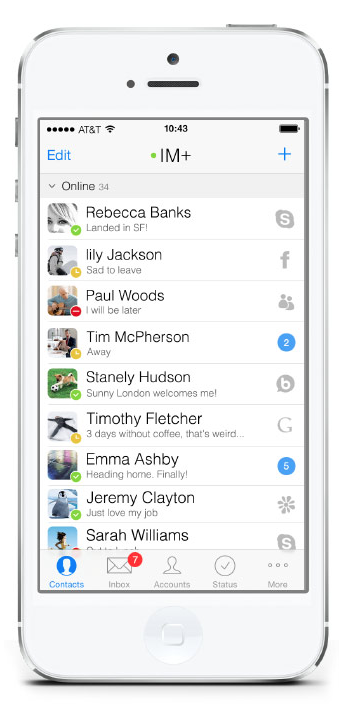
IM + Pro 7,a feature-rich messenger app, has been redesigned to reflect iOS 7’s user-interface style. Today’s update also adds several new features and become a universal app for iPhone, iPad, and iPod touch.

It allows users free texting, sending photos, videos and voice messages. It supports a dozen IM services including Skype, Facebook, Twitter DM, AIM, iChat, ICQ, MSN, LiveMessenger, Jabber, Yahoo, Google Talk, and MySpace. It supports Group Chats in Skype, AIM, ICQ and Neighbors.

New features include setting up multiple accounts per service, typing notifications, iCloud sync and beep mobile-to-mobile messenger alerts. If you forget your iOS device at home, you are always able to log on from a computer using their website. IM + Pro 7 is available in the App Store for $4.99.

Site default logo image

Apple TV update brings new iMovie Theater channel

Apple-TV-iMovie-Theater

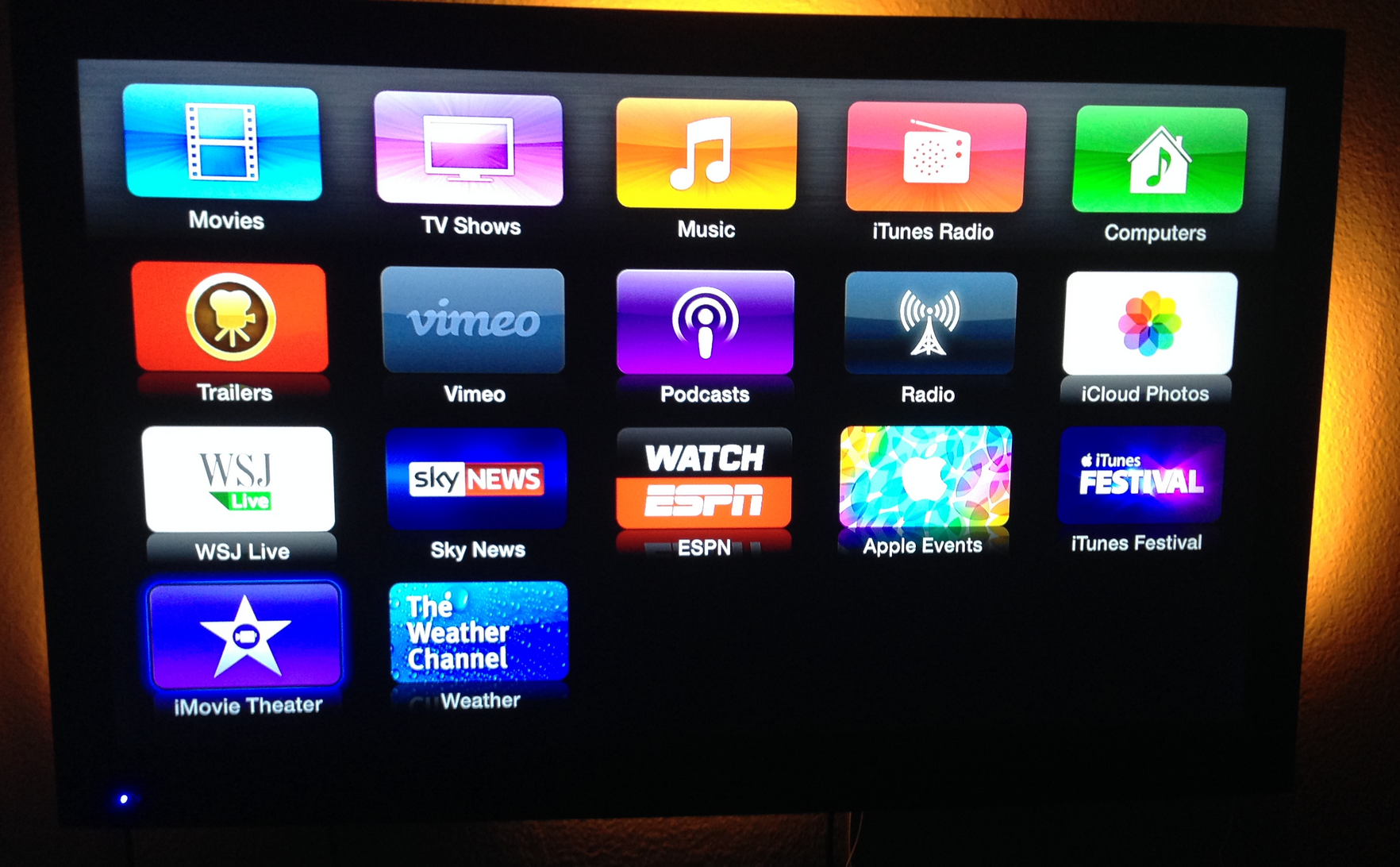
When Apple updated its iLife suite on iOS and OS X today during its iPad event, it announced a new feature for iMovie called “iMovie Theater” designed to allow users to share content to iCloud and then watch the clips, movies or trailers easily on any Apple device. Apple mentioned that would also include the Apple TV and has now added a new “iMovie Theater” channel in a quiet update to Apple TV.

The new iMovie Theater channel is accessible after installing a software update on Apple TVs and you can access your shared content by signing into the same Apple ID used for your iCloud account on your other Apple devices with iMovie.

The iMovie apps are available for free to users who purchase new devices and to everyone else for $4.99 and $14.99 on the App Stores.

Apple’s new iLife & iWork apps for iOS 7 now available on App Store w/ 64-bit support & new features

Site default logo image

After announcing earlier today at it is releasing new versions of iWork and iLife for both Mac OS X and iOS, the updated versions of iMovie, Keynote, Numbers, Pages, GarageBand, and iPhoto are now all available on the App Store for iPhone and iPad.

While Apple was only able to go through a few new features of each app during its iPad event this morning, the iTunes release notes have a long list of new features listed for each app. Below you’ll find release notes detailing what’s new for each of the iWork and iLife suites for iOS. 
Expand
Expanding
Close

Site default logo image

Aperture updated to version 3.5 with support for iCloud photo sharing, SmugMug integration, and more

screen800x500

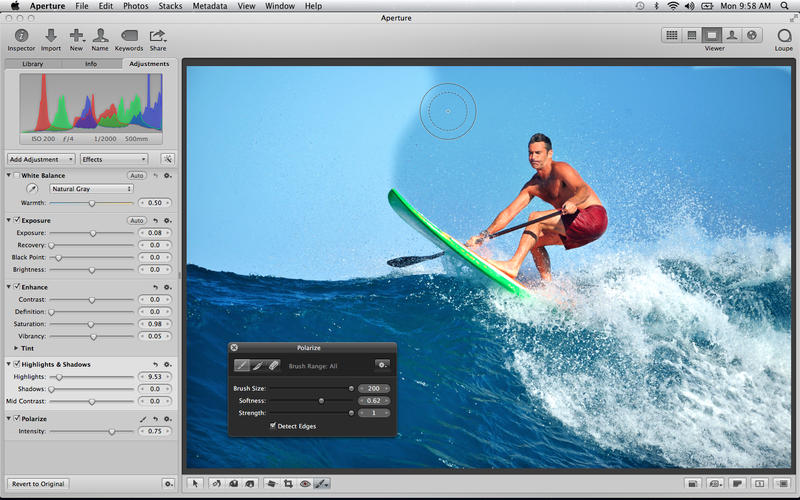
Along with a slew of other updates today, Apple has just released version 3.5 of Aperture, with notable support for iCloud photo sharing, multiple contributors to Photo Streams, and the ability to post videos to shared streams. The “Places” feature inside of Aperture has also switched to use Apple Maps, instead of relying on Google’s mapping data like it did previously. SmugMug integration has also been added, allowing those who use the service to publish and sync galleries of their photos. A full change log for Aperture is listed below. You can grab the app for $79.99 in the App Store.


Expand
Expanding
Close

Pixelmator 3.0 FX released: adds layer styles, ‘Liquify’ warping tools, Mac Pro and Mavericks optimizations

Pixelmator Liquify Tools

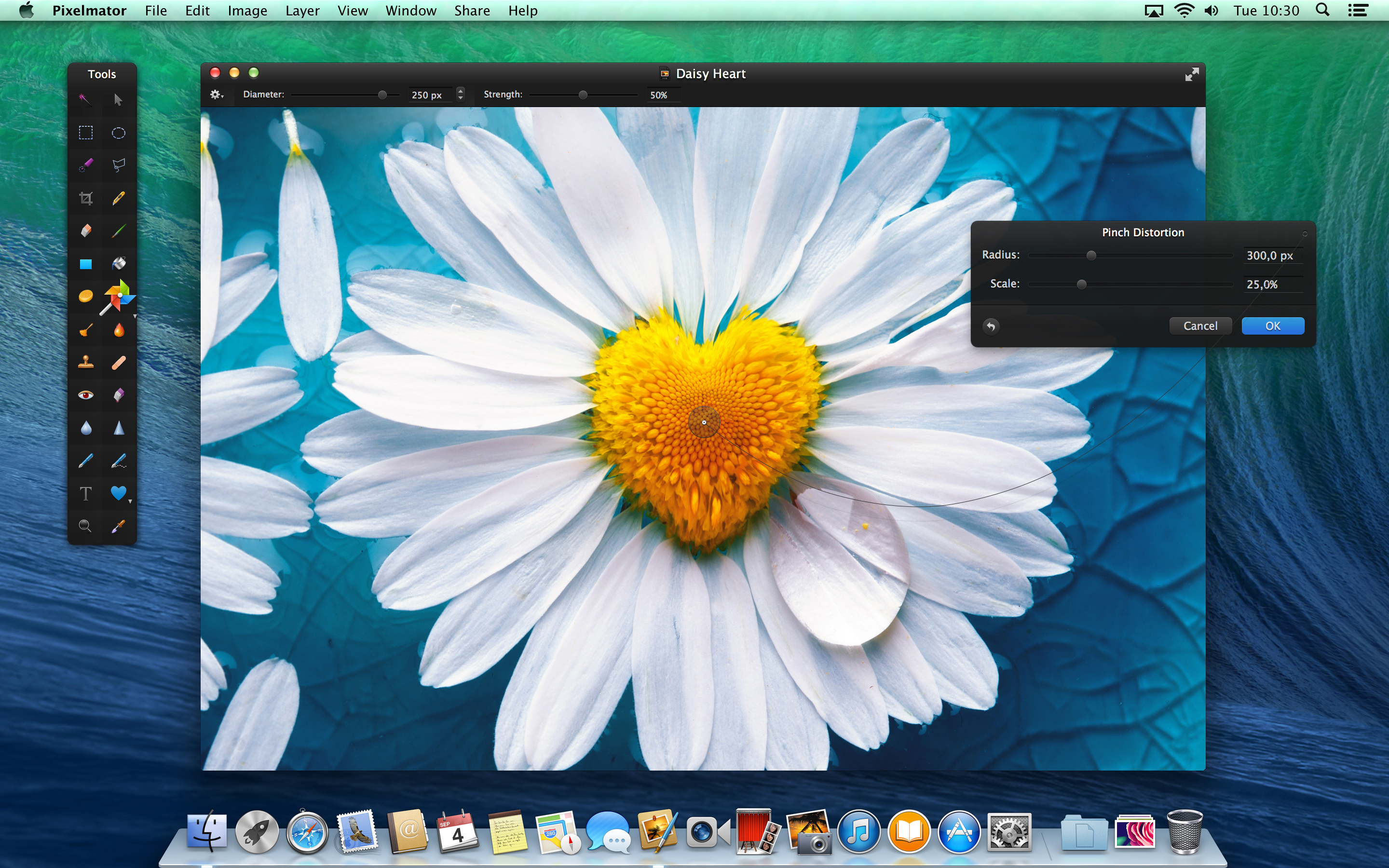
Today, the team behind Pixelmator has released the latest version of their app, version 3.0 FX. As before, the app is available on the Mac App Store for $29.99. The update brings a slew of changes to the already popular image editor, especially considering version 2.2 was only released a few weeks ago. 9to5Mac has had access to a preview copy of the update for a few days … so read on for a full walkthrough of the changes.

The headline feature for Pixelmator 3.0 is the addition of layer styles. Layer styles apply effects such as strokes, fills, shadows and reflections to the entire layer in very few clicks. More importantly, these changes are non-destructive — they affect the layer, not the canvas pixels themselves. This means layer effects can be undone and manipulated without changing the underlying image data. In fact, layer styles can even be copied to the clipboard and duplicated across layers.


Expand
Expanding
Close

Site default logo image

Spotify iOS app updated with iOS 7 compatibility & UI tweaks

Spotify-App-icon-01While the majority of popular apps have already released updates to incorporate support for iOS 7, Spotify is a little bit late to the game with its iOS 7 support update hitting the App Store today. The release notes on iTunes don’t mention many changes other than compatibility with iOS 7, but you will see a few UI tweaks that make the app fit more in with Apple’s new, flatter OS. Buttons and other UI elements seem to have been given the flat treatment, and you’ll also notice that the sidebar and media controls have been streamlined as well.

Version 0.8.0 of Spotify for iPhone and iPad is available now on the App Store.

What’s New in Version 0.8.0

• New: Now compatible with iOS 7.
• Fixed: Some bugs that were irritating us.
• Fictitious: This app cries at weddings.

Site default logo image

BlackBerry announces 5 million downloads of BBM for iOS and Android only 8 hours after release

BlackBerry revealed via the official BBM Twitter account that in the first eight hours since launching BBM for iPhone and Android, the app has been downloaded over by over 5 million customers across both platforms. The app is also now the #1 free app on the iTunes App Store.

That number could actually be much higher, as the 5 million applies only to the number of users whose accounts have been activated for use. BlackBerry did not specify how many more users were still waiting to be activated, if any.

[tweet https://twitter.com/BBM/statuses/392474565059686400 align=’center’]

Site default logo image

Hulu Plus iOS app updated w/ Chromecast streaming on iPhone

Hulu-Plus-iOS

Earlier this month Google announced that Hulu had updated its Hulu Plus mobile apps with support for Chromecast feature, something that it promised was on the way back in July when it first announced the $35 HDMI streaming stick. The iOS version of the Hulu Plus app previously only supported Chromecast streaming from iPad, but today the app was updated with the ability to stream TV shows and movies to Chromecast from iPhones running iOS 6 and up:

The Hulu Plus integration with Chromecast will convert your app into a custom remote letting you control video on your Chromecast connected TVs, while allowing you to browse the Hulu Plus app directly from your iPhone.

What’s New in Version 3.3.1

Start casting your favorite TV shows and Movies on Chromecast from Hulu Plus, now from your iPhone (iOS6 and above)

BlackBerry announces BBM for iPhone & Android available today with reservation system

Site default logo image

Update: The app is now live on the App Store.

After the BBM apps prematurely started rolling out for iPhone and Android and were abruptly pulled late last month, BlackBerry finally confirmed today that it’s officially kicking off the roll out of the apps. In a blog post, the company announced that the BBM apps will be available for both iPhone and Android within the next few hours through the App Store, Google Play, and Samsung’s App Store:

The demand for BBM on Android and BBM on iPhone continues to be amazing. About six million people signed up for information about BBM at BBM.com. As you know, in just seven hours, about one million Android users were using the unreleased version of BBM for Android. What you don’t know is that more than one million people have found creative ways to “side load” BBM on their iPhone. This is incredible.

While the app is available to download starting today, it will utilize a staggered rollout that will see users reserving a spot in line by entering their email address. BlackBerry says users that signed up previously through its website can start using the app immediately, but we’ll have to wait to see how many people sign up today in order to estimate how long the queue will be. 
Expand
Expanding
Close

Site default logo image

Google Hangouts for iOS adds outgoing and incoming voice calls through Google Voice

The Google Hangouts app for iPhone and iPad got a significant update to version 1.3 today. The update introduces Google Voice integration that allows incoming calls to your Google Voice number and outgoing calls to U.S. and Canadian numbers. Also included in the new version is the ability to see which friends are currently online, support for animated GIFs, and a fix to keep the app from stopping your music when a message comes in.

The update is available for free to all users on the iOS App Store now.


Expand
Expanding
Close

Site default logo image

Facebook for iOS updated with comment editing, photos, and more

Facebook for iOS received an update today bringing the ability to edit posts and comments directly from your iPhone, iPad, or iPod touch. Previously, this feature was only available from the desktop version of the website. The update also brings another desktop feature: the ability to add photos to comments. All in all, version 6.6 appears to bring the app closer to feature parity with the desktop, but a few of these features like status and comment editing appear to be absent from the iPad app for now. Read the full change log and see examples below:
Expand
Expanding
Close

Site default logo image

Yahoo Screen iOS app adds AirPlay support, push notifications, and more

Yahoo Screen, the iOS app the company launched back in September as a TV remote-like experience for browsing content from Yahoo, gets updated today to version 1.0.2. With the update, users can now AirPlay content from the app to an Apple TV and receive push notifications for live content like “breaking news and concerts.”

The updated app also brings the usual bug fixes and performance enhancements.

Yahoo Screen is available on the App Store for free on iPhone and iPad and includes Yahoo content from Comedy Central, MLB, UFC, The Onion, Martha Stewart, and more.

What’s New in Version 1.0.2

* Now with AirPlay support! Send a video to your TV while still browsing others in the app.
* Push notifications for live and featured videos, such as breaking news and concerts.
* Bug fixes and performance improvements

Site default logo image

Microsoft debuts Remote Desktop app for PC access on iOS (Update: For Mac too)

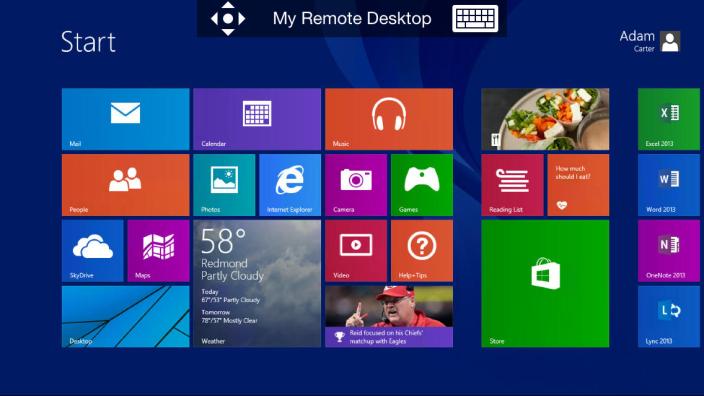
Alongside Windows 8.1, Microsoft released a rather useful app for iOS as well today. Microsoft Remote Desktop allows you to access and control your Windows PC from your iPhone, iPad, or iPod touch. It looks like a rather decent utility, especially for business users, as plenty of similar apps have tried to pull off the same function with less simplicity.

With the Microsoft Remote Desktop app, you can connect to a remote PC and your work resources from almost anywhere. Experience the power of Windows with RemoteFX in a Remote Desktop client designed to help you get your work done wherever you are.

Features
•Access to remote resources through the Remote Desktop Gateway
•Rich multi-touch experience with remote desktop protocol (RDP) and RemoteFX supporting Windows gestures
•Secure connection to your data and applications with breakthrough Network Layer Authentication (NLA) technology
•Simple management of all remote connections from the connection center
•High quality video and sound streaming with improved compression and bandwidth usage
•Easy connection to external monitors or projectors for presentations

Microsoft Remote Desktop is a free for iPhone, iPad, and iPod touch users in the App Store.

Update: Microsoft introduced a version for Mac as well for OS X users to control Windows remotely.

Site default logo image

Twitter to launch standalone Direct Messaging app?

Twitter-iOS-7

Twitter has been making a lot of improvements to its messaging experience in its mobile apps in recent months. It first introduced Direct Message syncing and other improvements back in July, and in recent weeks started rolling out the ability to receive direct messages from any follower (even those you don’t specifically follow) for a select number of users after testing it internally. Today, a new report claims that Twitter is planning further improvements to Direct Messaging and could as far as launching a standalone messaging app, much like Facebook Messenger.

The company plans to significantly update its direct-messaging product in the near future, according to multiple sources, bringing the long-buried feature to the forefront for the first time in years.

But Twitter’s new vision for direct messages will go further. It has kicked around the idea of launching a standalone direct-messaging application separate from the Twitter app, according to three people familiar with the matter. It is unclear, however, what form the final revamp of direct messages will take.

The report doesn’t provide much more info on Twitter’s plans, but does say it recently met with employees from MessageMe, one of the increasingly popular messaging apps that Twitter’s revamped DM service would attempt to combat. It also adds that we could see the new Direct Messaging app by the end of the year alongside a previously reported design overhaul.

Review: Catch the Berry, a new original addicting physics-puzzle game made by Random House Digital

Site default logo image

photo

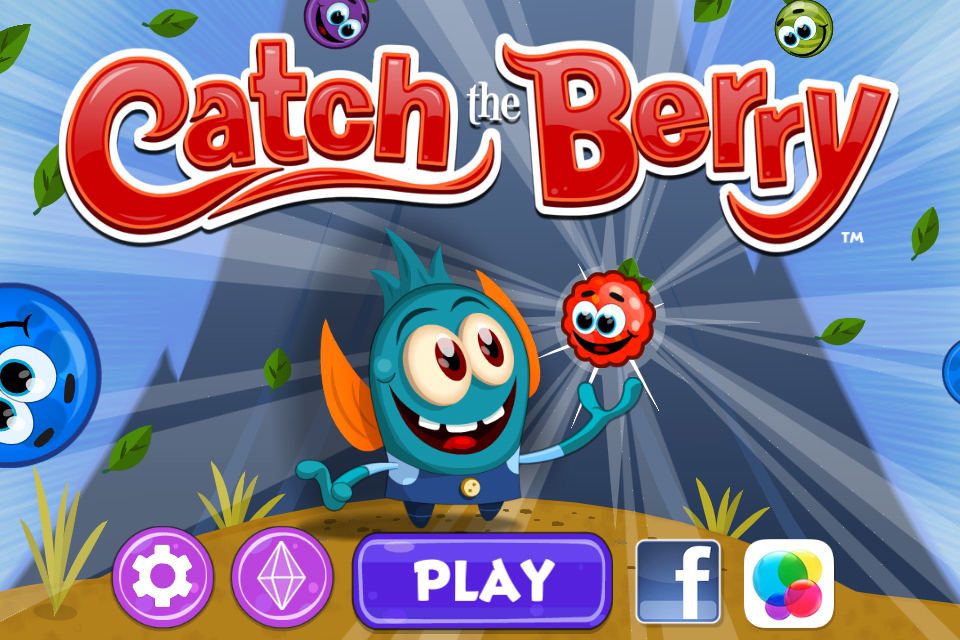
Random House Digital launched their first original game app today: Catch the Berry. In this physics-based puzzle game, mystical creatures called the Telfnords harvest and collect magical berries. The object of the game is to catch the berries and gems in the Telfnords’ basket using your knowledge of gravity, velocity, and acceleration.
Expand
Expanding
Close