Latest

Site default logo image

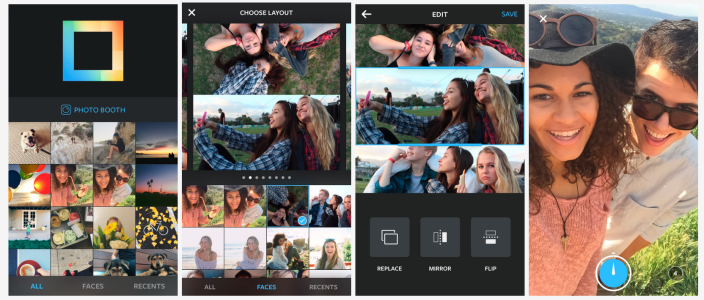
Instagram iOS app adding Fade and Color tools, post notifications

Instgram-fade-color-01

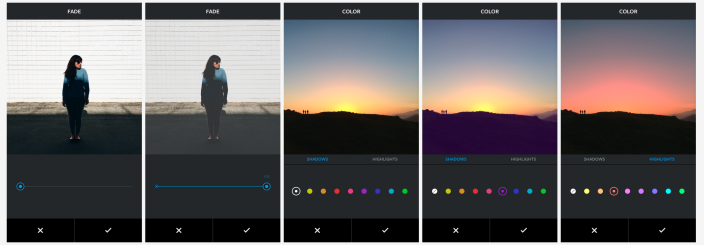
Instagram is adding a few new features to its iOS app this week including two new creative tools for editing photos and a new post notifications feature.

1For the two new creative tools, the Fade feature offers “a quiet tone to your photos by softening colors,” while the Color tool allows you to apply a yellow, orange, red, pink, purple, blue, cyan or green tint to the shadows and highlights in your photos.

Also new in the updated Instagram app is a Post Notifications feature that allows you to receive notifications when people you follow post once enabled: You will see an option to “Turn on Post Notifications.

The updated Instagram app, version 6.10.0, will hit the App Store this week.

Site default logo image

Adobe Document Cloud now available w/ Acrobat DC, Fill & Sign, & eSign Manager DC for iOS

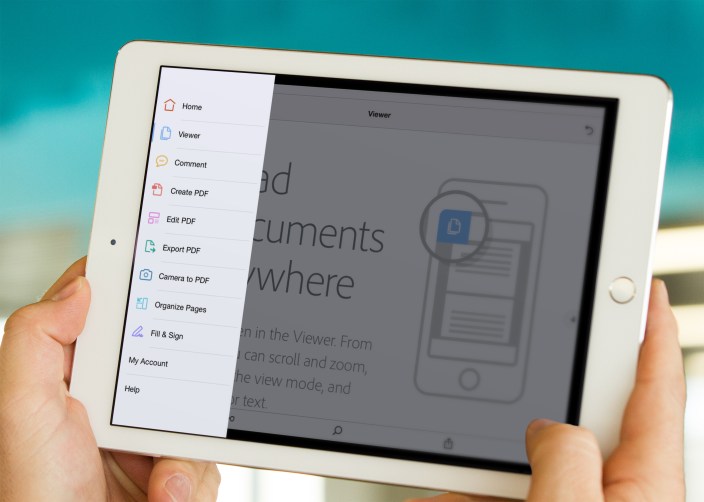
Acrobat DC Mobile App Tools View On iPad

Adobe announced its new Document Cloud service a few weeks ago including new iOS apps for handling documents on-the-go. Described as the digital document hub, Adobe’s Document Cloud includes integration with new apps for iPhone and iPad.

Adobe Fill & Sign for iPad is out now with integration with new Adobe Acrobat DC app allowing you to complete PDF forms right down to your signature from your iPad. Adobe EchoSign for both iPhone and iPad is now Adobe eSign Manager DC as it now integrates with the Document Cloud service. At the center of the mobile experience is the previously mentioned Adobe Acrobat DC for both iPhone and iPad. Formerly Adobe Reader, the new Adobe Acrobat DC app is the company’s PDF management app showcasing the new Document Cloud service.

The new and updated apps are available now on the App Store and come included with an Adobe Document Cloud subscription which starts at $14.99/month after a 30-day free trial. Full Adobe Creative Cloud members can also access Document Cloud through Adobe Acrobat DC at no additional charge.

Site default logo image

Twitter unveils revamped ‘quote tweet’ functionality, rolling out to iPhone & web users today

Twitter this evening has announced a change to the “quote tweet” functionality of its service. With an update that’s rolling out to iPhone and web users today, using the quote tweet feature will now embed the actual tweet instead of simply quoting it as text.


Expand
Expanding
Close

Microsoft brings its OneNote scanner to the iPhone with Office Lens

Site default logo image

Microsoft is bringing its OneNote scanner app called Office Lens to the iPhone after first launching on Windows Phone a year ago. Office Lens is similar to other on-the-go scanner apps letting you use your iPhone camera to capture information from receipts, documents, and other information around you. Office Lens is different, however, because it’s connected directly with OneNote, Microsoft’s cloud-syncing notebook service.


Expand
Expanding
Close

Site default logo image

Skype iOS app adding language support for Vietnamese, Thai, Croatian, Hindi, and 8 others

Skype-iPhone-6

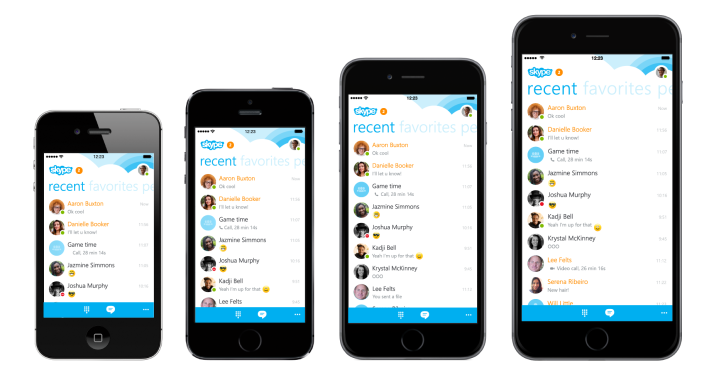
Skype is about to add support for 12 new languages to its iOS app in an update arriving over the next week.

The new languages include Croatian, Slovak, Catalan, Vietnamese, Thai, Hindi, Greek, Hungarian, Indonesian, Malay, Turkish, and Estonian.

The update follows version 5.11 released last month with language support for Czech, Romanian and Ukrainian.

The new Skype app, version 5.12, will be available on the App Store sometime in the coming week.

Skype’s Qik iPhone app is also receiving an update today:

We created 8 new effects you can use while recording your videos to make them more fun and playful. Once you open the viewfinder, you can select an effect to apply to your video. You can even switch from one to another while you’re recording to include multiple effects in one video message. Choose from favorites like mirror, x-ray and Minecraft (a staff favorite that makes you look 8-bit) or go crazy with hearts or snow.

Adobe Slate lets you publish magazine-like stories from your iPad without design expertise

Site default logo image

Adobe Slate

Adobe is out today with its latest app for content creators on the iPad. The new Adobe Slate app is available for free and joins the similar Voice app Adobe launched last May. Where Adobe Voice focused on using the iPad and later the iPhone for story telling with the spokenword backed by visual elements, the new Adobe Slate app pairs text with fluid and customizable attractive layouts that look great whether you’re a designer or not.
Expand
Expanding
Close

New York Times, Uber and Flipboard get ready for Apple Watch

Site default logo image

photo-2-1024x420

As the Apple Watch launch draws nearer, with preorders starting April 10th, more and more developers are jumping on board. Uber rolled out a new update of its iPhone app today including its Apple Watch app — originally announced at the March event. The app allows users to request rides in one action and you can check on driver progress with a quick glance.

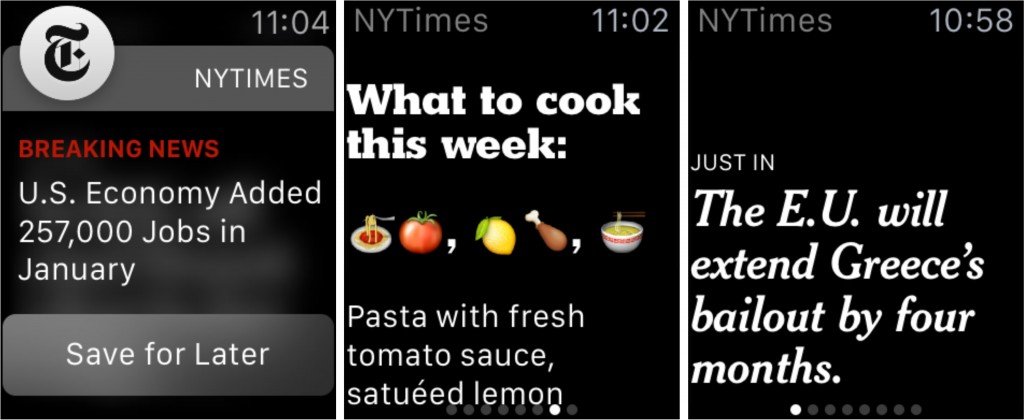
The New York Times is adding ‘one sentence stories’ to its portfolio for the Watch, including emoji-driven recipes and quick headlines. Push notifications will update Apple Watch users of breaking news right on the wrist. Full stories can be saved for later to be read at leisure on user’s iPhones, as the Watch form factor isn’t really appropriate for prolonged reading.


Expand
Expanding
Close

Adobe releases Comp CC layout-design iPad app

Site default logo image

Adobe today released a new iPad app dubbed Comp CC that offers “rapid creation of layout concepts for mobile, Web and print projects” that can later be used in Photoshop CC, Illustrator CC and InDesign CC. Adobe first previewed the new app last year when it was still an early prototype, but today the app is arriving on the App Store for all.
Expand
Expanding
Close

Review: Filters, a new photo editor for iPhone with over 800 image effects and a stunning design

http://www.youtube.com/watch?v=dCwIycCsNiE

Mike Rundle, an independent designer and developer, is today releasing Filters for iPhone ($0.99), a visual effects photo editor. Rundle’s integrated development workflow, both writing the code and designing the interface, shows through in his work. This is how Filters describes itself.

You don’t take photos with Filters. You transform them. Filters has over 800 ways to transform your photographs including fully adjustable authentic vintage film recreations, hand-painted textures, vibrant colored gel overlays, special multi-effect adjustments (Shine, Luna, Color Boost, Intimidate and Smart Fade) as well as standard image adjustment tools like brightness, contrast, color temperature, exposure and more. All features are included with nothing extra to purchase.
The app features over 800 different image effects presented with some of the best UI design I’ve seen. However there’s no getting away from the fact Filters enters a crowded market with stiff competition. It’s interesting to see how Rundle has tried to differentiate his app from the rest. Read on for our full review of the iPhone’s newest image app.


Expand
Expanding
Close

Facebook unveils platform to integrate third-party apps, customer support for businesses into Messenger

Site default logo image

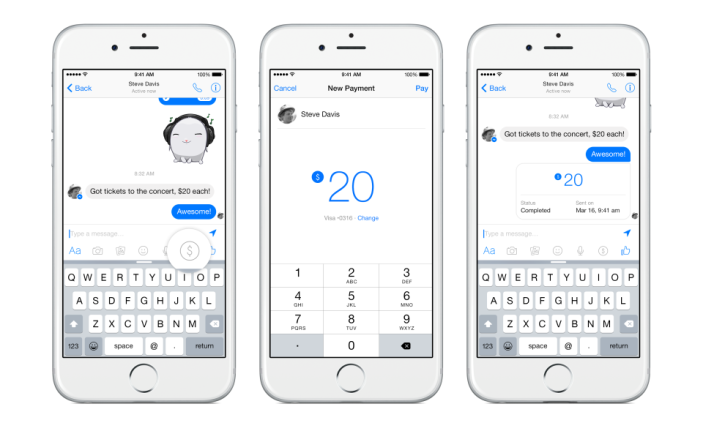
During its F8 Developer Conference today, Facebook announced a new Facebook Messenger Platform that will allow third-party apps to integrate with its popular Messenger app.
Expand
Expanding
Close

Review: Fantastical 2 for Mac graduates to a full calendar replacement w/ Yosemite widget+extension, much more

Site default logo image

Fantastical 2 Mac 1

Fantastical’s ability to parse natural language input and create detailed appointment entries on your calendar has always been the primary reason to use it instead of or in addition to Apple’s own Calendar app on the Mac. Apple Calendar has picked up some language parsing smarts in recent updates, too, but it still doesn’t match Fantastical’s control and real-time appointment preview.

Still, I say in addition to because Fantastical for Mac has lived in the menu bar next to your clock, WiFi status, and other utilities where you can quickly access it for reference or adding an appointment from anywhere in the OS. The menu bar app includes a compact month view calendar above a streamlined, scrollable list view of appointments and reminders, but sometimes it’s nice to stretch out and view your schedule in a different context.

So when Fantastical first debuted on iPad almost a year ago putting the efficient list view next to a larger full calendar, I wrote optimistically that “the iPad’s app design could spill over into a future version of the Mac app (maybe as a dock app rather than a menu bar app).”

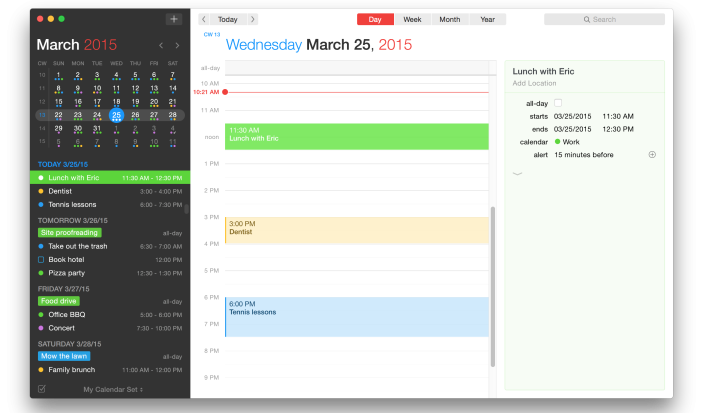
What Fantastical 2 for Mac actually became is even better: the same menu bar calendar users know and love (but new and improved!), and a full-sized calendar app with an optional dock icon. Both have been designed with the aesthetics of OS X Yosemite in mind and loads of under-the-hood features and improvements including the ability to actually change which calendars you see based on your location.
Expand
Expanding
Close

Inklet plug-in adds pressure-sensitive drawing on new Force Touch MacBook trackpad

Site default logo image

pd_inklet_iso

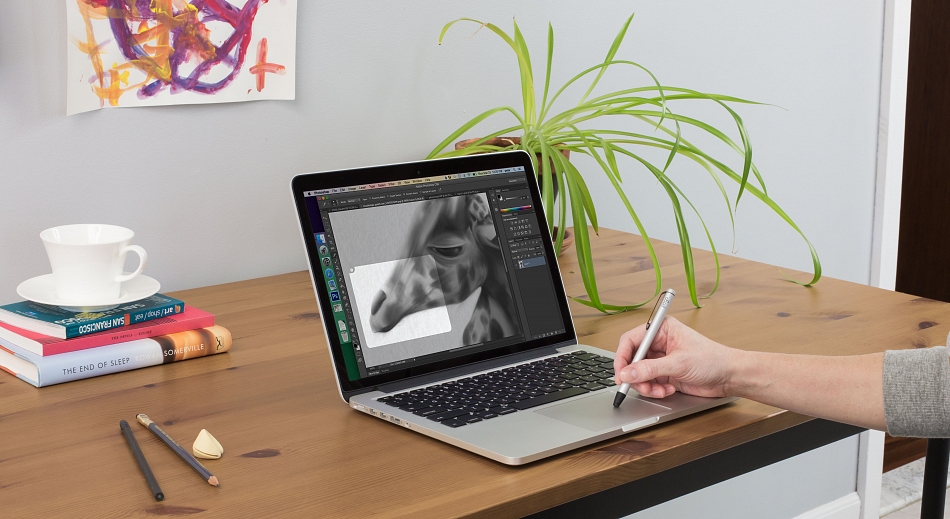
Ten One Design has released an updated version of its drawing plug-in, Inklet, adding pressure-sensitive drawing on the new Force Touch trackpad in all Mac drawing apps, including Photoshop, Lightroom, Aperture and Illustrator. The new trackpad was introduced by Apple on the 12-inch MacBook and 13-inch MacBook Pro with Retina display.

This means MacBook owners with the new trackpad will enjoy enhanced, highly-accurate pressure sensitivity when drawing on the trackpad whether drawing with a stylus or with a finger.

Inklet for Mac adds an icon to your menubar that you click when you want to draw on your trackpad in your chosen app … 
Expand
Expanding
Close

Site default logo image

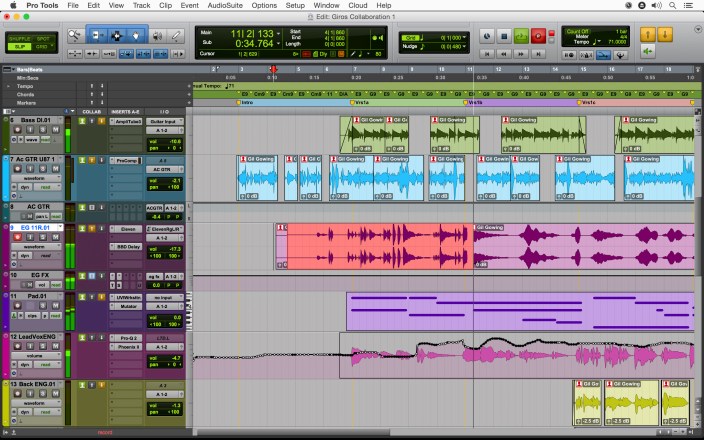
Pro Tools 12 now available with new subscription models

Pro-Tools-12

After first announcing and showing off new licensing plans with Pro Tools 12 in January, today the latest version of Pro Tools has arrived at last alongside the new subscription plans on Avid’s online store.

Highlights for Pro Tools 12 include a new “Avid Cloud Collaboration” feature that lets users collaborate in real-time from different locations using built-in chat and other collaboration features, and a new “Avid Marketplace” for finding talent and accessing apps, plug-ins and third-party content.

For the first time, Avid is making Pro Tools, with version 12, available through license subscriptions starting at $29.99/month. An annual update is available for $199 (the one-time price of Apple’s competitive Logic Pro X), while the annual subscription plan will go for $299. Lastly, Avid has perpetual licenses starting at $899.

(via The Loop)

Site default logo image

Google Maps iOS app adds full-screen maps, improved voice search & transit directions

Google-Maps-iPhoneGoogle Maps for iPhone and iPad has received an update to version 4.4.0 bringing a new full-screen map view, improved transit directions and voice search, and the ability to filter search results for Zagat-reviewed restaurants.
Google notes that the new full-screen mode can be activated by “tapping an empty spot on the map,” while improved voice search brings the ability to “type, or tap the mic and say, “directions to” a place for faster results.”

The update also includes new transit line colors on maps when viewing transit directions and a Zagat filter for restaurants in search results.

The updated Google Maps app for iOS, version 4.4.0, is available on the App Store now.

What’s New in Version 4.4.0

• View a full-screen map by tapping an empty spot on the map
• See transit line colors on the map when you get transit directions
• Filter search results for Zagat-rated restaurants (where available)
• Type, or tap the mic and say, “directions to” a place for faster results
• Bug fixes

CARROT Weather’s forecast includes a 100% chance of snark

Site default logo image

You all remember CARROT, right? The sadistic, sarcastic artificial intelligence that powers a collection of productivity and fitness applications has returned for a fifth app. The latest piece of software to join the CARROT family is CARROT Weather.

As you may have gathered from the title, this new app helps you track current and upcoming weather conditions with the snark that only CARROT can really nail. The Weather app is much simpler in presentation than its predecessors, but it’s just as robust as you’ve come to expect from this line of apps.


Expand
Expanding
Close

Site default logo image

Atari’s new gamified fitness app lets you unlock classic arcade games by working out

Atari is releasing a new fitness app today called Atari Fit that lets users unlock classic Atari arcade games by working out.

The app acts as a personal trainer of sorts with over 100 exercises and fitness routines as well as integration with Apple’s Health app and fitness tracking wearables like Fitbit and Jawbone.

It also has a few interesting gaming features including multiplayer, online leaderboards, and the ability unlock classic Atari games like Pong, Super Breakout, and Centipede:

Multiplayer – Play with friends all over the world anytime. Join a team and workout together or race against each other. Track your stats as a group and encourage each other to workout. Compete to become the fittest team of gamers worldwide!

In addition to unlocking games using points earned by working out, Atari is teaming up with Walgreens to offer Walgreens Balance Rewards loyalty program points as in-game rewards.

The Atari Fit iPhone app is available for free on the App Store.

Pixelmator 1.1 for iPad adds realistic watercolor painting, new Color Picker, more

Site default logo image

Live-Brush-Preview

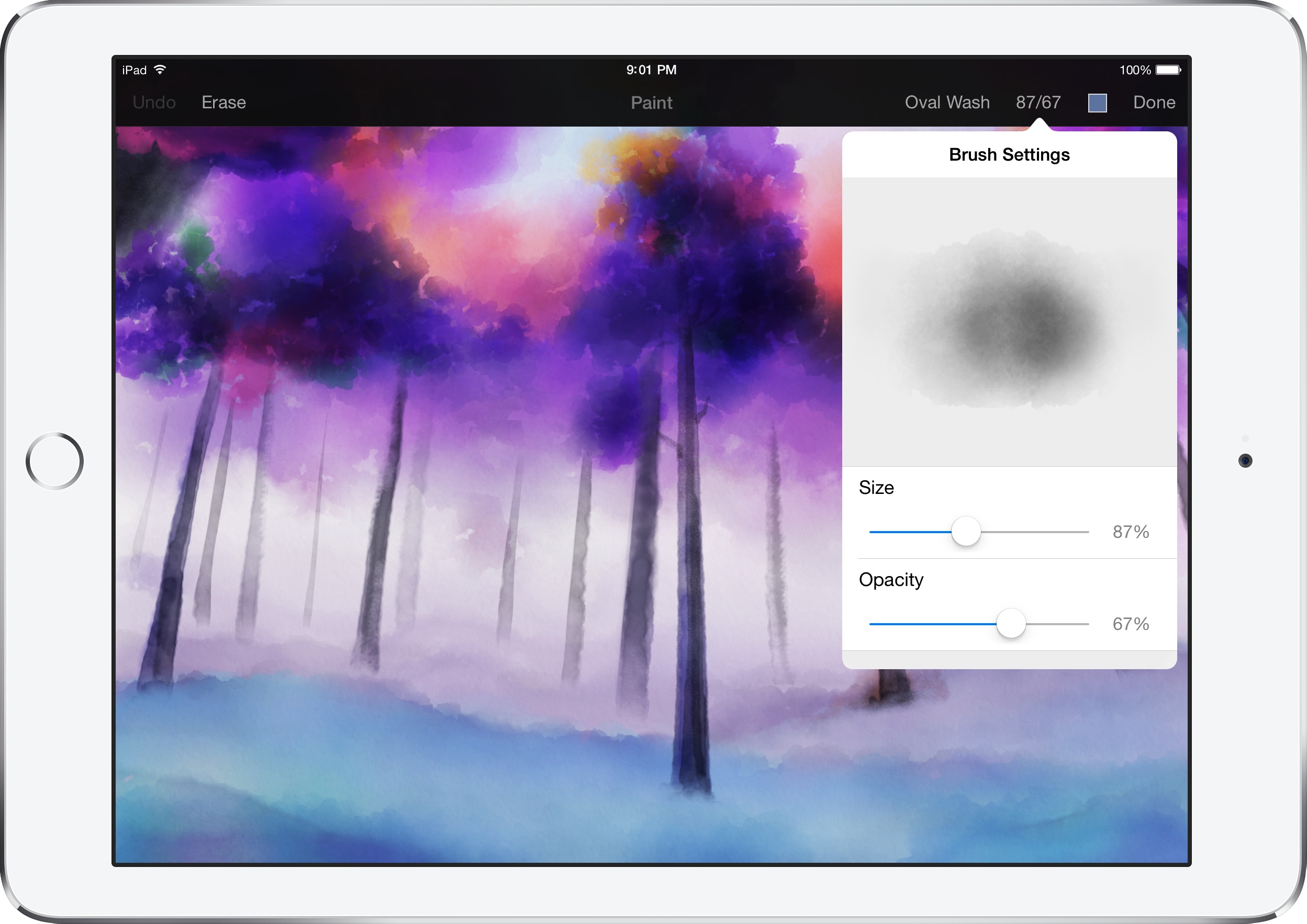
Pixelmator has today released a new update for the iPad version ($9.99) of its popular image editor. Version 1.1 includes a brand new watercolor painting feature, which can be used to create brand new pieces of art from a blank canvas or add stylistic additions to existing images and photos. Brushes overlay new colors additively with soft radiuses to create beautiful blends and shading. Pixelmator says they spoke to real artists to help design the brush strokes. It feels really nice to use.

Although watercolor painting is the headline addition, Pixelmator 1.1 also includes a new Color Picker with a swatch of previously selected colors, an updated rendering engine for better performance and much more. You have to see it in action … (video below)


Expand
Expanding
Close

Site default logo image

Flexibits teases upcoming Fantastical 2 for Mac app

Fantastical 2 for Mac teaser

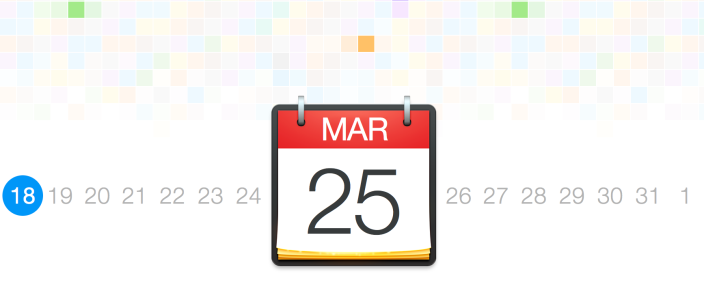
Flexibits just released the first teaser for the upcoming Fantastical 2 for Mac app. The teaser includes new iconography matching OS X Yosemite’s aesthetics similar to the iOS 7 and later versions of Fantastical 2 for iPhone and iPad. Fantastical 2 for Mac will obviously be the sequel to the popular language parsing calendar utility for Mac.

The new version of the smart calendar app is due out in one week on March 25th, the teaser reveals, and we’ll have a full, hands-on review at launch so stay tuned. Until then, check out the Fantastical 2 for Mac teaser here (it has a cool 1984 Macintosh Super Bowl ad vibe to it) and catch up on our review coverage of Fantastical 2 for iPhone and iPad.
Expand
Expanding
Close

Tumult releases Hype 3 and Hype Professional with new HTML5 physics, responsive design tools

Site default logo image

hype3pro

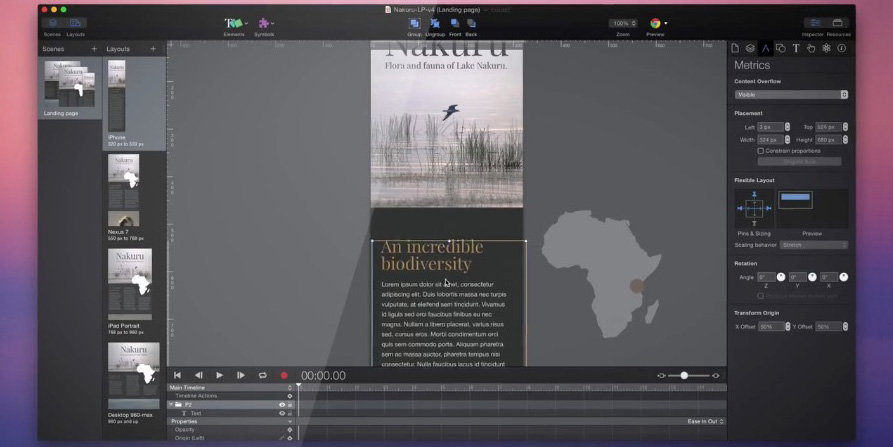
Tumult, developer of the user-friendly HTML5 web site and animation builder Hype, today announced two major updates to the powerful OS X application.

Hype 3 ($49.99) is a free upgrade for Hype 2 owners, refreshing the app with a new user interface — notably with a Yosemite-matching Light color theme — while making improvements to HTML accessibility, timing functions and timeline adjustments. Using Hype, even amateur designers can create interactive HTML5 web sites that work perfectly on desktop, laptop, tablet, and smartphone screens; no coding is required.


Expand
Expanding
Close

Launcher returning to the App Store after controversial Today widget rejection last year

Site default logo image

Launcher is coming back to the App Store, after a fracas with Apple late last year over the rules regarding widgets in the Today view of Notification Center. According to the developer, Greg Gardner, Apple has changed its mind on how widgets in Notification can function—something we’ve seen before. Launcher will be back in the App Store tomorrow.

It’s worth noting that the app was originally pulled because Apple said apps were not allowed to have widgets that launched other applications. Apple has seemingly had a change of heart, because the application is returning with the exact same features as six months ago. Read on for the full rundown on what happened.


Expand
Expanding
Close