Apple Health

See All Stories
Dear Tim letters

Apple's next big thing

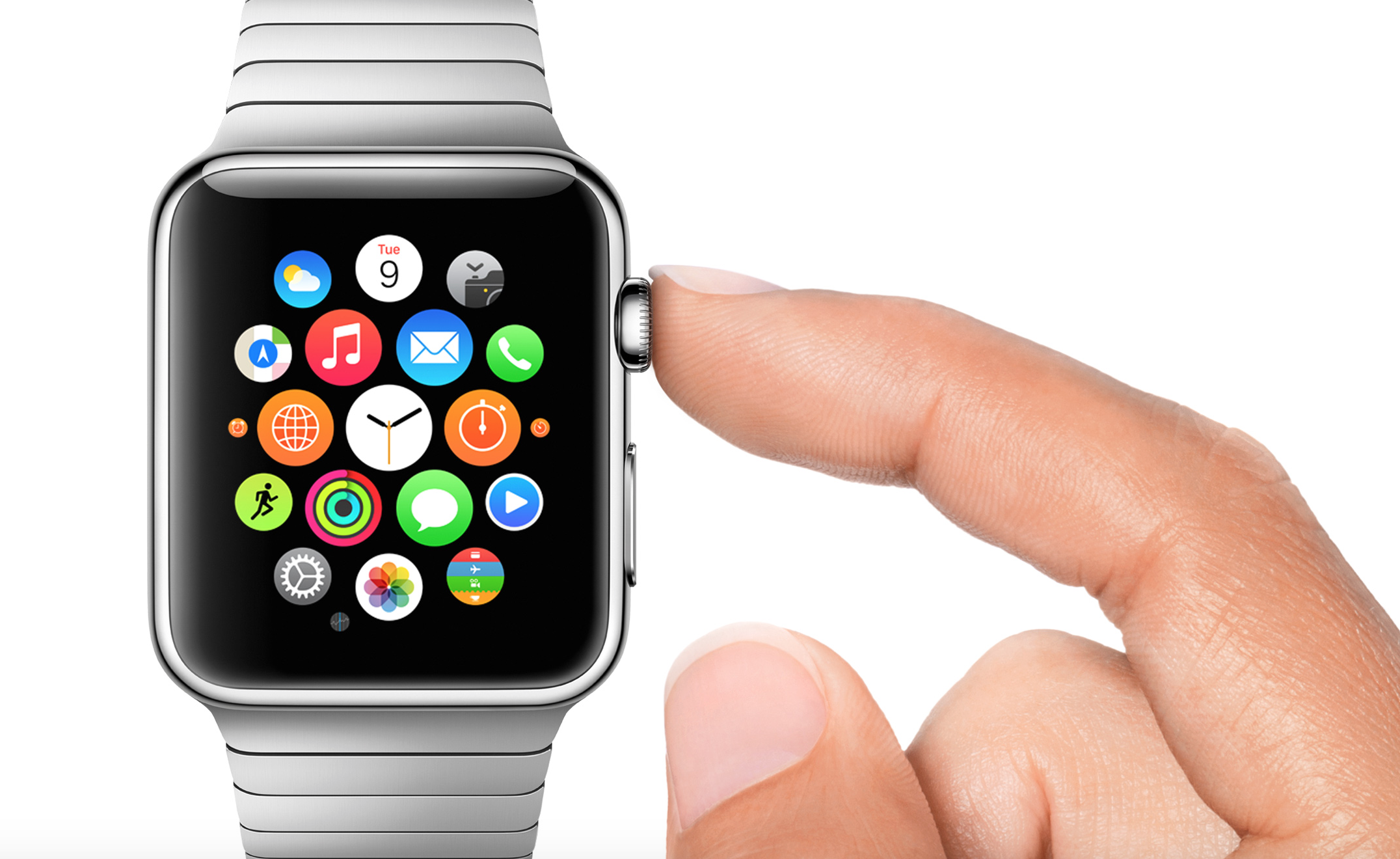
When the Apple Watch was originally released in 2015, it was pitched as a great watch, an intimate way to communicate, and a comprehensive fitness device. While the original Apple Watch (later renamed Series 0) lacked GPS and was generally a slow device, it has shown dramatic improvements year over year particularly for Apple’s health initiatives.

When Apple released the Series 1 and Series 2 Apple Watches, it added heart rate monitoring for Apple Health. When you enable heart rate monitoring, you  can also turn on heart rate notifications, so you know if your heart rate remains above or below a chosen beats per minute (BPM), or to occasionally check for an irregular heart rhythm. Irregular rhythm notifications are available only with watchOS 5.1.2 or later in certain countries.

With Apple Watch Series 4, Apple added a electrocardiogram monitoring (also known as ECG and EKG). The ECG app on Apple Watch (Series 4 or newer) can record your heartbeat and rhythm using the electrical heart sensor and then check the reading for atrial fibrillation (AFib). It then records that information into the Apple Health app.

Since the release of Apple Watch, there have been countless stories of people’s lives being saved by the health advancements in Apple Watch and Apple’s Health initiatives.

If you have an Apple Watch Series 4 or newer, here’s a how to guide on how to take an ECG.

Apple also includes a Health app on the iPhone where it easy to learn about your health and start reaching your goals. It consolidates data from iPhone, Apple Watch, and third-party apps in one place.

Top Stories on Apple Health

Review: Jawbone UP 24, a smart fitness band that gets you up 24/7

Site default logo image

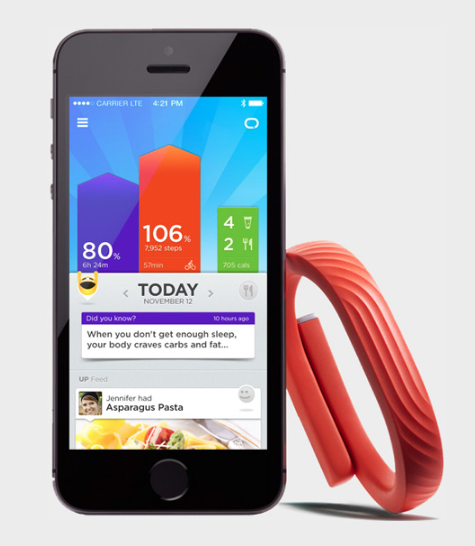
The Jawbone UP bracelet has been on the market for three years receiving improvements every year. The Jawbone UP 24 received a major update: Bluetooth LE. Initially to sync the data onto the phone, the user had to plug the band into the phone’s headphone jack and wait, typically about fifteen seconds, for the data to sync into the app.

Now, since the UP 24 has Bluetooth LE capabilities, it is compatible with the iPhone 4S and later, the fifth generation iPod Touch, the third generation iPad and newer as well as the iPad Minis. Jawbone has made the UP 24 to be compatible with Android phones. Bluetooth LE allows the band to automatically connect with the Jawbone UP app.


Expand
Expanding
Close

Fitbit users can finally view their data in the Health app thanks to 99 cent sync tool

Site default logo image

A 99 cent app finally allows owners of Fitbit activity trackers to view their data in Apple’s Health app. Sync Solver for Fitbit provides a daily sync of ten different pieces of data to the Health app built into iOS 8 – a feature the company itself said it had no plans to introduce.

The first sync needs to be performed manually, by tapping a button in the app, after which it will sync data automatically every 24 hours … 
Expand
Expanding
Close

Fitbit fitness tracking lineup dropped from Apple Online Store

Site default logo image

Apple Watch will include fitness and health tracking features

Update: Fitbit statement below the fold…

If you’re in the market for a Fitbit device and you’re shopping at the Apple Store, you’ll probably have to shop elsewhere to purchase the fitness tracker. Following report from Re/Code last month that Apple planned to drop the Fitbit line of wearable devices from its Apple Store lineup, Apple has today removed the Fitbit Flex and other Fitbit products from its online store following low inventory over the past week. While its unclear why Apple is no longer selling Fitbit products through its retail channels, on the surface the move is similar to Apple’s decision to discontinue selling Bose headphones and speakers at its retail and online stores.


Expand
Expanding
Close

Jawbone announces updated Up3 wristband, new Up Move clip-on movement tracker

Site default logo image

Image via GigaOm

Jawbone announced two new additions to its family of wearable products tonight. The first new device is the Jawbone Up3, which sports a seven-day battery and a capacitive touch sensor on top, as well as a new set of sensors for tracking health data. The new sensors allow the Up3 to detect data such as skin temperature, respiration, or hydration, although it currently has no way to track a user’s heart rate. That feature is said to be coming in a future update.

The Up3 will cost $180 when it launches, though Jawbone has given no indication of when exactly that will be.

The Jawbone Up Move will be the cheaper of the two…

Microsoft outs upcoming fitness ‘Band’ with premature Mac and iPhone app releases (updated)

Site default logo image

Update: Microsoft has now announced the Microsoft Band, a $199 fitness band that does everything described below. It goes on sale Thursday.

Microsoft hasn’t officially announced its wearable device, but it seems the company has accidentally published its desktop syncing client to the Mac App Store early. Whoops. The device is called the Microsoft Band (possibly Lumia Band, according to some currently non-functional support URLs) and sports a 310 x 102 resolution display.

The Microsoft privacy policy for the app lists some of the Band’s features: “Microsoft Band sensors help you keep track of things like your heart rate, steps, calories burned, and sleep.” Links in the document claiming to lead to a page with additional data, such as a list of sensors, currently lead to a 404 page.

Other key feature include the ability to get phone notifications on the Band, create reminders using Cortana, and more:


Expand
Expanding
Close

Nike+ Running iPhone app adds HealthKit integration, elevation tracking, more

Site default logo image

Nike has updated its Nike+ Running app for iPhone with optimized support for the new iPhone 6 and iPhone 6 Plus screen sizes as well as integration with Apple’s Health app for iOS 8. The new version takes full advantage of the new iPhones so text and images no longer scale up. Integration with HealthKit means the Nike+ Running app can now add NikeFuel data and workout data to the Health app that comes installed on iOS 8. 
Expand
Expanding
Close

Apple to disable another Health feature as UK and Australian users report blood glucose measurement issues

Site default logo image

Apple has decided to disable one of the features of the Health application, specifically the blood glucose tracking capability, until it can issue a fix for issues reported by users in the UK and Australia, CNET reported tonight. The feature will apparently be removed through an incoming software update (perhaps iOS 8.1, or possibly 8.0.3) while the company prepares a patch to remedy the problem. Apple has also provided a longer explanation on its support website:

The Health app lets you manually enter and view blood glucose values in mg/dL (milligrams per deciliter). This unit of measurement is used by a number of countries, while some other countries use mmol/L (millimoles per liter).

HealthKit supports both units of measurement. However, if you measure your blood glucose using a device that displays mmol/L, those values can’t be manually entered or displayed in the Health app with that unit of measurement.

To prevent confusion in countries where mmol/L is commonly used, we’ll soon release a software update that will temporarily remove the ability to manually enter and view blood glucose values in the Health app while we work on an update to support both units of measurement.

If you have previously entered values manually in the Health app, you’ll no longer see this data in the Health app after the update. However, your data won’t be deleted, and other apps with permission to read health data will still have access to blood glucose values that you previously entered.

Third-party apps will continue to be able to support both units of measurement and can continue to use HealthKit APIs to store blood glucose data.

While it’s true that the HealthKit framework supports measurement standards for both the United States and abroad, a bug that exists in the current version prevents users from manually entering or viewing blood glucose levels using anything other than United States measurements (mg/dL, or milligrams per deciliter) within the actual Health application. The UK and Australian standard is the millimole per litre (mmol/L).

Apple issued a statement on the problem, saying…

Apple reportedly dropping Fitbit wearables from its retail stores

Site default logo image

According to Re/code, Apple may soon drop the Fitbit health tracking devices from its retail stores. The report lacked a specific reason for Apple planning to no longer carry Fitbit bands but noted Fitbit’s lack of support for HealthKit on iOS 8 so far as well as Apple’s own fitness tracking device plans with the release of the Apple Watch in 2015.


Expand
Expanding
Close

Site default logo image

Sleep Cycle alarm updated w/ iPhone 6/Plus support & Health app integration

Sleep Cycle has updated its smart alarm app for iPhone to take advantage of the larger displays on the iPhone 6 and iPhone 6 Plus using an adaptive layout to show more content at once.

The updated version of Sleep Cycle also takes advantage of HealthKit for iOS 8 users as the app can now share sleep tracking information with Apple’s Health app. Sleep Cycle says to begin sleep tracking for at least one night before activating sharing between the smart alarm clock and Apple’s Health app.

Sleep Cycle allows iPhone users to capture sleep analysis data by placing the iPhone between the sheets and mattress where you sleep while connected to a power source to measure sleep duration and quality. Previously that data was presented only in the Sleep Cycle app, but the latest update allows iPhone users to also view that data alongside other information available in Apple’s Health app on iOS 8 like step tracking, heart rate, and more.

The app is 99¢ on the App Store and worth trying out for anyone interested in adding sleep tracking data to Apple’s Health app without buying a dedicated fitness band. For more apps that take advantage of Apple’s Health app, check out our running list of supported apps.

Site default logo image

Withings’ Health Mate app adds HealthKit support, bringing more functionality to the Health app

A day after Fitbit announces it has no plans to develop iOS 8 Health app integration, Withings Health Mate app adds HealthKit support. Withings, the makers of the Wireless Blood Pressure Monitor, Smart Body Analyzer scale, Aura an advanced sleep tracker, Pulse and Pulse Ox activity trackers adds extra measurements to the Health app.

With the Wireless Blood Pressure Monitor, you are able to track diastolic blood pressure and systolic blood pressure. With the Smart Body Analyzer, you are able to track body fat percentage, body mass index, heart rate, and weight. With the Aura, you are able to analyze sleep. With the activity trackers Pulse and Pulse Ox you are able to track active calories, oxygen saturation, resting calories, sleep analysis, steps, and walking and running distance. Even if you do not have the Pulse or Pulse Ox, with the Withings HealthMate app you are able to track steps with the iPhone. In the latest update there were improvements made in activity tracking. Also, with the app using the camera you can measure your heart rate.

Since there is a lot of data that this app is tracking, you can now protect your data with Touch ID, which is a new added feature.

Withings HealthMate is available for free on the App Store.


Fitbit says it has no current plans for iOS 8 Health app integration

Site default logo image

Fitbit, makers of popular fitness tracking wearables and apps, has confirmed it currently has no plans to support Apple’s new iOS 8 Health app. After a bit of a delayed launch last month, a long list of developers have rushed to integrate support for HealthKit, Apple’s new frameworks that allow developers to share and tap into data from one central location on the user’s device: the new Health app in iOS 8. Fitbit, however, has confirmed in a few responses on its customer forums that it isn’t working on integration much to the frustration of its users that have been awaiting an update:
Expand
Expanding
Close

Site default logo image

Pebble firmware 2.6 introduces activity tracking and quick app launching

In the face of new competition from Apple, smartwatch maker Pebble has released an update to the device’s firmware that enables all-new activity tracking features for health applications. To accompany this update, new Pebble apps from Jawbone and others that integrate with the health and fitness tracking features.

The app by Misfit will be capable of monitoring sleep and movement using the watch’s built-in sensors, while Jawbone’s “UP” watchface will be able to track similar data and sync back to the Jawbone UP service via a smartphone connection. Perhaps the most interesting application of these new features is the Swim.com application, which can “measure distance, pace, times, strokes, and efficiency while swimming” and later relay the data back to an app on a smartphone.

The new firmware also includes the ability to quickly launch your favorite apps using one of the device’s hardware buttons.

The update is available for the $99 Pebble or $199 Pebble Steel and can be downloaded through the Pebble iOS app.

Pebble Firmware 2.6 Release Notes

  • NEW: Activity. Activity tracking apps (e.g. Jawbone, Misfit, Swim.com) for Pebble now work seamlessly in the background. View installed Activity apps and toggle preferences in the Pebble Settings menu. An Activity icon is visible within Pebble menus when a compatible app is installed and running.
  • NEW: Quick Launch. Set shortcuts from a watchface to your favorite Pebble apps with a long press of the Up or Down buttons. Enable Quick Launch and set app shortcuts in the Pebble Settings menu.
  • Battery icon is now persistent within Pebble menus.
  • Select button once again dismisses notifications when paired with an Android device or iOS device on iOS 7 or lower. iOS 8 users get notificaion dismissal for both Pebble and the paired device when pressing Select.
  • Bug fixes and improvements.

iHealth’s nine iPhone-connected healthcare accessories now work with iOS 8’s Health app

Site default logo image

iHealth, maker of various iPhone connected healthcare accessories, today announced that its iOS apps are being updated with HealthKit integration. That means that the users of the company’s Wireless Blood Pressure Monitors, Blood Glucose Meters, Wireless Scale, and other health tracking accessories will be able to sync data with the new iOS 8 Health app.
Expand
Expanding
Close

iOS 8 Roundup: Apps updated for Health (running list)

Site default logo image


Over the weekend Apple shared a short list of HealthKit apps that work with the new Health app on iOS 8 after a few apps hit the App Store on Friday with HealthKit support included. Several more iPhone apps using HealthKit to share data with Apple’s Health app on iOS 8 have become available and more are anticipated from some big names shortly. We’ll continue to update the list below over the next few weeks with iPhone apps and accessories with HealthKit and Health support to give you a comprehensive list of apps that can put your Health app to better use.
Expand
Expanding
Close

Jawbone’s UP app adds HealthKit support, wristband not required

Site default logo image

Now that Apple has announced its entry into the fitness-tracking wearable space with the Apple Watch, Jawbone, the makers of the UP and UP24 activity trackers, has introduced a version of its UP iPhone app that works without requiring the fitness band. Instead, the new version of Jawbone’s health and fitness iPhone app adds support for Apple’s HealthKit feature and Health app on iOS 8 making UP’s software for tracking activity and sleep as well as logging meals more valuable to iPhone users wanting to fill the new Health app with data.
Expand
Expanding
Close

‘Apps for Health’ section hits App Store following Apple’s release of Healthkit enabled iOS 8.0.2

Site default logo image

Now that Apple is 8.0.2 rolled out and we’re all relatively stable with a Healthkit-enabled OS, Apple is giving us a new section of the App Store for health-related apps. 

Experience an entirely new approach to wellness where your fitness app can talk to your calorie tracker, your doctor can be automatically notified of updates to your health data, and great apps work together for a healthier you. This handpicked collection highlights the best fitness, nutrition, and medical apps customized for iOS 8.

Red prices on pink background?  They must have moved that Maps launch and iOS 8.0.1 guy over to design. 
Expand
Expanding
Close

HealthKit support added to WebMD, Carrot Fit, Yummly, more

Site default logo image

In addition to FitPort and MyFitnessPal, a few more app updates with HealthKit support have become available on the App Store. These updates allow you to share health and fitness data with Apple’s new Health app on iOS 8 now that Apple has enabled HealthKit with the release of iOS 8.0.2 after issues in iOS 8.0 and iOS 8.0.1.

First up is WebMD for iPhone. Users of the WebMD iPhone app can now allow the health information service’s Healthy Target feature to communicate with data shared with Apple’s health app. The benefit to this is WebMD uses this information to create “actionable insights on your health data”. WebMD’s update was previously available on iOS 8 launch day until Apple pulled HealthKit-enabled apps due to a late-discovered bug.

Carrot Fit is another app affected by the launch day issue, but its back today with full HealthKit integration. The unconventional workout app uses data from Apple’s Health app to monitor workouts, weight, and dieting for monitoring your fitness. This is how Carrot describes Fit’s HealthKit integration:
Expand
Expanding
Close

MyFitnessPal updated w/ HealthKit support for tracking calories, weight, & workouts

Site default logo image

MyFitnessPal, an app focused on helping you track your diet habits and caloric intake, has released a new version today with support for HealthKit and Apple’s new Health app on iOS 8. The new version allows users to interface three types of data with Apple’s Health app and other HealthKit-enabled apps: meal summaries, weight syncing, and workout data from exercises. Specifically, MyFitnessPal can share meal data you add to the app with other HealthKit apps while weight and workout data can be shared back and forth with other apps.
Expand
Expanding
Close

Apps with HealthKit integration start appearing in App Store following iOS 8.0.2 fixes

Site default logo image

After a series of botched updates, which meant HealthKit apps could not launch alongside iOS 8’s release, Apple has finally started allowing apps that integrate with the Health app into the App Store. The first of many is FitPort, which acts as a replacement dashboard for Health information, with all data being synced back into the Health database.

On opening the app, the Health permissions screen opens which asks users to individually enable access to health statistics. This allows users to be very selective about what information they share with third-party apps. Users have to explicitly enable read and write capabilities for every health data type the app wants to integrate. Just like asking for location access, this sheet is presented by the OS, meaning all apps benefit from this level of privacy.


Expand
Expanding
Close

iOS 8 How-to: Create the Medical ID

Site default logo image

New in iOS 8 you are able to create a Medical ID in the Health App. Even though the rest of the Health app is down, the Medical ID is fully functioning. The Medical ID is important because in case of an emergency, medical responders can look at your phone and know any allergies or medical conditions you have and know who to contact for you without unlocking your phone. To continue to make a Medical ID, press the word Create Medical ID in red.


Expand
Expanding
Close

Site default logo image

Reuters: Some future model of the Apple Watch will probably have more sensors

Reuters has some big news about future generations of the Apple Watch: according to people familiar with Apple’s plans, the device will eventually get more health-releated sensors. Which generation we can expect to see these sensors or what types of data they’ll collect wasn’t exactly specified, but the company is definitely planning to include additional capabilities in future upgrades.

Of course, this isn’t exactly the most shocking or unexpected news. It would be hard to believe that Apple had hired a group of fitness experts only to give up on improving the headline fitness features in the wearable device after the first version hit the market, and the company is still adding new sensors to the iPhone seven years after it first debuted.


Expand
Expanding
Close

Site default logo image

Mayo Clinic will reportedly take part in HealthKit presentation during Apple media event

Apple first unveiled its Health application and associated HealthKit framework during WWDC earlier this year with a quote from Dr. John H. Noseworthy, CEO of the Mayo Clinic, a development partner for the iOS Health platform. Now a new report from the Star Tribune claims that the Mayo Clinic will have a role in revealing the next-generation health capabilities of an upcoming device at tomorrow’s event.

It’s not yet clear whether this will happen during a look at iOS 8 or during the preview of Apple’s first wearable device and its health-tracking capabilities. Apple is expected to give details about both during the event, along with two new versions of the iPhone.