Apps

See All Stories

Learn about the latest news for iOS, Mac, Apple Watch, and Apple TV apps

Apps for iOS, macOS, tvOS, and watchOS power our modern world. 9to5Mac will update you on the latest news, review, and updates for all types of apps. “There’s an App for that”.

The term came became part of our vocabulary when Steve Jobs announced The App Store as part of the iPhone 2.0 software update in 2008.

Over the years, the term has become as common as kleenex for describing applications on all of our devices. Apple’s platforms have apps for just about anything from finance, banking, sports, social media, podcasting, music, and more. We have a guide for helping you discover the best ones as well. Apps are now on everything from our TV, to our smartphones, on our laptops, and all the way down to our wrists.

As new ones are released or existing ones have major updates, the team here at 9to5Mac will bring you the latest news and reviews. If you want to follow along with video footage, be sure to follow 9to5Mac on YouTube. Scroll down below our latest updates on all things relating to applications on iPhone, iPad, Mac, Apple TV, and Apple Watch.

Site default logo image

9to5Toys Last Call: Belkin Thunderbolt 2 Dock $240, 11″ MacBook Air (refurb) $599, LG webOS HDTVs, more

Be sure to follow 9to5Toys to keep up with the best gear and deals on the web: TwitterRSS FeedFacebookGoogle+ and Safari push notifications.

Today’s can’t miss deals:

Belkin 20% off sitewide: Thunderbolt 2 Express Dock HD for Mac $240, WeMo LED starter set $80, much more

11-inch Apple MacBook Air 1.6GHz/4GB/128GB refurbished w/ 90-day warranty: $599 shipped

LG Smart LED HDTVs w/ webOS: 42-inch $425 shipped (Reg. $799), 50-inch $550 shipped (Reg. $1,099)

Small States: Carved wraps your phone w/ wood from sunken ships & skateboards, multiple giveaways

Other new deals:

More deals still alive:

More iPhone 6/6 Plus deals, accessories, and trade offers:

New products/ongoing promos:

Site default logo image

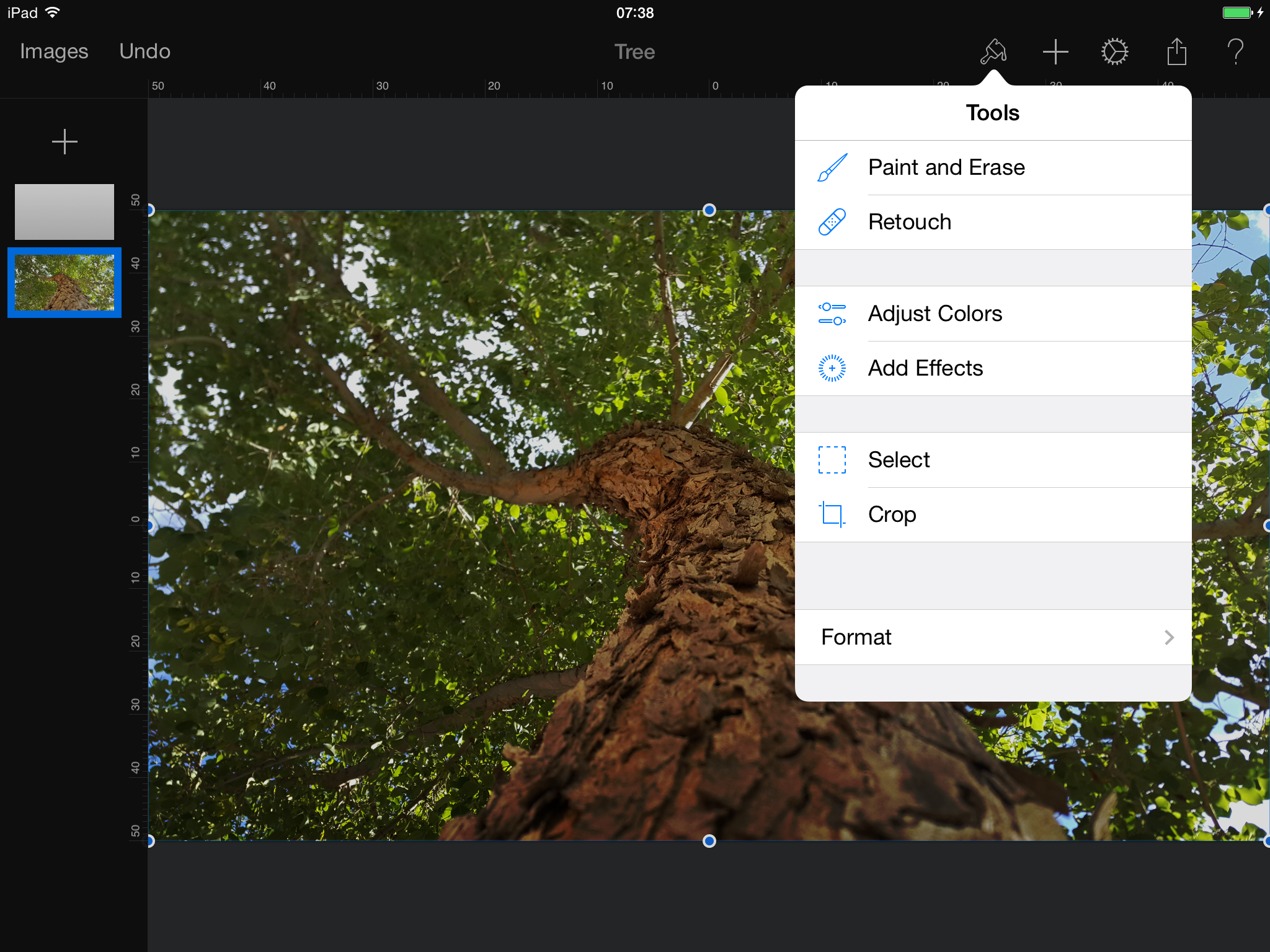
Autodesk releases all-new SketchBook app for iPhone & iPad

Autodesk today released a new version of its popular Sketchbook painting and drawing app that introduces a single app for both tablets and smartphones alongside new features. Launching today on both iOS and Android the new SketchBook app has a streamlined UI and a number of new features and improvements over previous versions of the app. The company highlighted a few of the new features:

-Layer blending modes including glow and soft glow
-Selection tools for manipulating, transforming, and drawing within specific parts of the image
-All new brushes, including a set of synthetic and smudge brushes (a top community-requested addition)
-Dynamic flood fill tools with solid, linear and radial gradients
-A completely redesigned and customizable UI including the combined Brush and Color Puck enhancements
-An enhanced gallery for an easy way to view, organize and manage sketches
-Optimized for iPhone 6, iPhone 6 Plus, and iOS8

Autodesk notes the app is compatible with most stylus products including the new Wacom Intuos Creative Stylus 2 and Pencil by FiftyThree.

The app is free to download and includes a $3.99 in-app purchase to unlock full features. Autodesk also has memberships for those that want to purchase access to all Pro features on all platforms (iOS, Android, Windows, and Mac). The company also plans to release additional paid content packs in the future. 

The new Sketchbook app is available for iPhone and iPad on the App Store now.

[youtube=https://www.youtube.com/watch?v=J2csTY_5KbY&list=UUqqzJUfJ_ofn8ZmL7dBdUwg]

Google launches Primer mobile app to help startups with their marketing needs

Site default logo image

Today, Google launched a new mobile app for startups called Primer, an interactive tool that helps companies with their marketing needs. Available now on iOS, the software cranks out five minute lesson plans for subjects like Content Marketing, PR & Media and Search Advertising. A simplified experience, Primer is packed with case studies, insider tips and quizzes designed to make marketing easier.


Expand
Expanding
Close

Site default logo image

Weebly website builder comes to iPad with comprehensive app


Weebly, one of the more popular web-based, drag-and-drop solutions for creating websites, has made its way to the iPad for the first time. The app, which was demonstrated to us earlier this week, is a comprehensive, end-to-end solution for creating, editing, and managing websites right from the iPad. The video below shows a little bit more about the app:


Expand
Expanding
Close

Site default logo image

9to5Toys Last Call: MacBook Air 11″ (refurb) $499, Ski Safari iOS freebie, Logitech Powershell (refurb) $20, more

Be sure to follow 9to5Toys to keep up with the best gear and deals on the web: TwitterRSS FeedFacebookGoogle+ and Safari push notifications.

Today’s can’t miss deals:

Apple Macbook Air 11.6-inch 1.4 GHz/ 2GB/ 64GB (refurb, 2012): $499, MacBook w/Superdrive: $399, USB External DVD Drive: $10

Ski Safari: Adventure Time for iOS is IGN’s free game of the month

Games/Apps: Native Instruments & Algoriddim DJ apps 50% off, Logitech Powershell MFi controller (refurb) $20more

Amp intelligent iPhone speaker case delivers a personalized audio experience, pre-order to save 50%

Small States: Carved wraps your phone w/ wood from sunken ships & skateboards, multiple giveaways

Other new deals:

More deals still alive:
[youtube https://www.youtube.com/watch?v=YNvLLKLwmwY?rel=0]

More iPhone 6/6 Plus deals, accessories, and trade offers:

New products/ongoing promos:

Chromecast iOS app updated w/ backdrop feature for viewing news & weather, photos, more

Site default logo image

Google today updated the Chromecast app for iPhone and iPad users adding a feature announced earlier this year at Google I/O called Backdrop. When the Chromecast HDMI streaming stick isn’t playing content like Netflix or Pandora Radio through your TV, it already displays the current time and featured photos as a screen saver, but now Chromecast users can display additional content like weather conditions and news headlines on Chromecast-connected TVs. Chromecast also now supports using your own photos from Google+ albums as the backdrop.
Expand
Expanding
Close

Fitbit says it has no current plans for iOS 8 Health app integration

Site default logo image

Fitbit, makers of popular fitness tracking wearables and apps, has confirmed it currently has no plans to support Apple’s new iOS 8 Health app. After a bit of a delayed launch last month, a long list of developers have rushed to integrate support for HealthKit, Apple’s new frameworks that allow developers to share and tap into data from one central location on the user’s device: the new Health app in iOS 8. Fitbit, however, has confirmed in a few responses on its customer forums that it isn’t working on integration much to the frustration of its users that have been awaiting an update:
Expand
Expanding
Close

Apple posts ‘how to build an iOS app in Swift’ video on developer blog

Site default logo image

Apple drew a lot of attention earlier this year when it debuted its own blog dedicated to updating developers on Swift, its programming language for building Mac and iOS apps first introduced at WWDC in June. The blog has since been used to share updates on the state of Swift as well as technical details about the programming language, but today Apple posted an official video tutorial (embedded below) targeted for new Swift developers on using the language and Xcode to build an app for iOS from scratch.
Expand
Expanding
Close

Site default logo image

Google rolling out ‘News & Weather’ app for iOS

Google has a new app for iPhone and iPad users called ‘Google News & Weather‘ that presents local news and weather as well as headlines from a variety of categories and sources in one app. Categories for headlines can be added or removed from within the app for customizing the news you want to follow. Previously, Google News & Weather was only available for Android users.

The app joins a huge list of existing Google apps including Gmail, which was just updated for the new iPhone 6 display sizes yesterday, and Google News & Weather is already optimized for the iPhone 6 and iPhone 6 Plus.

Full description below:
Expand
Expanding
Close

Site default logo image

9to5Toys Last Call: 3-in-1 Charger/Power Bank $6, MEElectronics Bluetooth headphones $40, iPad Air $390, more

Be sure to follow 9to5Toys to keep up with the best gear and deals on the web: TwitterRSS FeedFacebookGoogle+ and Safari push notifications.

Today’s can’t miss deals:

3-in-1 Portable Car Charger, Wall Charger & Power Bank: $6, 4-port USB car charger: $20

MEElectronics Air-Fi Runaway AF32 Stereo Bluetooth Headphones w/ Mic: $40 shipped (Reg. $75)

Apple iPad Air 16GB WiFi $390 shipped (Reg. $499)

JetBlue coupon for 20% off domestic or 15% off international flights

Beats Mixr headphones $100 shipped w/ $100 .edu email discount ($150 off)

Small States: Carved wraps your phone w/ wood from sunken ships & skateboards, multiple giveaways

Other new deals:


More deals still alive:

More iPhone 6/6 Plus deals, accessories, and trade offers:

New products/ongoing promos:

Site default logo image

Square’s Cash iOS app adds ‘Nearby Payments’ for sending money over Bluetooth

Cash, the app launched by payments company Square last year for personal money transfers, today updated with a new way to send money on iOS 8 over Bluetooth LE. The feature is called Nearby Payments and allows users to send and receive payments by using Bluetooth to find and connect with nearby users. That’s opposed to the previous methods the app already offered including sending payments via text message and email. In case you’re wondering why it’s iOS 8 only:

Square notes that users will be able to select preferences for nearby visibility to allow either everyone or only contacts to see their availability. Today’s update to version 2.1 also includes the ability to “Quickly approve or decline money requests with actionable push notifications.” 

The updated Cash app by Square is available for free on the App Store now.

Ex-Microsoft exec Ray Ozzie creates messaging iPhone app to ‘revolutionize’ voice calling

Site default logo image

Ray Ozzie, who used to be Microsoft’s Chief Technical Officer and Chief Software Architect, has come out with a new app for the iPhone. In an extensive profile, Steven Levy explains the premise behind the app, dubbed Talko. You can read the full overview on Medium. The app has been in development for more than two years.

A new take on phone calls, the app shows if your recipient is currently walking or driving — giving a hint at attentiveness of the speaker before the conversation even begins. It’s a nice use of the Apple M7 and M8 coprocessors. Any voice communication is archived into the growing thread … to organize a conversation like any other modern chat app really. Talko seems best as an app for modern meetings, like a conference call replacement, although Ozzie insists it can be used beyond business.


Expand
Expanding
Close

iPhone-connected ‘Ambi Climate’ makes your existing air conditioner smart

Site default logo image

We’ve already seen a few companies working to turn our current household appliances– everything from thermostats to crockpots– into smart devices controllable with our smartphones. The latest is a new crowd funding project looking to raise funds for a device that will make any window air conditioner an iPhone-connected device with temperature and other predictive climate control features.
Expand
Expanding
Close

Cycloramic figures out how to keep the rounded iPhone 6 spinning for hands-free video

Site default logo image

[youtube=http://youtu.be/_uKkqVKQIbY]

Cycloramic, the app that takes hands-free 360-degree video by using the iPhone’s built-in vibration motors to spin the device, is today arriving for iPhone 6. But with the iPhone 6’s new rounded design (opposed to the flat edges of the iPhone 5 and 5S) the company also had to figure out a way to get it to stand upright on its own.  For that it recommends using the iPhone’s power adaptor that Apple includes in the box, as demoed in the video above released earlier today by the developers.
Expand
Expanding
Close

1Password 5.1 released with iPhone 6 support, third-party keyboard settings, and much more

Site default logo image

1Password, the powerful and popular password manager for iPhone and iPad, has been updated to version 5.1 today, introducing a host of new features and improvements. First on the list is support for the 4.7-inch and 5.5-inch screens on the iPhone 6 and iPhone 6 Plus, with full 3x image support on the Plus model.

Touch ID support has also been significantly improved, with the app’s security settings now simplified to avoid the confusing and unnecessary differentiation between the Master Password and PIN code, and Touch ID is now more reliable. You can also create new tags to add to your stored data, allowing for easier sorting on-the-go.


Expand
Expanding
Close

Site default logo image

Gmail for iOS updated with support for iPhone 6 and 6 Plus display sizes

Google has updated the Gmail app for iOS with support for the larger displays on the iPhone 6 and iPhone 6 Plus. There don’t seem to be any other unmentioned changes (still no unified inbox), but you won’t have to use the awkward zoomed view when using the app anymore.

You can grab Gmail version 3.1415926 (yes, that’s Pi) for free from the iOS App Store.

What’s New in Version 3.1415926
Support for iPhone 6 and iPhone 6 Plus

Site default logo image

9to5Toys Last Call: Lexar memory up to 50% off, Lenmar iPhone 5 battery case $45, A/V Receivers from $130, HDTVs, more

Be sure to follow 9to5Toys to keep up with the best gear and deals on the web: TwitterRSS FeedFacebookGoogle+ and Safari push notifications.

Today’s can’t miss deals:

Last Call updates:

Amazon Gold Box: Lexar memory up to 50% off – 64GB USB 3.0 flash drive $22, 64GB Class 10 microSDXC $30, more

Lenmar Meridian MFi 2300mAh iPhone 5/5s Rechargeable Battery Case: $45 shipped (Reg. $90)

A/V Receivers: Yamaha (RX-V477) w/ Airplay $300 (orig. $450), Yamaha (R-S201BL) Natural Sound $130 (orig. $180)more

Beats Mixr headphones $100 shipped w/ $100 .edu email discount ($150 off)

Small States: Carved wraps your phone w/ wood from sunken ships & skateboards, multiple giveaways

Other new deals:

More deals still alive:

More iPhone 6/6 Plus deals, accessories, and trade offers:

New products/ongoing promos:

Site default logo image

Livestream a GoPro camera straight to the web using just your iPhone with this app

The Livestream app has been updated today with a couple of new features, including bug fixes for iOS 8. The headline change however is that the app has added integration with GoPro Hero cameras. This means you can now stream straight to the web whilst in the midst of action.

Effectively, the iPhone acts as a network hub, connecting the GoPro camera to the Internet. The GoPro connects to the phone wirelessly, so the iPhone can just be left in a pocket — like a wireless hotspot. The app handles the uploading of the video in realtime.

You can download the Livestream app for free from the App Store.

Site default logo image

Adobe launches Creative Profile sync system, Talent Search, & Creative SDK Public Beta

Alongside a string of updates to both the mobile and desktop Creative Cloud software suites, Adobe today launched a trio of new services at its annual MAX conference. First up, and most critical to the updates on the software side of the story, is the new Creative Profile content synchronization service. Blending nicely with the existing Creative Cloud sync service, Creative Profile takes ubiquity of files to new heights by allowing synchronization of more aspects of documents:

This Creative Cloud release includes a new Creative Profile that connects creatives to their work, to the assets they use to create, and the communities that matter to them – no matter where they are. Files, photos, colors, brushes, shapes, fonts, textstyles, graphics, and any other assets are always at their fingertips. This new Creative Profile moves with creatives from app-to-app, and device-to-device, so assets automatically appear when they need them, in the right context.

Most critically, it is optimized for the new desktop and mobile apps so new content created with Adobe’s latest products can be easily synchronized. The Creative Profile service launches today, and it is a free addition for customers with existing Adobe Creative Cloud subscriptions


Expand
Expanding
Close

Site default logo image

Adobe updates desktop Creative Cloud apps, debuts new sharing services

To complement the new Creative Cloud Talent Search, Creative Profile services, and significant mobile app updates, Adobe is today enhancing most of its suite of desktop Creative Cloud applications. Here are the highlights, courtesy of Adobe:

Touch support on Windows 8 devices for key design applications; new 3D print features and enhanced Mercury Graphics Engine performance for Photoshop CC; a new Curvature tool in Illustrator CC; interactive EPUB support in InDesign CC; SVG and Synchronized Text support in Muse CC; GPU-optimized playback for viewing high resolution 4K and UltraHD footage in Premiere Pro CC; and HiDPI and new 3D support in After Effects CC.

Perhaps more interesting on the desktop side of today’s news are some fresh services. Here’s Adobe’s explainer on the new Cloud Market, Cloud Libraries, and Cloud Extract products:

  • Creative Cloud Market is a collection of high-quality, curated content that’s freely accessible to Creative Cloud members. Access and use thousands of professionally crafted files, including user interfaces, patterns, icons, brushes and vector shapes, to speed through desktop and mobile projects.
  • Creative Cloud Libraries is a powerful asset management service that lets creatives easily access and create with colors, brushes, text styles, and vector images through Creative Cloud desktop, mobile apps and services. Creative Cloud Libraries connects desktop tools like Photoshop CC and Illustrator CC to each other — and to companion mobile apps.
  • Creative Cloud Extract is a cloud-based service that reinvents the Photoshop CC comp-to-code workflow for web designers and developers, letting them share and unlock vital design information from a PSD file (such as colors, fonts and CSS) to use when coding mobile and desktop designs.

The Cloud Market feature could give services like Getty Images a run for its money, while Cloud Libraries is the iCloud-like solution that ties all of Adobe’s supported platforms together. Cloud Extract is an advanced cloud-based solution that allows designers and developers working on Photoshop projects together to share data on an asset-by-asset or feature-by-feature basis.

Like with the new services and mobile applications covered in our other Adobe news articles this morning, the updated desktop apps and new Creative Cloud services are free additions for those with existing Creative Cloud subscriptions.


Expand
Expanding
Close

Adobe launches cloud-connected Capture & new Photoshop, Lightroom, Illustrator, and Premiere iOS apps

Site default logo image

Ahead of its annual MAX Conference kicking off today, Adobe has launched an entirely new suite of apps that are now available on the iPhone and iPad App Store. This year, Adobe is focusing on simplifying its mobile software lineup into four categories that sync with desktop counterparts: Illustration, Imaging, Video, and a new platform called Creative Cloud Capture Apps. Each of the apps within the four categories are either brand new or have been enhanced.


Expand
Expanding
Close

Site default logo image

9to5Toys Weekend: Mophie Juice battery case $40, Carved iPhone case giveaway, 3-ft MFi Lightning cable $11, more

Be sure to follow 9to5Toys to keep up with the best gear and deals on the web: TwitterRSS FeedFacebookGoogle+ and Safari push notifications.

Today’s can’t miss deals:

Updates:

Best Buy Macbook Sale: 13-inch Air from $800 w/ .edu, 13-inch Pro with Retina Display from $1,100 w/ .edu

Caseology iPhone 6 cases in multiple styles and colors: $5 shipped (~45% off)

[youtube https://www.youtube.com/watch?v=st7eMfykiVE?rel=0]

Games/Apps: Modern Combat 5: Blackout $4 (Reg. $7), MagicalPad $1 (Reg. $10), iOS freebiesmore

Logitech’s new M320 wireless mouse comes with auto battery saving and a brand new look

American made iPhone 6/6 Plus Spool Dock takes a different approach to its style

Arcadia Arclight Wireless Bluetooth iPad Air Keyboard Case: $19 Prime shipped (orig. $60)

Small States: Owen & Fred send a message and look good doing it, giveaway worth $412, 10% promo code

Other new deals:

More deals still alive:

More iPhone 6/6 Plus deals, accessories, and trade offers:

New products/ongoing promos:

New third-party keyboards for iOS 8: Emoji++ & Character Keyboard

Site default logo image

With iOS 8, Apple now allows developers to create alternative keyboards on iPhone and iPad that can be used almost anywhere to replace the system keyboard. We told you about several third-party keyboards for iOS 8 including when the major operating system update was released last month, and a few more interesting third-party keyboards have since been released. The first is an Emoji-only keyboard called Emoji++ that makes finding the right Emoji character much faster, and the second is both a language and symbol keyboard called Character Keyboard for typing out special characters.
Expand
Expanding
Close

Apple releases fourth beta of iTunes 12 to developers and AppleSeed users on Yosemite

Site default logo image

Apple has pushed out the fourth pre-release version of iTunes 12 to users running the developer preview or public beta of OS X Yosemite. The update weighs in at 214 MB, but the seed notes don’t list anything new in this build. There do appear to be some new icons in the preferences screen, but for the most part it’s the same as the other betas we’ve seen.


Expand
Expanding
Close