iCloud

See All Stories
iCloud

The best place for all your photos, files, and more.

iCloud was launched in 2011 as the successor to MobileMe and is Apple’s current cloud service that allows iOS and Mac users to save and synchronize information. Apple includes 5GB of iCloud storage for free with all accounts and has paid options starting at $0.99/month for 50GB.

https://www.youtube.com/watch?v=KTrO2wUxh0Q

iCloud is built into every Apple device. That means all your stuff — photos, files, notes, and more — is safe, up to date, and available wherever you are. And it works automatically, so all you have to do is keep doing what you love. Everyone gets 5GB of free iCloud storage to start, and it’s easy to add more at any time.

What is iCloud?

iCloud solved a problem that we were facing in 2011. Originally, Apple pitched the Mac as the digital hub to our life. Our iPods (and then iPhones) would sync over a cable to transfer information. As we added iPads, it became a mess. Steve demoted the Mac back to just a device and made the “cloud” the center of our digital life. Using the service, users could sync all of their data over the air. As an example, a Keynote document edited on your Mac would automatically be up to date with the latest changes on your iPad or iPhone. iCloud also allowed you to back up your iOS device for an easy path to change devices without having to set everything up manually.

The problem with this original iCloud pitch is it didn’t cover all of our photos. We didn’t get that until iCloud Photos came in iOS 8. It didn’t cover iMessage, as that didn’t come until a few years ago with messages in the cloud. It didn’t cover all of our files, but only those in the iCloud folder stored inside of app folders. We didn’t get seamless syncing of files until Apple added Desktop and Document folder syncing a few years ago.

Over time, Apple has continued to add features to iCloud, and it’s turned out to be a really robust and reliable service. Users can sync files, photos, notes, reminders, and Safari bookmarks to their Mac, iPhone, iPad, and even Apple TV (photos).

iCloud Troubleshooting

If you’re having trouble using iCloud, you may want to make sure it isn’t affected by downtime. Check Apple’s iCloud Status page here.

How much does iCloud cost?

Pricing can change at anytime (view Apple’s latest pricing page), but here are the current rates for a few countries.

United States
50GB: $0.99
200GB: $2.99
2TB: $9.99

Canada 
50GB: $1.29
200GB: $3.99
2TB: $12.99

United Kingdom
50GB: £0.79
200GB: £2.49
2TB: £6.99

European Union
50GB: 0.99 €
200GB: 2.99 €
2TB: 9.99 €

Read below for all of our coverage

Site default logo image

Dropbox and Carousel showing duplicate photos after earlier syncing outage

An iOS 8 compatibility issue that led the Dropbox and Carousel iOS apps to fail to upload photos has now been resolved with a new version, but you may find that you are seeing duplicates of your photos, reports the company in its blog.

Some iOS 8 users who have downloaded the latest versions of Dropbox and Carousel might be experiencing ‘duplicate’ uploads of their photos. These ‘duplicates’ are backed up versions of thumbnails generated by Apple’s iCloud My Photo Stream and are being recognized as unique images by Dropbox.

Dropbox also acknowledges that “a small number” of users are finding that the app crashes on opening, and is working on a fix for both issues.

Apple released iOS 8 yesterday for the iPhone 4S and up, the iPad 2 and later and the 5th generation iPod Touch. Check out our roundups covering Today widgets, third-party keyboards and extensions and Touch ID support.

Update: Dropbox says it should be resolved.

[tweet https://twitter.com/dropbox_support/status/512670125997051904]

Getting Ready for iOS 8: How to backup your device and set up the new iPhone & iPad OS

Site default logo image

With iOS 8 launching later today, it’s worth taking a look at how you should prepare your device for the new operating system. Before installing the update, it is recommended that you have a backup of your data. This how-to is going to walk you through backing up your iOS 7 device and transitioning it over to iOS 8:


Expand
Expanding
Close

Site default logo image

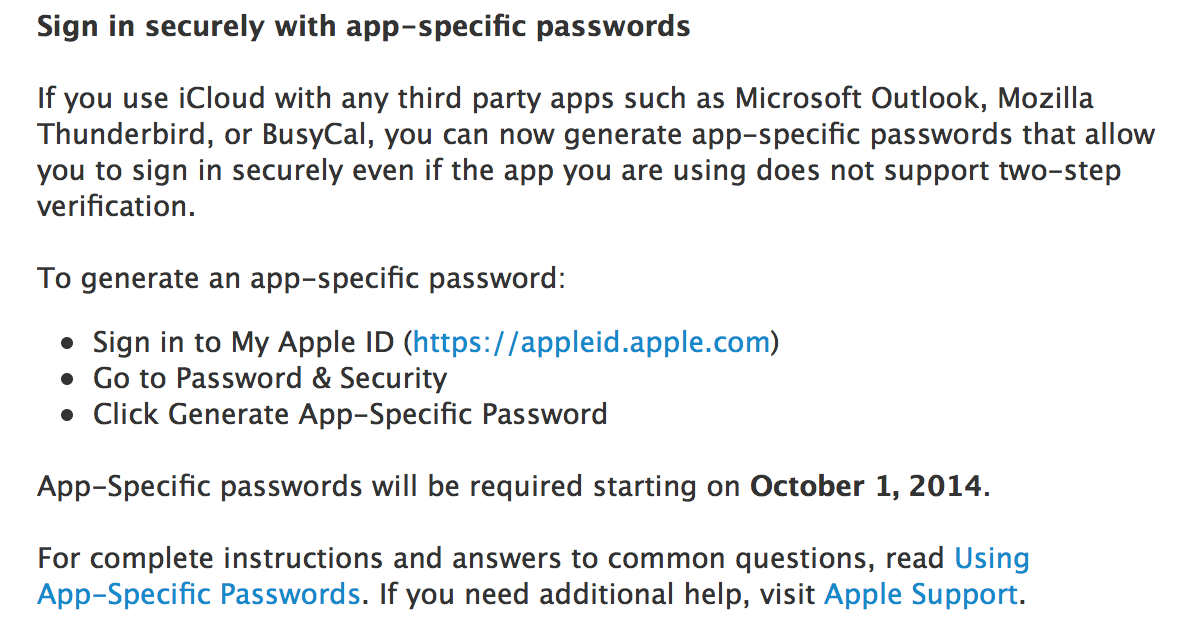
Apple rolling out app specifics passwords for iCloud, required starting on Oct. 1

Apple has informed iCloud users via email that the company will begin rolling out an app-specific password feature. The feature allows users with iCloud two-factor authentication enabled to use third-party apps.

Apple explains:

It will be required starting October 1st. Apple has also informed users via email about this morning’s general rollout of two-factor verification for iCloud. 


Expand
Expanding
Close

Site default logo image

Apple giving retail employees iPhone 6… posters

In celebration of the launch of the iPhone 6, Apple Retail Store employees will each be given posters of the iPhone 6, we’re told. Not actual iPhones, but posters. The posters show a black phone with one of the colorful flower wallpapers from iOS 8. Steve Jobs gave out original iPhones to all employees back in 2007, but Apple hasn’t given out the latest hardware since that time. For 2015, perhaps they’ll get Apple Watches. Hopefully the gold ones.


Expand
Expanding
Close

Site default logo image

Apple says some users experiencing issues with iCloud Mail & Notes (U: Apple says resolved)

On the same day as the rocky iPhone 6 and iPhone 6 Plus pre-order, Apple is reporting on its iCloud System Status site that a small percentage of users are experiencing issues with iCloud Mail and iCloud Notes. According to the detailed timeline, the issues began about 45 minutes ago and are ongoing for 0.05% of users. August proved a rough month for iCloud uptime, with major issues reported by Apple on multiple occasions, although the current outage seems minor so far.
Expand
Expanding
Close

Site default logo image

New iCloud plans go live, up to 1 TB of storage space now available for purchase

Yesterday Apple revealed the finalized pricing for its revamped iCloud plans, but at the time they weren’t available for purchase. Today the plans have officially gone live for all customers. As you can see in the screenshot above, users can now buy up to 1 TB of storage space, which will cost $19.99 per month.

You can upgrade your current iCloud plan through the iCloud settings on your iOS device or Mac running an iCloud-compatible version of its operating system. Since the plans are account-based and not device-based, you’ll have access to all of that storage on all of your other devices, as well.

Apple is also refunding existing customers and automatically upgrading them:

We recently announced new, more affordable iCloud storage plans. As a thank you for being a current iCloud storage plan subscriber, we’ve increased your storage plan and you will be receiving a refund based on the reduced plan price.

Your plan has been upgraded from 15 GB of total storage at $20.00 a year to 20 GB at just $10.99 a year. You will receive a prorated refund of $0.52, which is based on the price reduction and the remaining months on your subscription. On September 30, 2014 this 20GB plan will automatically renew and you will be charged $10.99.

We increased the amount of storage in our new plans so you can get most out of our new features like iCloud Drive, which lets you store
and access any type of file from all your devices. All edits you make are automatically updated, which means you’ll always have access to the latest version of all your documents. If you need more storage, you can choose a different plan from iCloud Settings at any time, right from your iPhone, iPad, iPod touch, Mac, or PC. Learn more about iCloud storage pricing.

The iCloud Team
NOTE: This annually priced storage plan is only available to current iCloud storage plan subscribers. You may cancel or downgrade from your device at any time. If you choose to change to one of our new plans, you won’t be able to switch back to this annual plan. You can contact Apple for a refund within 15 days of an upgrade. Partial refunds are available where required by law.

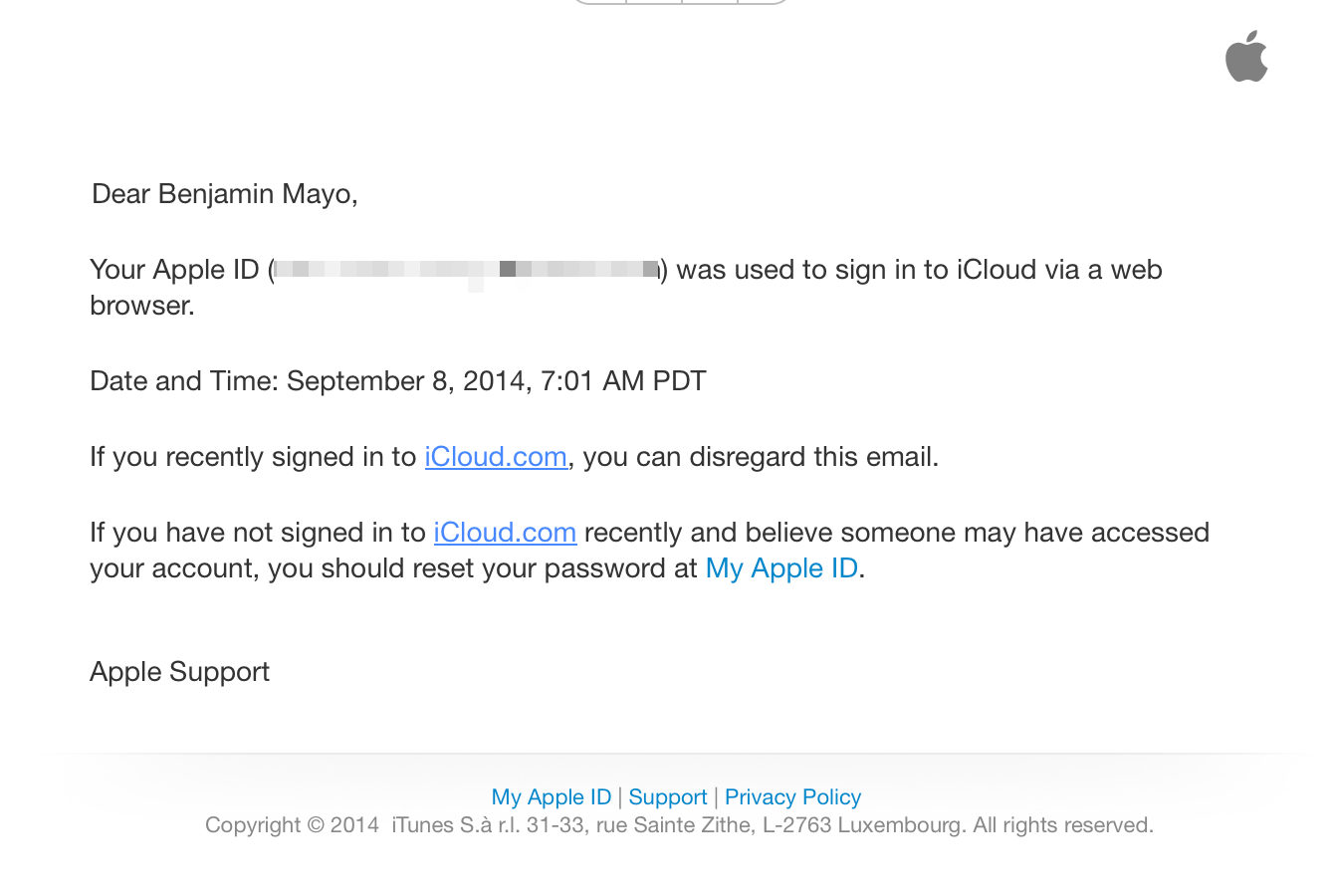
Apple now sending email notifications when users sign in to iCloud.com

Site default logo image

Apple is now sending emails to users when they log in to iCloud.com. This is part of Apple’s latest security upgrades to iCloud, which Tim Cook announced late last week. In the interview, Cook said Apple planned to launch the feature within two weeks, but obviously it has been deployed much sooner. The notification is supposed to act as a warning for users, to detect account infiltrations as early as possible. Supposedly, these emails will only be sent once, the first time an account logs in to a particular device, so it shouldn’t spam your inbox with login notifications.


Expand
Expanding
Close

One third of Americans have improved their online security since the iCloud hacks

Site default logo image

A YouGov survey of more than 1,000 American consumers commissioned by security company Tresorit found that just over a third of them have taken steps to beef-up their online security in response to the iCloud hacks.

The most common response was to change passwords for stronger ones, with 13 percent creating different passwords for each online service and 6 percent enabling two-step verification … 
Expand
Expanding
Close

Apple’s digital stores face second outage this week across all platforms (update: resolved)

Site default logo image

Earlier this week, iOS users discovered that the App Store was experiencing some technical issues that caused every item for sale to become unavailable. Now, only two days later, the company’s status page indicates that the App Store on Mac and iOS, iBooks Store, and various iTunes services such as the music store and Radio, are all suffering from even more downtime.

According to the status page, the issues first cropped up around 4:30 PM and have persisted for about three hours so far. A notice on the page states that only “some users” are having difficulty accessing the store, but there’s no mention of exactly how many users could be impacted.


Expand
Expanding
Close

Opinion: After the celebrity hacks, the vulnerability that still exists and what needs to be done

Site default logo image

There are still many unknowns surrounding the leaked celebrity nudes. While Apple appears to have ruled out a theory that a Find My iPhone vulnerability allowed easy brute-force password attacks, some commentators are suggesting that the wording was sufficiently vague that this may indeed have been one route in. (Apple might be arguing that it’s not a breach if the correct password was required.)

But one thing does now appear clear: rather than a single hacker gaining wide access to iCloud, the photos were instead amassed over time by a number of different individuals likely using several different approaches. Phishing was doubtless one of them – some of the claimed emails from Apple are reasonably convincing to a non-techy person – but another was almost certainly to exploit one of the greatest weaknesses found in just about every online service, including iCloud: security questions.

[Update: Tim Cook has confirmed these were the two methods used] 


Expand
Expanding
Close

Metadata analysis of leaked photos suggest complete iPhone backups obtained

Site default logo image

A forensics consult and security researcher who analyzed metadata from leaked photos of Kate Upton said that the photos appear to have been obtained using software intended for use by law enforcement officials, reports Wired. The software, Elcomsoft Phone Password Breaker (EPPB), allows users to download a complete backup of all data on an iPhone once the iCloud ID and password have been obtained.

If a hacker can obtain a user’s iCloud username and password with iBrute, he or she can log in to the victim’s iCloud.com account to steal photos. But if attackers instead impersonate the user’s device with Elcomsoft’s tool, the desktop application allows them to download the entire iPhone or iPad backup as a single folder, says Jonathan Zdziarski, a forensics consult and security researcher. That gives the intruders access to far more data, he says, including videos, application data, contacts, and text messages …


Expand
Expanding
Close

Apple sets developer rules for HealthKit, HomeKit, TestFlight, and Extensions ahead of iOS 8 launch

Site default logo image

Today, Apple has updated its official App Store developers Review Guidelines to outline the requirements for iOS 8 applications that will make use of the new HealthKit, HomeKit, TestFlight, and Extensions services. Today’s update indicates that Apple is nearing the release of iOS 8, the next-generation mobile operating system for the iPhone, iPad, and iPod touch ahead of the September 9th Apple media event. Apple will provide developers with a golden master seed of iOS 8 on the day of the event, according to sources with knowledge of the plans. The review guidelines are a “living document” that list reasons that App Store apps could be rejected. Below are the full lists for HealthKit, HomeKit, TestFlight, and Extensions, but here are some of the more significant points:

  • “Apps using the HealthKit framework that store users’ health information in iCloud will be rejected.” This point should reduce fears of intruders being able to access a user’s health data, especially after the scandal surrounding the leak of celebrity photos potentially stored in iCloud.
  • “Apps that share user data acquired via the HealthKit API with third parties without user consent will be rejected.”
  • “Apps that provide diagnoses, treatment advice, or control hardware designed to diagnose or treat medical conditions that do not provide written regulatory approval upon request will be rejected.” This point is crucial in that these fine print allows Apple to work around the FDA’s regulatory guidelines for mobile health applications.
  • “Apps using the HealthKit framework must provide a privacy policy or they will be rejected.”
  • “Apps must not use data gathered from the HomeKit APIs for advertising or other use-based data mining.” Same deal with HealthKit, as we noted earlier this week.
  • There are also a number of third party keyboard guidelines that will be critical for developers to follow.

In addition to those four new sections, Apple has also updated the guidelines to say that “if your app is plain creepy, it may not be accepted.” You can read all of the new bullet points below:


Expand
Expanding
Close

Apple denies iCloud/Find my iPhone breach, says ‘very targeted attack’ hit certain celebrities

Site default logo image

Apple has responded to this week’s hackings of celebrity iCloud accounts, which resulted in postings of private photographs. Here’s Apple’s statement in full:

CUPERTINO, Calif.–(BUSINESS WIRE)–We wanted to provide an update to our investigation into the theft of photos of certain celebrities. When we learned of the theft, we were outraged and immediately mobilized Apple’s engineers to discover the source. Our customers’ privacy and security are of utmost importance to us. After more than 40 hours of investigation, we have discovered that certain celebrity accounts were compromised by a very targeted attack on user names, passwords and security questions, a practice that has become all too common on the Internet. None of the cases we have investigated has resulted from any breach in any of Apple’s systems including iCloud® or Find my iPhone. We are continuing to work with law enforcement to help identify the criminals involved.

To protect against this type of attack, we advise all users to always use a strong password and enable two-step verification. Both of these are addressed on our website at http://support.apple.com/kb/ht4232.

Apple says that it conducted an investigation for more than 40 hours, and denies that iCloud or Find my iPhone was actually breached. Apple is presenting this as a very targeted username, password, and security questions hack on “certain celebrity accounts.” Apple recommends that users utilize the 2-step verification service for Apple IDs/iCloud. The company also says it is continuing to work with law enforcement on finding the hackers involved.


Expand
Expanding
Close

FBI investigating alleged iCloud celebrity hack as Reddit ‘suspect’ declares innocence

Site default logo image

The FBI is now leading the investigation into the alleged iCloud hack in which nude photographs of a number of celebrities were obtained, reports the Telegraph. FBI spokesperson Laura Eimiller said:

[The FBI is] aware of the allegations concerning computer intrusions and the unlawful release of material involving high profile individuals, and is addressing the matter. Any further comment would be inappropriate at this time.

It has been suggested that a vulnerability in the Find My Phone service may have allowed attackers to brute-force passwords in order to access the iCloud accounts of celebrities … 
Expand
Expanding
Close

Vulnerability in Find My Phone service and weak passwords may explain alleged celebrity photo leaks

Site default logo image

The Next Web is reporting that a vulnerability in the Find My Phone service may have allowed attackers to brute-force passwords in order to access the iCloud accounts of celebrities.

The vulnerability allegedly discovered in the Find my iPhone service appears to have allowed attackers to use this method to guess passwords repeatedly without any sort of lockout or alert to the target. Once the password has been eventually matched, the attacker can then use it to access other iCloud functions freely.

A tool to exploit the weakness was uploaded to Github, where it remained for two days before being shared on Hacker News … 
Expand
Expanding
Close

Countless celebrity nude photo leaks being blamed on supposed iCloud hack (Updated)

Site default logo image

A plethora of reports are swirling around the internet that countless private celebrity photos have leaked (no, we’re not going to link you), and—what are as of right now baseless—rumors claim that someone found a vulnerability in Apple’s iCloud platform and exploited it to obtain the images. Of the celebrities reportedly involved are Jennifer Lawrence, Kate Upton, Avril Livigne, Mary Elizabeth Winstead, Mary Kate Olsen, Hillary Duff, and many others.


Expand
Expanding
Close

Site default logo image

iOS 7 How-to: Manage your iCloud storage space from an iOS device


Apple gives all iCloud users 5 GB of iCloud storage. For most users, this is more than plenty of space, but for some, it isn’t nearly enough. This space is used for iOS device backups, iWork and other documents, and email if you are using a @mac.com, @me.com or @icloud.com address.

In this article, we’ll give you some tips for managing your iCloud storage so you can get the most of the space you have available.


Expand
Expanding
Close

Dropbox dramatically cuts pricing to compete, 1TB now just $9.99/month

Site default logo image

Dropbox has today slashed its pricing and doubled the maximum storage space from 500GB to 1TB. Up until yesterday, you’d have been paying $500/year for 500GB; today you can pay just $120/year (or $99/year when paying annually) for a terabyte.

The new deal finally brings Dropbox into line with Google Drive and Microsoft OneDrive. Apple users may want to hold off for now, however, with Apple’s new iCloud pricing – which includes iCloud Drive – expected to be broadly similar … 
Expand
Expanding
Close

Site default logo image

iCloud storage warning emails already referencing iOS 8 & iCloud Drive

Those annoying iCloud storage warning email notifications have begun referencing the upcoming iOS 8 and iCloud Drive, according to multiple tips from readers. This change in the copy within the emails likely indicates that Apple is already preparing for the upcoming debuts of the new iCloud and iOS releases. Here’s one of the emails:

As can be seen, Apple explains how to handle iCloud storage via iOS 8 and mentions iCloud Drive as a feature. Both iOS 8 and iCloud Drive should hit the marketplace around mid-September. iOS 8 adds features like the iCloud Photo Library, new Health app, and HomeKit API, while iCloud Drive is essentially Apple’s variant of Dropbox.


Expand
Expanding
Close

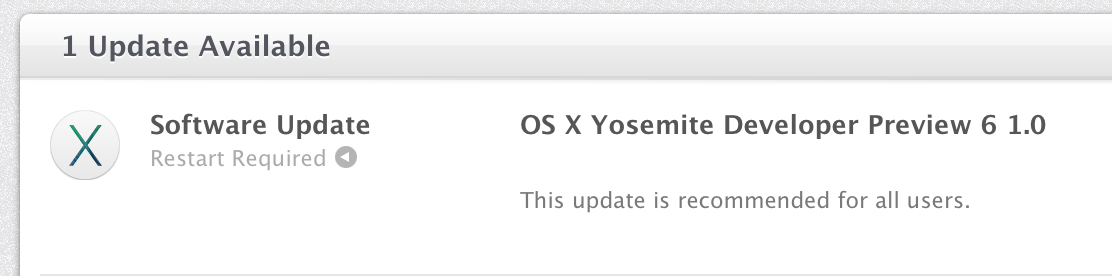
Apple releases OS X Yosemite Developer Preview 6 with new wallpapers & icons

Site default logo image

Right on schedule, Apple has released the sixth preview of the upcoming OS X Yosemite to developers today. This new seed comes two weeks following the previous release, and it likely continues to bring performance enhancements, interface tweaks, and bug fixes. We’ll be updating this post with the changes in Preview 6 as they are discovered. If you find something new, you can let us know at tips@9to5mac.com. The release version of Yosemite is currently scheduled for the later half of October, and it will ship separately from iOS 8, which is not seeing a new beta today. Here’s what’s new:


Expand
Expanding
Close

Site default logo image

App developers can now earn affiliate commissions via Store Kit in iOS 8

Apple’s iTunes Affiliate program has notified users of the program that developers can now earn affiliate commission via the Store Kit feature in iOS 8. StoreKit Product Sheet, which has existed since 2012’s iOS 6, allows developers to put a page inside of their apps to download other items from the iTunes Store, App Store, and iBookstore. However, the feature was not compatible with affiliates until iOS 8. Here’s Apple’s email to affiliate users:

We are excited to announce that Store Kit Product Sheet is now affiliate commissionable on iOS 8.

Store Kit Product Sheet allows app developers to promote the purchase of music, apps, books and more directly from a sheet within your app and earn the standard affiliate commission on all sales within 24 hours.

We encourage you to use Store Kit Product Sheet to provide a superior user experience and keep users in your app longer. Learn how to integrate your affiliate token into the Store Kit Product Sheet in the Developer Documentation.

Apple briefly discussed this iOS 8 enhancement for developers during a WWDC 2014 session, but this email indicates Apple is pushing developers to utilize all of the resources available to increase their monthly revenues.


Expand
Expanding
Close

Apple bolstering ‘Report A Problem’ Maps options in iOS 8

Site default logo image

Apple has shown a renewed focus on Maps with iOS 8. Although headline features like transit did not show at WWDC, recent iOS 8 betas are bringing improvements to the ‘Report A Problem’ features. The frequency at which these updates are passed through has also improved dramatically in the past couple of months.

Apple has added a new explicit ‘follow-up by email’ option at the end of the Report A Problem form. This means Apple is now actively looking to get additional information about map queries from customers via email.


Expand
Expanding
Close

Apple starts using China Telecom’s data centers to store iCloud data for China users, rather than US locations

Site default logo image

Update: Apple confirmed the use of China Telecom servers in a statement to the Wall Street Journal.

But the company said Friday in a statement to The Wall Street Journal that all data stored is encrypted, meaning China Telecom won’t have access to its content.

“Apple takes user security and privacy very seriously. We have added China Telecom to our list of data center providers to increase bandwidth and improve performance for our customers in mainland China,” it said.

Apple has begun using Chinese data centers to store iCloud data for local Apple customers, the first time Apple has used mainland China for iCloud account and information storage. On a municipal government website, Fuzhuo City Telecom said that ‘Apple China has completed the iCloud data dump into China Telecom’s cloud services’. The post has since been taken down from the government site, however.


Expand
Expanding
Close

Site default logo image

Apple says iCloud Mail experiencing outage for some users

Following several reports from readers earlier today that Apple’s iCloud Mail service was experiencing an outage, Apple has now updated its system status page to reflect the downtime.

Apple says that “some users are affected” and that “users may be unable to receive iCloud mail”. Apple’s system status page says the outage started a little before 12PM ET this morning and continues for some. iCloud Mail service also went down last month with a relatively small number of users experiencing an outage for as long as 18 hours.

Apple has made some improvements to the iCloud Mail service recently including flipping the switch on encryption for email sent between providers.

We’ll update here when/if Apple provides an update on the outage.

[tweet https://twitter.com/toddheberlein/status/497771810843160578]