iCloud

See All Stories
iCloud

The best place for all your photos, files, and more.

iCloud was launched in 2011 as the successor to MobileMe and is Apple’s current cloud service that allows iOS and Mac users to save and synchronize information. Apple includes 5GB of iCloud storage for free with all accounts and has paid options starting at $0.99/month for 50GB.

https://www.youtube.com/watch?v=KTrO2wUxh0Q

iCloud is built into every Apple device. That means all your stuff — photos, files, notes, and more — is safe, up to date, and available wherever you are. And it works automatically, so all you have to do is keep doing what you love. Everyone gets 5GB of free iCloud storage to start, and it’s easy to add more at any time.

What is iCloud?

iCloud solved a problem that we were facing in 2011. Originally, Apple pitched the Mac as the digital hub to our life. Our iPods (and then iPhones) would sync over a cable to transfer information. As we added iPads, it became a mess. Steve demoted the Mac back to just a device and made the “cloud” the center of our digital life. Using the service, users could sync all of their data over the air. As an example, a Keynote document edited on your Mac would automatically be up to date with the latest changes on your iPad or iPhone. iCloud also allowed you to back up your iOS device for an easy path to change devices without having to set everything up manually.

The problem with this original iCloud pitch is it didn’t cover all of our photos. We didn’t get that until iCloud Photos came in iOS 8. It didn’t cover iMessage, as that didn’t come until a few years ago with messages in the cloud. It didn’t cover all of our files, but only those in the iCloud folder stored inside of app folders. We didn’t get seamless syncing of files until Apple added Desktop and Document folder syncing a few years ago.

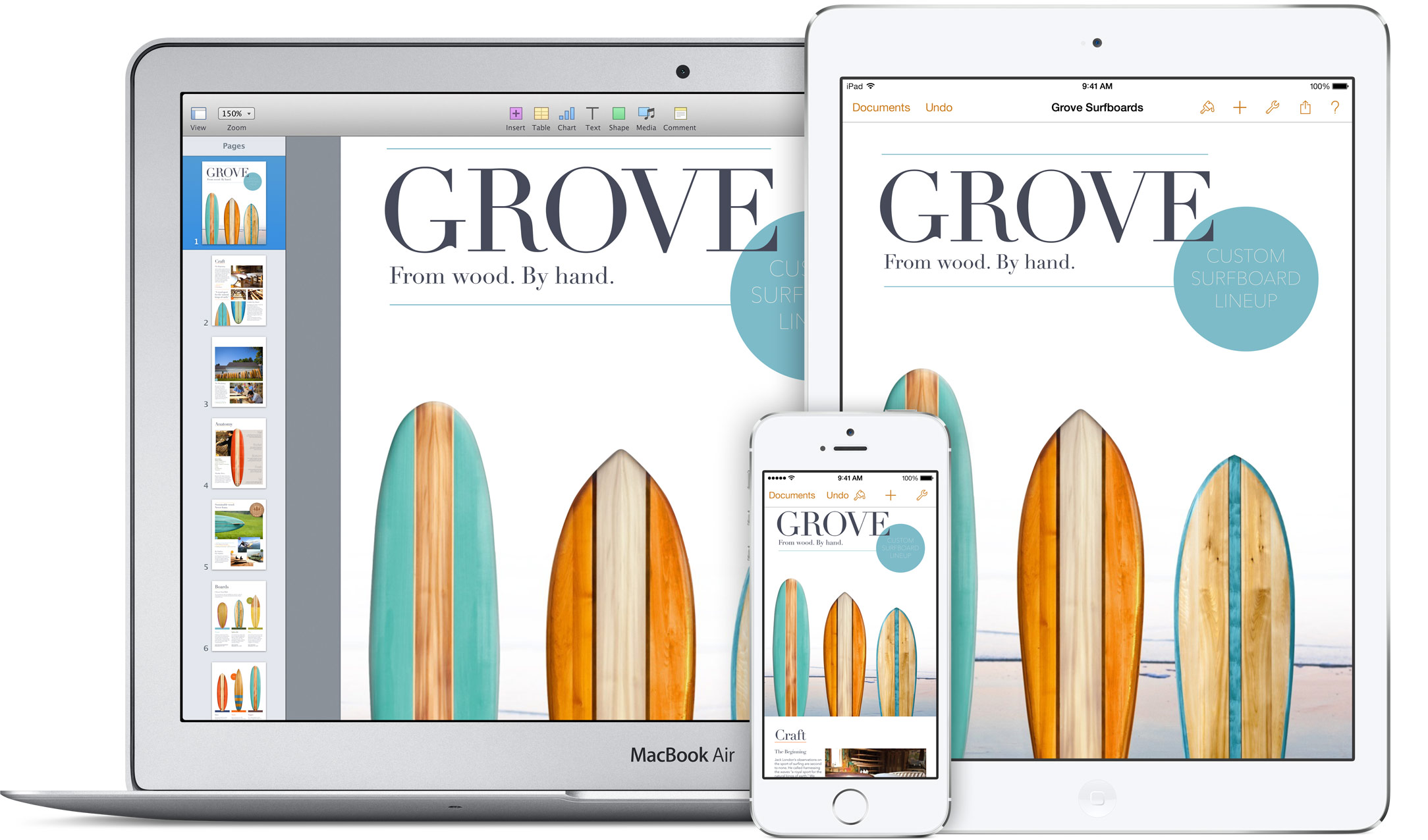
Over time, Apple has continued to add features to iCloud, and it’s turned out to be a really robust and reliable service. Users can sync files, photos, notes, reminders, and Safari bookmarks to their Mac, iPhone, iPad, and even Apple TV (photos).

iCloud Troubleshooting

If you’re having trouble using iCloud, you may want to make sure it isn’t affected by downtime. Check Apple’s iCloud Status page here.

How much does iCloud cost?

Pricing can change at anytime (view Apple’s latest pricing page), but here are the current rates for a few countries.

United States
50GB: $0.99
200GB: $2.99
2TB: $9.99

Canada 
50GB: $1.29
200GB: $3.99
2TB: $12.99

United Kingdom
50GB: £0.79
200GB: £2.49
2TB: £6.99

European Union
50GB: 0.99 €
200GB: 2.99 €
2TB: 9.99 €
Read below for all of our coverage

Site default logo image

Using your own iPhone at work? Watch that it doesn’t get wiped when you leave …

Employees who use their own electronic devices at work under a Bring Your Own Device (BYOD) arrangement may have unwittingly authorised their employer to remotely wipe their device when they leave the company, reports the WSJ.

In early October, Michael Irvin stood up to leave a New York City restaurant when he glanced at his iPhone and noticed it was powering off. When he turned it back on again, all of his information—email programs, contacts, family photos, apps and music he had downloaded—had vanished […]

It wasn’t a malfunction. The device had been wiped clean by AlphaCare of New York, the client he had been working for full-time since April. Mr. Irvin received an email from his AlphaCare address that day confirming the phone had been remotely erased.

A survey found that 21 percent of companies perform a remote wipe of employee-owned devices registered on the company network, with employees ostensibly agreeing to this when they connect to the company network.

Many employers have a pro forma user agreement that pops up when employees connect to an email or network server via a personal device, he added. But even if these documents explicitly state that the company may perform remote wipes, workers often don’t take the time to read it before clicking the “I agree” button.

The legality of the practice has reportedly not yet been tested in court.

In principle, an iCloud or iTunes backup should allow wiped iPhones to be restored, but you may want to pay a little more attention to the small-print next time one of those corporate messages pops up on your screen, to find out what it is you’ve been agreeing to …

Update: Several readers have pointed out that the remote wipe would be performed via the company’s Exchange servers, so removing the Exchange account the day before you leave would be a good precaution.

Site default logo image

The worst password of all is no longer ‘password’ according to hacked accounts chart

You might have thought that it would be hard to come up with a worse password than ‘password,’ but according to a chart compiled by SplashData from hacked accounts, it has been edged out by ‘123456’.

The far more secure ‘12345678’ (33 percent more secure!) retains its position as number three, while a new entry in sixth place goes as far as ‘123456789’. Sadly, ‘letmein’, a password I always felt deserving of classic status, dropped seven places to achieve a mediocre ranking of 14.

Apple introduced iCloud Keychain as part of Mavericks and iOS 7.0.3, and if you’re not already using it, you can read our how-to guide. If you’re using older versions of OS X or iOS, we also ran a how-to guide on using a password manager to have unique, secure passwords for each website.

Via re/code

Lightroom for iPad briefly appears on Adobe’s website, coming soon with $99/year cloud subscription

Site default logo image

Adobe will soon make the iPad an even more viable solution for mobile content creation: the company will soon unleash a version of its popular Lightroom photo editing suite that is optimized for tablets. References to Lightroom for Mobile appeared on Adobe’s official website earlier this week, but they were immediately removed when we contacted Adobe for comment on the yet-to-be-announced product.

Adobe’s tagline for the product is “Take Lightroom anywhere,” but we were unable to locate screenshots of the application on Adobe’s website. The website also does not specifically note iPad support, but a chat representative from Adobe was able to pull up details about Lightroom for Mobile from Adobe’s systems and said that it is built for iPad.

The representative further indicated that the mobile version would largely lineup with the desktop version in terms of features…


Expand
Expanding
Close

Review: Lacie Fuel, the wireless portable drive for all your iDevices

Site default logo image

[youtube=http://www.youtube.com/watch?v=M9HTQybOxcI]

Wireless drives have been around for a little while now. There’s the Seagate GoFlex Satellite, and the Kingston W-Drive SSD, for example. They generate their own wifi networks, and you can then stream content from them to either a Mac or, more usefully, an iOS device.

Lacie has taken that concept a stage further, by adding the ability to upload content from iPhones and iPads also, and with 1TB capacity, you’re unlikely to find yourself running short of space.

I tested it with a MacBook Air, iPad and iPhone, and was generally impressed …


Expand
Expanding
Close

Nearly a fifth of all grand larcenies in NYC involved Apple products

Site default logo image

Thefts of Apple products made up 18 percent of all grand larcenies in New York City last year, reports the WSJ, citing NYPD figures. Of the 47,000 grand larcenies occuring in the city last year, 8,465 involved Apple products.

Many of the thefts happen on public transportation, where most people are buried in their devices and aren’t paying attention to their surroundings, said Joseph Giacalone, a retired New York Police Department detective. “It’s easy pickings,” he said … 
Expand
Expanding
Close

Opinion: Five years from now, will we have given up all control of our technology?

Site default logo image

I know, it seems an odd question. But a few different things over the last couple of days got me thinking …

Years ago, before either Google or Apple ecosystems were really deserving of the term, I managed all my device synchronisation manually: I decided what content got synced on what devices. My music too: iTunes was allowed to play it, but not to manage it – I took care of the folder structures and meta-data myself. And the miscellaneous notes I kept were in a folder full of text files, the format deliberately chosen to be compatible with anything, not sitting inside Apple’s Notes app.

My view was that it should be me, not some piece of software or online service, that made the decisions about how things got done. Fast-forward to today, however, and things are quite different around here … 
Expand
Expanding
Close

Site default logo image

AOL announces iCloud email support returning to its Alto webmail service

Earlier this year AOL announced it would no longer be supporting iCloud email accounts with its Alto webmail service after December 2nd. Today, however, the Alto team informed users it had reversed that decision and apologized for the confusion of its decision. Alto also promised it would not be pulling support for iCloud email in the future, but offered no details on why the initial decision then reversal were made. Full email below:
Expand
Expanding
Close

Apple acquired mapping firm BroadMap’s talent, location-infused Evernote competitor Catch

Site default logo image

<a href="http://benjaminfeenstra.com/2012/11/google-vs-apple/">Apple HQ in Cupertino</a>

Apple has been on a roll this year in terms of acquisitions. According to Apple CEO Tim Cook, the Cupertino firm acquired 15 companies this year, but only ten have been revealed. That list includes mapping companies such as Embark, chip makers like Passif, search specialists such as Cue and Topsy, and hardware companies such as PrimeSense. Because only 10 of the 15 Apple acquisitions of 2013 have been revealed, we have been digging and asking around to find the few remaining Apple pickups. Based on evidence and chatter from sources, Apple seemingly acquired mapping firm BroadMap in the first half of this year and Evernote-competitor Catch within the last few months…


Expand
Expanding
Close

Review: Airmail, an exceedingly pretty but Gmail-centric alternative to Apple Mail

Site default logo image

9to5Mac readers know a thing or two. When I reviewed Postbox, after explaining that I had lost patience with the flakiness of late of Apple Mail, several of the commentators recommended Airmail, a lightweight email client based on the popular but discontinued Sparrow app. It’s also the only alternative to Apple Mail and (of course) Outlook for those who need Exchange support.

Since then, Apple released OS X 10.9.1 with Mail fixes. It’s definitely better, but those unread mail counts still don’t update promptly, and my jury is still out (to put it nicely) on Gmail integration and other issues. As I mentioned before, so long as you use IMAP, switching back-and-forth between email apps is trivial, so I decided to give Airmail a try …


Expand
Expanding
Close

Site default logo image

Dropbox-owned Mailbox email app finally gets iCloud, Yahoo Mail support

Mailbox, the popular email application owned by Dropbox, has finally received one of its most requested features: support for email accounts using Apple’s iCloud email service. Also in the mix with today’s update is support for Yahoo Mail. The app is yet to hit the App Store, but the company tells us that the app is propagating out to users today via the App Store. (Update: it’s live)


Expand
Expanding
Close

Site default logo image

Report profiles Apple’s pioneering clean energy projects in North Carolina [photos]

GigaOM today published a lengthy piece on the state of the solar and fuel cell farm installations that Apple has been building in North Carolina in recent years.

After a visit to the 100-acre, 20 megawatt (MW) solar farm, 10MW fuel cell farm, and another 20 MW solar panel farm situated close to Apple’s North Carolina iCloud data center, the report gives a pretty in-depth look into Apple’s operations, from how its fuel cells work right down to the sheep that eat the grass on its solar farm:

The solar farm across from the data center has over 50,000 panels on 100 acres, and it took about a year to build the entire thing….Each solar panel on Apple’s farms has a microcontroller on its back, and the panels are attached to long, large trackers (the steel poles in the picture). During the day, the computers automatically and gradually tilt the solar panels so that the face of the panels follow the sun throughout the day. The above picture was taken in the late morning, so by the end of the day, the panels will have completely rotated to face where I was standing. The trackers used are single-axis trackers, which basically means they are less complex and less expensive than more precise dual-axis trackers.

You can see in the above picture that the grass is neatly maintained. Apple manages the grass under the panels in a variety of ways, but one of those is a little more unusual. Apple works with a company that ropes in sheep that eat the grass on a portion of the solar farm; when the sheep finish grazing on one spot, they’re moved to the next.

The site decided to take a look into Apple’s decision to take renewable energy into its own hands just as North Carolina utility Duke Energy is requesting that the state allow it to sell clean energy to large corporate customers. Google is one of the large companies interested in purchasing clean energy from the utility, but the hundreds of millions Apple has invested into its own renewable energy efforts have so far made it self-sufficient. The report notes Apple’s two solar farms, along with its fuel cell farm, are producing more than it needs to power its data center by around 10MW:

Apple’s second 20 MW solar panel farm, which is about 15 miles away from the data center near the town of Conover, North Carolina, is also up and running. All told, the three facilities are creating 50 MW of power, which is about 10 MW more than what Apple’s data center uses. Because of state laws, the energy is being pumped into the power grid, and Apple then uses the energy it needs from the grid. But this setup also means Apple doesn’t need large batteries, or other forms of energy storage, to keep the power going when the sun goes down and its solar panels stop producing electricity.

The full feature on GigaOM is worth checking out if you’re interested in Apple’s renewable energy projects.

iWork for iCloud apps add promised collaboration features, folders, more

Site default logo image

Back at Apple’s October 22nd iPad Air event, the company also unveiled an update to its iWork for iCloud online productivity suite beta that included new real-time collaboration features, easier sharing, and more. The ability to collaborate went live initially, but today Apple is rolling a handful of other new features to the Pages, Numbers, and Keynote iWork for iCloud apps.

New features going live today include a new list to view all collaborators currently working on a project, as well as “cursors and selections” for each person editing a document, presentation, or spreadsheet. Apple also notes that you can now “Instantly jump to a collaborator’s cursor by clicking their name in the collaborator list.”

In addition, all apps today receive new folders to organize files, the ability to print from the Tools menu, and the Keynote app gets right-click to skip slides.

You can check out the new features in the Numbers, Pages, and Keynote app on iCloud.com now. Full list of what’s new below:
Expand
Expanding
Close

Site default logo image

LastPass password manager iOS app gets simplified UI & family logins

The popular free password manager app LastPass has been given a revamped user-interface across iOS app, Android app and browser add-on, aimed at both a cleaner look and greater ease of use.

Paid users also get access to a new Shared Family Folder, allowing up to five users to get shared access to joint logins. The LastPass blog highlights the new features in version 3.0 as:

  • Revamped user experience and user interface
  • Field icon menus for easy access to logins and LastPass tools
  • A Shared Family Folder for up to 5 users
  • Expanded Shared Folder features for LastPass Enterprise
  • A revamped LastPass for Applications
  • Secure Note history, to track changes to your notes

LastPass is a free download, and we have a detailed tutorial on how to use it.

Apple promoting its own stock iOS apps for popular App Store search queries

Site default logo image

Apple appears to have recently started promoting some of its own stock iOS apps on the App Store for search terms that would have previously displayed results from third-party developers first. As noted by MacStories, when searching for terms such as “browser”, “web”, “SMS”, “Movies”, “cloud, “Siri”, “internet”, and others on the App Store, Apple is now promoting some of its own apps and services such as Safari, iTunes, Messages, iCloud, and Siri as the first results.

The result for Apple’s apps aren’t typical App Store listings but instead provide users with a brief description and link to either “Learn more” or open the app. Clicking Learn More takes users to Apple’s website in Safari for more information on the app, while some listings, such as iTunes, allow users to tap “Visit iTunes Store” and automatically launch the iOS iTunes app.
Expand
Expanding
Close

Site default logo image

Clear iOS apps updated with support for iOS 7’s Background Refresh

The popular Clear productivity apps for iOS have been updated today with support for Apple’s Background Refresh feature new in iOS 7. That means your lists in Clear will now update more often, refreshing from iCloud in the background so they’re always up to date across all of your devices running Clear.

The update is available for the $1.99 Clear app for iPhone and the $4.99 Clear+ for iPhone and iPad now. Developer Realmac Software also teased that it’s working on other big new features for a future update:

We’re hard at work on some great new features for Clear – and today we’re releasing a small update to Clear and Clear+ to take advantage of a great new iOS 7 feature: Background Refresh.

iOS 7 launches your most frequently-used apps in the background throughout the day, allowing them to refresh their data. This means that, with today’s update, Clear will refresh your lists from iCloud to ensure they’re always up to date on all your devices.

Site default logo image

Apple lists countries where new iCloud Keychain feature is available

Apple has updated its support website with a new list of countries in which iCloud Keychain is supported. iCloud Keychain was announced at WWDC 2013 earlier this year, and the feature allows users to create complex passwords and sync them via iCloud to their supported devices. The feature also allows users to store their credit card information in order to make payment processing online a faster process. The feature launched earlier this week with OS X Mavericks and iOS 7.0.3. We will be publishing a thorough how-to guide for setting up and utilizing iCloud Keychain in the coming days. The full list of currently supported countries is available below:


Expand
Expanding
Close

Pixelmator 3.0 FX released: adds layer styles, ‘Liquify’ warping tools, Mac Pro and Mavericks optimizations

Today, the team behind Pixelmator has released the latest version of their app, version 3.0 FX. As before, the app is available on the Mac App Store for $29.99. The update brings a slew of changes to the already popular image editor, especially considering version 2.2 was only released a few weeks ago. 9to5Mac has had access to a preview copy of the update for a few days … so read on for a full walkthrough of the changes.

The headline feature for Pixelmator 3.0 is the addition of layer styles. Layer styles apply effects such as strokes, fills, shadows and reflections to the entire layer in very few clicks. More importantly, these changes are non-destructive — they affect the layer, not the canvas pixels themselves. This means layer effects can be undone and manipulated without changing the underlying image data. In fact, layer styles can even be copied to the clipboard and duplicated across layers.


Expand
Expanding
Close

New iOS iWork & iLife icons/features appear on Apple’s website, GarageBand going free with in-app-purchases

On the ‘Built-in Apps’ page in the iPhone 5s and 5c section of Apple’s website, although the actual app screenshots look the same, Apple is using new (flatter) iOS icons for the iLife and iWork suites designed to match the style of iOS 7. The iPhoto and GarageBand icons are identical to the ones that were leaked last week in the iCloud Storage preferences.

However, this is the first time the new iOS 7 style iMovie, Pages, Numbers and Keynote icons have been seen. Although iMovie looks relatively similar to its skeuomorphic counterpart, the other icons look drastically different featuring bright gradients and white icon glyphs.


Expand
Expanding
Close

Site default logo image

Motorola makes a play for iPhone users with one-step iCloud migration tool

Motorola appears to be making a play for iPhone users, launching a tool yesterday to allow an iPhone user to easily transfer their contacts and calendars from iCloud to a Google account, ready for use on an Android phone.

The option has been added to the Moto Maker customization tool for the Moto X handset, which allows buyers to choose from 32 color combinations.

Transferring contacts and calendar appointments between platforms is, of course, nothing new: both Samsung and HTC offer tools to help import data from an iPhone. We also doubt too many iPhone users will be tempted to switch to a mid-range Android handset, even if it does come with many more color options than the iPhone 5c.

But the wording of Google’s announcement suggests it may be the first step in a more aggressive move on the iOS market by parent company Google. In his Google+ post, Motorola Mobility VP Punit Soni commented:

We added the ability to migrate your iPhone contacts and calendar to the Moto X (from Motomaker.com). There is a long way to go, but its a start…

The tool was created by Mark/Space, a company with a lengthy track-record in mobile synchronization, dating back to 2001.

Via GigaOM

AOL to drop iCloud email support from its Alto webmail service

Site default logo image

AOL has informed applicable users that it will be dropping support for accessing email from Apple’s iCloud service from its recently launched Alto webmail client. Alto is a web-based mail client that intelligently sorts and integrates email from services such as iCloud Gmail, Yahoo, and AOL. AOL has informed iCloud users who have logged into Alto that support for iCloud will be dropped on December 2nd:


Expand
Expanding
Close

Site default logo image

iOS 7 betas expire as some folks forget to update, here’s how to get your iPhone back

Developers who didn’t upgrade their iOS devices from beta 6 to the public release of iOS 7 are finding their iOS devices temporarily bricked this morning after the beta expired, reports Gizmodo.

Around midnight UK time, my iPhone 5, along with thousands of other iOS 7-running devices which hadn’t updated from their dev betas, randomly crashed. An error message of “could not activate iPhone” appeared, and prompted users to sign in with their iCloud details. Unfortunately this did not solve the issue, with Apple’s activation server being “temporarily unavailable.”

Fortunately, a fix is available – such as the one detailed at iPhoneHacks. The executive summary is to make sure you’re running iTunes 11.1, manually download the latest 7.0.2 version of iOS , connect the device to your Mac, click on the device in iTunes and then hold down the option key when clicking the Check for Update button to select the downloaded file. See the detailed instructions and links to the files for each device here.

Is paid iCloud storage a good deal, or can you do better? Cloud storage roundup

Site default logo image

With former MobileMe customers losing their additional 20GB of free storage a couple of days ago, there are probably a bunch of new people eyeing the paid iCloud upgrade options and wondering whether or not to hand over their cash. So we thought it would be a useful to take a look at the other major cloud storage services out there, to see how they compare.

As none of them are trying to hide the filesystem in the way Apple does, they all essentially work in the same way: providing you with a virtual online drive that you treat just like a local folder. There are also OS X and iOS apps for each.

Let’s start with the obvious: if you want something that is totally integrated into both OS X and iOS, and which Just Works, then iCloud is king.

Although the 5GB you get free doesn’t sound like a lot, you actually get more than this in practice – because Apple doesn’t count the space used by any of your iTunes purchases (apps, music, movies/TV shows or books), nor does it count the 1000 most recent photos you get to store in Photostream. If most of the content you want to store came from Apple, and all you want to do additionally is sync your contacts, calendar, notes and so on, the free storage is probably all you need.

iCloud is also a seamless way to store documents if you use Apple’s own iWork software: Pages, Numbers and Keynote. By opting to save documents on iCloud, they are automatically available to you from your Mac(s), iPad and iPhone – as well as on the web.

But if you have a lot of documents, you can pretty soon start bumping up against that 5GB limit. Which is where iCloud’s costs and limitations start to show up … 
Expand
Expanding
Close

Site default logo image

iCloud Mail push notifications return in Germany as injunction gets lifted in Apple/Motorola dispute

Since more than a year ago, Germans have not had access to push notifications for iCloud Mail services following a dispute between Apple and Motorola in the country that forced Apple to disable the feature. Now, as noted by German Apple blog iPhone-ticker.de, Apple has now confirmed that push notifications services have been switched back on in the country. The news comes following Apple’s success in getting the original injunction lifted after posting $132 million bond, according to FossPatents:

After the Federal Patent Court’s preliminary ruling, Apple filed with the Karlsruhe-based appeals court a motion to stay enforcement against Google’s will. In early September, the Karlsruhe Higher Regional Court granted it. I published my own (obviously unofficial) English translation of the order. The order revealed that Apple had to post a 100 million euro ($132 million) bond to get the injunction actually lifted. The paperwork for all of this apparently took a few weeks and presumably Apple’s technical staff conducted some internal tests before finally reactivating the push notification feature for end users — which it did today.