iMac

See All Stories
iMac

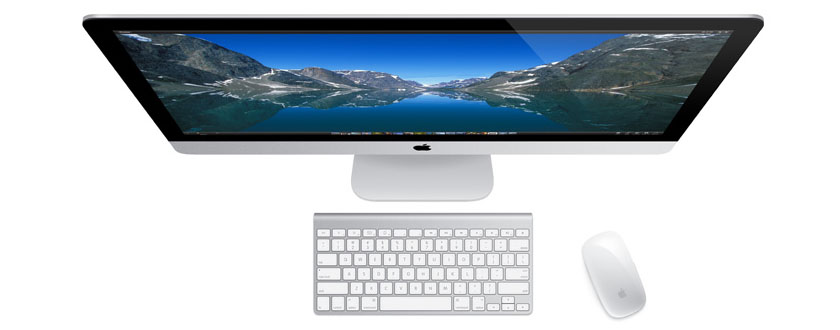
Originally released in 1998. the iMac ($1,099 and up) started life as Apple’s fun all-in-one computer, evolving into a more serious “right for practically everyone” option over time. For Pro users, there is also an iMac Pro model as well.

Apple first introduced the aluminum iMac in August 2007 with 20-inch and 24-inch options. This was a major update compared to the previous plastic design of the machine, which was available in 17″, 20″, and 24″screen sizes between August of 2004 and August of 2007. The mid-2007 model, however, was only a stepping stone. Despite featuring an aluminum front-face, it still featured a back casing made of black plastic, which was a stark difference from the sleek aluminum front.

In 2009, Apple released a new lineup with aluminum unibody design in 21.5″ and 27″ screen sizes – introducing the two screen sizes that are still in use today. This design has ended up shaping the future of the iMac, with Apple focusing on revising it rather than completely redesigning.

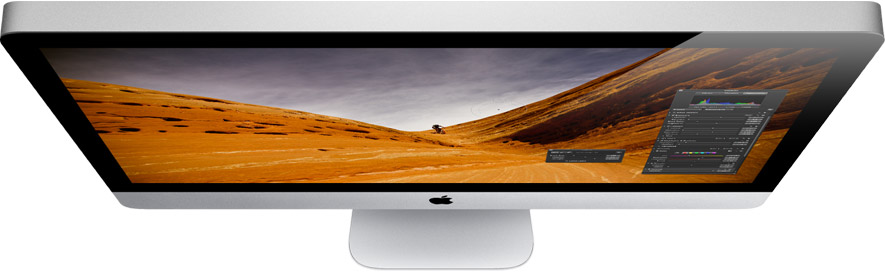
In October 2012, Apple redesigned the iMac with an ultra-slim side profile and removed the SuperDrive. While the thinnest point measures 5mm, there’s still a bulge in the back to accommodate the iMac’s internals and cooling system. In 2015, the iMac was upgraded with a Retina display upgrade option.

In March of 2019, Apple released a minor upgrade to the 4K and 5K iMac lineup. The updates include new 6-core and 8-core Intel CPUs with Radeon Pro Vega graphics options.

The 21.5-inch iMac starts at $1299. The base model includes a 3.6GHz 8th-generation Intel i3 processor, 8 GB RAM, a 1 TB hard drive, and Radeon Pro 555X graphics.F or $1799, the base model 27-inch iMac includes a 3GHz 6-core 8th-generation Intel i5 processor, 8 GB RAM, 1 TB Fusion Drive, and a Radeon Pro 570X GPU. The Radeon Pro Vega 48 GPU upgrade costs $450 build-to-order, and is not offered on any base iMac configuration. The iMacs continue to feature spinning hard drives as the default with upgrade options for Fusion Drives and Flash storage.

Apple also sells a $1099 low end of the iMac, but it doesn’t include a 4K display and includes an older processor. For your money, it’s recommended to get at least the $1299 model. If you are considering any upgrades, the 256 GB flash storage upgrade will go a long way at improving long term durability and speed.

If you are looking to mount your iMac on a wall, Apple offers a model with a VESA compatible stand for a $40 upgrade.

If you are looking for the latest deals on Apple’s iMac, check out 9to5Toys.com

Need extra cash to upgrade? Sell your old Apple devices to 9to5Mac’s trade-in partner.

Site default logo image

Veteran Apple ad man Ken Segall praises holiday ad – says Apple still thinking differently

Ken Segall, the ad exec behind Apple’s Think Different campaign, and the man who put the i into iMac, has praised Apple’s new holiday ad, saying that it shows Apple is still thinking differently.

This ad is a holiday card from Cupertino. It lines up perfectly with the values Apple has communicated for years. It’s not about technology — it’s about quality of life.

The takeaway is much the same as one gets from the “Designed by Apple in California” ad, but I like it a hundred times more. In that previous effort, Apple simply told us why it is different. This new spot tells an interesting story and lets us draw that conclusion for ourselves. It’s a more artful, more memorable way to make the point.

Once again, Apple demonstrates it’s a different kind of technology company. Most talk about what goes into their phones — Apple shows what we can get out of them … 
Expand
Expanding
Close

Trouble in Austin: Apple repeats last year’s iMac holiday shortage with the Mac Pro

Site default logo image

The December supply of Mac Pros?

The new Mac Pro is an awesome machine for those with several thousand dollars to spend on a computer and a need for all the power that comes with that thermal core, but managing to get one is going to be difficult for the next few months even if you have the credit card ready. Yesterday, Apple announced that the Mac Pro would go on sale today, December 19th. The store went live last night with the Mac Pro shipping the very last non-holi-day of 2013, December 30th.

As we noted earlier today, Apple’s customers in its home state of California awoke to Mac Pros being quoted to ship in February. But it gets worse…


Expand
Expanding
Close

Site default logo image

Miss Teen USA spied on via MacBook camera while indicator light was off

The Washington Post reports that when a high school classmate of Cassidy Wolf (aka Miss Teen USA) spied on her via the iSight camera in her MacBook, he did so using software that allowed him to keep the green indicator light off while viewing.

Researchers at Johns Hopkins University were able to replicate the exploit, demonstrated in the above video, but only on MacBook and iMac models released before 2008.

Stephen Checkoway, a computer science professor at Johns Hopkins and a co-author of the study. “Apple went to some amount of effort to make sure that the LED would turn on whenever the camera was taking images,” Checkoway says. The 2008-era Apple products they studied had a “hardware interlock” between the camera and the light to ensure that the camera couldn’t turn on without alerting its owner […]

In a paper called “iSeeYou: Disabling the MacBook Webcam Indicator LED,” Brocker and Checkoway describe how to reprogram the iSight camera’s micro-controller to allow the camera and light to be activated independently. That allows the camera to be turned on while the light stays off.

While this particular exploit appears limited to older Macbooks, it was recently revealed through court papers that the FBI has the ability to do the same thing with a variety of current laptops including Apple products.

Site default logo image

9to5Toys Last Call: 1Password for Mac 30% off, MacBook Air $150 off, iMac $160 off, rechargeable batteries $5, more

Be sure to follow 9to5Toys to keep up with the best gear and deals on the web: Twitter, RSS Feed, Facebook, Google+ and subscribe to the new Safari push notifications feature.

Today’s can’t miss deals:

Last Call updates:

Game/App Deals: 1Password for Mac: $35 (Reg. $50), Deus Ex: The Fall: $1 (Reg. $7), iOS freebies, more

Apple Computer Deals: Apple MacBook Air $100 off ($150 for .edu emails), iMac $160 off

Save up to 54% on select AA and AAA AmazonBasics rechargeable batteries

Up to 65% off Sony Flash Memory and Sales on Stocking Stuffers

Belkin WeMo iOS/Android enabled light switch $40 shipped (Reg. $50)

Giveaway: Dropcam Pro Wi-Fi video monitoring camera ($200 value)

Other great deals from today:

The best deals that are still alive:

How-to: Take advantage of Zoom and Large Text in OS X Mavericks

Site default logo image

OS X Mavericks has numerous features and settings that make text and images more visible. In this article, I will discuss many options and methods to take advantage of those features in different ways. In pointing out many different ways, I hope to help you find a method that will be a good fit for you.

Use System Preferences, Displays Settings:
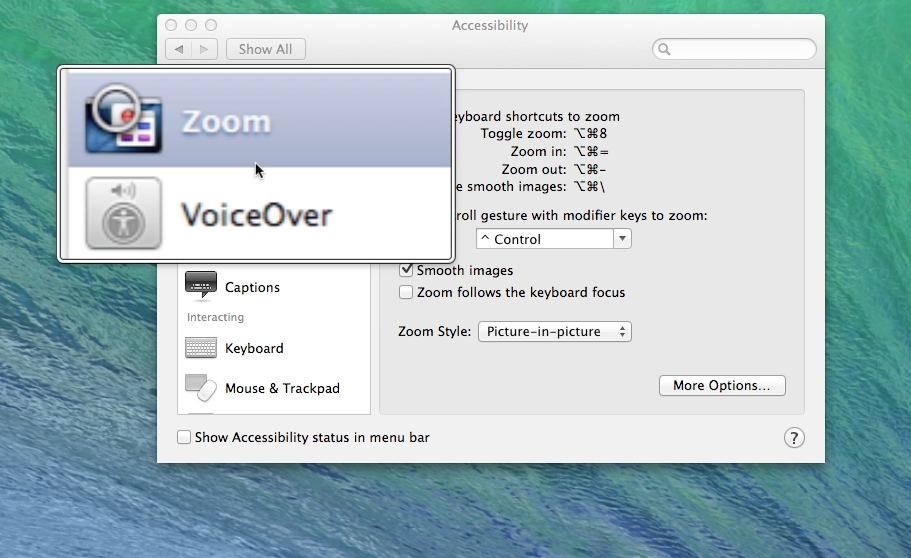
Access System Preferences from the dock or the Apple on the menu bar, and click on Displays. Then click on the Display tab. Choose Scaled, and the different resolution settings available are displayed. The options available vary, depending upon what resolution your model of the computer is capable of displaying. Adjust the settings by choosing different options—the lower the numbers are in the setting, the larger objects will be displayed. Below are examples of the display setting options you will see on a white MacBook, an older iMac, and a MacBook Pro with Retina display … 
Expand
Expanding
Close

Filemaker releases new version for 2013 with HTML5 data entry, new iOS features and tightened security

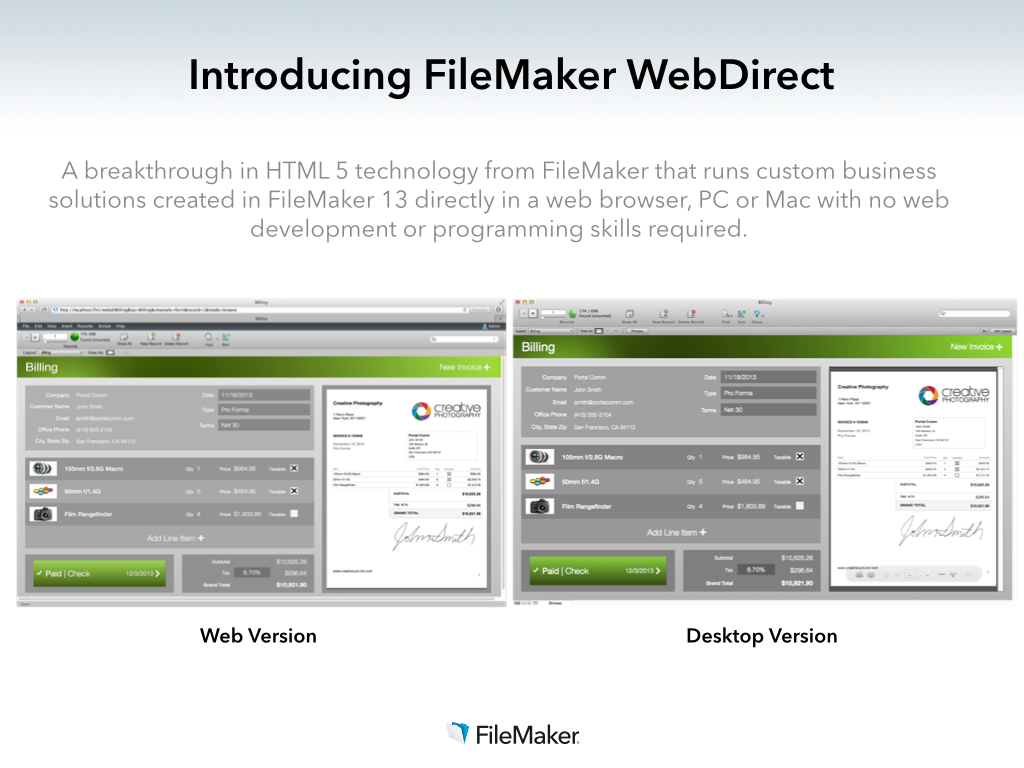
Filemaker, a subsidiary of Apple, has just announced its 2013 version of its popular database application. The new version focuses on bringing desktop database solutions to the browser. New in Filemaker ’13, projects can now be managed through a centralized web dashboard, with options for partner portals and file hosting. More importantly, data entry can now be taken in a web interface — HTML5 powered forms enable businesses to manage their deployments on any PC or Mac, as there is no longer a reliance on having the native applications installed.


Expand
Expanding
Close

How-To: Start using Maps in OS X Mavericks

Site default logo image

Apple has finally implemented a maps app in the OS X platform, and it seems to have been worth the wait. After being noticeably missing from the system, Maps (and iBooks) are helping achieve a greater consistency between the iOS and OS X platforms. After running the free Mavericks update, the Maps app icon will automatically be added to your dock.

In this guide, we’ll show you how to use the new app for everything from searching for locations to getting turn-by-turn directions set directly to your iPhone.


Expand
Expanding
Close

Unlock your Mac by knocking on your iPhone with the new ‘Knock’ app

http://www.youtube.com/watch?v=CyX8FfSKg04

Knock uses a combination of an iPhone app (currently offered at an introductory price of $3.99)  and a Mac app (available for free at Knock’s website) to enable unlocking of your Mac, wirelessly, by just knocking the back of your iPhone.

It’s a surreal experience. After a couple of minutes of initial setup, you lock your Mac and rap the back of your paired iPhone twice. Your Mac unlocks. The app doesn’t even have to be forefront on your phone, although it does have to be ‘open’ in the multitasking tray. In fact, your phone doesn’t even have to be unlocked. When it senses the Mac is near, a notification appears on the lock screen instructing you to knock. There are some nice UI touches too. For instance, echoes of the ‘sound wave’ appear on OS X’s lock screen in real time as you knock. It’s a subtle visual indicator that the system is actually working.


Expand
Expanding
Close

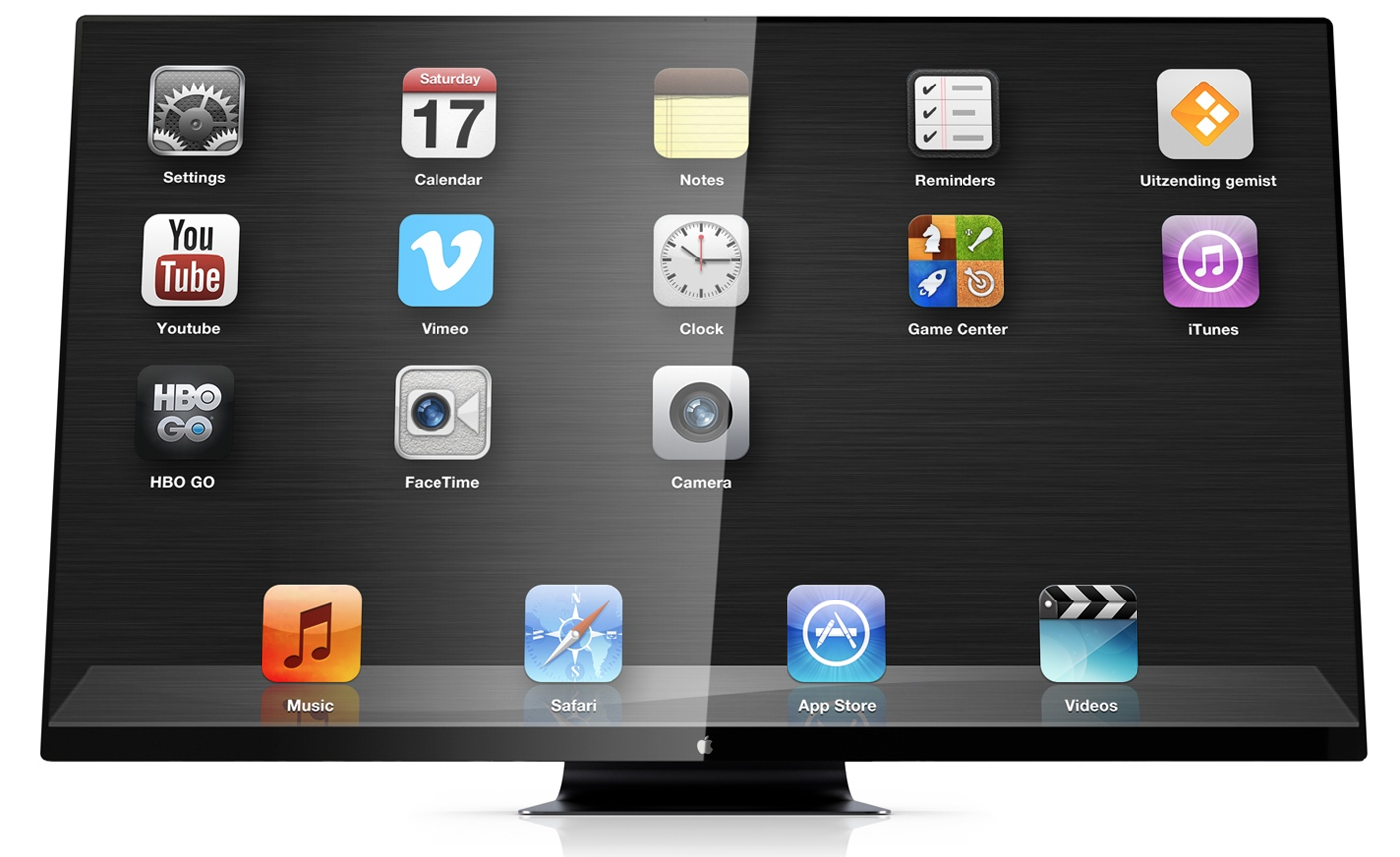
Opinion: What can we expect from the elusive Apple Television?

Site default logo image

All concept visuals: martinhajek.com

Having recently speculated on what Apple might have planned in the way of 4K displays, I thought I’d build on that to think about what it might have in store on the television front.

If you didn’t read my 4K piece, the tl;dr version is I think Apple will launch a 4K Thunderbolt Display in about a year’s time, once it has a new generation of MacBook Pro models able to drive one (or preferably two) at a decent frame-rate.

The question then is: what form might the long-rumored Apple Television take? After all, plug an upgraded Apple TV box into an Apple 4K display and you’d have an Apple Television right there. Why would we need anything more … ? 
Expand
Expanding
Close

New Haswell MacBook Pro teardowns beautiful but prove almost non-repairable by mortals

Site default logo image

MacBook Pro 13

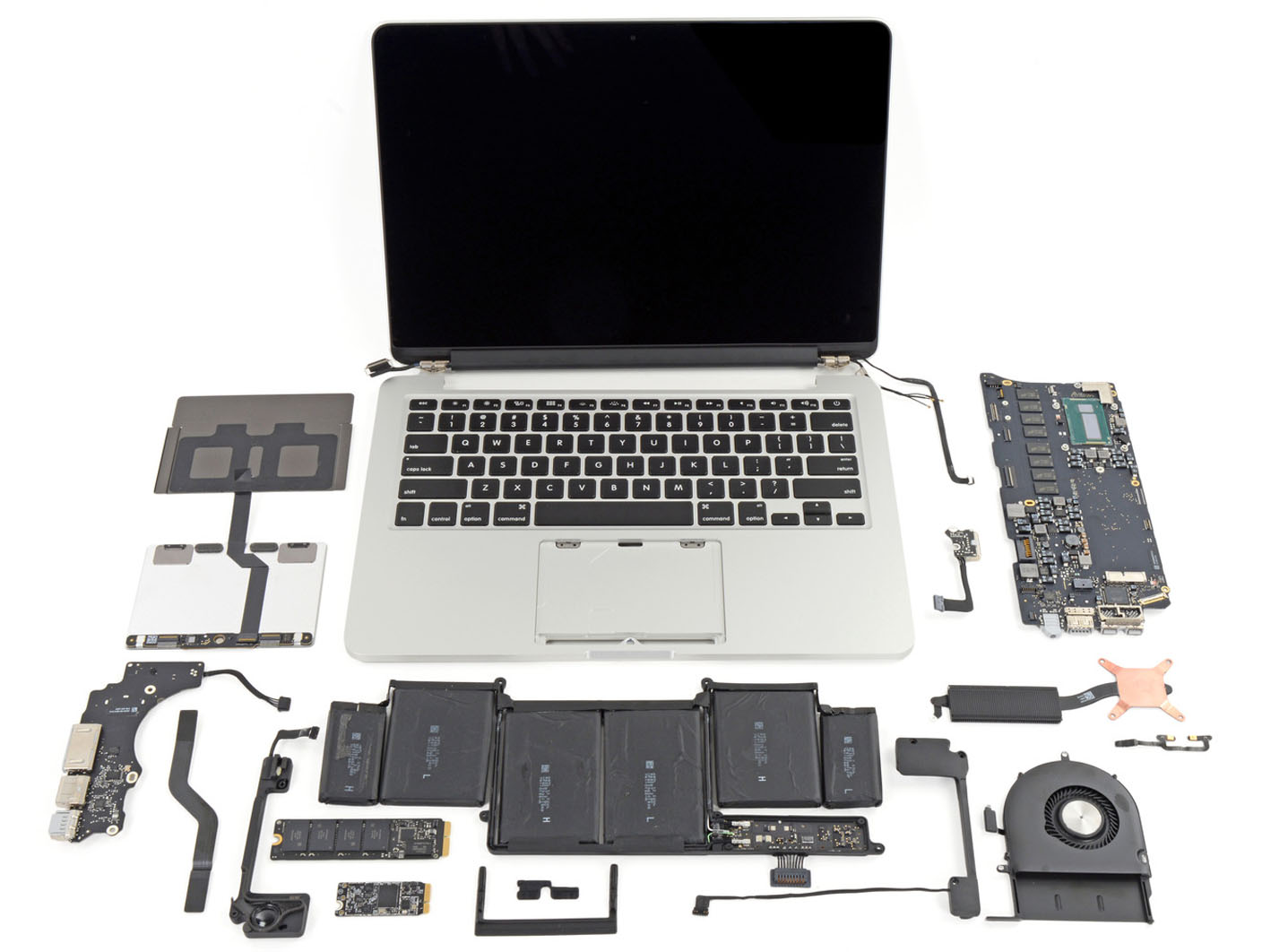
Teardowns of the new  13-inch and 15-inch MacBook Pro models reveal lots of shiny technology, but with the machines following the construction lead of the MacBook Air, it’s no surprise to see IFixIt giving both models low scores for repairability. The extreme difficulty in removing both battery and trackpad mean both models get even worse scores than the Air, at just 1 out of 10.

As with the Air, RAM is soldered directly to the logic board, so if you think you may need more in the future, take a deep breath and pay Apple’s price for the 16GB upgrade as there is no way to upgrade it later. IFixIt also draws particular attention to the difficulty of replacing the battery,

The lithium-polymer battery is glued rather than screwed into the case, which increases the chances that it’ll break during disassembly. The battery also covers the trackpad cable, which tremendously increases the chance that the user will shear the cable in the battery removal process.

More details and photos below the fold … 
Expand
Expanding
Close

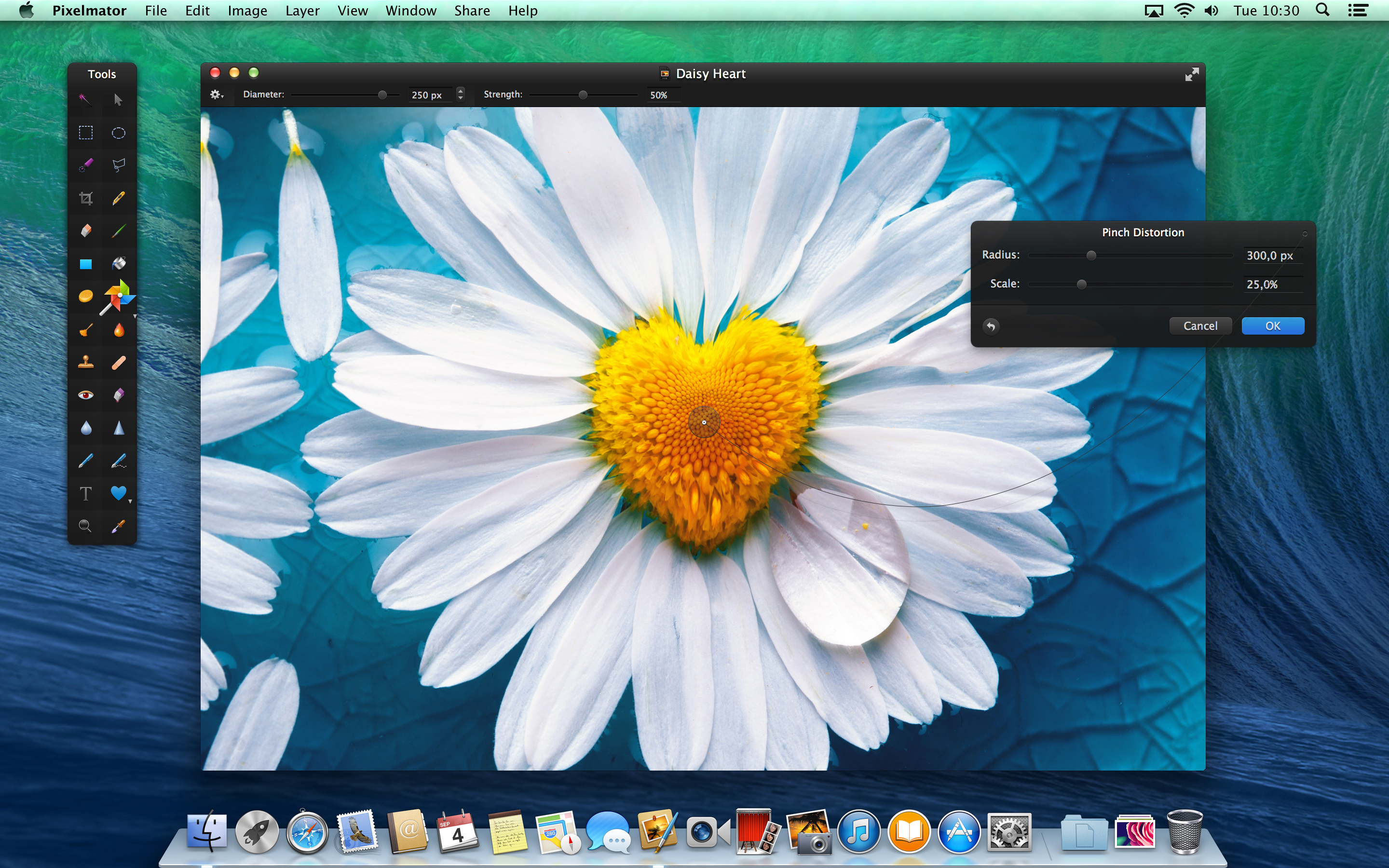
Pixelmator 3.0 FX released: adds layer styles, ‘Liquify’ warping tools, Mac Pro and Mavericks optimizations

Today, the team behind Pixelmator has released the latest version of their app, version 3.0 FX. As before, the app is available on the Mac App Store for $29.99. The update brings a slew of changes to the already popular image editor, especially considering version 2.2 was only released a few weeks ago. 9to5Mac has had access to a preview copy of the update for a few days … so read on for a full walkthrough of the changes.

The headline feature for Pixelmator 3.0 is the addition of layer styles. Layer styles apply effects such as strokes, fills, shadows and reflections to the entire layer in very few clicks. More importantly, these changes are non-destructive — they affect the layer, not the canvas pixels themselves. This means layer effects can be undone and manipulated without changing the underlying image data. In fact, layer styles can even be copied to the clipboard and duplicated across layers.


Expand
Expanding
Close

Coming from Apple in 2014: 12-inch Retina MacBook, sharper iPad, cheaper iMac?

Site default logo image

According to typically-reliable analyst Ming-Chi Kuo of KGI Securities, Apple has a slew of new products in the works for 2014. The analyst has summarized his expectations for these new products in a new research note, and has also reaffirmed some of his previous claims for products in Apple’s pipeline for the rest of Fall 2013…


Expand
Expanding
Close

How-to: Mark up and caption images using Preview on OS X

Site default logo image

Preview is a built-in Mac application that has many features that doesn’t get a lot of press. One of them is the ability to place a caption inside the body of the image. Another is to mark up images to remove confidential information. If you double click on an image outside of a photo editor like iPhoto or Aperture, it opens in Preview and can be edited.


Expand
Expanding
Close

Apple to hold fiscal Q4 earnings conference call on Monday, October 28th

Update: Live webcast will be at www.apple.com/quicktime/qtv/earningsq413

Apple will hold its quarterly earnings call to announce results on October 28th, as noted on Apple’s investor website. Typically, Apple’s CEO Tim Cook and CFO Peter Oppenheimer will read prepared statements about the company’s performance, before opening the call to a question and answer session for analysts. The call will begin at 2PM Pacific / 5PM Eastern time. Apple will publish a press release reporting their results about half an hour before the call is due to begin.


Expand
Expanding
Close

Major update to VLC for Mac adds 4K support, improved MKV support, interface improvements and more

VideoLAN has released version 2.1 of its popular open source video player, VLC. The update — codenamed “Ricewind” — brings new audio processing to the app, to improve both processing performance and audio fidelity. There is full support for surround sound outputs in addition to new effects and many new supported metadata formats for audio.

On the video side, the app has ported the OpenGL output to OpenGL ES, making ports to iOS and Android much easier. Notably, VideoLAN says that VLC is now ready for Ultra-HD content (otherwise known as 4K). The app update has also focused heavily on improving MKV compatibility, including better seek performance and subtitle metadata support.


Expand
Expanding
Close

Apple increases Mac mini pricing in multiple countries

Site default logo image

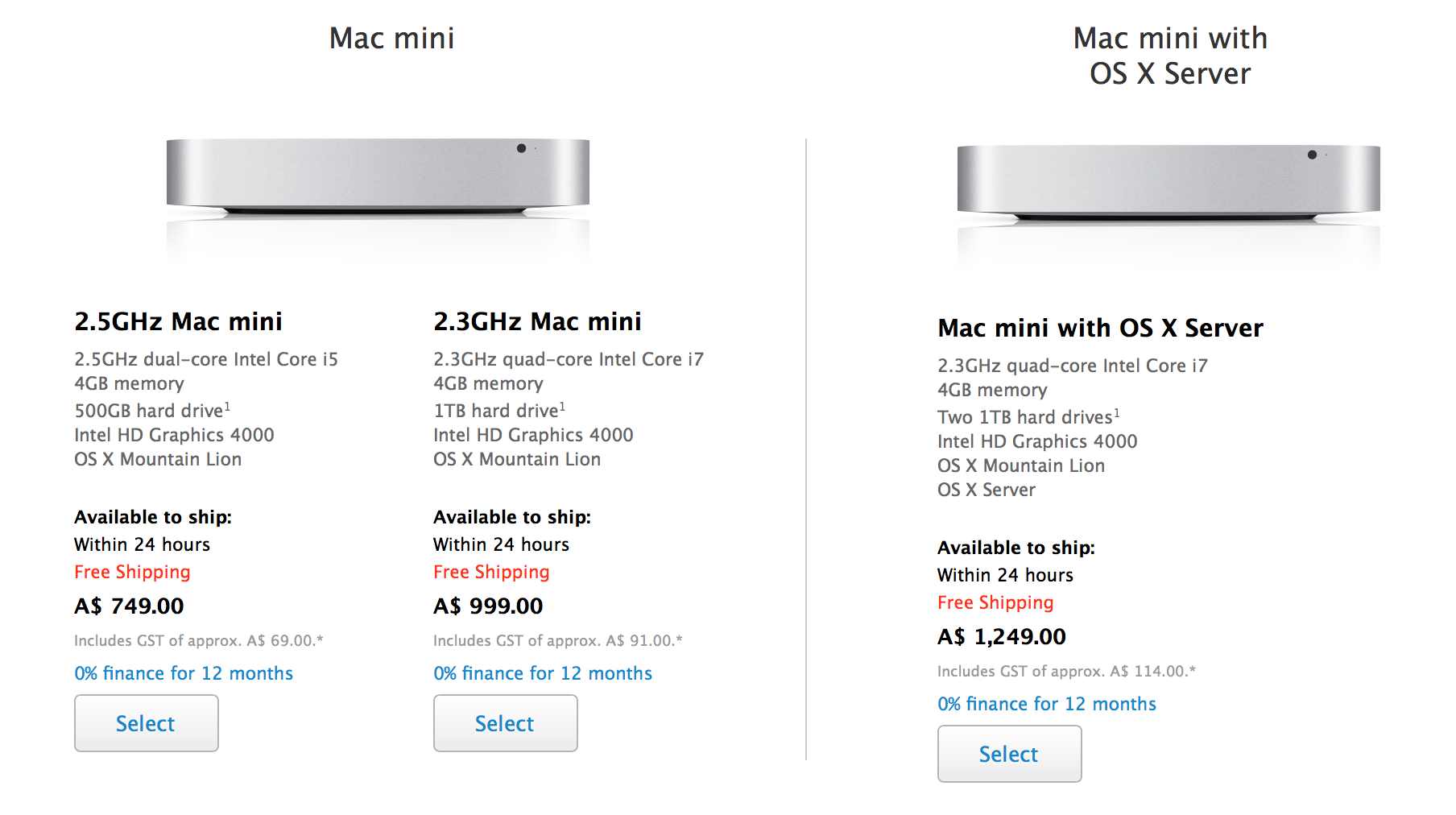
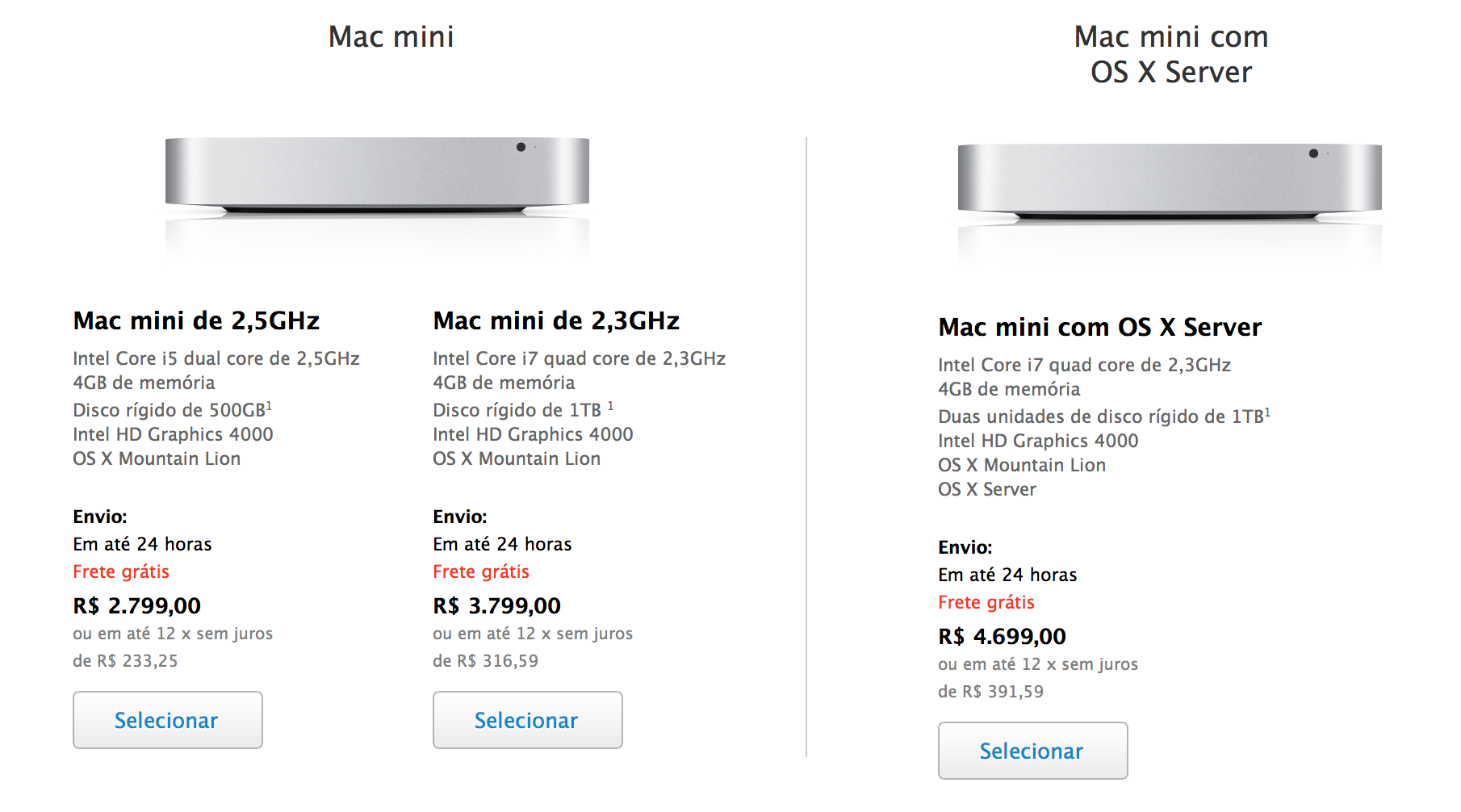
Alongside the new iMacs, Apple has silently raised the prices of all Mac mini models in both Australia and Brazil. In Australia, the prices were formerly A$699 and A$899 for the standard configurations, and the Mac mini Server model was priced at A$ 1,099.00. Now, the machines are priced at A$749, A$999, and A$1249, respectively.

Here are the new prices in Brazil (up R$ 300, 400, and 500 respectively):

The prices for the Mac mini have also been raised in Portugal and Malaysia, multiple tipsters have noticed.

These are notable price increases, but it is unclear if there is reasoning for the change beyond standard currency fluctuations. The iMacs pricing was also tweaked when it was updated yesterday, but the Mac mini has not been altered. No other Mac prices in Australia nor Brazil have changed.

The Mac mini is presumably due for a hardware update with 802.11ac WiFi, new Fusion Drive options, and Haswell processors to match the new iMacs. Thanks, James and Joao! 


Expand
Expanding
Close

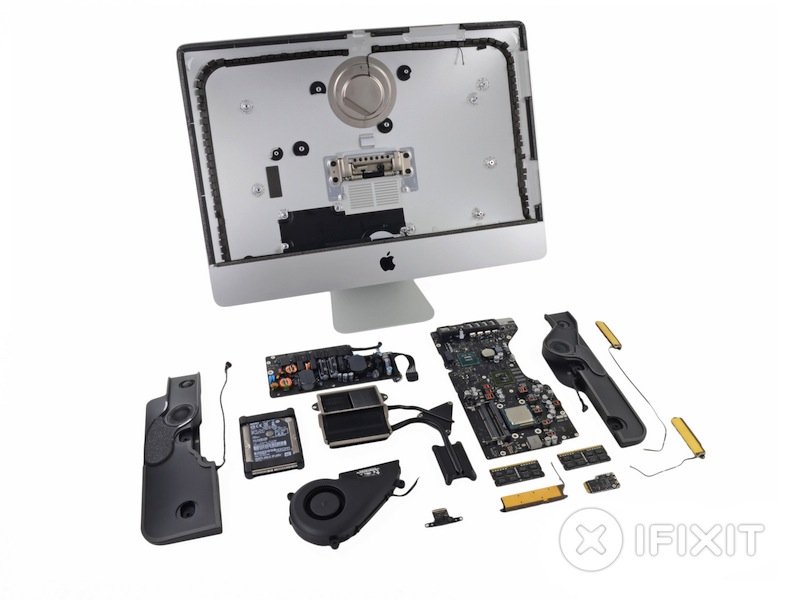
iFixit investigates the innards of the new iMacs, spare SSD slot now standard in all models

iFixit has taken a look at the newly-released generation iMacs, tearing down both the 21.5 inch and 27.5 inch variants. Although most of the internal structure is the same, which is to be expected given that the new iMacs have retained the same casing, there are some small differences.

iFixit points out that the 21.5 inch iMac now includes a Fusion Drive SSD bay as standard, improving future upgradeability prospects of the machine. With last year’s model, this expandability was only available if customers had specifically ordered the iMac with a Fusion Drive originally. As the new drives are now connected via PCIe, third-party drive makers should be able to make appropriate adapters to enable the addition of a second hard drive. Both the 21.5 inch and 27 inch models offer this unused PCIe Fusion Drive SSD port. A picture of the empty port is attached below.


Expand
Expanding
Close

Site default logo image

Belkin announces YourType Wireless Keypad to extend your Mac’s keyboard

Belkin has just introduced a new YourType Wireless Keypad made to match your Mac that adds 28 keys to your setup and connects over Bluetooth. There are other options around, like turning your iPhone into a numpad using an app or using Mobee’s $23 overlay for Apple Magic Pad. But for physical keys and a design clearly made to look a lot like Apple’s own Magic Trackpad and fit in with your aluminum Mac, you can pick up the YourType Wireless Keypad for Mac from Belkin’s website now for $59.

  • Wireless keypad connects to iMac, Mac Pro, or MacBook via Bluetooth
  • Adds 28 keys, including function and document navigation controls
  • Aluminum enclosure matches Apple Wireless Keyboard
  • Low-profile, island-style keys
  • Includes two AA batteries

Stock shortages suggest possible new iMac and Airport Express on the way

Site default logo image

MacRumors is citing low stocks of Airport Express base stations as suggesting that a faster 802.11ac model is expected soon to match the capabilities of the latest Macs. This would offer wifi speeds almost three times faster than current 802.11n models, a capability that has already been incorporated into the current Airport Extreme and Time Capsule models.

We’re also hearing similar whispers about constrained supplies of iMacs, alongside price-cuts by resellers … 
Expand
Expanding
Close

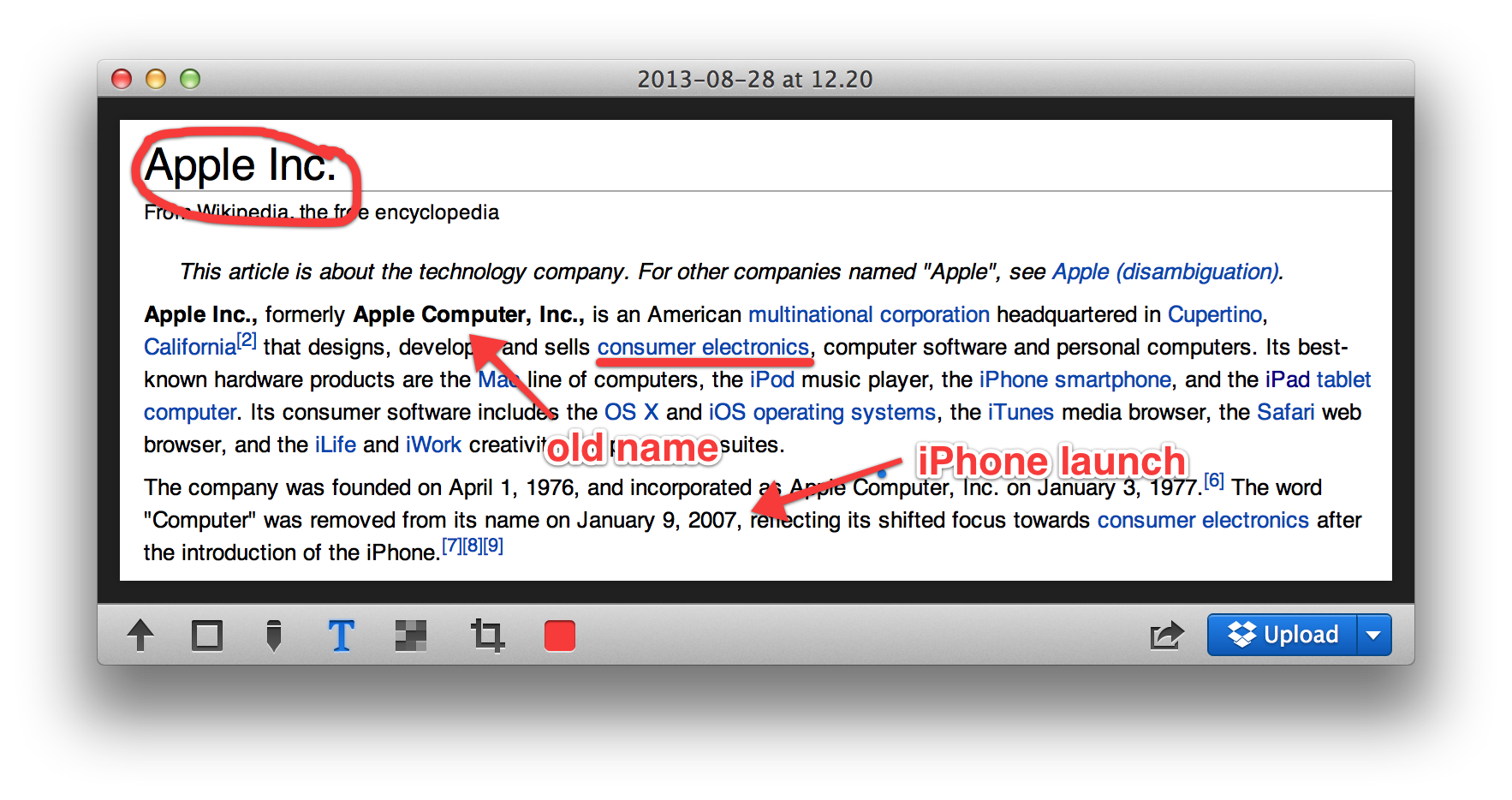
Glui review: Screenshotting for OS X made a delight, not a chore

Put plainly, Glui is a screenshot and annotation tool; a utilitarian application. It does not evoke charm, but it doesn’t really need to. What Glui does need to offer is a functional yet efficient workflow and, on this front, it delivers. In use, I never feel like the app is getting in my way.

The activation shortcuts are bound to Shift+Cmd+5 and Shift+Cmd+6 by default to match OS X’s native screenshot shortcuts. These actions select either a rectangular screen region or one window, respectively. With the region mode, the screen cursor changes to a crosshair (which shows x,y pixel coordinates) and the region is chosen by dragging your mouse to create a rectangle. With the window mode, the cursor changes to a camera icon and you simply click on the window you wish to capture.

Although the process is very similar to how OS X’s built-in screenshot features work, it is not identical. For instance, in Glui, window screen grabs do not include the accompanying drop shadow as they do in OS X’s implementation.


Expand
Expanding
Close

Apple opens graphics card replacement program for some mid-2011 iMacs

Site default logo image

Apple has opened up one of its rare replacement programs for the graphics card in some mid-2011 iMac configurations, according to a notice issued to Apple Support employees. The iMac in question is the model released in May 2011 with Sandy Bridge processors and Thunderbolt ports. This iMac was sold between that month and October 2012 when Apple launched thinner models with new internals. Apple says that AMD Radeon HD 6970M cards (both 1GB and 2GB configurations) in select versions of these 2011 iMacs could fail:


Expand
Expanding
Close