Apps

See All Stories

Learn about the latest news for iOS, Mac, Apple Watch, and Apple TV apps

Apps for iOS, macOS, tvOS, and watchOS power our modern world. 9to5Mac will update you on the latest news, review, and updates for all types of apps. “There’s an App for that”.

The term came became part of our vocabulary when Steve Jobs announced The App Store as part of the iPhone 2.0 software update in 2008.

Over the years, the term has become as common as kleenex for describing applications on all of our devices. Apple’s platforms have apps for just about anything from finance, banking, sports, social media, podcasting, music, and more. We have a guide for helping you discover the best ones as well. Apps are now on everything from our TV, to our smartphones, on our laptops, and all the way down to our wrists.

As new ones are released or existing ones have major updates, the team here at 9to5Mac will bring you the latest news and reviews. If you want to follow along with video footage, be sure to follow 9to5Mac on YouTube. Scroll down below our latest updates on all things relating to applications on iPhone, iPad, Mac, Apple TV, and Apple Watch.

Site default logo image

App that lets Tesla owners pretend to be Knight Rider now #1 Lifestyle app in iTunes

If you’re the sort of person that buys a car as hi-tech as a Tesla, it’s only natural you’re going to want to control it with an Apple Watch – and who could resist pretending to be communicating with KITT, the intelligent car in the 80s TV show Knight Rider?

Even so, hitting the number one slot in the Lifestyle category of the iOS App Store with a $10 app that’s only of any use to owners of a rather exclusive car is still impressive. Remote S for Tesla is a third-party app which uses the Tesla API to allow you to control a number of the car’s functions using a combination of iPhone and Apple Watch.
Highlights are the ability to unlock and start the car using Touch ID, monitor all three ranges at once (estimated/rated/ideal) and keep the heating/cooling running for more than 30 minutes when the car is not being used. Tech-ier users can even create web pages that communicate with the app.

The developer, Rego Apps, says that login credentials and commands are sent only directly to the Tesla servers, with no personally identifiable information stored by Rego. A number of the functions are unique to the Remote S app, shown below.

  • Fully functional Apple Watch app
  • Start car with Touch ID without needing a password (can be disabled)
  • Camp Mode allows you to keep the HVAC on in the car even though there is no activity. Normally, the car will turn off HVAC after 30 minutes.
  • Adjust the panoramic roof to more settings than just vent and close
  • Breadcrumb tracking allows you to see the path that car has recently taken
  • Accurate odometer readout. Remote S gives you the odometer reading that is accurate up to a few feet instead of rounded to the nearest mile.
  • In-app browser can detect commands from javascript and html so that you can create and use a webpage to control your car
  • This opens up all sorts of functionality, such as scheduling, queued commands, and repeated commands
  • Consolidated stats and commands into one screen for quicker and easier access
  • Start/unlock car with Apple Watch without a password
  • Ability to change passenger and driver temperature settings separately instead of always together
  • Estimated range is displayed (this takes the average consumption of your past 30 miles and estimates your battery range based on that past usage)
  • Monitor all three ranges (estimated, rated, ideal) at the same time without changing the settings in your car

With Apple rumored to be working on its own electric car, the two companies have for some time been poaching employees from each other. Tesla CEO Elon Musk said recently that he hoped Apple will indeed enter the car market.

The app is a $9.99 download from iTunes.

Review: Macphun’s Noiseless is the affordable photo noise killer that will save your grainy pictures

As a serious photographer, I do as much as I can to make my daily shots excellent, using cameras with low-noise sensors and fast lenses — then trying to keep them as steady as possible in low light. But even the latest and best cameras can’t snap perfectly clean images in dark surroundings. Grainy noise is basically inevitable in darkness, and the more basic the camera you’re using, the more likely it is to appear in a wider variety of pictures. To reduce noise, you can either shell out thousands of dollars for new camera gear, or try to fix your noisy photos with software.

Having spent years trying to fix noisy photos with software, including the noise reduction filters included with fully-featured photo editing applications such as Adobe’s Photoshop, I can tell you that the results typically aren’t great. Unless you’re willing to invest in an expensive noise-reduction plug-in, you’ll spend a lot of time trying to clean your image up, and it probably won’t be beautiful when you’re done. So when I learned about MacPhun’s Noiseless ($18), an app designed to do only one thing — eliminate noise — I was simultaneously skeptical and intrigued. Given that standalone noise-reduction apps often sell for 4 to 8 times as much, could an affordable single-purpose app meaningfully improve some seriously messed-up photos? The answer is “yes,” and at a far lower price than buying a comparably noise-free camera…


Expand
Expanding
Close

Apple quietly doubles total iCloud contact card limit

Site default logo image

In a recent change to its iCloud syncing service, Apple has raised the total number of contacts it will store and sync across your devices before hitting the maximum allowed. Previously iCloud enforced a hard limit of syncing 25,000 contacts, but an updated support document (via iFun.de) highlights that limit doubling now to a total of 50,000 contacts…

Expand
Expanding
Close

9to5Toys Lunch Break: iPad mini 2 128GB w/ LTE $370, iMac 5K $2,250 (or less), Powerbeats 2 $165, more

Keep up with the best gear and deals on the web by signing up for the 9to5Toys Newsletter. Also, be sure to check us out on: TwitterRSS FeedFacebookGoogle+ and Safari push notifications.

Today’s can’t miss deals:

Apple iPad Air 128GB Wi-Fi + Cellular in Silver: $499 shipped (Orig. $929)

Best Buy 2-Day Sale: Apple 27″ 5K iMac $2,250 or $2,200 w/ .edu (Reg. $2,499), more

Beats wireless headphones: Powerbeats 2 in-ears $165 (Reg. $200), Studio 2.0 over-ears $305 (Reg. $399), more

Amazon Gold Box: 50+% off travel tech – portable 1TB HD: $50 w/WiFi: $100, TP-Link router: $13, Bluetooth speakers: $18, more


13-inch MacBook Air:

1.6GHz/4GB/128GB $830 (Reg. $999)
1.6GHz/4GB/256GB $1,000 (Reg. $1,199)

11-inch MacBook Air:

1.6Ghz /4GB/128GB $750 (Reg. $899)

More new gear from today:


OtterBox iPhone 6 Symmetry Series Case in black $25 Prime shipped (Orig. $40), more

More deals still alive:

Apple iPhone 6/Plus no-contract refurbished phones from $425 shipped

Apple-Certified iPhone 5/5S 2400mAh charging case with kickstand (5 colors): $15 Prime shipped

New products & more:

The Nuimo Smart Home Interface aims to take control of your SONOS, lighting and other IoT devices

Just throw the Lily Camera drone in the air and it will automatically record

Site default logo image

Feedly updated with Apple Watch support

Joining the growing list of apps that support Apple Watch, Feedly this evening has rolled out an update to its iOS client that adds support for the device. The update, which bumps the app to version 27.0.2, allows users to read their feed of stories, save stories for later reading, and mark articles as read.


Expand
Expanding
Close

Site default logo image

Apple releases Final Cut Pro X 10.2.1 with bug fixes, improved video support, more accurate Timeline

Apple today updated Final Cut Pro X to version 10.2.1 with bug fixes and improvements. Apple’s release notes say that this update fixes a bug that would cause Final Cut Pro to quit at launch on some Macs. Support for Panasonic AVCAAM video at 25P and 30P rates has been restored, while Apple also says that dragging through the Timeline view is now more accurate. This 10.2.1 update follows up on the significant 10.2 update from April, which added 3D title support, new editing features, and support for several new cameras and video formats. Today’s minor update is the first to Final Cut since its pioneer Randy Ubillos retired from Apple.


Expand
Expanding
Close

HBO GO iOS app updated with fresh design to match new HBO NOW app

Site default logo image

Following the release of HBO’s new HBO Now app for its $14.99/month standalone streaming service, today the company updated its main HBO GO app with a similar, long-awaited redesign.

Here’s what HBO GO looked like prior to today’s update (left) next to the new design (right):
Expand
Expanding
Close

9to5Toys Lunch Break: 13″ 256GB Retina MacBoook Pro $1,300, Crucial 2.5-inch 512GB SSD $171, more

Keep up with the best gear and deals on the web by signing up for the 9to5Toys Newsletter. Also, be sure to check us out on: TwitterRSS FeedFacebookGoogle+ and Safari push notifications.

Today’s can’t miss deals:

13-inch Retina MacBook Pro w/ Force Touch (newest) 2.7GHz/8GB/256GB $1,300 shipped (Reg. $1,499)

13-inch MacBook Air:

1.6GHz/4GB/128GB $830 (Reg. $999)
1.6GHz/4GB/256GB $1,000 (Reg. $1,199)

Gold Box Gaming: Crucial 512GB SSD: $171 or 256GB $90, Trendnet AC router: $20, Dell 24″ display: $200, much more

Apple iPhone 6/Plus no-contract refurbished phones from $425 shipped

Apple-Certified iPhone 5/5S 2400mAh charging case with kickstand (5 colors): $15 Prime shipped

Small States: Feltmark’s Wald lighting combines simplicity and function, multiple giveaway winners

More new gear from today:

iPhone 6/Plus cases (multiple colors & styles): rooCASE from $12 (Reg. $25), Verus slim/wallet from $2 (Reg. $22)

ArmorSuit iPhone 6/Plus Screen Protectors for $0.95 Prime shipped (Reg. $6.95)

Audio-Technica AT2020USB Condenser USB Microphone $80 shipped (Reg. $99)

More deals still alive:

Yamaha RX-V377 5.1-Channel 4K A/V Receiver w/ USB $172 shipped (Orig. $300)


Portable Bluetooth Speakers: Logitech UE BOOM $129 (Reg. $199), Mpow MBOX $38 (Reg. $50)

New products & more:

Just throw the Lily Camera drone in the air and it will automatically record

Sony’s new LED Lightbulb has a built-in Bluetooth speaker with iPhone controls

How to view more Health app data on the Apple Watch

Site default logo image

With the HealthDash app, an alternative dashboard for Apple’s own Health app, Apple Watch users can view more health and fitness data points captured from Apple’s HealthKit platform, as well as a history of stats, right on their wrist.
Expand
Expanding
Close

Hundreds of dollars being stolen from Starbucks app users – weak/duplicated passwords blamed

Site default logo image

Starbucks has confirmed multiple reports of users of its smartphone app having three-figure sums stolen from their accounts in the form of gift certificates, reports CNN.

One user lost $550 in a matter of minutes, his account auto-reloaded each time it was emptied by a hacker sending a series of $50 gift cards. Other users have also reported three-figure losses within a matter of seconds or minutes … 
Expand
Expanding
Close

Site default logo image

Lufthansa joins the Apple Watch party, offering flight information & boarding pass app

As someone who still mostly views my Apple Watch as a gimmick, I have to admit that airline apps do make a good case for the device, making viewing alerts and directions as easy as glancing at the time. American Airlines, BA and EasyJet were among the front-runners in offering Apple Watch apps, and now Lufthansa has joined the party too, reports Forbes.

Use your watch as a boarding pass and have your essential flight information displayed on your wrist. It reminds passengers of their flight the day prior to their departure, provides continuous updates about the status of the flight and displays the boarding time, terminal, gate and seat number. Just like a timer, it enables passengers to see – down to the very minute – how long is left until their scheduled boarding time

The app is currently available only to members of Lufthansa’s frequent flyer program, Miles & More, with a general rollout expected later in the year.

Site default logo image

Wolfram, creator of Siri’s knowledge base, releases impressive new Image Identification tech

Wolfram Research, the company behind the Wolfram Alpha knowledge base that Apple’s Siri taps into, is today releasing new artificial intelligence tech to answer the question, “What is this a picture of?”

Wolfram is showing off what the Wolfram Language Image Identification Project is capable of using this web app accessible on desktop and mobile devices. You simply drag any photo into the app and the image identification AI attempts to detect what it is (as pictured above).

Now I’m excited to be able to say that we’ve reached a milestone: there’s finally a function called ImageIdentify built into the Wolfram Language that lets you ask, “What is this a picture of?”—and get an answer…. It’s a nice practical example of artificial intelligence. But to me what’s more important is that we’ve reached the point where we can integrate this kind of “AI operation” right into the Wolfram Language—to use as a new, powerful building block for knowledge-based programming.

And the new ImageIdentify function will be accessible to developers to create APIs or apps that tap into the feature through Wolfram Language“And if one had lots of photographs, one could immediately write a Wolfram Language program that, for example, gave statistics on the different kinds of animals, or planes, or devices, or whatever, that appear in the photographs.”

Wolfram has a lengthy, interesting read on the backstory of the project and more about how everything works behind the scenes.

Site default logo image

Apple’s App Analytics feature now available to all developers, no request required

Apple’s TestFlight-based App Analytics service is now available to all registered iOS developers through the iTunes Connect interface. Apple recently made App Analytics available to select developers upon request (which were fulfilled in a short amount of time), but starting today all developers can access the service without the need for requesting access.
Expand
Expanding
Close

Site default logo image

Updates to Google Docs & Slides let you insert & quickly edit images on iOS

Google is today rolling out updates to its Google Docs and Slides mobile apps bringing the ability to insert images directly from the app on both phones and tablets.

With the update, iPhone and iPad users will be able to access their camera roll or snap a new photo to insert directly into a document or Slides presentation.

In addition, the update includes quicker access to make basic edits in Slides by allowing users to enter crop mode by double tapping any image in a presentation.

Google notes that both of the new features will work in offline mode.

The updated Docs and Slides apps should be hitting the App Store today.

Chrome for Mac will soon require Chrome Web Store distribution for extensions to prevent malware

Site default logo image

Back in May of last year, Google started enforcing a policy that requires Chrome extensions be hosted on its Chrome Web Store, but only on Windows. The goal was to prevent malware hidden in extensions installable from outside its store, and it even started disabling extensions already installed on users’ systems that weren’t hosted on the Chrome Web Store. Now, Google says it will bring that requirement to Mac Chrome users over the coming months, as well as the Chrome developer channel for Windows that wasn’t previously enforcing the policy:
Expand
Expanding
Close

9to5Toys Last Call: iPhone 5/5s MFi Battery Case $15, iPad Air 2 from $400, Logitech UE BOOM $129, more

Keep up with the best gear and deals on the web by signing up for the 9to5Toys Newsletter. Also, be sure to check us out on: TwitterRSS FeedFacebookGoogle+ and Safari push notifications.

Today’s can’t miss deals:

Last Call Updates:

Apple-Certified iPhone 5/5S 2400mAh charging case with kickstand (5 colors): $15 Prime shipped

Apple iPad Air 2 Wi-Fi 16GB in all colors: $400 (Reg. $499), 128GB: $590 (Reg. $699)

Portable Bluetooth Speakers: Logitech UE BOOM $129 (Reg. $199), Mpow MBOX $38 (Reg. $50)

Apple 13-inch MacBook Air:

1.6GHz/4GB/128GB $830 (Reg. $999)
1.6GHz/4GB/256GB $1,000 (Reg. $1,199)

ArmorSuit iPhone 6/Plus Screen Protectors w/ lifetime replacements for $0.95 Prime shipped (Reg. $6.95)

American Express offers cardholders $5 credit for eligible iTunes purchases

Small States: Feltmark’s Wald lighting combines simplicity and function, multiple giveaway winners

More new gear from today

Audio-Technica ATH-M30x Headphones + FiiO E6 Portable Headphone Amp $69 shipped ($97 value), more

More deals still alive:

Protective cases for iPhone 6/Plus, Galaxy S6, and Note 4 as low as $2 Prime shipped

Poweradd 3-in-1 Dual-Port USB car charger + 3.3′ Lightning cable & micro USB $9 Prime shipped (Reg. $17)

New products & more:

Sony’s new LED Lightbulb has a built-in Bluetooth speaker with iPhone controls

Ubisoft has now officially unveiled the brand new Assassin’s Creed: Syndicate

Site default logo image

Facebook launches new ‘Instant Articles’ feature in iPhone app

Facebook has launched a new feature in its official iOS client called “Instant Articles,” the company announced today. The feature will allow web publishers to create versions of their stories optimized for display inside the Facebook app. As suggested by the name, these optimized articles are designed to load instantly and provide a more native-feeling experience.

The articles are built using some of the same user interface elements and concepts first introduced in the alternative Facebook client, Paper, such as large images that scroll as you tilt your phone, and in-line videos that automatically start playing.

New elements added specifically for Instant Articles include audio captions on photos and the ability to like or comment on specific sections of the article rather than the entire thing. Facebook says publishers will still have full control over content and monetization, and loading a story as an Instant Article will still count the same as clicking a link in the browser in terms of traffic tracking.

Only a handful of publishers will be able to take advantage of Instant Articles at launch, including NBC, The New York Times, BuzzFeed, and National Geographic. Only a select few articles from those publishers will be available in this format for now.

Instant Articles is rolling out in the Facebook for iPhone application now.

BitTorrent releases Bleep, a secure peer-to-peer messaging service for iOS and Mac (Video)

Site default logo image

If you want the security of knowing your voice, text and picture messages can’t be intercepted, direct peer-to-peer communication with end-to-end encryption is the gold standard: and that’s what BitTorrent offers with its Bleep app.

Every conversation is between you and your friends. There is no cloud to hack because messages are never stored in the cloud.

For text messages and photos, Bleep offers the choice of Whispers – where both text and images disappear when they’ve been read – and Messages, which stores them locally on the device. You can also make voice calls with the same peer-to-peer encrypted technology … 
Expand
Expanding
Close

Google updates News & Weather app with Apple Watch support

Site default logo image

Google today has released its first application for the Apple Watch in the form of an update to its iOS Google News & Weather app. Launched last fall, Google News & Weather iOS populates local weather and news headlines. On the Apple Watch, based on the screenshots from iTunes, the application pretty much serves the same purpose. Like other Apple Watch apps based on WatchKit, this new Google application does not appear to be anything special. The screenshots display a bland, text-filled application that is light on functionality…


Expand
Expanding
Close

How-To: Clean your iOS device with free downloads, recovering lost space

When Apple was designing the Mac app iDVD, then-CEO Steve Jobs directed his development team to build a dead-simple DVD-burning application: instead of a mess of options and windows, Jobs wanted one window with one button marked “Burn,” which would be pressed once the desired video file was dragged-and-dropped into the window. Years later, when Jobs wanted Apple’s iOS devices to be even simpler, he dumped the Mac’s windows and drag-and-drop file system in favor of a grid of icons. There wasn’t even a trash can to worry about — instead, iOS would automatically discard unused files as needed.

While that’s great in theory, the reality is that iOS actually leaves bits of trash sitting around on your device, and there’s no easy way to clean everything up at once. iTunes aggregates various types of lingering files as “Other,” but doesn’t have a trash can, nor does it provide direct access to your iPad, iPhone, or iPod touch file system so you can purge trash on your own. Consequently, your device may be holding a large collection of junk that could be dumped to free up gigabytes of space.

Below, I’ll show you how to clean your iOS device for free using two apps, one of which you definitely already have installed…


Expand
Expanding
Close

9to5Toys Last Call: Logitech Gold Box, 13″ MacBook Air (2015) from $830, iPad Air Keyboard case $10, more

Keep up with the best gear and deals on the web by signing up for the 9to5Toys Newsletter. Also, be sure to check us out on: TwitterRSS FeedFacebookGoogle+ and Safari push notifications.

Today’s can’t miss deals:

Last Call Updates:

Logitech gear up to 60% off: Bluetooth mouse $22, Speakers w/ sub $55, wireless touchpad keyboard $20, more

Apple 13-inch MacBook Air:

1.6GHz/4GB/128GB $830 (Reg. $999)
1.6GHz/4GB/256GB $1,000 (Reg. $1,199)

Daily Deals: Kensington Bluetooth Keyboard Case for iPad Air $10, Retro-Bit NES/SNES/Genesis 3-In-1 System $56, more

ArmorSuit iPhone 6/Plus Screen Protectors w/ lifetime replacements for $0.95 Prime shipped (Reg. $6.95)

Spring Clean Mac Bundle (Disk Expert, Duplicates Expert, 5 more): $10 (Orig. $43)

Small States: Feltmark’s Wald lighting combines simplicity and function, multiple giveaway winners

More new gear from today

Poweradd 3-in-1 Dual-Port USB car charger + 3.3′ Lightning cable & micro USB $9 Prime shipped (Reg. $17)

More deals still alive:

Choice of LifeProof nüüd or frē iPad Air cases: $45 w/ in-store pick up (Orig. $110+)

55″ 1080p HDTVs: VIZIO $598 (Reg. $798), Samsung 3D $1,000 (Reg. $1,400+)

New products & more:

The CHIP $9 computer has 4GB of on-board storage and can go portable as well

FiftyThree’s free drawing iPad app Paper gets business-like, now feeds into Keynote & PowerPoint

Site default logo image

FiftyThree’s drawing iPad app Paper has so far been pitched as a creative drawing tool, but the company now thinks it might have appeal for business presentations too. The latest version adds a Diagram tool that lets you create objects like shapes, arrows and lines, which the app keeps neat and tidy while retaining the hand-drawn look.

Think Kit is here! Now Paper gives you the power to create diagrams, charts, and wireframes at the speed of thought. Think Kit adds three new tools—Diagram, Cut, and Fill. Powered by the Intention Engine™, Think Kit helps you quickly create powerful, personable graphics to express any idea, and continue seamlessly into your favorite presentation app.

Your roughly-drawn shapes get turned into neat versions automatically when the Diagram tool is selected, and you can drag shapes to move or duplicate them. A Smart Fill function lets you add color, keeping it constrained to your shapes … 
Expand
Expanding
Close

Apple’s FileMaker debuts version 14 with redesigned iOS app, Mac enhancements

Site default logo image

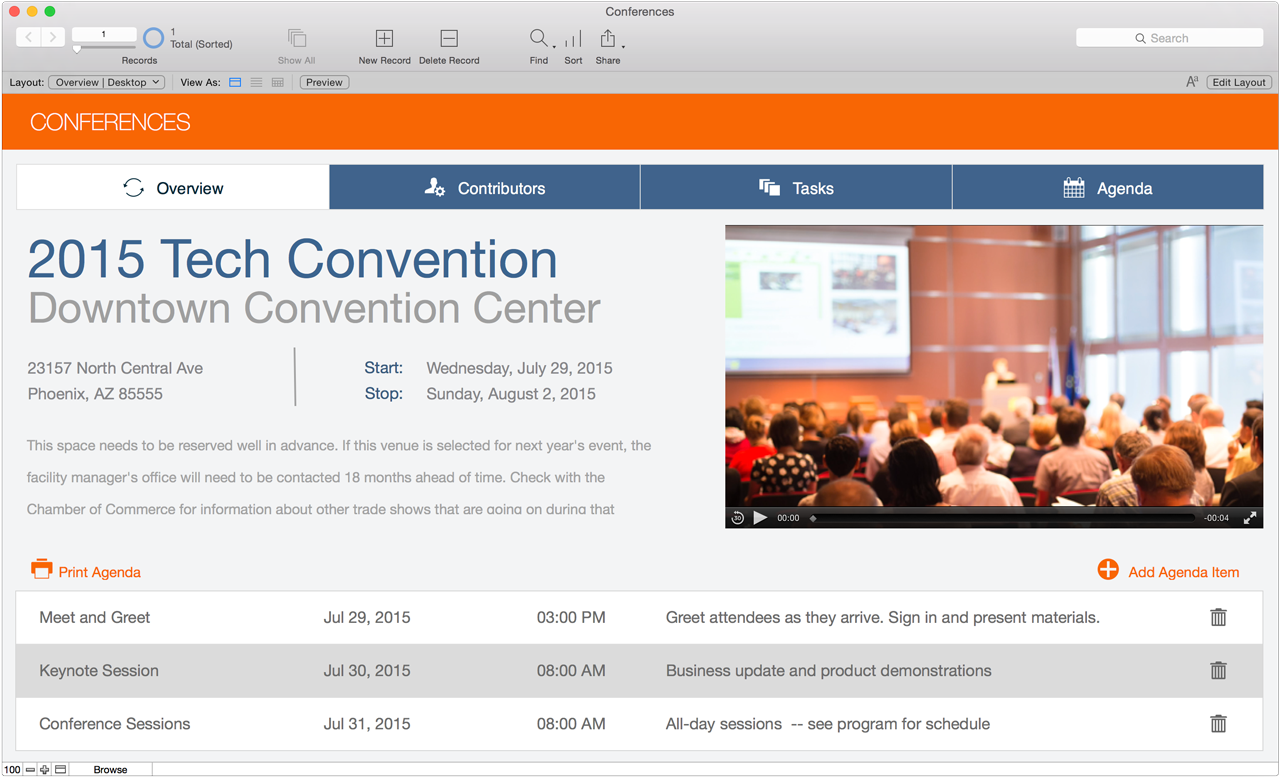
Apple subsidiary FileMaker today introduced version 14, the first major update since 2013, of its popular iOS and Mac-based platform, which includes the FileMaker Pro, Go, and Server software suites. This new version focuses on separate enhancements for speed across the different software versions, with the Mac and Windows applications gaining improved features for productivity, and the iOS Go apps for iPad and iPhone receiving end-to-end redesigns for iOS 8. Below, we break down the most significant new features for the Pro, Go, and Server versions.


Expand
Expanding
Close

Site default logo image

Periscope update adds ability to sign up without a Twitter account, new commenting features, more

Twitter this evening has updated its popular live streaming app Periscope to version 1.0.4 with a handful of new features and bug fixes. Announced in post on Medium, the update adds the ability to change your profile a picture, a feature that for some reason has not been there since launch. A variety of other new features are also included…


Expand
Expanding
Close