Dropbox

See All Stories
Site default logo image

Dropbox’s Carousel photo & video gallery app arrives on iPad & web


First launched on iPhone earlier this year, Dropbox announced today that it’s launching its Carousel photo and video gallery app for iPad users. The company is also bringing the experience to the web at carousel.dropbox.com.

Part of making the best home for your photos is giving you a fast, simple, beautiful way to engage with your pictures, however and wherever you want. Today, we’re excited to announce big steps towards that goal: Carousel for web, iPad, and Android tablet.

In addition, the iOS apps add the ability to share to Instagram and WhatsApp with today’s update.

The Carousel app offers easy sharing of one or multiple photos to contacts or email addresses and allows users to get around many of the upload limitations usually associated with sharing photos. With everything backed up in full resolution directly to Dropbox, the app is essentially a standalone experience for managing to photos and videos stored in Dropbox.

A look at the Carousel UI for web is below:

The Carousel for iPad app is available on the App Store now for free.

What’s New in Version 1.7

We’ve updated Carousel with one of your most requested features: support for iPad! Now, view your photos and continue conversations on a bigger screen.

Plus, we’ve added support for posting to Instagram and WhatsApp!

Microsoft adding Dropbox integration including syncing and sharing to Office for iOS

Site default logo image

Microsoft and Dropbox announced a new partnership between the two companies today and a commitment to bring integration between Dropbox and Office apps on iOS and Android. Currently Office users rely on local storage for saving files or Microsoft’s own OneDrive service for saving and syncing files, but the newly announced partnership will allow Office users to use the popular Dropbox service as an additional storage and syncing option and introduce new features between the productivity apps and syncing service.
Expand
Expanding
Close

Dropbox app updated with iPhone 6 optimizations, Touch ID unlocking

Site default logo image

Popular file-sharing / file-syncing app Dropbox has updated its iOS app to version 3.5 today, with some nice improvements. The app now takes advantage of all available resolution on the iPhone 6 and iPhone 6 Plus, rather than in a scaled iPhone 5s form. Dropbox doesn’t do anything novel with the additional space, but there is benefits to being able to see more items in a folder list at a time. The quality of file previews are also noticeably improved because of the additional screen size, with photo viewing mostly affected.


Expand
Expanding
Close

Site default logo image

Hackers claim to have a database of nearly 7 million Dropbox credentials, service denies it was breached

A database containing login information for nearly 7 million users of the private cloud storage provider Dropbox has been accessed by hackers, according to a partial dump posted on Pastebin earlier this evening (via The Next Web). However, Dropbox has issued a statement denying that this breach occurred on its end, saying that Dropbox itself was not attacked, but rather a third-party service that had stored user credentials:

Dropbox has not been hacked. These usernames and passwords were unfortunately stolen from other services and used in attempts to log in to Dropbox accounts. We’d previously detected these attacks and the vast majority of the passwords posted have been expired for some time now. All other remaining passwords have been expired as well.


Expand
Expanding
Close

Site default logo image

Dropbox’s Mailbox iOS app updated w/ customizable swipes & iPhone 6 UI as Mac app enters open beta

Dropbox updated its Mailbox app today with some necessary features and fixes. The update now includes the ability to customize your swipes. Also, new iPhone 6 and 6 Plus owners will appreciate the optimized UI for bigger displays. Finally, Dropbox has squashed some bugs in Push and otherwise improved the overall performance.

Dropbox’s Mailbox is still only currently for Gmail and iCloud accounts, but the company reminds us again that other email platforms are on the way.

In addition to the updated iPhone and iPad version, the beta version for the Mac is now open to anyone following a public beta coin system for testers before.

https://twitter.com/Mailbox/status/521737188154019841/
Expand
Expanding
Close

Site default logo image

Dropbox experimental build with OS X Yosemite icons available for download

Good news for Dropbox users running OS X Yosemite: Dropbox has made available an experimental build optimized for Yosemite’s new look (via Zach Kahn). The download brings a new Finder icon, new notification glyphs, and faster uploads for small files among other enhancements. Here’s the full list of what’s new:

New in 2.11.25

  • Updated Camera Uploads folder icon for Yosemite
  • Fixed Copy Link context menu option from the toolbar
  • More Finder integration bug fixes

New in the 2.11 series

  • Rewrite of the Windows & Linux UI. (1)
  • File identifiers. (2)
  • Windows long path support. (3)
  • New Linux headless setup flow.
  • Faster uploads for small files.
  • Updated splash screens.
  • New Finder icon overlays.
  • New Windows notification area icons.

You can update (at your own risk) using the download links here.


Expand
Expanding
Close

Site default logo image

Post-it note app lets you import physical notes into your iPhone or iPad

It’s hard to think of anything lower-tech than a Post-it note: you write on a sticky square of paper and slap it onto a physical surface. But 3M has just launched a clever iOS app that allows you to photograph a bunch of Post-it notes, tap on-screen to select the ones you want to keep and then organize them on your iPhone or iPad before outputting to apps like PowerPoint.

The Post-it® Plus App takes the momentum from your collaboration sessions and keeps it rolling. Simply capture your notes, organize and share with everyone. That way your great ideas don’t stop when the meeting ends.

Getting started is easy. Use the app to capture an image of the Post-it® Notes from your work session. Arrange, refine and organize the notes and ideas on your board anyway you see fit. Then share your organized board with your team and send to your favorite applications —including PowerPoint, Excel, Dropbox and plenty more.

The app recognizes any size Post-it note so long as they are square (and, indeed, even works with Mac OS Stickies if you photograph your desktop). It’s a free download from iTunes.

Site default logo image

Dropbox and Carousel showing duplicate photos after earlier syncing outage

An iOS 8 compatibility issue that led the Dropbox and Carousel iOS apps to fail to upload photos has now been resolved with a new version, but you may find that you are seeing duplicates of your photos, reports the company in its blog.

Some iOS 8 users who have downloaded the latest versions of Dropbox and Carousel might be experiencing ‘duplicate’ uploads of their photos. These ‘duplicates’ are backed up versions of thumbnails generated by Apple’s iCloud My Photo Stream and are being recognized as unique images by Dropbox.

Dropbox also acknowledges that “a small number” of users are finding that the app crashes on opening, and is working on a fix for both issues.

Apple released iOS 8 yesterday for the iPhone 4S and up, the iPad 2 and later and the 5th generation iPod Touch. Check out our roundups covering Today widgets, third-party keyboards and extensions and Touch ID support.

Update: Dropbox says it should be resolved.

[tweet https://twitter.com/dropbox_support/status/512670125997051904]

Site default logo image

iOS 7 How-to: Manage your iCloud storage space from an iOS device


Apple gives all iCloud users 5 GB of iCloud storage. For most users, this is more than plenty of space, but for some, it isn’t nearly enough. This space is used for iOS device backups, iWork and other documents, and email if you are using a @mac.com, @me.com or @icloud.com address.

In this article, we’ll give you some tips for managing your iCloud storage so you can get the most of the space you have available.


Expand
Expanding
Close

Dropbox dramatically cuts pricing to compete, 1TB now just $9.99/month

Site default logo image

Dropbox has today slashed its pricing and doubled the maximum storage space from 500GB to 1TB. Up until yesterday, you’d have been paying $500/year for 500GB; today you can pay just $120/year (or $99/year when paying annually) for a terabyte.

The new deal finally brings Dropbox into line with Google Drive and Microsoft OneDrive. Apple users may want to hold off for now, however, with Apple’s new iCloud pricing – which includes iCloud Drive – expected to be broadly similar … 
Expand
Expanding
Close

Site default logo image

Dropbox for iOS updated w/ search support within Word and PowerPoint documents, larger GIF support, more

A minor update to Dropbox for iPhone and iPad is out today bringing a few new features and enhancements.

With Dropbox version 3.3, the app now supports search within Microsoft Word and Microsoft PowerPoint documents. Dropbox says this improvement is due to “new, higher fidelity previews” available in this version. The latest update also adds larger animated GIF support and “smarter caching” which users with low storage availability will appreciate.

The latest version of Dropbox is rolling out now on the App Store.

Site default logo image

iCloud storage warning emails already referencing iOS 8 & iCloud Drive

Those annoying iCloud storage warning email notifications have begun referencing the upcoming iOS 8 and iCloud Drive, according to multiple tips from readers. This change in the copy within the emails likely indicates that Apple is already preparing for the upcoming debuts of the new iCloud and iOS releases. Here’s one of the emails:

As can be seen, Apple explains how to handle iCloud storage via iOS 8 and mentions iCloud Drive as a feature. Both iOS 8 and iCloud Drive should hit the marketplace around mid-September. iOS 8 adds features like the iCloud Photo Library, new Health app, and HomeKit API, while iCloud Drive is essentially Apple’s variant of Dropbox.


Expand
Expanding
Close

Site default logo image

Dropbox’s Mailbox for iOS updated with new languages, support for opening Passbook, printing, more

The popular Dropbox-owned email client Mailbox received a notable update today bringing a list of new supported languages as well as additional features.

In addition to English, Mailbox is now translated into the following languages: Chinese (both Simplified and Traditional), Danish, Dutch, French, German, Indonesian, Italian, Japanese, Korean, Malay, Polish, Portuguese (Brazilian), Russian, Spanish (both European and Latin American), Swedish, and Thai.

The update also adds support for Apple’s Passbook platform. Previously, emails containing Passbook files would prompt an “Open in…” dialog with Mail and Dropbox supported, but the new version of Mailbox allows users to open Passbook files right in the Passbook app from the email as you would expect.

The update also includes a list of other changes including support for printing emails, viewing spam folder emails, spam filtering, adding stars to emails, using military time, and more.

Mailbox for iPhone and iPad is available for free on the App Store.

iOS 8 beta 3 indicates iCloud Drive will also be accessible from iCloud.com

Site default logo image


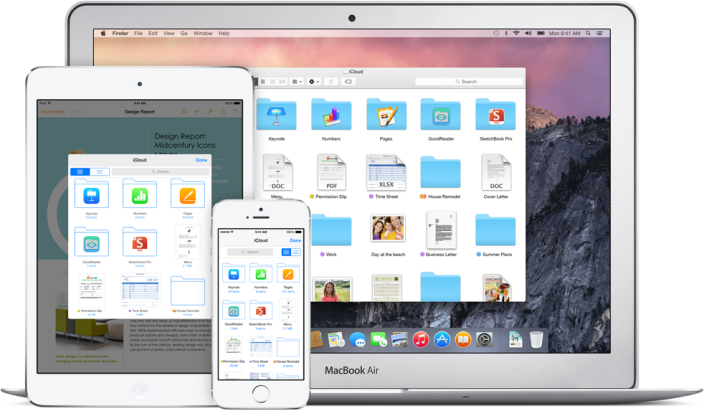
iCloud Drive was first announced at WWDC. This feature is Apple’s new approach to iCloud file syncing, replacing Documents and Data. The new interface acts more like Dropbox, with one central folder containing all iCloud documents in one place. This gives more flexibility over the model used by iOS 7 and Mavericks, where iCloud documents are siloed within their own app’s containers.

At WWDC, Apple announced that iCloud Drive could be accessed from Mac, iOS devices or even PC’s (as shown by the iCloud Drive preview page). However, a new setup screen present in iOS 8 beta 3, released earlier today, shows that Apple is also planning to expose iCloud Drive on the web. Although people were surprised by native PC support, bringing iCloud Drive to the web enables even more flexibility, bridging any OS with a modern web browser.


Expand
Expanding
Close

Site default logo image

Dropbox iOS app uses iPhone camera to make setting up desktop app easier

Dropbox updated its iPhone and iPad app today bringing a list of new features to the mobile cloud app. Here are the changes Dropbox points out in the update:

• Reorder your Favorites list with a simple touch and hold
• Set up Dropbox on your computer using your camera
• Dropbox now remembers recent locations when importing files
• Accessibility improvements
• Support for additional languages: Danish, Dutch, Swedish, and Thai
• Lots of bug fixes and usability improvements

That second feature seemed somewhat vague from the description but interesting so we decided to test it out.

Using the latest version of Dropbox, users can now set up the Dropbox desktop app on a new computer by scanning a QR code in the web browser with the iPhone camera. Below you can see part of the process…

The idea is you can scan the QR code on Dropbox.com/connect using the Dropbox iPhone app to prompt your computer to download and login to your account automating the process.
Expand
Expanding
Close

Microsoft improves OneDrive storage limits & pricing as competing iCloud Drive approaches

Site default logo image

Microsoft is making notable improvements to its storage offerings for its OneDrive cloud-based service. The company is announcing today that OneDrive storage at the free tier will be more than doubled, Office 365 storage will see a major increase, and that there will be storage price drops across the board. Here are the three main announcements in more detail:


Expand
Expanding
Close

Site default logo image

Apple considered buying Parse before building new CloudKit feature itself

In an extensive profile of Parse co-founder and Facebook executive Ilya Sukhar, The Information reveals that Apple considered purchasing the cloud services startup before Facebook:

Mr. Sukhar, a mobile programming prodigy, had already rejected offers from Apple and Dropbox, which were more interested in the company’s four talented founders than its business, according to people who were involved in the conversations. Facebook persuaded Mr. Sukhar and his colleagues that it had much bigger plans.

Apple’s interest in Parse is interesting because of the recently announced CloudKit feature for iOS 8. CloudKit, just like Parse, allows developers to leverage pre-designed and implemented servers to control the backend of applications. This makes the development team and process quicker and simpler for building iOS applications. It’s interesting to see that Apple decided to build a Parse competitor itself rather than move forward in acquiring the company (or another player in the area). The entire profile is well worth a read and it provides an interesting perspective as to how a start-up co-founder has been integrating his company into Facebook.


Expand
Expanding
Close

Opinion: Has Apple finally promoted iCloud from a hobby to a serious service?

Site default logo image

I wrote a piece last month arguing that it was time for Apple to up its iCloud game, showing that the company is serious about cloud storage by focusing more on fast, reliable syncing, and by matching the functionality, storage capacities, and pricing of Google Drive.

In the WWDC keynote, Apple did exactly that. MobileMe may not, in Steve Jobs’ words, have been Apple’s finest hour, but it did at least include iDisk – an online drive we could access directly to store anything we liked – not just documents created in Apple’s own apps. It’s been a long time coming, but iDisk is finally back in the form of iCloud Drive.

The new iCloud pricing, too, looks set to be exactly what I asked for – comparable to Google Drive… 
Expand
Expanding
Close

Play Nintendo DS games on non-jailbroken devices with the nds4ios emulator

Site default logo image

nds4ios has released a special version of the app that runs on non-jailbroken devices using a sneaky workaround. As the app is not available in the App Store, previously the app could only be installed on jailbroken devices, such as through the Cydia jailbreak app store. The app gets around Apple’s restrictions by using an enterprise provisioning profile reports TourchArcade. This is normally meant for businesses to distribute apps to company employees, but nds4ios is exploiting it as a way to enable widespread app distribution. Find install instructions after the break.


Expand
Expanding
Close

Site default logo image

Dropbox launches new “Carousel” photo & video gallery app

Dropbox is introducing its latest product today, a photo and video management app called Carousel that integrates many of the features from the photo storage service Snapjoy acquired by Dropbox back in 2012.

The company unveiled the app at an event today in San Francisco as a gallery to store and share all of your photos and videos. The app is built for quick and easy sharing of one or multiple photos to phone contacts or email addresses (even if the recipient doesn’t have a Dropbox account), allowing you to get around the upload limitations usually associated with sharing photos. With everything backed up in full resolution directly to Dropbox, it essentially becomes a standalone app to manage just photos and videos that you want to store in Dropbox.

With Dropbox, we built a home for your photos and videos but never gave you a great way to experience them. We’d like you to meet Carousel, the newest member of the Dropbox family. It’s a gallery that houses your entire life’s memories. Even more, Carousel lets you share and relive these memories in private conversations with friends and family.

Carousel is now available as a free download on the App Store for iOS and the Play Store for Android.

[tweet https://twitter.com/carouselapp/status/453949761830154240]

The company also made some other product announcements today including news regarding versions of its Mailbox app for Android and Mac OS X.

Mailbox goes beyond iOS, now available on Android and coming soon to OS X

Site default logo image

Dropbox announced today that Mailbox, the popular gesture-heavy email client it bought last year, will soon be launching a desktop version of its software.

The company also announced a set of new features like Dropbox account sign in and syncing and delete automation coming soon to the iPhone and iPad versions that will debut first in a version available for Android; this marks the first time the email software will be available on another platform aside from iOS as Mailbox is available on the Google Play Store today.

Users interested in using the beta version of Mailbox for OS X (screenshot preview below), which is said to be very minimal and rely on the trackpad for gesture-based interactions, can sign up on Mailbox’s website to learn more about the upcoming beta.
Expand
Expanding
Close

Up to 83% off 12 top rated iOS apps: 1yr. Parallels iOS access, Printer Pro, Scanner Pro, iDownloader Pro, Day One, more

Site default logo image

From 9to5Toys: Stack Social is offering up to 83% off on a collection of top rated apps for your iPhone and iPad starting today. The “StackUp iOS Bundleconsists of 12 award winning apps, 5 of which are ranked among the Top 10 in their respective categories: Printer Pro, Scanner Pro, iDownloader Pro, Day One, and FX Photo Studio.

While these apps have all been bundled in one place for you, you’re not stuck with the whole collection if you don’t want it. They are priced individually at the discounted rate meaning you can choose to only purchase and download the apps you want most.

Along with the rest of the bundled apps, you’ll find One Year Of Parallels Access on iPad for just $15. A year of Parallels access is normally $50 via in-app purchases through the free Parallels iOS app, so with today’s deal you’re saving $35 (70%).

The StackUp iOS Bundle: Up to 83% offPrinter Pro, Scanner Pro, iDownloader Pro, Day One, FX Photo Studio, Parallels Access and more…

You can see a complete list of the apps available along with a brief description and the regular price information below:


Expand
Expanding
Close

RIP Mac optical drives? Rumor suggests Apple to drop last non-Retina MacBook Pro this year

Site default logo image

DigiTimes is claiming that Apple will cease production of the non-Retina version of the 13-inch MacBook Pro this year as it prepares to launch refreshed Retina models toward the end of the year.

Apple is expected to stop production of the 13-inch MacBook Pro in the second half of 2014 and will replace the product line with thinner models equipped with a Retina display. Meanwhile, Intel will offer second-generation ultrabooks in the fourth quarter of 2014, pushing the notebook industry further into the ultra-thin era, according to Taiwan-based supply chain makers … 
Expand
Expanding
Close