Mac

See All Stories

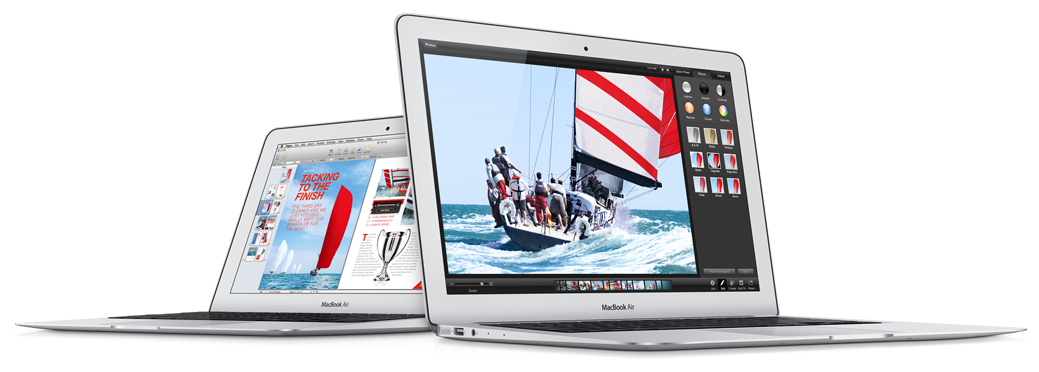
Apple’s Mac lineup consists of MacBook, MacBook Air, MacBook Pro, iMac, Mac Pro, and Mac Mini. The Mac runs macOS for its operating system.

Mac lineup

History

The Mac is Apple’s lineup of computers, and it can be considered the company’s oldest product. The name “Mac” comes from the original Macintosh, which was introduced in 1984 and is also considered the first personal computer for the masses to have a graphical user interface. The first Macintosh hit the stores on January 24, 1984, costing $2,945.

Among all these years, Apple has introduced many different Mac models, ranging from desktops to laptops to professional tower machines. The current lineup consists of the MacBook Air, MacBook Pro, Mac mini, iMac, and Mac Pro. However, there have been other Mac models were discontinued, such as the eMac, MacBook, and iMac Pro.

The history of modern Macs began in 1998, a year after Steve Jobs returned to Apple. Apple had dozens of Macintosh computers at that time, but Steve decided to rethink the entire lineup. In 1998, Apple announced the iMac G3, which ditched the floppy disk and serial ports in favor of USB connectors.

Macintosh and iMac G3.

Unlike the Macintosh, the first iMac was considered a huge success — not only for its technology, but also for its unique design with colorful translucent plastic. Apple quickly expanded the Mac lineup with other models, which included the iBook and PowerBook (which became the MacBook and MacBook Pro) and the PowerMac, which is now the Mac Pro.

macOS

What makes a Mac the Mac is the macOS operating system, which has also had a long history since the introduction of the first Macintosh. Initially called Mac OS, the operating system was rebuilt when Steve Jobs returned to Apple.

The first version of Mac OS X was released on March 24, 2001 with a new interface that is still present in some ways in current versions of macOS. Apple’s desktop operating system comes with many free applications such as Pages, Keynote, Numbers, iMovie, and GarageBand.

With macOS, users also have access to deep integrations with other Apple devices. For instance, you can answer calls and send SMS from your iPhone using your Mac. Handoff lets you switch from one device to the other and pick up where you left off. Apple Watch users can unlock their computer without entering a password, and you can even copy and paste between devices.

macOS Sonoma

Apple’s desktop operating system is also integrated with services offered by the company, such as iCloud, Apple Music, and Apple TV+.

The current version of macOS is Sonoma (version 14), which features new slow-motion screen savers, widgets on desktop, camera effects on FaceTime and other apps, web apps, passkey sharing, improved PDF support, and Game Mode. The update also comes with a new API that lets developers easily port Windows games to macOS.

Architecture Transitions

The Mac has had three major architecture transitions in its history. Apple’s first computers ran on Motorola processors, but the company decided to migrate to the new PowerPC platform in 1994. While this brought benefits at the time, the PowerPC processors were not delivering what Apple expected.

It was in 2005 that Apple confirmed the transition from PowerPC to Intel. Intel processors had become faster and more efficient than PowerPC, which enabled the development of new Mac computers that were more powerful and also more compact. Developers have been given access to a Developer Transition Kit running Mac OS X Tiger with Intel Pentium 4 to update their apps before the transition begins.

Power PC, Mac OS X, and Intel processor.

Apple said that the transition would begin in June 2006 and be finished by the end of 2007. However, the transition to Intel was fully completed in August 2006 when the company replaced the PowerMac with the new Intel Mac Pro.

As the years went by, Apple once again felt the need to have more powerful and efficient processors for its computers. This time, the company was already working on its own chips for the iPhone and iPad. In June 2020, Apple confirmed that it was changing the architecture of the Mac, now from Intel to ARM chips, which are called Apple Silicon.

Apple offered a Mac mini DTK running on the same A12Z Bionic chip as the 2020 iPad Pro. This way developers could once again update their apps ahead of the transition. In addition to being more powerful and energy efficient, the ARM architecture of Apple Silicon chips has enabled Macs to run iOS apps for the first time.

Apple M1 chip | Mac

The first Apple Silicon Macs were released in November 2020 with the M1 chip. The company later introduced more powerful variants of the M1 chip, called M1 Pro, M1 Max, and M1 Ultra. Macs with Apple Silicon have become known for being more powerful while consuming much less power, which has resulted in MacBooks with extended battery life.

In June 2022, Apple introduced the M2 chip, which is around 20% faster than the M1 and also supports more RAM. M2 also has more powerful variants: M2 Pro, M2 Max, and M2 Ultra.

Apple unveiled the M3, M3 Pro, and M3 Max chips in October 2023. The main highlight of this generation is the 3 nanometer technology, the same as the A17 Pro chip. The M3 family also features better GPUs with support for hardware-accelerated ray-tracing.

Current Mac lineup

Apple currently sells a variety of Mac computers, which includes MacBooks, Mac mini, iMac, and Mac Pro. While some of the Macs have already been updated with an Apple Silicon chip, others remain with Intel processors.

MacBook Air

The MacBook Air is Apple’s most affordable laptop and it has become popular for its light, compact design. The 2022 version is powered by the M2 chip and is offered with 8GB, 16GB, or 24GB of RAM. Plus, it has a new, edge-to edge 13.6-inch Retina display.

The laptop features Touch ID and has two Thunderbolt 3 compatible USB-C ports, a MagSafe connector for charging, and a headphone jack. Prices start at $1099 in the US. It’s offered in silver, space gray, starlight, and midnight.

M2 MacBook Air.

A year later, Apple introduced the first 15-inch MacBook Air. It has essentially the same hardware as the smaller version with a similar design, but with a larger display. Prices start at $1299 in the US.Apple is still selling the M1 MacBook Air for prices starting at $999.

MacBook Pro

The 2023 MacBook Pro is available in multiple versions, and customers can choose between 14-inch and 16-inch screen sizes. For the first time, Apple has introduced a less expensive version of the 14-inch MacBook Pro with the base M3 chip. This version has the same design and display as the high-end versions, except that it only has two USB-C ports instead of three.

M3 MacBook Pro

The most expensive versions of the MacBook Pro are equipped with the more powerful M3 Pro and M3 Max chips. The laptop can be configured with up to 128GB of RAM and 8TB SSD. These versions also come in a new Space Black color.

Unlike the MacBook Air, the MacBook Pro comes with an HDMI port and an SD card reader. It also features MagSafe and Touch ID on the keyboard. Apple no longer sells MacBooks with the Touch Bar. Prices start at $1,599 in the US.

Mac mini

Mac mini is the cheapest Mac currently available since it’s basically a desktop without a built-in display or other peripherals. The base model with the M2 chip features one Ethernet port, two USB-C/Thunderbolt 4 ports, HDMI 2.0, two USB-A ports, and a headphone jack.

Apple sells a more powerful version of the Mac mini with the M2 Pro chip, which also comes with four USB-C ports instead of two. Mac mini can be configured with up to 32GB of RAM and up to 8TB of storage. Customers can also opt for a 10 Gigabit Ethernet port. The Apple Silicon Mac mini is only available in silver, while the now discontinued Intel model was available in space gray.

Apple Silicon Mac mini.

Prices for the Mac mini start at $599 in the US. Again, it’s worth noting that it doesn’t come with a keyboard or mouse in the box – you need to buy them separately or use your current ones.

Mac Studio

Mac Studio represents a new category between Mac mini and Mac Pro. It features a design based on the Mac mini, but with a taller body to support the more powerful hardware and also a better cooling system.

The new Mac Studio is targeted at professional users who work with demanding tasks such as video editing, 3D rendering, and machine learning. 

Embraced by creative pros everywhere, Mac Studio now delivers next-generation power in the form of the lightning-fast M2 Max and the boundary-breaking M2 Ultra. It packs outrageous performance and extensive connectivity in an unbelievably compact form, putting everything you need within easy reach and transforming any space into a studio.

By default, Mac Studio already comes with the M2 Max chip, 32GB of RAM, and 512GB SSD storage. A more expensive option lets users customize Mac Studio with M2 Ultra. While M2 Max has a 12-core CPU and a 30-core GPU, M2 Ultra doubles all of those specs. The new chip has a 24-core CPU and a 60-core GPU.

Mac Studio can also be configured with up to 192GB of RAM and 8TB of SSD storage. The machine offers up to six Thunderbolt ports, 10 Gigabit Ethernet, headphone jack, two USB-A ports, and one HDMI port.

Mac Studio

Apple has been rumored to be working on new versions of this machine with the M3 Max and M3 Ultra chips. However, these versions may not be ready until 2025. Bloomberg’s Mark Gurman said in November last year that the M3 Ultra chip “hasn’t yet gone into broad testing” inside Apple.

In the US, prices for the Mac Studio with M2 Max chip start at $1999. The M2 Ultra chip version starts at $3999. Just like the Mac mini, Mac Studio doesn’t come with a keyboard and mouse in the box. You can find accessories for your Mac Studio here.

iMac

iMac is Apple’s most popular desktop computer with an all-in-one construction. It features a 4.5K display in its 24-inch version and a 5K display in the 27-inch version. At the same time, Apple still sells an entry-level iMac with a regular 1080p display.

The 24-inch iMac is the first to feature the M1 chip, the same as in the Mac mini, MacBook Air, and MacBook Pro. This allowed Apple to introduce a completely redesigned model with a slimmer design, which is also offered in seven new colors. Customers can customize the new 24-inch iMac with up to 16GB of RAM and 2TB of storage.

Site default logo image

The company ships the 24-inch iMac with Magic Mouse and Magic Keyboard, plus a Lightning cable for recharging accessories. Prices in the US start at $1299. Apple has discontinued its old 21.5-inch iMac and the 27-inch iMac 5K.

Mac Pro

Mac Pro is a computer built for professional users who depend on extremely powerful hardware. Available in tower and rack versions, it has a completely modular design. That means users can replace RAM, SSD, GPU, and other internal components.

By default, it features four USB-C/Thunderbolt 3 ports, two USB-A ports, and two 10Gb Ethernet ports. However, the ports can be expanded using the PCI Express slots. Apple also ships the computer with a Magic Mouse and Magic Keyboard, but it does not come with an external monitor included.

All models feature Intel Xeon W processors, which are the most powerful processors offered by Intel. Consumers can configure Mac Pro with up to 28-core processor, 1.5TB RAM, and 8TB of SSD storage. In addition to supporting multiple dedicated GPUs, Apple also offers the Afterburner card — which accelerates the decoding of ProRes videos.

The company recently updated the Mac Pro with new graphics card modules, which include Radeon Pro W6800X and Radeon Pro W6900X.

Site default logo image

Mac Pro prices start at $5999 in the US.

Rumors about upcoming Macs

Top stories about the Mac

Apple seeds first OS X Mavericks 10.9.1 beta to developers with focus on Mail, Graphics

Site default logo image

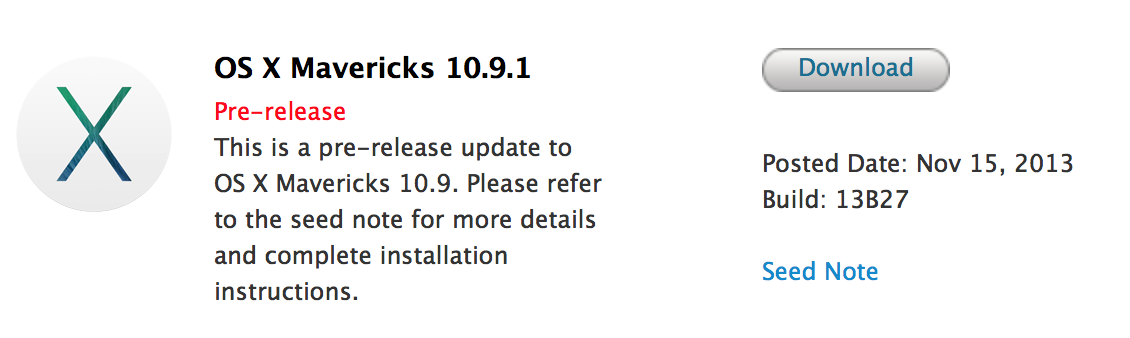
Today, Apple has provided the first seed of the upcoming OS X Mavericks 10.9.1 to registered developers. We previously reported that Apple had seeded the 10.9.1 update to its employees along with a future 10.9.2 release. It’s currently unclear when those operating systems will reach the Macs of customers. Apple asks developers to focus on Mail, Graphics Drivers, and VoiceOver in their testing. Apple previously seeded an update to customers to fix Mavericks Mail problems. The 10.9.1 seed is labeled as build 13B27.


Expand
Expanding
Close

Site default logo image

Get 75% off BioShock Infinite for Mac from 9to5Toys & GameAgent

9to5Toys.com:

If I could only make one game recommendation for Mac users, at the moment it would have to be BioShock Infinite. The game received amazing reviews from critics on the consoles and our friends at Aspyr quickly followed up with a flawless Mac version back in August. If you’ve yet to pick up a copy, you now officially have no excuse: GameAgent and 9to5Toys are offering BioShock Infinite for Mac for 75% off from now until Sunday. 

That means you’ll get BioShock Infinite for $10 instead of the usual $40, and we’re also throwing in the $4.99 Columbia’s Finest DLC for free. Best price on Amazon: $31

On top of that, GameAgent is giving away some crazy prizes to celebrate its brand new site redesign. The new site has a “Mac Match” feature that lets you setup profiles for your Macs to easily find supported content, and also a new Wish List feature to get automatic deal alerts when games you’re interested in go on sale.

Go create an account on GameAgent.com and make sure to put a name and legit email when completing the contest entry page to win a fully loaded 27-inch iMac with a 3.4GHz Quad-core Intel Core i5, 16GB of RAM, 1TB drive, and NVIDIA GeForce GTX 780M 4GB GDDR5 graphics. It will also come loaded with every BioShock, COD, Duke Nukem, Quake 4, Civilization and Star Wars title GameAgent sells, along with a long list of other titles and DLC, and there are many other prizes too. Full details of the contest rules can be read here (contest rules).

To get your 75% off BioShock Infinite, click here and enter promo code “9to5Mac” at checkout. Deal expires 11:59pm CST, Sunday, November 17. Note: BioShock Infinite through GameAgent is the Mac version of the game and authenticates on Steam.

GameAgent also announced the release of the BioShock Burial at Sea- Episode 1 DLC yesterday with a same day release as the PC title.

Update: GameAgent ran into some “inventory issues” because so many of you are trying to take advantage of this awesome deal. Everything is sorted now and the deal is still live, but if you ran into issues, GameAgent will sort you out:

[tweet https://twitter.com/GameAgentStore/status/401009258348961793]

[tweet https://twitter.com/GameAgentStore/status/401009299557978112]

Update 2: The deal site PC gamer spambots have officially ruined the fun for everyone. GameAgent had to shut the deal down due to a high amount of fraud from bots eating up all the inventory on the deal code. We’re working with GameAgent to bring the deal back. Stay tuned.

Site default logo image

Concept imagines a much needed redesign of Apple’s Messages app for OS X

It’s no secret that Messages on OS X, Apple’s IM app that’s integrated with its iMessage service on iOS devices, has long been a frustration for users. The app has received a name change and slightly new look since the iChat days, but it hasn’t improved much in terms of functionality or reliability– some would say it’s gotten worse. While many of you would probably settle for a Messages app that simply works reliably, app developer Denis Pakhaliuk just sent over his concept of a completely revamped Messaging app for OS X.

On top of a redesigned UI that implements “Smart Colors” and some iOS 7-style translucency, the concept imagines a Messages app with much needed filter and sync features, truly instant sync between devices, new indicators for statuses, media uploads, and more.

Head below for the full gallery:

Apple releases iBooks for Mac 1.0.1 with bug fixes and stabilty improvements

Site default logo image

As we reported earlier this week, Apple has been preparing updates for Mail, iBooks, and other built-in apps on OS X Mavericks to address several issues noticed by users after the operating system’s launch. Earlier today the company released a fix for Gmail-related problems in Mail. Now they have also released an update for iBooks that addresses performance and stability problems as well as other miscellaneous bugs.

The update is only 14 MB and is available for free in the Software Update tab of the Mac App Store.


Expand
Expanding
Close

Unlock your Mac by knocking on your iPhone with the new ‘Knock’ app

http://www.youtube.com/watch?v=CyX8FfSKg04

Knock uses a combination of an iPhone app (currently offered at an introductory price of $3.99)  and a Mac app (available for free at Knock’s website) to enable unlocking of your Mac, wirelessly, by just knocking the back of your iPhone.

It’s a surreal experience. After a couple of minutes of initial setup, you lock your Mac and rap the back of your paired iPhone twice. Your Mac unlocks. The app doesn’t even have to be forefront on your phone, although it does have to be ‘open’ in the multitasking tray. In fact, your phone doesn’t even have to be unlocked. When it senses the Mac is near, a notification appears on the lock screen instructing you to knock. There are some nice UI touches too. For instance, echoes of the ‘sound wave’ appear on OS X’s lock screen in real time as you knock. It’s a subtle visual indicator that the system is actually working.


Expand
Expanding
Close

Review: Flamingo for Mac looks to improve on Messages for Mac

Site default logo image

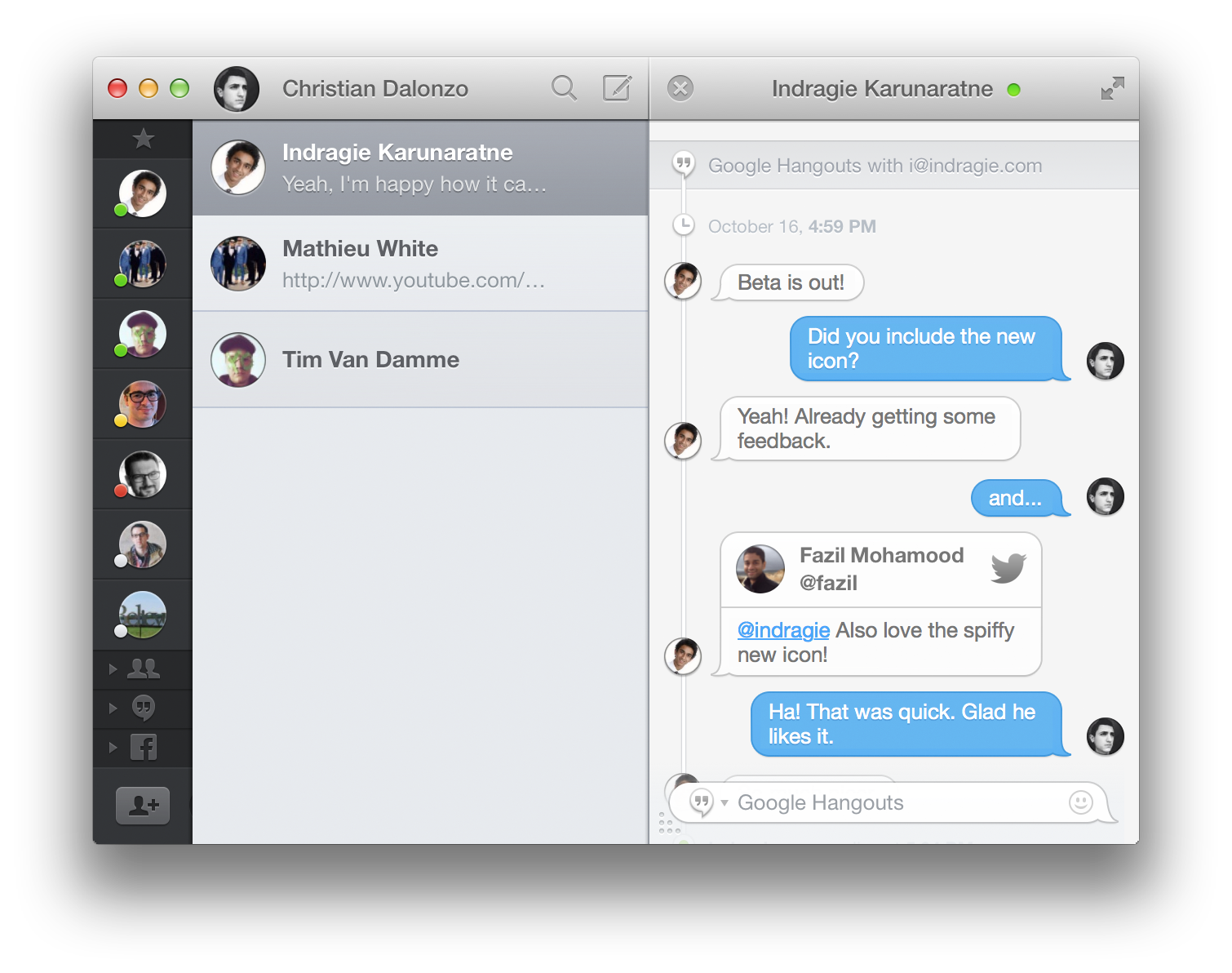
Messages for Mac may support a few different chat services, but there are still a variety of features that would vastly improve the experience of messaging on the Mac. Flamingo is a new app designed to make chatting even better with a whole host of features you didn’t even realize you were missing.

Unfortunately because Apple keeps iMessage pretty locked-down, you won’t be able to use Flamingo with that. You can still use it with your Facebook, Google Hangouts (text, not video), and other XMPP-based chat services. But should you use it for those things? Keep reading for our full review.


Expand
Expanding
Close

Site default logo image

Live blog: Apple’s Q4 2013 earnings call

<a href="http://www3.pictures.zimbio.com/gi/Peter+Oppenheimer+Tim+Cook+Discusses+Tax+Code+EFIrcwcsO7Cx.jpg">Image</a> of CFO Oppenheimer and CEO Cook

Apple has announced its earnings for Q4 2013, including $37.5 billion in revenue and sales of 33.8 million iPhones, 14.1 million iPads, and 4.6 million Macs. As usual, Apple will be holding a conference call to discuss the results, provide some additional information, and take questions from analysts. Below, we’ll be holding a live blog of the proceedings:


Expand
Expanding
Close

Apple reports $37.5b revenue for Q4 2013: 33.8m iPhones, 14.1m iPads, 4.6m Macs

Site default logo image

<a href="http://news.yahoo.com/apple-iphone-5s-5c-line-around-the-world-132626546.html">Photo of iPhone line</a>

As planned, Apple today announced its financial results for Q4 2013. This is a quarter highlighted by iPhone 5s and iPhone 5c sales and is the quarter preceding the launches of several new Macs and the new iPads:


Expand
Expanding
Close

Site default logo image

Graphics card on new Mac Pro could be upgradeable

French site Mac4Ever says that a hands-on look at the machine suggests that it may in future be possible to upgrade the graphic card in the new Mac Pro. We’ve also heard a whisper of unofficial confirmation from an Apple source.

According to our information, it is possible to change the graphics card in this machine. In fact, the GPU is placed on a daughter card, it is possible to remove and thus replace. As you might expect, Apple uses a proprietary connector (as is the case for SSD array present on the rest of the range). But there’s nothing to prevent, on paper, a manufacturer deciding to offer compatible cards. It’s even possible that Apple would offer upgrades. The other good news is NVidia is no longer (at least on paper) completely eliminated as a future possibility for the Mac Pro.

I’m not sure I buy the official Apple upgrade idea: if Apple intended the machine to be that upgradeable, it would likely have made the CPU upgradeable too. But it certainly seems possible that the construction would make it at least technically possible for third-party graphics card upgrades to be made available at a later date.

Graphics work is a key application for the machine. Apple recently noted that a number of professionals had been testing the machine, among them award-winning extreme sports photographer Lucas Gilman.

Site default logo image

Apple begins selling OS X Lion and Mountain Lion via the Apple Online Store


Apple has started selling older versions of OS X through the Apple Online Store. Despite the fact that neither operating system can be purchased through the Mac App Store, you can still buy them for $19.99 each through Apple’s website. Rather than a physical disc with the software, you’ll get a code that can be redeemed on the App Store to begin downloading the OS immediately.

Offering Lion makes sense for older Macs since some Lion-capable machines cannot run Mountain Lion. Offering Mountain Lion, especially for $20, seems like an odd move since the entire line of Mountain Lion-compatible Macs can also run Mavericks for free.

Either way, if you need a copy of Lion or Mountain Lion, you can grab them now from Apple’s online store.

Site default logo image

How to get your free iWork apps for Macs purchased after Oct. 1

When Apple unveiled its updated iWork suite during its iPad Air event earlier this week, it also confirmed that it would be making the apps free for all new Mac purchases. That means new Macs shipping with Mavericks would allow users to download Pages, Keynote, and Numbers– previously $20 each– for free from the Mac App Store. That offer also extends to Macs purchased on or after Oct. 1 and yesterday Apple made an Up-To-Date Program available on its website for those that purchased qualifying Mac.

Apple has instructions on its website for applying for the Up-To-Date Program, which requires users to enter their Mac’s serial number, purchase date, and provide Apple with “an electronic copy of a dated, itemized sales receipt indicating the marketing part number(s) of the qualifying product(s) purchased.” Apple will then send codes to customers within 24 hours of confirming the purchase that can be redeemed on the Mac App Store to download the apps.

For those that purchased between Oct. 1 and Oct. 22, you’ll have to apply to the program by Nov. 21. Purchases made after Oct. 22 will have 30 days to qualify.

Apple also says that the program is only for the United States (50 states and the District of Columbia) and Canada, but it’s unclear if it will have similar programs for customers in other countries.

Mac App Store bug allows iWork trial users to update the entire suite for free (Update: Aperture, too)

Site default logo image

Users who have previously downloaded the free 30-day iWork trial and kept it on their systems found themselves able to update to the latest version of Apple’s productivity suite for free yesterday due to what is apparently a bug with the way the store finds copies of the software purchased through other sources.

Since the Mac App Store now detects boxed copies of iWork and allows them to be updated to the Mac App Store version, it seems the trial versions of Pages, Numbers, and Keynote are perceived by the App Store as being a full purchased copy. This allows users to install yesterday’s updated apps without having to pay anything.


Expand
Expanding
Close

Opinion: What is really driving Apple’s new-found fondness for ‘free’?

Site default logo image

Photo: abc.e

Apple surprised many yesterday by making the update to OS X 10.9 Mavericks free, rather than the $20 it cost to upgrade to the previous release, Mountain Lion. The company also surprised some (though not us) by doing the same for its previously chargeable iWork apps.

There’s been a lot of commentary today about this being an attack on Microsoft, and I do indeed think there’s likely to have been a fair amount of sweating in the corner offices at Redmond as they watched yesterday’s keynote. But Microsoft execs aren’t the only ones I’d expect to see wearing worried expressions today: I suspect the same is true across at Mountain View.

Before we get to Google, let’s start with Microsoft … 
Expand
Expanding
Close

Site default logo image

Receive desktop push notifications for any RSS feed with Pronto Push & Mavericks

As part of the new OS X Mavericks, websites can now send push notifications to your computer. Back in June, we featured the first public website that took advantage of the native push notification feature. Today, the same developer, Connor LaCombe, released Pronto Push, a new service that allows you to receive push notifications for any RSS feed.

Rather than waiting for your favorite websites’ developers to add the push notification feature, you can sign up for Pronto Push, type in the websites you’d like to receive notifications for, and immediately receive a push notification when a new post has been added. There’s no software to install, and managing your subscriptions is done through a simple web interface. You can even manage multiple Macs under one account.

Initial setup has to be completed with Safari 7, but after that clicking on notifications will open the related post in your default browser. Notifications come through immediately, so there’s no delay between when a new RSS item is added and when you receive the notification. You can also receive instantaneous Facebook notifications (since the native ones are usually delayed or don’t even appear).

Pronto Push is free and requires Mavericks.

Site default logo image

Aperture updated to version 3.5 with support for iCloud photo sharing, SmugMug integration, and more

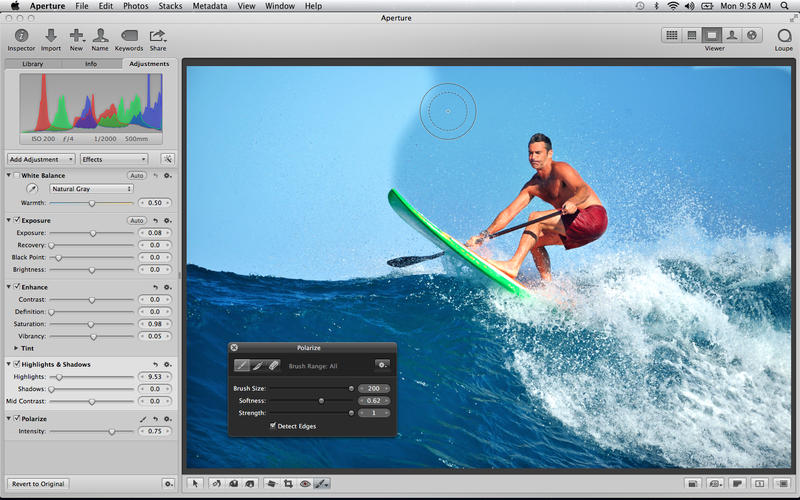
Along with a slew of other updates today, Apple has just released version 3.5 of Aperture, with notable support for iCloud photo sharing, multiple contributors to Photo Streams, and the ability to post videos to shared streams. The “Places” feature inside of Aperture has also switched to use Apple Maps, instead of relying on Google’s mapping data like it did previously. SmugMug integration has also been added, allowing those who use the service to publish and sync galleries of their photos. A full change log for Aperture is listed below. You can grab the app for $79.99 in the App Store.


Expand
Expanding
Close

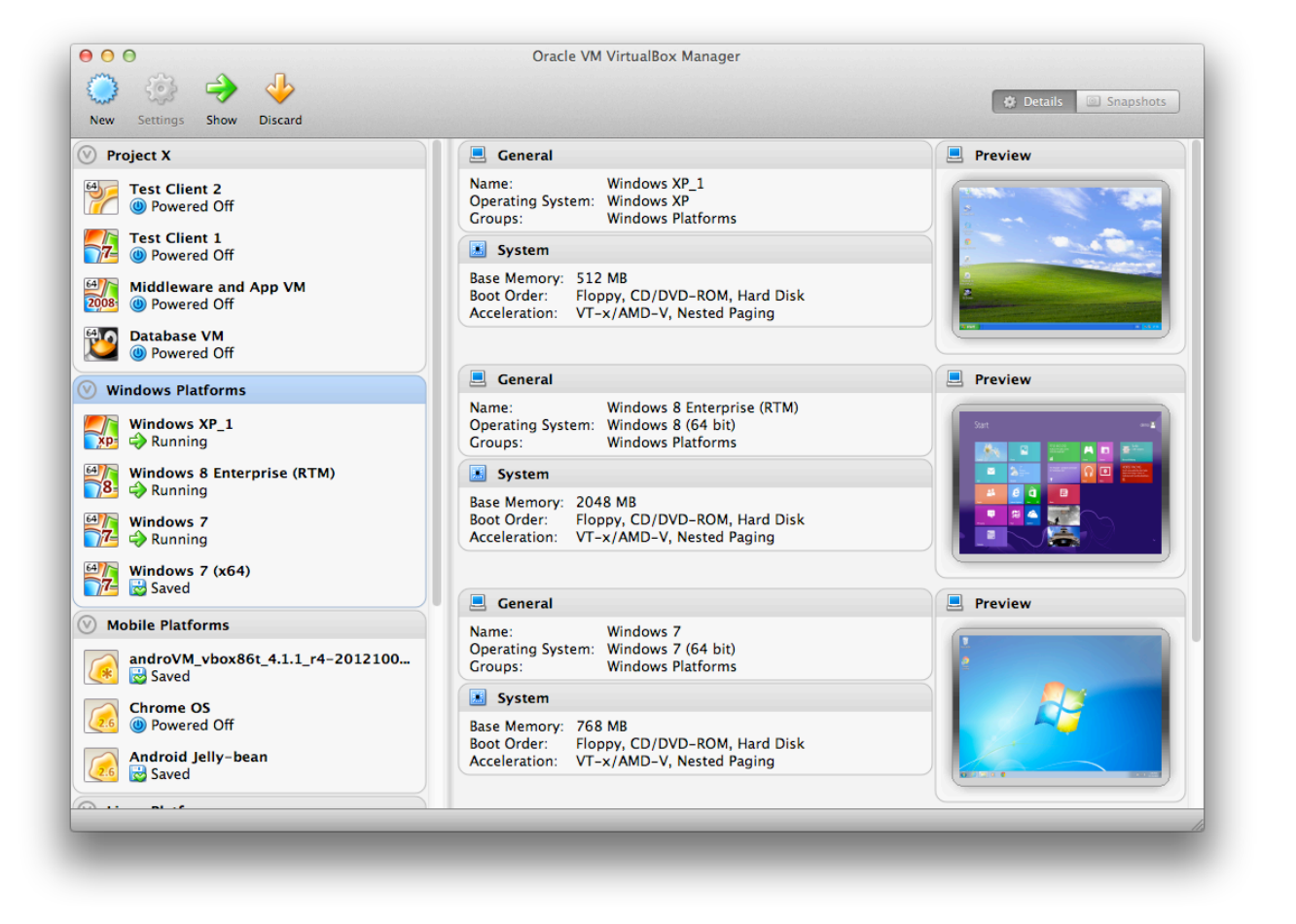
VirtualBox updated with support for multi-touch platforms, in time for Windows 8.1 & Mavericks

Site default logo image

VirtualBox, a free software package that allows you to run a whole range of virtual machines on your Mac, has been updated to provide support for multi-touch platforms, support for the latest CPUs and other notable additions. The upgrade comes on the same day that Microsoft launched Windows 8.1, and ahead of the expected launch of Mavericks around the end of October … 
Expand
Expanding
Close

How to: Use a password manager to have strong, unique passwords for each website

Site default logo image

Image: redorbit.com

Evernote, Adobe, even Apple … just a few of the companies who have found their user data compromised by hackers in recent times. The possibility of a hacker being able to access one of your web accounts is worrying enough – but if you use the same email address and password for almost all the websites you use, the risk becomes huge.

The first thing a hacker does when they get hold of a list of usernames and passwords is to use automated software to fire them at a whole bunch of popular websites. That means your online security is only as good as the most vulnerable of the websites you visit. Not good.

The answer, of course, is to use a unique – and strong – password for each website you access. But that creates its own hassles. Strong passwords aren’t easily memorised. Sure, we can ask our browsers to store logins for us, but when you might use several different computers, an iPhone and an iPad, you’d have to login once from each device as soon as you chose the password so it gets stored before you forget it. Not very convenient.

Which is where password managers come in. When you see the instructions, it’ll look like a long process, but it in fact takes only 10-20 mins if you have two or three devices … 
Expand
Expanding
Close

US Mac sales down as PC decline stablizes, but wildly-differing estimates by Gartner and IDC

Site default logo image

US Mac sales fell year-on-year as part of the global decline in the PC market as consumers switch to tablets, phablets and smartphones – but the two major market analysts produced wildly differing estimates of the size of that fall.

IDC has a dramatic drop of 11.2 percent, from 2.14M in the third quarter of 2012 to 1.9M in the same quarter this year, while Gartner shows a much more modest decline of 2.3 percent from 2.2M (close to IDC’s number) to 2.1M. The only point on which both agree is this is the first Q3 decline in Mac sales since 2002, a quarter usually assisted by the back-to-school market …


Expand
Expanding
Close

Site default logo image

Will the Mac go touch? Unlikely, but here’s what a 32″ 4K IGZO Touch Mac looks like

It looks like Sharp is planning full support for OS X in its upcoming 32-inch 4K IGZO touchscreen LCD LED monitor (PN-K322B) expected to launch in the US this fall. Sharp previously announced the 36 mm thin 4K panel with pen support in July, but Macotakara.jp snapped the photo above of Sharp demoing the display running OS X from a connected MacBook at the Ceatec Japan 2013 show over the weekend.

From the translated report, it sounds like Sharp plans compatible OS X drivers as a download in 1-2 months.

Apart from touch support, the monitor is much the same as the 32-inch 4K IGZO display that we were quite impressed with when Sharp first showed them off at CES in January.

You can get a better look at the display from earlier this year in the video below:

Online backup services: why, how & which?

Site default logo image

Macs make automated backup childishly easy: simply plug in an external hard drive and OS X will ask whether you want to use it as a Time Machine disk. Say yes, and you’ll then get fully-automatic, hourly, versioned backups without doing anything further.

Unplug it to take your MacBook out & about, and it will catch up as soon as you return and plug it back in. Even easier, get a Time Capsule, and those backups take place over wifi, so you don’t even have to connect a drive.

But I’m a belt-and-braces chap. I like multiple backups, and I like one of those backups to be off-site. That way, if the house burns down, or a burglar takes both my Macs and my backup drives, I still have access to my data. Which is where online backup services come into play. Think of them as your backup of last resort.

iCloud, covered in my cloud storage roundup last week, already backs up quite a lot of your data – but nothing like all of it. The services covered here are ones that backup either your entire Mac, or a large proportion of it …


Expand
Expanding
Close

Site default logo image

iOS 7 betas expire as some folks forget to update, here’s how to get your iPhone back

Developers who didn’t upgrade their iOS devices from beta 6 to the public release of iOS 7 are finding their iOS devices temporarily bricked this morning after the beta expired, reports Gizmodo.

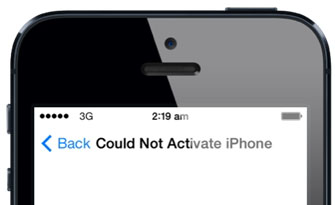
Around midnight UK time, my iPhone 5, along with thousands of other iOS 7-running devices which hadn’t updated from their dev betas, randomly crashed. An error message of “could not activate iPhone” appeared, and prompted users to sign in with their iCloud details. Unfortunately this did not solve the issue, with Apple’s activation server being “temporarily unavailable.”

Fortunately, a fix is available – such as the one detailed at iPhoneHacks. The executive summary is to make sure you’re running iTunes 11.1, manually download the latest 7.0.2 version of iOS , connect the device to your Mac, click on the device in iTunes and then hold down the option key when clicking the Check for Update button to select the downloaded file. See the detailed instructions and links to the files for each device here.