Apps

See All Stories

Learn about the latest news for iOS, Mac, Apple Watch, and Apple TV apps

Apps for iOS, macOS, tvOS, and watchOS power our modern world. 9to5Mac will update you on the latest news, review, and updates for all types of apps. “There’s an App for that”.

The term came became part of our vocabulary when Steve Jobs announced The App Store as part of the iPhone 2.0 software update in 2008.

Over the years, the term has become as common as kleenex for describing applications on all of our devices. Apple’s platforms have apps for just about anything from finance, banking, sports, social media, podcasting, music, and more. We have a guide for helping you discover the best ones as well. Apps are now on everything from our TV, to our smartphones, on our laptops, and all the way down to our wrists.

As new ones are released or existing ones have major updates, the team here at 9to5Mac will bring you the latest news and reviews. If you want to follow along with video footage, be sure to follow 9to5Mac on YouTube. Scroll down below our latest updates on all things relating to applications on iPhone, iPad, Mac, Apple TV, and Apple Watch.


Site default logo image

Tweetbot for Mac updated with several much-needed bug fixes

Tweetbot for Mac was updated today to version 1.4.1. The new update brings a collection of sorely-needed fixes to some of the biggest bugs affecting users of the previous version, including the inability to see new tweets when they load, problems with multi-monitor setups, and direct messaging issues. It also includes all of the updates to version 1.4, including smooth scrolling on OS X Mavericks, quick-reply from notifications, and more.

The update is available for free to all current users. New users can grab the app for $19.99.

What’s New in Version 1.4.1

– Fixed the issue where you can see “x unread items” but can’t scroll up to see them
– Fixed the issue where direct message images would not load when clicked
– Fixed the issue with some users seeing hangs related to iCloud syncing or playing audio
– Fixed the issue where the main Tweetbot window could move from the secondary to primary monitor after restarting the app

Site default logo image

Apple’s 12 Days of Gifts app offering free download of Tiny Thief iOS app

On the second day of Apple’s “12 Days of Gifts” promotion, the app is now offering a free download of Rovio’s ‘Tiny Thief’ app. This morning the 12 Days of Gifts app was offering a free pilot episode of TV show Once Upon a Time, but Apple appears to have now switched the gift to the ‘Tiny Thief’ app. It’s unclear if Apple mistakenly offered the TV show download for a short period of time or if it plans to offer various gifts throughout the day as part of the promotion.Yesterday the 12 Days of Gifts app was offering a free download of Justin Timberlake performances from the recent iTunes Music Festival.

Rovio actually dropped the price of Tiny Thief from $2.99 to free a few days back, and the app remains available for free directly through the App Store as well. You can grab Apple’s 12 Days of Gifts app on the App Store in select countries.

Site default logo image

Nokia: ‘HERE’ iOS Maps app removed due to iOS 7 changes that “harm the user experience”

If you were wondering why Nokia’s HERE maps app for iOS disappeared from the App Store earlier this month, today the company has issued an official statement on the situation. While citing issues with iOS 7 that “harm the user experience,” Nokia unfortunately does not go into detail about specific problems with the development of the app for Apple’s latest version of iOS. It does, however, point users to the official web app, which is essentially the same experience the company wrapped into the iOS app minus many of the bugs users reported with the release of an iOS 7 update. No word on if Nokia will bring back the native app at any point, but for now we get the following statement issued to the TheIndianExpress (via Engadget):

“We have made the decision to remove our HERE Maps app from the Apple App Store because recent changes to iOS 7 harm the user experience. iPhone users can continue to use the mobile web version of HERE Maps under m.here.com., offering them core location needs, such as search, routing, orientation, transit information and more, all completely free of charge.”

Site default logo image

9to5Toys Boxing Day: Mohu HDTV antenna $25, ZAGG InvisibleSHIELD/OtterBox BOGO, Belkin Thunderbolt dock $199, more

Happy Boxing Day! Be sure to follow 9to5Toys to keep up with the best gear and deals on the web: Twitter, RSS Feed, Facebook, Google+ and subscribe to the new Safari push notifications feature.

Today’s can’t miss deals:

Up to 60% off Tech Gear: Mohu HDTV antenna $25, Toshiba 1TB portable HD $48, much more

Gadget Accessories:

Belkin Thunderbolt Express Dock $199 shipped (Reg. $299)


Other great deals from today:

Site default logo image

Apple offers Boxing Day iTunes sale w/ deals on select albums in Canada

As it has done in recent years, today Apple launched a special Boxing Day sale in at least the Canadian iTunes store offering deals on select albums and songs. The sale is accessible through the iTunes store on both iOS devices and on the desktop. While Boxing Day is recognized as a holiday on Dec. 26 in Canada, retailers usually hold Boxing Week sales that last from Dec. 24 through Jan. 2.
Expand
Expanding
Close

Site default logo image

Apple’s 12 Days of Gifts app offers free download of Justin Timberlake’s iTunes Festival performances

Apple has officially kicked off its “12 Gifts of Christmas” promotion by offering a free download of four live songs (two of which have videos) from Justin Timberlake’s performance at the iTunes Festival in September.

Previously available as the 12 days of Christmas app in a few countries internationally, this year Apple has released a new “12 Days of Gifts” app that is available in the U.S. for the first time. Starting today through January 6, users will be able to download the app to access one free gift a day. The gifts are usually content from across the iTunes, iBooks, and App Stores, with today’s gift coming as a free download directly on your device through iTunes.

Download the free 12 Days of Gifts app for iPhone or iPad now to access your free gift.

Essential apps for decking out your new Mac — the best software and utilities

Site default logo image

If you’ve been fortunate enough to unwrap a new Mac over the holidays or need help deciding how to use those iTunes gift cards, I’ve collected some of my favorite apps and utilities for taking your Mac to the next level.

Pixelmator

Pixelmator is one of my favorite Mac apps. For someone interested in design and editing but without the need for an expensive app like Photoshop, it’s an incredible buy for $30. Best of all, it’s constantly being updated and picking up new features.

How to spend your iTunes credit this holiday season — the best apps and games for iPhone and iPad

Whether you are just unwrapping a new iPhone or iPad or have received stacks of iTunes gift cards this holiday season, you are undoubtedly on the hunt for the best apps to fill up your shiny iOS devices. Read on for my recommendations of the best apps and games for iPhone, iPad and iPod touch for 2013.


Expand
Expanding
Close

Site default logo image

AOL announces iCloud email support returning to its Alto webmail service

Earlier this year AOL announced it would no longer be supporting iCloud email accounts with its Alto webmail service after December 2nd. Today, however, the Alto team informed users it had reversed that decision and apologized for the confusion of its decision. Alto also promised it would not be pulling support for iCloud email in the future, but offered no details on why the initial decision then reversal were made. Full email below:
Expand
Expanding
Close

iOS 7 jailbreak installs pirate App Store if your device language is Chinese (updates)

Screenshot by <a href="https://twitter.com/saurik/status/414810297937838080">@saurik</a>.

(Updates below)

This morning, the evad3rs released the first public iOS 7 jailbreak. At the time, it seemed like something was off because other key members of the community had not been informed of the upcoming release. For instance, Jay Freeman (@Saurik on Twitter) had not been notified and as such the version of Cydia bundled was not official or up-to-date.

It turns out, however, that more questionable activity has taken place. The evasion jailbreak includes a Chinese ‘alternative’ app store, which is full of cracked versions of real apps and games found in Apple’s App Store.


Expand
Expanding
Close

Site default logo image

Review: Bubble Chat for iPhone is a colorful alternative to Facebook Messenger

A few weeks ago, Facebook updated its Messenger app to match iOS 7’s visual design. Unfortunately, the update is a bit bland, with no real embellishments in terms of UI or animation. This week, a new Facebook chat client for iPhone was released that aims to address those complaints with a colorful interface and slick animations.

That app is Bubble Chat.

Bubble Chat is one of the most creative iOS 7 designs I’ve seen, leveraging the new OS’s physics to animate every transition and movement in the app. By default, most of the interface is blue, but a $.99 in-app purchase allows you to customize the background color for each contact individually or globally. You can also choose a photo from your device to use as the background.

The app has two main views for managing your conversations. The first is a list of your Facebook contacts. The other is a list of recent conversation threads. The contact list makes use of each friend’s photo not only as an avatar next to their name, but also as a background for each row in the list, providing a bit more texture than a standard blue background. The chat list provides a quick look at each thread’s most recent message.

Tapping a contact’s photo from the conversation list or with in a thread brings up a contact-specific settings sheet that allows you to customize the design of that conversation or mute all message notifications from that user. From with a conversation you can send photos and videos, plus custom drawings you can create with a variety of brushes and colors.

Speaking of contact photos, Bubble Chat has a clever trick that detects faces in photo and automatically centers them. No more oddly-cropped profile pictures where an off-center face gets cut off! In my testing, I found that the detection system worked every single time, showcasing my contacts automatically instead of whatever happened to be centered in the photo.

The app supports push notifications for new messages, though they seemed a bit unreliable in my testing. My first message came through the main Facebook app, but not Bubble Chat. After I opened Bubble Chat and viewed the new message, notifications started functioning normally for the most part. A few seemed to show up late or not at all.

Overall, Bubble Chat is a solid app that just needs a little work. Aside from the notification issue, I noticed a few graphical glitches, especially when quickly moving between conversation threads and the chat list. These always resolved themselves within a few seconds, though, so there’s no reason to worry about them right now. My single biggest issue with the app is that autocorrect does not seem to work when typing a message. The developers have informed me that several bug fixes and improvements are being made very soon.

If you’re looking to replace Facebook Messenger with something that has a little more personality, Bubble Chat is a great alternative. You can get it on the App Store for free. As mentioned before, theme customization options are available as a $.99 in-app purchase.

Site default logo image

Flexibits discounting Chatology, Fantastical for Mac & iPhone for the holidays

Whether you’re in the market for great apps for yourself or gifting someone you know with apps you already love, it’s certainly a terrific time for buying some of the most notable apps on the Mac and iOS platforms. Just this morning we reported on a collection of indie developers who teamed up to create App Santa, a catalog of award-winning iOS apps including Tweetbot and 1Password with substantial discounts for the holiday season.

Joining in on the holiday spirit is Flexibits, the development team behind Chatology for Mac, Fantastical for Mac, and Fantastical for iPhone. All three are apps which reliably solve a specific problem.

Chatology makes searching through iMessage chat logs on OS X less of a nightmare with stable software that even supports link and image parsing. Fantastical for Mac and iPhone (review) both provide a streamlined calendar experience with consistent and impressive natural language input with real time feedback. Direct links, screenshots, and prices below…
Expand
Expanding
Close

Site default logo image

Google Play Music for iPhone updated with iOS 7 UI, “I’m feeling lucky” radio, genre search, and more

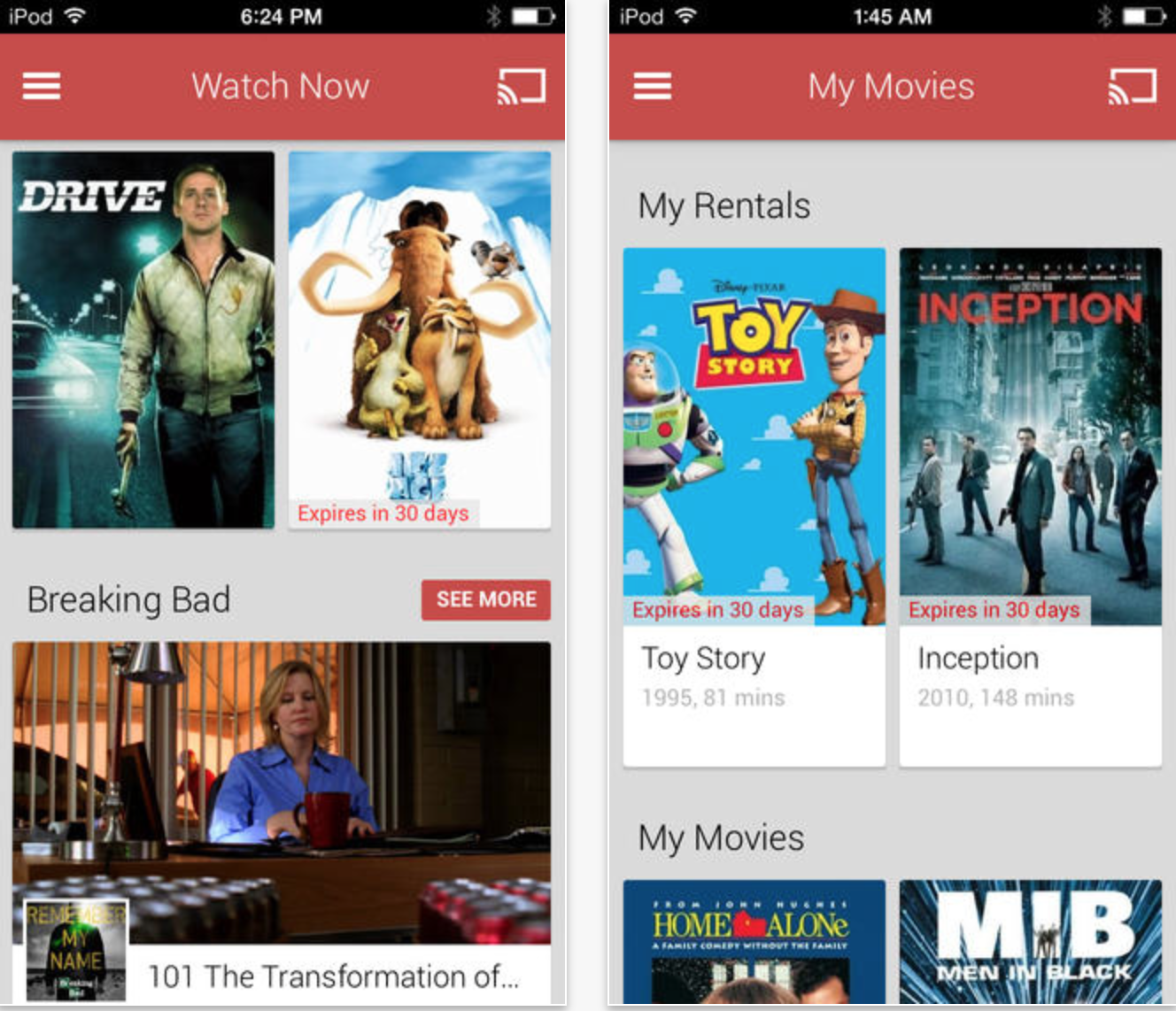
Google has updated its Google Play Music app for iPhone with several new features and a refreshed UI for iOS 7. The app was first released last month but had not yet been designed for the latest version of iOS.

Besides the updated interface, the app includes support for “I’m feeling lucky” radio stations, the ability to search for music and create stations by genre, and auto-playlists.

You can grab Google Play Music for free on the App Store.

What’s New in Version 1.1.0.988

– UI updated for iOS7

– Added support for I’m feeling lucky radio

– Auto-playlists (including Thumbs Up playlist) added to playlist view

– Genre radio stations added for All Access users

– Added ability to search for genres

Thanks for the tip, Isa!

Site default logo image

Snapchat updated to version 6.1, now has camera filters, up to seven “best friends,” and more

Snapchat was updated to version 6.1 today, introducing several new features to the popular photo messaging app for iOS. Like many photo apps, including iOS 7’s native Camera, Snapchat now supports visual filters for photos taken with the app.

Other additional features include a new “best friends” option that allows users to set seven favorite contacts apart from the rest, as opposed to the previous option for only five. The full change log is below.

Snapchat is available for free on the iOS App Store.

Introducing Additional Services

Smart Filters – Add data overlays to your Snaps!
Visual Filters
Replay
Special Text
Front-Facing Flash
Up to 7 Best Friends

To enable additional services go to Settings > Additional Services > Manage

Review: Scrivener, the must-have software for would-be novelists everywhere

Site default logo image

‘Writing a novel’ seems to be one of the default items on most people’s wish-lists. Most never start it, and most of those who start it never finish it, but if you want to make a serious attempt, using Scrivener would definitely be the biggest favor you could do yourself.

I must admit that the idea of specific software for creative writing stuck me as on odd one when I first encountered it. What’s wrong with Pages or Word? It was only once I tried it for myself that I understood.

What Scrivener does is bring together in one place all the resources you are likely to need to plan, research, write and either submit or self-publish a novel. Outlines, pen-portraits of characters, web pages, photos, notes, PDFs … absolute anything and everything that might help you create your opus magnum is right there all within a single app … 
Expand
Expanding
Close

Site default logo image

Nike+ Running iPhone app gets new ‘Nike+ Coach’ feature w/ daily training programs & coaching tips

The Nike+ Running iPhone app, which allows runners to their progress & goals using the iPhone’s built-in GPS and accelerometer, was updated today with a new feature dubbed ‘Nike+ Coach’.

The new feature allows users to select from various training programs that range in difficulty and receive daily workouts, reminders, and coaching tips. The training programs include options for “beginners, intermediate, and advanced training levels” and let users set goals for 5K, 10K, half-marathon or marathon distances.

What’s New in Version 4.5.0

NIKE+ COACH
Take on your next running goal and never look back. Whether you’re looking to take on your first 5K or smash your marathon PR, Nike+ Coach comes equipped with training programs, coaching tips, and daily workouts to get you race-ready.
· Set your sights on the 5K, 10K, half-marathon or marathon distances.
· Choose from beginner, intermediate or advanced training levels.
· Get daily run reminders to stay motivated.
· Track your progress and see what’s coming up next in your training.

Version 4.5.0 of the free Nike+ Running app for iPhone is available on the App Store now.

App Santa is coming to town with big discounts on fifteen popular iOS apps

Site default logo image

Santa’s coming a little early this year for App Store shoppers. App Santa, collaborative campaign between a group of award-winning app developers, launched today with deep discounts on fifteen of the most popular iOS apps from ten different developers.

Bring a little holiday cheer to your iOS devices by grabbing these apps while they’re on sale, or spread some joy to the world by gifting your favorites to your friends and family. You can find the full list of participating apps below.

Keep reading for more deals

Site default logo image

BlackBerry announces 40 million users registered on BBM for iOS/Android

From 9to5Google

Holy wowzers Batman as BlackBerry announces over 40 million “newly registered iOS/Android users in the last 60 days.” The BBM tidbit dropped during this morning’s BlackBerry Earnings Report and while we’ll ignore the economic crisis that is BlackBerry, the messaging numbers are pretty interesting.


Expand
Expanding
Close

Site default logo image

Veedeo for iPhone allows you to create and share custom video clips with animated text, music, and effects

A new app called Veedeo launched on the iOS App Store today that allows you to create video clips with custom text and a blur effect similar to what you see throughout iOS 7’s new design. The short video clips are designed to be shared via social networks like Twitter and Instagram.

The app doesn’t support importing video from your camera roll to edit, though the developers have said this is coming along with support for the front-facing camera soon. The current version of the app requires you to record a 12-second clip (or shorter) directly within the software. You can then add an optional blur effect to the video (with two different blur intensity options available), and select background music from your iTunes library.

Animated text can be added to the clips during creation by selecting one of the app’s built-in templates. Some contain fully pre-written messages like “Have a Merry Christmas” while many of the others have parts that can be customized, such as “Happy Birthday, <your text here>”.

Once you’ve got your video perfected, you can export it to your camera roll to share through iMessage, email, or your social network of choice.

You can grab Veedeo for iPhone right now on the App Store for $.99. It requires an iPhone 4S or newer running iOS 7.

Site default logo image

Google’s Zagat app makes its way to the iPad, complete with ratings for shops and hotels

Earlier this year, Google launched Zagat for iPhone and iPod touch. The application is Google’s form of allowing users to discover new places, such as restaurants, across many cities in the United States. Today, Google has updated the application with support for the iPad’s larger display. Also in the mix is support for ratings and reviews for shops and restaurants. Support for Charleston, South Carolina and Nashville, Tennessee has also been added. The 2.0 update is free on the App Store.


Expand
Expanding
Close

Site default logo image

CNN for iPhone and iPad receives iOS 7 redesign, Dynamic Type support, more

CNN has updated its iOS apps for iPhone and iPad with new icons and a new user interface optimized for the sleek look of iOS 7.

Both the smartphone and tablet apps now support iOS 7’s Dynamic Type feature which allows users to adjust the system font in the iOS Settings app. This means you can make the default text view either larger or smaller depending on your preference. Version 2.0 also brings a number of bug fixes to the app.

Download CNN for iPhone and CNN for iPad for free from the App Store.
Expand
Expanding
Close

Site default logo image

9to5Toys Lunch Break: Tons of iOS/desktop game deals, Airbender BT iPad Air keyboard $37, iTunes 15% off, more

Take a few minutes out of your lunch break to cash in on limited time deals. Be sure to follow 9to5Toys to keep up with the best gear and deals on the web: Twitter, RSS Feed, Facebook, Google+ and subscribe to the new Safari push notifications feature.

Today’s can’t miss deals:

Game/App Deals: Digital games sale up to 80% off, Disney/Warner Bros. iOS apps, Angry Birds Star Wars FREE, iOS freebies, Blu-rays, more

Airbender Bluetooth Air Keyboard in Matte for iPad Air: $37 shipped

$50 iTunes gift card for $42.50: Save 15% on future apps, music, movies, more

The winner of the Dropcam giveaway is Greg H. (@ghomyak) Congratulations!


Other great deals from today:


The best deals that are still alive:

Site default logo image

Flow Instagram app for iPad looks (almost) good enough to be official

Instagram now has direct messaging, an iOS 7-friendly design (save for the app icon), and video sharing, but it’s still without an iPad app. For the past couple of years, a number of third-party developers have posted iPad Instagram apps to the App Store, and today, Flow has arrived. I’ve been testing it for a couple of days, and it seems good enough to be almost official. Due to certain restrictions, the app can’t upload photos to the media-sharing service, but it does do a great job giving users a clean, large interface for viewing photos and user profiles. 

  • Smooth browsing experience
  • Super fast loading of photos and videos
  • Carefully crafted interactions: scroll, tap, like, swipe, peek & more
  • Search and bookmark #tags @users & places
  • Discover top ranked Instagram accounts and #tags
  • Shopping & fashion feeds for every country!
  • Video playback with fullscreen & airplay
  • Share to Facebook & Twitter or save on your camera roll
  • And more much more…

The designed for iOS 7 application is free, and it’s definitely worth checking out if you’re an Instagram fan with an iPad.


Expand
Expanding
Close