I love iCloud Drive, and I’ve been using it as my primary file storage method for a couple of years at this point. It took off for me once Apple debuted the Files app in iOS 11. Once Apple added the ability to sync the desktop and documents folder in macOS Sierra, I had true files happiness. Even without folder sharing (which is finally available), I had been using iCloud Drive for 99% of my file sync needs. The only thing I am not using is the legacy shared folders I have in Dropbox. My biggest complaint about iCloud Drive is that the deleted file restoration pales in comparison to Dropbox. Expand Expanding Close
iCloud is a vital aspect of the Apple experience. When you get a new iPhone, iPad, Mac, or Apple TV, signing into iCloud is one of the first steps. iCloud is now a crucial part of managing documents, photos, and videos as well. iCloud isn’t perfect, though. Last year, we saw the announcement and delay of iCloud folder sharing. This feature is something Google Drive and Dropbox have had for years. There are still random bugs with contact syncing if the person’s picture is too large. I’ve been thinking about how I want to see iCloud evolve, so I’ve come up with my iCloud 2020 wishlist. Expand Expanding Close
I love iCloud Drive. I love how integrated it is into macOS and iOS, and I long ago moved most of my documents away from Dropbox (except for Shared Folders). I am always looking for new ways to back up my photos, though. Since I keep an active Microsoft Office subscription, I thought I would use the 1TB of storage as another place to upload my photos. When I was using the OneDrive app, I noticed it had a Personal Vault section that I thought would be a great addition to iCloud Drive for storing sensitive files. Microsoft announced it back in June, and it rolled out worldwide in October. As I started using the OneDrive iPhone app, I quickly began to wonder why Apple hasn’t created a secure iCloud Drive folder with Touch ID and Face ID support. Expand Expanding Close
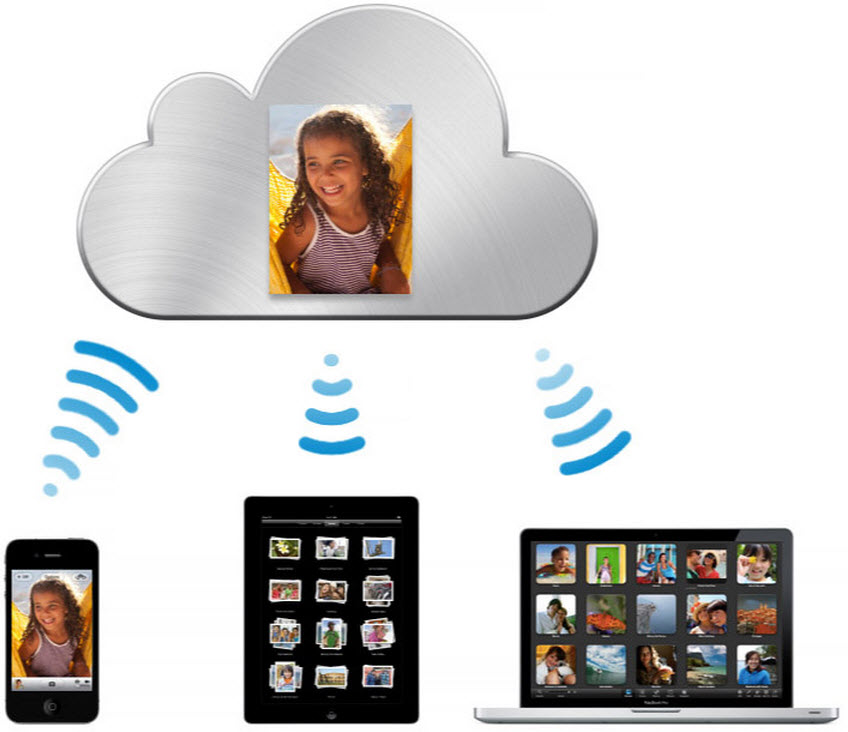
iCloud is a plethora of things. It includes things such as Messages in iCloud, backing up your iOS devices, and important data such as contacts, contacts, and reminders. But many users don’t know that you can actually store pretty much anything within iCloud and it will sync across all your devices with a feature called iCloud Drive. So what is iCloud Drive?
When it comes to file storage for Mac and iOS users, there are multiple options. Today, I want to look at iCloud Drive vs Dropbox.
When I think back to the early days of iPhone and iPad (and even my Mac life around that time), Dropbox was so ingrained into my workflows that I couldn’t ever see it leaving. On the flip-side, I’ve have been using Dot Mac/MobileMe/iCloud since before the iPhone was released. Years ago, Apple’s storage solution for Dot Mac/MobileMe was iDisk, and it was not good. Dropbox came along and made everything else look ancient.
Apple’s iCloud Drive feature has matured to the point that several months ago I stopped using Dropbox on my Mac, iPhone, and iPad without having to dramatically change any workflows. I still interact with Dropbox on the web once a week to produce the 9to5Mac Happy Hour podcast, but iCloud Drive could totally replace Dropbox for me with a few additional features…
[Update: VLC incorrectly included Apple TV support in today’s release notes. That release is coming “very soon” but not available today. The iOS/watchOS updates are out today.]
The popular VLC app for playing a variety of media formats not supported by iTunes has now made its way to the new Apple TV. We heard in September that VLC for Apple TV was in the works, and last month the team started accepting beta testers. Today VLC for Mobile delivered a major update that includes the first Apple TV version as well as a handful of new features on iPhones and iPads.
Apple has quietly added a new data restore feature to iCloud.com, enabling users to rollback accidentally deleted documents, calendar changes and contacts. The new ‘Restore Files’, ‘Restore Contacts’ and ‘Restore Calendars’ features are hidden in iCloud.com Advanced Settings pane.
Seemingly unrelated to iCloud backup, Apple shows snapshots of your recently deleted documents and lets you put them back onto iCloud Drive. This means there is now a way to recover accidentally deleted iCloud documents for the first time, because there is no equivalent to the Trash folder in iCloud.
Similarly, Contacts restoration shows timestamped snapshots of your iCloud contacts database. Restoring to an earlier version reverts all changes made since the backup date. Unlike with files, you cannot individually restore single contacts. The same is true for Calendars.
A new iCloud Drive setting in iOS 9 enables a hidden app that lets you manage your entire file library. You can find the setting at Settings > iCloud > iCloud Drive > Show on Home Screen. After activating it you’ll find a new icon on your home screen for the iCloud Drive application.
Update: As of 6.30am PT, Apple had updated its status page as showing all services back to normal. The company said that 40% of users had been affected.
Apple’s system status page is showing a substantial issue with iCloud services, the problems affecting eleven different services and persisting for four hours and counting at the time of writing.
While Apple lists the services as “may be slow for some users,” many users are reporting that the services are either completely unavailable or time-out when attempting to login … Expand Expanding Close
Apple has released an update to its iCloud for Windows beta, the service that lets Windows users access files and photos stored in iCloud and Apple’s new iCloud Drive feature. Expand Expanding Close
Dropbox for iPhone and iPad users is getting a lot more powerful today as the latest version includes a new action extension for iOS 8. This allows you to save information from various apps to Dropbox on iOS without having to open the cloud-syncing app. Expand Expanding Close
Microsoft is today rolling out an update to its Office apps for iOS devices bringing the ability to save to iCloud and tap into storage from other services across all three apps. Expand Expanding Close
The last thing Apple really needs is one more big problem mucking up its image this month. Unfortunately, that seems to be exactly what the folks at Cupertino are getting today, as a newly-discovered bug in the iOS “reset settings” function runs the risk of permanently deleting all of the iWork documents stored in your iCloud account.
As for Mac users, Apple explains in its support document: “If you upgrade to iCloud Drive before OS X Yosemite is available, documents on your Mac won’t be kept up to date with documents on your devices with iOS 8, or on iCloud.com.” Apple allows users to upgrade to iCloud Drive on devices running iOS 8.
Windows users can download the latest iCloud for Windows here to access the new iCloud Drive features, while Mac users will have to wait for the OS X Yosemite release this fall.
On top of the expected iOS 8 support, the app also gains MIDI over Bluetooth support, which means compatible MIDI keyboards, DJ controllers and other MIDI-based instruments can now connect wirelessly and send MIDI data to the app over Bluetooth LE. We first told you about Apple’s new MIDI over Bluetooth support in iOS 8 and coming soon in OS X Yosemite, which will also allow users to advertise their device as a MIDI device for sending MIDI from virtual apps on either OS to the other.
Apple has started sending out invitations to AppleSeed users inviting them to take advantage of a new beta seed for Windows, as shown in the screenshot above. The beta will enable features that would normally be reserved for OS X Yosemite or iOS 8, such as iCloud Drive, on the Microsoft-built operating system.
Developers were previously able to download this software for testing, but this is the first time that non-developer users have been granted access. Only a limited number of applicants have been added to this program so far, it seems.
Dropbox has today slashed its pricing and doubled the maximum storage space from 500GB to 1TB. Up until yesterday, you’d have been paying $500/year for 500GB; today you can pay just $120/year (or $99/year when paying annually) for a terabyte.
Those annoying iCloud storage warning email notifications have begun referencing the upcoming iOS 8 and iCloud Drive, according to multiple tips from readers. This change in the copy within the emails likely indicates that Apple is already preparing for the upcoming debuts of the new iCloud and iOS releases. Here’s one of the emails:
Apple has started sending out emails to members of the AppleSeed beta testing program informing them of ongoing maintenance to iCloud Drive. According to the message, due to the in-development nature of the updated iCloud backend, users should expect to see more downtime than they experienced with older versions of OS X.
Unlike the developer previews, however, Apple notes that these outages are not likely affect files stored in iCloud. Twice previously the company has wiped all data uploaded to iCloud Drive. Of course, it’s important to keep backups of important files, as Apple points out that unforeseen issues with betas could lead to data loss.
This data has to do with the new iCloud storage APIs in iOS 8 and Yosemite as well as with the upcoming iCloud Drive online storage feature. It’s best to safely store anything of importance before tomorrow’s wipe:
CloudKit Note: All public CloudKit databases are scheduled to be emptied on Tuesday, July 22nd.
Update: Apple has emailed developers about the wipe, noting that iCloud Drive, Photos, and other iCloud-related products besides CloudKit storage will not be wiped:
iCloud Drive was first announced at WWDC. This feature is Apple’s new approach to iCloud file syncing, replacing Documents and Data. The new interface acts more like Dropbox, with one central folder containing all iCloud documents in one place. This gives more flexibility over the model used by iOS 7 and Mavericks, where iCloud documents are siloed within their own app’s containers.
At WWDC, Apple announced that iCloud Drive could be accessed from Mac, iOS devices or even PC’s (as shown by the iCloud Drive preview page). However, a new setup screen present in iOS 8 beta 3, released earlier today, shows that Apple is also planning to expose iCloud Drive on the web. Although people were surprised by native PC support, bringing iCloud Drive to the web enables even more flexibility, bridging any OS with a modern web browser.
Apple has just informed developers that it will be wiping all CloudKit-based data stores on July 7th. This includes iCloud Photo Library, Mail Drop and iCloud Drive. Apple warned developers that this might happen with the release of the first iOS beta and it is not uncommon for wipes to happen several times during iOS and OS X beta cycles.
Dear Developer,
We will be performing a server-side data wipe on all CloudKit public and private databases for iOS 8 beta and OS X Yosemite Developer Preview users on July 7, 2014. The following iCloud features will be affected: iCloud Drive, iCloud Photo Library, and Mail Drop.
Photos and videos stored in iCloud Photo Library will remain on their original iOS 8 devices and will upload to iCloud Photo Library again automatically. iCloud Drive can be re-enabled from Set up Assistant after upgrade. If you choose to store your documents in iCloud Drive, your Documents & Data will automatically be copied to iCloud Drive. iCloud Drive will not update across earlier seeds or operating systems. Attachments sent through Mail Drop will expire and need to be resent after you upgrade.
If you have any questions, visit the Apple Developer Forums.
Best regards,
Apple Developer Technical Support
Affected files for Mail Drop and iCloud Drive will not transfer across automatically on the release of the next beta seed. Photos and videos will automatically restore, however, as they are not deleted from local storage. It is likely that new seeds of iOS 8 and OS X Yosemite will follow this data wipe, as new seeds of these operating systems are already due.