Apple Watch

See All Stories

Apple Watch is Apple's wearable is designed to help you stay active, motivated, and connected. It runs watchOS, and it comes in 40mm and 44mm size options.

How to see all Apple Watch apps

History

The original Apple Watch (later called Series 0) was released on April 24, 2015, after years of rumors. While there was a lot of initial hype around it, the third-party watchOS apps were slow to launch due to API limitations. Native apps were available in watchOS 2. The original watch came in 38mm and 42mm sizes.

The Series 2 Watch was released on September 16th, 2016 along with a Series 1 Watch. The Series 2 included the S2 chip, built-in GPS, and water-proof construction. The Series 1 included the S2, but lacked GPS and waterproofing.

The Series 3 Watch was released on September 22, 2017, and it included an LTE option and the S3 chip. The Series 4 Watch was released on September 21, 2018. New hardware included the S4 Chip, Electrical heart sensor w/ ECG app, and larger display (40mm and 44mm sizes).

Apple Watch Series 5 was announced during Apple’s fall event on September 10, 2019. Customers were able to purchase the device later that day, and it was released on September 20. The headline feature for this model was the wearable’s always-on display. The new display always shows the time and complications and is also the first from the company to include a built-in compass.

Apple launched international emergency services to every cellular model. Series 5 also brought back ceramic white, and new natural brush and space black titanium models.

Apple Watch Series 6 was unveiled on September 15, 2020 at the “Time Flies” event alongside the more affordable SE and new iPad Air. New features of the Series 6 include blood oxygen monitoring, new watch colors, faster S6 chip, new watch faces, and more.

Apple Watch features

Apple Watch is designed to help you stay active, motivated, and connected. The newest versions are Series 6 and SE while Apple still sells Series 3 as the most affordable option.

Features include:

  • Heart rate monitoring (all models)
    • Including high, low, and irregular heart rate notifications
  • ECG readings (Series 4 and later)
  • Blood oxygen monitoring (Series 6)
  • Workout tracking, Activity Rings, competitions, and awards
  • Works with Apple Fitness+
  • Sleep tracking (with watchOS 7)
  • GPS and GPS + Cellular models
  • Always-on display (Series 5 & 6)
  • Water-resistant to 50 meters
  • Emergency SOS and fall detection
  • Phone calls and Messages
  • Music, Podcasts, and more
  • Third-party apps available through App Store built into watchOS

watchOS

watchOS is the dedicated software that runs on Apple Watch. The current version is watchOS 7 that was released in fall 2020 and is compatible with Series 3 and later.

watchOS 7 brought new features like native sleep tracking, Family Setup, watch face sharing, new workout tracking types, cycling directions in maps, and automatic handwashing reminders.

Apple Fitness+ support and new cardio fitness notifications came with watchOS 7.2 And watchOS 7.4 is coming with the exciting new Apple Watch unlock for iPhone feature.

Current Apple Watch lineup

For all the latest deals on Apple Watch, bands, and accessories, check out 9to5Toys.com.

Subscribe to 9to5Mac Watch Time to get a bi-weekly discussion around Apple Watch and the future of the product.

SubscribeApple Podcasts | Spotify | Overcast

Apple Watch How-To: Control and use the Stopwatch app

Apple Watch comes with a stopwatch app built into it, which saves you time from grabbing your iPhone, opening up the Clock app and pressing the Stopwatch tab.

There are several different ways to open up Stopwatch on the Apple Watch. You can open the app by tapping on the orange icon with a complete white circle on the home screen, use Siri to open Stopwatch by pressing and holding on the Digital Crown, hands free by saying “Hey Siri open Stopwatch,” or depending on which watch face you are using from the Stopwatch complication on the watch.

When you first open up the Stopwatch, you see the Analog view.

Pressing the green circle in the corner will start the stopwatch. (Note the green circle will be in a different place depending on which hand you wear the Apple Watch as well which side the Digital Crown is on). The red circle stops the stopwatch and pressing the green circle resumes it. Pressing the white circle starts a lap. In the Analog view, swiping up from the bottom of the display gives a detailed view of the information, showing the break down of the laps.

There are different views of the Stopwatch that can be displayed. Switching between the different views requires you to press firmly on the screen for about a second until you feel the haptic feedback. Force Touching the display presents an additional three different views for the Stopwatch: Digital, Graph and Hybrid. Digital displays the stopwatch in a numerical view. Graph conveys how long each lap took on a graph. The last view, Hybrid combines the three different views Analog, Digital and Graph into one stopwatch.

When you are using the Stopwatch on the Apple Watch, the information doesn’t sync to the iPhone, nor does starting the Stopwatch on the iPhone allow you to continue and put laps from the Apple Watch.

Apple rolling out, encouraging mobile Apple Watch try-ons across stores

Site default logo image

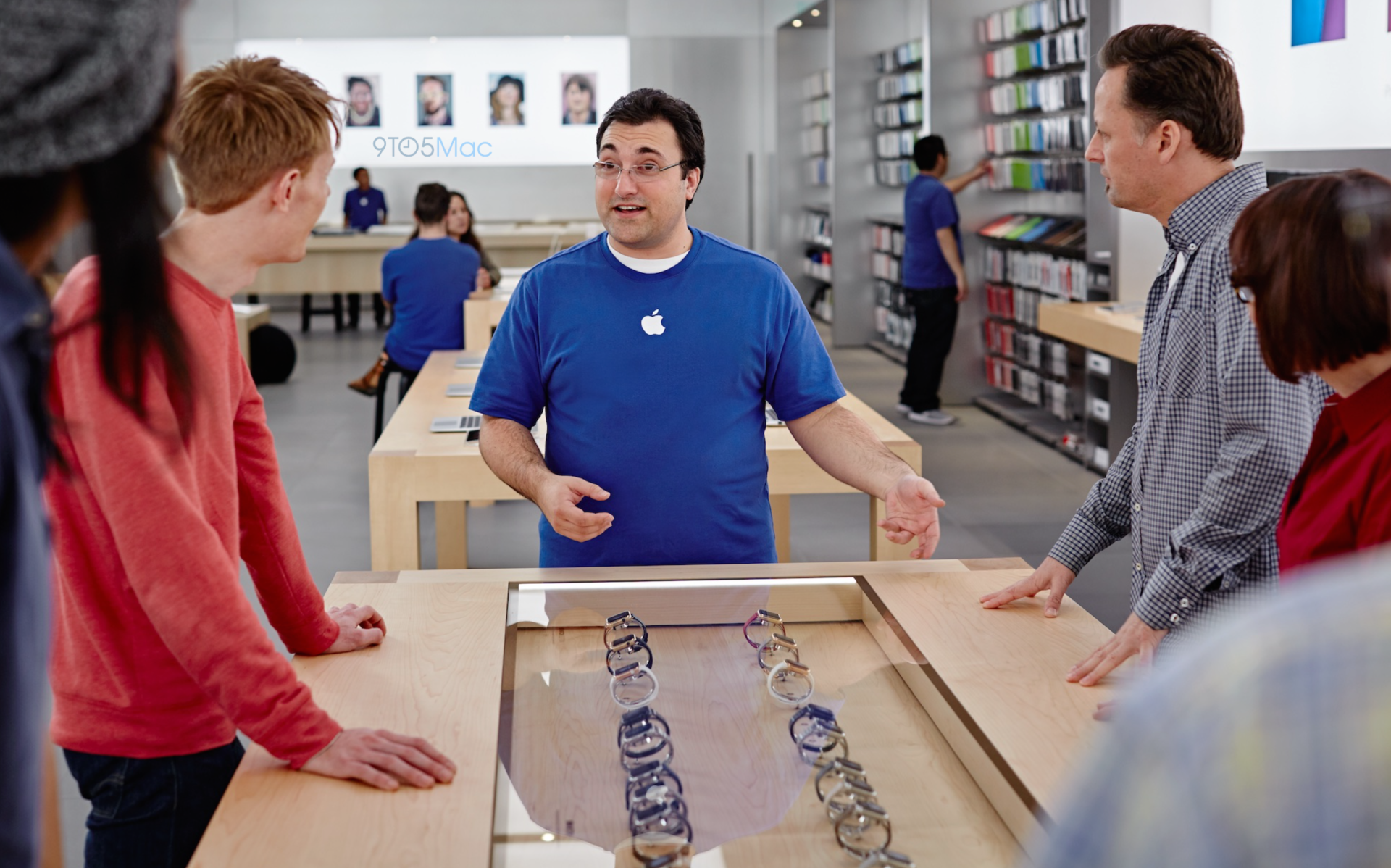
Apple is continuing to tweak its Apple Watch showroom experience within Apple Stores. Upon the initial rollout of the Apple Watch in April, Apple Stores installed large glass tables as a showcase for the different Apple Watch variations. Customers could test drive the Apple Watch via a demo unit connected to an iPad mini or try it on at a series of try-on stations. Following a pilot program across select Apple Stores across the world, Apple has now begun a widespread rollout of a new Apple Watch testing program called Mobile Try-On, according to Apple Retail employees.


Expand
Expanding
Close

Tim Cook’s political savvy profiled as Apple joins Pentagon effort to build military wearables

Tim Cook’s efforts to influence policy in Washington DC in ways that better serve Apple have been hard to miss during his tenure as CEO. Pushing the company’s strong stance on privacy has been met with great pushback from the justice department and Apple was unhappy with how the ebook pricing case against it went so it’s no surprise its lobbying efforts have climbed in recent years. Now Politico, a news site focused on politics, has dedicated a lengthy 4,000+ word profile on Tim Cook’s relationship with Washington DC over the last four years.
Expand
Expanding
Close

Review: The Premium One W2 dual dock is a perfect Apple Watch + iPhone companion [Video]

Today we’re taking a look at what might be the best Apple Watch dock in the business. If you’re tired of just plopping your iPhone or Apple Watch on a table at night, this is a much better alternative. Meet Enblue Technology’s Premium One W2 dual dock and charging stand. Quite possibly one of the longest accessory names I’ve heard, but I’ll easily forgive that for the functionality it brings along…


Expand
Expanding
Close

iPhone 6S will come in Apple Watch-like Rose Gold rather than Pink, lack sapphire, and have renamed Force Touch

Site default logo image

Earlier this year, reports began to suggest that Apple would launch the iPhone 6S and iPhone 6S Plus in an additional color beyond the Space Gray, Silver, and Gold options that have been available in the popular iPhone 6 and iPhone 5s. Since then, there have been conflicting rumors regarding Apple’s color choice: some (including the Wall Street Journal) have claimed that the new iPhones would come in “pink,” while some analysts have referred to the color as “Rose Gold” (the discrepancy could be attributed to the similarity between colors). Today, our sources have confirmed that the new iPhones will actually come in a color that is unmistakably Rose Gold in both appearance and name…


Expand
Expanding
Close

Mini-review: FŪZDock for Apple Watch, a compact charging stand ideal for nightstand mode

A lot of Apple Watch owners who splashed out on a nice charging stand must have been swearing at Apple when watchOS 2 was announced. Most existing charging stands out there position the watch vertically, which was the obvious thing to do at the time – but then along came watchOS 2, with Nightstand mode one of its headline features.

Nightstand mode allows the watch to serve as a bedside clock while charging – but only when on its side, with the buttons on top. Bad news for anyone who already laid out the cash for a vertical stand, and worse news for manufacturers whose stock was effectively rendered obsolete overnight.

For those who haven’t yet bought a stand, the good news is that manufacturers have been quick to respond. Zac Hall reviewed Spigen’s low-cost Apple Watch Night Stand, and now FŪZ Designs has launched a similarly-priced alternative in the form of the FŪZ Dock for Apple Watch … 
Expand
Expanding
Close

Review: Geronimo takes a new & unique approach to email on iOS + Apple Watch

Email apps are dime-a-dozen these days, and every single one claims it brings some incredible new tool to the table that will change the way you do email forever. Usually this just means you can attach images from Dropbox or some other otherwise unremarkable feature.

Geronimo is the latest in a long line of email clients for the iPhone, but unlike many others, it actually does manage to introduce a new management paradigm to the decades-old communication platform. Keep reading for details on its creative new inbox view and gesture-based management message management system.


Expand
Expanding
Close

iPhone 6S will animate UI with Apple Watch-like Motion wallpapers

Apple is preparing to bring some motion from the Apple Watch to the iPhone 6S. One of the new device’s differentiators over its predecessor will likely be a spiced up set of animated wallpapers, according to three sources who have used internal iPhone 6S prototypes within Apple. The new animated wallpapers come from the same family as the set of “Motion” watch faces that dominate the main screen of the Apple Watch, where the user can choose from jellyfish, multi-colored butterflies, or brightly colored flowers.


Expand
Expanding
Close

IDC estimates 3.6 million Apple Watch units sold in Q2, 20% of all wearable shipments

Because Apple won’t report official Apple Watch sales numbers, we have to rely on analyst estimates to get an understanding of how well the Watch is faring with consumers. New numbers out of IDC push sales estimates upward somewhat, suggesting sales of 3.6 million units from April to June. In general, analyst consensus for Apple Watch sales is around 3 million units.

According to IDC, 3.6 million units shipped makes up 20% of the overall wearable market for the same period. Apple currently sits just behind Fitbit in sales volume, which shipped 4.4 million wearable devices. Due to the drastic difference in average selling price between models of Apple Watch and other wearables however, Apple is highly likely to be far ahead in terms of profits.


Expand
Expanding
Close

Griffin unveils two new Apple Watch cases, the Survivor Tactical & Ultra Thin


Griffin today has taken the wraps off a pair of new cases for Apple Watch, the company’s first venture into the Watch case market. The company touts that the two cases, dubbed the Survivor Tactical Case and Ultra Thin Case, are slim and stylish, while still offering an added layer of protection to your Apple Watch.


Expand
Expanding
Close

Happy Hour Podcast 029 | Tim Cook saves the market, Apple Watch hits the classroom, and the mighty iPhone 6S

Another week in the world of Apple and it looks like Tim Cook may have violated some important SEC regulations. Along with that, there has been major demand for Apple Watch, but not where you’d expect it. Oh, and remember Bendgate? Looks like it won’t affect the iPhone 6S. The Happy Hour podcast is available for download on iTunes and through our dedicated RSS feed.

[soundcloud url=”https://api.soundcloud.com/tracks/221007334″ params=”auto_play=false&hide_related=false&show_comments=true&show_user=true&show_reposts=false&visual=true” width=”100%” height=”150″ iframe=”true” /]


Expand
Expanding
Close

Opinion: I spent a week with the Apple Watch, and here’s what I thought

As anyone who knows me or follows me on Twitter will tell you, I’ve been openly critical of the Apple Watch and the entire concept of smartwatches for a long time now. Most people have responded with an attitude of “don’t knock it until you try it,” which I suppose is a fair attitude to have. The problem was that I had no plans to spend over $300 (or $1,000 for the model I really liked) to try an Apple Watch.

Recently, however, an opportunity arose to try the watch out for a while. I was offered a loaner watch to test out an app that I was covering. I accepted the offer and spent about a week with it, wearing it full-time and using it for everything I could (including, of course, using the app that I was testing whenever I could). Earlier this year my colleague Ben Lovejoy had been convinced to keep his after using it for a week.

Could I be convinced that the watch was, in fact, a convenient and useful gadget to have in the same amount of time? I went into this week with an open mind to find out.


Expand
Expanding
Close

Survey reveals which Apple Watch apps most popular, new Apple Music subscriber data

The results of a Wristly survey published today reveal a new look at Apple Watch behavior among early adopters and adds some insight into how many Apple Music users plan to subscribe after the 3-month free trial. The survey is the latest in a continuing series and captures responses from more than 1,300 people, Wristly says, marking its largest pool of participants yet. In it, Wristly shows what apps Apple Watch users are using most often, what type of apps they enjoy most on their wrist, plus how many participants also own an Apple TV. Also interesting is the crossover between Apple Watch users and interest in Apple Music.
Expand
Expanding
Close

Apple Watch demand ‘so strong’ says Best Buy CEO, expanding availability to all stores

While Apple has been mostly mum on the numbers behind Apple Watch sales so far, Best Buy is standing behind the iPhone maker’s general message that the Apple Watch has been a hit with customers. The electronics retailer started selling Apple Watches this month in select stores, first in the United States and later in Canada, and today Best Buy’s CEO Hubert Joly said Apple Watch demand has been “so strong” both online and in stores as the retailer plans to carry the smartwatch at even more locations.
Expand
Expanding
Close

Angela Ahrendts: As back-to-school gift, Apple Watch will let students peek at small screen

In her latest video to retail store employees, Apple Senior Vice President of Retail and Online Stores Angela Ahrendts discusses upcoming deeper integration of business sales across Apple Retail Stores as well as new back to school sales tactics for the Apple Watch. Currently, sales to small and medium-sized businesses via Apple Stores are mostly handled by a small group of specialized employees. Ahrendts says that she wants all employees to “own” business sales in order to provide a better experience to business customers.


Expand
Expanding
Close

Review: Pad & Quill’s Classic Band dresses Apple Watch in rugged, American leather

Like a lot of 9to5Mac readers, I’m generally a purist when it comes to matching Apple hardware with accessories: I prefer iPhones and iPads without cases unless using one of Apple’s iPhone 6 Leather Cases or iPad Air Smart Covers and I can’t resist their overpriced Lightning Docks. If Apple made an Apple Watch Charging Stand, I’d be tempted to toss my Spigen Nightstand in a drawer in favor of the official solution.

And while I own both the Classic Buckle and Milanese Loop Apple Watch bands, I wear the simpler black Sport band on most days aside from a nice dinner or more formal occasion. Both are fine bands, but Classic Buckle can feel a bit too dressy with a t-shirt and shorts and Milanese Loop isn’t as comfortable as the other bands. For myself, I’ve found that there’s a space in between completely casual and totally formal for Apple Watch bands. Pad & Quill’s Classic Apple Watch Band takes a more traditional strap approach than even Apple’s Classic Buckle and fits this space, with four leather color options and two metal finishes that match stainless steel Apple Watches or Space Gray/Space Black Apple Watches.

I’ve been eager to try the Classic Apple Watch Band since Pad & Quill began transitioning their expertise in fine leather bag and case making toward prototyping Apple Watch bands a few months ago. After finally getting my hands on a Whiskey-colored American leather version, I’ve settled on a few first impressions on what is now my first favorite third-party Apple Watch band. Read on for details:


Expand
Expanding
Close

The Apple Watch can grab health data from bands, but that won’t stop an Apple Watch 2

Last week, Europe-based news website letemsvetemapplem.eu reported that Apple is preparing “Smart Bands” to add additional health tracking sensors to the current-generation Apple Watch. The article went on to say that Apple would release the bands starting next year instead of refreshing the Apple Watch’s core hardware, with speculation that Apple does not believe people will upgrade their Watches annually like iPhones. Based on discussions with our sources, we do not believe this report to be entirely true.


Expand
Expanding
Close

Swatch grabs ‘One More Thing’ trademarks as apparent poke at Apple, now pending opposition

Swatch, apparently threatened by Apple’s recent forays into watchmaking, has taken another legal step seemingly aimed at tweaking Cupertino: registration of two “One More Thing” trademarks, a catch phrase famously associated with former Apple CEO Steve Jobs’ keynote speeches.
Expand
Expanding
Close

With iPhone 6S release imminent, fate of 4 inch ‘iPhone 6C’ still unclear as new rumor claims November launch

We are just weeks away from the launch of the iPhone 6S and iPhone 6S Plus, Apple’s newest addition to the iPhone lineup, but the fate of the iPhone 5c successor, a new 4-inch iPhone dubbed by the rumor mill as the ‘iPhone 6c’, remains unclear.

When Apple upped the screen sizes last year, it did not offer an update to the iPhone 5c. This has led much speculation that Apple was saving an update for the 4-inch iPhone to next year to allow the big screened iPhone 6 take the limelight. Since then, there have been many conflicting reports over the release of Apple’s next 4-inch iPhone. A Chinese media report indicates that Apple will actually release a smaller iPhone 6c in November.


Expand
Expanding
Close

Apple Watch takes over Selfridges in London with eye-catching floral display

Apple has long been known to extravagantly deck out its own retail stores with eye-catching window displays featuring flagship products at key times, and unsurprisingly it’s treating the 24 window displays that wrap around Selfridges’ high-end retail store in London just the same. Profiled today by Wallpaper.com, the massive display of detailed floral shots easily catches the attention of window shoppers to advertise the Apple Watch. The profile also shows previous themes used by Apple to advertise the Apple Watch’s availability at the high-end retailer and includes some interesting details about the display as well:
Expand
Expanding
Close

Apple Watch How-To: Use Maps for navigation and directions

Apple Watch comes with Apple Maps, which allows you to find your current location, pan and zoom around on the area, search the map, get information about a location, call a location, get directions, and more. One of the benefits of having Maps on the watch is that it allows you to get directions without needing to pull out your iPhone, especially if you happen to be lost or in a sketchy neighborhood. In this how-to article, we will discuss how to use Apple Maps on the Apple Watch.


Expand
Expanding
Close

1Password iOS update improves Apple Watch & Touch ID experience

A nice update is awaiting 1Password users on iPhone, iPad, and Apple Watch today as the password management app has enhanced a few key parts of the experience. On the iPhone 5s and later plus iPad min 3/iPad Air 2, 1Password’s login screen now features a Touch ID button under the Master Password field so you can choose to sign in using your finger print even if you accidentally hit cancel on the first request. Tapping the fingerprint button prompts the system Touch ID unlock screen.

Also useful for Touch ID users on iOS is an improvement to how the app can stay unlocked between uses in different apps. Previously 1Password’s extension in other apps required being unlocked by password, passcode, or Touch ID each time, but now the 1Password extension and 1Password app share the same unlock time limits. This makes relying on 1Password to enter passwords in the many of supported apps including Safari a faster experience if security is a lower priority.

Finally, 1Password has enhanced its Apple Watch app with the usual bug fixes that give you a better experience, and credit cards saved to the Apple Watch app now include the important PIN codes that 1Password can save. 1Password’s Apple Watch app lets you selectively sync important passwords to the app with an optional added passcode over the app. You can find the full release notes below:
Expand
Expanding
Close

After Best Buy in US & Canada, Apple Watch goes on sale at other retailers around the world

Following Apple’s decision to make the Apple Watch available for sale in Best Buy in the U.S. and Canada, it has been making a similar move in other countries. It is already available through select branches of the Australian department store chain MYER, and iPhone Addict reports that it will go on sale through French electronics retailer FNAC as of tomorrow. More chains are likely to follow in other countries.

MYER has an extensive presence across Australia, though currently sells the Apple Watch at only four of the largest ones, in Sydney, Melbourne, Brisbane and Perth. FNAC has more than 100 stores throughout France, sales beginning tomorrow with the website and the company’s flagship store on Paris’s famous Champs Elysées, with other stores following at some point next week. The store already sells a range of accessories … 
Expand
Expanding
Close

Site default logo image

MLB clarifies: Ned Yost was only reminded Apple Watch must not be connected to iPhone during games

MLB has clarified a somewhat ambiguous Kansas City Star report that it told Kansas City Royals manager Ned Yost that he must not use his Apple Watch during games. The organization told MarketWatch that Yost was merely reminded that the watch must not be connected to his phone during games.

The MLB staffers managing on-field operations did call Yost to make sure he wasn’t using the data on his watch, […] but it was just a routine call. “It’s not banned,” said an MLB spokesman.

The spokesman added that if future smartwatches gained data functionality independent of linked smartphones, the MLB would address that issue separately.