Apps

See All Stories

Learn about the latest news for iOS, Mac, Apple Watch, and Apple TV apps

Apps for iOS, macOS, tvOS, and watchOS power our modern world. 9to5Mac will update you on the latest news, review, and updates for all types of apps. “There’s an App for that”.

The term came became part of our vocabulary when Steve Jobs announced The App Store as part of the iPhone 2.0 software update in 2008.

Over the years, the term has become as common as kleenex for describing applications on all of our devices. Apple’s platforms have apps for just about anything from finance, banking, sports, social media, podcasting, music, and more. We have a guide for helping you discover the best ones as well. Apps are now on everything from our TV, to our smartphones, on our laptops, and all the way down to our wrists.

As new ones are released or existing ones have major updates, the team here at 9to5Mac will bring you the latest news and reviews. If you want to follow along with video footage, be sure to follow 9to5Mac on YouTube. Scroll down below our latest updates on all things relating to applications on iPhone, iPad, Mac, Apple TV, and Apple Watch.

Site default logo image

Updates to Google Docs & Slides let you insert & quickly edit images on iOS

Google is today rolling out updates to its Google Docs and Slides mobile apps bringing the ability to insert images directly from the app on both phones and tablets.

With the update, iPhone and iPad users will be able to access their camera roll or snap a new photo to insert directly into a document or Slides presentation.

In addition, the update includes quicker access to make basic edits in Slides by allowing users to enter crop mode by double tapping any image in a presentation.

Google notes that both of the new features will work in offline mode.

The updated Docs and Slides apps should be hitting the App Store today.

Chrome for Mac will soon require Chrome Web Store distribution for extensions to prevent malware

Site default logo image

Back in May of last year, Google started enforcing a policy that requires Chrome extensions be hosted on its Chrome Web Store, but only on Windows. The goal was to prevent malware hidden in extensions installable from outside its store, and it even started disabling extensions already installed on users’ systems that weren’t hosted on the Chrome Web Store. Now, Google says it will bring that requirement to Mac Chrome users over the coming months, as well as the Chrome developer channel for Windows that wasn’t previously enforcing the policy:
Expand
Expanding
Close

9to5Toys Last Call: iPhone 5/5s MFi Battery Case $15, iPad Air 2 from $400, Logitech UE BOOM $129, more

Keep up with the best gear and deals on the web by signing up for the 9to5Toys Newsletter. Also, be sure to check us out on: Twitter, RSS Feed, Facebook, Google+ and Safari push notifications.

Today’s can’t miss deals:

Last Call Updates:

Apple-Certified iPhone 5/5S 2400mAh charging case with kickstand (5 colors): $15 Prime shipped

Apple iPad Air 2 Wi-Fi 16GB in all colors: $400 (Reg. $499), 128GB: $590 (Reg. $699)

Portable Bluetooth Speakers: Logitech UE BOOM $129 (Reg. $199), Mpow MBOX $38 (Reg. $50)

Apple 13-inch MacBook Air:

1.6GHz/4GB/128GB $830 (Reg. $999)
1.6GHz/4GB/256GB $1,000 (Reg. $1,199)

ArmorSuit iPhone 6/Plus Screen Protectors w/ lifetime replacements for $0.95 Prime shipped (Reg. $6.95)

American Express offers cardholders $5 credit for eligible iTunes purchases

Small States: Feltmark’s Wald lighting combines simplicity and function, multiple giveaway winners

More new gear from today

Audio-Technica ATH-M30x Headphones + FiiO E6 Portable Headphone Amp $69 shipped ($97 value), more

More deals still alive:

Protective cases for iPhone 6/Plus, Galaxy S6, and Note 4 as low as $2 Prime shipped

Poweradd 3-in-1 Dual-Port USB car charger + 3.3′ Lightning cable & micro USB $9 Prime shipped (Reg. $17)

New products & more:

Sony’s new LED Lightbulb has a built-in Bluetooth speaker with iPhone controls

Ubisoft has now officially unveiled the brand new Assassin’s Creed: Syndicate

Site default logo image

Facebook launches new ‘Instant Articles’ feature in iPhone app

Facebook has launched a new feature in its official iOS client called “Instant Articles,” the company announced today. The feature will allow web publishers to create versions of their stories optimized for display inside the Facebook app. As suggested by the name, these optimized articles are designed to load instantly and provide a more native-feeling experience.

The articles are built using some of the same user interface elements and concepts first introduced in the alternative Facebook client, Paper, such as large images that scroll as you tilt your phone, and in-line videos that automatically start playing.

New elements added specifically for Instant Articles include audio captions on photos and the ability to like or comment on specific sections of the article rather than the entire thing. Facebook says publishers will still have full control over content and monetization, and loading a story as an Instant Article will still count the same as clicking a link in the browser in terms of traffic tracking.

Only a handful of publishers will be able to take advantage of Instant Articles at launch, including NBC, The New York Times, BuzzFeed, and National Geographic. Only a select few articles from those publishers will be available in this format for now.

Instant Articles is rolling out in the Facebook for iPhone application now.

BitTorrent releases Bleep, a secure peer-to-peer messaging service for iOS and Mac (Video)

Site default logo image

If you want the security of knowing your voice, text and picture messages can’t be intercepted, direct peer-to-peer communication with end-to-end encryption is the gold standard: and that’s what BitTorrent offers with its Bleep app.

Every conversation is between you and your friends. There is no cloud to hack because messages are never stored in the cloud.

For text messages and photos, Bleep offers the choice of Whispers – where both text and images disappear when they’ve been read – and Messages, which stores them locally on the device. You can also make voice calls with the same peer-to-peer encrypted technology … 
Expand
Expanding
Close

Google updates News & Weather app with Apple Watch support

Site default logo image

Google today has released its first application for the Apple Watch in the form of an update to its iOS Google News & Weather app. Launched last fall, Google News & Weather iOS populates local weather and news headlines. On the Apple Watch, based on the screenshots from iTunes, the application pretty much serves the same purpose. Like other Apple Watch apps based on WatchKit, this new Google application does not appear to be anything special. The screenshots display a bland, text-filled application that is light on functionality…


Expand
Expanding
Close

How-To: Clean your iOS device with free downloads, recovering lost space

When Apple was designing the Mac app iDVD, then-CEO Steve Jobs directed his development team to build a dead-simple DVD-burning application: instead of a mess of options and windows, Jobs wanted one window with one button marked “Burn,” which would be pressed once the desired video file was dragged-and-dropped into the window. Years later, when Jobs wanted Apple’s iOS devices to be even simpler, he dumped the Mac’s windows and drag-and-drop file system in favor of a grid of icons. There wasn’t even a trash can to worry about — instead, iOS would automatically discard unused files as needed.

While that’s great in theory, the reality is that iOS actually leaves bits of trash sitting around on your device, and there’s no easy way to clean everything up at once. iTunes aggregates various types of lingering files as “Other,” but doesn’t have a trash can, nor does it provide direct access to your iPad, iPhone, or iPod touch file system so you can purge trash on your own. Consequently, your device may be holding a large collection of junk that could be dumped to free up gigabytes of space.

Below, I’ll show you how to clean your iOS device for free using two apps, one of which you definitely already have installed…


Expand
Expanding
Close

9to5Toys Last Call: Logitech Gold Box, 13″ MacBook Air (2015) from $830, iPad Air Keyboard case $10, more

Keep up with the best gear and deals on the web by signing up for the 9to5Toys Newsletter. Also, be sure to check us out on: Twitter, RSS Feed, Facebook, Google+ and Safari push notifications.

Today’s can’t miss deals:

Last Call Updates:

Logitech gear up to 60% off: Bluetooth mouse $22, Speakers w/ sub $55, wireless touchpad keyboard $20, more

Apple 13-inch MacBook Air:

1.6GHz/4GB/128GB $830 (Reg. $999)
1.6GHz/4GB/256GB $1,000 (Reg. $1,199)

Daily Deals: Kensington Bluetooth Keyboard Case for iPad Air $10, Retro-Bit NES/SNES/Genesis 3-In-1 System $56, more

ArmorSuit iPhone 6/Plus Screen Protectors w/ lifetime replacements for $0.95 Prime shipped (Reg. $6.95)

Spring Clean Mac Bundle (Disk Expert, Duplicates Expert, 5 more): $10 (Orig. $43)

Small States: Feltmark’s Wald lighting combines simplicity and function, multiple giveaway winners

More new gear from today

Poweradd 3-in-1 Dual-Port USB car charger + 3.3′ Lightning cable & micro USB $9 Prime shipped (Reg. $17)

More deals still alive:

Choice of LifeProof nüüd or frē iPad Air cases: $45 w/ in-store pick up (Orig. $110+)

55″ 1080p HDTVs: VIZIO $598 (Reg. $798), Samsung 3D $1,000 (Reg. $1,400+)

New products & more:

The CHIP $9 computer has 4GB of on-board storage and can go portable as well

FiftyThree’s free drawing iPad app Paper gets business-like, now feeds into Keynote & PowerPoint

Site default logo image

FiftyThree’s drawing iPad app Paper has so far been pitched as a creative drawing tool, but the company now thinks it might have appeal for business presentations too. The latest version adds a Diagram tool that lets you create objects like shapes, arrows and lines, which the app keeps neat and tidy while retaining the hand-drawn look.

Think Kit is here! Now Paper gives you the power to create diagrams, charts, and wireframes at the speed of thought. Think Kit adds three new tools—Diagram, Cut, and Fill. Powered by the Intention Engine™, Think Kit helps you quickly create powerful, personable graphics to express any idea, and continue seamlessly into your favorite presentation app.

Your roughly-drawn shapes get turned into neat versions automatically when the Diagram tool is selected, and you can drag shapes to move or duplicate them. A Smart Fill function lets you add color, keeping it constrained to your shapes … 
Expand
Expanding
Close

Apple’s FileMaker debuts version 14 with redesigned iOS app, Mac enhancements

Site default logo image

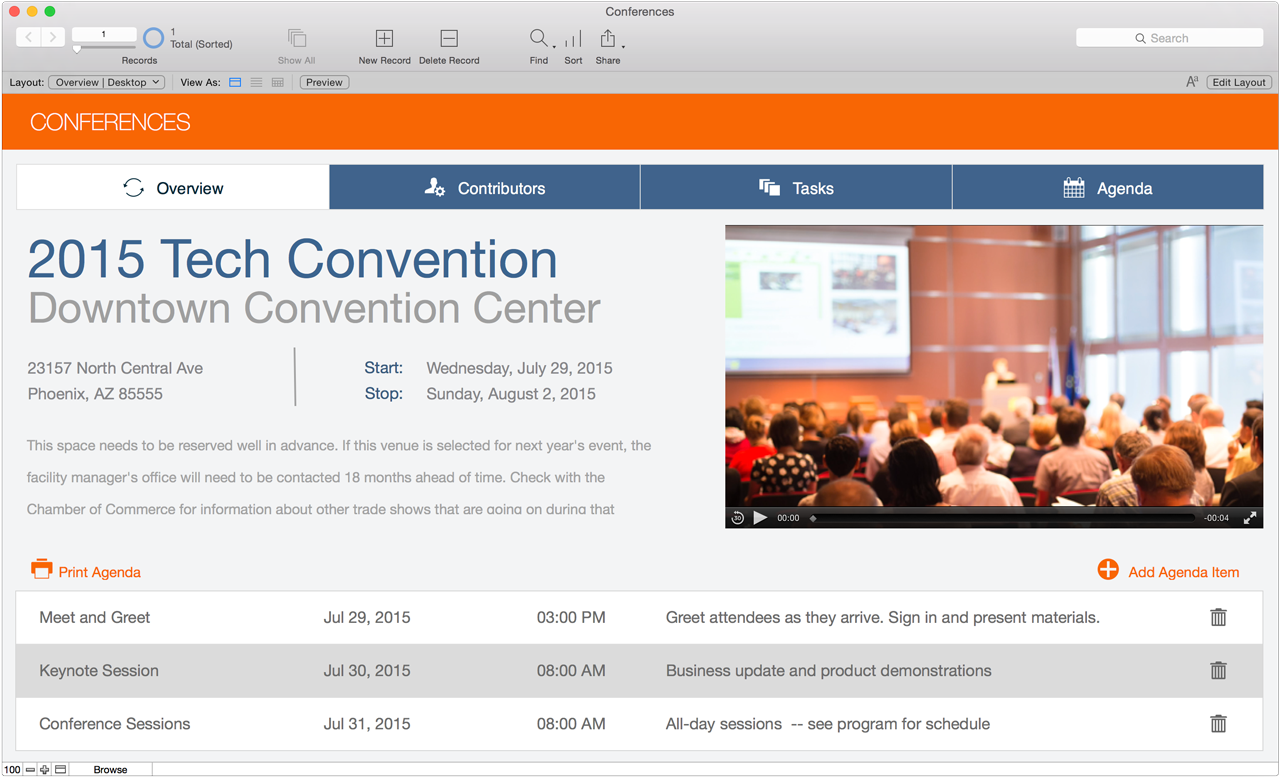
Apple subsidiary FileMaker today introduced version 14, the first major update since 2013, of its popular iOS and Mac-based platform, which includes the FileMaker Pro, Go, and Server software suites. This new version focuses on separate enhancements for speed across the different software versions, with the Mac and Windows applications gaining improved features for productivity, and the iOS Go apps for iPad and iPhone receiving end-to-end redesigns for iOS 8. Below, we break down the most significant new features for the Pro, Go, and Server versions.


Expand
Expanding
Close

Site default logo image

Periscope update adds ability to sign up without a Twitter account, new commenting features, more

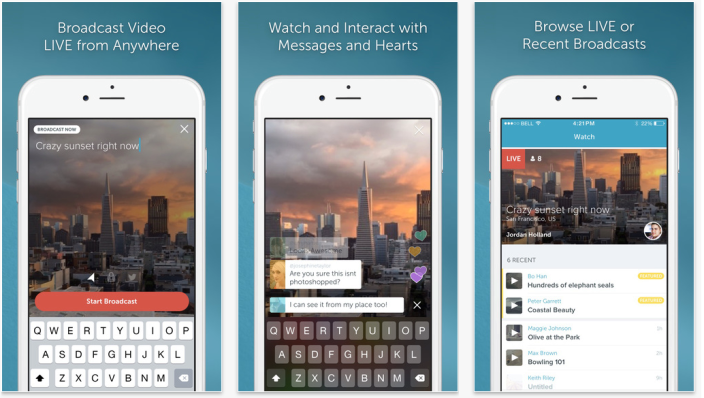
Twitter this evening has updated its popular live streaming app Periscope to version 1.0.4 with a handful of new features and bug fixes. Announced in post on Medium, the update adds the ability to change your profile a picture, a feature that for some reason has not been there since launch. A variety of other new features are also included…


Expand
Expanding
Close

9to5Toys Last Call: iPhone 6/Plus screen protectors $0.95, iPad Air 2 128GB $590, V-MODA M-80 $80, more

Keep up with the best gear and deals on the web by signing up for the 9to5Toys Newsletter. Also, be sure to check us out on: Twitter, RSS Feed, Facebook, Google+ and Safari push notifications.

Today’s can’t miss deals:

Last Call Updates:

ArmorSuit iPhone 6/Plus Screen Protectors w/ lifetime replacements for $0.95 Prime shipped (Reg. $6.95)

Apple iPad Air 2 Wi-Fi 128GB in Gold or Space Gray for $590 shipped (Reg. $699)

Headphones: V-MODA On-Ears $80 (Orig. $230), Beats Solo 2 & Studios (open box) from $110 (Orig. $200+), more

Small States: Feltmark’s Wald lighting combines simplicity and function, multiple giveaway winners

More new gear from today:

Save $169 on Apple’s newest 13-inch MacBook Air 1.6GHz/4GB/128GB: $830 shipped (Reg. $999)

Power up your morning routine: Panasonic Arc3 Wet/Dry Shaver $45, Oral-B Electric Toothbrush $16, more

More deals still alive:

uNu DX iPhone 6 MFi 3,000mAh Battery Case (multiple colors) $40 shipped (Reg. $70)

iTunes Free App of the Week: Toca Nature ($3 value)

iOS App Store – Great Games 50%+ off: Infinity Blade III, Monument Valley, more

Pixelmator image editor and effects app for iOS now 50% off: $5 (Reg. $10)

GTA San Andreas for iOS now available at its lowest price ever: $3 (Reg. $7)

New products & more:

This stand up paddle board inflates itself & has a built-in motor w/ wireless controls

Yooka-Laylee is the new adventure game from the studio behind Donkey Kong

Site default logo image

London’s cycle hire scheme finally gets an official iPhone app

Cycling is definitely the fastest and most pleasant way to get around central London, and the large-scale cycle hire scheme – informally known as Boris Bikes, after Mayor Boris Johnson who launched the scheme – finally has an official app.

Named after the scheme’s new sponsor, the Santander Cycles App allows users to find the nearest docking station, check availability of bikes and obtain a release code to hire one. Transport for London has long made the data publicly available, allowing developers to create their own apps with limited functionality, but it’s taken five years to create an official app that allows you to hire the bikes.

There are more than 700 Boris Bike docking stations in London, with a total of 11,500 bicycles available. More than 10 million journeys were made by Boris Bike last year. Users pay £2 ($3) for a one-day membership, and can then make unlimited use of the bikes for journeys of up to 30 minutes each (which will pretty much get you anywhere to anywhere in central London).

The app is a free download from iTunes, and the full press release can be found below.

London’s newest red icon – Santander Cycles – today launched a revolutionary new App, making the cycle hire scheme easier to use than ever before.

The new Santander Cycles App for Android and iOS smartphones is free to download for both members and casual users. In addition to viewing the nearest docking station and bike availability, the new App is able to send a ‘bike release’ code straight to a user’s phone, which means they can hire a cycle without having to use the docking station terminal.

All customers need to do is register with their bank card, use the App to ‘hire now’ from a nearby docking station, and just tap the code into a docking point to release a bike for use.

Extra features of the Santander Cycles App

  • See up-to-the minute information about which docking stations have cycles and spaces available;
  • Users can log in to their membership accounts;
  • Buy 24 hour and annual subscriptions;
  • Receive notifications showing the cost at the end of a hire period;
  • View recent journeys and charges;
  • Tells users exactly when their hire period has started – and confirms the bike has been securely docked at the end of a hire period;
  • Plan a journey with an easy to follow map – Transport for London’s (TfL’s) real-time cycling Journey Planner is available at the touch of a button, which shows users where they can hire a bike and how many are available at any one of the Capital’s 750 docking stations;
  • Smart design means it can be constantly upgraded and improved by TfL and Santander with the latest app technology available.

Mayor of London, Boris Johnson, said:

‘The new Santander Cycles App will make finding and hiring a bike in our great Capital city even more of a doddle. The App is packed full of handy new features and is part and parcel of our plans to take the cycle hire scheme to the next level and encourage more people on to two wheels.’

Leon Daniels, TfL’s Managing Director of Surface Transport, said:

‘This is just one of the exciting new developments we’re bringing to life with our new partnership with Santander. Together we’re working hard to make cycling an integral part of London life, so anyone can jump on a bike to get to work, the shops or discover the Capital. The new official Santander Cycles App will make hiring a bike much easier for both members and casual users by being able to find the nearest docking station and check how many bikes are available, and get an access code so you can just hop on and go without spending time at the terminal.’

Nathan Bostock, CEO, Santander UK, said:

‘We’re absolutely committed to growing and developing Santander Cycles together with TfL by making more bikes available, providing more docking stations and offering extra benefits in future to give Londoners and visitors to the Capital the best possible experience.

‘Since announcing our partnership in February of this year, we’ve already added 3 per cent cashback on cycle hire journeys for customers using their 1|2|3 credit card, and the App further demonstrates our commitment to making the cycle scheme more fun, rewarding and easy.’

The new red-and-white livery of Santander Cycles is already widespread across London and the transition is continuing at pace as docking stations and distribution vans are rebranded.

Santander Cycles is the second-largest cycle hire scheme in Europe, and since it was introduced in 2010, around 40 million journeys have been made using the bikes, making it a popular and affordable way to travel around London for work or leisure.

Usage of the scheme rose by a quarter last year and is at a record high, with more than 10 million journeys made in 2014. Customer satisfaction is also at an all-time high, with over 80 per cent of members intending to renew their membership.


Developer hacks Watch OS to get a web browser running on Apple Watch

Site default logo image

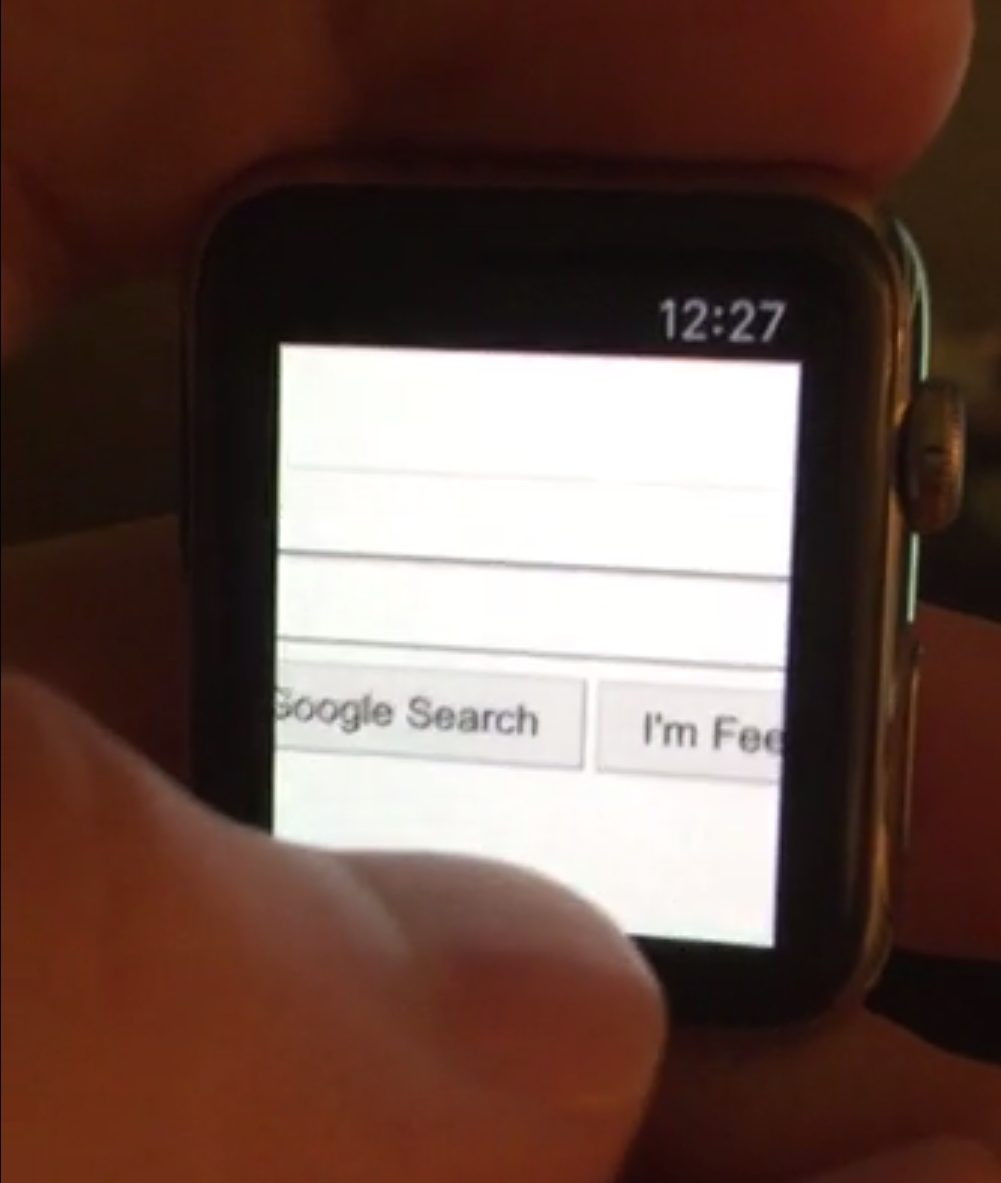
Prominent community developer and jailbreaker Comex has posted a video showing a successful hack of Watch OS to get the device running a web browser.

In the video, Comex has managed to get the Google homepage to render on the small Watch display. Apple does not include a Safari browser app on the Watch, for obvious reasons. The video shows that scrolling around even basic web pages on a tiny display is impractical.

More importantly, the video shows that it is possible to get the Watch to run arbitrary code. This could be the first step towards a ‘jailbreak’ of the Apple Watch although Comex makes no such promises to ever release the details of his hack.


Expand
Expanding
Close

Review: Adobe’s Lightroom CC + 6 let photographers transition from Aperture, gain new editing tools

Until this year, Mac owners had three major options for organizing large digital photo collections: Apple’s mainstream iPhoto, Apple’s “pro” app Aperture, and Adobe’s similarly professional-grade Lightroom. When Apple discontinued iPhoto and Aperture in favor of an even more basic app called Photos, many people —amateur photographers and professionals alike — had to decide whether to downgrade to Photos or switch to Lightroom. Apple understood that it was ceding at least the professional market to Lightroom, and even helped Adobe to develop Aperture and iPhoto to Lightroom importers. With the writing on the wall, some people switched to Lightroom 5 well before Photos officially debuted last month.

I didn’t; since Lightroom 5 was almost three years old, I wanted to see what Adobe would deliver in its much-anticipated sequel. On April 21, Adobe released Lightroom 6 and Lightroom CC (2015) as standalone and cloud-linked versions of the same app. Both promise major speed improvements over Lightroom 5, new tools and brushes, a new facial recognition feature, automatic HDR and panoramic photo creation, and new slideshow options. As part of Adobe’s “Creative Cloud,” Lightroom CC comes bundled with Adobe’s latest version of Photoshop, plus cloud photo synchronization services, for $9.99 per month. Alternately, Lightroom 6 can be purchased by itself for $149 as a standalone download, minus Photoshop and cloud functionality.

Below, I’m going to focus on the key questions Aperture users have been asking: what it’s like to transition from Aperture to Lightroom — including new details added after initial publication of this article — plus which version of Lightroom to buy, and whether transitioning is a good (and safe) idea. The answers may surprise you…


Expand
Expanding
Close

Site default logo image

Sega to remove games that no longer meet its standards from the App Store

Sega announced in a post on its blog this evening that it is going to remove a number of games from its catalog on the App Store. Sega says that a several of its games on the App Store no longer meet its “high-quality” standards. Sega will also remove the unsupported games from the Google Play Store, the Samsung App Store and the Amazon App Store.


Expand
Expanding
Close

9to5Toys Last Call: uNu iPhone 6 battery case $40, Bluetooth speakers $10, Mini Power Bank $9, more

Keep up with the best gear and deals on the web by signing up for the 9to5Toys Newsletter. Also, be sure to check us out on: Twitter, RSS Feed, Facebook, Google+ and Safari push notifications.

Today’s can’t miss deals:

Last Call Updates:

uNu DX iPhone 6 MFi 3,000mAh Battery Case (multiple colors) $40 shipped (Reg. $70)

Daily Deals: your choice $10 Bluetooth speakers, Dell UltraSharp 24″ LED Monitor $240, Nikon D3200 $299, more

iClever 4-Port USB Car Charger + 6ft MFi Lightning cable $17, RAVPower mini power bank $9 Prime shipped

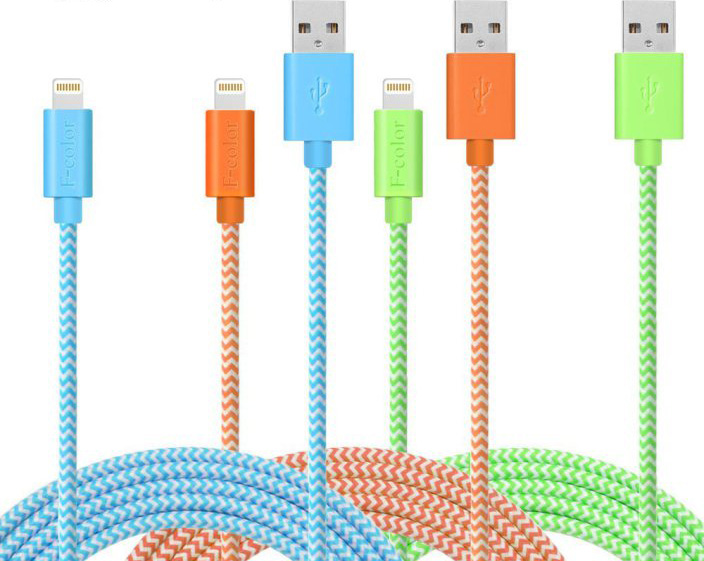
Apple-Certified MFi 6-ft braided Lightning cable: $9 shipped, 3-ft: $7 shipped

iTunes Free App of the Week: Toca Nature ($3 value)

iOS App Store – Great Games 50%+ off: Infinity Blade III, Monument Valley, more

Review: iOttie’s Active Edge bike mount safely puts your iPhone front and center, exclusive 30% promo code

More new gear from today:

New Trent Airbender Bluetooth iPad 2/3/4 Keyboard Case w/ 360-degree rotation $26 Prime shipped (Reg. $37)

More deals still alive:

Logitech K480 Multi-device Bluetooth Keyboard (refurb) $26 shipped (Reg. $37)

Pixelmator image editor and effects app for iOS now 50% off: $5 (Reg. $10)

GTA San Andreas for iOS now available at its lowest price ever: $3 (Reg. $7)

New products & more:

PhoneDrone’s unique design leverages the power of your iPhone in the sky

Hub+ USB-C accessory adds connectivity options to a MacBook & charges your iPhone

There’s good news & bad news for Nintendo fans: iOS rollout will be slow, but expect great games

Site default logo image

We learned back in March that Nintendo would finally be creating games for the iPhone and iPad, featuring Mario and other popular characters – though not in their original games, as we’d predicted. Today brings a mix of bad and good news …

The bad news is that Nintendo announced in its financial results presentation that it is planning to release just five games by March 2017.

Regarding the number of the titles, you may want to know that we will release approximately five titles by the end of the next fiscal year, which is the end of March 2017.

The company says that while it recognizes this will be seen as a small number, there are good reasons behind the decision … 
Expand
Expanding
Close

ResearchKit Asthma app developer praises framework in first official blog post

Site default logo image

Apple’s ResearchKit platform debuted earlier this year alongside iOS 8.2 and has been gaining traction ever since then. Today, LifeMap Solutions, a company taking advantage of ResearchKit, posted the first official entry on Apple’s official ResearchKit blog. In the post, the company discussed its launch of Asthma Health, which was one of the inaugural apps built on ResearchKit.


Expand
Expanding
Close

How-To: Safely shrink your Mac’s giant photo library, deleting duplicate images to save space

I’ve focused a lot over the last few months on helping readers to speed up and optimize Apple’s Macs — everything from adding RAM to recovering hard drive space and upgrading old hard drives to faster SSDs. Today’s How-To is focused on something very specific but with a lot of optimization potential: trimming down your Mac’s photo library.

Particularly after installing OS X 10.10.3 with Apple’s new Photos app, you might be surprised to learn that you’ve lost a lot of hard drive space, and that there are suddenly tons of duplicate photos on your Mac. After installing OS X 10.10.3, the new Photos app converted my 90GB Aperture library into a 126GB Photos library, and left both on my hard drive. That’s an incredible amount of wasted space attributable to duplicates, so it’s no surprise that a $1 utility called Duplicate Photos Fixer Pro has recently become the #1 paid Mac App Store app, while a superior alternative called PhotoSweeper ($10) is in the top 50. I’ve used both apps, as well as many others, and can help you choose the one that’s best for your needs…


Expand
Expanding
Close

9to5Toys Last Call: Belkin/Kensington iPad Keyboard cases $30, Photoshop+Premiere Elements 13 $68, more

Keep up with the best gear and deals on the web by signing up for the 9to5Toys Newsletter. Also, be sure to check us out on: Twitter, RSS Feed, Facebook, Google+ and Safari push notifications.

Today’s can’t miss deals:

Last Call Updates:

Amazon Gold Box Tech Accessories: Belkin/Kensington iPad Keyboard cases $30, Pencil/Adobe Stylus $40, Bags, more

Adobe Premiere+Photoshop Elements 13: $68 download or CD, Adobe CC Photography+$40 Credit: $10/month

Apple iPhone 6 Factory Unlocked 64GB in all colors for $710 shipped (Reg. $749)

The ultimate lifeline: this $60 power bank can jump start your car and charge your iPhone

Hub+ USB-C accessory adds connectivity options to a MacBook & charges your iPhone

Pixelmator image editor and effects app for iOS now 50% off: $5 (Reg. $10)

GTA San Andreas for iOS now available at its lowest price ever: $3 (Reg. $7)

Review: iOttie’s Active Edge bike mount safely puts your iPhone front and center, exclusive 30% promo code

More new gear from today:

Spigen iPhone 6/Plus cases in multiple styles/colors 60% off, deals start at $5 Prime shipped

Samsung 850 EVO 500GB 2.5-inch Internal Solid State Drive $170 shipped (Reg. $200+)

More deals still alive:

Grab any Apple iPad w/ LTE for $100+ off at T-Mobile during its Mother’s Day Sale

 Twelve South rare sitewide discount: HiRise Deluxe iPhone/iPad stand $53, BookBook iPad case $70, more

New products & more:

Classic adventure game Myst reportedly making a return with a new original Hulu TV series

Yahoo & Localytics extend their analytics platforms to support Apple Watch apps

Site default logo image

With more than 3,000 apps for the Apple Watch already on the App Store for Apple’s new device, two major analytics platforms today announced support for Apple Watch apps through their respective SDKs.

Yahoo shared that its Mobile Developer Suite has added support for Apple Watch app analytics for developers at no cost through Flurry Analytics, the platform it acquired almost a year ago. By implementing Yahoo’s analytics system, developers of Apple Watch apps gain access to several metrics…
Expand
Expanding
Close

Latest Flickr iOS app mimics Camera Roll view as it offers to auto-upload all your iPhone photos

Site default logo image

Flickr has made a significant update to its iOS app, revamping the look to mimic that of your iPhone’s Camera Roll and bringing the auto-upload feature added back in 2013 front-and-center. When you first run the app, it immediately asks if you want to automatically upload every photo you take. If you say yes, photos are set to private, so you won’t be sharing them with the world.

With Flickr offering 1TB of free storage, and a typical iPhone photo coming in at around 2.5Mb, that gives you capacity in the order of half a million photos … 
Expand
Expanding
Close