iCloud

See All Stories
iCloud

The best place for all your photos, files, and more.

iCloud was launched in 2011 as the successor to MobileMe and is Apple’s current cloud service that allows iOS and Mac users to save and synchronize information. Apple includes 5GB of iCloud storage for free with all accounts and has paid options starting at $0.99/month for 50GB.

https://www.youtube.com/watch?v=KTrO2wUxh0Q

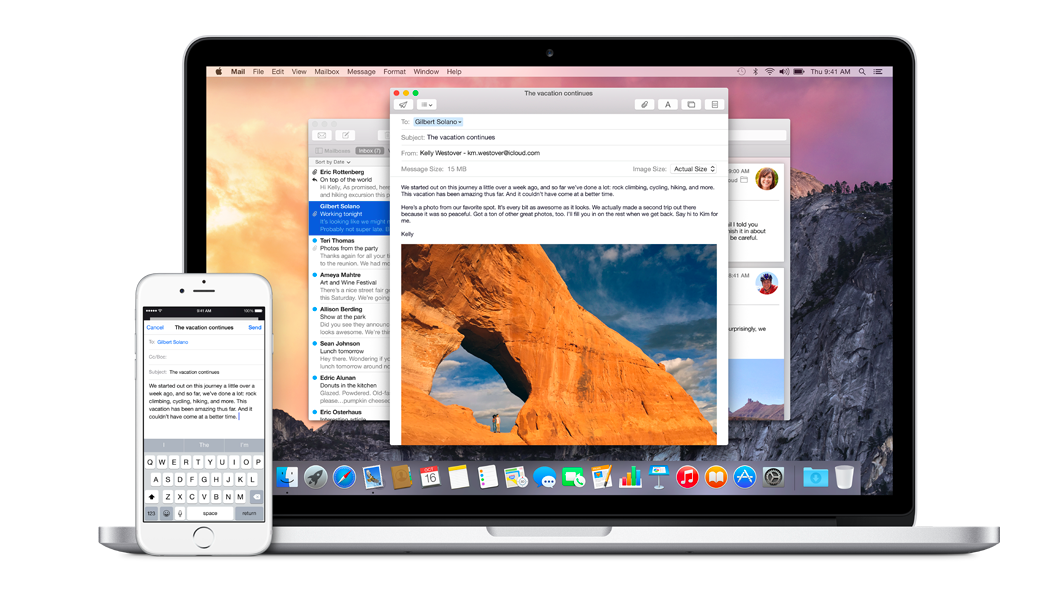
iCloud is built into every Apple device. That means all your stuff — photos, files, notes, and more — is safe, up to date, and available wherever you are. And it works automatically, so all you have to do is keep doing what you love. Everyone gets 5GB of free iCloud storage to start, and it’s easy to add more at any time.

What is iCloud?

iCloud solved a problem that we were facing in 2011. Originally, Apple pitched the Mac as the digital hub to our life. Our iPods (and then iPhones) would sync over a cable to transfer information. As we added iPads, it became a mess. Steve demoted the Mac back to just a device and made the “cloud” the center of our digital life. Using the service, users could sync all of their data over the air. As an example, a Keynote document edited on your Mac would automatically be up to date with the latest changes on your iPad or iPhone. iCloud also allowed you to back up your iOS device for an easy path to change devices without having to set everything up manually.

The problem with this original iCloud pitch is it didn’t cover all of our photos. We didn’t get that until iCloud Photos came in iOS 8. It didn’t cover iMessage, as that didn’t come until a few years ago with messages in the cloud. It didn’t cover all of our files, but only those in the iCloud folder stored inside of app folders. We didn’t get seamless syncing of files until Apple added Desktop and Document folder syncing a few years ago.

Over time, Apple has continued to add features to iCloud, and it’s turned out to be a really robust and reliable service. Users can sync files, photos, notes, reminders, and Safari bookmarks to their Mac, iPhone, iPad, and even Apple TV (photos).

iCloud Troubleshooting

If you’re having trouble using iCloud, you may want to make sure it isn’t affected by downtime. Check Apple’s iCloud Status page here.

How much does iCloud cost?

Pricing can change at anytime (view Apple’s latest pricing page), but here are the current rates for a few countries.

United States
50GB: $0.99
200GB: $2.99
2TB: $9.99

Canada 
50GB: $1.29
200GB: $3.99
2TB: $12.99

United Kingdom
50GB: £0.79
200GB: £2.49
2TB: £6.99

European Union
50GB: 0.99 €
200GB: 2.99 €
2TB: 9.99 €

Read below for all of our coverage

Possible Apple-Alibaba partnership could lead to greatly accelerated rollout of Apple Pay in China

Site default logo image

The potential partnership between Apple and Chinese ecommerce giant Alibaba could facilitate a far more rapid rollout of Apple Pay in the country than if Apple goes it alone, suggests a piece in the WSJ. Tim Cook first revealed that he was in talks with the company at the WSJ Digital conference last month.

One possible scenario is for Alibaba’s financial affiliate, which owns the Alipay electronic-payment business in China, to provide back-end services for Apple’s Apple Pay payment system, allowing iPhone users to pay with Apple Pay using the money from their Alipay accounts, Mr. Tsai said.

Such an arrangement would be significant for two reasons … 
Expand
Expanding
Close

Pangu jailbreak for iOS 8.0-8.1 now “stable enough” for use, says Cydia creator

Site default logo image

[tweet https://twitter.com/saurik/status/530454505994076161]

Cydia creator Jay Freeman (better known as Saurik) has tweeted that the Pangu jailbreak for iOS 8.0 to 8.1 is now “stable enough” for use.

We first saw a developer version of the jailbreak last month, with a user version released a week later, complete with Cydia installer. The installer is Windows-only, but it’s an untethered jailbreak, so once it’s done you won’t need to reconnect to a PC following a reboot … 
Expand
Expanding
Close

iCloud.com Photos beta gains image uploads, iMovie for iOS gains iCloud Photo Library support

Site default logo image

Apple has updated the beta version of its iCloud Photos web app with support for uploading images to a user’s iCloud Photo Library. The feature will likely roll out soon to everyone on the public version of the service soon, but for now is limited to the beta site.

The change adds a single “Upload” button to the upper-right corner of the page, which shows a standard image picker when clicked. From there, users are presented with the progress indicator seen above, and the image becomes available on all of their devices. At this time, video uploads don’t appear to be supported.


Expand
Expanding
Close

Site default logo image

Thanks to iCloud, California cop busted for stealing nude photos from suspect’s iPhone

A California policer offers has been charged with Theft and Copying of Computer Data after looking through the photos on a female DUI suspect’s iPhone, and sending nudes to himself and two other officers. He is also charged with the same offense in regard to a second woman.

CNET reports that the suspect unlocked her phone to look up a contact she wanted to call to advise of her arrest. With the iPhone unlocked, Officer Sean Harrington of the California Highway Patrol in Dublin, California, sent as many as six nude images to himself and two colleagues.

On Friday, Harrington was charged with two felonies. One pertained to the original complainant, only named as Jane Doe No. 1 in court documents. The second involves a different woman, named as Jane Doe No. 2 […]

A text message obtained during investigations of the incident has Harrington texting another officer: “Her body is rocking.

The CNET report says that “the incident only came to light because 23-year-old Jane Doe No. 1 had her iPhone synced to Apple’s iCloud,” with Gizmodo adding that Jane Doe No.1 spotted the messages on her iPad.

Apple’s iCloud actually uncovered the plot since the suspect synced messages from her smartphone with her iPad. She soon noticed that photos had been sent to a number she didn’t recognise.

Harrington has resigned from the California Highway Patrol, and if found guilty faces a maximum sentence of three years and eight months in jail.

A Virginia court recently ruled that suspects cannot be compelled to hand over their passcodes to police, but that fingerprints can be used to access phones.

Tim Cook talks Apple Pay, Apple Watch and security on final day in China

Site default logo image

On the final day of Tim Cook’s four-day visit to China, he told state news agency Xinhuanet that Apple Pay was top of the list of things the company wanted to take to China.

“China is a really key market for us,” said the CEO. “Everything we do, we are going to work it here. Apple Pay is on the top of the list.”

Cook said that Apple would be working to understand the steps needed to bring the new service to China before meeting with local carriers, banks and merchants …

Expand
Expanding
Close

Tim Cook meets with Chinese vice premier in Beijing following iCloud phishing attack

Site default logo image

Two days after evidence emerged of a phishing attack on iCloud, allegedly due to the Chinese government firewall redirecting traffic to a fake login page, the Chinese state news agency Xinhuanet is reporting a meeting in Beijing between Tim Cook and Chinese vice premier Ma Kai.

Chinese Vice Premier Ma Kai and Apple Inc. CEO Tim Cook on Wednesday exchanged views on protection of users’ information during their meeting in Zhongnanhai, the central authority’s seat. They also exchanged views on strengthening cooperation in information and communication fields.

The Chinese government censors access to the Internet by deploying a country-wide firewall which blocks certain sites and which can redirect traffic from sites the government dislikes to officially-sanctioned ones …

Expand
Expanding
Close

Apple responds to iCloud network attacks with guide on verifying browser security

Site default logo image

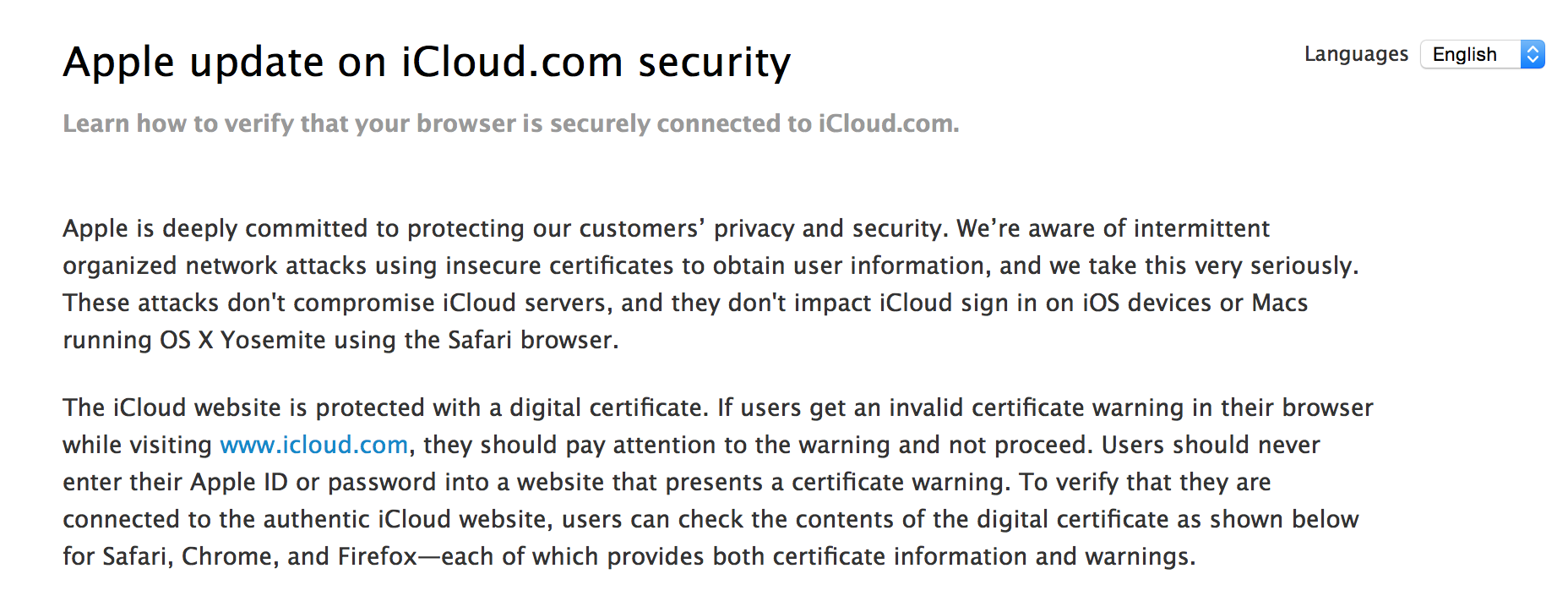
Following the recent attack by Chinese institutions on iCloud.com to attempt to steal account information, Apple has posted a new how-to article about verifying the page you visit when you type iCloud.com into your web browser is the genuine Apple site.

The page doesn’t offer a fix per se, but walks through how to check the certificates of the page in Safari, Chrome and Firefox.


Expand
Expanding
Close

Chinese government apparently phishing iCloud account info with man-in-the-middle attack (Update: Apple confirms)

Site default logo image


Update: Apple is aware of the attack, via CNBC. As expected, Apple’s own servers were not compromised.

Although unconfirmed, GreatFire is reporting that Apple is now the subject of Chinese government hacking attempts. According to the report, the government is using the institutional firewall to redirect traffic directed at iCloud.com to a fake page that resembles the iCloud.com interface almost perfectly.

Like other phishing attacks, this page is pretending to be Apple’s portal but instead intercepts entered usernames and passwords for other means. Although some browsers in China are set up to warn users about these kind of man-in-the-middle attacks, many don’t and (assumedly) many citizens disregard the warnings as the site appears quite genuine otherwise.


Expand
Expanding
Close

Yosemite & iOS 8 How-to: Send and receive phone calls from your Mac and iPad

Site default logo image

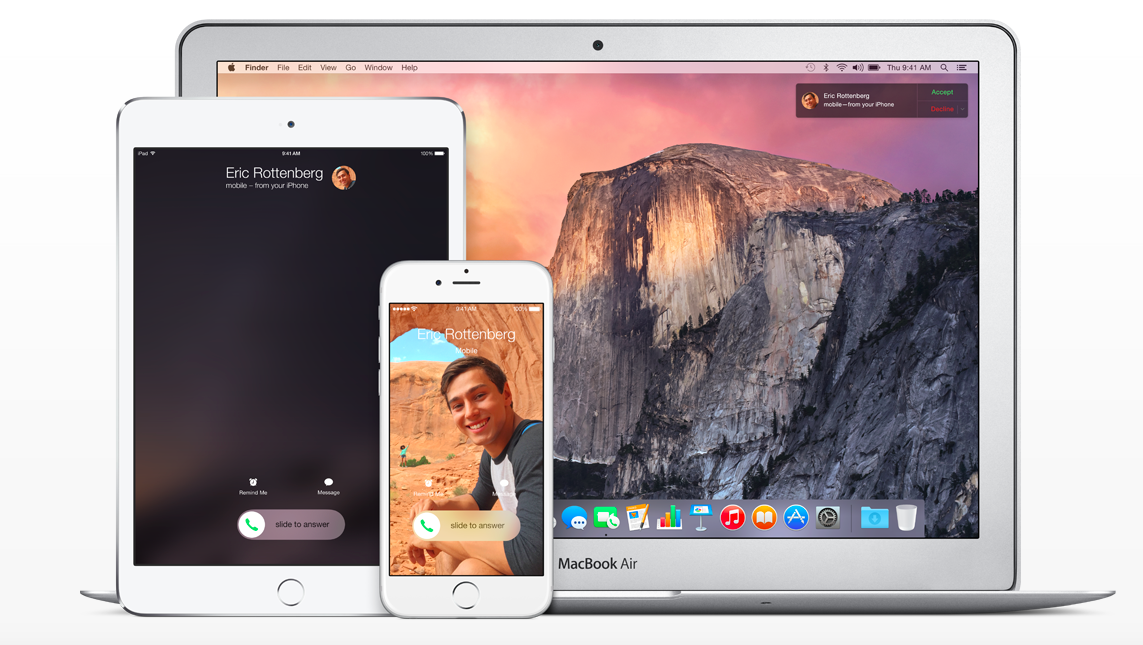
Now that Yosemite is out, with iOS 8 running on your iPhone, you can send and receive phone calls from your Mac and your iPad (also running iOS 8). This is one of the features of Continuity, which further integrates and connects your Mac and iOS devices. Continuity also includes Handoff, Instant Hotspot, AirDrop and SMS Relay (as part of the iOS 8.1 update).

Sending and receiving phone calls from the Mac and iPad is a benefit because sometimes when your iPhone rings it’s not where you are, but instead you are on your Mac or iPad. Now you can pick up the phone call directly from the Mac or iPad and don’t have to worry about stopping what you are doing to rush and find the phone. In this how-to article I will discuss how to set up and disable Phone Relay, how to send and receive iPhone Cellular Calls.


Expand
Expanding
Close

iCloud Photos on the web goes live leading up to iOS 8.1 release

While iOS 8.1 isn’t officially going to be released to the public until Monday, several reports across the internet are saying that Apple’s Photos app within the web-based iCloud website has now gone live for those using the iOS 8.1 beta. The interface looks a lot like that of the Photos app on iOS, letting you view your library as organized by either Moments or Albums.


Expand
Expanding
Close

Yosemite & iOS 8 How-to: Set up and use Handoff

Site default logo image

Now that Yosemite is out, with iOS 8 devices you are now able to use Handoff. Handoff will allow you to seamlessly start a task on one device, and pick it up on another device. So for example you start writing a paper on your iPad and then you want to continue it on your Mac, or you start writing an email on your iPhone and want to finish it on your iPad, this is what Handoff does. When signed into the same iCloud account and Bluetooth is turned on, Handoff will allow you to transition your work flow from one device to another.

On the Mac, you will have an additional dock separate from the main dock indicating what is running on the iOS device. On the iOS device on the lock screen you will have an icon indicating the app that is being used on the Mac. Currently it works with Apple’s apps including Mail, Contacts, Calendar, Safari, Reminders, Messages, Maps, Pages, Numbers and Keynote. Developers can also add Handoff to their apps as Things and other apps have already done. In this how-to article, I will discuss how to set up Handoff and how to use it.


Expand
Expanding
Close

Early Yosemite adoption 67% faster than Mavericks, according to analytics

Site default logo image

The numbers are small as yet, but early indications are that Mac users are keen to get their hands on the new Yosemite features. Social sharing tool AddThis, which collects analytics data from 13 million websites, is reporting that Yosemite adoption is already running at 2%, versus 1.2% for Mavericks in the same timeframe … 
Expand
Expanding
Close

iCloud.com Photos app said to be coming next week alongside iOS 8.1

Site default logo image

Earlier this month Apple published some support documents that referred to an iCloud.com-based Photos web app for managing a photo library. It was discovered that when the URL for the app was entered into the beta version of the iCloud site, it produced an error message rather than simply redirecting to the home page like any other invalid link.

Today a 9to5Mac reader attempted to load the app and was presented with the page pictured above indicating that users running iOS 8.1 (which includes the beta version of the iCloud Photo Library feature) will be able to use the web app to view their photos. With iOS 8.1 scheduled for release on Monday, it’s not a stretch to think the online version of the app will be launching then as well.


Expand
Expanding
Close

Site default logo image

Dropbox’s Mailbox iOS app updated w/ customizable swipes & iPhone 6 UI as Mac app enters open beta

Dropbox updated its Mailbox app today with some necessary features and fixes. The update now includes the ability to customize your swipes. Also, new iPhone 6 and 6 Plus owners will appreciate the optimized UI for bigger displays. Finally, Dropbox has squashed some bugs in Push and otherwise improved the overall performance.

Dropbox’s Mailbox is still only currently for Gmail and iCloud accounts, but the company reminds us again that other email platforms are on the way.

In addition to the updated iPhone and iPad version, the beta version for the Mac is now open to anyone following a public beta coin system for testers before.

https://twitter.com/Mailbox/status/521737188154019841/
Expand
Expanding
Close

Apple reminds two-factor users about changes starting tomorrow, provides instructions for passwords

Site default logo image


Apple has sent an email to users of its two-factor authentication system reminding them of an upcoming change to the feature that will take effect tomorrow. Originally the requirement for app-specific passwords was supposed to start on the first of the month, but Apple has informed users that it will begin tomorrow instead. The system to generate and use these passwords is already in place.

App-specific passwords allow you to log into applications that don’t support two-factor logins, such as most email clients or other apps that may want to access your iCloud data. You can create these one-time-use passwords from the Apple ID website. Once you’ve generated the password, just plug it into the app you want to use and you’re all set.


Expand
Expanding
Close

Site default logo image

Adobe updates desktop Creative Cloud apps, debuts new sharing services

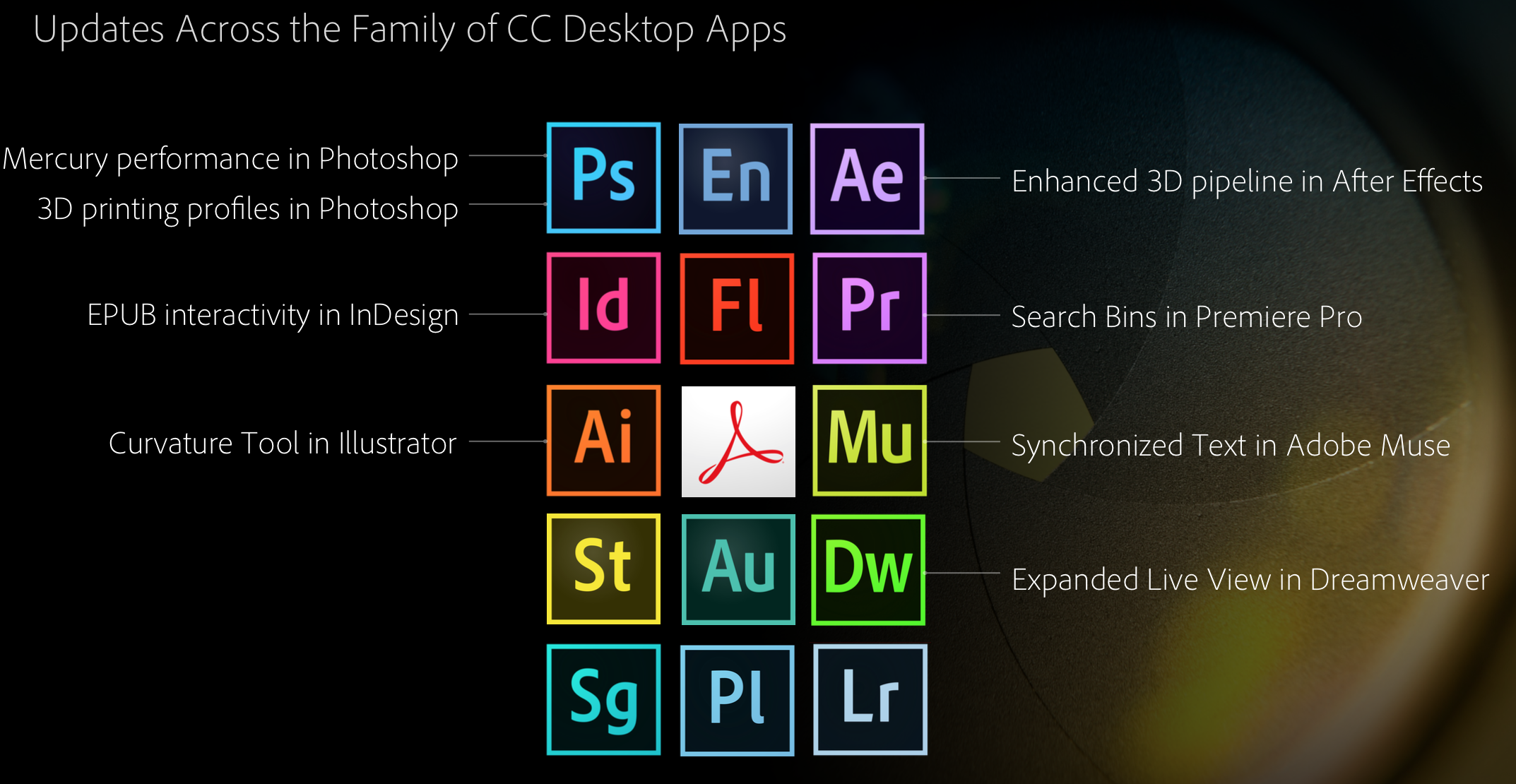
To complement the new Creative Cloud Talent Search, Creative Profile services, and significant mobile app updates, Adobe is today enhancing most of its suite of desktop Creative Cloud applications. Here are the highlights, courtesy of Adobe:

Touch support on Windows 8 devices for key design applications; new 3D print features and enhanced Mercury Graphics Engine performance for Photoshop CC; a new Curvature tool in Illustrator CC; interactive EPUB support in InDesign CC; SVG and Synchronized Text support in Muse CC; GPU-optimized playback for viewing high resolution 4K and UltraHD footage in Premiere Pro CC; and HiDPI and new 3D support in After Effects CC.

Perhaps more interesting on the desktop side of today’s news are some fresh services. Here’s Adobe’s explainer on the new Cloud Market, Cloud Libraries, and Cloud Extract products:

  • Creative Cloud Market is a collection of high-quality, curated content that’s freely accessible to Creative Cloud members. Access and use thousands of professionally crafted files, including user interfaces, patterns, icons, brushes and vector shapes, to speed through desktop and mobile projects.
  • Creative Cloud Libraries is a powerful asset management service that lets creatives easily access and create with colors, brushes, text styles, and vector images through Creative Cloud desktop, mobile apps and services. Creative Cloud Libraries connects desktop tools like Photoshop CC and Illustrator CC to each other — and to companion mobile apps.
  • Creative Cloud Extract is a cloud-based service that reinvents the Photoshop CC comp-to-code workflow for web designers and developers, letting them share and unlock vital design information from a PSD file (such as colors, fonts and CSS) to use when coding mobile and desktop designs.

The Cloud Market feature could give services like Getty Images a run for its money, while Cloud Libraries is the iCloud-like solution that ties all of Adobe’s supported platforms together. Cloud Extract is an advanced cloud-based solution that allows designers and developers working on Photoshop projects together to share data on an asset-by-asset or feature-by-feature basis.

Like with the new services and mobile applications covered in our other Adobe news articles this morning, the updated desktop apps and new Creative Cloud services are free additions for those with existing Creative Cloud subscriptions.


Expand
Expanding
Close

Apple now allows users to see whether a device has Activation Lock enabled from the web

Site default logo image

Apple has unveiled a new tool for users to help determine whether an iPhone, iPad, or iPod touch is configured to use Activation Lock. The page works much like the tools used by carriers such as AT&T to determine whether a potential trade-in device was protected with the feature. You enter the IMEI or serial number of the device, fill in a CAPTCHA, and press “Continue” to get your results (via iDownloadblog).

If the device is protected, you’ll find instructions for disabling the security measure before selling it. You’ll also find help for removing a used device from another user’s account, in the event that you were sold a phone and the original owner had not disabled it (of course, all of those options involve contacting the previous owner and having them do it, for security purposes).


Expand
Expanding
Close

Site default logo image

iPhone app Numerous adds iCloud sign-in, Today widget, more

Numerous, the number tracking app for iPhone, previewed a new version of the app over the summer with several features that take advantage of iOS 8. Today the update is live and includes support for HealthKit to read data from Apple’s Health app, a Today widget in Notification Center for glancing at numbers you track, and added AirPlay support for displaying an optimized version of your numbers on Apple TV.

The update also includes iPhone 6 and iPhone 6 Plus enhancements and landscape support, but iCloud sign-in support is probably my favorite addition. Introduced earlier this year at WWDC, iCloud sign-in support allows developers to offer app users an alternative to easy log-ins through social networks like Facebook and Twitter.
Expand
Expanding
Close

Apple woes continue: Some reporting iCloud down across iOS, Mac, and web

Update: Apple says all is good.

It was less than an hour ago that we told you about a newly-discovered bug within iOS that could potentially delete your iWork files. But now, according to a variety of internet reports, Apple’s month of misadventure continues as iCloud is currently experiencing an outage of some kind. Most notably, it seems as if many are being prompted over and over to enter their iCloud credentials within iOS. Apple has acknowledged the outage on its system status page:


Expand
Expanding
Close

Apple aware of iCloud brute-force vulnerability six months before ‘Celebgate’

Site default logo image

The software developer credited by Apple for discovering last year’s developer center flaw says that he informed Apple of an iCloud weakness that may have been used to obtain celebrity nudes more than six months before the photos were accessed.

The Daily Dot reports that Ibrahim Balic advised Apple in March of a Find My Phone weakness that would allow brute-force attacks on iCloud accounts. It has been suggested that this may have been one of the methods used to access the accounts – or even complete iPhone backups – of celebrities … 
Expand
Expanding
Close

Can’t wait for Photos for OS X? Photos app likely coming to iCloud.com for desktop viewing

Site default logo image

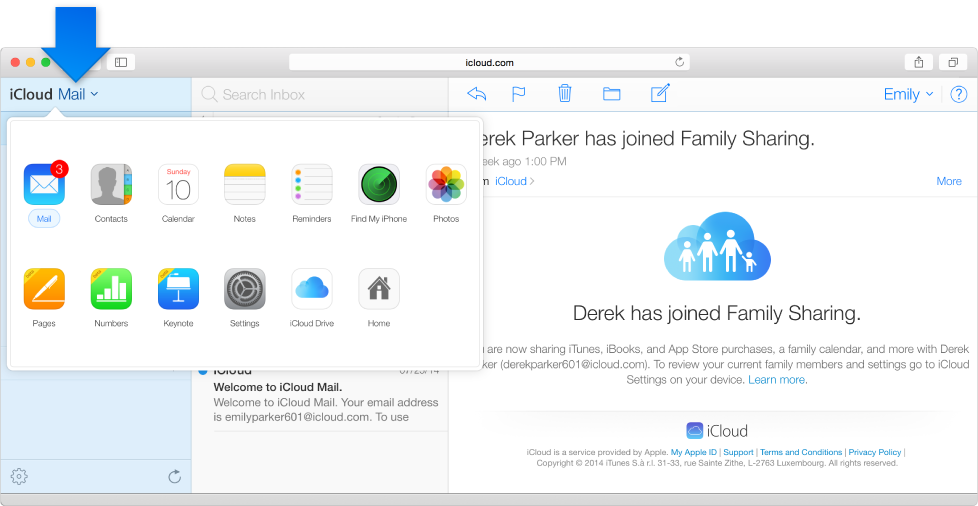
With Photos for OS X not being released until early next year, it seemed like there would be no way to view your photos backed up in iCloud Photo Library away from an iOS device for Mac customers. However, screenshots and error messages from iCloud.com show that a Photos app is in development for the website, so that users could access their pictures in some fashion on a computer. This will likely act as a stopgap before the official native client is ready.

The above screenshot is captured from an Apple help page, clearly showing a Photos app in the menu, which is currently absent from the public site. The app features the same icon as the Photos app, but its unclear what exact functionality it will bring. Poking around a bit, we discovered something that means it is unlikely the screenshot is simply a Photoshop mistake.


Expand
Expanding
Close

Site default logo image

iOS 8.0.1 will reportedly bring fixes for phone & keyboard bugs, Safari video, & more

Apple’s next iOS 8 update following the public release of the operating system earlier this month will reportedly bring various fixes for phone and keyboard related bugs, problems with video in Safari and more. MacRumors claims to have details on the upcoming iOS 8.0.1 release from a source. In addition to fixing bugs with the phone, keyboard, and Safari, the fix will reportedly also include a fix for AirDrop support with Passbook and a problem with installing VPN profiles.

Here’s the full list of changes according to the report:

– Phone: Addresses bugs with call forwarding and freezing when accessing visual voicemail
– Keyboard: Fixes an issue with keypad not appearing to enter iCloud Keychain verification codes
– Safari: Fixes a problem with videos occasionally not playing
– Sharing: Fixes AirDrop support for Passbook passes
– VPN: Addresses an issue with installing VPN profiles

Apple released iOS 8 to the public earlier this month on September 17th two days ahead of its new iPhone 6 and iPhone 6 Plus models going on sale in initial launch countries. Adoption of the new operating system is lagging behind last year’s iOS 7 release, while Apple for the first time used its own CDN to deliver the update this year. A release date for the next iOS 8 update has not yet been confirmed, but Apple has said they are working on a fix for the HealthKit bug that delayed the feature expected later this month.

Site default logo image

Windows users get iCloud Drive support while Mac users await Yosemite

While developers are warning iOS 8 and Mac users to avoid upgrading to Apple’s new iCloud Drive feature before the release of OS X Yosemite, Windows users now have access with an updated iCloud for Windows utility released by Apple. With the update, Windows users can now view and edit content stored in iCloud Drive through File Explorer (via Ars Technica).

As for Mac users, Apple explains in its support document: “If you upgrade to iCloud Drive before OS X Yosemite is available, documents on your Mac won’t be kept up to date with documents on your devices with iOS 8, or on iCloud.com.” Apple allows users to upgrade to iCloud Drive on devices running iOS 8. 

Windows users can download the latest iCloud for Windows here to access the new iCloud Drive features, while Mac users will have to wait for the OS X Yosemite release this fall.

Site default logo image

Apple briefs Congress in its continuing effort to promote its privacy credentials

Politico reports that Apple briefed a Congressional committee on the security and privacy of its products following concerns raised by the celebrity nudes story.

A week after Apple rolled out new products that track users’ health and fitness, the company dispatched its executives to Capitol Hill to address emerging privacy and security concerns […]

Bud Tribble, the company’s chief technology officer, and Afshad Mistri, its health product manager, briefed the powerful House Energy and Commerce Committee, according to three congressional sources.

Apple is clearly focusing on communicating its commitment to securing user data. Tim Cook yesterday published a letter on the company’s website addressing the issue. Apple also added a new webpage specifically focusing on the security credentials of iOS, OS X and its cloud services.

While it now appears clear that the methods used to obtain celebrity nudes from iCloud were a combination of phishing and weak security questions rather than any fundamental weakness in the service itself, Apple will be keenly aware that perceptions matter as much as, if not more than, facts.

Photo credit: Wikipedia