Mac

See All Stories

Apple’s Mac lineup consists of MacBook, MacBook Air, MacBook Pro, iMac, Mac Pro, and Mac Mini. The Mac runs macOS for its operating system.

Mac lineup

History

The Mac is Apple’s lineup of computers, and it can be considered the company’s oldest product. The name “Mac” comes from the original Macintosh, which was introduced in 1984 and is also considered the first personal computer for the masses to have a graphical user interface. The first Macintosh hit the stores on January 24, 1984, costing $2,945.

Among all these years, Apple has introduced many different Mac models, ranging from desktops to laptops to professional tower machines. The current lineup consists of the MacBook Air, MacBook Pro, Mac mini, iMac, and Mac Pro. However, there have been other Mac models were discontinued, such as the eMac, MacBook, and iMac Pro.

The history of modern Macs began in 1998, a year after Steve Jobs returned to Apple. Apple had dozens of Macintosh computers at that time, but Steve decided to rethink the entire lineup. In 1998, Apple announced the iMac G3, which ditched the floppy disk and serial ports in favor of USB connectors.

Macintosh and iMac G3.

Unlike the Macintosh, the first iMac was considered a huge success — not only for its technology, but also for its unique design with colorful translucent plastic. Apple quickly expanded the Mac lineup with other models, which included the iBook and PowerBook (which became the MacBook and MacBook Pro) and the PowerMac, which is now the Mac Pro.

macOS

What makes a Mac the Mac is the macOS operating system, which has also had a long history since the introduction of the first Macintosh. Initially called Mac OS, the operating system was rebuilt when Steve Jobs returned to Apple.

The first version of Mac OS X was released on March 24, 2001 with a new interface that is still present in some ways in current versions of macOS. Apple’s desktop operating system comes with many free applications such as Pages, Keynote, Numbers, iMovie, and GarageBand.

With macOS, users also have access to deep integrations with other Apple devices. For instance, you can answer calls and send SMS from your iPhone using your Mac. Handoff lets you switch from one device to the other and pick up where you left off. Apple Watch users can unlock their computer without entering a password, and you can even copy and paste between devices.

macOS Sonoma

Apple’s desktop operating system is also integrated with services offered by the company, such as iCloud, Apple Music, and Apple TV+.

The current version of macOS is Sonoma (version 14), which features new slow-motion screen savers, widgets on desktop, camera effects on FaceTime and other apps, web apps, passkey sharing, improved PDF support, and Game Mode. The update also comes with a new API that lets developers easily port Windows games to macOS.

Architecture Transitions

The Mac has had three major architecture transitions in its history. Apple’s first computers ran on Motorola processors, but the company decided to migrate to the new PowerPC platform in 1994. While this brought benefits at the time, the PowerPC processors were not delivering what Apple expected.

It was in 2005 that Apple confirmed the transition from PowerPC to Intel. Intel processors had become faster and more efficient than PowerPC, which enabled the development of new Mac computers that were more powerful and also more compact. Developers have been given access to a Developer Transition Kit running Mac OS X Tiger with Intel Pentium 4 to update their apps before the transition begins.

Power PC, Mac OS X, and Intel processor.

Apple said that the transition would begin in June 2006 and be finished by the end of 2007. However, the transition to Intel was fully completed in August 2006 when the company replaced the PowerMac with the new Intel Mac Pro.

As the years went by, Apple once again felt the need to have more powerful and efficient processors for its computers. This time, the company was already working on its own chips for the iPhone and iPad. In June 2020, Apple confirmed that it was changing the architecture of the Mac, now from Intel to ARM chips, which are called Apple Silicon.

Apple offered a Mac mini DTK running on the same A12Z Bionic chip as the 2020 iPad Pro. This way developers could once again update their apps ahead of the transition. In addition to being more powerful and energy efficient, the ARM architecture of Apple Silicon chips has enabled Macs to run iOS apps for the first time.

Apple M1 chip | Mac

The first Apple Silicon Macs were released in November 2020 with the M1 chip. The company later introduced more powerful variants of the M1 chip, called M1 Pro, M1 Max, and M1 Ultra. Macs with Apple Silicon have become known for being more powerful while consuming much less power, which has resulted in MacBooks with extended battery life.

In June 2022, Apple introduced the M2 chip, which is around 20% faster than the M1 and also supports more RAM. M2 also has more powerful variants: M2 Pro, M2 Max, and M2 Ultra.

Apple unveiled the M3, M3 Pro, and M3 Max chips in October 2023. The main highlight of this generation is the 3 nanometer technology, the same as the A17 Pro chip. The M3 family also features better GPUs with support for hardware-accelerated ray-tracing.

Current Mac lineup

Apple currently sells a variety of Mac computers, which includes MacBooks, Mac mini, iMac, and Mac Pro. While some of the Macs have already been updated with an Apple Silicon chip, others remain with Intel processors.

MacBook Air

The MacBook Air is Apple’s most affordable laptop and it has become popular for its light, compact design. The 2022 version is powered by the M2 chip and is offered with 8GB, 16GB, or 24GB of RAM. Plus, it has a new, edge-to edge 13.6-inch Retina display.

The laptop features Touch ID and has two Thunderbolt 3 compatible USB-C ports, a MagSafe connector for charging, and a headphone jack. Prices start at $1099 in the US. It’s offered in silver, space gray, starlight, and midnight.

M2 MacBook Air.

A year later, Apple introduced the first 15-inch MacBook Air. It has essentially the same hardware as the smaller version with a similar design, but with a larger display. Prices start at $1299 in the US.Apple is still selling the M1 MacBook Air for prices starting at $999.

MacBook Pro

The 2023 MacBook Pro is available in multiple versions, and customers can choose between 14-inch and 16-inch screen sizes. For the first time, Apple has introduced a less expensive version of the 14-inch MacBook Pro with the base M3 chip. This version has the same design and display as the high-end versions, except that it only has two USB-C ports instead of three.

M3 MacBook Pro

The most expensive versions of the MacBook Pro are equipped with the more powerful M3 Pro and M3 Max chips. The laptop can be configured with up to 128GB of RAM and 8TB SSD. These versions also come in a new Space Black color.

Unlike the MacBook Air, the MacBook Pro comes with an HDMI port and an SD card reader. It also features MagSafe and Touch ID on the keyboard. Apple no longer sells MacBooks with the Touch Bar. Prices start at $1,599 in the US.

Mac mini

Mac mini is the cheapest Mac currently available since it’s basically a desktop without a built-in display or other peripherals. The base model with the M2 chip features one Ethernet port, two USB-C/Thunderbolt 4 ports, HDMI 2.0, two USB-A ports, and a headphone jack.

Apple sells a more powerful version of the Mac mini with the M2 Pro chip, which also comes with four USB-C ports instead of two. Mac mini can be configured with up to 32GB of RAM and up to 8TB of storage. Customers can also opt for a 10 Gigabit Ethernet port. The Apple Silicon Mac mini is only available in silver, while the now discontinued Intel model was available in space gray.

Apple Silicon Mac mini.

Prices for the Mac mini start at $599 in the US. Again, it’s worth noting that it doesn’t come with a keyboard or mouse in the box – you need to buy them separately or use your current ones.

Mac Studio

Mac Studio represents a new category between Mac mini and Mac Pro. It features a design based on the Mac mini, but with a taller body to support the more powerful hardware and also a better cooling system.

The new Mac Studio is targeted at professional users who work with demanding tasks such as video editing, 3D rendering, and machine learning. 

Embraced by creative pros everywhere, Mac Studio now delivers next-generation power in the form of the lightning-fast M2 Max and the boundary-breaking M2 Ultra. It packs outrageous performance and extensive connectivity in an unbelievably compact form, putting everything you need within easy reach and transforming any space into a studio.

By default, Mac Studio already comes with the M2 Max chip, 32GB of RAM, and 512GB SSD storage. A more expensive option lets users customize Mac Studio with M2 Ultra. While M2 Max has a 12-core CPU and a 30-core GPU, M2 Ultra doubles all of those specs. The new chip has a 24-core CPU and a 60-core GPU.

Mac Studio can also be configured with up to 192GB of RAM and 8TB of SSD storage. The machine offers up to six Thunderbolt ports, 10 Gigabit Ethernet, headphone jack, two USB-A ports, and one HDMI port.

Mac Studio

Apple has been rumored to be working on new versions of this machine with the M3 Max and M3 Ultra chips. However, these versions may not be ready until 2025. Bloomberg’s Mark Gurman said in November last year that the M3 Ultra chip “hasn’t yet gone into broad testing” inside Apple.

In the US, prices for the Mac Studio with M2 Max chip start at $1999. The M2 Ultra chip version starts at $3999. Just like the Mac mini, Mac Studio doesn’t come with a keyboard and mouse in the box. You can find accessories for your Mac Studio here.

iMac

iMac is Apple’s most popular desktop computer with an all-in-one construction. It features a 4.5K display in its 24-inch version and a 5K display in the 27-inch version. At the same time, Apple still sells an entry-level iMac with a regular 1080p display.

The 24-inch iMac is the first to feature the M1 chip, the same as in the Mac mini, MacBook Air, and MacBook Pro. This allowed Apple to introduce a completely redesigned model with a slimmer design, which is also offered in seven new colors. Customers can customize the new 24-inch iMac with up to 16GB of RAM and 2TB of storage.

Site default logo image

The company ships the 24-inch iMac with Magic Mouse and Magic Keyboard, plus a Lightning cable for recharging accessories. Prices in the US start at $1299. Apple has discontinued its old 21.5-inch iMac and the 27-inch iMac 5K.

Mac Pro

Mac Pro is a computer built for professional users who depend on extremely powerful hardware. Available in tower and rack versions, it has a completely modular design. That means users can replace RAM, SSD, GPU, and other internal components.

By default, it features four USB-C/Thunderbolt 3 ports, two USB-A ports, and two 10Gb Ethernet ports. However, the ports can be expanded using the PCI Express slots. Apple also ships the computer with a Magic Mouse and Magic Keyboard, but it does not come with an external monitor included.

All models feature Intel Xeon W processors, which are the most powerful processors offered by Intel. Consumers can configure Mac Pro with up to 28-core processor, 1.5TB RAM, and 8TB of SSD storage. In addition to supporting multiple dedicated GPUs, Apple also offers the Afterburner card — which accelerates the decoding of ProRes videos.

The company recently updated the Mac Pro with new graphics card modules, which include Radeon Pro W6800X and Radeon Pro W6900X.

Site default logo image

Mac Pro prices start at $5999 in the US.

Rumors about upcoming Macs

Top stories about the Mac

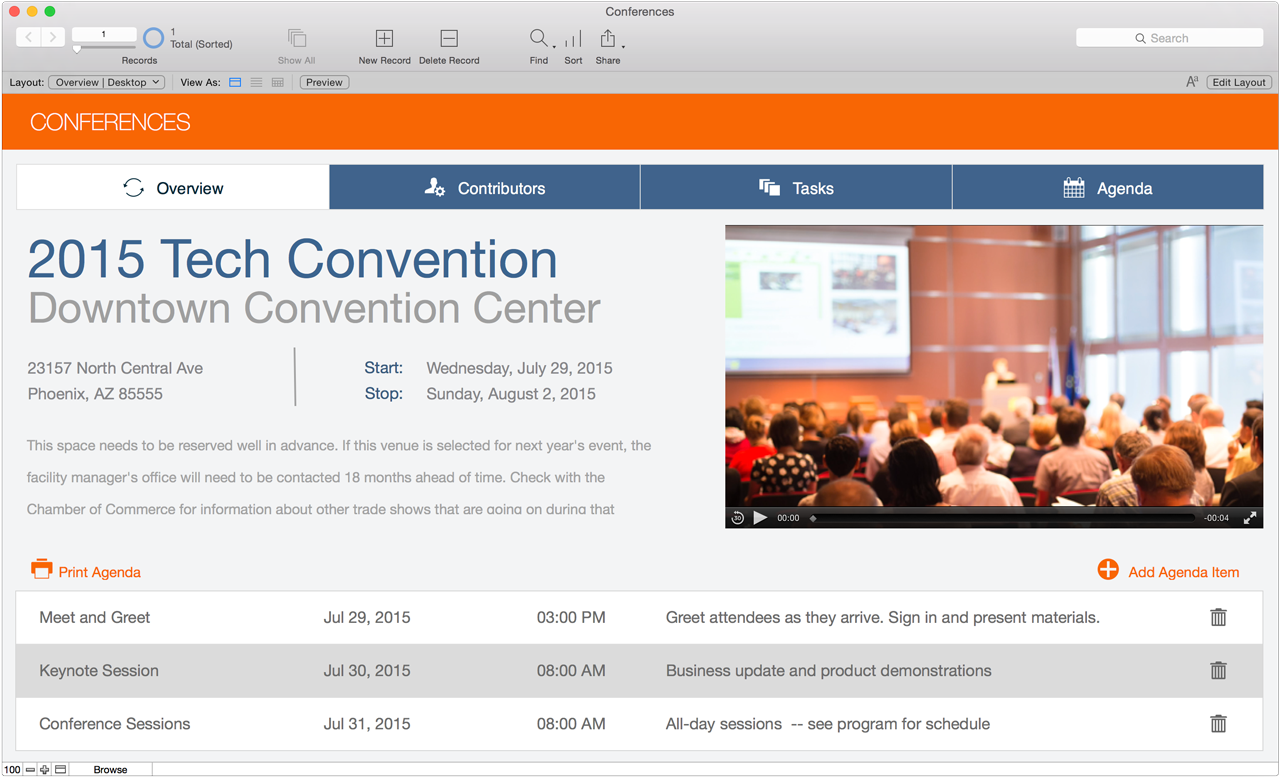
Apple’s FileMaker debuts version 14 with redesigned iOS app, Mac enhancements

Site default logo image

Apple subsidiary FileMaker today introduced version 14, the first major update since 2013, of its popular iOS and Mac-based platform, which includes the FileMaker Pro, Go, and Server software suites. This new version focuses on separate enhancements for speed across the different software versions, with the Mac and Windows applications gaining improved features for productivity, and the iOS Go apps for iPad and iPhone receiving end-to-end redesigns for iOS 8. Below, we break down the most significant new features for the Pro, Go, and Server versions.


Expand
Expanding
Close

Site default logo image

Malware hidden in Nvidia GPUs can infect Macs too, say developers behind proof of concept

Anonymous developers who have successfully infected Nvidia GPU cards with malware on both Linux and Windows machines say that the same can be done on Macs, and that they will release the proof soon. The aim of the whitehat developers is to raise awareness of this new method of attack, reports IT World.

The team successfully created a piece of malware called WIN_JELLY which acts as a Remote Access Tool, enabling attackers to control a machine over the Internet. They now plan to release a version for OS X called MAC_JELLY, demonstrating that Macs too are vulnerable.

There are, they say, two core problems. First, the growing power of modern GPUs means that it is increasingly common for processing tasks to be passed to them, something that would look legitimate to the OS. Second, most security tools designed to detect malware don’t scan the RAM used by the GPU.

The developers hint that the Mac version of the exploit will use OpenCL, a framework for writing code that can run on multiple platforms – including GPUs – and which is installed as standard as part of OS X.

While Mac and iOS malware is rare, neither platform is immune from attack. Wirelurker was last year found to be capable of infecting non-jailbroken iOS devices when connected to Macs running compromised software, and Flashback infected hundreds of thousands of Macs back in 2012.

Apple recently pulled many antivirus apps from the iOS app store, though this may be because many of them performed no useful function.

Via Slashdot

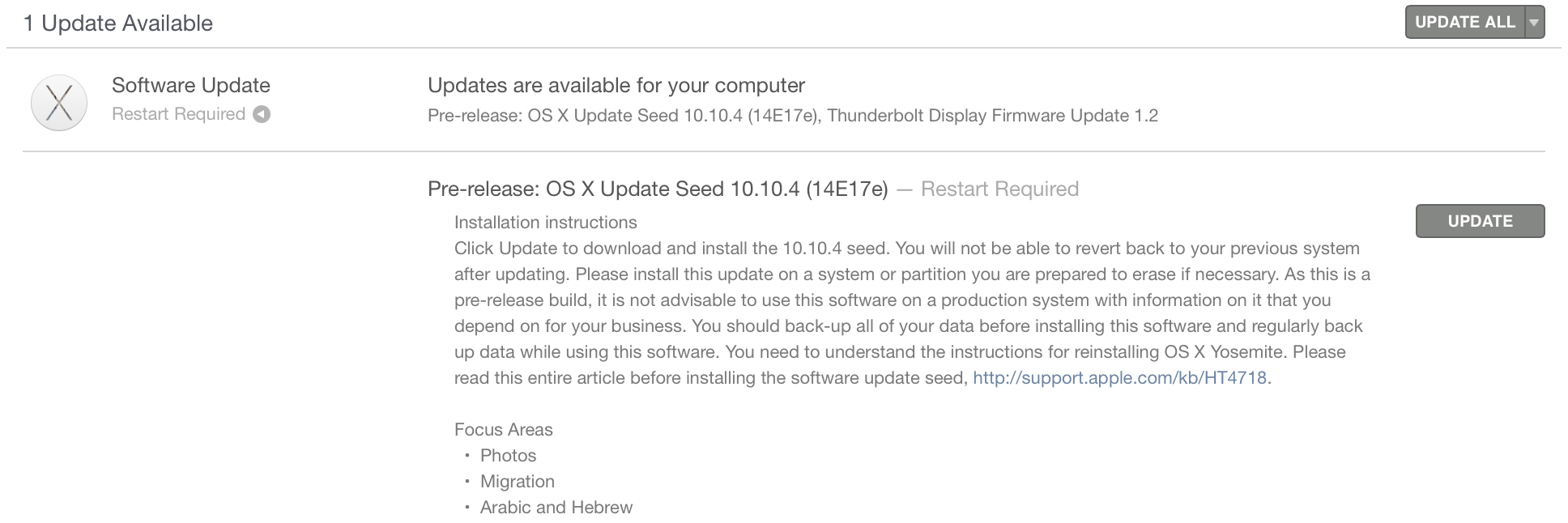
Apple releases OS X Yosemite 10.10.4 beta build 14E17e to developers

Site default logo image

Alongside today’s new iOS 8.4 beta, Apple has released yet another beta build of the upcoming OS X Yosemite 10.10.4 to developers. Today’s build is labeled as build number 14E17e, and it is available via Software Update in the Mac App Store for developers running earlier versions of the beta. A new Public Beta for AppleSeed users is available as well. It is possible that 10.10.4 will be released in June alongside iTunes 12.2 (with the new Apple streaming music service). For the focus areas, Apple tells developers to pay special attention to the Photos application, the Migration Assistant, and Arabic and Hebrew language support.


Expand
Expanding
Close

Site default logo image

PSA: Best Buy has limited stock of 12″ Retina MacBooks shipping now while other retailers discount pre-orders

Apple still shows a 3-5 week wait on the new Retina 12-inch MacBook across the board but one US retailer has them in stock and shipping in certain configurations. Best Buy, who also offers a $50 off coupon for people with access to an .edu email address offers the base model MacBook in both Silver and Space Gray for delivery May 18th.

Other US retailers don’t have them in stock but offer discounts and state tax advantages:

As for Apple, we’ve reported that its official stores are now receiving limited SKUs ahead of widespread, global availability at the end of May.

Review: Mobee’s Magic Hub hijacks your iMac’s stand to add 3 hidden USB 3.0 ports, 2.1-Amp charging

USB hubs are often hard to tell apart from one another: the Moshi iLynx 3 I reviewed here in February was the rare hub that actually matched the silver metal and black plastic look of the Macs it was designed to be used with. After an extended post-announcement delay, long-time Mac accessory maker Mobee Technology has finally released an alternative that uses two cool tricks to stand apart from all of its rivals: the Magic Hub ($50).

Five inches tall, 2.6″ wide and around 2″ thick, the Magic Hub is the first USB hub designed such that its physical characteristics are all but irrelevant. Mobee’s concept is to completely hide the Hub behind your iMac, filling the hole Apple left in the iMac’s stand using a screw-on clamp and a pass-through wall power port. Rather than requiring its own wall outlet for power, it hijacks the iMac’s power cable and passes power through both itself and your computer, powering four USB 3.0 ports in the process. If that sounds cool, read on…

Expand
Expanding
Close

Review: Adobe’s Lightroom CC + 6 let photographers transition from Aperture, gain new editing tools

Until this year, Mac owners had three major options for organizing large digital photo collections: Apple’s mainstream iPhoto, Apple’s “pro” app Aperture, and Adobe’s similarly professional-grade Lightroom. When Apple discontinued iPhoto and Aperture in favor of an even more basic app called Photos, many people —amateur photographers and professionals alike — had to decide whether to downgrade to Photos or switch to Lightroom. Apple understood that it was ceding at least the professional market to Lightroom, and even helped Adobe to develop Aperture and iPhoto to Lightroom importers. With the writing on the wall, some people switched to Lightroom 5 well before Photos officially debuted last month.

I didn’t; since Lightroom 5 was almost three years old, I wanted to see what Adobe would deliver in its much-anticipated sequel. On April 21, Adobe released Lightroom 6 and Lightroom CC (2015) as standalone and cloud-linked versions of the same app. Both promise major speed improvements over Lightroom 5, new tools and brushes, a new facial recognition feature, automatic HDR and panoramic photo creation, and new slideshow options. As part of Adobe’s “Creative Cloud,” Lightroom CC comes bundled with Adobe’s latest version of Photoshop, plus cloud photo synchronization services, for $9.99 per month. Alternately, Lightroom 6 can be purchased by itself for $149 as a standalone download, minus Photoshop and cloud functionality.

Below, I’m going to focus on the key questions Aperture users have been asking: what it’s like to transition from Aperture to Lightroom — including new details added after initial publication of this article — plus which version of Lightroom to buy, and whether transitioning is a good (and safe) idea. The answers may surprise you…


Expand
Expanding
Close

How-To: Safely shrink your Mac’s giant photo library, deleting duplicate images to save space

I’ve focused a lot over the last few months on helping readers to speed up and optimize Apple’s Macs — everything from adding RAM to recovering hard drive space and upgrading old hard drives to faster SSDs. Today’s How-To is focused on something very specific but with a lot of optimization potential: trimming down your Mac’s photo library.

Particularly after installing OS X 10.10.3 with Apple’s new Photos app, you might be surprised to learn that you’ve lost a lot of hard drive space, and that there are suddenly tons of duplicate photos on your Mac. After installing OS X 10.10.3, the new Photos app converted my 90GB Aperture library into a 126GB Photos library, and left both on my hard drive. That’s an incredible amount of wasted space attributable to duplicates, so it’s no surprise that a $1 utility called Duplicate Photos Fixer Pro has recently become the #1 paid Mac App Store app, while a superior alternative called PhotoSweeper ($10) is in the top 50. I’ve used both apps, as well as many others, and can help you choose the one that’s best for your needs…


Expand
Expanding
Close

American Foundation for the Blind honors Apple for VoiceOver technology

Site default logo image

The American Foundation for the Blind today announced four honorees for the upcoming Helen Keller Achievement Awards, highlighting Apple’s VoiceOver and Accessibility efforts alongside actor Charlie Cox, musician Ward Marston, and biopharmaceutical company Vanda Pharmaceuticals.

The foundation says that it gives this award to “accomplished individuals and companies for their success in improving quality of life for people with vision loss either through groundbreaking innovation or inspirational achievement that changes perceptions about what it means to be visually impaired.”

Apple is specifically being awarded for VoiceOver Accessibility technology across its products, per the announcement:


Expand
Expanding
Close

How-To: Understand and unlock Apple’s Mac and iPhone security screws

Decades ago, every electronic device was sealed with one of two types of screws: a minus-shaped Flat/Slot head, or a plus-shaped Phillips head. There was no concept — at least, for common consumer electronics — that average people shouldn’t be able to unscrew their gadgets and take them apart. And the only reason to have multiple Flat or Phillips head screwdrivers was to handle bigger or smaller screws.

Times have changed, and “security screws” have become increasingly common. Apple actually started using tamper-resistant screws in its Macs years ago, but when it added Pentalobe screws to the iPhone 4, the media took notice, and there was a brief public flare-up (actual sample headline: “Apple iPhone 4 Uses ‘Evil,’ Tamper-Proof Screws”). Despite initial frustration, however, the solution turned out to be simple: buy an inexpensive Pentalobe screwdriver, or alternately, a multi-bit screwdriver with tons of different bits, like iFixit’s 54-Bit Driver Kit.

I’ve been using iFixit’s kit for so long and across so many great Mac upgrade projects that I consider it essential to my office; if a Mac, hard drive, or other peripheral needs to be opened, the 54-Bit Driver Kit almost always can do it. But since most people have no idea what Pentalobe, Torx, Tri-Wing, Hex and other bits look like or are supposed to do, I’ve assembled this guide to explain them all, focusing on the ones used in Apple products. By the time you’re done reading this article, you’ll have a good sense of the world of security screws, and the reasons it’s handy to keep a kit around to open anything up…


Expand
Expanding
Close

May the 4th be with you: Apple offers collection of iOS & Mac app discounts for Star Wars Day

Site default logo image

To celebrate Star Wars Day— yes, that’s why everyone keeps saying “May the 4th be with you” today— Apple is offering a number of discounts on apps and in-app purchase content from Disney, Konami, and others.

Below we’ve put together links for all of the Star Wars App Store content on sale today, including both Apple’s iOS collection and other iPhone, iPad, and Mac titles discounted for the occasion:
Expand
Expanding
Close

Site default logo image

FaceTime audio issues with pre-Bluetooth LE Macs seemingly persist in OS X 10.10.3 & 10.10.4 Beta

A long-running Apple Support Communities thread with 257 posts complaining of audio issues when using a pre-Bluetooth LE Mac on Yosemite reports that the issue is still present in OS X 10.10.3 and 10.10.4 Beta . The issue reportedly affects a number of machines up to and including late-2011 Macs.

I am experiencing an issue with FaceTime video calls or voice calls (using FaceTime audio or the iPhone handoff feature) where all I can hear is a strange clicking sound, like static. The other person can hear me fine and I can see them fine if on FaceTime video, but I can’t hear them.

Various fixes suggested in the thread seem to work temporarily for some, including a restart and resetting PRAM, but the issue returns.

Some in the thread speculate that OS X 10.10 broke something when Apple attempted to ensure that phone continuity features worked only on Macs with Bluetooth LE. Some have had logic boards replaced by Apple with no change.

Review: AAXA’s ST200 LED Pico Projector beams bright, color-accurate HD video from an Apple TV-sized box

Even though I’ve had a fair bit of experience with video projectors, I took Celluon’s PicoPro somewhat for granted when I reviewed it this January. I praised the pocket-sized projector, which squeezed a 720p laser video display and speaker into the footprint of an iPhone 6 Plus, but I didn’t triple-underscore how much easier it was to use than most of its rivals. PicoPro worked so well and so quietly with such little effort that I hardly thought about it.

AAXA’s ST200 Short Throw LED Pico Projector ($299) is the newest of the traditional projectors PicoPro is challenging. It has roughly the same footprint and 1280×720 resolution as PicoPro, but it’s around 2.5 times thicker, since it uses a lightbulb-illuminated LED projection engine — just like almost every other projector on the market. There’s an audible fan inside, and because ST200 needs to power that fan and the lightbulb, it can’t match PicoPro in battery life. It also requires more manual user adjustment when you’re setting it up.

But ST200 is a markedly better video projector and audio device when judged on raw output quality, and less expensive, besides. If you’re looking for a compact way to display 720p video from an Apple TV, Mac, or iOS device at up to a 100″ diagonal size, ST200 delivers brighter, more color-accurate video output than PicoPro, more powerful speaker output, and — if you appreciate this — many more settings to play with. Read on for the details…


Expand
Expanding
Close

Review: OWC’s Envoy Pro mini hides a MacBook-like SSD inside a USB 3.0 flash drive

Across the How-To guides I’ve written for adding solid state drives (SSDs) to iMacs, Mac Pros, Mac minis and MacBooks, there was one option I left out: thumb drives. While external SSDs such as Elgato’s Thunderbolt Drives and Samsung’s T1 can do two things — dramatically speed up Macs and add storage space — thumb drives tend to be much slower, lower in capacity, and made from inexpensive materials to achieve smaller sizes and price points.

Other World Computing’s new Envoy Pro mini (120GB/$119, 240GB/$199) sits directly between thumb drives and SSDs in both features and performance. “It’s nearly twice as fast as the average thumb drive,” OWC says, and roughly the size of an actual adult thumb — larger than most USB flash drives, but a lot smaller than traditional external hard drives, while promising “desktop-class” SSD speeds, capacities, and build quality. Unlike common plastic thumb drives, it’s made from aluminum and uses a USB 3.0 connector, yet matches desktop SSD 120GB or 240GB storage capacities. It’s affordable, but clearly designed to be a professional option.

How does it actually stack up? Read on…


Expand
Expanding
Close

How-To: Clean and speed up your Mac with free, trustworthy downloads

“My Mac used to be fast, but now it’s running so slow.” I’ve heard many versions of this complaint, and they’re always factually true, not just opinions: Macs do become sluggish over time, even if all of their chips and hard drives are working like new.

I’ve devoted several columns to hardware solutions — replacing old hard drives with fast new SSDs, adding more RAM, and increasing storage capacity using an external drive — but there are software solutions, too. Even die-hard Apple fans will admit that Macs typically run new OS X versions better (faster, and with fewer bugs) if you start with a clean slate: completely wipe your hard drive, do a fresh install of the latest OS X release, and restore only the files you need. That’s not as hard as it sounds, but it’s a radical and fairly time-consuming solution.

This How-To article offers a simpler alternative. First, find and delete enough files to leave your Mac at least 50GB of free storage capacity — enough room for the Mac to work without pausing to manage its hard drive space. Next, cleanse the cruft OS X builds up in the background as you use your computer. Below, I’ll show you how two completely free Mac programs, GrandPerspective and OnyX, will do all the heavy lifting for you. GrandPerspective offers a highly visual display of what’s taking up space on your Mac; Onyx cleans up the Mac files you’d be afraid to touch yourself…


Expand
Expanding
Close

The best Mac and iPad keyboards

Keyboards are important — so important that many people won’t “work” on their iPads without real keys to type on. No one complained when desktop mice gave way to laptop trackpads, or when trackpads evolved into tablet touchscreens, but the switch from physical to virtual keyboards has been met with plenty of resistance… specifically because virtual keyboards offer no resistance. There’s something about the responsive, up and down movement of actual keys, known as “travel,” that people clearly prefer over tapping on completely flat glass.

I’ve tested a lot of keyboards, and since I rely upon them professionally every day, I have some strong opinions as to the best options for different types of Mac and iPad users. You might be surprised by my advice, as it bucks a couple of Apple’s trends (“smaller!” “thinner!”), but if you’re like me, you’ll be a much happier typist if you “think different” on this topic than the folks in Cupertino…


Expand
Expanding
Close

Pixelmator for Mac adds Force Touch pressure-sensitive painting, even better Repair Tool, more

Site default logo image

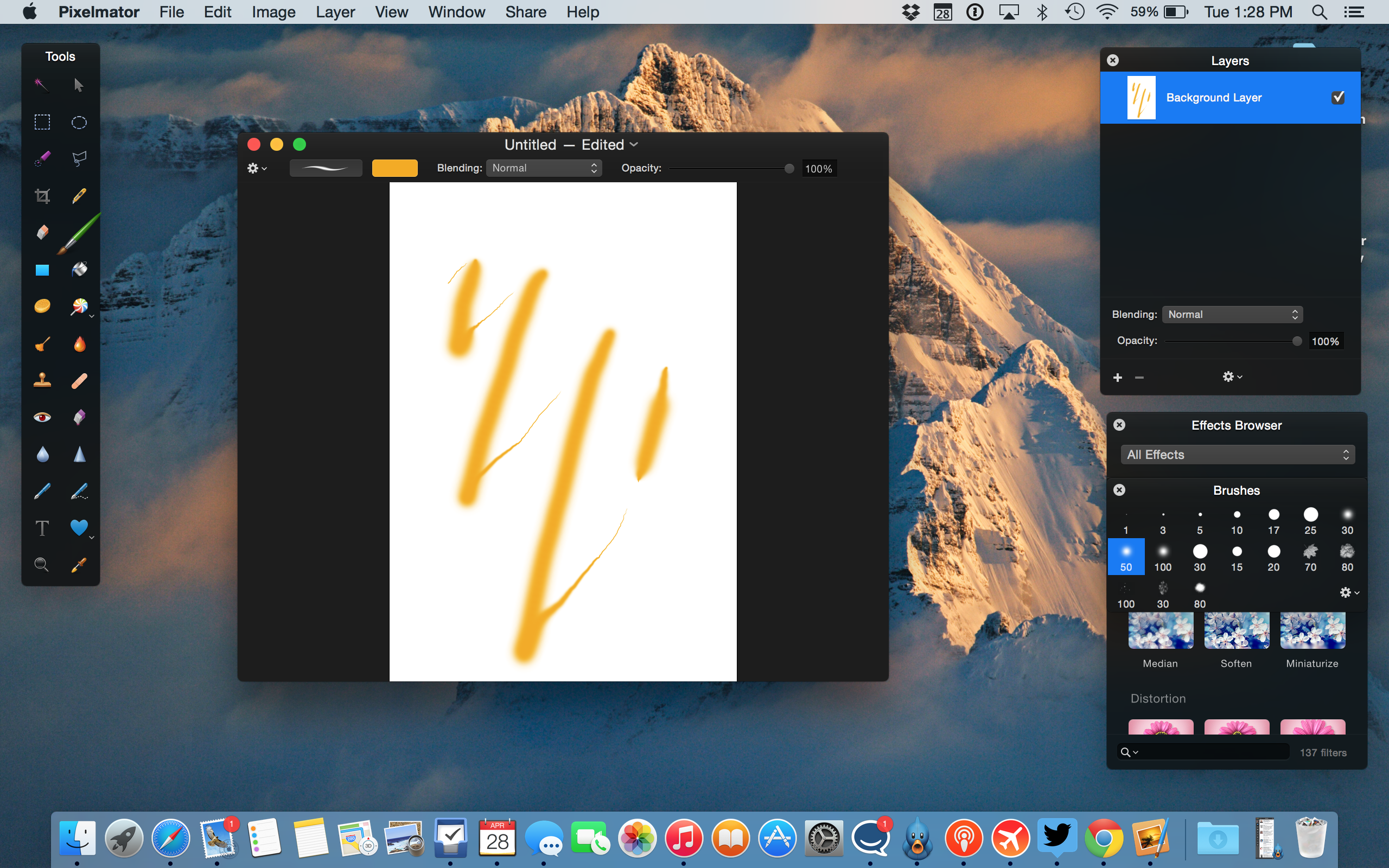
The developers behind Pixelmator have just released another free update to the Mac app, available in the Mac App Store ($29.99). Despite the bug-fix identifier, Version 3.3.2 packs some cool enhancements to support Apple’s latest technologies and hardware.

For one, as demoed in the screenshot above, Pixelmator brushes now support Force Touch so you can draw with multiple levels of pressure by pressing harder on the touchpad of your new Retina MacBook (or early 2015 13 inch Retina MacBook Pro). This is useful for quick adjustments although serious painters will still want to use dedicated drawing tablets. The update also adds support for the Photos app and a revamped Repair Tool …


Expand
Expanding
Close

Review: Vinsic’s 20,000mAh ultra slim Power Bank can power your 12-inch MacBook anywhere

The new USB-C port on Apple’s new 12-inch MacBook (review) is both a gift and a curse. If you frequently connect legacy USB peripherals to your notebook, then you’ll have to deal with using an adapter between your old gear and your new laptop each time (and should possibly consider another machine for now). The move from Apple’s proprietary MagSafe 2 connection to the new industry standard USB Type C port for charging, however, opens up the door to third-party power adapters and portable battery packs.

During my initial MacBook evaluation, I verified this possibility with a 13,000mAh portable battery pack I had on hand. Vinsic’s 20,000mAh ultra slim power bank is a giant battery that offers even more juice for your iPhone, iPad, or 12-inch MacBook with a sleek design and an LED status indicator…


Expand
Expanding
Close

Live blog: Apple’s fiscal year Q2 2015 earnings call

Site default logo image

As promised, Apple will hold its quarterly conference call with investors and analysts at 2 p.m. PT/5 p.m. ET to discuss its fiscal year 2015 second quarter results. These numbers include sales of 61.1 million iPhones, 12.6 million iPads, and 4.5 million Macs. Apple also reported $58 billion in revenue during FY 2015 Q2. During the latter half of the call, analysts and investors will have the opportunity to ask Tim Cook and company questions regarding today’s results and Apple’s future. While today’s earnings do not include Apple Watch sales and Apple doesn’t plan to disclose sales numbers, expect Tim Cook to at mention the company’s latest device. Stay tuned for our live coverage below:


Expand
Expanding
Close

Apple announces Q2 2015 revenue of $58b: 61.1m iPhones, 12.6m iPads, 4.5m Macs

Site default logo image

Apple is out with its Q2 2015 earnings results today reporting $58 billion in revenue including $13.6 billion in profit earned during the first three months of this year.

Apple® today announced financial results for its fiscal 2015 second quarter ended March 28, 2015. The Company posted quarterly revenue of $58 billion and quarterly net profit of $13.6 billion, or $2.33 per diluted share. These results compare to revenue of $45.6 billion and net profit of $10.2 billion, or $1.66 per diluted share, in the year-ago quarter. Gross margin was 40.8 percent compared to 39.3 percent in the year-ago quarter. International sales accounted for 69 percent of the quarter’s revenue.

Aside from revenue and profit, Apple disclosed sales numbers or revenue for the these categories:

  • iPhone: 61.1 million units
  • iPad: 12.6 million units
  • Mac: 4.5 million units

Totals:

  • Revenue: $58 billion
  • EPS: $2.33 per share

Apple CEO Tim Cook had this to say:

“We are thrilled by the continued strength of iPhone, Mac and the App Store, which drove our best March quarter results ever,” said Tim Cook, Apple’s CEO. “We’re seeing a higher rate of people switching to iPhone than we’ve experienced in previous cycles, and we’re off to an exciting start to the June quarter with the launch of Apple Watch.”

Apple CFO Luca Maestri added:

“The tremendous customer demand for our products and services in the March quarter drove revenue growth of 27 percent and EPS growth of 40 percent,” said Luca Maestri, Apple’s CFO. “Cash flow from operations was also outstanding at $19.1 billion.”

Following last quarter’s record revenue and blockbuster iPhone numbers, the attention today ahead of the call largely focused on if Apple could maintain strong iPhone numbers after the initial launch and holiday season. Apple has previously shared that it does not plan to disclose Apple Watch sales numbers, which began earlier this month and will be included in the “Other” category with iPods during the company’s next quarterly report.

Apple’s Q2 2015 numbers compare to last quarter’s results of $74.6 billion in revenue and sales of 74 million iPhones, 21.4 million iPads, and 5.5 million Macs. For the same quarter a year ago, Apple reported $45.6 billion in revenue and sales of 43.7 million iPhones, 16.3 million iPads, and 4.1 million Macs. Compare also to profit last quarter of $18 million and a year ago of $9.5 billion.

Apple will hold its conference call soon at 2 PM Pacific/5 PM Eastern to discuss the company’s quarterly report. Stay tuned for our coverage of the call. Cook and Maestri typically share prepared remarks then address product and financial questions from analysts on the call.

The full Q2 earnings report is below:
Expand
Expanding
Close

AAPL’s numbers today are going to be huge, analysts predict: double-digit growth in all but iPads

Site default logo image

With Apple set to reveal its fiscal Q2 earnings after market close today, analysts are expecting double-digit year-over-year growth in all categories except iPads. Fortune‘s roundup says that analysts predict revenue of $56.84B, up a massive 24.5% year-over-year, and above the top end of Apple’s $52-55M guidance. Earnings per share is predicted to be $2.21, up a third on the previous year, with gross margin just shy of Apple’s top-end guidance at 39.4%.

Double-digit growth is expected in both iPhones and Macs. For iPhones, the prediction includes sales just under 56M, 32.6% higher than the same quarter last year, while Mac sales are forecasted to hit 4.7M, 13.6% up on last year … 
Expand
Expanding
Close

Best Apple analyst posts AAPL Q1-Q2 estimates: Macs shine, iPads disappoint, iPhone has peaked, 3.8M Watches

Site default logo image

KGI’s Ming-Chi Kuo, one of the few analysts we feel credible, has his Apple numbers ready for Q1 2015. The analyst projects iPhone, iPad, and Mac shipments to be 58.2 million, 10.1 million, and 4.5 million respectively. He also estimates that Apple Watch shipments are currently at 631,000 units.


Expand
Expanding
Close

First 12″ MacBook 1.3GHz benchmarks: top model rivals 1.4GHz iMac, 2014 MacBook Air

Following Apple’s shipments of the first 1.3GHz versions of the 12″ MacBook this week, benchmarks have started to appear online for the new Intel Core M-5Y71 machine. Geekbench 3 shows the following results for each model, which vary based on the testing mode (32/64-bit) and number of processor cores used (single or multiple cores).

MacBook 1.1GHz

  • 32-Bit: Single-Core Average 2212, Multi-Core Average 4070
  • 64-Bit: Single-Core Average 2428, Multi-Core Average 4592

MacBook 1.2GHz

  • 32-Bit: Single-Core Average 2348, Multi-Core Average 4603
  • 64-Bit: Single-Core Average 2579, Multi-Core Average 5185

MacBook 1.3GHz

  • 32-Bit: Single-Core Average 2387, Multi-Core Average 4673
  • 64-Bit: Single-Core Average 2816, Multi-Core Average 5596

The 1.3GHz MacBook’s 64-Bit scores represent 16%-22% improvements over the 1.1GHz model, and 8%-9% gains over the 1.2GHz model. On April 27, we updated the 32-Bit scores now that additional benchmarks have been posted; they show smaller gains over the lower-speed models. More details are below…


Expand
Expanding
Close