9to5Mac Reviews
All the products that the 9to5Mac team has reviewed.

All the products that the 9to5Mac team has reviewed.
All the products that the 9to5Mac team has reviewed.
All the products that the 9to5Mac team has reviewed.


While two dozen battery cases have been released for the iPhone 6, only a handful have become available for the larger iPhone 6 Plus, which can run longer without assistance. But there are definitely situations where even the iPhone 6 Plus can benefit from extra battery life, including international travel and occasional emergencies. And that’s why Tylt has released the Energi Sliding Power Case for iPhone 6 Plus ($100). It’s a true rarity due to its Made for iPhone certification, some unique features, and much better performance for the same price as Mophie’s Juice Pack for iPhone 6 Plus.
In what may well be a first for iPhone battery cases, Energi is actually being offered in two different widths, one billed as “2.9-inch” and the other as “3.3-inch.” They’re both sold for the same $100 price, but the 2.9-inch version has a 3,200mAh battery and the 3.3-inch model has a 3,500mAh battery. Another surprise: the model I tested with the 3,500mAh battery unusually boasts 2.1-Amp power output, which means the iPhone 6 Plus will recharge at its top possible speed. There’s more, too…


Apple Watch has been out for over three weeks and I’ve been using mine now for most of that time, from the moment I wake up to just before bed each night. While my colleague Ben Lovejoy previously journaled his experience in his excellent “A skeptic’s Apple Watch diary” series, I’ve been sold on the appeal of Apple Watch since the first day I paired a Pebble smartwatch with my iPhone and discovered its potential…and potential pitfalls.
Apple Watch faces new limitations different than Pebble or traditional watches, digital or analog, but it’s arguably the best smartwatch for iPhone owners with the coin to drop. It’s usefulness depends largely on your own needs — in some cases that’s the need to tinker with a new gadget — just as its drawbacks depend on your priorities. Below I walk through my Apple Watch evaluation including what I think Apple gets right and where I feel Apple Watch can grow going forward, and don’t miss Dom’s own hands-on video review just below the fold as well.
Apple Watch charging stands are sure to be a popular item as the device needs charging nightly. Not everyone, however, needs a dock that costs more than the charging cable that’s sold separately, and accessory maker Spigen has an affordable alternative for them.
The $24.99 Spigen Apple Watch Stand S330 combines attractive aluminum and rubberized TPU to produce a minimal Apple Watch charging stand. It resembles the base of an iMac with a smaller footprint than other options and a price that won’t break the bank. Read on for my first impressions and hands-on photos with the Spigen Apple Watch Stand below.

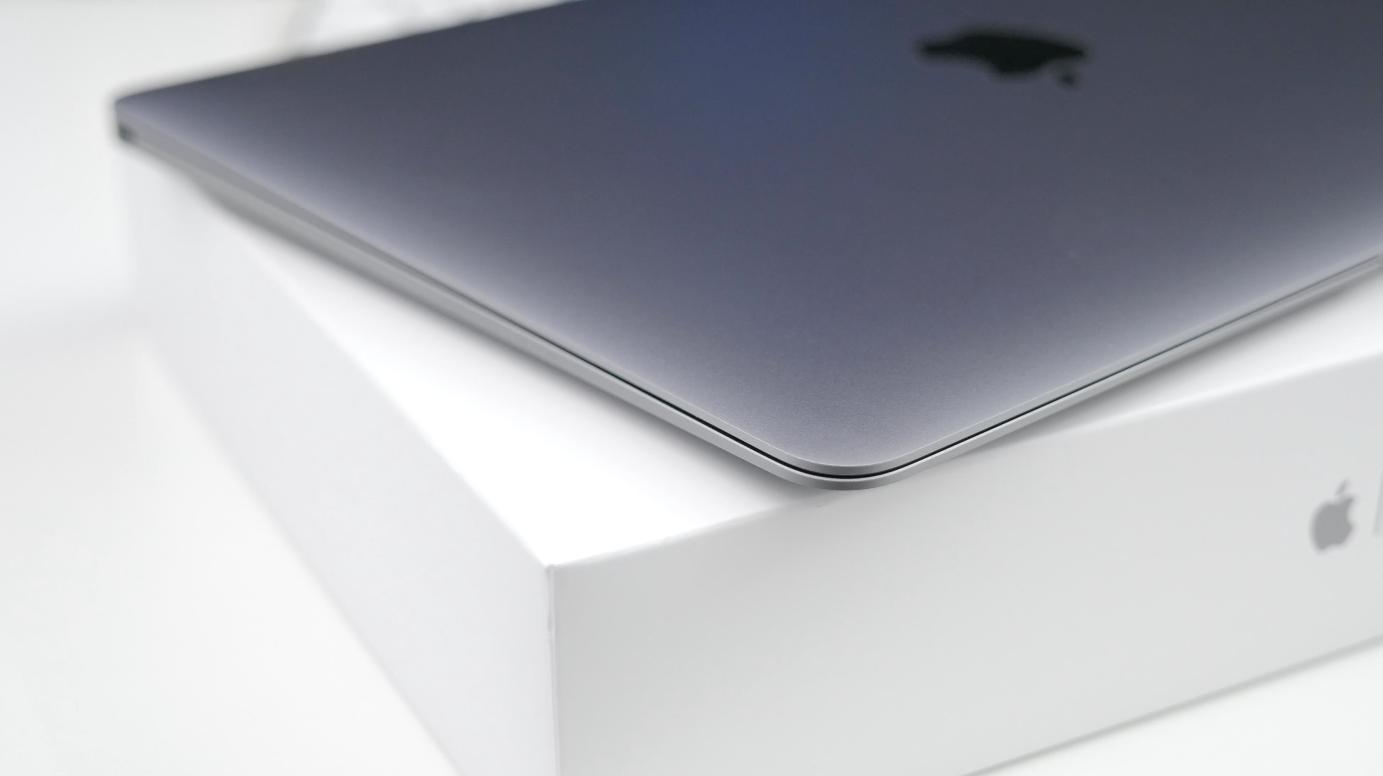
For the last month, I’ve been using Apple’s new 12-inch Retina MacBook almost exclusively. There’s no denying that’s it’s underpowered when compared to other models on the market, but is its portability worth the performance sacrifice? Can you really get anything done with a relatively small display, an Intel Core M processor, and more importantly, zero traditional USB ports?
This won’t be an in-depth review of features and performance (check out Zac’s take on the MacBook for an in-depth look), but instead, I’ve mainly focused on my personal experiences over the month I’ve been using it. Does the Retina MacBook live up to the hype? Let’s go ahead and find out…
With the Apple Watch released a few weeks ago and still making its way to customers around the world, Twelve South has started shipping its signature HiRise dock designed for any Apple Watch model. While the Apple Watch Magnetic Charging Cable offers a simple and convenient way of juicing the device even in the dark, the issues with Apple’s MagSafe technology still remain including an overly easy way to accidentally remove the charging magnet from the Apple Watch.
While HiRise still uses the same charging cable, its form factor helps alleviate the issue of your watch separating from the power source while offering a more attractive presentation of your Apple Watch. With its $50 asking price, though, how does Twelve South HiRise for Apple Watch stack up as one of the first charging stands? Read on for the details and more photos…
Expand
Expanding
Close
USB hubs are often hard to tell apart from one another: the Moshi iLynx 3 I reviewed here in February was the rare hub that actually matched the silver metal and black plastic look of the Macs it was designed to be used with. After an extended post-announcement delay, long-time Mac accessory maker Mobee Technology has finally released an alternative that uses two cool tricks to stand apart from all of its rivals: the Magic Hub ($50).
Five inches tall, 2.6″ wide and around 2″ thick, the Magic Hub is the first USB hub designed such that its physical characteristics are all but irrelevant. Mobee’s concept is to completely hide the Hub behind your iMac, filling the hole Apple left in the iMac’s stand using a screw-on clamp and a pass-through wall power port. Rather than requiring its own wall outlet for power, it hijacks the iMac’s power cable and passes power through both itself and your computer, powering four USB 3.0 ports in the process. If that sounds cool, read on…
Expand
Expanding
Close

Until this year, Mac owners had three major options for organizing large digital photo collections: Apple’s mainstream iPhoto, Apple’s “pro” app Aperture, and Adobe’s similarly professional-grade Lightroom. When Apple discontinued iPhoto and Aperture in favor of an even more basic app called Photos, many people —amateur photographers and professionals alike — had to decide whether to downgrade to Photos or switch to Lightroom. Apple understood that it was ceding at least the professional market to Lightroom, and even helped Adobe to develop Aperture and iPhoto to Lightroom importers. With the writing on the wall, some people switched to Lightroom 5 well before Photos officially debuted last month.
I didn’t; since Lightroom 5 was almost three years old, I wanted to see what Adobe would deliver in its much-anticipated sequel. On April 21, Adobe released Lightroom 6 and Lightroom CC (2015) as standalone and cloud-linked versions of the same app. Both promise major speed improvements over Lightroom 5, new tools and brushes, a new facial recognition feature, automatic HDR and panoramic photo creation, and new slideshow options. As part of Adobe’s “Creative Cloud,” Lightroom CC comes bundled with Adobe’s latest version of Photoshop, plus cloud photo synchronization services, for $9.99 per month. Alternately, Lightroom 6 can be purchased by itself for $149 as a standalone download, minus Photoshop and cloud functionality.
Below, I’m going to focus on the key questions Aperture users have been asking: what it’s like to transition from Aperture to Lightroom — including new details added after initial publication of this article — plus which version of Lightroom to buy, and whether transitioning is a good (and safe) idea. The answers may surprise you…


Scuff marks created during my own drop-tests …
The problem with buying a protective case for an iPhone or iPad is that you never know for sure just how protective it really is until it is needed to do its job. Even a drop-test video only shows you how well the case worked with that one drop on that one occasion.
The Urban Armor Gear (UAG from now on) iPhone and iPad cases are a little different. They are certified to a military standard known as MIL-STD-810G 516.6. In this test, a device is dropped from a height of four feet – the typical fall for a device dropped while using it – a total of 26 times. The tests cover falls into each corner, the face and back. To pass, the device must remain fully functional afterwards, with no damage at all to the screen.
This isn’t the same as no damage at all, of course, but it certainly lends confidence. And if that weren’t enough, UAG decided to demonstrate its confidence in the case by dropping an iPhone from space – video below …
Expand
Expanding
Close

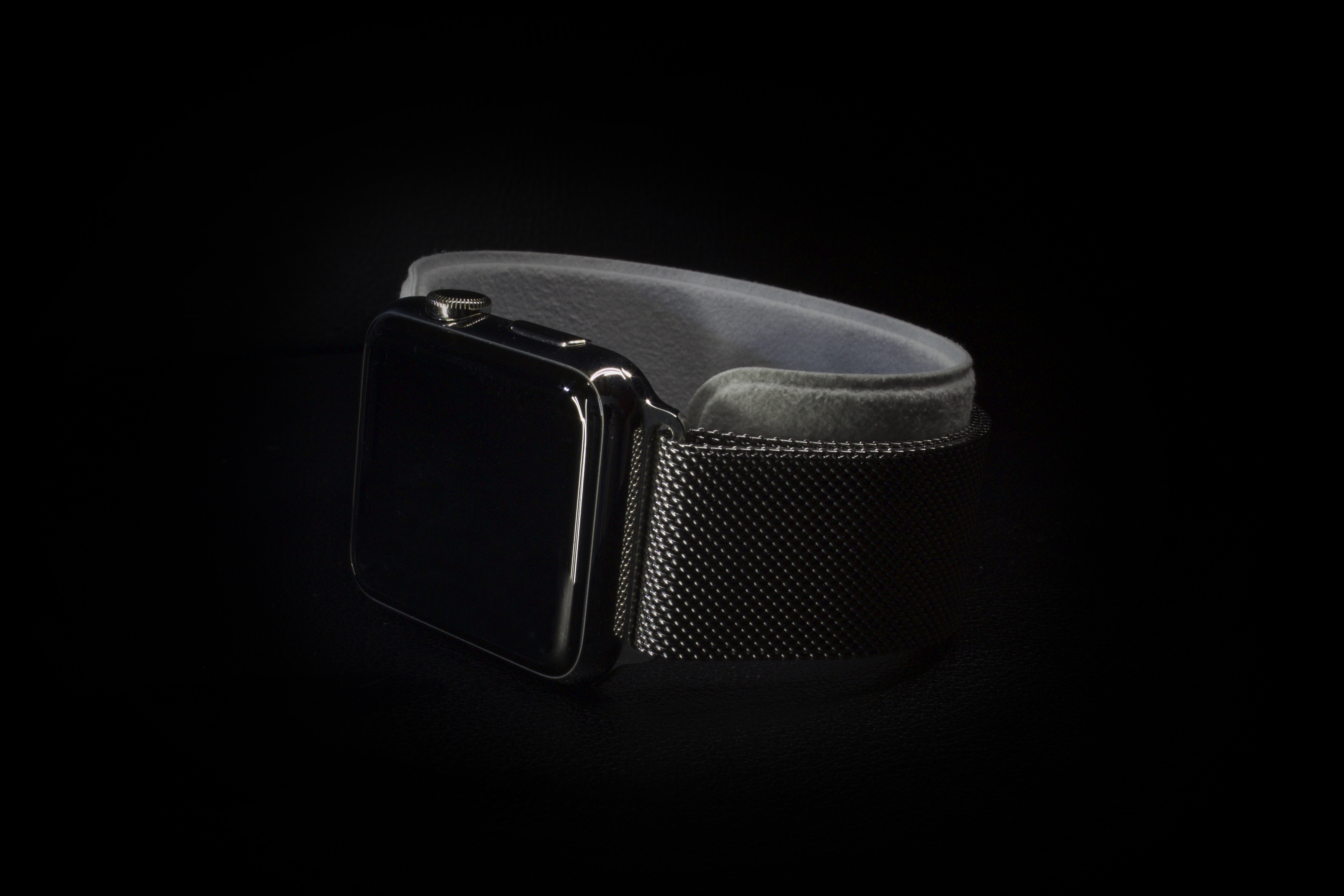
Precision. That’s the word that immediately came to mind the minute I picked up my Apple Watch for the first time. Something about this device felt different, on an almost subconscious level, from any other Apple product I’ve used before. Perhaps I was just caught up in the moment. After all, the Watch is the first totally new product to come out of Apple since the introduction of the iPad, which feels like so many years ago. On the other hand, I knew from the onset that I planned on buying the Apple Watch mostly for its design. I wasn’t so much interested in all of the software features it could offer me, I just couldn’t imagine not having this shiny little box on my wrist. With that in mind, let’s take a closer look at the Apple Watch strictly as a design piece.
Even though I’ve had a fair bit of experience with video projectors, I took Celluon’s PicoPro somewhat for granted when I reviewed it this January. I praised the pocket-sized projector, which squeezed a 720p laser video display and speaker into the footprint of an iPhone 6 Plus, but I didn’t triple-underscore how much easier it was to use than most of its rivals. PicoPro worked so well and so quietly with such little effort that I hardly thought about it.
AAXA’s ST200 Short Throw LED Pico Projector ($299) is the newest of the traditional projectors PicoPro is challenging. It has roughly the same footprint and 1280×720 resolution as PicoPro, but it’s around 2.5 times thicker, since it uses a lightbulb-illuminated LED projection engine — just like almost every other projector on the market. There’s an audible fan inside, and because ST200 needs to power that fan and the lightbulb, it can’t match PicoPro in battery life. It also requires more manual user adjustment when you’re setting it up.
But ST200 is a markedly better video projector and audio device when judged on raw output quality, and less expensive, besides. If you’re looking for a compact way to display 720p video from an Apple TV, Mac, or iOS device at up to a 100″ diagonal size, ST200 delivers brighter, more color-accurate video output than PicoPro, more powerful speaker output, and — if you appreciate this — many more settings to play with. Read on for the details…
Across the How-To guides I’ve written for adding solid state drives (SSDs) to iMacs, Mac Pros, Mac minis and MacBooks, there was one option I left out: thumb drives. While external SSDs such as Elgato’s Thunderbolt Drives and Samsung’s T1 can do two things — dramatically speed up Macs and add storage space — thumb drives tend to be much slower, lower in capacity, and made from inexpensive materials to achieve smaller sizes and price points.
Other World Computing’s new Envoy Pro mini (120GB/$119, 240GB/$199) sits directly between thumb drives and SSDs in both features and performance. “It’s nearly twice as fast as the average thumb drive,” OWC says, and roughly the size of an actual adult thumb — larger than most USB flash drives, but a lot smaller than traditional external hard drives, while promising “desktop-class” SSD speeds, capacities, and build quality. Unlike common plastic thumb drives, it’s made from aluminum and uses a USB 3.0 connector, yet matches desktop SSD 120GB or 240GB storage capacities. It’s affordable, but clearly designed to be a professional option.
How does it actually stack up? Read on…

While self-driving cars may be the future of personal transportation, we’re still stuck driving the old-fashioned way for now, and a new iPhone game will show you why the future can’t come fast enough.
The new USB-C port on Apple’s new 12-inch MacBook (review) is both a gift and a curse. If you frequently connect legacy USB peripherals to your notebook, then you’ll have to deal with using an adapter between your old gear and your new laptop each time (and should possibly consider another machine for now). The move from Apple’s proprietary MagSafe 2 connection to the new industry standard USB Type C port for charging, however, opens up the door to third-party power adapters and portable battery packs.
During my initial MacBook evaluation, I verified this possibility with a 13,000mAh portable battery pack I had on hand. Vinsic’s 20,000mAh ultra slim power bank is a giant battery that offers even more juice for your iPhone, iPad, or 12-inch MacBook with a sleek design and an LED status indicator…

Apple has today added a new guideline to the App Store Review Guidelines, the first clause specifically targeted at Apple Watch development. This rule that Watch apps that only tell time will be rejected has actually been enforced since Apple started accepting WatchKit submissions as many developers complained to find their apps had been rejected for this reason. The documentation change now formalizes this rule into an official policy.

Two of the hottest product categories at this year’s CES were home automation and wearables, which Apple is now tackling with HomeKit and the Apple Watch. As has historically been the case, the price premiums Apple has set for its products have left plenty of room for more affordable alternatives. Misfit, a company co-founded by former Apple CEO John Sculley, is now competing in both categories: the just-released Bolt Wireless LED Smart Light Bulb ($50) joins a small collection of Bluetooth-controlled lights, while its late 2014 wearable fitness and sleep tracker Flash ($33-$50) is in the process of being upgraded to control Bolt.
Misfit’s pitch for Bolt is interesting. It’s billing the color-shifting bulb as producing “gallery-quality light,” and focusing its new Misfit Home app for iOS on creating “Lightscapes” — lighting scenarios including neutral bright white, warm sunrises and sunsets, candlelight, forest and volcanic tones, amongst other “scenes” where the color is set but the brightness is adjustable. When Bolt works, it’s a wonderful source of light, but as is common these days, some post-release tweaks will be needed to exploit its full potential…
The first time I found an AC wall outlet under my seat on an airplane, I realized that I could use my MacBook Pro with its wall charger for hours, even if I’d partially discharged the battery before boarding. Later, when I rode a bus with an AC outlet onboard, the freedom to enjoy my laptop for hours made the long trip feel brief. But I’ve had far more trips without AC outlets than with them, and there have been plenty of times when my MacBook could really have used a recharge mid-trip.
That’s why I’m genuinely excited about ChargeTech’s ChargeAll Portable Power Outlet ($150-$200), which primarily exists to give you access to an AC outlet literally anywhere you might be — something that I can’t believe has taken so long to become available. There are two versions, one with 12,000mAh of power, and the other with 18,000mAh of power, either with enough energy to keep your MacBook going for hours on the road. Both units have the overcharge and short circuit protection you’d expect from a surge board — the difference is that you can toss them into a bag or a car…
Omitting an integrated stand was a critical decision when Apple designed the first iPad: it eliminated the thickness, moving parts, and weight that the feature would certainly have required. But stand functionality was obviously needed, so Apple built one into the lid of the very first iPad case, then evolved it into Smart Covers and folio-style Smart Cases. ZeroChroma and several other companies subsequently built stands into the backs of lid-free iPad cases, but most of the other great iPad stands out there are standalone — meant to sit around waiting for your iPad to return.
Lynktec’s 360° Tablet Kickstand ($40, aka Grip Stand) is designed for people who want a “take it everywhere” stand that works with any iPad. Made from solid aluminum and black plastic, it uses a residue-free adhesive pad to attach to the back of a bare or encased iPad, folding down and rotating for easy storage. If you don’t already have a case with a built-in stand, this may be your next best option…
I love Netflix. I haven’t even owned a TV for many years, relying on either a MacBook Pro – with or without Apple Thunderbolt Display – and iPad for the limited amount of TV and movie viewing I tend to do.
Magzter Gold essentially aims to be a Netflix for magazines, a single monthly subscription giving you all-you-can-eat access to digital magazines on your iPad. The reality is a little messier, and whether it makes sense for you will depend on how many magazines you read and which ones …
Expand
Expanding
Close


LifeProof has become a household name in the iPhone accessory world since debuting its first ultra-protective case in 2011. The company has continued improving its waterproof cases with each new version of the iPhone. With the iPhone 5, LifeProof introduced its Nüüd series, which offers protection from water, snow, dirt, and shock while still exposing the display. We took a look at it last summer, noting that its an excellent choice for the adventurous iPhone user, albeit a bit bulky. It’s still available for $48.
With the iPhone 6, Apple presented LifeProof with a new challenge. The large, thin form factor of the iPhone 6 meant that LifeProof would have to work incredibly hard to develop a case that maintained a manageable form factor, while offering the same protection that users of the case have come to expect. We reviewed the LifeProof Fre for the iPhone 6 earlier this year and pointed out that it was a well thought out option, but that the Nüüd model would be very much welcomed. I’ve recently been testing the LifeProof Nüüd case for the iPhone 6. Here’s what you need to know:

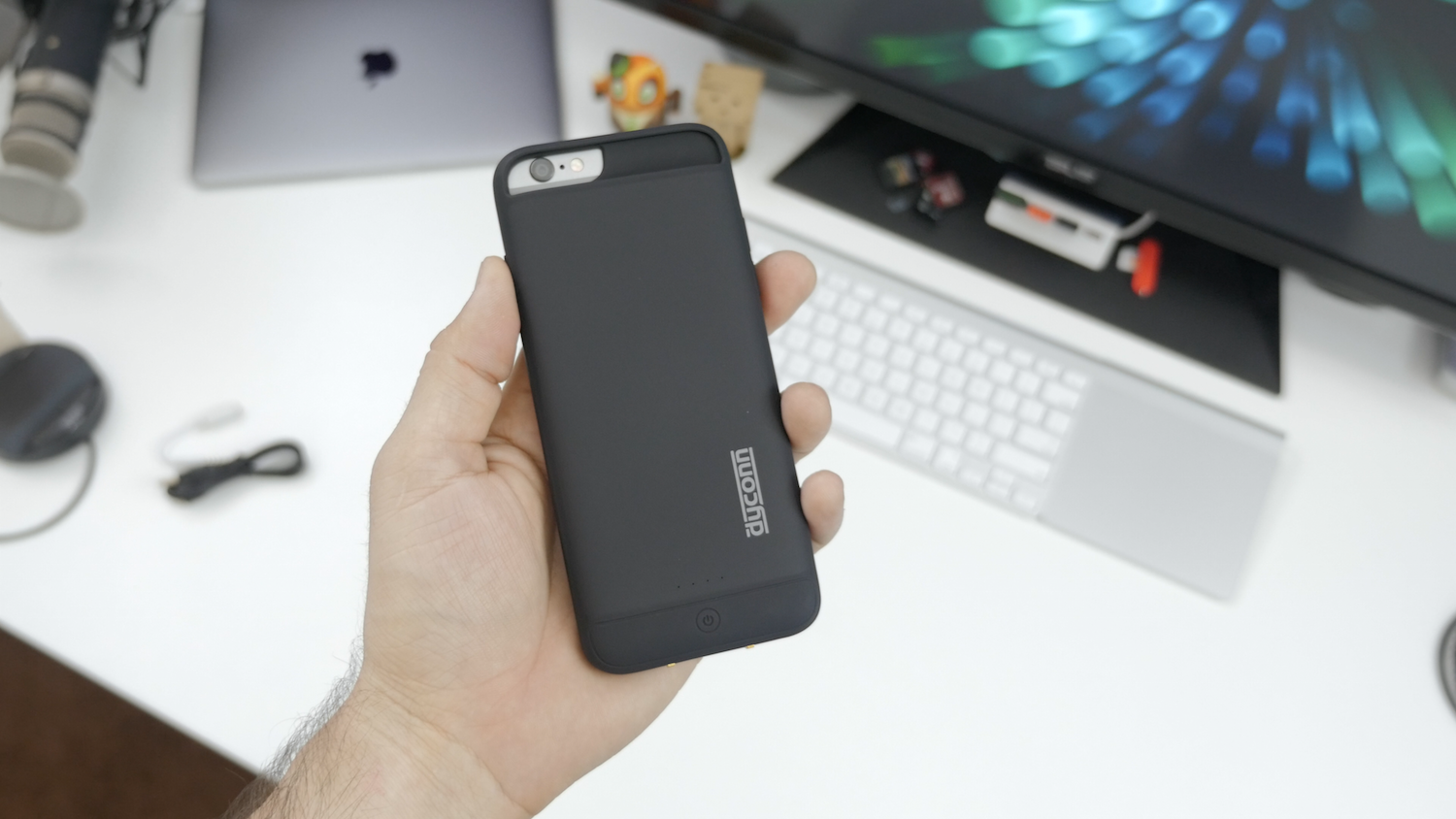
There are absolutely no shortage of battery case offerings for iPhone 6. Even though we’ve covered the best iPhone battery cases here, it’s sometimes overwhelming sorting through them all. The real winners are the ones with maximum battery capacity and some extra features to spice things up. Recently, I came across Dyconn’s i6 Power Case and was pleasantly surprised to find that it fits most of what I was looking for, but is it enough? Well, not only does this case pack a 3,200 mAh battery inside, it also features wireless charging. It’s not a must-have feature, but I sure do appreciate the convenience…
Early reviews of Apple’s MacBook (Retina, 12-inch, Early 2015) have framed it as an expensive prototype from the future — a notebook that will someday be the standard, but one most people aren’t ready for yet. Despite that classification, the new MacBook is extremely tempting if you’re in the market for a new computer: it’s more portable than even the MacBook Air, it’s the first Mac available in gold and space gray finishes, and it has a trackpad with a new feature called Force Touch.
But can you actually do work on the 12-inch MacBook? That’s the $1300 question everyone is asking. I’ll unpack my experience below …
As a founding member of the Wires Are Evil club, I’ve been waiting impatiently for wide-area wireless charging, where any device on a desk or within a certain area of a room is wirelessly charged. That still seems a way off yet.
A good halfway house would be inductive charging powerful enough to work through the thickness of a desk, so your charging pads sit out of sight on the underside of the desk and your devices charge as soon as you put them down on the right place on the desk. Sadly today’s wireless charging standards are too weedy to work through even the thinnest of desks.
If you want wireless charging today, then, you’re going to have to have a visible wire to a charging pad, and place your device on that. Apple has so far limited wireless charging to the Apple Watch, but if you want it for your iPhone, you can buy a wireless charging case that allows you to use any compatible wireless charging pad. We’ve reviewed a number of these over the years, and I thought it was about time to try one for the iPhone 6 …
Up until now, Bluetooth wireless audio was purely optional for Apple’s devices: every iPad, iPhone, and iPod has shipped with a 3.5mm audio port to connect with wired earbuds and headphones. The Apple Watch is different: it’s Apple’s first fully wireless device, with no user-accessible ports to connect accessories, even though it can work as a standalone music player during workouts. The lack of a headphone port is actually a positive, since tethering your wrist to your head with a cable would look silly, and isn’t ergonomically ideal. Thankfully, Bluetooth headphones have come a long way over the past few years, shrinking from gangly and boxy earmuffs into earphones comfortable enough to exercise with.
Since one of the Apple Watch’s major selling points is fitness functionality, this quick guide to the best Apple Watch headphones and earphones focuses mostly on accessories that can work anywhere, rather than options you can’t wear while exercising. But I’ll include some larger options, too, just in case you’re picking a pair for non-athletic use, or to share with your iPad, iPhone, iPod, or Mac…
Mophie’s Juice Packs are unqualified success stories. After debuting the first Juice Pack in late 2007, Mophie became synonymous with “iPhone battery cases,” and enjoyed years of popularity despite increasing competition. But the company’s USB battery packs aren’t as well-known. Ranging from minimalist to ruggedized, Mophie’s Powerstations range from 3,000mAh to 12,000mAh in capacity, and carry hefty $80 to $150 MSRPs. Regardless of whether they’re judged by features or battery performance for the dollar, they’re hard to pick over rivals, since you can now get a high-quality 25,600mAh battery for the same price as a 3,000mAh PowerStation.
Based upon last year’s iPhone 5/5s-specific Space Packs, the brand new Spacestation is Mophie’s shot at differentiating its USB batteries from the masses. Offered in 32GB ($150), 64GB ($200) and 128GB ($300) capacities, Spacestation combines an app-managed USB flash drive with a 6,000mAh battery, which promises “3X extra battery” life. Realistically, that’s enough power for a full recharge of the original iPad mini or three recharges of older iPhones. But since 6,000mAh batteries are getting cheaper every week, Spacestation’s appeal is mostly in its ability to at least double the number of videos, music, photos, and documents that can be accessed by your iOS device on the road…