Apps

See All Stories

Learn about the latest news for iOS, Mac, Apple Watch, and Apple TV apps

Apps for iOS, macOS, tvOS, and watchOS power our modern world. 9to5Mac will update you on the latest news, review, and updates for all types of apps. “There’s an App for that”.

The term came became part of our vocabulary when Steve Jobs announced The App Store as part of the iPhone 2.0 software update in 2008.

Over the years, the term has become as common as kleenex for describing applications on all of our devices. Apple’s platforms have apps for just about anything from finance, banking, sports, social media, podcasting, music, and more. We have a guide for helping you discover the best ones as well. Apps are now on everything from our TV, to our smartphones, on our laptops, and all the way down to our wrists.

As new ones are released or existing ones have major updates, the team here at 9to5Mac will bring you the latest news and reviews. If you want to follow along with video footage, be sure to follow 9to5Mac on YouTube. Scroll down below our latest updates on all things relating to applications on iPhone, iPad, Mac, Apple TV, and Apple Watch.

Site default logo image

Tumblr now lets you customize your blog theme from its iOS app

Tumblr today released an updated version of its app for iPhone and iPad that allows users for the first time to customize the look and design of their blog directly from within the app. While you could always post and edit content to your blog from the app, the update means you’ll now be able to also edit your blog’s theme— change colors, fonts, pictures, etc— through the mobile app.

You now have total control over how your blog looks in the app. Colors, fonts, pictures, whatever—however you want to look, you can look that way. Download this thing and make your blog look amazing already.

You’ll be able to make changes to layout, color, font, etc through a WYSIWYG-style UI similar to on the web and also view a live preview of the changes before going live.

The update is available now on the App Store for iPhone and iPad users and also arrive for Android today.

Site default logo image

Rovio launches Flappy Bird-style game ‘Retry’ in select countries

[youtube=https://www.youtube.com/watch?v=ta0SJa6Sglo]

Angry Birds maker Rovio is today launching its latest title in the App Store with the release of ‘Retry,’ a game that appears to be inspired by the gameplay and retro 8-bit graphics of recent hit iOS game Flappy Birds. Although that might be selling it short, as it’s clear from the mechanics shown off in the trailer above that this is much more than just a Flappy Birds clone.

From the guys sitting in the room next to the guys who made Angry Birds, comes RETRY – a game so hard, so addictive, so old school that you’ll think you’ve stepped into an 8-bit time machine and gone back to 1986. Totally rad!

The game is the first release from Rovio’s latest publishing arm “Rovio LVL 11,” which, according to Gamasutra, will exist for Rovio’s new titles that don’t quite fit in with the Angry Birds world. That means you shouldn’t expect to see a ton of cross-promotions with Retry and Angry Birds or any of the other Rovio’s titles.

Retry is already available in the App Store for both iPhone and iPad, but it’s currently only available in Canada, Finland, and Poland. We’d expect to see the title arrive in the US and globally in the near future.

Site default logo image

9to5Toys Last Call: $100 iTunes GC $85, uNu DX iPhone 5/5s battery case $50, WD 2TB portable HD $90, more

Be sure to follow 9to5Toys to keep up with the best gear and deals on the web: TwitterRSS Feed,FacebookGoogle+ and Safari push notifications.

Today’s can’t miss deals:

Last Call Updates:

$100 Apple iTunes gift card for $85 shipped (15% savings)

uNu DX iPhone 5/5s 2300mAh MFi battery case (black, white, gold, red): $50 shipped (Reg. $90)

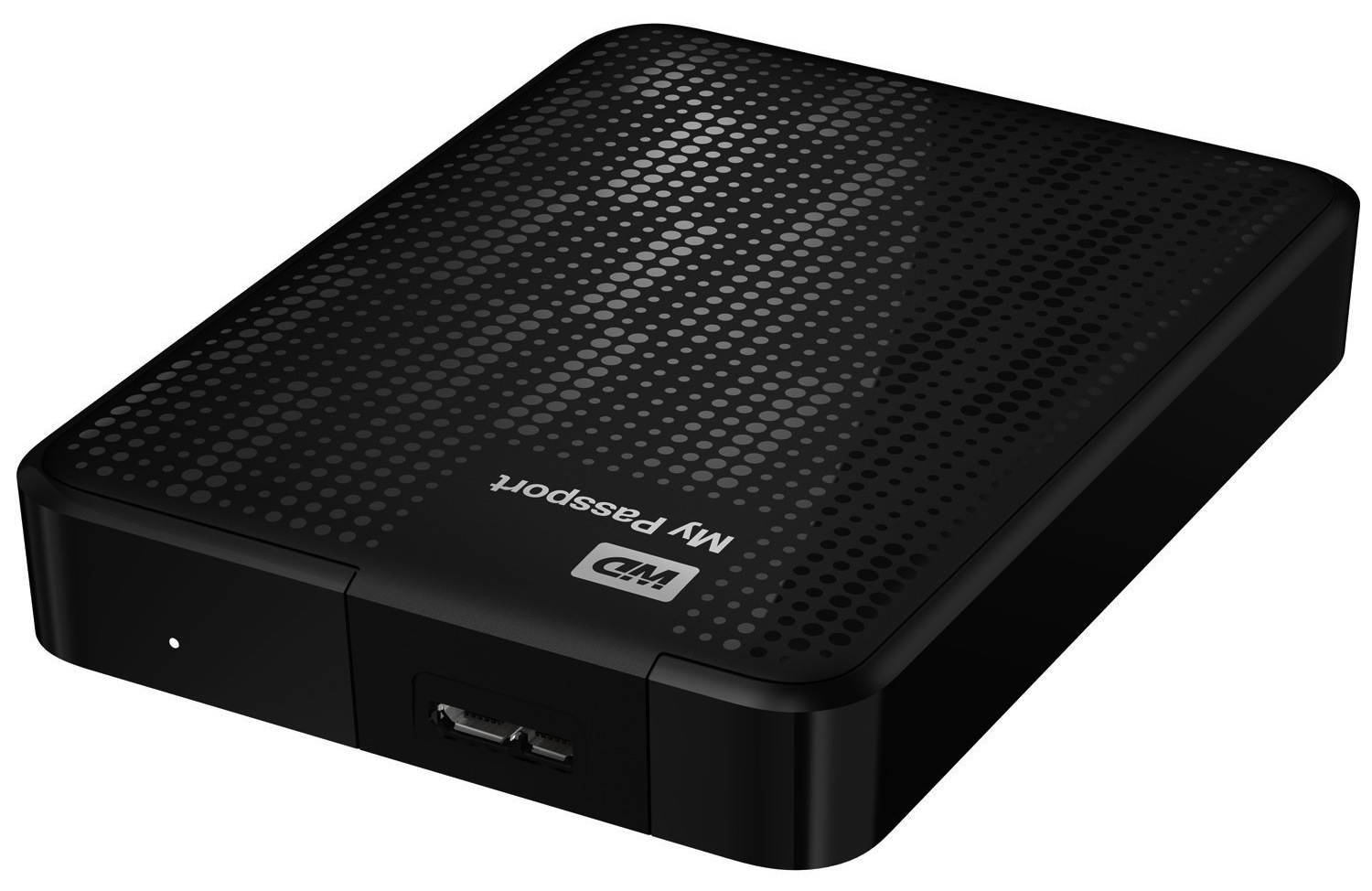
Western Digital My Passport 2 TB Portable Hard Drive $90 shipped (Reg. $200)/ 1TB Ultra $60 shipped (Reg. $120)

2013 Haswell MacBook Air deals: .EDU email address only: 2013 Haswell MacBook Airs from $610 (open-box)$650 (new), Non-EDU from $799 shipped (new, unopened)

Other deals from today:

  • New! Up to 80% off select PNY flash drives, memory cards, and power banks. 128GB as low as $39 shipped
  • New! Daily Deals: 28″ HDTV DVD Combo $150, Logitech Headphones $59, Galaxy Cam $200, BT Speakers, more
  • New! Games/Apps: Metal Gear Solid V: Ground Zeroes $25, Killzone: Shadow Fall $30, iOS freebies, more

More deals still alive:

New products/useful info:

Microsoft/Google/Android:


Reuters summarizes a year’s worth of our Apple iWatch, Healthbook, & medical hires reporting, adds fresh insight

Site default logo image

Reuters is out today with a story headlined “Apple on medical tech hiring spree, a possible hint of iWatch plans.” The article is mostly a summary of nearly a year’s worth of our reporting here at 9to5Mac, but does add some fresh 3rd party analysis into Apple’s impact on the biomedical field. Starting from the beginning of the reporting’s details:

Reuters, today: 

Apple Inc is building a team of senior medical technology executives, raising hackles in the biotechnology community and offering a hint of what the iPhone maker may be planning for its widely expected iWatch and other wearable technology.

 iWatch’s novelty emerges as Apple taps sensor and fitness experts:

Apple has begun assembling a team of hardware and software engineering, medical sensor, manufacturing, and fitness experts, indicating the company is moving forward with a project to build a fitness-oriented, sensor-laden wearable computer, according to our sources.

Going point-by-point:


Expand
Expanding
Close

Site default logo image

T-Mobile is again offering free MLB At Bat access to customers

Like it did last year after inking a partnership with Major League Baseball, T-Mobile is once again offering free access to the MLB At Bat apps on iOS and Android. Tmonews points us to official confirmation from a T-Mobile support employee:

“UPDATE: As the official sponsor of Major League Baseball, we will be offering MLB At Bat 14 to our customers for free starting May 1 through the entire regular season! With our unlimited data and nationwide 4G LTE, you can enjoy all the great features MLB’s At Bat has to offer!”

That’s instead of paying for one of several MLB subscriptions that grants access to the app starting at $2.99 monthly or $20 for the entire season. There’s no word from T-Mobile with the official details yet, but we’d imagine customers will get access to all the live games and content apart from premium features available to $115/per year MLB.TV Premium subscription. 

The MLB At Bat app is available for iOS and Android now.

Site default logo image

9to5Toys Last Call: The Wolf Among Us for iOS goes free, Mother’s Day deals, Star Wars app price drops, more

Be sure to follow 9to5Toys to keep up with the best gear and deals on the web: TwitterRSS Feed,FacebookGoogle+ and Safari push notifications.

Today’s can’t miss deals:

Last Call updates:

Celebrate #MayTheFourth with the best Star Wars deals: Lego, lightsabers, apps/games, freebies, more

Stars Wars game deals are already kicking off on the Mac App Store, Newegg, and Steam including Knights of the Old Republic for $3.06 and The Force Unleashed: Ultimate Sith Edition for $6.12). You’ll find a number of discounted iOS Star Wars titles as well like the highly rated Star Wars Pinball 3 for FREE and Knights of the Old Republic for $4 (Reg. $10).

Samsung 840 EVO Series 500GB 2.5″ SATA III SSD: $230 shipped (orig. $480)

[youtube http://www.youtube.com/watch?v=JDvPIhCd8N4]

Games/Apps: Games/Apps: NBA 2K14 $40, Infinity Blade $1, Super Stickman Golf 2 FREE, iOS freebies, more

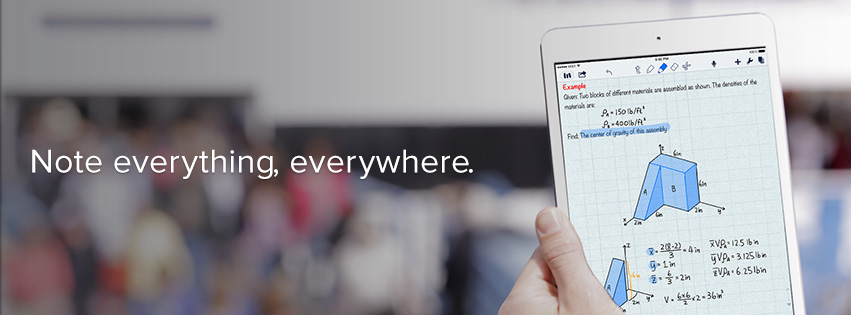
‘Notability’ for iPhone and iPad goes FREE for the first time ever (Reg. $2.99)

2013 Haswell MacBook Air deals: .EDU email address only: 2013 Haswell MacBook Airs from $610 (open-box)$650 (new), Non-EDU from $799 shipped (new, unopened)


Other deals from today:

  • New! In-ear Headphones: Logitech UE 500 $20, Logitech UE 350 $13, Sennheiser MX 680 Sport $15
  • New! Daily Deals: Goal Zero Solar Kit $70, Logitech Accessories up to 75% off, iPhone 5/5s battery case $70, more
  • New! One year magazine subs: GQ w/ digital $5 shipped (Reg. $48), Macworld, Fast Company, more
  • New! Native Instruments Maschine (MK2) sequencer: $499 shipped (Reg. $600)


More deals still alive:

New products/useful info:

Microsoft/Google/Android:

Site default logo image

iCloud goes down… down under

Several reports are coming in that Apple’s iCloud services have been experiencing an outage in Australia in addition to a few reports from New Zealand. Most appear unable to access any iCloud services such as Calendars and Mail, and others report Apple’s iMessage service is also down. The problems appear to have started late last night eastern time and continued into the morning today.

Apple is yet to update its System Status page to reflect the outages, but users continue to report problems. A long list of tweets from users in both Australia and New Zealand note the system was still down as of this morning.

[tweet https://twitter.com/peterchaly/status/462186048710512640]

[tweet https://twitter.com/dreasaez/status/462183077885001728]

[tweet https://twitter.com/justinholst/status/462194257323757571]

Site default logo image

Apple adds TV shows to Apple TV, iTunes in the Cloud support for TV shows & movies in Germany

Apple has started rolling out TV shows in addition to  iTunes in the Cloud support for TV shows and movies to Apple TV and iTunes users in Germany. A report from Germany blog iFun.de notes the iTunes in the Cloud functionality, allowing users to access TV shows and movies that were previously purchased through iTunes, is now accessible from both Apple TV and the Purchased content section in iTunes on the desktop and iOS devices.

Previously Apple only supported music, music videos, apps and books for the iTunes in the Cloud feature in Germany and it’s yet to update the availability support pages for iTunes in the Cloud or content on Apple TV to reflect today’s roll out.

Beats Music 2.0 update delivers iPad version for subscription music service

Site default logo image


Well, there it is. Beats Music updated to version 2.0 today bringing native support for the streaming music subscription service for iPad users. Beats Music teased the iPad version just yesterday in a teaser image shared over Twitter. Beats Music also recently added support for in-app subscription purchasing making it easier for users to use the full version of the service. The update also includes the ability to find other Beats Music users you may already know through Twitter.
Expand
Expanding
Close

Slingshot app lets you share your iOS screen with others on any platform

Site default logo image

I’ve written about apps from Squirrels in the past. It makes the AirParrot and Reflection apps that let you mirror your Mac or PC screen to an Apple TV or your iPad, iPhone, and iPod touch screen to a Mac or PC. Today it’s launching a new product that utilizes technology from both of those previous apps called ‘Slingshot.’ The cross-platform apps let you share your iOS screen with others on iOS, Mac OS X, Windows, or Android, and provides some slick collaboration tools in the process:
Expand
Expanding
Close

Site default logo image

Microsoft updates OneNote for iPhone & Mac w/ top requested features

Following updates to the Office apps for iPad yesterday that introduced printing support, Microsoft announced today that it’s updating the OneNote apps for iPhone and Mac with the top requested features from users. Included in the new features for iPhone users is the ability to create new notebook and sections, a revamped look that fits in more with iOS 7, and the Office Lens feature that was already available to iPad users. 

We’ve built Office Lens into OneNote for iPhone. Similar to Office Lens on OneNote for iPad, this popular feature turns your iPhone into a pocket scanner so you can use it to take pictures of things like receipts or whiteboard notes. Then, with Office Lens you can trim, enhance and make pictures more readable. Best thing is, images are automatically synced to OneNote, and if your picture includes printed text, OneNote can recognize the text with optical character recognition (OCR) so you can search for words in the image.

The Mac app gets improved printing, drag and drop images from the web, and much more:

  1. Print notes: You can now print out your lecture notes, travel itineraries or recipes by simply navigating to the page of your choice and bringing up the standard system print dialog from the menu. In addition, you can save the page as a PDF file through the Print dialog.
  2. Drag and drop images: Yes, this is as easy as it sounds! If you are browsing the web for ideas for a remodeling project and find some pictures you want to capture, you can easily drag and drop those into OneNote. If you have an album on your local machine, you can simply drag and drop multiple photos from Finder into OneNote. Additionally, this update also adds image formatting tools so you can restore the size of the picture if it’s been modified from its original state, or rotate pictures as desired.
  3. Format Painter: You may recognize this option from other Office applications. Format Painter is a handy tool to quickly apply the same text formatting throughout your notes. For example, if you copy and paste content from different sources with different formats, you can easily apply the same consistent format across all the content in a couple clicks. WARNING: this tool is highly addictive. Once you start using it, you won’t be able to stop.
  4. Copy and paste formatted content: When using OneNote for project management, class research or travel planning, capturing content from other places into OneNote is essential. Whether it’s formatted text from a Word document, tables from Excel or webpages, you can easily capture rich content and place it in your notes so it looks the same as it did in Word, Excel or on the webpage.
  5. Hyperlinks: Sometimes links can be long, unwieldy and aren’t always self-explanatory. You can now keep your notes organized by adding a display name for links in your notes.

The OneNote for Mac and OneNote for iPhone apps are available on the App Store now.

Site default logo image

Beats Music teases upcoming iPad version of streaming service

After being announced last fall and debuting an iPhone app at launch in January, streaming music service Beats is finally ready to ship an iPad-optimized version of its software… almost. Beats Music tweeted the photo above earlier today with the caption “THIS JUST IN: Your favorite Music App is feeling ready to grow in size…literally… “. The news follows recent moves to increase accessibility to becoming a paid subscriber to the service as it recently added in-app subscription purchasing capability (something which gives Apple a 30% cut of the rate).

9to5Toys Last Call: Haswell MacBook Airs from $610, Logitech UE BOOM BT speaker $139, Blu-rays $5 each, more

Site default logo image

Be sure to follow 9to5Toys to keep up with the best gear and deals on the web: TwitterRSS Feed,FacebookGoogle+ and Safari push notifications.

Today’s can’t miss deals:

2013 Haswell MacBook Air deals:


Expand
Expanding
Close

Hulu announces free viewing coming to mobile this summer

Site default logo image

At Hulu’s Upfront event in New York today, the streaming media company announced some interesting news for cable cutters and entertainment indulgers. Beginning this summer, viewers without paid Hulu Plus accounts will be able to view full episodes of TV shows via the Hulu mobile apps at no cost. The content will still be ad-supported, of course, as even paid members are exposed to advertising, but content will include full TV episodes. Currently, only Hulu members with a paid subscription can access content on mobile devices like the iPhone and iPad and free viewing is restricted to the web. Additionally, Hulu says the company will release “the next generation” of its Hulu Plus app for iPhone around the same time this summer.
Expand
Expanding
Close

Site default logo image

Adobe updates Photoshop Express for iOS with new design and features

Adobe has published an update for its mobile photo editing app, Photoshop Express, bringing the version up to 3.3. The update includes a redesigned interface to match iOS 7’s look along with a handful of new features.

Feature-wise, the update adds a ‘green eye’ correction filter, an auto-save feature, improved tool tips, a better photo picker, and new sharing options for Instagram and SMS.

The update is available for free to everyone on the iOS App Store.

What’s New in Version 3.3

• A brand new editing experience with a new look for iOS7
• Share via Instagram or SMS
• Pet-eye (a.k.a. green-eye) correction
• Save your work without saving now that the app resumes where you left off
• Navigation improvements throughout the app, including Tool Tips and updates to the Photo Picker
• Bug fixes and performance improvements.

Site default logo image

9to5Toys Last Call: Airbender BT iPad mini keyboard case $25, TP-Link travel router $15, Blu-rays from $5, more

Be sure to follow 9to5Toys to keep up with the best gear and deals on the web: TwitterRSS Feed,FacebookGoogle+ and Safari push notifications.

Today’s can’t miss deals:

Last call updates:

Staples $10 off $100 or more: Amazon Fire TV $90 (10% off), more

1-year magazine subs w/ digital access: Wired $5 shipped (Reg. $60), ESPN $5 shipped (Reg. $104), more

Sony NEX-6L 16.1 MP Digital Camera w/ 16-50mm power zoom lens $525 shipped (Reg. $900)

[tweet https://twitter.com/9to5toys/status/461184718550347776]

Other deals from today:

More deals still alive:

New products/useful info:

Microsoft/Google/Android:

Microsoft adds printing support to Office for iPad apps, other features

Site default logo image

When Microsoft launched its Office for iPad apps last month, one of the most requested missing features was printing support. Just over a month later, today the company announced in a blog post that it’s updating the Word, Excel, and PowerPoint iPad apps with support for printing in addition to other new features and fixes.

Your top request is here! You can now print Word documents, Excel spreadsheets, and PowerPoint presentations to an AirPrintTM printer. In Word for iPad, you can choose to print a document with or without markup. In Excel, print a selected range, a single worksheet or an entire spreadsheet. Of course, you can select the pages or slides you want to print.

In addition to printing, the company also announced that its updated PowerPoint with SmartGuides, the tool that allows users to easily “align pictures, shapes, and textboxes as you move them around on a slide.” You’ll also find other new features for Excel, as well as fixes and improvements in the other apps:
Expand
Expanding
Close

Site default logo image

Yahoo Mail iPhone app adds weather, web search, news, scores & more (for better or worse)

Yahoo released an interesting update to its Yahoo Mail app for iPhone today. In version 3.0, Yahoo is integrating many of its other services including weather, sports scores, stocks, images, news, and web search directly into the mail app. The goal is to provide users one easy place to access all their content from Yahoo, but it’s unclear what that means for the future of Yahoo’s other iOS apps for each of the services. The feature is currently only available to iPhone users running iOS 7 and up.

When you’re finished reading and replying to your email, see what’s happening in the world by tapping on the News icon. From celebrity gossip to the latest political news, you’ll find it in your personalized, visually rich news stream.

Let’s head over to the Today icon. Here’s where you’ll find a snapshot of the information you care about most every day and search — from your local weather to a news digest to the latest stock quotes and sports scores you care about.

The updated app provides new three new tabs along the bottom—  Mail, News, and Today— with Mail bringing you to your inbox, News providing a stream of all stories from Yahoo, and Today providing an overview of weather, trending content, scores, and access to web search. While I have a feeling that some might not be too happy about their Mail app being bombarded with all this new content, Yahoo has done a pretty good job of keeping it out of the way if you only ever want to see your inbox.

Yahoo Mail version 3.0 is available on the App Store now.

What’s New in Version 3.0

– Feature updates for iPhone iOS7+. Your Yahoo Mail app is now enhanced with news, search, and snapshots of the weather, sports scores, stocks, and News Digest. Access the info you need, all in one app.
– Performance improvements
– Bug fixes

[youtube=https://www.youtube.com/watch?v=pSjEMBLANjw]

Site default logo image

4Snaps word game for iOS updated to version 2.0 with a new look and gameplay tweaks

[vimeo 92684154 w=700 h=394]

4Snaps, the creative new word game we first wrote about when it debuted last year, has gotten a big overhaul today with the launch of its 2.0 update. The new version brings a new design with a gesture-focused interface that bounces around playfully using the new UI physics found in iOS 7.

Other interface tweaks include the ability to rearrange your snaps before sending them, delete finished games from the main screen, and preview exactly what your opponent will see when you hit the ‘send’ button.

The update also adds some new tweaks to the gameplay. If you’re having trouble figuring a word out, you can now share snaps to Instagram and ask your followers on that network for help.

The in-game economy has also gotten a boost. In the old version of the game, you could spend in-game coins to switch out your set of playable words for a new one. Now you can also spend those coins on hints, such as removing any incorrect letters from the board. And where coins were previously earned only by completing rounds, you can also now earn them by watching in-game video ads.

Overall, this is a really solid update to what was already a fun game. 4Snaps 2.0 is a free download on the App Store for all players.

Clear for iOS and Mac updated with Reminders feature and new sound packs

Site default logo image

After previously announcing the feature and showing it off last month in a promotional teaser, Realmac Software is finally bringing the highly requested reminders functionality to the popular Clear to-do list app on both the Mac and iOS platform. The latest version also brings some extra goodies that add even more personality to the app like new sound packs. Check out the details below to see how the latest version of Clear measures up as an alternative to Apple’s own Reminders application and other apps as well.
Expand
Expanding
Close

Site default logo image

Facebook Messenger 5.0 adds video sharing, faster photo and sticker access, more

Facebook today updated Messenger to version 5.0 bringing a list of feature improvements to the iPhone messaging app. The new version boasts a streamlined design for accessing and sharing photos as well as a new shortcut for downloading sticker packs (tap and hold a sent sticker to download the pack), but it’s main feature addition tackles video. Users can now access and share video clips to other users within the app. Previous versions were limited to only sharing photos and voice recordings. The update also includes improvements to searching people and groups by name.
Expand
Expanding
Close

Site default logo image

9to5Toys Last Call: Automatic: iPhone driving assistant $80, two iPad Air cases $11, SOUL BT headphones $40, more

Be sure to follow 9to5Toys to keep up with the best gear and deals on the web: TwitterRSS Feed,FacebookGoogle+ and Safari push notifications.

Today’s can’t miss deals:

Last Call updates:


Automatic: Your Smart Driving Assistant for iOS/Android $80 shipped (Reg. $100)


2-pack of rooCASE Apple iPad Air cases for $11 with free shipping (Reg. $36)


Headphones:

Staples Coupon $30 off select $60+ purchases: Save on wireless network cams and more

Other deals from today:

More deals still alive:

New products/useful info:

Microsoft/Google/Android:

  • XCOM: Enemy Unknown now available on Android for $10
  • Google Play Premium App Sale: The Room Two, The Dark Knight Rises, Need for Speed, many more
  • Save 25% on three wireless accessories at AT&T, includes new Samsung wearables
  • Microsoft’s new 365 subscription gets you Office on one Mac or PC & tablet for $69/year

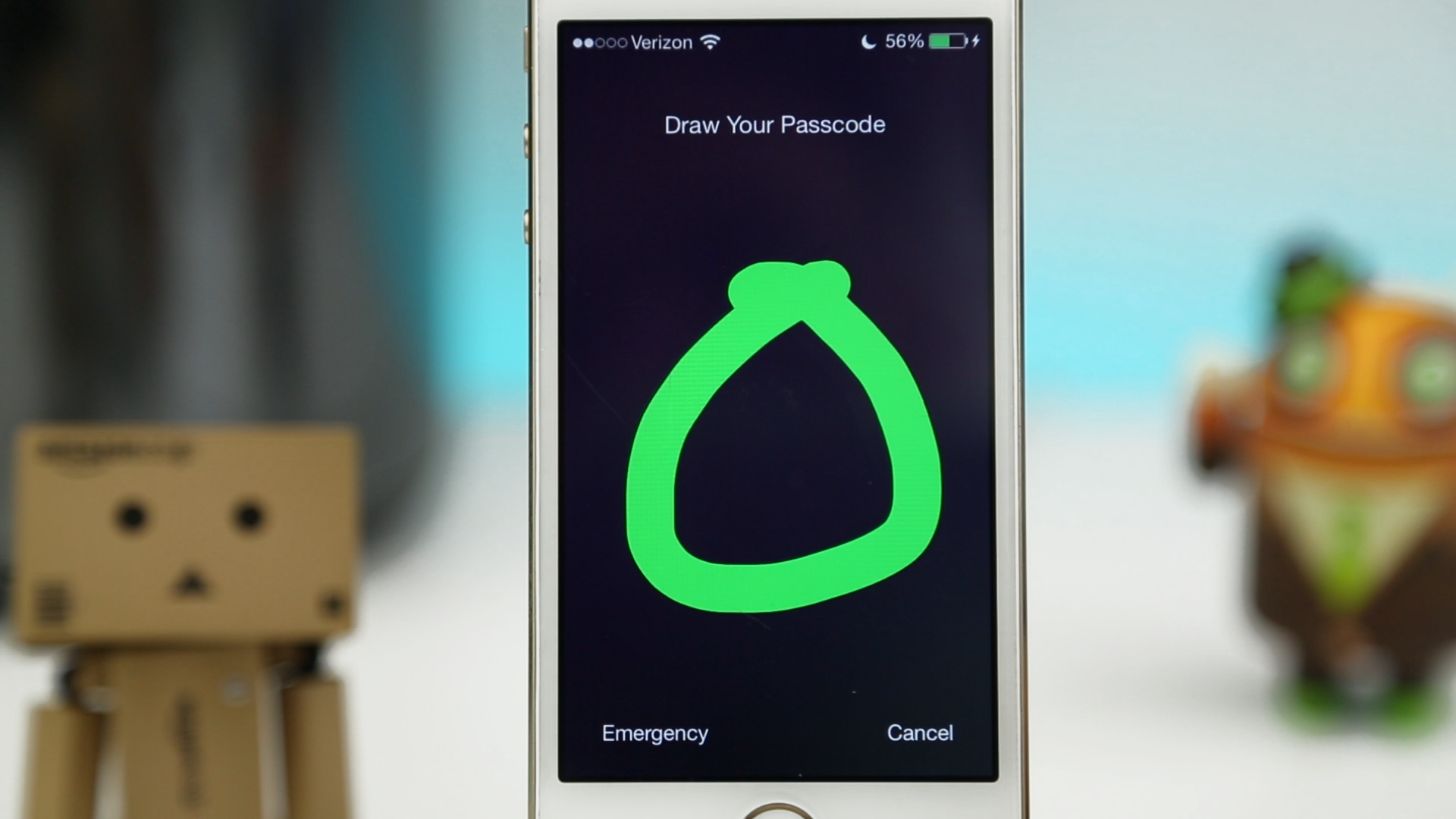
Review: Stride 2 jailbreak tweak brings a customizable gesture-based passcode to iOS 7 devices

If you’ve been around the jailbreak community for a while, it’s possible that you’re familiar with the popular iOS 5/6 gesture-based lock screen tweak Stride. This tweak worked as a lock screen passcode alternative and allowed users to set a custom gesture to unlock an iOS device.

Created by the popular tweak developer Adam Bell, Stride is making a comeback and is fully compatible with iOS 7 devices. This exciting release provides a very similar experience, but has been given a very clean makeover. This results in a beautiful native-like iOS 7 gesture-based lock screen and I just can’t get enough of it.


Expand
Expanding
Close

Site default logo image

Skype brings free group video calling back to the Mac (and PC)

You may recall Skype debuted a very useful (and social) feature for Mac way back in 2010: group video calling. Specifically, the feature was in a public beta stage with widespread testing thus carried a price tag of $0 with idea being it would eventually be a paid feature when the service was stable enough. Fast forward a few months to 2011 and Skype rolled the feature out to its official version of the app for Mac and put a price tag on it. As you can imagine, as the price of entry went above nothing, free alternative services including Google’s Hangouts video calling emerged. Three years later, the Microsoft-owned company is back in the business of bringing multiple faces together over video for free (hooray!) as today it announced group video calling for everyone at no cost… again.
Expand
Expanding
Close