iPad (2021)

See All Stories

Apple's tablet debuted in 2010. Since the original version, it's expanded into multiple screen sizes and Pro and non-Pro options.

The iPad is Apple’s base tablet model. In its ninth generation, the iPad focuses on being the perfect tool for education and people who seek a bigger screen to read and surface the web compared to the iPhone. With Apple Pencil and Smart Keyboard support, the iPad has never been better.

History

Site default logo image

The iPad is a line of tablets designed and developed by Apple. It was originally announced in 2010, three years after the first iPhone was introduced. With a 9.7-inch screen and with iPhone OS 3.2 the iPad was a success, hitting 1 million tablets sold in over three months, half the time the first iPhone took to reach this mark.

Steve Jobs then unveiled the iPad 2 in March of 2011. About 33% thinner than its predecessor and 15% lighter, the second generation used the A5 chip, twice as faster as its predecessor. The iPad 2 also introduced front and back cameras that supported FaceTime video calls.

The successor of the iPad 2 wasn’t a success at all. The third generation was introduced in March of 2012 with a Retina display and the A5X processor. The problem with this tablet it was too heavy and the battery didn’t last long enough. In October of the same year, Apple announced the fourth generation with the A6X processor, HD FaceTime camera, improved LTE capabilities, and the Lightning connector.

At this October event, Apple also introduced the first iPad mini. In 2013, Apple went with the first iPad Air and the iPad mini 2. In 2015, the company introduced the first Pro model, with two different sizes.

Site default logo image

In March of 2017, Apple announced the fifth-generation iPad with the A9 processor. It was a budget option compared to the other tablets. It was in 2018 that the company brought expressive news to the base iPad line. The sixth-generation had the A10 Fusion processor and fully supports the first-generation Apple Pencil.

A year later, the seventh generation was announced with a larger 10.2-inch display and support for the Smart Keyboard as well. It retained most of the specs of the previous model.

In September of 2020, the eighth generation was introduced alongside the fourth-generation iPad Air model. The eighth generation received an upgraded processor, now with the A12 Bionic, while keeping the same storage options: 32GB and 128GB.

In September of 2021, the ninth generation was introduced alongside a redesigned iPad mini. This iPad now features the A13 Bionic processor, True Tone support, and new storage options: 64GB and 256GB while keeping the same price.

iPad 9 Specs

Site default logo image

The ninth-generation iPad launched in September of 2021. Available in two colors, Silver and Space Gray, this tablet is made of 100% recyclable aluminum, and supports the first-generation Apple Pencil and Smart Keyboard.

With thinner bezels, the product comes with a 10.2-inch Retina display with a fingerprint-resistant oleophobic coating, and True Tone support for the first time, which adjusts screen content to the color temperature of a room.

This tablet uses the A13 Bionic chip, the same available on the iPhone 11, 11 Pro, and 11 Pro Max. It has an “all-day” battery with up to 10 hours of surfing the web on Wi-Fi or watching videos.

The iPad also comes in 64GB and 256GB storage options and Wi-Fi and Wi-Fi + Cellular versions.

Revamped cameras

Site default logo image

For the first time, this iPad shares the same FaceTime camera as the M1 iPad Pro with the Center Stage experience. With a new 12MP Ultra Wide front camera and Neural Engine, users can enjoy even more engaging video calls.

As users move around, Center Stage automatically pans the camera to keep them in view. When others join in, the camera detects them too, and smoothly zooms out to include them in the conversation. Center Stage makes video calls more natural in FaceTime as well as third-party video-calling apps.

Its main camera is the same: 8MP, f/2.4 aperture, and digital zoom up to 5x.

iPadOS 15

Site default logo image

The ninth-generation iPad comes with the iPadOS 15. Previewed during the WWDC21 keynote, the new operating system brings a redesigned Home Screen with widgets and App Library support.

On iPadOS 15, FaceTime group calls can finally appear in a grid, so it’s easier to see everyone. It’s also possible to share your screen, listen to Apple Music songs together, or watch Apple TV+, HBO Max, Disney+, and others while in a call.

In the productivity section, Apple, unfortunately, didn’t bring all the features pro users wanted to take full advantage of their new M1 iPad Pro, even though Apple made it easier to rely on multitasking features.

There’s a new multitasking menu on the top of the screen. When you click there, it’s possible to see what configurations you can use on Split View or just go to Slide Over with just a tap.

The experience with an external keyboard allows users to get more done with all-new keyboard shortcuts and a redesign of the menu bar.

With the Quick Note feature, users can use the Apple Pencil to add a quick note. They just need to slide the pencil through the bottom right corner to the center of the screen and start writing.

iPadOS 15 launched on September 20. Learn more about it here.

iPadOS 15.1 features

One month after releasing iPadOS 15, Apple released iPadOS 15.1 More notable, the company finally brought SharePlay support for the iPhone, iPad, and Apple TV. Unfortunately, Universal Control wasn’t one of the features added with this new version. Here’s what else is new:

Translate

  • Mandarin Chinese (Taiwan) support in the Translate app and for system-wide translation

Home

  • New automation triggers based on the current reading of a HomeKit-enabled humidity, air quality, or light level sensor

Shortcuts

  • New pre-built actions let you overlay text on images or gifs, plus a new collection of games lets you pass the time with Siri

iPadOS 15.2 features

apple-music-hey-siri-plays-voice-plan-9to5mac-2

Five weeks after releasing iPadOS 15.1, Apple is releasing iPadOS 15.2. It brings more features that were expected to launch alongside iPadOS 15 but, unfortunately, Universal Control is still nowhere to be seen. Here are the top features of this version:

  • Apple Music Voice Plan is a new subscription tier that gives you access to all songs, playlists, and stations in Apple Music using Siri
  • App Privacy Report in Settings lets you see how often apps have accessed your location, photos, camera, microphone, contacts, and more during the last seven days, as well as their network activity
  • Communication safety setting gives parents the ability to enable warnings for children when they receive or send photos that contain nudity
  • Digital Legacy allows you to designate people as Legacy Contacts so they can access your iCloud account and personal information in the event of your death
  • Apple TV app: Store tab lets you browse, buy, and rent movies and TV Shows all in one place

iPadOS 15.3 features

Six weeks after releasing iPadOS 15.2, Apple is releasing iPadOS 15.3. This update foregoes new features in favor of under-the-hood bug fixes and improvements. One of the most notable changes here is a fix for a Safari vulnerability that may have been leaking your browsing history and Google ID data to the websites you visited.

iPadOS 15.4 features

iPadOS 15.4 finally brings one of the most important features expected from iPadOS 15 and that got delayed: Universal Control. Here’s everything new with iPadOS 15.4:

  • Universal Control: This feature allows you to control your Mac and iPad using the same keyboard and mouse/trackpad. Universal Control needs iPadOS 15.4 and macOS Monterey 12.3;
  • New Siri voice: Siri has a fifth American voice. Apple says a member of the LGBTQ+ community recorded the voice and it’s non-binary;
  • More emoji: iPadOS 15.4 also brings new emojis. You can discover all of the new characters here;
  • Shortcuts automation: Adds support for running Personal Automations in the background without requiring a pesky banner notification.

You can learn everything new with this update here.

iPadOS 15.5 features

Different from other software updates, iPadOS 15.5 only improves the Podcast app experience, as Apple focused on Wallet changes for the iPhone this time:

  • Apple Podcasts includes a new setting to limit episodes stored on your iPhone and automatically delete older ones

iPadOS 15.6 features

iPadOS 15.6 is yet another small update for iPad users. Here’s what’s news:

  • TV app adds the option to restart a live sports game already in progress and pause, rewind, or fast-forward.
  • Fixes an issue where Settings may continue to display that device storage is full even if it is available.
  • Fixes an issue that may cause Braille devices to slow down or stop responding when navigating text in Mail.
  • Fixes an issue in Safari where a tab may revert to a previous page.

iPadOS 15.7 features

iPadOS 15.7 only brings bug fixes and some security improvements as the company readies the iPadOS 16 release.

Education

Site default logo image

Apple describes this iPad as the go-to tablet for education. For several years the company discounts this tablet up to 10%.

Apple is always promoting ways students can use the iPad to learn new things: using Augmented Reality, the Apple Pencil, and how to code with Playgrounds.

The company says the “App Store is the best place to discover apps” for education purposes:

Let your curiosity run wild with iPad. The App Store is the best place to discover apps that let you get a leg up in geometry, learn a new language, and attend virtual classes. You can even use augmented reality to learn something exciting, like watching the history of spaceflight unfold in your living room or making characters from your favorite book literally leap off the page.

Release date: When Apple will launch the ninth-generation iPad?

Apple launched the iPad 9 on September 24, 2021.

Pricing

iPad (2021) pricing starts at $329 for the 32GB storage option with Wi-Fi only. The prices can go up to $559 with the 128GB storage option and WI-Fi + Cellular. Here are the full prices of the ninth-generation tablet:

  • 32GB with Wi-Fi: $329
  • 32GB with Wi-Fi + Cellular: $459
  • 128GB with Wi-Fi: $429
  • 128GB with Wi-Fi + Cellular: $559
  • Apple Pencil (1st generation): $99
  • Smart Keyboard: $159

Lower prices may be available from Apple’s official Amazon store.

iPad (2021) Review

Site default logo image

Soon, we’ll review the ninth-generation iPad. As for now, you can watch our video review of the eighth-generation iPad, as we described it as the “best value tablet you can buy:”

“The iPad 8 was never meant to be a huge update. But even still, I think this is easily the best value tablet you can buy. For $329, this tablet has so much to offer: The performance, the great battery life, and the Apple pencil functionality. I’d highly recommend you pick up this tablet if you simply need an inexpensive tablet today that’s going to last you for three to four years with no trouble.”

iPad Deals

Over at 9to5Toys, you can find the best deals on the iPad and other Apple products. Download the 9to5Toys iPhone app to receive push notifications for new deals as well.

Rumors

As of now, Bloomberg‘s Mark Gurman said in his Power On newsletter by the end of 2021 that Apple plans a new entry-level iPad for 2022. In June 2022, 9to5Mac exclusively reported the details of the tenth-generation iPad model.

According to Filipe Espósito, this new entry-level tablet will pack the A14 Bionic chip, 5G compatibility, and, for the first time, USB-C connectivity, unlocking new experiences with the second-generation Apple Pencil. Its display will also increase, although it’s unclear whether it will have the same design as the M1 iPad Air.

This iPad could be released in October of 2022.

Apple releases iOS 9.3 for iPhone, iPad and iPod touch featuring Night Shift, Touch ID Notes and more — here are all the new features

Following a lengthy beta period, Apple has now released iOS 9.3 for iPhone, iPad and iPod touch. iOS 9.3 is a significant feature update for Apple’s mobile operating system, with brand new additions like Night Shift, Touch ID Notes and more. iOS 9.3 runs on every iOS 9-capable device, including the brand new iPhone SE. The update appears to weigh in at a hefty 1.7 gigabytes.

See our full walkthrough of all the new iOS 9.3 features after the break …


Expand
Expanding
Close

Apple announces 9.7 inch iPad Pro, targeting existing iPad and Windows users

As part of its media event, Apple has announced a new 9.7 inch version of the iPad Pro from $599. It features much of the same internals as its 12.9 inch cousin, with A9X chip, Apple Pencil support and Smart Connector. Although in most respects, the iPad Pro is the same as its big brother it features significant upgrades in the camera department. The 9.7 inch iPad Pro has a 12 megapixel rear camera, 4K video recording and a 5 megapixel front camera. That being said, the iPad Pro now has a camera bump to support the advanced camera system.

Apple says the new iPad features a screen with a True Tone display, that automatically adjusts the color temperature of the screen based on the room environment.

Along with the smaller hardware, Apple is also releasing a new smaller Smart Keyboard to fit. Existing Apple Pencils are compatible with the new device. Apple is describing the iPad Pro as an ultimate PC replacement.


Expand
Expanding
Close

9.7-inch iPad Pro to start at higher $599 price, come in 32 GB & 128 GB capacities

Site default logo image

With the iPad Pro name and features, the new 9.7-inch iPad will be Apple’s first to come with a starting price higher than $499. The smaller iPad Pro will start at $599 and include 32 GB of storage, according to sources. The $599 base configuration is for a WiFi-only model, while higher-priced versions with 128 GB of storage and the ability to connect to LTE cellular networks will also be offered. Apple will announce the new iPad at its event on Monday, March 21st.


Expand
Expanding
Close

Neat plug adapter turns Mac and iPad chargers into slimline units that fit behind your sofa

As Gizmodo observed, Apple puts a lot of thought into product design, but seems to forget everything it knows when it comes to power adapters (with one exception). The standard Mac adapter sticks out about half a mile from the wall, which can be a pain when the socket is behind a sofa. Ten One Design has a solution in the form of Blockhead.


Expand
Expanding
Close

Alleged 9.7-inch iPad Pro case leaks, shows Smart Connector and LED flash cutouts

Site default logo image

As we’ve reported in the past, Apple is expected to introduce a new 9.7-inch iPad Pro at an event later this month, and now we’ve seen the first alleged case made for the device. Nowhereelse.fr on Twitter has found a pair of cases supposedly made for the iPad Pro 9.7-inch that fall in line with reports that the device will feature Smart Connector support, camera flash, and more.


Expand
Expanding
Close

Feature Request: How Apple could improve its built-in apps with iOS 10

Site default logo image

Since Steven Troughton-Smith’s WWDC wish list guest post last week, I’ve been thinking about my own hopes for iOS 10 later this summer. iOS 9.3 is almost here and includes loads of new system features and even enhancements to stock apps, but as ever there’s still low hanging fruit that Apple could grab to improve iPhones and iPads. Specifically, I’d like to see at least one new feature added to each built-in app.


Expand
Expanding
Close

Google Photos for iOS adds Live Photos + Split View & iPad Pro support

Site default logo image

Google Photos already lets users backup and view an unlimited number of high-resolution photos and videos for free, and Google recently added a button that lets users manually purge downloaded content to make room for more free storage. There’s a new update awaiting Google Photos users today that adds support for the latest software and hardware features on iPhones and iPads.


Expand
Expanding
Close

Weird glitch causing some iOS users to receive ghost emails from 1st January 1970

Not long after Apple fixed one 1970-related iPhone glitch, a second one appears to be at work. A number of iPhone and iPad owners are tweeting screengrabs of ghost emails arriving from 1st January 1970. The emails have no sender, subject or content, and cannot be deleted, reports the Telegraph.

The good news is that this glitch doesn’t do any harm. The date is simply the Unix equivalent of zero, so the iOS Mail app would default to this if for some reason the correct date and time were missing, as one Reddit user explained …


Expand
Expanding
Close

Review: Tt eSports Contour Made-for-iPhone/iPad/Apple TV game controller

It’s been a while since we’ve checked in on the state of iPhone and iPad controllers, but I have seen some improvements since we first covered some of the shortcomings with the early batch of game controllers that came out under Apple’s Made-for-iPhone licensing program. Today I’m taking a look at the new Tt eSports Contour MFi controller, a new $65 option that includes a classic Xbox-style design and a built-in stand to hold your iPhone and turn it into a true handheld game console.


Expand
Expanding
Close

Spark updated with iPad support, account and settings syncing, and watchOS 2 support

Site default logo image

Readdle’s popular Spark email app for iOS just received the biggest update of its young existence. The timing of such an update couldn’t have been better with the unfortunate demise of Mailbox — a once beloved email app that’s scheduled to shut down tomorrow, February 26th.

Prior to today’s update, Spark was well-liked, but the lack of iPad support made it difficult for some to adopt it as a full time client. Now that iPad support, and several other new features have arrived, Spark feels as if it’s now ready for prime time. Should you consider adopting Spark as a part of your email workflow?
Expand
Expanding
Close

Apple releases Smart Keyboard software update to fix connectivity issues

Site default logo image

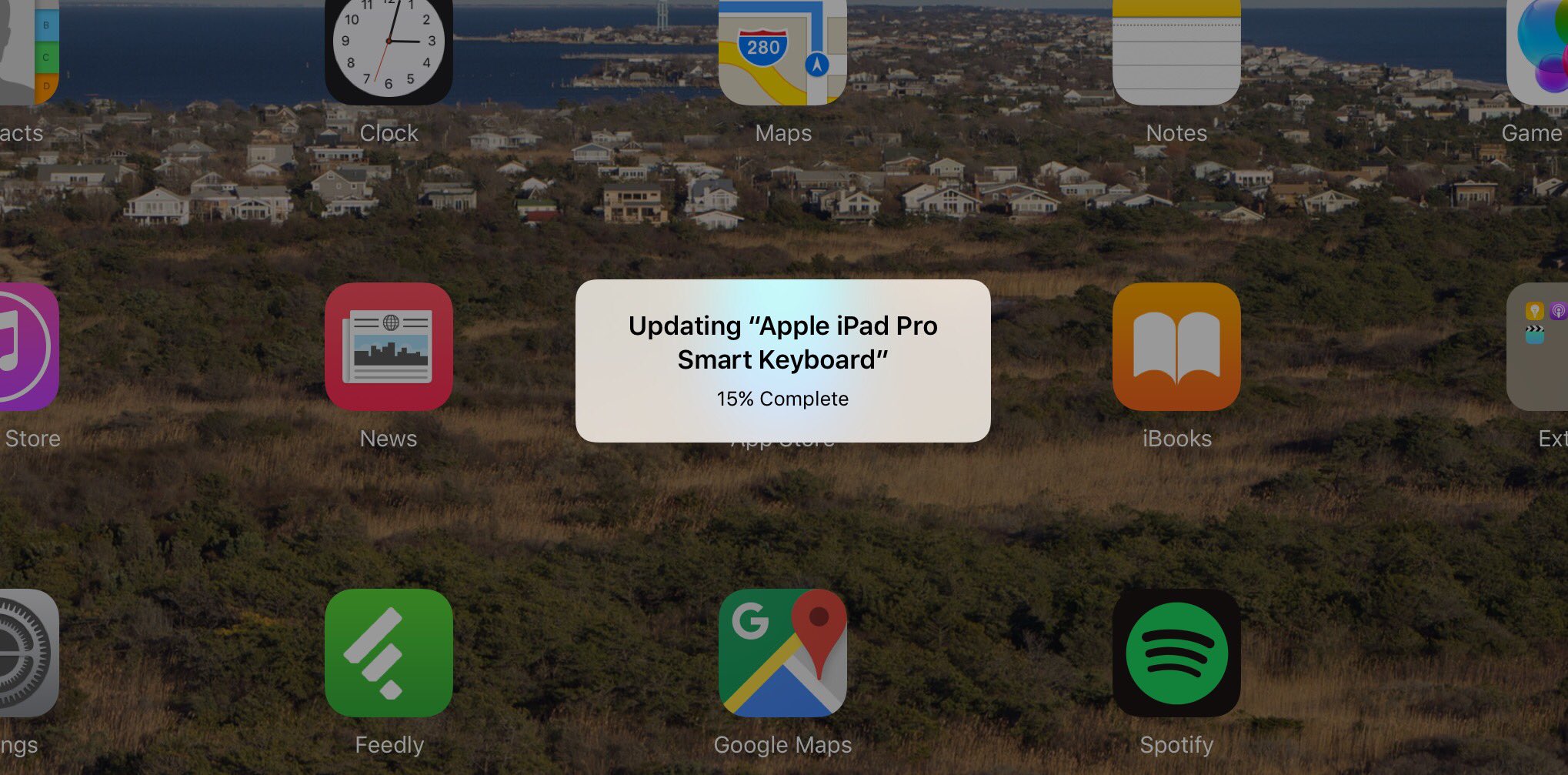
Multiple users of the iPad Pro Smart Keyboard have noted that a software update has begun rolling out to fix connectivity issues. As noted by iMore, Apple has posted a support document on its website detailing the update’s intended purpose:

If your iPad Pro wakes up from time to time when it’s connected to a Smart Keyboard, here’s what to do. To solve this issue, disconnect the Smart Keyboard from your iPad Pro, and then connect it again. When iOS asks if you want to update the Smart Keyboard, tap Update.

The now solved issue revolves around the iPad Pro waking from sleep randomly when connected to a Smart Keyboard, but Apple does not say that it has addressed other Smart Keyboard issues such as an issue where the Command-Tab shortcut does not always navigate to the app-switcher.


Expand
Expanding
Close

Apple’s chief chipmaker reveals how the iPad Pro was late & almost out-powered by the iPhone 6s

Apple Intel Srouji

Bloomberg profile of Apple’s ‘chief chipmaker’ – SVP of hardware technologies Johny Srouji – talks about how the iPad Pro was launched behind schedule, and almost ended up being less powerful than the iPhone 6s.

The original plan was to introduce the iPad Pro with Apple’s tablet chip, the A8X, the same processor that powered the iPad Air 2, introduced in 2014. But delaying until fall meant that the Pro would make its debut alongside the iPhone 6s, which was going to use a newer, faster phone chip called the A9 […]

The iPad Pro would look feeble next to the iPhone 6s. So Srouji put his engineers on a crash program to move up the rollout of a new tablet processor, the A9X, by half a year.

While the piece predictably doesn’t reveal much we didn’t already know, it does contain one surprising fun fact about the original iPhone …


Expand
Expanding
Close

Apple Pay comes to over 40 more banks and credit unions

Site default logo image

While China is expected to get Apple Pay anytime now, dozens of additional banks and credit unions across the United States have joined in supporting Apple’s mobile payment service. More than 40 new banks have joined the list of Apple Pay partners, which already totals to over 1,000 across the US and 15 across the UK. These are the latest additions:


Expand
Expanding
Close

Here’s what happens to your old iPhone under Apple’s ‘Reuse & Recycle’ program

Site default logo image

New details on Apple’s ‘Reuse and Recycle’ trade-in program have surfaced in a new Bloomberg report. Tim Culpan details the break down and destruction process that each iPhone, Mac, and iPad receives at one of the many Apple recycling contractors’ plants. With over 50 agreed upon regulations and requirements, the contractors have a heavily imposed process to adhere to.


Expand
Expanding
Close

Digitimes forecast says iPad sales could fall to a record low this quarter, dropping 20% year-on-year

Digitimes Research has predicted that iPad sales could fall this quarter to their lowest level since 2011.

Apple is expected to ship 9.8 million iPads in the first quarter of 2016, historically its lowest quarterly level, with decreases of 39.1% on quarter and nearly 20% on year.

There are a couple of issues with the forecast – the first being the patchy track-record of the source, and the second being that the ‘historic low’ claim isn’t quite accurate if you include the first year or so, as the above graph from Statista shows.

But the graph does show something else …


Expand
Expanding
Close

Apple confirms plans to open development center in Hyderabad, India

Site default logo image

After earlier reports claiming that Apple was planning to open a new office of sorts in Hyderabad, India, today the company has confirmed to local publications that it will indeed expand in the area with a new development office planned for later this year. Apple’s statement via a report from The Economic Times is below:


Expand
Expanding
Close

Apple officially acknowledges iPhone bricking ‘1970 date’ bug, says upcoming software update will fix

Last week, it was discovered that setting your iOS device system date and time back to January 1st 1970 would crash your iPhone, iPad or iPod touch effectively bricking it. Setting the date back this far would prevent the iPhone or other iOS device from booting up until the battery died.

AppleCare has been flooded with people bringing in their devices after trying out this bug … Now, Apple has officially acknowledged the problem on its Apple Support website. The company says it will release an upcoming software update to prevent this issue from affecting iOS devices in the future.


Expand
Expanding
Close

4-inch iPhone 5se & iPad Air 3 planned to go on sale March 18th

Site default logo image

Apple is currently on target to start selling its next iPhone and iPad models the same week that the new products are introduced in March. Apple is currently planning to introduce a new 4-inch iPhone dubbed the “iPhone 5se” and a new iPad Air at an event on Tuesday, March 15th, then put the products up for sale online and in retail stores as early as Friday, March 18th, according to sources. Apple is unlikely to offer pre-orders for the new devices, according to sources who cautioned that the plans could still change.


Expand
Expanding
Close

DJ software veteran Serato launches iOS app to intelligently mix your music

DJs will be well familiar with the name Serato. It’s one of the — if not the — leading software products around for DJs that make the hop from vinyl to digital sets (and that’s most of them these days). But the company hasn’t had a huge presence on iOS devices outside of that world — save for its Remote companion app for users of a Serato desktop setup. That’s where Serato’s new Pyro app comes in, but it’s not exactly the scaled back version of the company’s desktop offering you might have been hoping for.

Instead, rather than act as a suite for mostly professional DJs and their mixing and controller hardware like on the desktop, Pyro is aimed at all users and meant to act like the DJ for you, using Serato’s technology to automatically mix songs from one to the next by changing the tempo and doing a real mix like a professional DJ would:


Expand
Expanding
Close

Site default logo image

Anova Culinary Bluetooth Precision Cooker for sous-vide cooking works with iPhone, on sale $139 (reg. $179)

Learning chefs that want to get a start on cooking sous-vide and get restaurant quality results, take a look at Amazon’s Gold Box deal today with the Anova Culinary Bluetooth Precision Cooker currently available at $139 (normally $179). Anova’s precision cooker clamps to the side of any deep pot or tank and continuously circulates the water inside to ensure that food is cooked evenly throughout. Connect the Anova to an iPhone via Bluetooth, and you can then wirelessly control and monitor food easily, even finding new recipes to use.


Expand
Expanding
Close