Mac

See All Stories

Apple’s Mac lineup consists of MacBook, MacBook Air, MacBook Pro, iMac, Mac Pro, and Mac Mini. The Mac runs macOS for its operating system.

Mac lineup

History

The Mac is Apple’s lineup of computers, and it can be considered the company’s oldest product. The name “Mac” comes from the original Macintosh, which was introduced in 1984 and is also considered the first personal computer for the masses to have a graphical user interface. The first Macintosh hit the stores on January 24, 1984, costing $2,945.

Among all these years, Apple has introduced many different Mac models, ranging from desktops to laptops to professional tower machines. The current lineup consists of the MacBook Air, MacBook Pro, Mac mini, iMac, and Mac Pro. However, there have been other Mac models were discontinued, such as the eMac, MacBook, and iMac Pro.

The history of modern Macs began in 1998, a year after Steve Jobs returned to Apple. Apple had dozens of Macintosh computers at that time, but Steve decided to rethink the entire lineup. In 1998, Apple announced the iMac G3, which ditched the floppy disk and serial ports in favor of USB connectors.

Macintosh and iMac G3.

Unlike the Macintosh, the first iMac was considered a huge success — not only for its technology, but also for its unique design with colorful translucent plastic. Apple quickly expanded the Mac lineup with other models, which included the iBook and PowerBook (which became the MacBook and MacBook Pro) and the PowerMac, which is now the Mac Pro.

macOS

What makes a Mac the Mac is the macOS operating system, which has also had a long history since the introduction of the first Macintosh. Initially called Mac OS, the operating system was rebuilt when Steve Jobs returned to Apple.

The first version of Mac OS X was released on March 24, 2001 with a new interface that is still present in some ways in current versions of macOS. Apple’s desktop operating system comes with many free applications such as Pages, Keynote, Numbers, iMovie, and GarageBand.

With macOS, users also have access to deep integrations with other Apple devices. For instance, you can answer calls and send SMS from your iPhone using your Mac. Handoff lets you switch from one device to the other and pick up where you left off. Apple Watch users can unlock their computer without entering a password, and you can even copy and paste between devices.

macOS Sonoma

Apple’s desktop operating system is also integrated with services offered by the company, such as iCloud, Apple Music, and Apple TV+.

The current version of macOS is Sonoma (version 14), which features new slow-motion screen savers, widgets on desktop, camera effects on FaceTime and other apps, web apps, passkey sharing, improved PDF support, and Game Mode. The update also comes with a new API that lets developers easily port Windows games to macOS.

Architecture Transitions

The Mac has had three major architecture transitions in its history. Apple’s first computers ran on Motorola processors, but the company decided to migrate to the new PowerPC platform in 1994. While this brought benefits at the time, the PowerPC processors were not delivering what Apple expected.

It was in 2005 that Apple confirmed the transition from PowerPC to Intel. Intel processors had become faster and more efficient than PowerPC, which enabled the development of new Mac computers that were more powerful and also more compact. Developers have been given access to a Developer Transition Kit running Mac OS X Tiger with Intel Pentium 4 to update their apps before the transition begins.

Power PC, Mac OS X, and Intel processor.

Apple said that the transition would begin in June 2006 and be finished by the end of 2007. However, the transition to Intel was fully completed in August 2006 when the company replaced the PowerMac with the new Intel Mac Pro.

As the years went by, Apple once again felt the need to have more powerful and efficient processors for its computers. This time, the company was already working on its own chips for the iPhone and iPad. In June 2020, Apple confirmed that it was changing the architecture of the Mac, now from Intel to ARM chips, which are called Apple Silicon.

Apple offered a Mac mini DTK running on the same A12Z Bionic chip as the 2020 iPad Pro. This way developers could once again update their apps ahead of the transition. In addition to being more powerful and energy efficient, the ARM architecture of Apple Silicon chips has enabled Macs to run iOS apps for the first time.

Apple M1 chip | Mac

The first Apple Silicon Macs were released in November 2020 with the M1 chip. The company later introduced more powerful variants of the M1 chip, called M1 Pro, M1 Max, and M1 Ultra. Macs with Apple Silicon have become known for being more powerful while consuming much less power, which has resulted in MacBooks with extended battery life.

In June 2022, Apple introduced the M2 chip, which is around 20% faster than the M1 and also supports more RAM. M2 also has more powerful variants: M2 Pro, M2 Max, and M2 Ultra.

Apple unveiled the M3, M3 Pro, and M3 Max chips in October 2023. The main highlight of this generation is the 3 nanometer technology, the same as the A17 Pro chip. The M3 family also features better GPUs with support for hardware-accelerated ray-tracing.

Current Mac lineup

Apple currently sells a variety of Mac computers, which includes MacBooks, Mac mini, iMac, and Mac Pro. While some of the Macs have already been updated with an Apple Silicon chip, others remain with Intel processors.

MacBook Air

The MacBook Air is Apple’s most affordable laptop and it has become popular for its light, compact design. The 2022 version is powered by the M2 chip and is offered with 8GB, 16GB, or 24GB of RAM. Plus, it has a new, edge-to edge 13.6-inch Retina display.

The laptop features Touch ID and has two Thunderbolt 3 compatible USB-C ports, a MagSafe connector for charging, and a headphone jack. Prices start at $1099 in the US. It’s offered in silver, space gray, starlight, and midnight.

M2 MacBook Air.

A year later, Apple introduced the first 15-inch MacBook Air. It has essentially the same hardware as the smaller version with a similar design, but with a larger display. Prices start at $1299 in the US.Apple is still selling the M1 MacBook Air for prices starting at $999.

MacBook Pro

The 2023 MacBook Pro is available in multiple versions, and customers can choose between 14-inch and 16-inch screen sizes. For the first time, Apple has introduced a less expensive version of the 14-inch MacBook Pro with the base M3 chip. This version has the same design and display as the high-end versions, except that it only has two USB-C ports instead of three.

M3 MacBook Pro

The most expensive versions of the MacBook Pro are equipped with the more powerful M3 Pro and M3 Max chips. The laptop can be configured with up to 128GB of RAM and 8TB SSD. These versions also come in a new Space Black color.

Unlike the MacBook Air, the MacBook Pro comes with an HDMI port and an SD card reader. It also features MagSafe and Touch ID on the keyboard. Apple no longer sells MacBooks with the Touch Bar. Prices start at $1,599 in the US.

Mac mini

Mac mini is the cheapest Mac currently available since it’s basically a desktop without a built-in display or other peripherals. The base model with the M2 chip features one Ethernet port, two USB-C/Thunderbolt 4 ports, HDMI 2.0, two USB-A ports, and a headphone jack.

Apple sells a more powerful version of the Mac mini with the M2 Pro chip, which also comes with four USB-C ports instead of two. Mac mini can be configured with up to 32GB of RAM and up to 8TB of storage. Customers can also opt for a 10 Gigabit Ethernet port. The Apple Silicon Mac mini is only available in silver, while the now discontinued Intel model was available in space gray.

Apple Silicon Mac mini.

Prices for the Mac mini start at $599 in the US. Again, it’s worth noting that it doesn’t come with a keyboard or mouse in the box – you need to buy them separately or use your current ones.

Mac Studio

Mac Studio represents a new category between Mac mini and Mac Pro. It features a design based on the Mac mini, but with a taller body to support the more powerful hardware and also a better cooling system.

The new Mac Studio is targeted at professional users who work with demanding tasks such as video editing, 3D rendering, and machine learning. 

Embraced by creative pros everywhere, Mac Studio now delivers next-generation power in the form of the lightning-fast M2 Max and the boundary-breaking M2 Ultra. It packs outrageous performance and extensive connectivity in an unbelievably compact form, putting everything you need within easy reach and transforming any space into a studio.

By default, Mac Studio already comes with the M2 Max chip, 32GB of RAM, and 512GB SSD storage. A more expensive option lets users customize Mac Studio with M2 Ultra. While M2 Max has a 12-core CPU and a 30-core GPU, M2 Ultra doubles all of those specs. The new chip has a 24-core CPU and a 60-core GPU.

Mac Studio can also be configured with up to 192GB of RAM and 8TB of SSD storage. The machine offers up to six Thunderbolt ports, 10 Gigabit Ethernet, headphone jack, two USB-A ports, and one HDMI port.

Mac Studio

Apple has been rumored to be working on new versions of this machine with the M3 Max and M3 Ultra chips. However, these versions may not be ready until 2025. Bloomberg’s Mark Gurman said in November last year that the M3 Ultra chip “hasn’t yet gone into broad testing” inside Apple.

In the US, prices for the Mac Studio with M2 Max chip start at $1999. The M2 Ultra chip version starts at $3999. Just like the Mac mini, Mac Studio doesn’t come with a keyboard and mouse in the box. You can find accessories for your Mac Studio here.

iMac

iMac is Apple’s most popular desktop computer with an all-in-one construction. It features a 4.5K display in its 24-inch version and a 5K display in the 27-inch version. At the same time, Apple still sells an entry-level iMac with a regular 1080p display.

The 24-inch iMac is the first to feature the M1 chip, the same as in the Mac mini, MacBook Air, and MacBook Pro. This allowed Apple to introduce a completely redesigned model with a slimmer design, which is also offered in seven new colors. Customers can customize the new 24-inch iMac with up to 16GB of RAM and 2TB of storage.

Site default logo image

The company ships the 24-inch iMac with Magic Mouse and Magic Keyboard, plus a Lightning cable for recharging accessories. Prices in the US start at $1299. Apple has discontinued its old 21.5-inch iMac and the 27-inch iMac 5K.

Mac Pro

Mac Pro is a computer built for professional users who depend on extremely powerful hardware. Available in tower and rack versions, it has a completely modular design. That means users can replace RAM, SSD, GPU, and other internal components.

By default, it features four USB-C/Thunderbolt 3 ports, two USB-A ports, and two 10Gb Ethernet ports. However, the ports can be expanded using the PCI Express slots. Apple also ships the computer with a Magic Mouse and Magic Keyboard, but it does not come with an external monitor included.

All models feature Intel Xeon W processors, which are the most powerful processors offered by Intel. Consumers can configure Mac Pro with up to 28-core processor, 1.5TB RAM, and 8TB of SSD storage. In addition to supporting multiple dedicated GPUs, Apple also offers the Afterburner card — which accelerates the decoding of ProRes videos.

The company recently updated the Mac Pro with new graphics card modules, which include Radeon Pro W6800X and Radeon Pro W6900X.

Site default logo image

Mac Pro prices start at $5999 in the US.

Rumors about upcoming Macs

Top stories about the Mac

Apple updates Logic Pro X & MainStage 3 Mac apps with performance improvements, new features

Site default logo image

Following its onslaught of music updates this morning, Apple this evening has rolled out updates to two more of its Mac audio apps. First is Logic Pro X, which has been bumped to version 10.2.1 with this evening’s update. Next is MainStage 3, which is now at version 3.2.3 thanks to its most recent update. Both apps have received a handful of new features, under-the-hood changes, and performance improvements with their respective updates.


Expand
Expanding
Close

Feature Request: Apple, please bring Siri to the Mac

Siri percolated throughout all of Apple’s platforms in 2015. It started with iPhone in 2011, iPad in 2012, debuted on Apple Watch in early 2015 and Apple TV with the new model a few months ago. It’s quickly becoming a premier feature on these platforms, with live-as-you-speak transcription and radically new features like ‘Remind me about this’ contextual tasks when inside apps. Except for one platform of course. Mac OS X has been ignored and left abandoned with regards to true voice searching and Siri. It’s 2016, and I want Apple to bring Siri to the Mac.


Expand
Expanding
Close

iRig Keys Review: A mini MIDI Piano Keyboard for iPhone and iPad with big music potential

The iRig Keys Mini is an electronic MIDI music keyboard that connects to iPhone and iPad with a Lightning cable. Although it isn’t regularly advertised, iPhones and iPads have had great support for MIDI input instruments and other devices for a long time. Since iOS 4 in fact, Apple gave the developers the ability to interact with MIDI peripherals. Simultaneously, the App Store has bloomed a wide ecosystem of sophisticated music creation and audio production apps. This makes for a perfect storm of capability and functionality: not only are MIDI accessories possible, they can really be used to make music on iPhone and iPad.

Read on for my full review of the iRig Keys Mini piano keyboard for iOS ($79.99).


Expand
Expanding
Close

Android running on a Mac: Remix OS 2.0 overview [Video]

Earlier this month, Jide.com released an early alpha version of its new Remix OS. In essence, it’s a multi-window desktop operating system built on Android. It’s an interesting concept, but what makes it truly intriguing is that you can run it off a regular, fast USB 3.0 flash drive on a Windows PC or Mac. I took it for a spin on Mac to see what the initial version is like to use…


Expand
Expanding
Close

Site default logo image

Apple releases iMovie for Mac 10.1.1 with YouTube sharing fix, stability improvements, more

The same day as it released OS X 10.11.3 to the public, Apple has now pushed an update to its iMovie video editing software. The update bumps the app to version 10.1.1 and includes primarily under-the-hood bug fixes and performance updates, some of which will certainly be welcomed by users.

First off, Apple says the update fixes an issue with YouTube sharing that would prevent a user from signing in if they had multiple accounts. The update also fixes an issue relating to applying White Balance adjustments to clips, as well as one that caused an incorrect display of still images. Another change is that clips are now copied when dragged from the Project Media area to the events area of the Library list.

The full changelog is below:

What’s New in Version 10.1.1

• Resolves an issue with YouTube sharing that could prevent sign in for users with multiple accounts
• Fixes a problem that could prevent White Balance adjustments from being applied to clips
• Sony XAVC S clips captured at 100 fps or 120 fps now play correctly
• Resolves an issue that could lead to incorrect display of still images
��� Clips are now copied when dragged from the Project Media container to events in the Library list
• Stability improvements

Back in October, Apple introduced the much larger iMovie 10.1 update that brought 4k video support, as well as support for 1080p video at 60 frames per second. iMovie is available on the Mac App Store.

OS X 10.11.3 hits the Mac App Store for all users

Site default logo image

Heads up to all El Capitan users: OS X 10.11.3 is now available through the Mac App Store. Apple released the first developer beta version of the software update in mid-December after shipping OS X 10.11.2 earlier in the month. The second OS X 10.11.3 beta followed at the start of January. Apple has since started testing OS X 10.11.4.


Expand
Expanding
Close

Quick Review: Incase’s 12″ MacBook Neoprene Classic Sleeve + ICON Sleeve perfectly fit the ultra-slim notebook

Site default logo image

Today we’re taking a quick look at two Incase sleeves made specifically for Apple’s 12″ Retina MacBook. Neoprene Classic Sleeve ($39.95) comes in five colors and zips the 12″ MacBook in a low-profile soft carrying case. ICON Sleeve ($69.95) has a slightly larger profile that makes it thinner and ditches zippers for a tight-fitting opening at one end.  We compare both MacBook sleeves in detail below:


Expand
Expanding
Close

Swift is quickly rising in popularity as a developer language … but how much is Apple using Swift?

The TIOBE index uses search engine rankings to track popularity of programming languages. In January, Swift overtook Objective-C to become the 14th most popular language in the TIOBE index. The surge in popularity was spurred by the release of Swift into open-source in December. With developer interest growing, Ryan Olson was interested in how much Apple is using Swift for its own apps.


Expand
Expanding
Close

Feature Request: iCloud Photo Library needs a purge downloads button à la Google Photos

Site default logo image

I’ve been all in on iCloud Photo Library since Apple replaced iPhoto with the new Photos app on the Mac last year and I haven’t looked back since. I pay $2.99/month to sync my 13,206 photos and 1,087 videos (plus iOS device backups) with iCloud, and this allows me to take or save photos and videos from any device and have them appear across the others including the web, edits, albums, and all. I even have a system to help ensure to if something in the cloud gets hosed that everything will be fine at home (and if the house burns down hopefully the cloud is still there).

This also enables me to access my 155 GB photos library in the Photos apps on iPhones and iPads that otherwise couldn’t fit that much content. Thumbnail previews are available at all times, and full resolution versions download on the fly as needed. When you’re iPhone, iPad, or Mac needs more local storage, Photos can remove full-res images and downloaded videos to make more space using an optimize storage option. This works pretty well especially on higher capacity devices, but there’s one problem…


Expand
Expanding
Close

PSA: Apple hasn’t fixed the Gatekeeper vulnerability, only blocked specific apps using it

Site default logo image

The security researcher who identified a serious flaw in Apple’s Gatekeeper reports that the vulnerability remains despite two security patches applied by the company. Each, he says, only blocks the specific apps he used to demonstrate the method.

Gatekeeper in theory allows users to ensure that their Mac will only run apps downloaded from the Mac App Store – or alternatively, signed by a known developer if you opt for a lower level of protection. But Patrick Wardle last September found a major vulnerability in this protection which would allow any malicious app to be run no matter what Gatekeeper setting was chosen.

Wardle informed Apple, which issued a security patch in response, but Wardle has now reverse-engineered the patch and found that it provides only extremely limited protection …


Expand
Expanding
Close

Apple Music experiencing issues for subscribers across the globe [Update: Apple says fixed]

Site default logo image

[Update: Apple’s system status board has been updated to acknowledge the blip and note the issue is over.]

If you’re having issues getting started with Apple Music this morning, you’re not alone. The iOS app started the day by asking subscribers to sign up and join Apple Music (a force quit fixed for me but the problem persists) and iTunes on the Mac is also serving up error messages for a great number of users.


Expand
Expanding
Close

OS X 10.11.4 beta adds support for viewing and sharing Live Photos in Messages

Site default logo image

Sharing and viewing Live Photos shot on the iPhone 6s and 6s Plus on the Mac has been tricky if not impossible until now. Previously the enhanced photos could only be viewed in Apple’s Photos app on the Mac, which limited sharing to iCloud Photo Sharing. Starting with the new OS X 10.11.4 beta released earlier this week, Live Photos can now be shared and viewed over iMessage using Messages on the Mac for the first time.


Expand
Expanding
Close

How-To: Add iOS 9.3’s Night Shift mode to your Mac right now with Flux

Site default logo image

Yesterday, Apple released the first beta of iOS 9.3 and with it comes a new feature called Night Shift. Apple says that Night Shift uses your iOS device’s location and clock to automatically adjust the colors in your display, making them warmer and easier on the eyes at nighttime. In the end, Apple says this should make it easier to fall asleep as the bright blue light normally emitted from a display has been found to disrupt your circadian rhythms, making it harder to sleep. While Apple has solved this feature on iOS, it remains an issue on OS X…


Expand
Expanding
Close

Apple releases first iOS 9.3, OS X 10.11.4, tvOS 9.2, & watchOS 2.2 betas

Site default logo image

Apple has just released the first beta versions of new software updates for each of its platforms: iOS, OS X, tvOS, and watchOS. iPhone and iPad get iOS 9.3 beta 1, the Mac gets El Capitan 10.11.4 beta 1, Apple TV can test tvOS 9.2 beta 1, and Apple Watch users can try watchOS 2.2 beta. Interestingly, iOS 9.2.1 and OS X 10.11.3 are both still in beta so we’re seeing multiple betas running at the same time.


Expand
Expanding
Close

Hyper shows off USB-C hub w/ passthrough charging for 12-inch MacBook, Apple Watch accessories, & more

HyperDrive-USB-C-Hub

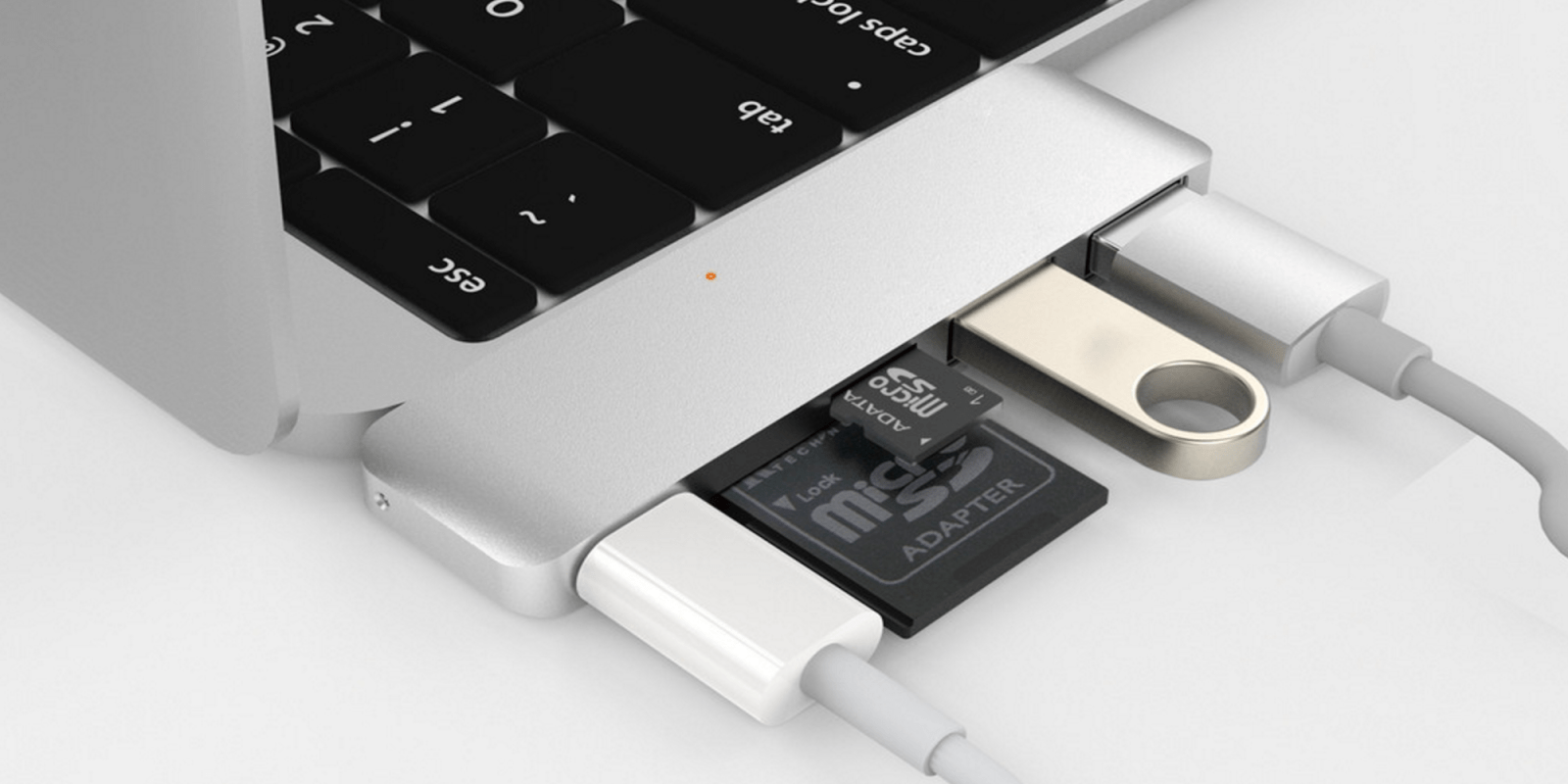
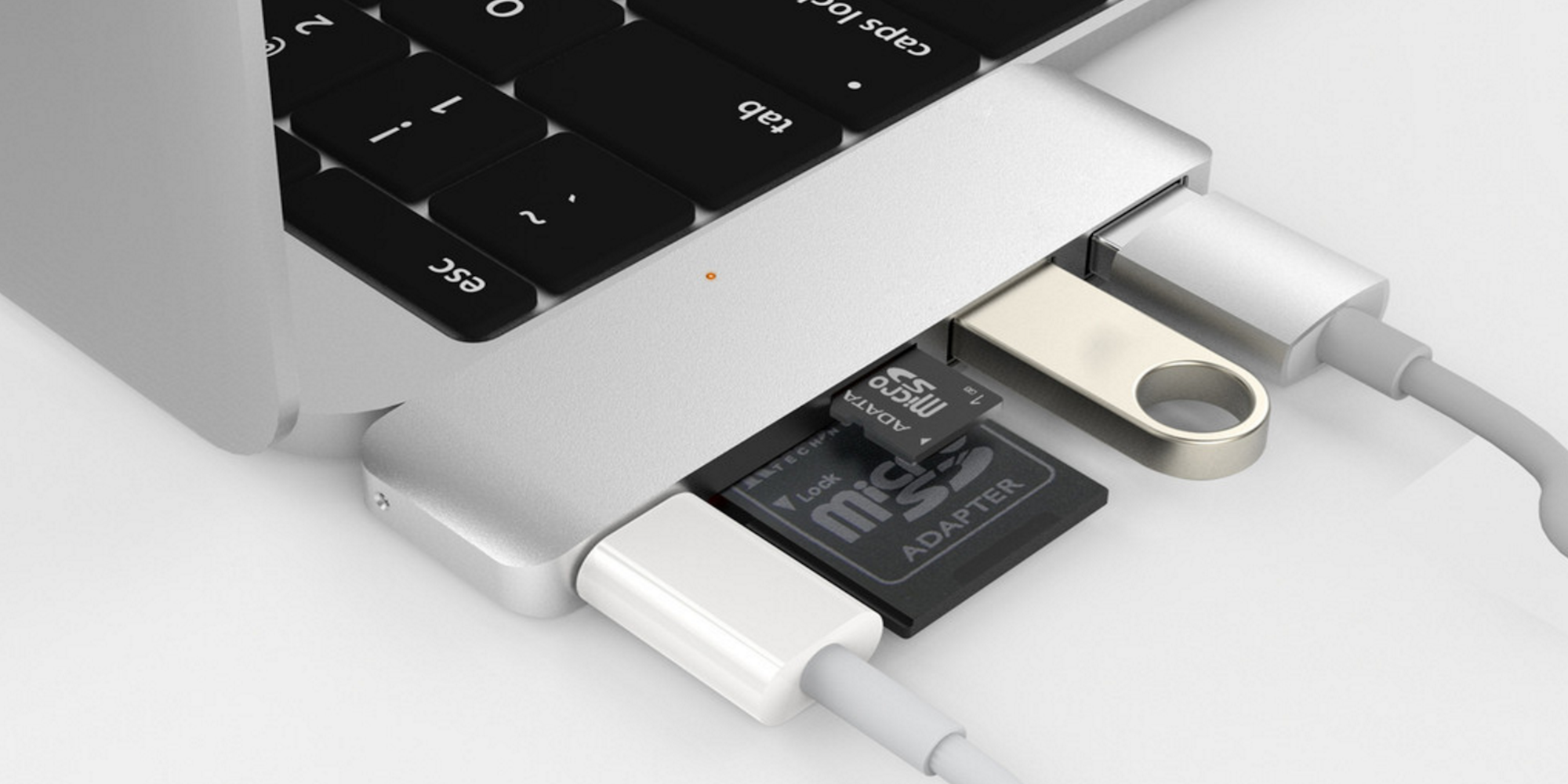
At CES 2016, Hyper is showing off both new and updated product lines, all of which are specifically designed with iPhone, iPad, and Mac users in mind. The highlights are a new USB-C hub for 12″ MacBook users, a USB 3.0 Lightning thumb drive, and a pair of slick Apple Watch accessories. 
Expand
Expanding
Close

Say hello to the first of the 12-inch MacBook clones: HP’s 12.5-inch fanless Core M EliteBook Folio

Apple’s 12-inch MacBook broke new ground when it opted for a fanless Core M processor in a form-factor that was all about creating the sleekest, most portable laptop around – and it was only a matter of time before Windows machines followed suit.

Like the MacBook, the HP EliteBook Folio strips back the ports to just USB-C and a headphone socket – though HP has opted for two rather than one USB-C ports. It weighs a touch more than the MacBook, but is marginally thinner. Design-wise, well, judge for yourself.

HP has gone further than Apple on the display, however. While the MacBook’s Retina display hits 226ppi, HP has squeezed in a 4K display to the top-of-the-range model, giving it a pixel density of 352ppi.

The EliteBook Folio goes on sale in March, with pricing starting at $999 – but that’s with the entry-level 1080p display rather than the 4K one.

Via and image credit Engadget

Jeremy’s 5: Apple and Accessories at CES, Siri Remote Loop, Akinator + F2P Games

Welcome to the latest edition of Jeremy’s 5, my latest quick roundup of 5 interesting little things that aren’t big enough for full articles, but are still worth sharing with you.

My first edition of 2016 looks at two separate topics related to this week’s 2016 CES: first, Apple’s continued absence from the show, and second, the annual event’s seemingly declining interest to Apple fans. I also wanted to share some additional thoughts on Apple’s Remote Loop for the new Apple TV’s Siri Remote, the classic (but ever-evolving) iOS app Akinator the Genie, and the continued scourge of free-to-play games…


Expand
Expanding
Close

Griffin’s BreakSafe is the MagSafe USB-C adapter that Apple’s MacBook needs

One of the biggest complaints regarding the 12-inch MacBook has been the ports, or lack thereof, that the device offers. The MacBook features just as single USB-C port that you use for everything, including charging. This means that the MagSafe technology that Apple introduced 10 years ago and that we’ve all come to love is nowhere to be found. A new accessory introduced by Griffin today, however, aims to fix that problem.


Expand
Expanding
Close

Samsung debuts Portable SSD T3, a 450MB/sec MacBook-ready USB-C drive with up to 2TB

Following up on its popular T1 solid state drive (SSD), Samsung today announced the Portable SSD T3, a tiny, shock-resistant sequel boasting faster speeds and a wide range of capacities. Unlike the T1, which used a USB 3.0 interface, the T3 uses USB 3.1 Type C connectors, which means it’s ready for direct connection to the latest 12″ MacBooks.

T3 also boasts read and write speeds of up to 450MB/second — much faster than typical external hard drives, and closer to the speeds of internal drives….


Expand
Expanding
Close

Opinion: Apple had a good year for product launches in 2015, despite unrealistic expectations from some

The view that Apple lost its innovative edge with the sad loss of Steve Jobs has been one of the oft-repeated criticisms of the company in recent years. But this idea is based on an entirely mythological view of Apple as a company that was constantly launching ground-breaking new product categories.

The reality is a little more mundane. The Macintosh, a truly revolutionary computer, was launched in 1984. We had to wait 17 years for the next groundbreaking product: the iPod in 2001. We had to wait six years after that for the next major product category: the iPhone in 2007. And a further three years for the iPad in 2010. (If you wanted to push things a little, you could argue that the MacBook Air was also so revolutionary that it deserves to be included; if so, we’re up to five new product categories in 26 years.)

Note, too, that none of the product categories were invented by Apple. Xerox, of course, invented the graphical user interface for personal computers. There were MP3 players before the iPod; touchscreen smartphones before the iPhone; tablets before the iPad. What Apple did in each case was what the company does best: take something clunky and used only by techies, and turn it into a slick product that will appeal to the masses.

So no, Apple never has churned out revolutionary new products on an annual basis. If we’re going to assess its performance today, it has to be against a realistic background. Zac recently reminded us of Apple’s product timeline for 2015. Looking at this in the context of a company whose true history is occasionally taking a new product category and doing it better than anyone else – and in between times merely refining its existing product ranges – how did Apple do this year … ?


Expand
Expanding
Close

Review: Booq’s Slimpack gives DSLR-toting MacBook users another all-in-one bag option

Ever since I upgraded from an 11″ MacBook Air to a 13″ Retina MacBook Pro, I’ve been hunting for the perfect hybrid computer and camera bag — a compact backpack that could hold my laptop, DSLR, lenses, and accessories at the same time. Six months ago, I covered several MacBook/camera bags from Incase, including the DSLR Sling Pack I’ve loved for years, and larger “Pro” options for bigger laptops. Each hybrid bag makes different compromises: for my needs, the Sling Pack’s too small, and the Pro bags are too large. But users of 11″ MacBooks might find the Sling Pack “just right.”

Seeing potential in a new alternative, I jumped at the opportunity to test Booq’s upcoming Slimpack ($195), a MacBook-sized evolution of its earlier iPad/DSLR backpack $145 Python Slimpack. Booq makes excellent bags, but apart from offering a multipurpose camera/headphone compartment in Boa Flow, it hasn’t taken a deep dive into the camera-laptop hybrid category. While the new Slimpack’s laptop compartment is just a hint too small for the 13″ MacBook Pro and iPad Pro I’m currently using, it’s right-sized for 12″ or smaller MacBooks, as well as 10″ or smaller tablets, any of which can be paired with a full-sized DSLR, three or four lenses, and accessories. Bundled with a rain shield and Booq’s standard Terralinq loss recovery protection system, it’s a very nice bag, and one I would certainly use if I switch to a 12″ MacBook next year…


Expand
Expanding
Close

Apple launches Boxing Week iTunes sale w/ discounted albums in Canada & UK

As it does every year, Apple has officially kicked off its iTunes Boxing Week sale with discounts on select albums for this week only.

The sale, which both UK and Canadian users will find under a special section in the iTunes store on both iOS and Mac, will likely remain available through the end of the week. While “Boxing Day” is officially recognized in Canada and elsewhere on the 26th, retailers usually offer a Black Friday-type event for Boxing Day with most sales lasting the entire week following Dec. 25.

For Boxing Day this year, Apple is offering a long-list of popular albums, normally $9.99, starting at just $6.99 in Canada. There are other albums on offer for $7.99 as well. The deals are grouped into four sections including Hot in 2015, Essential Albums, Musique Francophone, and Discovery Artists.

On the UK iTunes store Apple doesn’t use the “Boxing Day” branding, but it is also offering popular albums from £3.99 in a special section on iTunes starting this week.

Check out the iTunes Boxing Day sale in Canada and the UK sale now. And you might want to grab some discounted iTunes gift cards first.

Year In Review: Everything Apple released across 2015

Tim Cook teased Apple’s product pipeline to investors back in October 2013 by saying the company would enter new categories with releases that fall and “across 2014.” This set the expectation that the next year would include new releases in each quarter rather than staying mostly quiet until WWDC in June, then saving new iPhones, iPads, and Macs for the fall.

Perhaps that was a promise better made a year later as most new products in 2014 were once again kept for the fall, but 2015 has been one where Apple has truly released new products all across the year. So many, in fact, that it’s probably difficult to recall every single new hardware and software product without referencing the history books.


Expand
Expanding
Close

App Santa discounts 20 popular iPhone, iPad, and Mac apps by up to 60%

Over the last few years, indie developers have banded together just before Christmas Day to discount top iOS and Mac apps for new customers. The sale is called App Santa and includes popular apps like Tweetbot for Mac, Pcalc, Screens, Deliveries, and over a dozen other highly recommended apps for iPhone, iPad, and Mac. App Santa doesn’t last long though so check out the full list below to save some money on quality apps.


Expand
Expanding
Close