Latest

Google launches new standalone Street View app for iPhone

street-view-app

One of the standout features of Google Maps that other mapping apps just can’t compete with is Street View, Google’s feature for viewing imagery that gives you an immersive, 360-degree, street-level view of roads and retail stores. Now, Google is launching a standalone app for Street View that will let you access and contribute imagery without having to go through Google Maps:
Expand
Expanding
Close

Skype 6 for iPhone and iPad brings simpler navigation in latest redesign

Skype 6 iPhone iPad 16-9

Just over a year ago Microsoft shipped a completely redesigned version of Skype for iPhone, iPad, and Android in version 5.0 that looked a lot more like a Windows Phone app than previous versions, adding back old features and introducing new features in updates that followed. Now with version 6.0, Skype is taking strides to move its iOS and Android apps away from the Windows Phone look with redesigned versions for both platforms that should feel a lot more familiar for users. Skype 6 for iOS also introduces an enhanced search feature, brings the iPad version up to parity with the iPhone version, and more.
Expand
Expanding
Close

Tado, Europe’s Nest competitor, adds multi-room temperature control and IFTTT support

tadoTado, Europe’s main Nest competitor in the smart thermostat field, has announced two new enhancements to its system. First, multi-room temperature control, allowing different temperatures to be set in different rooms. Second, support for IFTTT recipes to automatically trigger other actions based on Tado detecting people arriving or leaving the home.

For homes that already have different heating devices in different rooms, such as underfloor heating, adding a second thermostat is all you need for the multi-room control. Most of us, though, will need a new smart radiator valve that won’t be available until next fall.

IFTTT support – first promised back in March – has been added from today. This can do things like automatically switch on your alarm when the last person leaves your home, and turn on lights when someone returns. The company has also confirmed that it plans to add HomeKit support further down the line, enabling Siri control and more.

Tado_Family

If you’re considering Tado, you may want to check out my review.

Imgur for iOS updated w/ interface tweaks, improved push notifications, more

Screen Shot 2015-09-01 at 8.07.37 PM

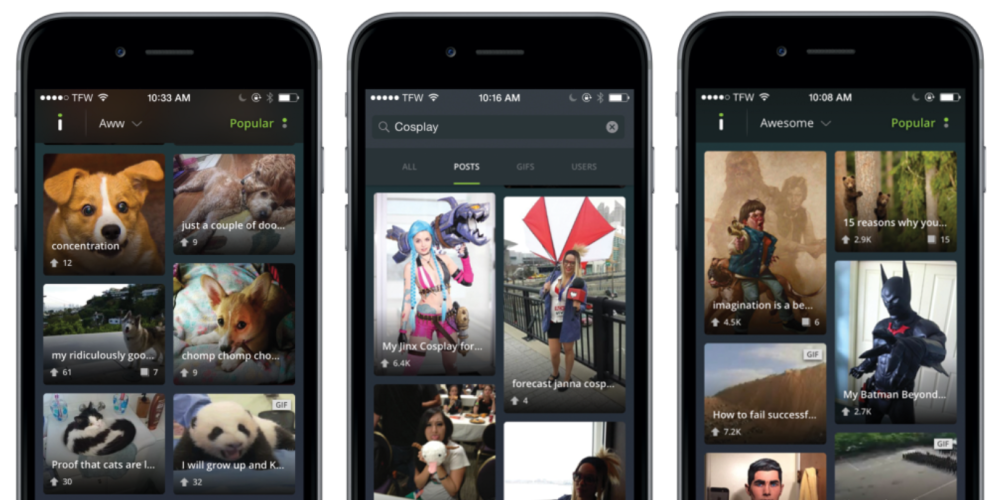
Imgur has today announced a new update to its iOS app that brings a handful of changes that have been highly requested by users. Earlier this year, the app was updated with the ability to quickly and easily upload images on the go and was also relaunched on Android with an entirely new interface. Today’s update bumps the app to version 2.4 and builds upon the features introduced earlier this year.

First off, Imgur says that the update includes a new grid view interface with large thumbnails and details about images such as headlines and votes. The update also introduces the ability to search for content. Imgur explained that both of these features were highly requested by users of its app.

In addition to those user-requested features, today’s update also improves the notification functionality of the app. You can now receive push notifications when your content “starts to go viral” and when you earn new trophies based on the performance of your uploads. Finally, the update also revamps the profile screen interface, making it easier to quickly view information about the uploader of an image.

–          The top two requests we heard from the community in regards to our iOS app was adding in a grid view that shows bigger thumbnails including more details like headlines and votes, and the ability to Search. We’re always listening to users and taking feedback, and we’re excited to share that both of these features are now available on iOS.

–          With this app update, we’re also introducing:

  • Revamped profile screens & better notifications, so you can see when your content starts going viral and when you earn new trophies

The Imgur update is available now on the App Store for free.

GoPro app for iPhone & iPad gets smart editing feature to create & share clips

Go-Pro-ios-app

The official GoPro app for iPhone and iPad gets an update today which brings a new smart editing feature to let users create and share clips instantly from within the app. Previously users resorted to third-party apps for similar functionality with GoPro camera hardware.

The new feature will let users instantly create edited versions of their videos that come in at 5, 15, or 30 seconds. You’ll be able to drag the timeline to select what 5, 15, or 30 second portion of your video you want to isolate. Once you’ve selected your clip, you’ll be able to instantly share to Facebook, YouTube, Instagram and other social sharing options available in the app.

The updated app, version 2.9, also receives an “improved camera software update process” and a number of bug fixes and other improvements.

You can grab the updated app for iPhone and iPad on the App Store now.

Instagram enhances its Direct messaging feature w/ chat threads, giant emoji, more

Instagram Direct update

After mostly letting it sit stagnant for nearly two years, Instagram is ready to show its Direct messaging feature some love. Instagram Direct, which lets you share photos, videos, and messages privately with other Instagram users, was seen as a play at Snapchat and similar apps when it launched in 2013, but it’s so far experienced limited appeal within the photo sharing app. Now Instagram hopes to change that with new features including message threads, giant emoji, sharing from your timeline, and more.
Expand
Expanding
Close

LinkedIn revamps messaging experience on iOS with redesigned app

linkedin-messenger

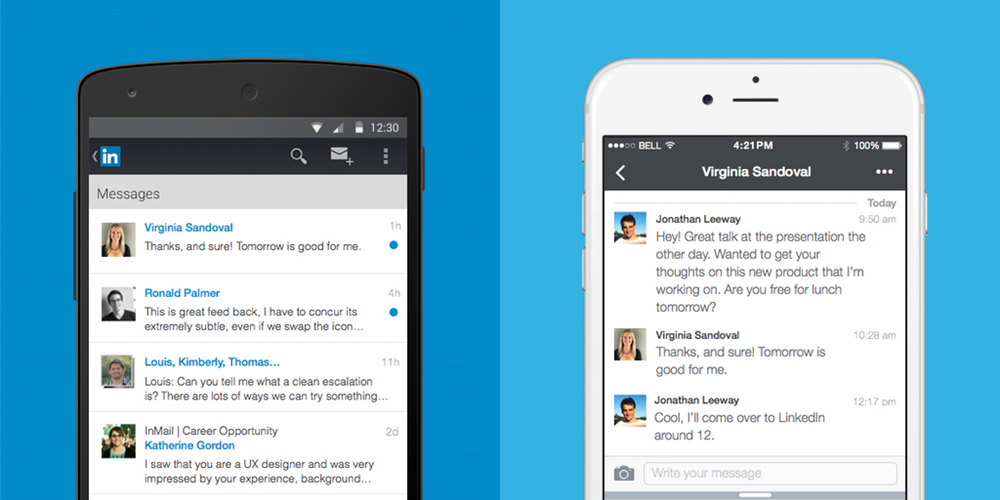
LinkedIn, the popular social network for connecting business people, has announced that its messaging experience is getting a serious design overhaul from today. Unlike the previous inbox, messages will no longer follow a traditional email format. Instead, it’s turned towards a messaging app design similar to Facebook Messenger.

LinkedIn has built everything from scratch, from the ground up with a cleaner, streamlined look with a brand new chat-style user interface. You can chat with contacts individually or send group messages, and conversations are organized around the people who are important to you. What’s more, you’ll be able to send documents, images, stickers, emojis and GIFs in your messages.

Starting today, we are rolling out a new messaging experience on LinkedIn that offers an easier and more lightweight way to have professional conversations with your connections.  We know many of you have been asking for this ability and we’ve taken a thoughtful approach to reflect the evolving ways professionals are communicating with one another today, as well as, the different ways our members are interacting with each other across our international markets.

From today, the new messaging experience will by rolling out to English-speaking LinkedIn members across the globe on iOS, Android and on the web. If you have LinkedIn installed on your iPhone, check the App Store for updates and you should find one waiting for you over the coming days or weeks.

Android Wear on iOS: Setup and first impressions [Video]

android-wear-iphone-6

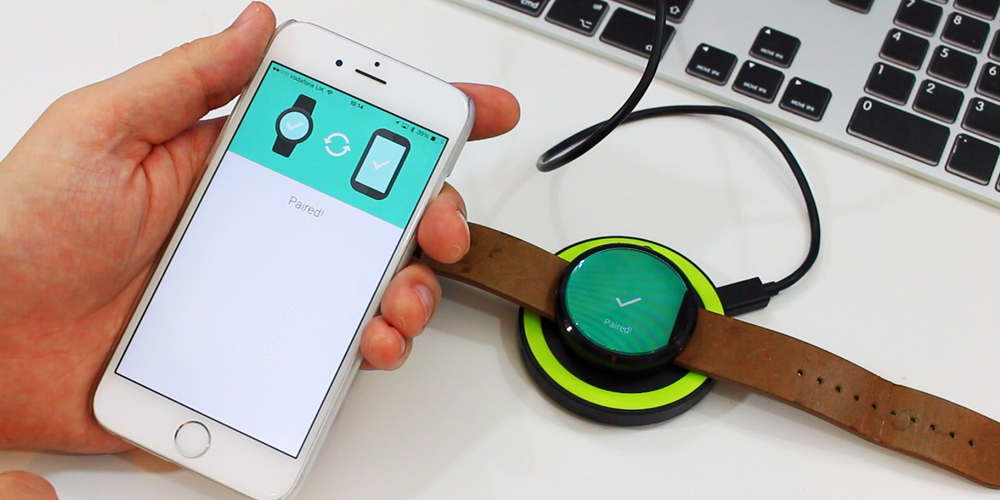
Android Wear finally has iOS support after Google pushed its iPhone-compatible software to the App Store. This means that Android has beaten Apple Watch to the cross-platform game. Or, at least it would, if iOS didn’t restrict it to a state of almost uselessness. The only device officially supported is the LG Watch Urbane although — as we previously revealed — the older generation Android Wear watches do work. I got it set up with my Moto 360, and have been mostly disappointed by my experience so far.


Expand
Expanding
Close

Google+ for iOS updated with ‘Collections’ feature

Google+ Collections iOS

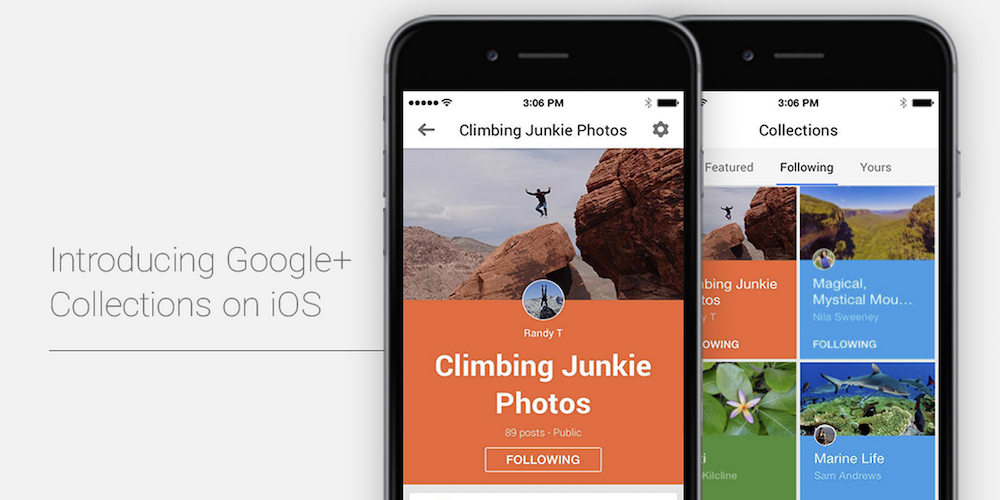
Google+ Collections, a feature that lets like-minded Google+ users connect in forums organized by topic, today comes to iOS devices after first rolling out for Android and web users a few months back.

Users can create Collections for topics they’re interested in and follow Collections created by other users to keep track of posts related to their interests. Google shared a few examples of popular Collections including Homebrewing, Climbing Junkie Photos, Magical, Mystical Mountains and Marine Life. It also features select Collections on a webpage here for easy searching.

When you post a Collection, Google notes that you’ll be able to customize who sees it thanks to recent improvements to the feature on Android that also come to iOS today. It also recently added the ability to add taglines to Collections and search for them on mobile devices. 

The Collections feature is available now in the updated Google+ iOS app with version 4.8.5.

Twitter introduces Music on Vine: Better audio controls and music discovery on Vine app

music-on-vine

Last night, Vine announced that it’s bringing greater music controls to its popular video-looping app on iOS. While users have always had the ability to include audio of any kind in their Vines, this new update makes it far more precise. The biggest update is a feature called ‘Snap to Beat’ which enables users to more easily create a seamless loop, or perfect loop where you can’t tell the beginning of the audio from the end.

To get Snap to Beat working for you, choose a song by tapping on the music note in the ‘Details’ screen. Snap to Beat automatically identifies how much of the song to use to make a seamless loop, then trims the video to fit that music clip. If you don’t want it happening auto-magically, you can switch off Snap to Beat and edit the audio manually yourself. This gives the user complete control over how much sound to include in the Vine, and which part of the video it should play over.

As a part of Vine’s new-found focus on music, there’s also a new audio discovery tool within the app. First up is a new ‘Featured Tracks’ section which you can explore when you create a new Vine and tap on the music note to add a song. What’s more, you can use Vine to detect what you’re listening to while watching other Vines. If a musical note icon appears beneath a Vine, tap on it, and it’ll show you the name of the track, and the name of the artist performing.

The Music on Vine updates will be rolling out to iOS users from today and will be available to download from the App Store for free.

Square debuts new schedule booking Appointments app for iPhone

Square Appointments

The San Francisco-based company Square has always focused on using technology to make commerce tools accessible to businesses of all sizes, and their latest app adds another resource to their growing lineup of mobile payment solutions.

Square Appointments for iOS is an iPhone-only app that lets clients book appointments and businesses manage schedules. Perks include appointment reminders for clients through push notifications and appointment history for businesses. Square highlights these specific features in their new app:

  • Manage appointments on the go: Set up and edit your appointments anywhere your business takes you.
  • Carry all your clients with you: Access and edit your client profiles.
  • Accept appointments instantly: Accept or decline appointments directly through your iPhone notifications screen.
  • Complete payments anywhere: Check clients out directly on your iPhone seamlessly through the Square app.

Businesses can use the new Appointments app even if they don’t process payments payments with Square.

Square Appointments is available for free on the App Store and joins Square Register, Cash, and Analytics.

Instagram rolls out support for portrait + landscape photos & videos

Instagram-01

Instagram today announced that it’s rolling out two new orientations for photos and videos including portrait and landscape formats to add to the old square photo format that was previously the only option for users uploading content.

It turns out that nearly one in five photos or videos people post aren’t in the square format, and we know that it hasn’t been easy to share this type of content on Instagram: friends get cut out of group shots, the subject of your video feels cramped and you can’t capture the Golden Gate Bridge from end to end.

When users upload an image in the app, they’ll now be able to tap a new icon to get access to the new portrait and landscape orientation options. In the screenshots above, Instagram gives us a look at how the new photo orientations will appear in a user’s feed.

The company notes that “To keep the clean feel of your profile grid, your post will appear there as a center-cropped square.” And lastly, Instagram is making all filters available for videos, which previously had its own set of separate filters:

We’re especially excited about what this update means for video on Instagram, which in widescreen can be more cinematic than ever. While we’ve historically had separate filters for photos and for videos, all filters will now work on all types of moments. You can also adjust the intensity of filters on videos, too.

The new features are available in the updated iOS app, version 7.5, landing on the App Store today.

Workflow iOS automation app puts its Today widget to work in latest version

Workflow app 2-1

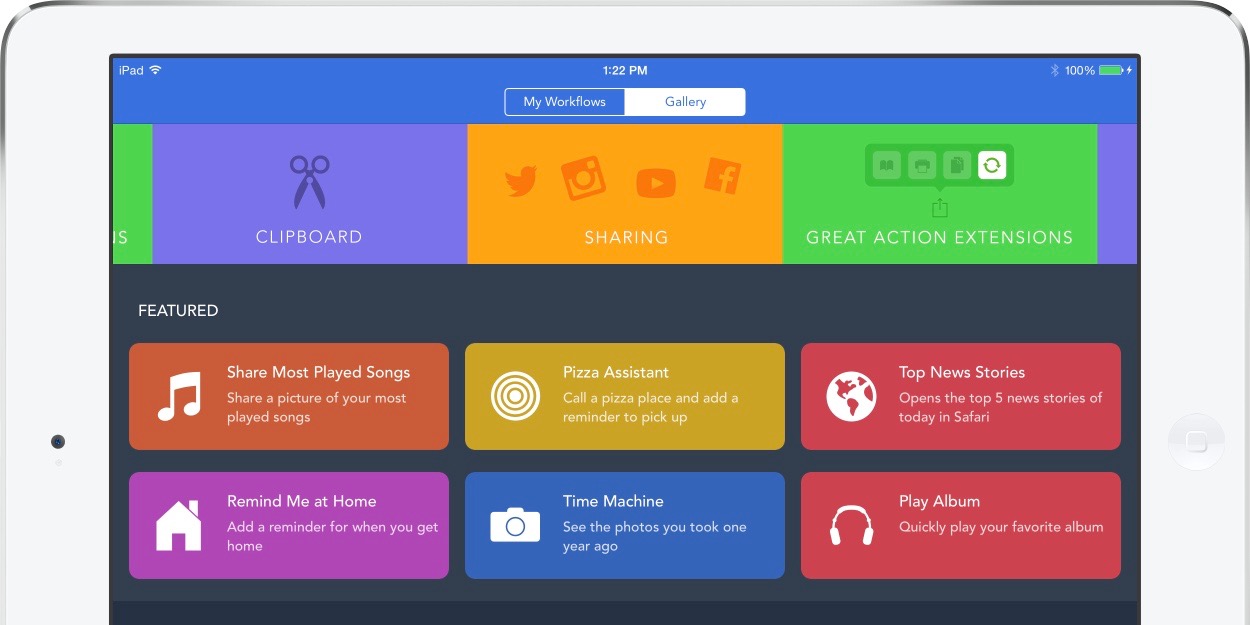
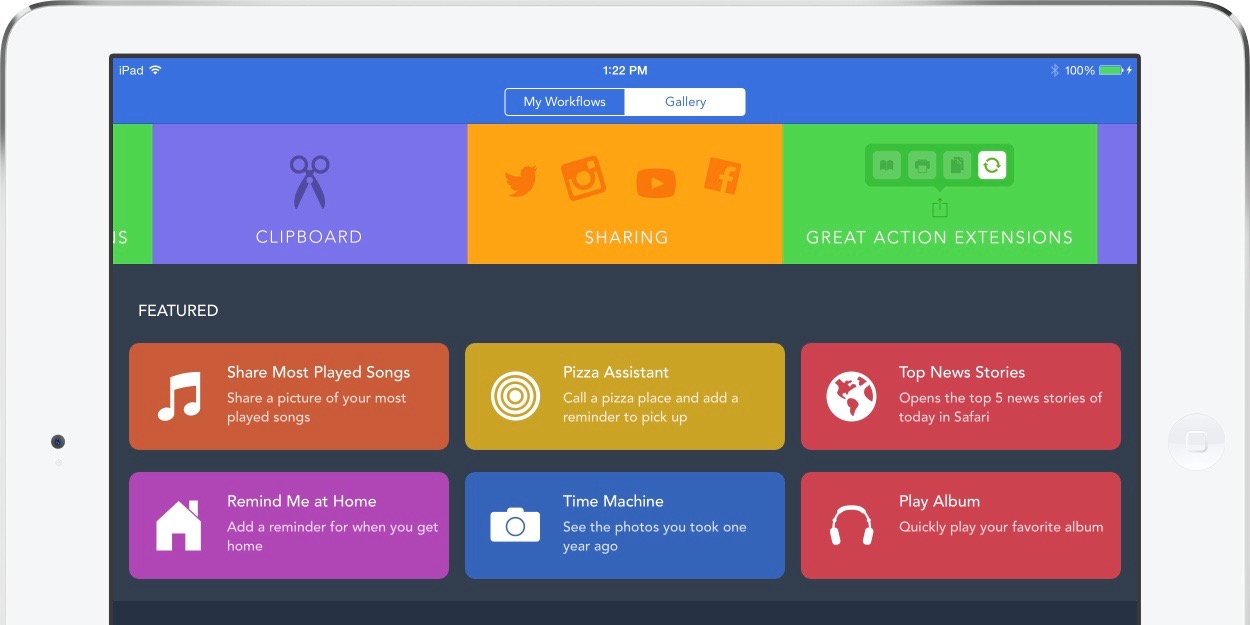
Workflow for iOS has become the go-to automation tool for iPhone, iPad, and Apple Watch users wanting to streamline actions on mobile devices, and now the latest version is ready to put its useful Today widget in Notification Center to work. Workflow originally launched last December after a number of high profile iOS 8 apps were being pulled from the App Store for doing too much with widgets newly made available in Notification Center, but Apple has clearly cooled off and decided that widgets that do more than present information are fine. Workflow’s new version highlights this as the updated widget can now run many tasks right from the swipe down Today view without launching the full app. The latest update also adds a few new actions as well as a new sync and backup service for workflows.
Expand
Expanding
Close

Evernote is taking its Food app out of service next month

Evernote Food Expired

PSA for the chefs and food enthusiasts: Evernote is taking its Food app completely out of service next month. Evernote Food, which used the Evernote syncing service but focused on capturing and storing recipes and photos of meals, will no longer be available for download at the end of next month.

Evernote is also stopping sync support for Food as it takes the app out of its portfolio, instead pointing users to the main Evernote app and the service’s Web Clipper feature.

If you enjoyed using Food, please give Web Clipper a spin for collecting recipes and cooking inspiration and try Evernote for capturing your favorite meal experiences. Our App Center Food Collection also features Evernote-integrated food-centric apps that you might like.

Evernote Food will stop working starting September 30th so users will need to sync their content up with the service before then. Recipes and photos within the app won’t go away, but Evernote will no longer sync it with the service. Evernote’s main app for iOS users is available from the App Store. Users affected can follow this transition guide to ensure no data is lost.

Pocket 6.0 rolls out for iPhone & iPad with new Recommendation feature

pocket-ios

Pocket is one of the most popular read-it-later apps available on iOS, and the service is about to get better (or perhaps worse depending on your viewpoint), with the public launch of recommendations. The feature has been tested in beta for some time, and is now officially out in the wild and will be available to users on iOS, Android and on the web. Pocket describes it as “high-quality content without the noise”.

Recommendations takes the absolute best content being saved across Pocket and tailors it to your own saving and reading habits. The result is a feed that’s completely unique and personalized to you, and is filled with the most interesting articles and videos you might have missed otherwise.

Instead of being a collation of the most viewed web pages from the web, recommendations are based on how popular stories are with people with your interests. Since they’re already curated by humans, the company hopes that helps tune out the noise. For instance, if you happen to save a lot of technology articles to read later in Pocket, you’ll be served up tech-based recommendations. What’s more, if you find a recommendation you don’t like, just press the ‘X’ and remove it from your feed.

Recommendations are currently available in English only currently, but the company states that it is working on a wider roll out in more languages. You can download Pocket 6.0 for iPhone and iPad from the App Store for free.

Adobe details ‘Project Rigel’ image retouching app after discontinuing Photoshop Touch

Project Rigel

Ahead of its annual Max conference in October, Adobe is talking up its new photo retouching app dubbed Project Rigel that is expected to debut at the event this fall. As we learned in late May, Project Rigel is a new Adobe mobile app in development set to replace and improve the image retouching tools previously available in the discontinued Photoshop Touch iOS app. 
Expand
Expanding
Close

Coin announces Coin 2.0 with NFC, faster display, thinner design, more

Screen Shot 2015-08-25 at 9.18.11 PM

Coin, the company behind the innovative electronic card that aimed to consolidate your wallet into a single card, has today announced the 2.0 version of its offering. The first iteration of Coin began shipping in April 2015 and anyone who owns the first generation of the product is eligible for a free upgrade to Coin 2.0. Coin 2.0 includes a variety of enhancements, most important of which comes with the addition of NFC.


Expand
Expanding
Close

Etsy Local alerts iOS app users of nearby sellers when on the move

Etsy-Local

Etsy has long been an online marketplace for unique, often handmade items available directly from their creators, but a new feature of the app will connect shoppers with nearby sellers in the real world. The new Etsy Local feature, available from within the Etsy iOS app, will alert users when they are close to a seller’s real world location, including pop-up shops, flea markets, craft fairs, and local stores.

Sellers will just have to add their local store and event information in order for it to appear for app users. For users, this is how it works within the app:

When a shopper opens the Local tab in the app, recommended nearby retailers and events are tailored to their tastes, based on shops and sellers they have previously engaged with, through favoriting, purchasing, and browsing. Buyers can also discover great new places to shop by viewing local boutiques that carry Etsy merchandise — just one more way to support local communities online and off.

You’ll find the new Local feature on the app’s home page on both your iPhone and iPad, and you’ll be able to view store info and navigate to local shops and events from within the app.

You can access the new Etsy Local feature through the Etsy app for iPhone and iPad.

Site default logo image

Winter is coming: Yahoo Weather app adds near-term rain and snow alerts

tumblr_inline_nte4umDfOh1qhxx5s_500

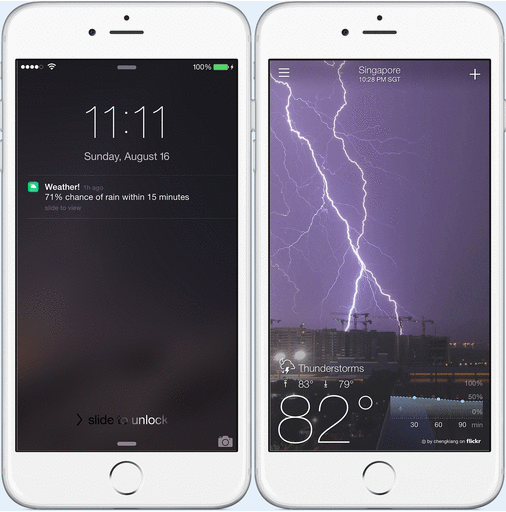
Yahoo is today updating its Yahoo Weather app for iOS with near-term rain and snow alerts (not that we needed a reminder that summer is nearly over). With the updated app, users will receive alerts for rain and snow 15 minutes before an expected downpour.

In addition to the new weather alerts, Yahoo notes that the app is now more accurate with improvements made to the methods it uses to “determine and serve forecasts.” As an example, Yahoo says the app will now “even zoom in on microclimates.”

The updated Yahoo Weather app with rain and snow alerts, version 1.8, is available for iPhone and iPad on the App Store now.

What’s New in Version 1.8

Introducing new weather alerts around the world!

Yahoo Weather, our beautiful and intuitive weather app, will alert you 15 minutes before rain or snow is expected so you can grab your jacket, boots and umbrella!

K1_banner

Adobe Social gaining Aviary’s photo editing features, Publish Anywhere adds new media enhancements

Adobe Social

Adobe announced almost one year ago that it had acquired the team behind the popular image editing app Aviary, and since then the iPhone app has picked up Adobe ID support for syncing editing supplies with Creative Cloud and joined the Creative SDK. Now Adobe is tying Aviary’s tools like text adding and filter adjustments to Adobe Social — which lets social media managers publish content with simple workflows — thanks to tighter Adobe Creative Cloud integration. Adobe highlights what Aviary integration with Social will mean for users:
Expand
Expanding
Close

1Password iOS update improves Apple Watch & Touch ID experience

Apple Watch 16-9

A nice update is awaiting 1Password users on iPhone, iPad, and Apple Watch today as the password management app has enhanced a few key parts of the experience. On the iPhone 5s and later plus iPad min 3/iPad Air 2, 1Password’s login screen now features a Touch ID button under the Master Password field so you can choose to sign in using your finger print even if you accidentally hit cancel on the first request. Tapping the fingerprint button prompts the system Touch ID unlock screen.

Also useful for Touch ID users on iOS is an improvement to how the app can stay unlocked between uses in different apps. Previously 1Password’s extension in other apps required being unlocked by password, passcode, or Touch ID each time, but now the 1Password extension and 1Password app share the same unlock time limits. This makes relying on 1Password to enter passwords in the many of supported apps including Safari a faster experience if security is a lower priority.

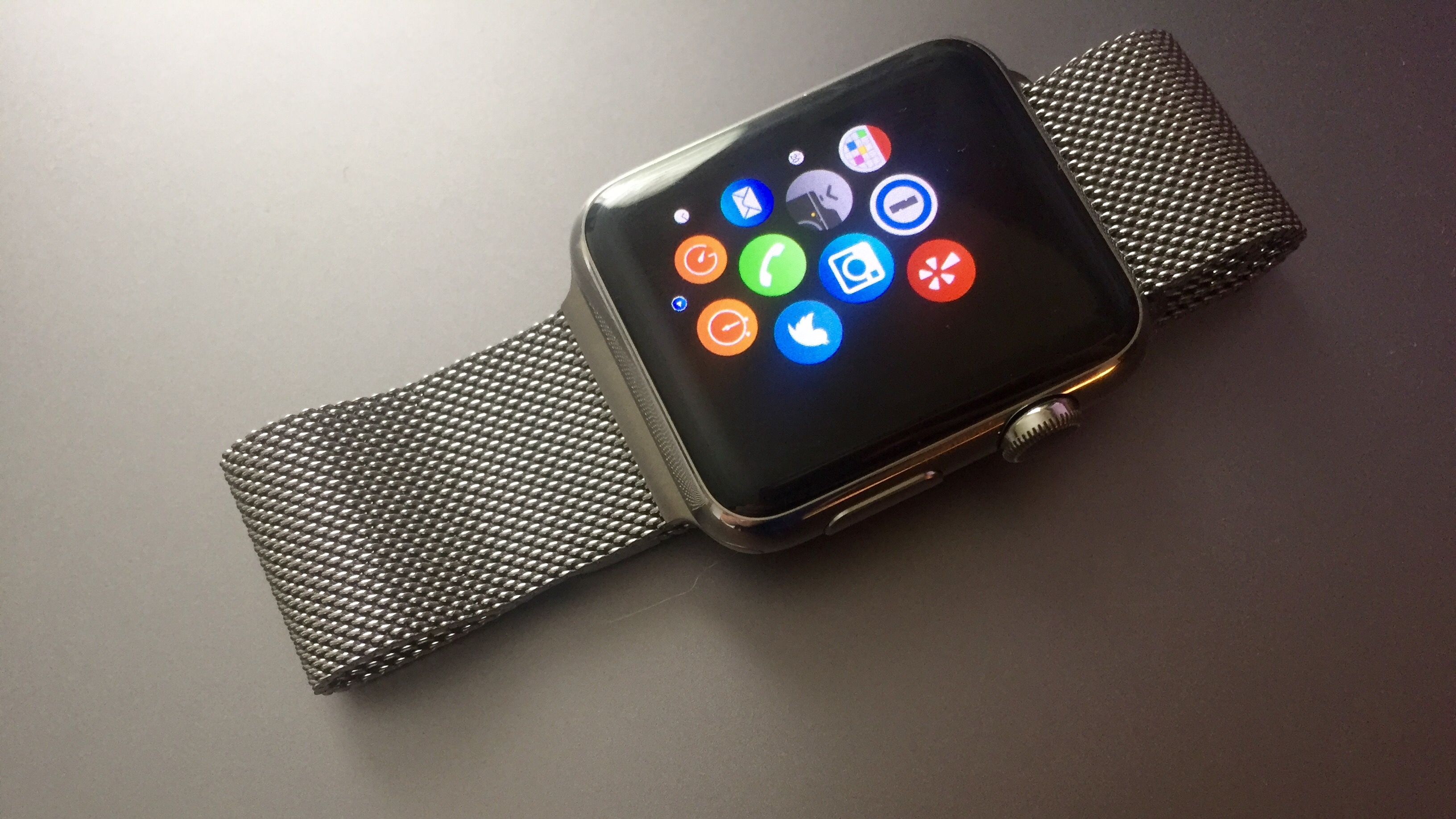
Finally, 1Password has enhanced its Apple Watch app with the usual bug fixes that give you a better experience, and credit cards saved to the Apple Watch app now include the important PIN codes that 1Password can save. 1Password’s Apple Watch app lets you selectively sync important passwords to the app with an optional added passcode over the app. You can find the full release notes below:
Expand
Expanding
Close

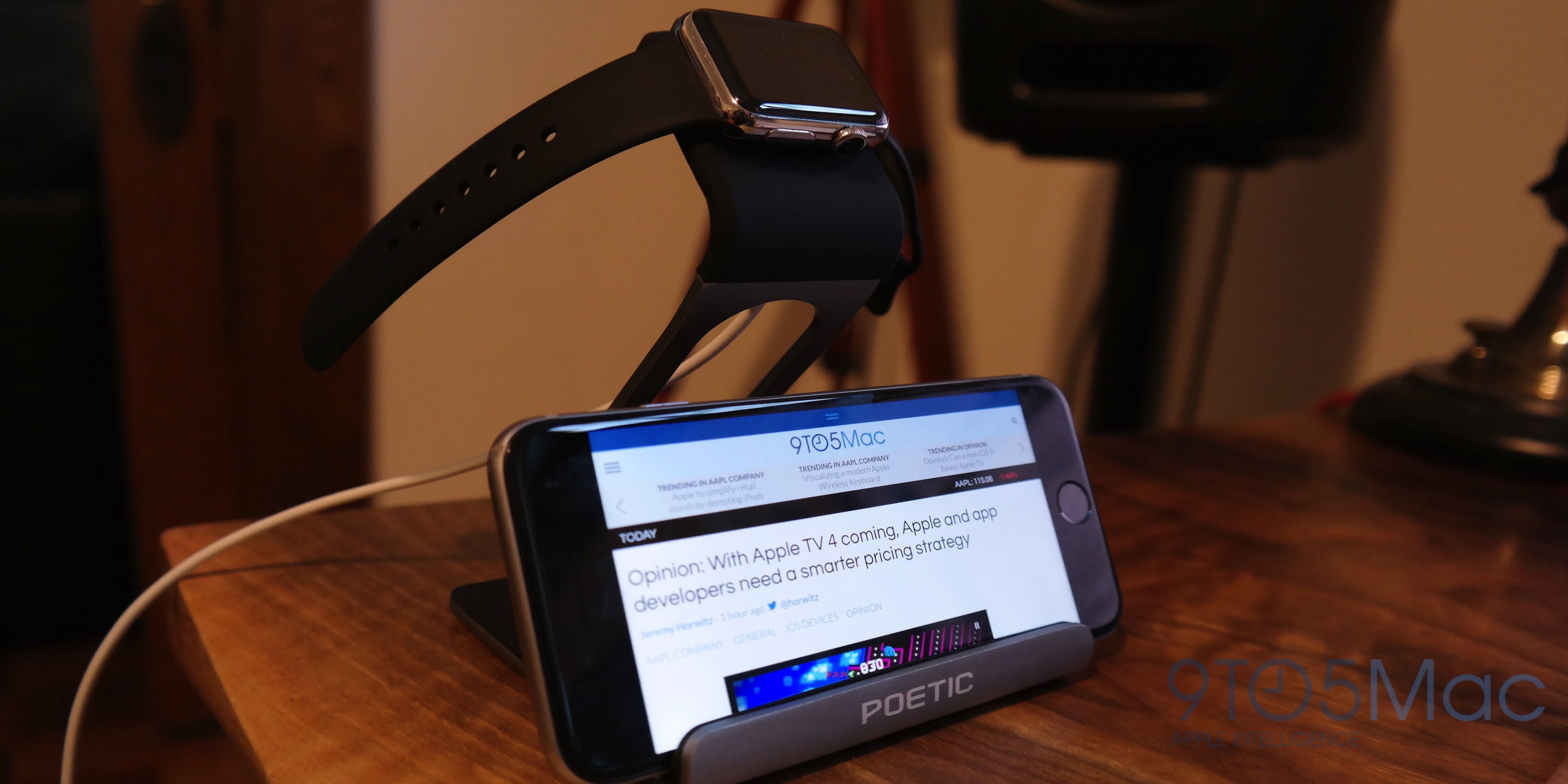
Review: This $15 aluminum charging stand for Apple Watch & iPhone beats out more expensive options

With a lot of compromised designs due to the rush to get Apple Watch docks and stands to market, I wasn’t initially all that impressed with the often overpriced options available. That’s why I opted for a DIY mod of my own Apple Watch box. But at just $15, this new charging dock from Poetic is one of the first dock products I’ve received that I can confidently recommend to those of you currently window shopping for a watch stand. Here’s why you shouldn’t waste your time with pricier options…
Expand
Expanding
Close