HomeKit

See All Stories

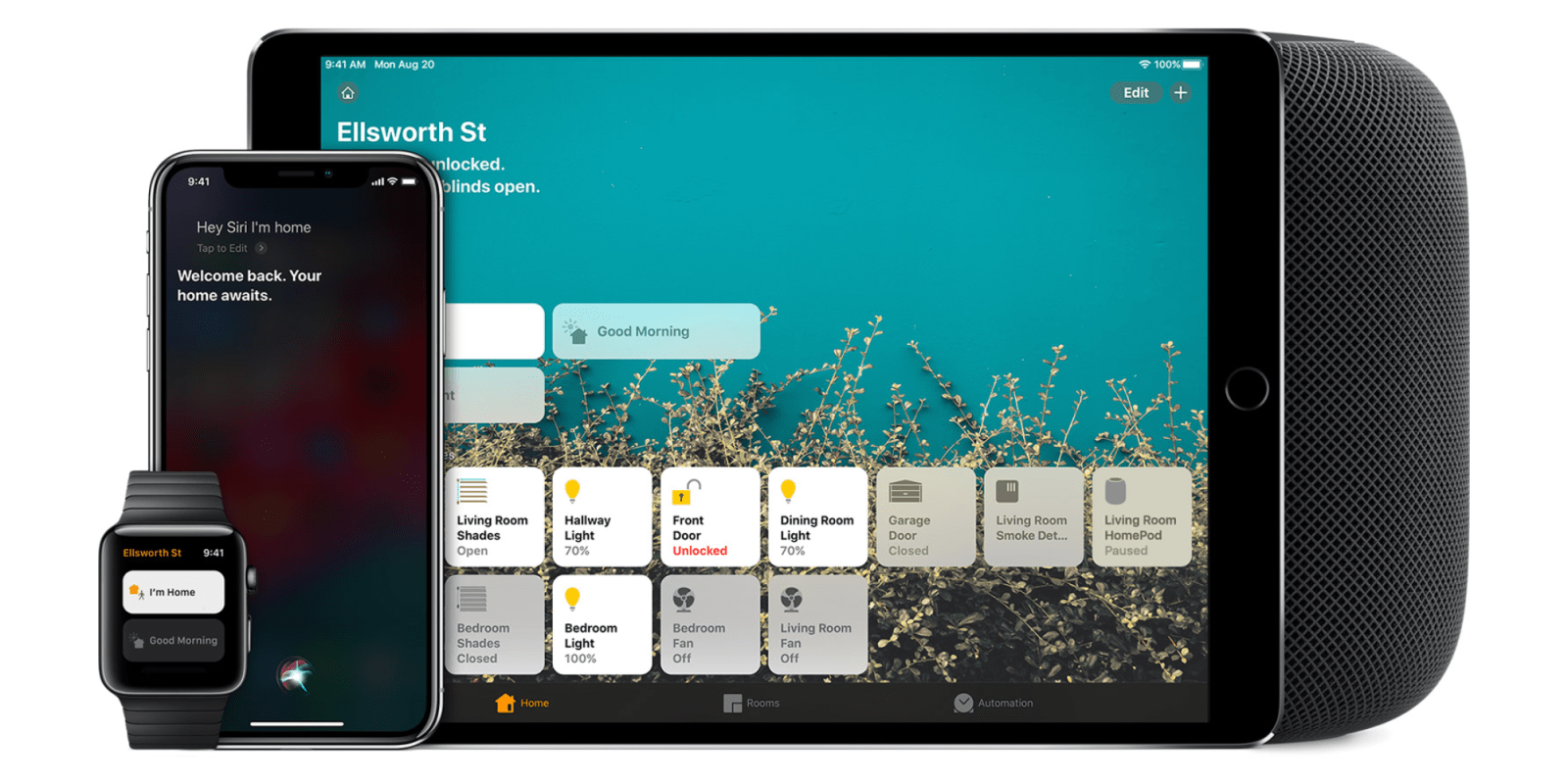
HomeKit is Apple's home automation framework that lets you control connected accessories from your iPhone, iPad, Apple Watch, HomePod, and Siri.
Your home at your command.

What is HomeKit / Apple Home?

Along with several other new APIs for developers, Apple announced HomeKit in June 2014, which allows all home automation accessories/devices to work together in harmony with iOS. The API allows home automation developers to centralize all home automation without needing separate apps to access each device’s specific features. These devices include locks, lights, cameras, doors, thermostats, plugs, switches, and more.

HomeKit allows for secure pairing with devices and the ability to control individual devices. It also makes it possible to group several home automation devices into scenes that allow for easier control of any automation device in specific situations. One of the coolest features available with HomeKit is the ability to control any home automation accessory with Siri based on certain commands or scenes previously configured with these devices.

In 2016, Apple introduced a new Home app that came with a modern look, relatively easy-to-use controls, and access to accessories and scenes from anywhere on iOS 10. Apple’s new built-in Home app arrived on the iPhone’s Home screen, plus you can access a ton of functions from the Lock screen or anywhere on iOS from the new Control Center once you have a HomeKit accessory set up.

In 2018, Apple released the HomePod. It was a way to interact with your connected home devices through Siri using a standalone device.

In 2020, Apple announced that tvOS 14 would gain access to the Home app. iOS 14 is also bringing improvement to the Home app UI.

HomeKit Secure Video
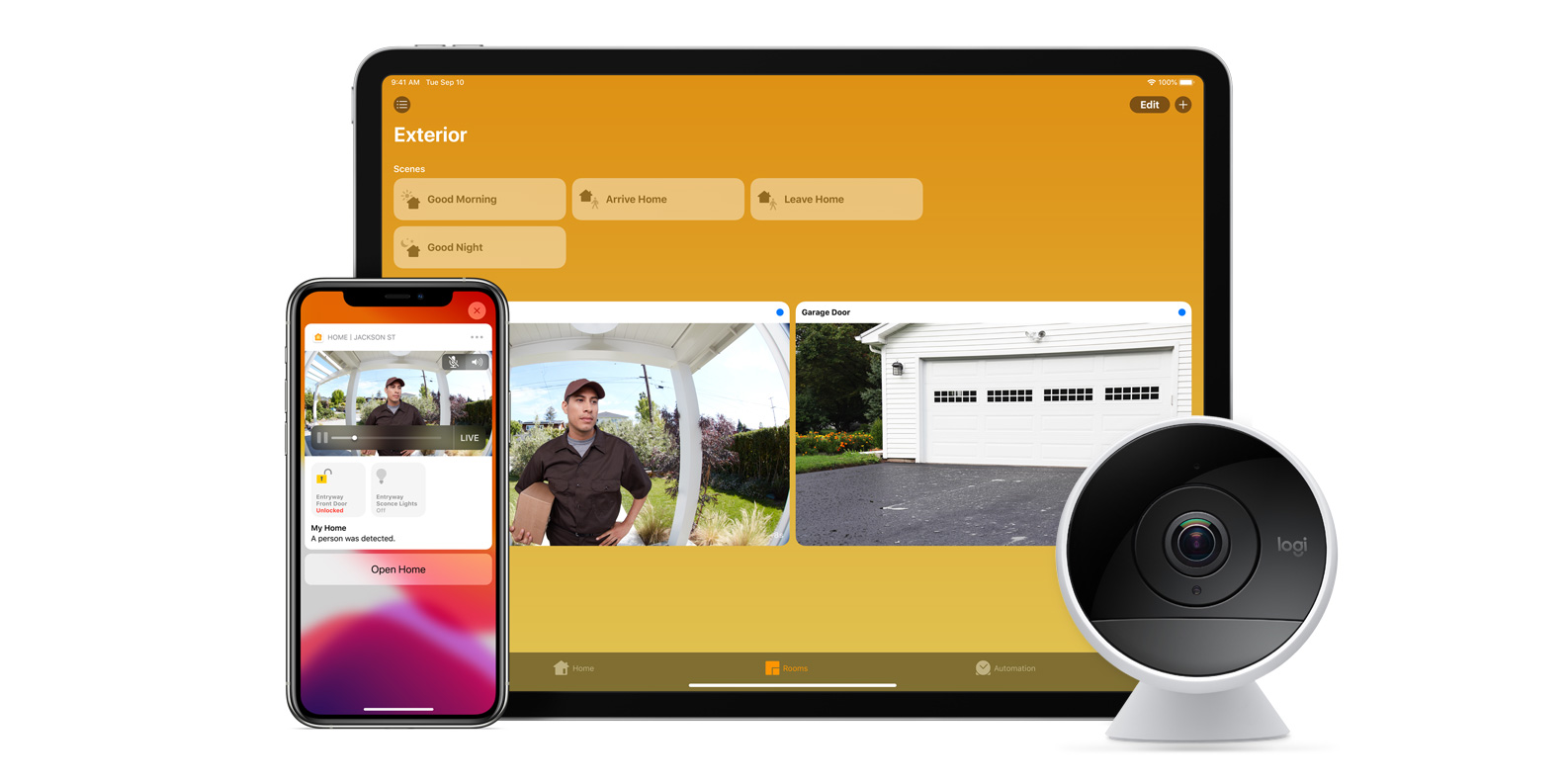
With iOS 13, Apple announced HomeKit Secure Video.

Footage from home security cameras contains your most personal and sensitive data. With HomeKit Secure Video, activity detected by supported cameras is privately analyzed by your home hub using on‑device intelligence to determine if people, pets, or cars are present. When important activity is detected, you and anyone you share your Home app with will receive a rich notification that lets you view the clip right from the Lock Screen. Recorded video is available to view for ten days from the Home app. It’s securely stored for free in supported iCloud accounts and doesn’t count against your storage limit.

While the rollout has been slow, Logitech, Arlo, Netatmo, and Eufy are among the early standouts. With recent privacy issues with Ring, HomeKit Secure Video is likely to continue to grow in popularity. One key benefit with Secure Video is that it works with your existing iCloud storage (200GB and up plan), so you don’t have an extra monthly fee for storage.

HomeKit Router
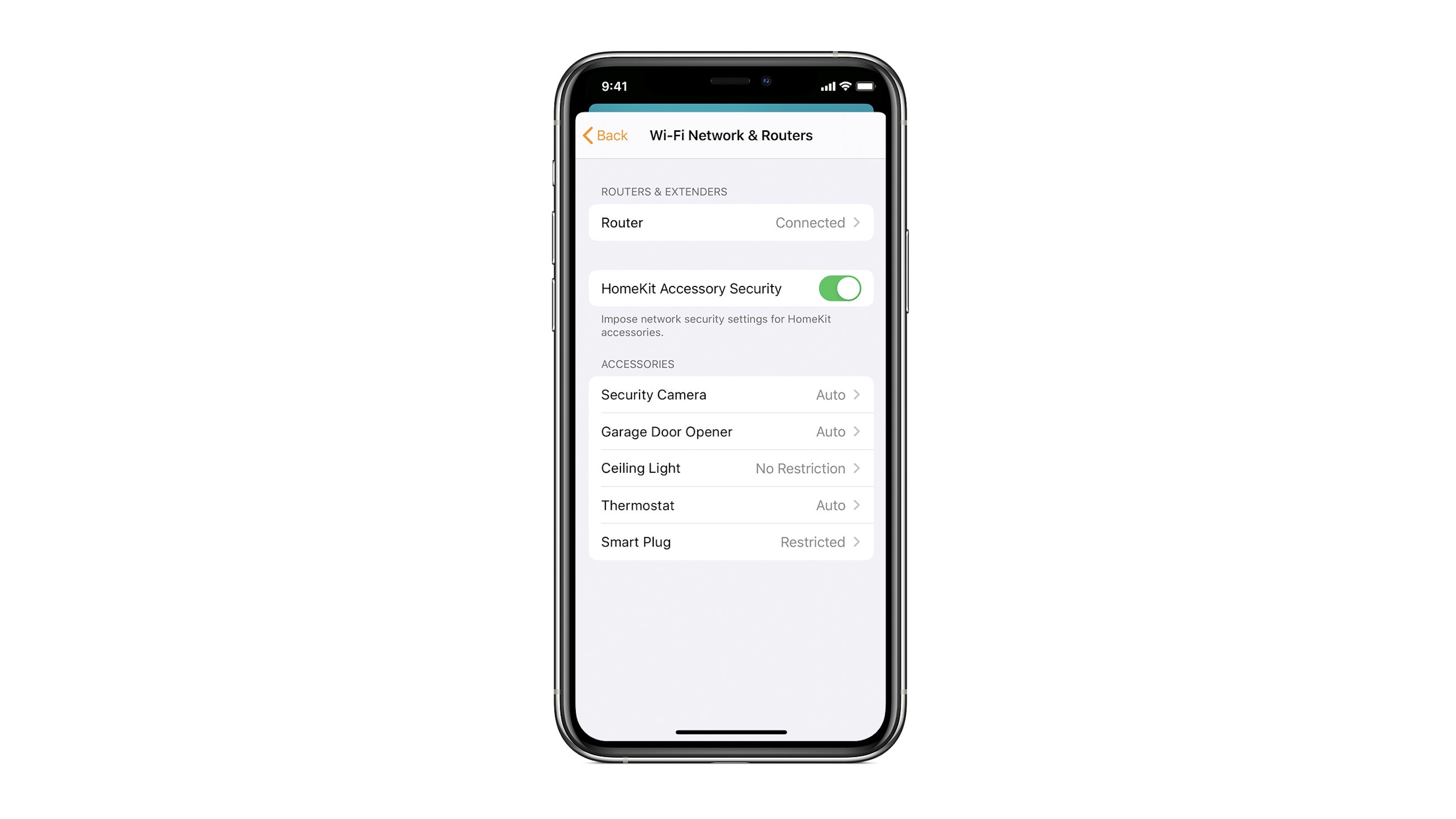
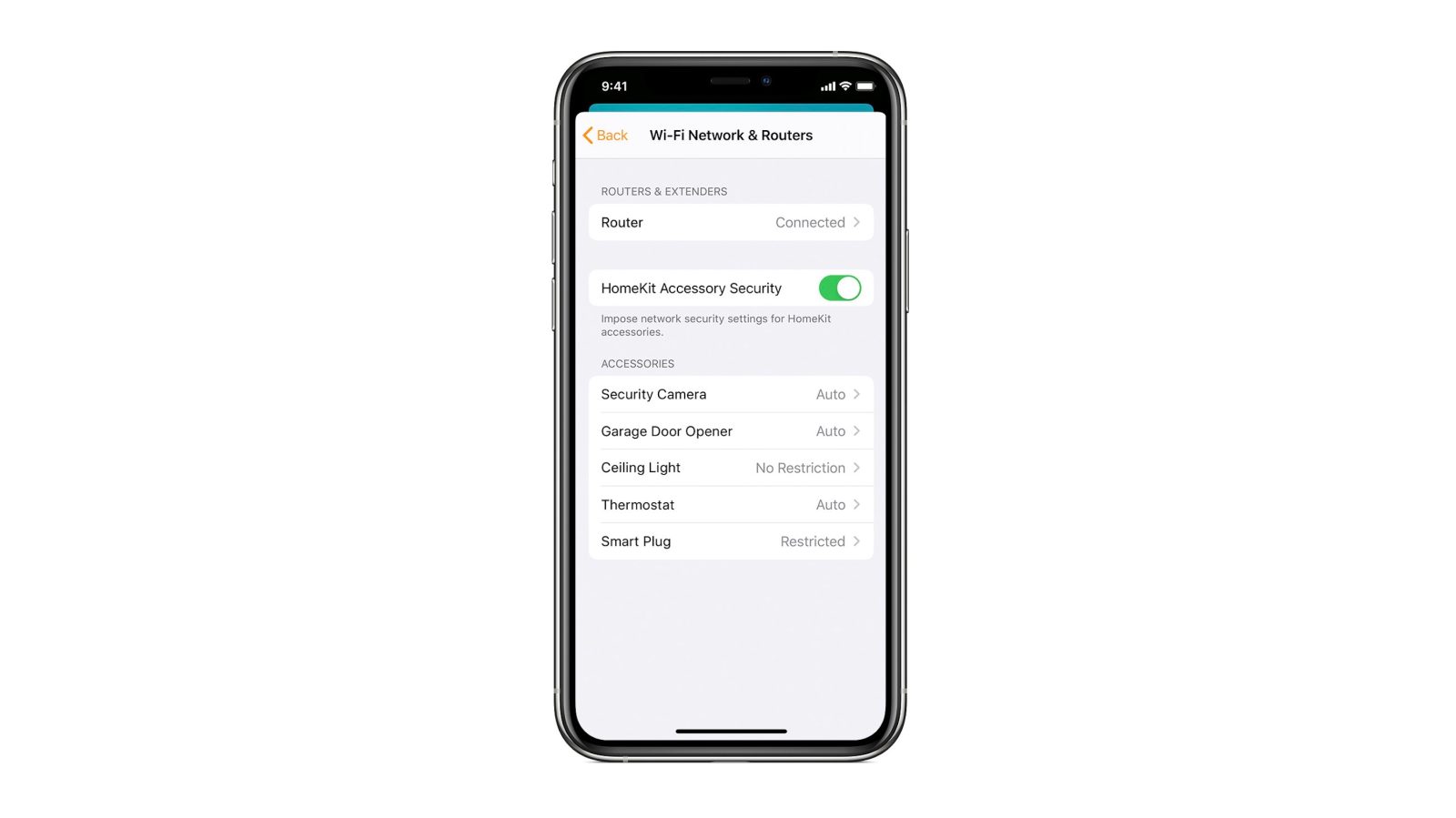
HomeKit Router was also announced with iOS 13, but it wasn’t released until early 2020. The idea behind the feature is you can give granular control to smart home enabled devices to control where on the internet they can reach.

eero was the first company to roll out support in for HomeKit Router.

With Apple HomeKit, eero gives you even more protection of your HomeKit accessories and an easy way to manage what they are allowed to communicate with in your home and through the internet.

There are three levels of security Apple offers for accessories paired with HomeKit routers:

  • Restrict to Home: Most secure. Your accessory can interact only with HomeKit through your Apple devices. The accessory won’t connect to the Internet or any local devices, so any third-party services, like firmware updates, might be blocked.
  • Automatic: Default security. Your accessory can communicate with HomeKit and connections recommended by its manufacturer.
  • No Restriction: Least secure. This setting bypasses the secure router and allows your accessory to interact with any device in your network or Internet-based service.

How Do You Use HomeKit?
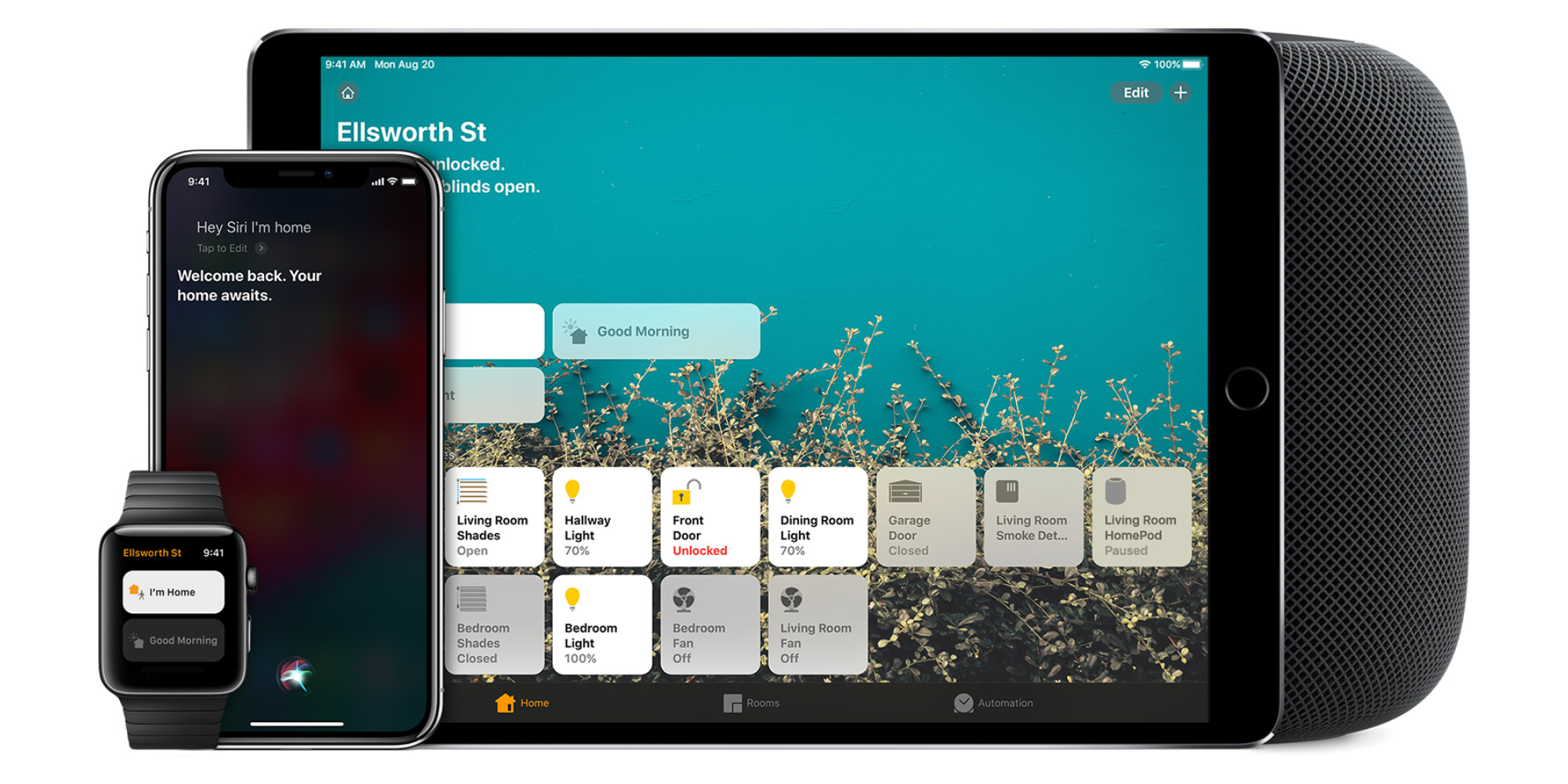
Homekit app

HomeKit devices can be controlled from iPad, iPhone, Mac, Apple Watch, and HomePod. A 4th generation Apple TV (or newer) is an essential Apple smart home device as it acts as a bridge over iCloud to allow access to your devices when away from home.

9to5Mac’s Bradley Chambers does a regular column about the “Apple Home” lifestyle in his HomeKit Weekly column.

HomeKit Weekly: Are eufyCam 2 cameras the perfect HomeKit solution?

eufyCam 2

As much as I have been investing in my HomeKit setup over the past few years, HomeKit security cameras are something I hadn’t been able to pull the trigger on. My hesitation is that I didn’t want to be tied to paying monthly fees for each camera, nor did I want a solution that required a cloud service that wasn’t end-to-end encrypted. For my HomeKit cameras, I ended up using the eufyCam 2 thanks to it the option of local recording to a base station, no monthly fees, HomeKit integration, battery-powered and the possibility of using HomeKit Secure Video. Let’s dig into my eufyCam 2 review.
Expand
Expanding
Close

HomeKit Weekly: ecobee vs Nest – what is the best smart thermostat for Apple users?

ecobee smart thermostat

As I mentioned a few weeks ago, I’ve been a Nest customer for the past seven years. I put it a second-generation Nest when I built my house back in 2013, and I added a second Nest a few years later for our upstairs unit. I’ve been using the Starling Home Hub for the past six weeks to enable HomeKit support on these products, but I recently swapped out my downstairs Nest with the ecobee SmartThermostat. After a few weeks of using it, I am ready to compare them and decide which unit has the best HomeKit integration. ecobee vs. Nest: what’s the best smart thermostat?
Expand
Expanding
Close

HomeKit Weekly: The true benefit of HomeKit is in the automations you can create

Homekit app

In the past few years of building up my collection of HomeKit products, I would tell people that the value of HomeKit is the ability to bring multiple products from multiple manufacturers into a single application that makes it easy to use. After installing my abode alarm system a few weeks back, something clicked for me. As I was settings up my automations, it clicked in my brain that the true benefit of HomeKit is to leverage automations from all of the devices exposed in your HomeKit ecosystem.
Expand
Expanding
Close

Review: Danalock, the device which finally persuaded me to get a smart lock

Danalock smart lock

The Danalock has filled the last remaining hole in my smart home armory: a smart lock.

You could say I’m something of a home automation fan. I had near-withdrawal symptoms when briefly forced to live without it for a while after moving home back in 2017. Getting things back up-and-running was a great relief!

Lights and smart sockets were followed by window blinds (later given HomeKit compatibility), smart(ish) heating (though more on that another day), and even a control panel.

But I’d avoided a smart lock for three reasons …


Expand
Expanding
Close

HomeKit Weekly: Smart home projects to pass the time during social distancing

We’re all getting stir crazy being stuck in our houses during the COVID–19 pandemic, but you can make good use of the time if you want to work on your HomeKit setup. Since pretty much every extracurricular activity has been canceled, spend this time getting your house to work for you through Apple’s HomeKit platform. Here are some fun projects that can help pass the time, along with being fun to install.
Expand
Expanding
Close

Controller for HomeKit

Selective HomeKit backup and restore arrives with Controller for HomeKit 4.1 update

HomeKit instances are becoming ever more important as more and more accessories add HomeKit support. I know that I personally have forty or so devices in my HomeKit environment, so I wish Apple had a proper backup and restore feature. Rebuilding my setup would take at least a half a day. Today, Controller for HomeKit has released version 4.1 on the App Store with some exciting new features.


Expand
Expanding
Close

HomeKit Weekly: Building my dream smart home setup with HomeKit to simplify my life

HomeKit Home

Since I’ve started writing a weekly article about HomeKit, one of the most common questions I’ve gotten is exactly what HomeKit products I own and how I use them. I’ve spent years building out each room over time, and I love how easy HomeKit is to manage from any of my devices (including HomePod). If you are starting from scratch on HomeKit, you’ll like this article because it’ll give you a starting point. I am going to explain my “HomeKit home” a room at a time.
Expand
Expanding
Close

HomeKit Weekly: Eve Water Guard can potentially save thousands in home repairs

Eve Water Guard

Water leaks are undoubtedly something that can really damage a home. As I mentioned a few weeks ago, we had a water leak in our kitchen that caused our hardwood floors to warp a tad. Particularly with hardwood floors, a water leak can be disastrous. HomeKit enabled water leak detectors are the perfect way to be notified immediately in the event of a water leak. This week, I am going to review the Eve Water Guard to see where it fits within a HomeKit home.
Expand
Expanding
Close

HomeKit Weekly: First Alert Environment Monitor is a simple to install HomeKit carbon monoxide detector

homekit carbon monoxide

In my quest to get everything in my home working with HomeKit, I thought it would be time to replace our carbon monoxide detector with a HomeKit compatible one. After doing a bit of research, I settled on the First Alert GLOCO–500 WiFi Environment Monitor with Battery Backup. For a HomeKit carbon monoxide detector, it is exactly what I wanted.
Expand
Expanding
Close

Affordable HomeKit Secure Video camera Aqara G2H set to launch this year

Affordable HomeKit Secure Video camera Aqara G2H

Those looking for an affordable HomeKit Secure Video (HSV) camera could be in luck: Aqara has announced that its long-promised G2H camera will support Apple’s privacy-focused standard from launch. Although pricing isn’t yet known, the company is known for budget-friendly products.

It follows news that the G2 Camera Hub will also be HomeKit compatible …


Expand
Expanding
Close

Australian housing provider launches HomeKit smart homes to enhance disability accommodation

An Australian housing provider, Casa Capace, debuted two HomeKit-equipped homes this week as part of an innovative disability accommodation pilot. For most of us, smart home accessories are just a simple convenience but for the highly-dependent and disabled, smart home technology can be transformative.

Residents can use the Home app or Siri on the HomePod to open doors, raise and lower blinds, adjust the thermostat and more. The pilot program will house six residents across the two newly-built smart homes. If successful, it is likely that more homes in the same manner will be built.


Expand
Expanding
Close

Netatmo Smart Indoor Camera officially adds support for HomeKit Secure Video with iCloud recordings

The Netatmo Smart Indoor Camera now officially supports HomeKit Secure Video as of today, as announced in a Netatmo blog post. The firmware update is being made ‘gradually available’ over the upcoming days.

This means that new and existing Netatmo Smart Indoor Camera owners can now take advantage of HomeKit Secure Video features, where detected motion events are recorded as clips to the user’s iCloud account to be able to be watched back later.


Expand
Expanding
Close