iPad (2021)

See All Stories

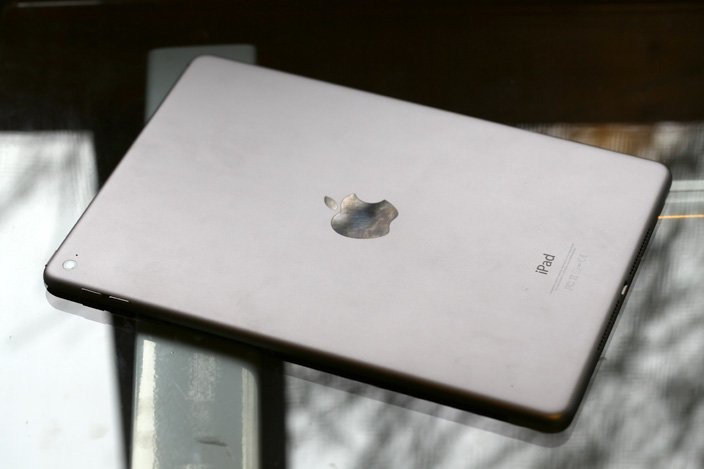
Apple's tablet debuted in 2010. Since the original version, it's expanded into multiple screen sizes and Pro and non-Pro options.

The iPad is Apple’s base tablet model. In its ninth generation, the iPad focuses on being the perfect tool for education and people who seek a bigger screen to read and surface the web compared to the iPhone. With Apple Pencil and Smart Keyboard support, the iPad has never been better.

History

Site default logo image

The iPad is a line of tablets designed and developed by Apple. It was originally announced in 2010, three years after the first iPhone was introduced. With a 9.7-inch screen and with iPhone OS 3.2 the iPad was a success, hitting 1 million tablets sold in over three months, half the time the first iPhone took to reach this mark.

Steve Jobs then unveiled the iPad 2 in March of 2011. About 33% thinner than its predecessor and 15% lighter, the second generation used the A5 chip, twice as faster as its predecessor. The iPad 2 also introduced front and back cameras that supported FaceTime video calls.

The successor of the iPad 2 wasn’t a success at all. The third generation was introduced in March of 2012 with a Retina display and the A5X processor. The problem with this tablet it was too heavy and the battery didn’t last long enough. In October of the same year, Apple announced the fourth generation with the A6X processor, HD FaceTime camera, improved LTE capabilities, and the Lightning connector.

At this October event, Apple also introduced the first iPad mini. In 2013, Apple went with the first iPad Air and the iPad mini 2. In 2015, the company introduced the first Pro model, with two different sizes.

Site default logo image

In March of 2017, Apple announced the fifth-generation iPad with the A9 processor. It was a budget option compared to the other tablets. It was in 2018 that the company brought expressive news to the base iPad line. The sixth-generation had the A10 Fusion processor and fully supports the first-generation Apple Pencil.

A year later, the seventh generation was announced with a larger 10.2-inch display and support for the Smart Keyboard as well. It retained most of the specs of the previous model.

In September of 2020, the eighth generation was introduced alongside the fourth-generation iPad Air model. The eighth generation received an upgraded processor, now with the A12 Bionic, while keeping the same storage options: 32GB and 128GB.

In September of 2021, the ninth generation was introduced alongside a redesigned iPad mini. This iPad now features the A13 Bionic processor, True Tone support, and new storage options: 64GB and 256GB while keeping the same price.

iPad 9 Specs

Site default logo image

The ninth-generation iPad launched in September of 2021. Available in two colors, Silver and Space Gray, this tablet is made of 100% recyclable aluminum, and supports the first-generation Apple Pencil and Smart Keyboard.

With thinner bezels, the product comes with a 10.2-inch Retina display with a fingerprint-resistant oleophobic coating, and True Tone support for the first time, which adjusts screen content to the color temperature of a room.

This tablet uses the A13 Bionic chip, the same available on the iPhone 11, 11 Pro, and 11 Pro Max. It has an “all-day” battery with up to 10 hours of surfing the web on Wi-Fi or watching videos.

The iPad also comes in 64GB and 256GB storage options and Wi-Fi and Wi-Fi + Cellular versions.

Revamped cameras

Site default logo image

For the first time, this iPad shares the same FaceTime camera as the M1 iPad Pro with the Center Stage experience. With a new 12MP Ultra Wide front camera and Neural Engine, users can enjoy even more engaging video calls.

As users move around, Center Stage automatically pans the camera to keep them in view. When others join in, the camera detects them too, and smoothly zooms out to include them in the conversation. Center Stage makes video calls more natural in FaceTime as well as third-party video-calling apps.

Its main camera is the same: 8MP, f/2.4 aperture, and digital zoom up to 5x.

iPadOS 15

Site default logo image

The ninth-generation iPad comes with the iPadOS 15. Previewed during the WWDC21 keynote, the new operating system brings a redesigned Home Screen with widgets and App Library support.

On iPadOS 15, FaceTime group calls can finally appear in a grid, so it’s easier to see everyone. It’s also possible to share your screen, listen to Apple Music songs together, or watch Apple TV+, HBO Max, Disney+, and others while in a call.

In the productivity section, Apple, unfortunately, didn’t bring all the features pro users wanted to take full advantage of their new M1 iPad Pro, even though Apple made it easier to rely on multitasking features.

There’s a new multitasking menu on the top of the screen. When you click there, it’s possible to see what configurations you can use on Split View or just go to Slide Over with just a tap.

The experience with an external keyboard allows users to get more done with all-new keyboard shortcuts and a redesign of the menu bar.

With the Quick Note feature, users can use the Apple Pencil to add a quick note. They just need to slide the pencil through the bottom right corner to the center of the screen and start writing.

iPadOS 15 launched on September 20. Learn more about it here.

iPadOS 15.1 features

One month after releasing iPadOS 15, Apple released iPadOS 15.1 More notable, the company finally brought SharePlay support for the iPhone, iPad, and Apple TV. Unfortunately, Universal Control wasn’t one of the features added with this new version. Here’s what else is new:

Translate

  • Mandarin Chinese (Taiwan) support in the Translate app and for system-wide translation

Home

  • New automation triggers based on the current reading of a HomeKit-enabled humidity, air quality, or light level sensor

Shortcuts

  • New pre-built actions let you overlay text on images or gifs, plus a new collection of games lets you pass the time with Siri

iPadOS 15.2 features

apple-music-hey-siri-plays-voice-plan-9to5mac-2

Five weeks after releasing iPadOS 15.1, Apple is releasing iPadOS 15.2. It brings more features that were expected to launch alongside iPadOS 15 but, unfortunately, Universal Control is still nowhere to be seen. Here are the top features of this version:

  • Apple Music Voice Plan is a new subscription tier that gives you access to all songs, playlists, and stations in Apple Music using Siri
  • App Privacy Report in Settings lets you see how often apps have accessed your location, photos, camera, microphone, contacts, and more during the last seven days, as well as their network activity
  • Communication safety setting gives parents the ability to enable warnings for children when they receive or send photos that contain nudity
  • Digital Legacy allows you to designate people as Legacy Contacts so they can access your iCloud account and personal information in the event of your death
  • Apple TV app: Store tab lets you browse, buy, and rent movies and TV Shows all in one place

iPadOS 15.3 features

Six weeks after releasing iPadOS 15.2, Apple is releasing iPadOS 15.3. This update foregoes new features in favor of under-the-hood bug fixes and improvements. One of the most notable changes here is a fix for a Safari vulnerability that may have been leaking your browsing history and Google ID data to the websites you visited.

iPadOS 15.4 features

iPadOS 15.4 finally brings one of the most important features expected from iPadOS 15 and that got delayed: Universal Control. Here’s everything new with iPadOS 15.4:

  • Universal Control: This feature allows you to control your Mac and iPad using the same keyboard and mouse/trackpad. Universal Control needs iPadOS 15.4 and macOS Monterey 12.3;
  • New Siri voice: Siri has a fifth American voice. Apple says a member of the LGBTQ+ community recorded the voice and it’s non-binary;
  • More emoji: iPadOS 15.4 also brings new emojis. You can discover all of the new characters here;
  • Shortcuts automation: Adds support for running Personal Automations in the background without requiring a pesky banner notification.

You can learn everything new with this update here.

iPadOS 15.5 features

Different from other software updates, iPadOS 15.5 only improves the Podcast app experience, as Apple focused on Wallet changes for the iPhone this time:

  • Apple Podcasts includes a new setting to limit episodes stored on your iPhone and automatically delete older ones

iPadOS 15.6 features

iPadOS 15.6 is yet another small update for iPad users. Here’s what’s news:

  • TV app adds the option to restart a live sports game already in progress and pause, rewind, or fast-forward.
  • Fixes an issue where Settings may continue to display that device storage is full even if it is available.
  • Fixes an issue that may cause Braille devices to slow down or stop responding when navigating text in Mail.
  • Fixes an issue in Safari where a tab may revert to a previous page.

iPadOS 15.7 features

iPadOS 15.7 only brings bug fixes and some security improvements as the company readies the iPadOS 16 release.

Education

Site default logo image

Apple describes this iPad as the go-to tablet for education. For several years the company discounts this tablet up to 10%.

Apple is always promoting ways students can use the iPad to learn new things: using Augmented Reality, the Apple Pencil, and how to code with Playgrounds.

The company says the “App Store is the best place to discover apps” for education purposes:

Let your curiosity run wild with iPad. The App Store is the best place to discover apps that let you get a leg up in geometry, learn a new language, and attend virtual classes. You can even use augmented reality to learn something exciting, like watching the history of spaceflight unfold in your living room or making characters from your favorite book literally leap off the page.

Release date: When Apple will launch the ninth-generation iPad?

Apple launched the iPad 9 on September 24, 2021.

Pricing

iPad (2021) pricing starts at $329 for the 32GB storage option with Wi-Fi only. The prices can go up to $559 with the 128GB storage option and WI-Fi + Cellular. Here are the full prices of the ninth-generation tablet:

  • 32GB with Wi-Fi: $329
  • 32GB with Wi-Fi + Cellular: $459
  • 128GB with Wi-Fi: $429
  • 128GB with Wi-Fi + Cellular: $559
  • Apple Pencil (1st generation): $99
  • Smart Keyboard: $159

Lower prices may be available from Apple’s official Amazon store.

iPad (2021) Review

Site default logo image

Soon, we’ll review the ninth-generation iPad. As for now, you can watch our video review of the eighth-generation iPad, as we described it as the “best value tablet you can buy:”

“The iPad 8 was never meant to be a huge update. But even still, I think this is easily the best value tablet you can buy. For $329, this tablet has so much to offer: The performance, the great battery life, and the Apple pencil functionality. I’d highly recommend you pick up this tablet if you simply need an inexpensive tablet today that’s going to last you for three to four years with no trouble.”

iPad Deals

Over at 9to5Toys, you can find the best deals on the iPad and other Apple products. Download the 9to5Toys iPhone app to receive push notifications for new deals as well.

Rumors

As of now, Bloomberg‘s Mark Gurman said in his Power On newsletter by the end of 2021 that Apple plans a new entry-level iPad for 2022. In June 2022, 9to5Mac exclusively reported the details of the tenth-generation iPad model.

According to Filipe Espósito, this new entry-level tablet will pack the A14 Bionic chip, 5G compatibility, and, for the first time, USB-C connectivity, unlocking new experiences with the second-generation Apple Pencil. Its display will also increase, although it’s unclear whether it will have the same design as the M1 iPad Air.

This iPad could be released in October of 2022.

Apple and IBM rolling out MobileFirst iOS enterprise apps localized for Japan

Site default logo image

Following the release of the MobileFirst suite of iOS enterprise apps last year, the result of a new partnership between Apple and IBM, today the companies are rolling out the apps to the Japanese market.

The companies haven’t made an official announcement yet, but sources close to the situation say seven apps are arriving for Japanese customers today.
Expand
Expanding
Close

Review: Elgato’s Game Capture HD60 livestreams your iPad, iPhone, and console games at 1080p/60fps

Over the past decade, video gaming became social, as voice chat, multi-player matchmaking, and live game streaming enabled gamers to share their experiences with friends and strangers online. Streaming game video was the hardest, requiring so much horsepower that consoles needed computer assistance. Elgato entered the market in 2012 with Game Capture HD, which was designed to record directly from the PlayStation 3 and Xbox 360. Now there’s a more powerful version called Game Capture HD60 ($180), which offers professional-quality full 1080p HD recording support at 60 frames per second, plus one-touch live streaming to uStream, Twitch, and YouTube. It works with iPads, iPhones and iPod touches using Apple’s Lightning to Digital AV Adapter, and Xbox One, Xbox 360, Wii U and PlayStation 4 game consoles with nothing more than an HDMI cable.

Elgato has years of experience making cutting-edge video recorders: back when Macs weren’t nearly as powerful as they are today, its EyeTV DVRs could record live TV while streaming video to iOS devices. Similarly, Game Capture HD60 lets you simultaneously enjoy lag-free gaming, stream live video to the Internet, and optionally include voice commentary with automatic audio level balancing. It also does all of these things with barely any need for user involvement. And although the price was just a little too high when it debuted last year, it’s now hovering around $150 — a great price given the quality of its video output. Read on for all the details…


Expand
Expanding
Close

Site default logo image

Google Maps iOS app adds full-screen maps, improved voice search & transit directions

Google Maps for iPhone and iPad has received an update to version 4.4.0 bringing a new full-screen map view, improved transit directions and voice search, and the ability to filter search results for Zagat-reviewed restaurants.

Google notes that the new full-screen mode can be activated by “tapping an empty spot on the map,” while improved voice search brings the ability to “type, or tap the mic and say, “directions to” a place for faster results.”

The update also includes new transit line colors on maps when viewing transit directions and a Zagat filter for restaurants in search results.

The updated Google Maps app for iOS, version 4.4.0, is available on the App Store now.

What’s New in Version 4.4.0

• View a full-screen map by tapping an empty spot on the map
• See transit line colors on the map when you get transit directions
• Filter search results for Zagat-rated restaurants (where available)
• Type, or tap the mic and say, “directions to” a place for faster results
• Bug fixes

Apple execs talk developing ResearchKit: ‘there’s a strong personal connection’

Site default logo image

Apple SVP Jeff Williams announcing ResearchKit

Following the introduction of ResearchKit at this month’s Apple event, Apple executives Jeff Williams and Bud Tribble held a question and answer session with Apple employees regarding the new initiative, according to a source who provided a transcript of the conversation. Williams, Apple’s Senior Vice President of Operations, is the top executive in charge of Apple’s health engineering initiatives, including the Apple Watch, HealthKit, ResearchKit, and fitness software. Tribble is a Software Engineering Vice President with a medical background as a doctor, and he organized many of the partnerships for both HealthKit and ResearchKit…


Expand
Expanding
Close

Pixelmator 1.1 for iPad adds realistic watercolor painting, new Color Picker, more

Site default logo image

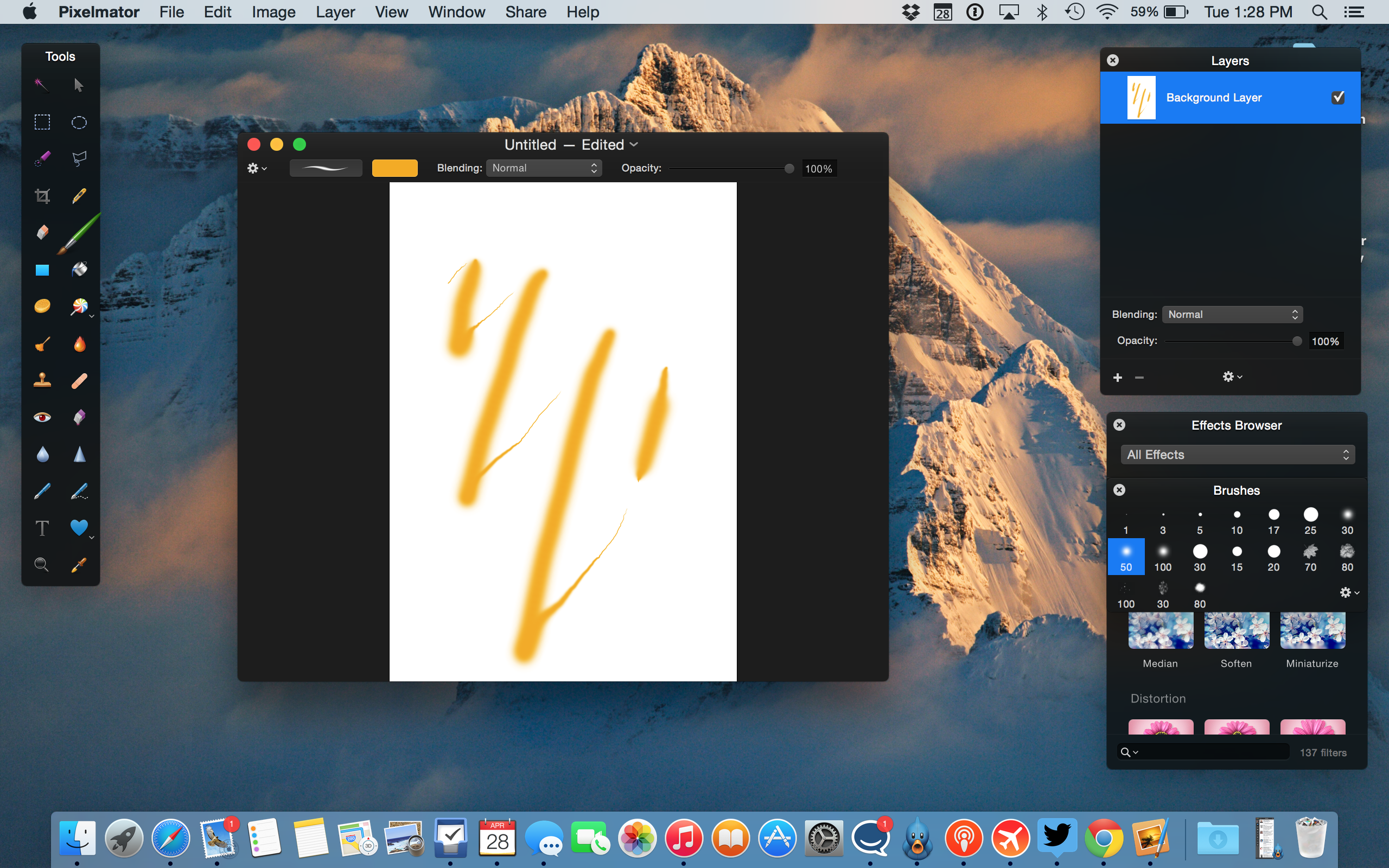
Pixelmator has today released a new update for the iPad version ($9.99) of its popular image editor. Version 1.1 includes a brand new watercolor painting feature, which can be used to create brand new pieces of art from a blank canvas or add stylistic additions to existing images and photos. Brushes overlay new colors additively with soft radiuses to create beautiful blends and shading. Pixelmator says they spoke to real artists to help design the brush strokes. It feels really nice to use.

Although watercolor painting is the headline addition, Pixelmator 1.1 also includes a new Color Picker with a swatch of previously selected colors, an updated rendering engine for better performance and much more. You have to see it in action … (video below)


Expand
Expanding
Close

How-To: Transfer, edit, and share DSLR or point-and-shoot photos using your iPhone or iPad

Apple’s iPhones became Flickr’s most popular camera phones in 2008 and most popular cameras overall soon thereafter, but even now, iPhones constitute only 9.6% of the photo-sharing site’s userbase. Despite the iPhone’s undeniable popularity, over 90% of photographers are using other cameras: Canon has a 13.4% share, Nikon 9.3%, Samsung 5.6%, and Sony 4.2%, with tons of other brands following close behind. While the cameras in phones continue to improve every year, they’re not the best tools for photography — they’re just the ones most people carry with them all the time.

If you shoot photos with a DSLR or point-and-shoot camera, you probably aren’t sending images directly to the Internet from the camera itself. You probably come back home, transfer your photos to your computer, then edit and share them with Adobe’s Photoshop Lightroom or one of Apple’s three photo management apps — iPhoto, Aperture, or the beta version of Photos.

For around $30, your iPhone or iPad can change the way you shoot, edit, and share photos. Using the right accessories and apps, you can easily publish DSLR-quality photos a minute after snapping them. I’ve been doing this for years, and it works incredibly well; today, it’s actually better than at any time in the past, thanks to recent iPhone and iPad hardware improvements. This new How-To guide will walk you through everything you’ll need to know to use your iPhone or iPad as a photo editing and sharing station, looking at photo transferring accessories, editing software, and sharing options…


Expand
Expanding
Close

China Unicom & China Telecom will sell iPad Air 2, iPad mini 3 cellular models for first time

Site default logo image

China Unicom and China Telecom announced today that they will start selling the iPad Air 2 and iPad mini 3 to customers starting March 27. This is the first time the carriers, two of the top three largest in the country, will offer customers in China the Wi-Fi + Cellular models of Apple’s latest generation tablets. 
Expand
Expanding
Close

Opinion: Do we need to use the Apple Watch to know whether we want one?

Site default logo image

I’m a self-confessed smartwatch skeptic. Early attempts like the original Pebble just seemed to me an extremely ugly solution in search of a problem. Some of the later models, like the Moto 360 and LG G Watch R (as well as the rather familiar-looking latest Pebble), overcame the ‘ugly’ part, but I still couldn’t see a reason to want one. I haven’t worn a watch for more than a decade, and smartwatches weren’t showing me any reason to change that.

Then along came the Apple Watch. It’s far and away the best smartwatch I’ve seen to date, and for someone deeply embedded into the Apple ecosystem, it would also be the most logical smartwatch to go for if I were to go for one at all. Yet I’m still not seeing a compelling user case–and as Benjamin observed in his own recent opinion piece, Apple doesn’t appear to be doing much to help me.

However, I’m not ready to join the ranks of those dismissing it, and there’s one very good reason for that … 
Expand
Expanding
Close

Site default logo image

China’s gold consumption suggests Apple Watch Edition is aimed at China, says Om Malik

China’s voracious appetite for gold suggests that this might be the key market for the solid gold Apple Watch Edition, says former GigaOM founder Om Malik.

There is a love affair between the Chinese and gold jewelry. The gold consumption in that country is going through the roof. (In 2014, the worldwide consumption of gold fell and yet, China demand still stayed strong.) […]

Some believe that the Apple Watch Edition (the expensive kind) will find more takers in China than anywhere else in the world.

It has previously been suggested that it was Asia, and China in particular, which drove the successful decision to start offering iPhones, iPads and now the new MacBook in a gold color.

China is of course a huge market for Apple, the company’s revenues there rising from $12.7B in 2011 to almost $30B last year. Year-on-year revenue growth in China was 17% last year, more than double the growth in Europe and four times that of the Americas.

Apple last year announced plans to increase the number of Apple Stores in China from 15 to 40 in two years, six of them since opened. Retail head Angela Ahrendts listed an emphasis on the country as one of her three key goals.

Site default logo image

Apple cleared of infringing former Nokia patents, $100M claim thrown out

Apple has been cleared of infringing five wireless patents originally held by Nokia in its iPhones and iPads. The patents were later acquired by a subsidiary of Conversant Intellectual Property Management Inc, which sued Apple for $100M by calculating a per-device license fee. Apple argued that even if it had infringed the patents, which it denied, a fair license fee would be less than $1M.

Reuters reports that a federal jury in Texas took five hours to deliberate yesterday before finding in favor of Apple.

Had Conversant won, it’s possible that the majority of the revenue would have been paid to Microsoft and Nokia. In a complicated chain, Conversant obtained the patents when it acquired a company called Core Wireless, which had in turn bought them from Nokia–which had licensed them to Microsoft.

In its purchase of Core Wireless, Conversant agreed to return two-thirds of any revenue from licensing and litigating the patents back to Microsoft and Nokia, according to the documents. A Microsoft representative on Monday night could not confirm whether that agreement was still in force.

Update: Microsoft has since informed me that “Microsoft no longer has a financial stake in Core Wireless.”

Apple holds the unenviable record of having been sued by more patent trolls than any other company. It has a mixed record of success in these cases, Apple saying last year that it usually won on the merits of the cases it defended, but chose to settle some “for business purposes.”

Apple last month lost a case brought by Smartflash, and was ordered to pay over half a billion dollars in damages. Apple is appealing the award, while Smartflash is extending the proceedings to devices made since the lawsuit was originally filed.

In a separate ongoing patent dispute with Ericsson, the ITC has been asked to block the import of iPhones into the country.

Review: Anker’s 60W 6-Port USB Charger is ready for your family’s iPads, iPhones, and Watches

USB chargers aren’t sexy, but they’re critically important to iOS users — so vital that every iPhone and iPad arrives with a basic one-port charger in the box. Without USB recharging assistance, these devices would literally be dead after one day of active use. And the more Apple devices you (or your family) use every day, the more valuable a multi-device charging hub becomes. When I travel with my wife and kids, I can’t leave the house without a charging solution for everyone’s iPads and iPhones.

Up until two or three years ago, few families had five or six Apple devices. Moreover, early multi-device chargers were expensive: Griffin charged $100 for an early five-port charging station, and Bluelounge charged $100 for a four-port version. But that’s changing. iPads are cheaper than ever, iPhones are more ubiquitous than ever, and Apple Watches are about to add “one more thing” to the list of Apple devices requiring a daily charge. Thankfully, great multi-device chargers have become affordable; RAVPower’s Bolt 6-Port USB Wall Charger impressed me last year for $27, and a slightly less powerful version now sells for $25. Over the past week, I’ve been testing something even better: the most powerful home and travel charging hub I’ve ever seen.

Correctly billed as “family-sized,” Anker’s 60W 6-Port Desktop USB Charger ($36) features an intelligent power management system that lets any of its ports recharge any iPad, iPhone, iPod, or other USB accessory at its top possible speed, sharing 60 watts of power across them. You can recharge six iPad Airs or iPad minis at peak 10W speeds, or five older, power-hungrier third- and fourth-generation iPads at their peak 12W speeds. There’s no need to confirm that you’re using the right type of port for your device, as all of Anker’s ports self-regulate power up to 12W as appropriate. Read on for more details…


Expand
Expanding
Close

OSMO’s new iPad drawing Masterpiece app draws impressive reviews

Site default logo image

What kind of parent are you if you don’t plunk down $80 for one of these OSMO things right now? I just got one. Amazon reviewers gave it an impressive 4.8/5 stars and it comes with 4 apps. The latest, Masterpiece for iPad [free, App Store] lets kids learn to draw by a type of tracing using the iPad camera illustrated in the excellent Sandwich video above.

After the kids are done you can send it all over the place or print it out. There is a nice video capture feature as well that replays the drawing which looks like it will pump up your kids for the next drawing.

The OSMO game system has three other games at present: Words, Newton and Tangram

It looks pretty cool but I’ll see if I can corral my 6 year old into a review.

Press release follows:
Expand
Expanding
Close

Opinion: Apple’s Spring Forward event signals huge changes ahead for Mac, iPad, Apple TV + Apple itself

Although many people expected that Apple’s Spring Forward event would mostly focus on the Apple Watch, more than half of the event — notably, the first part — covered other topics. Collectively, there were so many interesting developments that their individual significance was somewhat lost, particularly given that long-awaited Watch pricing news wrapped up the event.

That’s why I wanted to reconsider what Spring Forward revealed about some of Apple’s non-Watch products. Some of the announcements signal that big changes are ahead for Apple’s Mac, iPad, and Apple TV product lines, as well as Apple itself. Read on for my thoughts, and add yours to the comments section below…


Expand
Expanding
Close

USB-C cable gallery, compare to Lightning and Micro-USB, specs and Apple’s future

Site default logo image

Lightning vs. <a href="http://www.amazon.com/Aukey-Hi-speed-Reversible-Connector-Supported/dp/B00RGNJXD4/ref=sr_1_1?amp;amp;qid=1421386415&amp;amp;sr=8-1&tag=thepartim-20&ie=UTF8&amp;amp;peasin=B00RGNJXD4&amp;amp;keywords=B00RGNJXD4&amp;amp;pebp=1421386732649">USB-C cable from Aukey</a>

We’ve been poring over Apple’s change to the 8.4mm by 2.6mm USB Type C standard since we got tipped the design of the new MacBook late last year. It is a big change for Apple and puts the future of longstanding technologies like Thunderbolt and MagSafe into questionable status.  Even Lightning seems a whole lot more vulnerable when an adapter that is marginally bigger, but has the whole industry behind it, shows up in Apple’s future flagship laptop.

Some quick, fun facts on USB Type C that make it pretty amazing:
Expand
Expanding
Close

Game developers seek Apple Watch event spotlight as major companies ready apps

Site default logo image

Hundreds of iOS developers have been working with Apple in secret Cupertino-based sessions on apps for the Apple Watch, and now we’ve learned that this list includes game developers. According to two sources, multiple “mass market, casual” game developers have been in the running to show off light games on stage during Monday’s “Spring Forward” event in San Francisco. While Apple could end up not showcasing games next week, we’re still told that they are championing the idea of light weight gaming on the Apple Watch. As one source said, “the iOS gaming ecosystem will be well represented on the Apple Watch despite [the simplicity] of the Software Development Kit (SDK)…


Expand
Expanding
Close

Site default logo image

Apple planning iPad in education improvements, removing Apple ID requirement for apps & books

Update: Here’s the full letter, which we received following the original report and confirmed is legit. It appears to be an email sent out to Apple’s education partners:

In iPad one-to-one environments, schools are seeing more engaged students, better attendance, and higher test results. You can see this happening in districts and schools like Prince George’s County, and Essa Academy.

We understand that some schools are not able to give every student an iPad and are sharing devices across classes and students. We want to make learning with a shared iPad a great experience for these students as well as their teachers and administrators.  We are already at work on significant changes to App distribution, Apple ID, and Apple Deployment Programs that we are planning to deliver next year to make using iPad in the classroom even better.

To simplify large deployments, including one-to-one and shared use, we want to make app distribution even easier. Today, Apple IDs are required in order to deliver apps and books to students. We are working to change this in the fall by allowing schools to assign and distribute apps to a device without an Apple ID. As currently planned, this will greatly reduce the number of steps needed to setup a device.

This change should eliminate the need to create generic Apple IDs solely for the purposes of getting content onto iPad. Schools will also have the option to prevent students from making personal purchases without approval.

We realize the complexity of obtaining parental consent for Apple ID for students under 13 can be a challenge, especially in large districts. We are working to change the Apple ID for Students program in 2016 – during the upcoming school year. With these planned changes schools will have the ability to create and manage Apple IDs on behalf of students that can be configured to access iCloud. It will also allow system administrators to reset student passwords. And, the new approach will still meet COPPA requirements.

We are improving the Apple Deployment Programs by unifying individual services into one program, simplifying the administrator experience. This will make it far easier to enroll, manage, and support a large deployment—and reduce many of the steps schools have to go through to get setup.

Today iPad is engaging students in their learning in ways we couldn’t have imagined. Alongside inspiring leaders, innovative teachers and engaged communities, we believe iPad is the best device for any student, grade and level. We will work to make it easy to get iPads into the hands of all students and teachers. The feedback we receive helps guide what we need to do to get there.

Apple is reportedly planning to improve the process of loading apps onto iPads for its education customers by allowing students to install software without using an Apple ID, according to MacRumors.

Below is a snippet of an email allegedly sent by Apple:

To simplify large deployments, including one-to-one and shared use, we want to make app distribution even easier. Today, Apple IDs are required in order to deliver apps and books to students. We are working to change this in the fall by allowing schools to assign and distribute apps to a device without an Apple ID. As currently planned, this will greatly reduce the number of steps needed to setup a device. This change should eliminate the need to create generic Apple IDs solely for the purposes of getting content onto iPad. Schools will also have the option to prevent students from making personal purchases without approval.

Other changes on the way for education customers according to the report: Apple will allow educators to create Apple IDs for students to allow access to iCloud and as well as unify parts of the program to improve the experience.

In the past, Apple has attempted to improve its iPad for Education program by allowing special Apple IDs for students under 13-years-old and adding remote configuration options for IT administrators.

Apple also participates in the ConnectED education program offering a combination of Macs, iPads, and Apple TVs to over 100 schools across the United States.

Apple plans relaunched Beats streaming music service for WWDC, skipping March event; Apple TV still coming

Site default logo image

Apple won’t take the wraps off of its upcoming Beats-based music streaming service at its March 9 “Spring Forward” event, according to music industry sources briefed on the launch timeline. Instead, Apple currently plans to introduce the service, at least in beta form, at its Worldwide Developers Conference (WWDC) in early June. The WWDC keynote likely takes place on Monday, June 8th, and that’s the event where the debut will occur. The new iTunes music streaming service is based on technology acquired from Beats Music, including curated playlists, cloud-based libraries, and offerings customized to the musical tastes of individual users. The service will be priced as high as $7.99 per month, which is less expensive than current $9.99 pricing for Beats Music, Spotify, and Rdio…


Expand
Expanding
Close

Next iPhone rumored to (unsurprisingly) feature 2 GB of RAM, Force Touch, Apple SIM

Site default logo image

AppleInsider is reporting that it has received information about the next-generation iPhone hardware. It claims that the next iPhone, generally expected to be a ‘6s’ style device (meaning that it will feature internal changes but the external chassis will be the same as the 6), will feature 2 GB of RAM, just like the A8X in the iPad Air 2. It also says that Apple is considering inclusion of an Apple SIM as standard, just like the cellular iPads.

For some context, the iPhone first shipped with 1 GB of RAM in 2012 with the iPhone 5. This means a RAM jump is now about ‘due’, with many expecting an increase last year to help accommodate the increased asset size required by the Retina HD iPhone 6 and 6 Plus.

Although 9to5Mac cannot directly backup the claims, the advancements feel like an obvious progression for the device given Apple’s inclusion of 2 GB of RAM in the iPad Air 2 as well as the introduction of the Apple SIM last fall. Note also that Apple has doubled RAM every few generations of iPhone, and given that many were expecting an increase last cycle, it is not surprising to see it rumored for the ‘iPhone 6s’, which is likely to feature new and improved internals like other ‘tock’ years.


Expand
Expanding
Close

Review: Brydge keyboard for iPad Air/2 — can this all-aluminum model beat the ClamCase Pro?

Site default logo image

One thing I love about 9to5Mac readers is how engaged they are in the comments. My review of the ClamCase Pro iPad keyboard case last month led to a lively discussion about the relative merits of that vs the Brydge keyboard, so I decided to give that a try for a retrospective shoot-out.

The Brydge Air is a slightly different beast to the ClamCase, being just a keyboard and not a full case. It still hinges shut in a laptop-like clamshell fashion, but there’s no rear protection on this one. That, as we’ll see, has both pros and cons … 
Expand
Expanding
Close

Site default logo image

RadPad now lets you easily split rent with roommates using Apple Pay

RadPad, an app we told you about back in November when it launched as one the first to let you pay rent using Apple Pay, now lets you easily split rent with roommates.

Pay with RadPad Roommates makes it really, really easy for renters who have roommates to pay their rent together, using their own credit, debit card or Apple Pay… A roommate signs up and invites their other roommates to pay rent together: RadPad sends invites to each roommate, via text and email. The roommate receives the invite, accepts it and then enters in their credit or debit card or elects to use Apple Pay. That’s it!

You’ll also be able to see when your roommates are slacking with status information on their half of the rent.  The app allows up to four roommates to split the rent and sends a check to the landlord on behalf of the tenants. You can even setup rent payments to your landlord through the app if they aren’t using RadPad.

RadPad tells us it’s expecting to process $14M in annual rents this year after launching in October.

The RadPad app is available on the App Store for free.

Site default logo image

Video of iOS 8 vs iOS 3 shows the longer animations since iOS 7 reduce responsiveness

[youtube=https://www.youtube.com/watch?v=5Ti0KdXrgSE]

A user experience expert has put together a video showing that the longer animations introduced in iOS 7 and continued in iOS 8 have a small usability cost: user input is ignored while the animation is running, making the user interface seem slower. The video compares it to iOS 3 running on the original iPhone.

While William Van Hecke believed that the issue was that animations used to be interruptible, this isn’t actually the case except for Springboard. In other cases, iOS has always ignored input until animations are complete, it’s just that they used to be shorter. If you’re fast with your fingers, there will now be times when you’re trying to do something while the animation is still doing its thing.

The new spring-based animations also make it less clear when the animation has ended, so the device seems unresponsive to input, but in reality it’s that the animation hasn’t quite finished.

Do you see this as an issue in real-life use? Let us know in the comments.

Apple puts Environment VP Lisa Jackson in charge of boosting accessibility efforts

Site default logo image

Apple Watch Accessibility Settings

Apple told employees during a week at the flagship Berlin Apple Store in Germany that the company will increase its focus on product accessibility by putting executive Lisa Jackson in charge of the efforts, according to people in attendance. Asked by an Apple Store employee if the Apple Watch will include accessibility features, Cook reportedly replied:


Expand
Expanding
Close