iPad (2021)

See All Stories

Apple's tablet debuted in 2010. Since the original version, it's expanded into multiple screen sizes and Pro and non-Pro options.

The iPad is Apple’s base tablet model. In its ninth generation, the iPad focuses on being the perfect tool for education and people who seek a bigger screen to read and surface the web compared to the iPhone. With Apple Pencil and Smart Keyboard support, the iPad has never been better.

History

Site default logo image

The iPad is a line of tablets designed and developed by Apple. It was originally announced in 2010, three years after the first iPhone was introduced. With a 9.7-inch screen and with iPhone OS 3.2 the iPad was a success, hitting 1 million tablets sold in over three months, half the time the first iPhone took to reach this mark.

Steve Jobs then unveiled the iPad 2 in March of 2011. About 33% thinner than its predecessor and 15% lighter, the second generation used the A5 chip, twice as faster as its predecessor. The iPad 2 also introduced front and back cameras that supported FaceTime video calls.

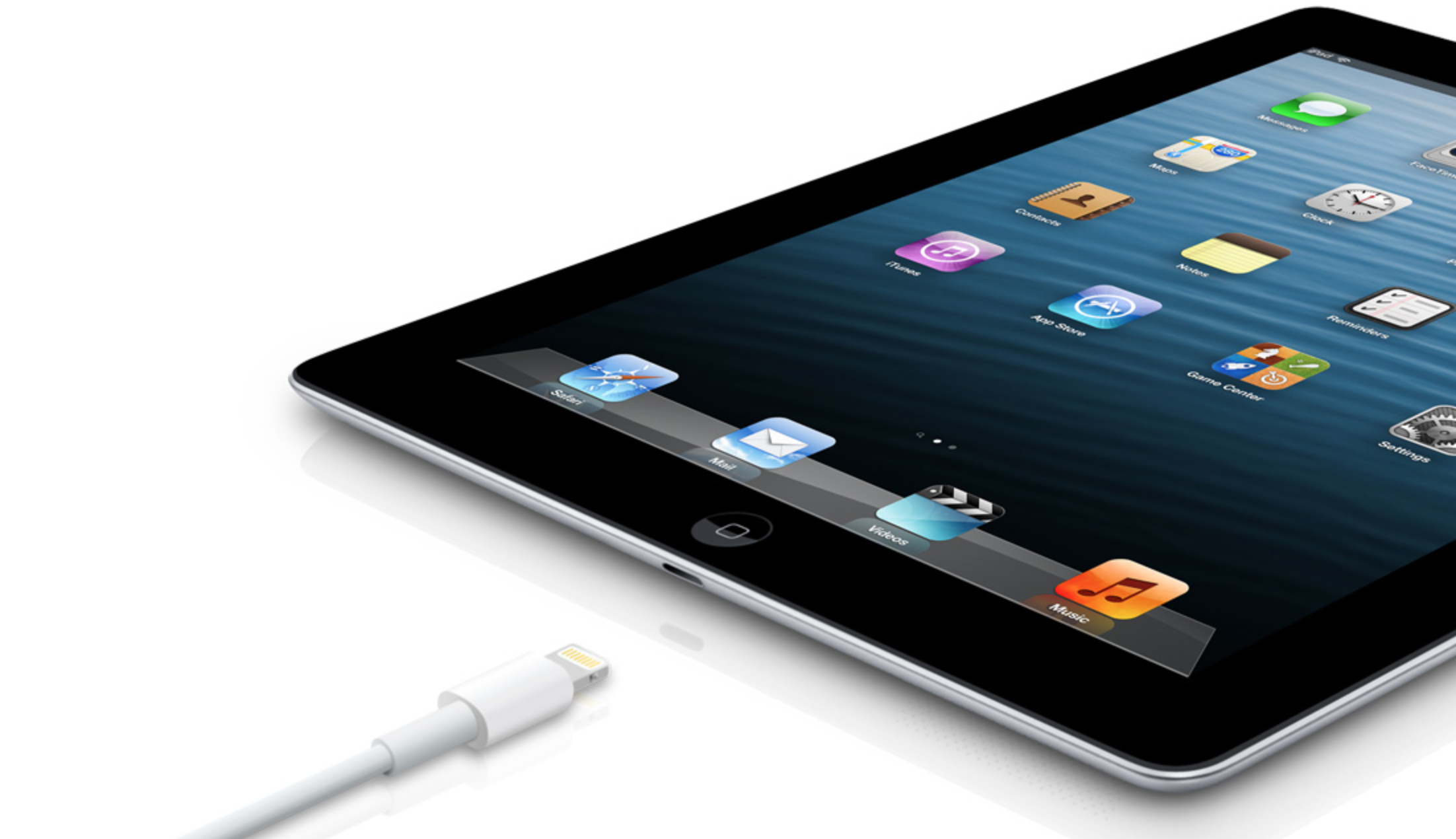
The successor of the iPad 2 wasn’t a success at all. The third generation was introduced in March of 2012 with a Retina display and the A5X processor. The problem with this tablet it was too heavy and the battery didn’t last long enough. In October of the same year, Apple announced the fourth generation with the A6X processor, HD FaceTime camera, improved LTE capabilities, and the Lightning connector.

At this October event, Apple also introduced the first iPad mini. In 2013, Apple went with the first iPad Air and the iPad mini 2. In 2015, the company introduced the first Pro model, with two different sizes.

Site default logo image

In March of 2017, Apple announced the fifth-generation iPad with the A9 processor. It was a budget option compared to the other tablets. It was in 2018 that the company brought expressive news to the base iPad line. The sixth-generation had the A10 Fusion processor and fully supports the first-generation Apple Pencil.

A year later, the seventh generation was announced with a larger 10.2-inch display and support for the Smart Keyboard as well. It retained most of the specs of the previous model.

In September of 2020, the eighth generation was introduced alongside the fourth-generation iPad Air model. The eighth generation received an upgraded processor, now with the A12 Bionic, while keeping the same storage options: 32GB and 128GB.

In September of 2021, the ninth generation was introduced alongside a redesigned iPad mini. This iPad now features the A13 Bionic processor, True Tone support, and new storage options: 64GB and 256GB while keeping the same price.

iPad 9 Specs

Site default logo image

The ninth-generation iPad launched in September of 2021. Available in two colors, Silver and Space Gray, this tablet is made of 100% recyclable aluminum, and supports the first-generation Apple Pencil and Smart Keyboard.

With thinner bezels, the product comes with a 10.2-inch Retina display with a fingerprint-resistant oleophobic coating, and True Tone support for the first time, which adjusts screen content to the color temperature of a room.

This tablet uses the A13 Bionic chip, the same available on the iPhone 11, 11 Pro, and 11 Pro Max. It has an “all-day” battery with up to 10 hours of surfing the web on Wi-Fi or watching videos.

The iPad also comes in 64GB and 256GB storage options and Wi-Fi and Wi-Fi + Cellular versions.

Revamped cameras

Site default logo image

For the first time, this iPad shares the same FaceTime camera as the M1 iPad Pro with the Center Stage experience. With a new 12MP Ultra Wide front camera and Neural Engine, users can enjoy even more engaging video calls.

As users move around, Center Stage automatically pans the camera to keep them in view. When others join in, the camera detects them too, and smoothly zooms out to include them in the conversation. Center Stage makes video calls more natural in FaceTime as well as third-party video-calling apps.

Its main camera is the same: 8MP, f/2.4 aperture, and digital zoom up to 5x.

iPadOS 15

Site default logo image

The ninth-generation iPad comes with the iPadOS 15. Previewed during the WWDC21 keynote, the new operating system brings a redesigned Home Screen with widgets and App Library support.

On iPadOS 15, FaceTime group calls can finally appear in a grid, so it’s easier to see everyone. It’s also possible to share your screen, listen to Apple Music songs together, or watch Apple TV+, HBO Max, Disney+, and others while in a call.

In the productivity section, Apple, unfortunately, didn’t bring all the features pro users wanted to take full advantage of their new M1 iPad Pro, even though Apple made it easier to rely on multitasking features.

There’s a new multitasking menu on the top of the screen. When you click there, it’s possible to see what configurations you can use on Split View or just go to Slide Over with just a tap.

The experience with an external keyboard allows users to get more done with all-new keyboard shortcuts and a redesign of the menu bar.

With the Quick Note feature, users can use the Apple Pencil to add a quick note. They just need to slide the pencil through the bottom right corner to the center of the screen and start writing.

iPadOS 15 launched on September 20. Learn more about it here.

iPadOS 15.1 features

One month after releasing iPadOS 15, Apple released iPadOS 15.1 More notable, the company finally brought SharePlay support for the iPhone, iPad, and Apple TV. Unfortunately, Universal Control wasn’t one of the features added with this new version. Here’s what else is new:

Translate

  • Mandarin Chinese (Taiwan) support in the Translate app and for system-wide translation

Home

  • New automation triggers based on the current reading of a HomeKit-enabled humidity, air quality, or light level sensor

Shortcuts

  • New pre-built actions let you overlay text on images or gifs, plus a new collection of games lets you pass the time with Siri

iPadOS 15.2 features

apple-music-hey-siri-plays-voice-plan-9to5mac-2

Five weeks after releasing iPadOS 15.1, Apple is releasing iPadOS 15.2. It brings more features that were expected to launch alongside iPadOS 15 but, unfortunately, Universal Control is still nowhere to be seen. Here are the top features of this version:

  • Apple Music Voice Plan is a new subscription tier that gives you access to all songs, playlists, and stations in Apple Music using Siri
  • App Privacy Report in Settings lets you see how often apps have accessed your location, photos, camera, microphone, contacts, and more during the last seven days, as well as their network activity
  • Communication safety setting gives parents the ability to enable warnings for children when they receive or send photos that contain nudity
  • Digital Legacy allows you to designate people as Legacy Contacts so they can access your iCloud account and personal information in the event of your death
  • Apple TV app: Store tab lets you browse, buy, and rent movies and TV Shows all in one place

iPadOS 15.3 features

Six weeks after releasing iPadOS 15.2, Apple is releasing iPadOS 15.3. This update foregoes new features in favor of under-the-hood bug fixes and improvements. One of the most notable changes here is a fix for a Safari vulnerability that may have been leaking your browsing history and Google ID data to the websites you visited.

iPadOS 15.4 features

iPadOS 15.4 finally brings one of the most important features expected from iPadOS 15 and that got delayed: Universal Control. Here’s everything new with iPadOS 15.4:

  • Universal Control: This feature allows you to control your Mac and iPad using the same keyboard and mouse/trackpad. Universal Control needs iPadOS 15.4 and macOS Monterey 12.3;
  • New Siri voice: Siri has a fifth American voice. Apple says a member of the LGBTQ+ community recorded the voice and it’s non-binary;
  • More emoji: iPadOS 15.4 also brings new emojis. You can discover all of the new characters here;
  • Shortcuts automation: Adds support for running Personal Automations in the background without requiring a pesky banner notification.

You can learn everything new with this update here.

iPadOS 15.5 features

Different from other software updates, iPadOS 15.5 only improves the Podcast app experience, as Apple focused on Wallet changes for the iPhone this time:

  • Apple Podcasts includes a new setting to limit episodes stored on your iPhone and automatically delete older ones

iPadOS 15.6 features

iPadOS 15.6 is yet another small update for iPad users. Here’s what’s news:

  • TV app adds the option to restart a live sports game already in progress and pause, rewind, or fast-forward.
  • Fixes an issue where Settings may continue to display that device storage is full even if it is available.
  • Fixes an issue that may cause Braille devices to slow down or stop responding when navigating text in Mail.
  • Fixes an issue in Safari where a tab may revert to a previous page.

iPadOS 15.7 features

iPadOS 15.7 only brings bug fixes and some security improvements as the company readies the iPadOS 16 release.

Education

Site default logo image

Apple describes this iPad as the go-to tablet for education. For several years the company discounts this tablet up to 10%.

Apple is always promoting ways students can use the iPad to learn new things: using Augmented Reality, the Apple Pencil, and how to code with Playgrounds.

The company says the “App Store is the best place to discover apps” for education purposes:

Let your curiosity run wild with iPad. The App Store is the best place to discover apps that let you get a leg up in geometry, learn a new language, and attend virtual classes. You can even use augmented reality to learn something exciting, like watching the history of spaceflight unfold in your living room or making characters from your favorite book literally leap off the page.

Release date: When Apple will launch the ninth-generation iPad?

Apple launched the iPad 9 on September 24, 2021.

Pricing

iPad (2021) pricing starts at $329 for the 32GB storage option with Wi-Fi only. The prices can go up to $559 with the 128GB storage option and WI-Fi + Cellular. Here are the full prices of the ninth-generation tablet:

  • 32GB with Wi-Fi: $329
  • 32GB with Wi-Fi + Cellular: $459
  • 128GB with Wi-Fi: $429
  • 128GB with Wi-Fi + Cellular: $559
  • Apple Pencil (1st generation): $99
  • Smart Keyboard: $159

Lower prices may be available from Apple’s official Amazon store.

iPad (2021) Review

Site default logo image

Soon, we’ll review the ninth-generation iPad. As for now, you can watch our video review of the eighth-generation iPad, as we described it as the “best value tablet you can buy:”

“The iPad 8 was never meant to be a huge update. But even still, I think this is easily the best value tablet you can buy. For $329, this tablet has so much to offer: The performance, the great battery life, and the Apple pencil functionality. I’d highly recommend you pick up this tablet if you simply need an inexpensive tablet today that’s going to last you for three to four years with no trouble.”

iPad Deals

Over at 9to5Toys, you can find the best deals on the iPad and other Apple products. Download the 9to5Toys iPhone app to receive push notifications for new deals as well.

Rumors

As of now, Bloomberg‘s Mark Gurman said in his Power On newsletter by the end of 2021 that Apple plans a new entry-level iPad for 2022. In June 2022, 9to5Mac exclusively reported the details of the tenth-generation iPad model.

According to Filipe Espósito, this new entry-level tablet will pack the A14 Bionic chip, 5G compatibility, and, for the first time, USB-C connectivity, unlocking new experiences with the second-generation Apple Pencil. Its display will also increase, although it’s unclear whether it will have the same design as the M1 iPad Air.

This iPad could be released in October of 2022.

Opinion: Does CarPlay go far enough, or should car manufacturers let Apple do more?

Site default logo image

CarPlay is undoubtedly a big step in the right direction. Instead of car manufacturers using their own clunky user-interfaces to give you access to things like phone calls and music, there is now a standard, Apple-designed interface.

This makes perfect sense. Apple is the king of user-interface design, and most car manufacturers, well, aren’t. There was a time when I was driving a lot of rental cars and got to experience a whole bunch of different in-car screen systems, and they ranged in usability from halfway ok to downright dreadful. None offered anything close to the simplicity and clarity of CarPlay.

The question I have about CarPlay is: does it go far enough … ?

Expand
Expanding
Close

Site default logo image

Twelve South debuts SurfacePad variant for iPad mini, teases iPad Air version

Twelve South, makers of fine accessories for Apple products, debuted a new version of its popular SurfacePad case for the iPad mini today. The new case is very similiar to the existing iPhone version. It’s made of leather that covers both the front and back of the iPad. A built-in stand allows you to watch videos in landscape at a comfortable angle.

Like Apple’s own Smart Cover, the SurfacePad uses a set of magnets to automatically put the iPad to sleep and wake it up when the cover is opened and closed.

The SurfacePad for iPad mini is available for $69.99 on the Twelve South website. It comes in three colors: black, white, and red. The company says it is currently working on a version of the case for the full-size iPad Air which will be available this Spring.

Despite falling market share, iPads outsold next 4+ tablet makers combined in 2013

Site default logo image

Figures released today by Gartner show that the iPad remained the best-selling tablet of 2013, selling more than the combined sales of the four runners-up.

Apple’s strong fourth quarter helped it to maintain the top position in the market in 2013 […]

Apple’s tablets remain strong in the higher end of the market and, Apple’s approach will continue to force vendors to compete with full ecosystem offerings, even in the smaller-screen market as the iPad mini sees a greater share … 
Expand
Expanding
Close

Site default logo image

Google Hangouts for iOS updated with iOS 7 design, iPad optimization, more

After a wave of updates for its Android apps yesterday, Google has just announced an update to its Hangouts for iOS app. The update brings the app version number 2.0.0 and is the first update for the app since all the way back in November.

The update adds a plethora of features and design tweaks, most notably of which is an iOS 7 optimized interface. There are aren’t a ton of changes, but everything definitely has the iOS 7 look and feel to it.Menus and buttons are now totally “flat” and much cleaner overall. The iPad app has also gotten some major tweaks, including picture-in-picture video calling. The app also now supports the ability to send video messages up to 10 seconds long, ala Snapchat.

The full changelog is below:

  • Fully-optimized for the iPad, including picture-in-picture video calling
  • Animated stickers that help you share exactly how you’re feeling
  • Record and send video messages up to 10 seconds long
  • Send a map of your current location

The update is live on the App Store now.

It’s AAPL schizophrenia time: most admired company; institutions bailing; tablet growth falling

Site default logo image

Photo: Business Insider

If you based your assessment of Apple’s future prospects on analyst reports and polls, you’d be upping your medication today while reading three separate sets of numbers.

Fortune reports that Apple tops the ‘most admired companies‘ list for the seventh time in a row, with Amazon and Google the runners-up. The charts are based on polling directors, executives and analysts in the USA’s largest companies.

The same source cites a Morgan Stanley investment note showing that the 30 largest institutional investors, who between them hold at least 30 percent of the shares on the market, have been selling AAPL, with their holdings at a record low … 
Expand
Expanding
Close

Site default logo image

NBA Game Time iOS apps updated with classic games & historical videos

The NBA Game Time apps for iPhone and iPad were updated today with a new Class Games section that brings a collection of “carefully selected classic games and historical videos from past seasons.”

The new Classic Games section starts out with a selection of videos and more will be added in future updates during the 2014 season.

The new videos, like much of the app’s content, is available for free to Sprint users or those with a NBA Game Time Plus subscription or League Pass through their cable provider.

The update is available for the NBA Game Time 2013-2014 iPhone app as well as the NBA Game Time for iPad app.

What’s New in Version 5.2.3

Classic Games – Addition of carefully selected classic games and historical videos from past seasons. New videos will be added periodically throughout the season. These are available free for users who have purchased League Pass.

Additional bug fixes and enhancements.

Site default logo image

Vote for American Idol with your iPhone or iPad through Google Search

Planning to watch American Idol tonight and vote on your favorite performers? Google is making voting through its Search apps possible through a partnership with FOX. As the live finalist performance shows debut, American Idol is allowing viewers to vote through Google.com and Google’s iOS and Android Search apps.

Voting through Google allows you to cast up to 50 votes for each contestant as the new voting system is piloted. Simply search american idol or idol during voting hours and cast your votes!

Google Search for iOS is available for free from the App Store.

Wishful thinking: Why it’d be nice if Apple created a line of Ive-designed office technology products

Site default logo image

Image: deskology.com

I have a number of friends who can’t understand why I pay what they refer to as ‘the Apple tax’: the premium paid for Apple products over alternatives that offer much the same functionality.

I can argue about the functionality, of course. The usability, stability and (usually!) security of OS X are all things worth paying for in my view, but I’m not ashamed to admit that aesthetics also matter to me. When I’m going to spend 8+ hours in front of a computer, I’d rather I was looking at something sleek and beautiful rather than something plastic, ugly and a chore to use and understand.

I feel the same way about the other technology on my desk and in my office, but it isn’t always easy to find kit that works well and looks the part too. I can’t help thinking there’s a lot of office technology that could use the Jony Ive touch … 
Expand
Expanding
Close

Apple releases iBeacon specification through its Made-For-iPhone program

Site default logo image

Aura iBeacons coming soon for EverSense smart thermostat

iBeacon, Apple’s new framework for using low-cost Bluetooth LE devices to beam notifications to nearby smartphones and tablets, will soon be getting a bigger push from Apple and third-party manufacturers through its Made-For-iPhone program. While “iBeacon” is often used in the media to describe any Bluetooth beacon, Apple is now implementing tighter control over who can use the ‘iBeacon’ branding. Much like it requires for manufacturers placing the “Made-for-iPhone” branding on Apple authorized devices, Apple is now requiring manufacturers meet certain specifications before using ‘iBeacon’ on their products. The change was first spotted by Beekn.net. It appears the program is separate from the main Bluetooth MFi specification as it still asks that accessory manufacturers not support the iBeacon feature.
Expand
Expanding
Close

Site default logo image

MLB.com At Bat app updated ahead of 2014 season w/ iOS 7 redesign & new features

The popular MLB.com At Bat app has been updated today for the 2014 season and Spring Training with a complete redesign alongside new features and content. The updated app’s UI has been given a complete overhaul and redesign for iOS 7 on both iPhone and iPad, and new content starts with over 200 Spring Training games available as live video or radio broadcasts.

MLB.com At Bat returns for the 2014 season with live Spring Training baseball from the Grapefruit and Cactus Leagues. MLB.com At Bat is the official app of Major League Baseball.

The redesign offers a new inline video playback experience and the app now has “league-wide scoreboard functionality for single-tap expansion.” The app’s iTunes page also notes that an update before Opening Day will bring additional features and functionality.

The updated MLB.com At Bat app is available on the App Store now. The app requires a subscription available for purchase in the app for $20 for the entire 2014 season or $2.99 monthly. The content is available for free to MLB.TV Premium subscribers.

A full list of what’s new in the update app is below:

New for At Bat in 2014
• Complete app re-design to optimize your At Bat experience for iOS 7 (iPhone and iPad)
• Redesigned to deliver inline video playback
• New league-wide scoreboard functionality for single-tap expansion
• Access your MLB.TV Premium subscription to watch live video of more than 200 Spring Training games
• Listen to available radio broadcasts of Spring Training games
• Multi-platform live audio access for At Bat 14 subscribers (portable to Mac/PC with a valid MLB.com account)
•Universal support for At Bat 14 subscribers, accessible on iPhone, iPad and other supported smartphones and tablets
• Follow batter-by-batter action for every Spring Training game
• Breaking news, schedules and interactive rosters and player stats for every team
• Sortable batting, pitching and fielding statistics (iPad)
• Customize At Bat’s home screen to feature your designated favorite team (iPhone only)
• Video library archive, searchable by keyword
• Classic games video archive featuring dozens of baseball’s legendary games
• Closed captioning for live video

WWE Network comes to Apple TV with in-app subscriptions as service debuts

Site default logo image

Update: The WWE Apple TV app is now live for users in at least the US and Canada.

Following rumors back and forth regarding the new WWE network launching today, the company has just announced that the service will be available to Apple TV users. WWE confirmed to us in a statement that the Apple TV app will arrive today.

The Apple TV app will provide access to all 12 live WWE Pay-PerView events including WrestleMania, original programming from the network like reality shows and documentaries, as well as 24/7 programming from WWE and a ton of on-demand content.

The update appears to have hit Apple TVs (at least in the US or Canada) with the ability to access the network and purchase subscriptions. The subscription-based WWE network allows users to sign up for service directly within the Apple TV app using an iTunes account. The company notes that subscriptions purchased through Apple TV are “billed as a single charge of $59.99 (plus applicable tax) for the six month subscription period.”
Expand
Expanding
Close

Opinion: Will the spring launch of Amazon/Nexus/Apple TV signal the beginning of the end of live, broadcast TV?

Site default logo image

Streaming TV is heating-up. We’re expecting a new Apple TV box to be announced in April, Amazon looks set to launch its own box in March and Google is reputed to be not far behind with a Nexus-branded box.

So-called cord-cutting – people who give up their cable TV subscriptions in favor of streaming content over the web – is growing in popularity. Mobile TV viewing on tablets is increasingly common.

All of which makes me wonder whether we’re witnessing the beginning of the end of live TV … ? 
Expand
Expanding
Close

Site default logo image

Square and (RED) team up for special edition card reader to fight AIDS

Mobile payments company Square is teaming up with Bono’s Product RED organization for a special edition credit card reader that benefits charity. Square has become one of the leaders in processing credit card payments on mobile devices with a small credit card reader available for iPhone and iPad as well as point-of-sale software and hardware kits for merchants. The special SQUA(RED) Reader will be available for a $10 donation with 97.25% of the amount going directly to the Global Fund to fight AIDS in Africa. Customers swiping their cards will also get the opportunity to donate through a link on their emailed receipts:

The impact doesn’t end there. When you swipe (RED), your customers can donate right from their emailed receipts to help deliver an AIDS FREE GENERATION. Every swipe can make a difference.

Last year the official (Product) RED Twitter account revealed that Apple’s contributions to the charity had reached $65 million, making it the largest contributor out of all participating companies. Apple currently sells red versions of the iPod shuffle, iPod nano, iPod touch, iPad Smart Cover, and iPhone 4S bumper under the (PRODUCT)RED branding and donates a portion of profits to the charity. Most recently, Apple design guru Jony Ive and designer friend Marc Newson teamed up to assemble a one-of-a-kind collection to auction off for the charity.

Site default logo image

Google Translate updated w/ iOS 7 keyboard, additional handwriting language support including Arabic & Hebrew

Alas, we’re one step closer to an App Store not filled with iOS 6 keyboards. Google released Translate 2.1 today, bringing support for the iOS 7 keyboard released last September to the iPhone and iPad.

The update also expands support for its new handwriting input method to a number of additional languages including Arabic, Esperanto, Gujarati, Hebrew, Javanese, Maltese, Maori, Marathi, Persian, Punjabi, Telugu, and Zulu.

Google first introduced its handwriting input method last September. Google Translate 2.1 is available now on the App Store.
Expand
Expanding
Close

Apple takes Your Verse iPad campaign to new heights with mountaineering feature

Site default logo image

Apple’s Your Verse advertising and marketing campaign for the iPad, depicting some of the inspiring ways in which people are using iPads to help with everything from ice hockey coaching to concussion treatment, has been expanded to include mountaineering.

Elevating the expedition is a new addition to the Your Verse microsite illustrating the ways in which mountaineers Adrian Ballinger and Emily Harrington use iPads to assist them with preparing for a climb, navigating the route and live-blogging their experiences and photographs … 
Expand
Expanding
Close

iTunes Connect update brings modernized look, sales breakdowns by category, region and more

Sales data redacted.

Apple today updated the Sales and Trends section of iTunes Connect, giving developers more detailed information about the origin of their apps’ sales as well as a modernized visual style.

The new update answers many of the issues developers have raised in recent years about the opaqueness of the App Store sales process. For instance, developers can now separate out sales by territory, platform, of purchase and category. This means that developers can get a better idea of how customers are finding their apps in the store. In the example above, you can see that the app was mainly found through the ‘Games’ category, with exposure in the ‘Entertainment’ category accounting for only a small fraction of total sales.


Expand
Expanding
Close

Reports: A8 won’t feature integrated LTE yet, low yield rates pushing Samsung out of the process?

Site default logo image

Image via iFixit

Two new reports out today are offering a bit of early insight into what to expect from Apple’s next A-series SoC, or system on a chip, that powers its iPhone and iPad devices.

The first tidbit from Fudzilla says Apple will once again rely on Qualcomm for LTE chips in the next round of iOS devices rather than an A8 chip with LTE integrated. So what does this mean? It’s probably safe to assume Apple will save a SoC which includes the LTE modem in a future iteration.

Generally, the fewer chips required in a mobile device, the better optimized for battery life the device is. Apple, of course, must strive to engineer battery life parity, if not improvements, as our devices get more powerful each generation.


Expand
Expanding
Close

Site default logo image

$80 Full Parallels 9 bundle: 1Password, Fantastical, Kaspersky, CleanMyMac and more

From 9to5Toys.com:

Parallels again offers its $79.99 bundle of impressive apps at the retail price of Parallels alone.  Each one of the below apps is a keeper and they are all free with the purchase of the Parallels 9. You even get 6 free months of use of the Parallels iPad App.

Parallels Desktop 9 for Mac

The #1 choice of Mac users for more than 7 years to run Windows on Mac. Ready for Mavericks OS X(10.9) and 40% faster disc speed. MSRP $79.99

Fantastical

Plan your day in style with the most attractive calendar you’ve ever seen. The Mac calendar you’ll actually enjoy using. MSRP $19.99

CleanMyMac 2

Simple yet surprisingly powerful application for keeping your Mac clean, organized, and free of files that slow it down. MSRP $39.95

Parallels Access for iPad

6-month subscription – use PC and Mac applications like they were made for your iPad. MSRP $29.95

1Password

1Password gives you the security you need in today’s online world without slowing you down. Super secure passwords and more – 21st century digital wallet on any device. MSRP $49.95

Kaspersky Internet Security for Mac

Keep your Mac, your data and your children safe! Real-time protection against Mac, PC and Linux malware. MSRP $39.95

MacHider

The easy way to hide files and folders, put your confidential information out of sight from third parties or other unwanted eyes. MSRP $9.99

We reviewed Parallels 9 in September and said:

PD9 is definitely the most noticeable Parallels Desktop upgrade ever. The performance boosts are the best part of the upgrade, but the sticky multi-monitor setup has been extremely helpful for me and saved quite a bit of time. As a Mavericks user, the software hasn’t been giving me any issues even though the operating system is still in beta.

Already have an older version of Parallels? Save $30 and get the ‘v9 Update bundle’ for $49.99.
Expand
Expanding
Close

Review: Anker IQ 40W 5-port smart USB adapter is the last power source you’ll ever need

Site default logo image

As our families grow, so do our device charging needs. Where we just used to need 2 USB ports to charge our iPhones, we now have iPads, cameras, Bluetooth speakers, portable flashlight/batteries and even a few Android devices laying around that constantly need to be chargers. Our excellent 2-port ZaggSparq just couldn’t handle all of the stuff anymore. Time to step up to something more substantial.

We’d heard great things about the new Anker IQ 40W 5V / 8A 5-Port Family-Size USB power supply. In fact, at Amazon where it can be nabbed on sale for $26, it gets almost exclusive 4 and 5 star ratings.

Anker hooked me up with a unit to test out at CES and I’ve relied on it since to keep our house full of devices charged. What’s particularly impressive about this one is that it has 40W of power to distribute through the 5 USB ports (a 25W one is a few bucks less). Anker’s new IQ does one better by recognizing high power requirements in devices like iPads, other tablets and even HPs new Chromebook and giving those devices the full 2-3 Amps of power they need to get charged quickly. Anker explains it thusly:

Not all USB ports are equal. Where past USB ports were hard-wired to exclusively charge iOS OR Android, we’re introducing Smart Port technology to create a truly universal charger. Dynamically adjusting to any device’s unique maximum charging speed, the Smart Port takes the brainwork out of compatibility.Just plug in and it’ll do the rest.

Were the reviews right? Was this the end to my USB charging woes?


Expand
Expanding
Close

Review: Mujjo’s leather and double-layered knitted touchscreen gloves for iPhone & iPad

Site default logo image

Despite smartphones and tablets being commonplace these days for just about everybody and their grandmother, most non-techies that you run into probably don’t own a pair of touchscreen gloves. That is, winter gloves that don’t require you to take them off to use your iPhone, iPod or iPad. I’ve tried out a couple cheap pairs in recent years from Amazon and elsewhere, but they’ve never really been warm and/or well-made enough to use on a daily basis.

This year I’ve been trying out a few of the more expensive pairs available from one of the original companies making touchscreen gloves, Mujjo. I’ve put a couple different pairs from Mujjo to the test over the past month during a cold Canadian winter to see if they’re really worth the extra cash.
Expand
Expanding
Close

Site default logo image

Microsoft Office for iPad is reportedly on the way, but does it even matter now? [Poll]

Microsoft Office for iPad is still on the way, and could be launched before the Microsoft even releases a Windows 8 version of the productivity suite, according to a report from ZDNet. The app (or suite of apps) is said to require a paid Office365 subscription and will sync with Microsoft’s services.

But with the iWork now shipping for free on all new Macs and iOS devices—requiring only a free iCloud account to sync and accompanied by an open public beta of a cross-platform web version—is Microsoft preparing to offer too little too late?

Poll images via The Daily/The Inquirer