Mac

See All Stories

Apple’s Mac lineup consists of MacBook, MacBook Air, MacBook Pro, iMac, Mac Pro, and Mac Mini. The Mac runs macOS for its operating system.

Mac lineup

History

The Mac is Apple’s lineup of computers, and it can be considered the company’s oldest product. The name “Mac” comes from the original Macintosh, which was introduced in 1984 and is also considered the first personal computer for the masses to have a graphical user interface. The first Macintosh hit the stores on January 24, 1984, costing $2,945.

Among all these years, Apple has introduced many different Mac models, ranging from desktops to laptops to professional tower machines. The current lineup consists of the MacBook Air, MacBook Pro, Mac mini, iMac, and Mac Pro. However, there have been other Mac models were discontinued, such as the eMac, MacBook, and iMac Pro.

The history of modern Macs began in 1998, a year after Steve Jobs returned to Apple. Apple had dozens of Macintosh computers at that time, but Steve decided to rethink the entire lineup. In 1998, Apple announced the iMac G3, which ditched the floppy disk and serial ports in favor of USB connectors.

Macintosh and iMac G3.

Unlike the Macintosh, the first iMac was considered a huge success — not only for its technology, but also for its unique design with colorful translucent plastic. Apple quickly expanded the Mac lineup with other models, which included the iBook and PowerBook (which became the MacBook and MacBook Pro) and the PowerMac, which is now the Mac Pro.

macOS

What makes a Mac the Mac is the macOS operating system, which has also had a long history since the introduction of the first Macintosh. Initially called Mac OS, the operating system was rebuilt when Steve Jobs returned to Apple.

The first version of Mac OS X was released on March 24, 2001 with a new interface that is still present in some ways in current versions of macOS. Apple’s desktop operating system comes with many free applications such as Pages, Keynote, Numbers, iMovie, and GarageBand.

With macOS, users also have access to deep integrations with other Apple devices. For instance, you can answer calls and send SMS from your iPhone using your Mac. Handoff lets you switch from one device to the other and pick up where you left off. Apple Watch users can unlock their computer without entering a password, and you can even copy and paste between devices.

macOS Sonoma

Apple’s desktop operating system is also integrated with services offered by the company, such as iCloud, Apple Music, and Apple TV+.

The current version of macOS is Sonoma (version 14), which features new slow-motion screen savers, widgets on desktop, camera effects on FaceTime and other apps, web apps, passkey sharing, improved PDF support, and Game Mode. The update also comes with a new API that lets developers easily port Windows games to macOS.

Architecture Transitions

The Mac has had three major architecture transitions in its history. Apple’s first computers ran on Motorola processors, but the company decided to migrate to the new PowerPC platform in 1994. While this brought benefits at the time, the PowerPC processors were not delivering what Apple expected.

It was in 2005 that Apple confirmed the transition from PowerPC to Intel. Intel processors had become faster and more efficient than PowerPC, which enabled the development of new Mac computers that were more powerful and also more compact. Developers have been given access to a Developer Transition Kit running Mac OS X Tiger with Intel Pentium 4 to update their apps before the transition begins.

Power PC, Mac OS X, and Intel processor.

Apple said that the transition would begin in June 2006 and be finished by the end of 2007. However, the transition to Intel was fully completed in August 2006 when the company replaced the PowerMac with the new Intel Mac Pro.

As the years went by, Apple once again felt the need to have more powerful and efficient processors for its computers. This time, the company was already working on its own chips for the iPhone and iPad. In June 2020, Apple confirmed that it was changing the architecture of the Mac, now from Intel to ARM chips, which are called Apple Silicon.

Apple offered a Mac mini DTK running on the same A12Z Bionic chip as the 2020 iPad Pro. This way developers could once again update their apps ahead of the transition. In addition to being more powerful and energy efficient, the ARM architecture of Apple Silicon chips has enabled Macs to run iOS apps for the first time.

Apple M1 chip | Mac

The first Apple Silicon Macs were released in November 2020 with the M1 chip. The company later introduced more powerful variants of the M1 chip, called M1 Pro, M1 Max, and M1 Ultra. Macs with Apple Silicon have become known for being more powerful while consuming much less power, which has resulted in MacBooks with extended battery life.

In June 2022, Apple introduced the M2 chip, which is around 20% faster than the M1 and also supports more RAM. M2 also has more powerful variants: M2 Pro, M2 Max, and M2 Ultra.

Apple unveiled the M3, M3 Pro, and M3 Max chips in October 2023. The main highlight of this generation is the 3 nanometer technology, the same as the A17 Pro chip. The M3 family also features better GPUs with support for hardware-accelerated ray-tracing.

Current Mac lineup

Apple currently sells a variety of Mac computers, which includes MacBooks, Mac mini, iMac, and Mac Pro. While some of the Macs have already been updated with an Apple Silicon chip, others remain with Intel processors.

MacBook Air

The MacBook Air is Apple’s most affordable laptop and it has become popular for its light, compact design. The 2022 version is powered by the M2 chip and is offered with 8GB, 16GB, or 24GB of RAM. Plus, it has a new, edge-to edge 13.6-inch Retina display.

The laptop features Touch ID and has two Thunderbolt 3 compatible USB-C ports, a MagSafe connector for charging, and a headphone jack. Prices start at $1099 in the US. It’s offered in silver, space gray, starlight, and midnight.

M2 MacBook Air.

A year later, Apple introduced the first 15-inch MacBook Air. It has essentially the same hardware as the smaller version with a similar design, but with a larger display. Prices start at $1299 in the US.Apple is still selling the M1 MacBook Air for prices starting at $999.

MacBook Pro

The 2023 MacBook Pro is available in multiple versions, and customers can choose between 14-inch and 16-inch screen sizes. For the first time, Apple has introduced a less expensive version of the 14-inch MacBook Pro with the base M3 chip. This version has the same design and display as the high-end versions, except that it only has two USB-C ports instead of three.

M3 MacBook Pro

The most expensive versions of the MacBook Pro are equipped with the more powerful M3 Pro and M3 Max chips. The laptop can be configured with up to 128GB of RAM and 8TB SSD. These versions also come in a new Space Black color.

Unlike the MacBook Air, the MacBook Pro comes with an HDMI port and an SD card reader. It also features MagSafe and Touch ID on the keyboard. Apple no longer sells MacBooks with the Touch Bar. Prices start at $1,599 in the US.

Mac mini

Mac mini is the cheapest Mac currently available since it’s basically a desktop without a built-in display or other peripherals. The base model with the M2 chip features one Ethernet port, two USB-C/Thunderbolt 4 ports, HDMI 2.0, two USB-A ports, and a headphone jack.

Apple sells a more powerful version of the Mac mini with the M2 Pro chip, which also comes with four USB-C ports instead of two. Mac mini can be configured with up to 32GB of RAM and up to 8TB of storage. Customers can also opt for a 10 Gigabit Ethernet port. The Apple Silicon Mac mini is only available in silver, while the now discontinued Intel model was available in space gray.

Apple Silicon Mac mini.

Prices for the Mac mini start at $599 in the US. Again, it’s worth noting that it doesn’t come with a keyboard or mouse in the box – you need to buy them separately or use your current ones.

Mac Studio

Mac Studio represents a new category between Mac mini and Mac Pro. It features a design based on the Mac mini, but with a taller body to support the more powerful hardware and also a better cooling system.

The new Mac Studio is targeted at professional users who work with demanding tasks such as video editing, 3D rendering, and machine learning. 

Embraced by creative pros everywhere, Mac Studio now delivers next-generation power in the form of the lightning-fast M2 Max and the boundary-breaking M2 Ultra. It packs outrageous performance and extensive connectivity in an unbelievably compact form, putting everything you need within easy reach and transforming any space into a studio.

By default, Mac Studio already comes with the M2 Max chip, 32GB of RAM, and 512GB SSD storage. A more expensive option lets users customize Mac Studio with M2 Ultra. While M2 Max has a 12-core CPU and a 30-core GPU, M2 Ultra doubles all of those specs. The new chip has a 24-core CPU and a 60-core GPU.

Mac Studio can also be configured with up to 192GB of RAM and 8TB of SSD storage. The machine offers up to six Thunderbolt ports, 10 Gigabit Ethernet, headphone jack, two USB-A ports, and one HDMI port.

Mac Studio

Apple has been rumored to be working on new versions of this machine with the M3 Max and M3 Ultra chips. However, these versions may not be ready until 2025. Bloomberg’s Mark Gurman said in November last year that the M3 Ultra chip “hasn’t yet gone into broad testing” inside Apple.

In the US, prices for the Mac Studio with M2 Max chip start at $1999. The M2 Ultra chip version starts at $3999. Just like the Mac mini, Mac Studio doesn’t come with a keyboard and mouse in the box. You can find accessories for your Mac Studio here.

iMac

iMac is Apple’s most popular desktop computer with an all-in-one construction. It features a 4.5K display in its 24-inch version and a 5K display in the 27-inch version. At the same time, Apple still sells an entry-level iMac with a regular 1080p display.

The 24-inch iMac is the first to feature the M1 chip, the same as in the Mac mini, MacBook Air, and MacBook Pro. This allowed Apple to introduce a completely redesigned model with a slimmer design, which is also offered in seven new colors. Customers can customize the new 24-inch iMac with up to 16GB of RAM and 2TB of storage.

Site default logo image

The company ships the 24-inch iMac with Magic Mouse and Magic Keyboard, plus a Lightning cable for recharging accessories. Prices in the US start at $1299. Apple has discontinued its old 21.5-inch iMac and the 27-inch iMac 5K.

Mac Pro

Mac Pro is a computer built for professional users who depend on extremely powerful hardware. Available in tower and rack versions, it has a completely modular design. That means users can replace RAM, SSD, GPU, and other internal components.

By default, it features four USB-C/Thunderbolt 3 ports, two USB-A ports, and two 10Gb Ethernet ports. However, the ports can be expanded using the PCI Express slots. Apple also ships the computer with a Magic Mouse and Magic Keyboard, but it does not come with an external monitor included.

All models feature Intel Xeon W processors, which are the most powerful processors offered by Intel. Consumers can configure Mac Pro with up to 28-core processor, 1.5TB RAM, and 8TB of SSD storage. In addition to supporting multiple dedicated GPUs, Apple also offers the Afterburner card — which accelerates the decoding of ProRes videos.

The company recently updated the Mac Pro with new graphics card modules, which include Radeon Pro W6800X and Radeon Pro W6900X.

Site default logo image

Mac Pro prices start at $5999 in the US.

Rumors about upcoming Macs

Top stories about the Mac

You now have to wait almost a month to get a Gold (or fast) MacBook

Site default logo image

While it was a case of ‘you snooze, you lose’ for the Apple Watch, almost all models selling out shortly after online sales opened, there’s better news if you’re in the market for the new 12-inch MacBook. At the time of writing, the standard model ships in just 1-3 days in either silver or space gray.

Opt for the gold model, however, and the shipping estimate jumps straight to a month. And it appears Apple isn’t expecting many buyers to care about the relatively weedy performance: the faster 1.3GHz processor model appears to be build-to-order only. Check the button for that and the site displays a message saying “this customized Mac takes a bit longer to build” and shipping slips to 3-4 weeks for even the silver model … 
Expand
Expanding
Close

Apple begins Apple Watch pre-orders & 12-inch MacBook sales, supplies limited

Site default logo image

Update: Shipment dates are all over the place for the Apple Watch. Many models are already showing delivery dates in June, while the Edition shows an August arrival date. Some 12-inch MacBook models still ship in 1-3 business days.

As expected, the highly anticipated Apple Watch is now available for pre-order through Apple’s online store. Likewise, the new 12-inch MacBook is now available for purchase through the online store. Pre-orders of the Apple Watch and sales of the MacBook are also live in the Apple Store app on iOS devices. You can also now make appointments to try-on an Apple Watch at an Apple Store.


Expand
Expanding
Close

12-inch MacBook review roundup: The future of the notebook, but USB-C, keys and speed are issues

Site default logo image

We originally reported that Apple was preparing to release a redesigned 12-inch MacBook in January and the company made the device official during its Spring Forward event. The 12-inch MacBook doesn’t go on sale until tomorrow, April 10th, but reviews have already started pouring in today.

The all-new 12-inch MacBook has been completely redesigned and is the thinnest MacBook Apple offers. The laptop sports a 2304×1440 resolution display and is just 13.1mm thick at its thickest point. To get the laptop this thin, Apple made compromises and those compromises have made many potential buyers worry. The new MacBook only features a single USB-C port, with Apple encouraging users to use adapters to fulfill their other needs. Performance concerns also arose when benchmarks allegedly emerged from the laptop showing performance on-par with that of a 2011 MacBook Air. You can read our roundup of all the 12-inch MacBook reviews below:


Expand
Expanding
Close

Apple releases OS X 10.10.3: Photos app, 300 new emojis, Spotlight Look Up, and bug fixes

Site default logo image

Apple has just released OS X 10.10.3 to the general public. The upgrade to the operating system, which has been in beta since March, includes the all-new Photos app that was introduced alongside Yosemite last year. It also includes over 300 new emoji, including multiple races and designs for some icons, a revamped “look up” panel, networking and wireless improvements, and more.


Expand
Expanding
Close

OS X 10.10.3 expected to hit today, new Photos app a winner – Associated Press

Site default logo image

An Associated Press review of the new Photos app for the Mac suggests that OS X 10.10.3 will be available for general download later today. The first pre-release seed of the latest version of Yosemite was made available to developers and testers back in February, with the first public beta following at the beginning of March.

Apple’s new Photos app for Mac computers, available Wednesday as a free software update, makes it easy to organize and edit your pictures.

AP’s Anick Jesdanun was impressed with Photos, Apple’s replacement for iPhoto and Aperture, saying that the auto-fix features were particularly impressive … 
Expand
Expanding
Close

Review: LaCie’s 4TB Rugged Thunderbolt/USB 3 portable hard drive delivers SSD-like speed at HDD cost

LaCie announced its new 4TB Thunderbolt/USB 3 Rugged RAID portable hard drive ($420 list, $399 Amazon) today, and I’ve had some time to take it for a little ‘spin.’ There are two speedy 7200RPM 2TB portable hard drives RAID-ed together inside to give the device very impressive, almost SSD-like speeds but with the cost savings and huge storage of portable hard drives. At the same time, the package isn’t much bigger than a regular portable hard drive and better yet, it can take a serious beating…


Expand
Expanding
Close

Angela Ahrendts to retail staff: Encourage customers to buy Apple Watch & MacBook online

Site default logo image

Apple may be revamping its storefronts to promote the Apple Watch, but it won’t be encouraging you to buy one there. Retail head Angela Ahrendts has sent a memo to Apple Store staff asking them to suggest customers use the online store to order both the Apple Watch and 12-inch MacBook. The memo reportedly reflects the fact that store inventory of both products will be very limited when the MacBook goes on sale on Friday and the Apple Watch follows two weeks later.

Ahrendts’ two-paragraph memo aims to put a positive spin on the fact that many customers are likely to be disappointed when trying to purchase the new products, suggesting that pointing them to online purchase will “make their day” … 
Expand
Expanding
Close

Video: 15 minutes of the new 12-inch MacBook being handled in Ukraine

Site default logo image

[youtube https://www.youtube.com/watch?t=675&v=JpRyw5NaUpE]

Ahead of its April 10th launch, the new 12-inch MacBook is continuing its world early hands-on tour. The computer already surfaced with detailed unboxing footage and hands-on photos in Vietnam, and now a Ukraine-based YouTube channel has posted a 15 minute long video of the new MacBook being handled.
Expand
Expanding
Close

How-To: Choose the best stand or desktop mount for Apple’s iPads and Macs

Apple currently sells more “laptop” than “desktop” Macs, but in reality, most Macs will be used substantially on flat surfaces — desks, tables, and sometimes nightstands. iPads are more lap-friendly, but also tend to get used upright, particularly for watching videos and access in the kitchen. Since I’ve spent a lot of time testing Apple device stands and mounts, I wanted to share what I’ve learned with you, so you can choose the solution that best suits your Mac, iPad, or both at the same time.

Below, I’ve hand-picked options for different types of users, starting with passive MacBook stands such as Twelve South’s BookArc for MacBook Pro ($50). Made from Mac-matching aluminum with gray rubber inserts, BookArc is designed to safely hold a MacBook Pro upright so that its ports and SD card reader are easily accessible. Twelve South also sells a smaller version of BookArc for the MacBook Air, a bigger BookArc for the Mac Pro, and an earthy version called BookArc mod for fans of wood. That’s a rarity, as most Mac and iPad stands are designed to match Apple’s products, as you’ll see inside…


Expand
Expanding
Close

How-To: Upload your photos into iCloud Photo Library from your iOS device and iCloud.com

Site default logo image

Apple announced Photos last year during the WWDC. The Photos app along with iCloud Photo Library will allow you to store all of your photos in the cloud with iOS 8 and OS X Yosemite, provided you upgrade your iCloud storage space to accommodate your iCloud Photo Library. Photos will end up replacing Aperture and iPhoto. You can upload your pictures to iCloud Photo Library via iCloud.com. Currently this feature is in a public beta and this how-to article will discuss how to get a head start and upload your pictures to iCloud Photo Library before Photos becomes available for the Mac to the public.


Expand
Expanding
Close

Site default logo image

Apple releases OS X 10.10.3 build 14D130a for public and developer betas

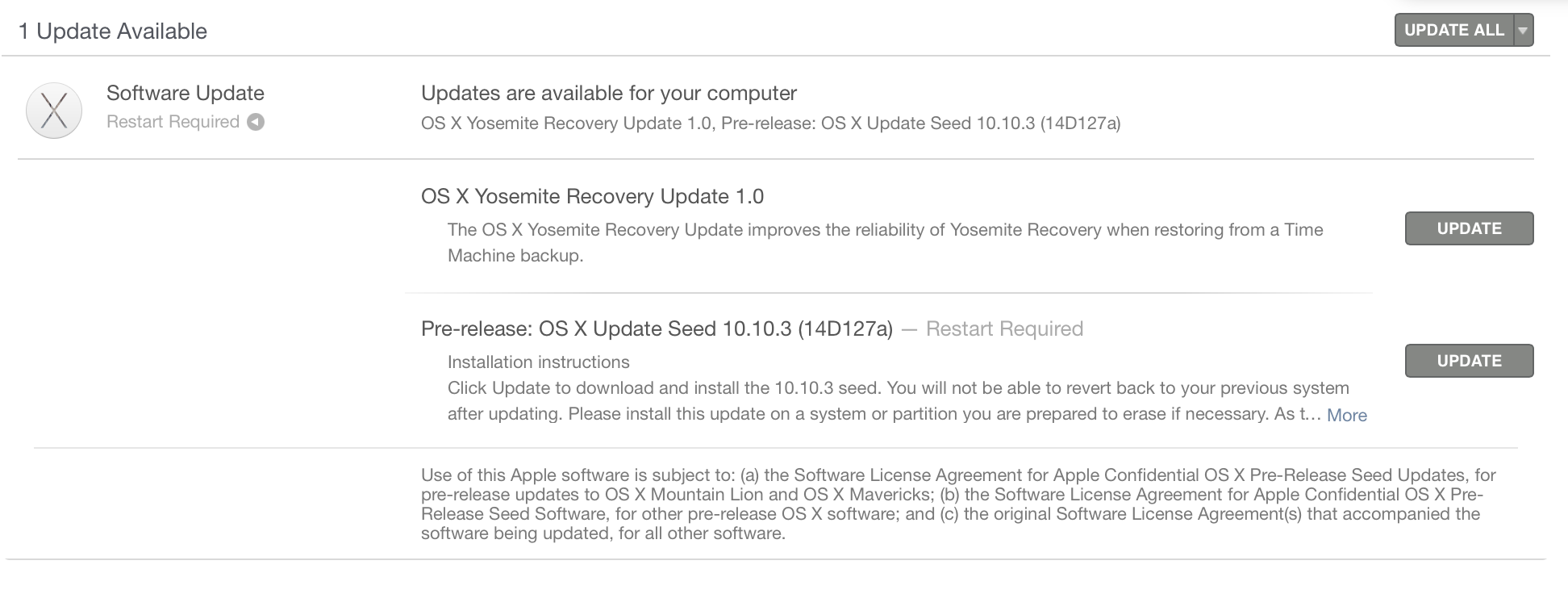
Three days after the last release, Apple has seeded an updated build of the OS X 10.10.3 software update for Mac. The new build ranks in at 14D130a, just a few steps above the 14D127 build released at the start of the week, for both developers and public beta testers. The update measures in at 1.52GB and highlights stability and security improvements.

The new version of OS X Yosemite includes the all-new Photos for Mac app, new and diverse emoji characters, improved login for Google accounts, and developer APIs for Force Touch on the new 12-inch MacBook and 13-inch Retina MacBook Pro. While Apple has not shared the exact release date for OS X 10.10.3, it describes the included Photos app as “coming this spring” meaning the public release is likely imminent. 
Expand
Expanding
Close

Geekbench results from 12-inch MacBook show similar performance to 2011 MacBook Air

Site default logo image

Even though the device is not yet available, an early unboxing gave us a hands-on look at Apple’s upcoming 12-inch Retina MacBook this morning, and now Geekbench results (cached) from the device have emerged giving us a look at what kind of performance we can expect from it. As we predicted, the Geekbench process tested the performance of the entry-level 12-inch Retina MacBook, which packs an Intel Core M-5Y31 processor clocked at 1.1GHz with Turbo Boost to 2.4GHz.


Expand
Expanding
Close

12-inch MacBook gets video unboxing in Vietnam ahead of April 10th release [Gallery]

Site default logo image

The 12-inch Retina MacBook may not be available in stores yet, but Vietnam-based blog Tinhte has already gotten its hands on the next-gen machine. A video posted to YouTube (embedded below) shows the MacBook being unboxed, though it doesn’t seem to be a shipping model, as it won’t boot into OS X. You can see the full unboxing video below, along with a gallery of photos of the computer itself and the accessories that ship with it, including the new charger and quick start guide.


Expand
Expanding
Close

Review: Kanex’s Thunderbolt 2 Express Dock is a handy MacBook hub with middle-of-pack features, pricing

As I’ve said before, Thunderbolt 2 docks are a really great idea for MacBook users. Before now, there were three major options: Belkin’s $300 Thunderbolt 2 Express HD Dock, Elgato’s $220 Thunderbolt 2 Dock (review), and CalDigit’s $226 Thunderbolt Station 2 (review). All three are designed for the same purpose — to connect a bunch of peripherals (including hard drives, a monitor, and audio cables) to your Mac with one Thunderbolt 2 cable — and they all have the same core peripheral ports, with small differences to set them apart from one another.

This month, Kanex is entering the fray with the Thunderbolt 2 Express Dock ($250), which looks a lot like Belkin’s dock but is closer in price to Elgato’s and CalDigit’s. Aluminum on the top and bottom with a black plastic core, it has a front-mounted USB 3.0 port with two more on the back, and comes bundled with a power adapter and 3.3-foot Thunderbolt cable. While it doesn’t stand out in any major way from its earlier rivals, it’s competently executed and attractively designed, with some modest feature tweaks that prospective buyers should know about…


Expand
Expanding
Close

Site default logo image

Apple releases OS X 10.10.3 build 14D127 for public and developer betas

Apple today released yet another build of OS X Yosemite 10.10.3 to both the developer and public beta programs. This version is labeled as 14D127, which is several builds newer than the previous release of 14D113. As always, this new release includes various bug fixes.

As we’ve previously highlighted, 10.10.3 will bring a new, more diverse Emojis keyboard to the Mac, improved login for Google services, and APIs for the new Force Touch Trackpad on the new 12-inch MacBook and 13-inch MacBook Pro with Retina display. Apple has not yet announced when 10.10.3 will be released, but perhaps a launch will come in line with the upcoming MacBook in April.


Expand
Expanding
Close

Opinion: As Nintendo ponders iOS, it’s time for Mac console game emulators to shine

When Nintendo announced last week that it will collaborate with DeNA to release iPhone and iPad games, gamers split into two camps: people intrigued by the promise of brand new Nintendo titles designed for mobile devices, and others — including myself — who expect Nintendo to release shallow mobile minigames, mostly to promote console titles. Nintendo hasn’t actually committed to bringing the Super Mario games people love into the App Store; instead, it’s saying only that its characters will appear in new titles that won’t require complex controls. The implication is that only Nintendo consoles are capable of playing Nintendo’s console games.

I disagree with that. For years, Macs and PCs have been able to run thousands of classic console and arcade games, including Nintendo’s best-known titles, using emulators. These free programs let discontinued, often HDTV-incompatible games play on computers — in many cases, with noticeably better graphics than you remember. Freed from the fuzzy, low-contrast televisions people used to own, classic games can look pixel-sharp on Retina displays, and some emulators actually improve the edges and textures of 3-D objects. Nintendo may not want you to play its prior console games on your favorite Apple device’s screen, but thanks to emulators, it’s possible today. The picture above? That’s Super Mario Galaxy, running on a Retina MacBook Pro…


Expand
Expanding
Close

Review: Swapping MagSafe for SnapFit, BatteryBox adds 60Wh of portable power to MacBook Airs, Pros

Thanks to Apple’s patent on the MagSafe connectors used in MacBook Airs and Pros, the list of third-party external batteries for MacBooks previously began with Hyper’s HyperJuice/HyperJuice 2 and ended with Lenmar’s ChugPlug — not much of a variety. Apple’s legal department chased Hyper for attaching harvested MagSafe connectors to its batteries, and Lenmar chose a workaround, sending ChugPlug’s power indirectly though an Apple wall adapter. Neither solution was ideal. It took until now for a completely different third solution to appear: BatteryBox ($220) from Gbatteries Energy.

BatteryBox is the first MacBook power option I’ve tested that doesn’t require either MagSafe or an Apple wall adapter to function. Since the developers went out of their way to create something that won’t run afoul of Apple’s legal team, there’s absolutely nothing Mac-like about its brick-like rectangular design. And it’s not cheap, priced between the two HyperJuices and higher than ChugPlug, which can now be had for only $100. But it works, adding a 60-watt-hour additional battery to the 38-95-watt-hour cells already inside MacBook Airs and Pros. So if you’re on the road without access to a power outlet and need to add hours of additional runtime to your Apple laptop, this is a viable alternative….


Expand
Expanding
Close

Millions of British Safari users able to sue Google over secretly-dropped cookies

Site default logo image

UK Safari users have been given the go-ahead to sue Google for continuing to drop cookies on their devices even after they had refused permission through their browser settings.

It was revealed in 2012 that Google bypassed the setting in Safari which instructed sites not to drop cookies, enabling it to deliver personalized ads. The FTC in the US fined the company $22.5M for the practice, with millions more in additional fines levied by 38 US states. There was no government action in the UK, but a group of British iPhone users took Google to court, seeking compensation for breaching their privacy.

Google had attempted to have the case dismissed, claiming that there was no case to answer as the plaintiffs had not suffered any financial harm, but the UK’s Court of Appeal has rejected this argument, allowing the case to proceed …


Expand
Expanding
Close

How-To: Decode Apple’s Tech Specs pages before buying a new Mac, Part 2

As I noted in Part 1 of How-To: Decode Apple’s Tech Specs pages before buying a new Mac, Apple has designed the Mac purchasing process to be easy: pick a model, pick the good, better, or best configuration, hand over your cash, and enjoy your computer. Since most people get confused by tech specs — bullet points filled with numbers and acronyms — Apple downplays them in its marketing materials, leaving customers to sort through the details and figure out what most of them mean.

But these specs are really important when you’re shopping for the right Mac for your current and future needs. So I’ve created this How-To guide to walk you through each of Apple’s Tech Specs pages using clear explanations, hopefully enabling you to properly understand what you’re about to buy. Part 1 focused on the “big 5″ Mac specs you really need to know about, and this Part 2 looks at the rest — generally things that remain the same in a given model, regardless of the configuration you choose…


Expand
Expanding
Close

How-To: Decode Apple’s Tech Specs pages before buying a new Mac (Part 1)

Buying a Mac is designed to be easy. Apple has a handful of different models, each generally available in good, better, and best configurations. You’re supposed to start with the specific Mac model that fits your needs, pick a configuration that has the price and features you want, and walk away happy with your purchase. (Better yet, do your research online and save money after ordering from Amazon, or use the product guides off to the bottom right of this page.)

One thing Apple tends to downplay are tech specs — important numbers and acronyms that nonetheless confuse many people. Look carefully on Apple’s web site and you’ll find that there’s a Tech Specs page for every Mac Apple sells; they’re the keys to making an informed Mac purchase that will be right for your current and future needs. My latest How-To is here to walk you through each of Apple’s specs with clear explanations, so you can understand what you’re about to buy. This Part 1 discusses the “big 5” Mac specs you need to know about, and Part 2 tackles the rest…


Expand
Expanding
Close