HomeKit

See All Stories

HomeKit is Apple's home automation framework that lets you control connected accessories from your iPhone, iPad, Apple Watch, HomePod, and Siri.
Your home at your command.

What is HomeKit / Apple Home?

Along with several other new APIs for developers, Apple announced HomeKit in June 2014, which allows all home automation accessories/devices to work together in harmony with iOS. The API allows home automation developers to centralize all home automation without needing separate apps to access each device’s specific features. These devices include locks, lights, cameras, doors, thermostats, plugs, switches, and more.

HomeKit allows for secure pairing with devices and the ability to control individual devices. It also makes it possible to group several home automation devices into scenes that allow for easier control of any automation device in specific situations. One of the coolest features available with HomeKit is the ability to control any home automation accessory with Siri based on certain commands or scenes previously configured with these devices.

In 2016, Apple introduced a new Home app that came with a modern look, relatively easy-to-use controls, and access to accessories and scenes from anywhere on iOS 10. Apple’s new built-in Home app arrived on the iPhone’s Home screen, plus you can access a ton of functions from the Lock screen or anywhere on iOS from the new Control Center once you have a HomeKit accessory set up.

In 2018, Apple released the HomePod. It was a way to interact with your connected home devices through Siri using a standalone device.

In 2020, Apple announced that tvOS 14 would gain access to the Home app. iOS 14 is also bringing improvement to the Home app UI.

HomeKit Secure Video
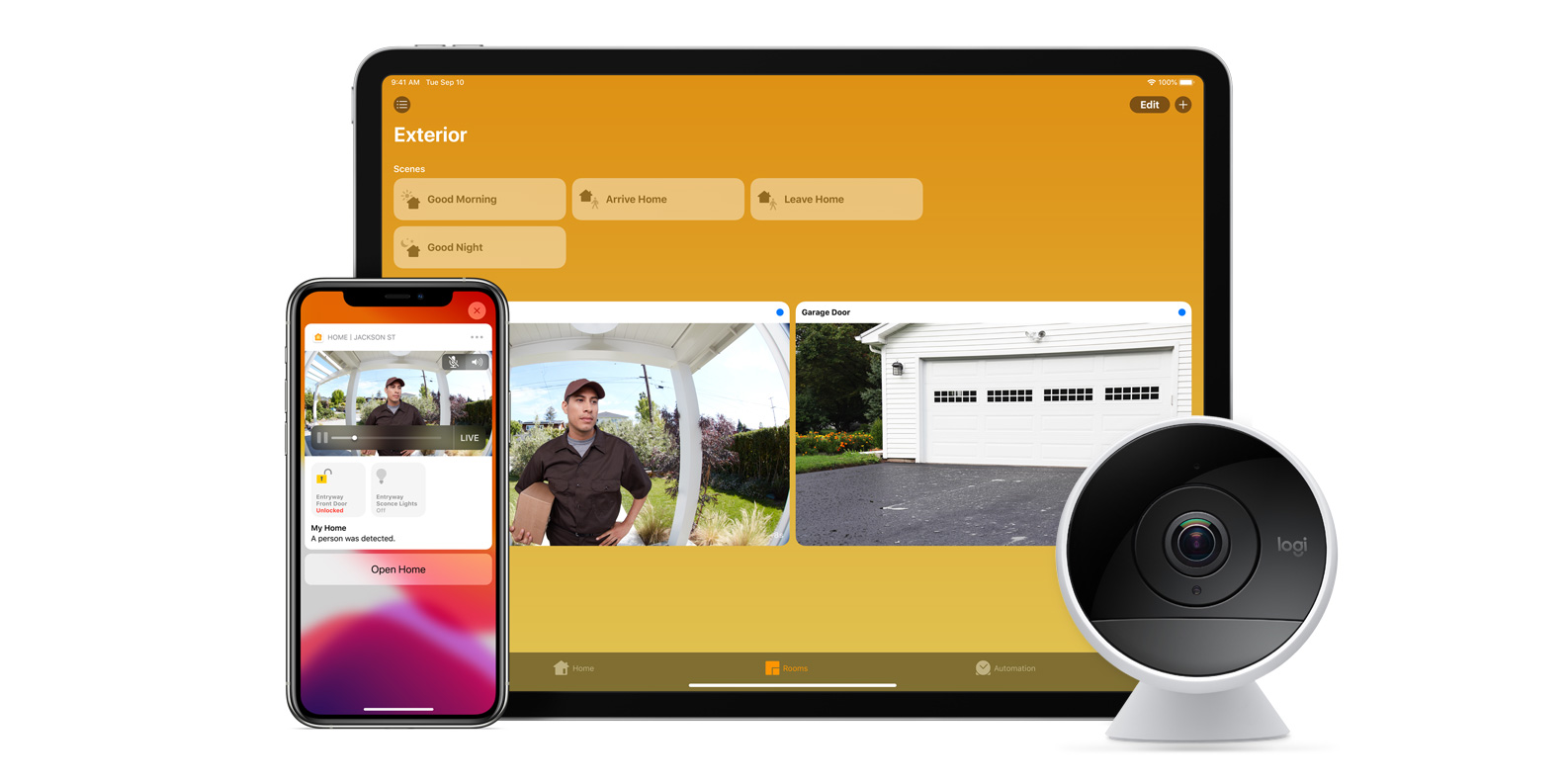
With iOS 13, Apple announced HomeKit Secure Video.

Footage from home security cameras contains your most personal and sensitive data. With HomeKit Secure Video, activity detected by supported cameras is privately analyzed by your home hub using on‑device intelligence to determine if people, pets, or cars are present. When important activity is detected, you and anyone you share your Home app with will receive a rich notification that lets you view the clip right from the Lock Screen. Recorded video is available to view for ten days from the Home app. It’s securely stored for free in supported iCloud accounts and doesn’t count against your storage limit.

While the rollout has been slow, Logitech, Arlo, Netatmo, and Eufy are among the early standouts. With recent privacy issues with Ring, HomeKit Secure Video is likely to continue to grow in popularity. One key benefit with Secure Video is that it works with your existing iCloud storage (200GB and up plan), so you don’t have an extra monthly fee for storage.

HomeKit Router
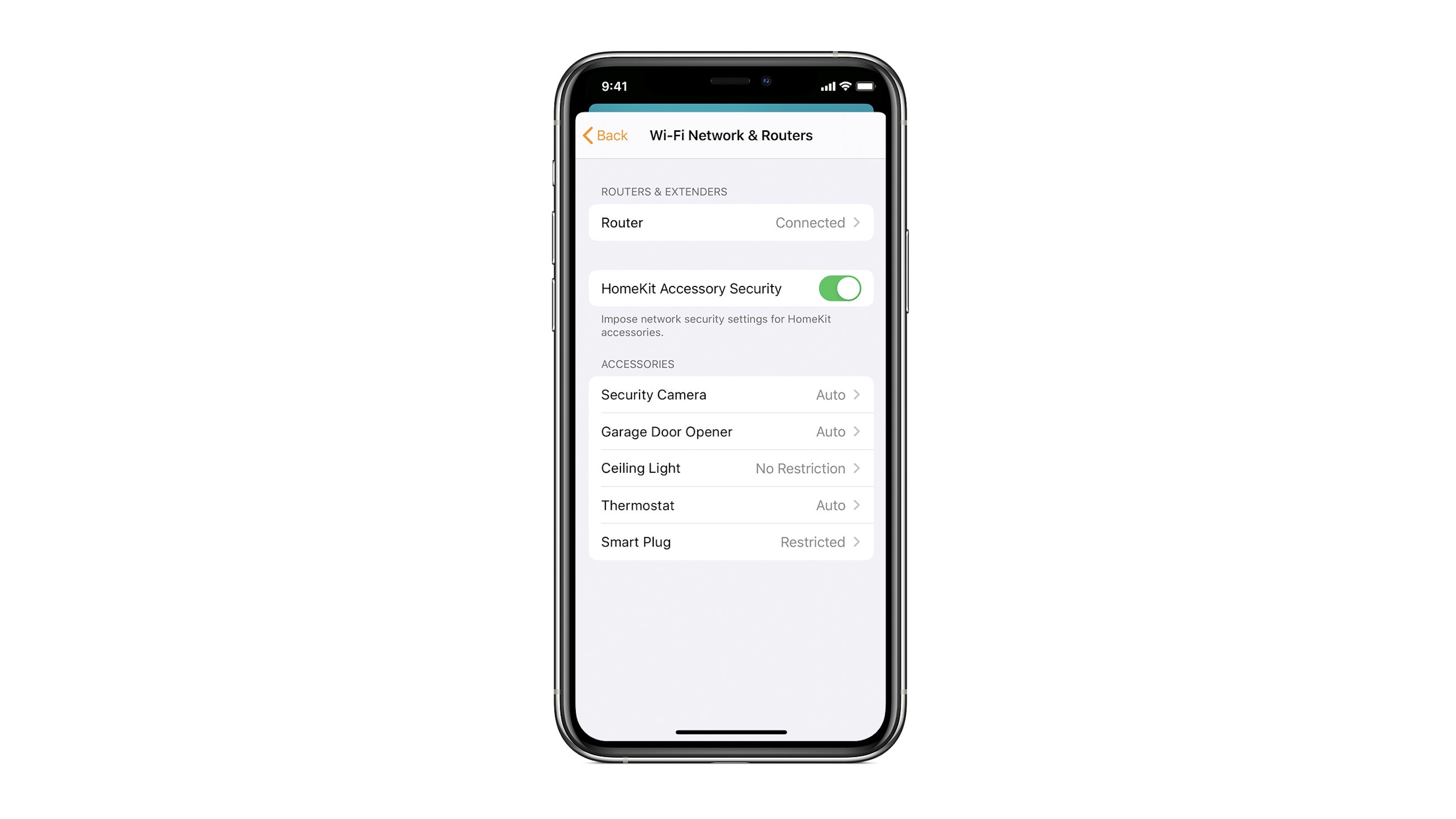
HomeKit Router was also announced with iOS 13, but it wasn’t released until early 2020. The idea behind the feature is you can give granular control to smart home enabled devices to control where on the internet they can reach.

eero was the first company to roll out support in for HomeKit Router.

With Apple HomeKit, eero gives you even more protection of your HomeKit accessories and an easy way to manage what they are allowed to communicate with in your home and through the internet.

There are three levels of security Apple offers for accessories paired with HomeKit routers:

  • Restrict to Home: Most secure. Your accessory can interact only with HomeKit through your Apple devices. The accessory won’t connect to the Internet or any local devices, so any third-party services, like firmware updates, might be blocked.
  • Automatic: Default security. Your accessory can communicate with HomeKit and connections recommended by its manufacturer.
  • No Restriction: Least secure. This setting bypasses the secure router and allows your accessory to interact with any device in your network or Internet-based service.

How Do You Use HomeKit?
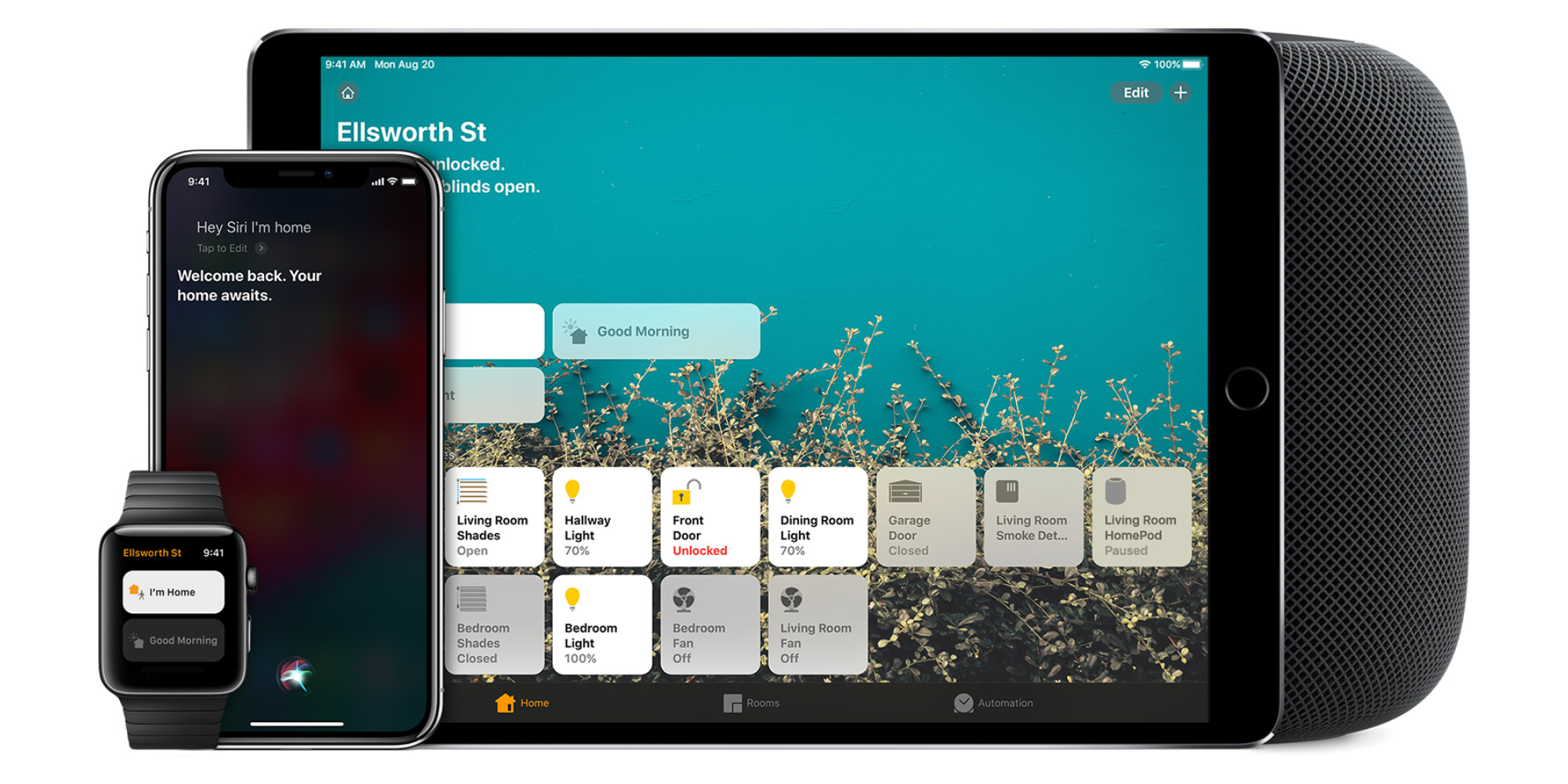
Homekit app

HomeKit devices can be controlled from iPad, iPhone, Mac, Apple Watch, and HomePod. A 4th generation Apple TV (or newer) is an essential Apple smart home device as it acts as a bridge over iCloud to allow access to your devices when away from home.

9to5Mac’s Bradley Chambers does a regular column about the “Apple Home” lifestyle in his HomeKit Weekly column.

Opinion: HomeKit is doomed to fail if Apple doesn’t make their own automation hardware

In July of 1982, industry pioneer Alan Kay said “People who are really serious about software should make their own hardware.” In January of 2007, Steve Jobs used this quote to define his vision for Apple and the iPhone in particular. Over the past decade, Tim Cook has reiterated this belief that Apple is at its best when it makes the hardware, software, and now the services. So why don’t they apply that philosophy to everything they do anymore? Let’s talk about it.

Expand Expanding Close

HomeKit Weekly: Eve Door unlocks HomeKit automations, leverages Thread technology

Eve Door

If someone asked why I prefer HomeKit over smart home platforms, it would be for the ease of creating automations in the Home app that can then be used with Siri over the HomePod. The second favorite reason would be to create automations that happen based on the use of sensors. This week, I want to look at Eve Door/Window sensor with thread support.

Expand Expanding Close

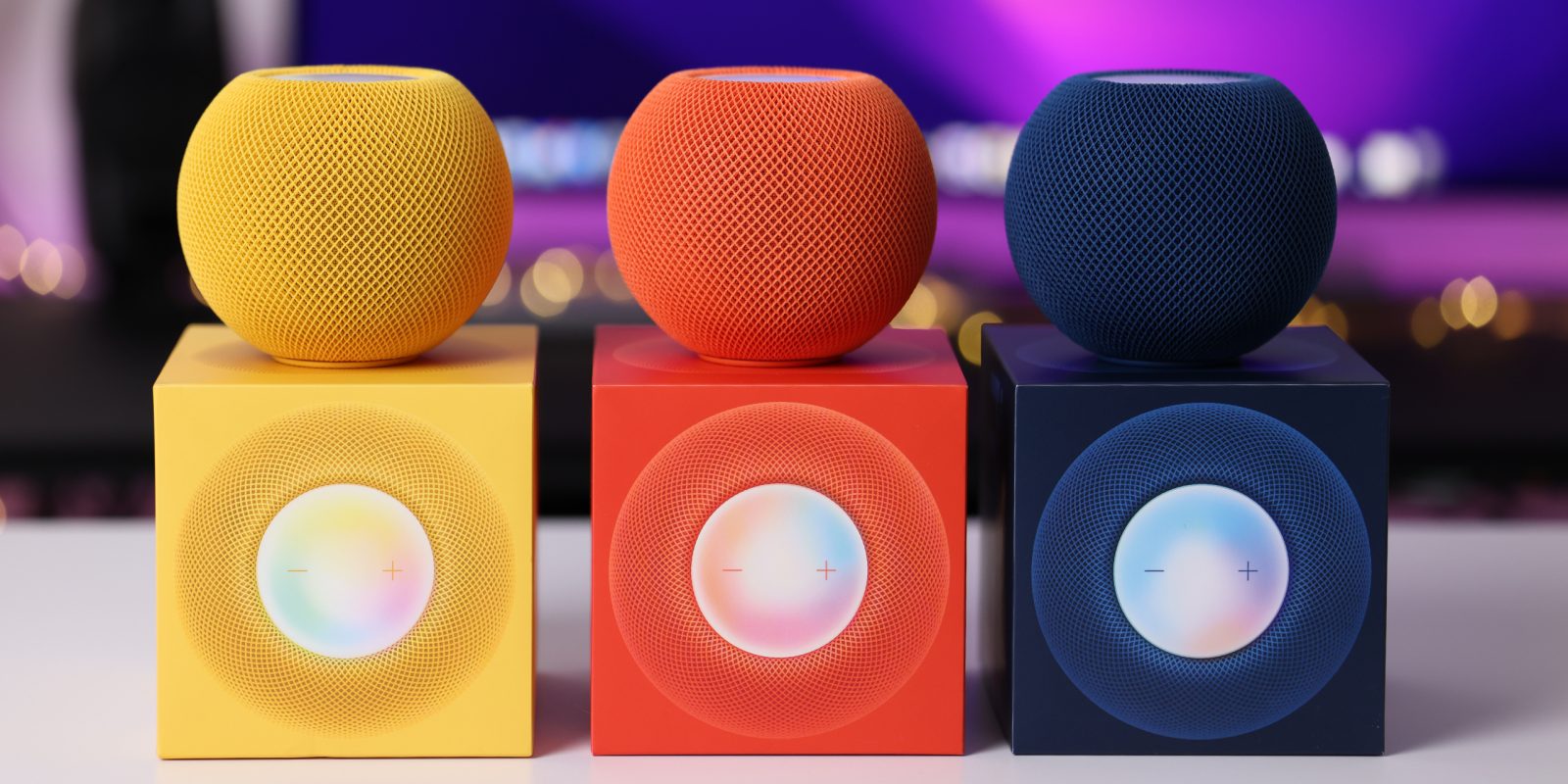
HomePod mini revisited: small, capable, and colorful [Video]

HomePod mini public beta

A few months ago my original HomePod died. Its early death was likely an unfortunate side effect of a bad software update. And since Apple no longer sells the original HomePod after discontinuing it early this year, the only option is to buy a HomePod mini, buy a used HomePod, or look elsewhere entirely.

Though it doesn’t possess the amazing sound quality of the original HomePod, the HomePod mini is a good smart speaker, and is better than the original in other ways. With last week’s release of three additional HomePod mini colors, I thought it was a good time to revisit some of the best HomePod mini features.

Expand Expanding Close

HomeKit Weekly: The Cololight HomeKit lamp provides animated lighting options with HomeKit support

ColoLight

My Kids have become quite used to using HomeKit in our home as the years have gone by. A HomeKit smart plug controls their white noise machines, we run HomeKit compatible air filters in their rooms, and we’ve recently been experimenting with fun lighting options for “night lights.” I’ve discovered one of the best HomeKit night light options, and it’s the Cololight Hexagon Light Works.

Expand Expanding Close

Netatmo announces HomeKit compatible CO detector

Netatmo announces HomeKit compatible CO detector

Smart home company Netatmo has announced an upcoming HomeKit-compatible CO detector, joining its existing smoke alarm and indoor air quality monitor. The company also makes a wide range of other smart home devices.

The Netatmo Smart Carbon Monoxide Alarm looks out for your safety day and night. 
It measures, in real time, the levels of carbon monoxide, which is an invisible, odourless and potentially fatal gas. If your home has any fuel-burning appliances (boiler, fireplace, gas cooker, etc.), the Netatmo Carbon Monoxide Alarm will monitor the carbon monoxide particles emitted by these appliances …

Expand Expanding Close

Indie developer Aaron Pearce on HomeLog and solving HomeKit problems [Interview]

Indie developer Aaron Pearce recently launched an all-new HomeKit management app called HomeLog. Pearce has developed a suite of apps that improves Apple’s HomeKit platform over the years. The newest tool is designed to make troubleshooting HomeKit issues less frustrating. 9to5Mac recently caught up with Aaron to find out more about HomeLog and solving problems with HomeKit.

Expand Expanding Close

HomeKit Weekly: YEELIGHT lamp makes for the perfect bedside lamp for HomeKit

YEELIGHT HomeKit lamp

There is no shortage of HomeKit lamps on the market, and they’ve been a big hit at my house with my family. My kids love the multi-colored lights, I love the ability to turn them off from Siri using HomePods, and they are fairly inexpensive. My new favorite lamp is the YEELight HomeKit Lamp, which is the perfect size and shape for a bedside table.

Expand Expanding Close

HomeKit Weekly: Now that iCloud can support unlimited cameras, ONVIS’ HomeKit camera is an ideal option for indoor coverage

ONVIS Camera C3

My wife and I have recently finalized the plans for our new home, so I am now able to think through how the HomeKit setup will work thoroughly. I plan to completely rebuild the “Home” to eliminate any software “crud” accumulated over the years. The first aspect I’ve been thinking through is what kind of cameras I want to use. I’ve debated using Nest cameras for outdoor use and bridging them to HomeKit using the Starling Home Hub. For indoor use, I am having a hard look at the ONVIS HomeKit Security Indoor Camera in my current home to see how it will work in my new home.

Expand Expanding Close

Starling Home Hub can now add the new Nest cameras to HomeKit, letting you ditch the Google Home app

I’ve written countless articles about the Starling Home Hub, but the device keeps getting better with no subscription necessary for continuous updates. Earlier this summer, it added AirPlay to Google Nest speakers, and I’ve used it almost daily since then. Today, a new update is available that brings support for the latest Nest cameras to HomeKit.

Expand Expanding Close

HomeKit Weekly: Onvis Motion Sensor tracks room presence, temperature, and humidity in an all-in-one form factor

Onvis Motion sensor

Onvis has been a long-time HomeKit device manufacturer, but I’ve just recently started using its products. One of the easiest ways to build out a smart home is by adding motion sensors in your home to automate lightning based on if someone is in the room or not. This week, I am looking at the Onvis HomeKit Motion Sensor.

Expand Expanding Close

Aqara Matter support added to M1S and M2 hubs; will support sensors, switches, and more

Aqara Matter support added to M1S and M2 hubs

Aqara Matter support has been added to two of its existing hubs, which upgrades them to the HomeKit-compatible connectivity standard for smart home devices. Updating the hubs will provide Matter connectivity to much of the company’s product range, including sensors, switches, and plugs.

The company says that Matter compatibility is coming first to two hubs, the Aqara M1S and M2

Expand Expanding Close