HomeKit

See All Stories

HomeKit is Apple's home automation framework that lets you control connected accessories from your iPhone, iPad, Apple Watch, HomePod, and Siri.
Your home at your command.

What is HomeKit / Apple Home?

Along with several other new APIs for developers, Apple announced HomeKit in June 2014, which allows all home automation accessories/devices to work together in harmony with iOS. The API allows home automation developers to centralize all home automation without needing separate apps to access each device’s specific features. These devices include locks, lights, cameras, doors, thermostats, plugs, switches, and more.

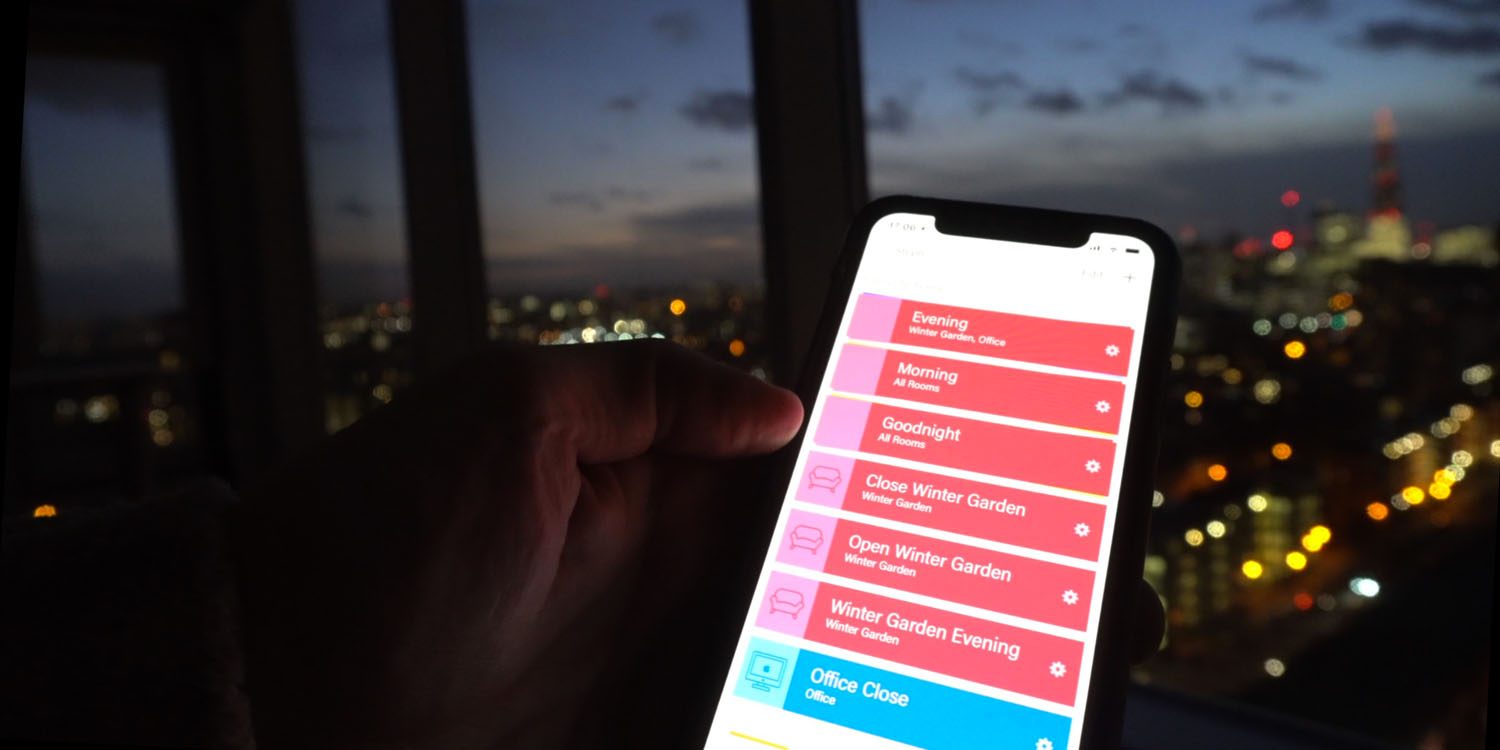
HomeKit allows for secure pairing with devices and the ability to control individual devices. It also makes it possible to group several home automation devices into scenes that allow for easier control of any automation device in specific situations. One of the coolest features available with HomeKit is the ability to control any home automation accessory with Siri based on certain commands or scenes previously configured with these devices.

In 2016, Apple introduced a new Home app that came with a modern look, relatively easy-to-use controls, and access to accessories and scenes from anywhere on iOS 10. Apple’s new built-in Home app arrived on the iPhone’s Home screen, plus you can access a ton of functions from the Lock screen or anywhere on iOS from the new Control Center once you have a HomeKit accessory set up.

In 2018, Apple released the HomePod. It was a way to interact with your connected home devices through Siri using a standalone device.

In 2020, Apple announced that tvOS 14 would gain access to the Home app. iOS 14 is also bringing improvement to the Home app UI.

HomeKit Secure Video
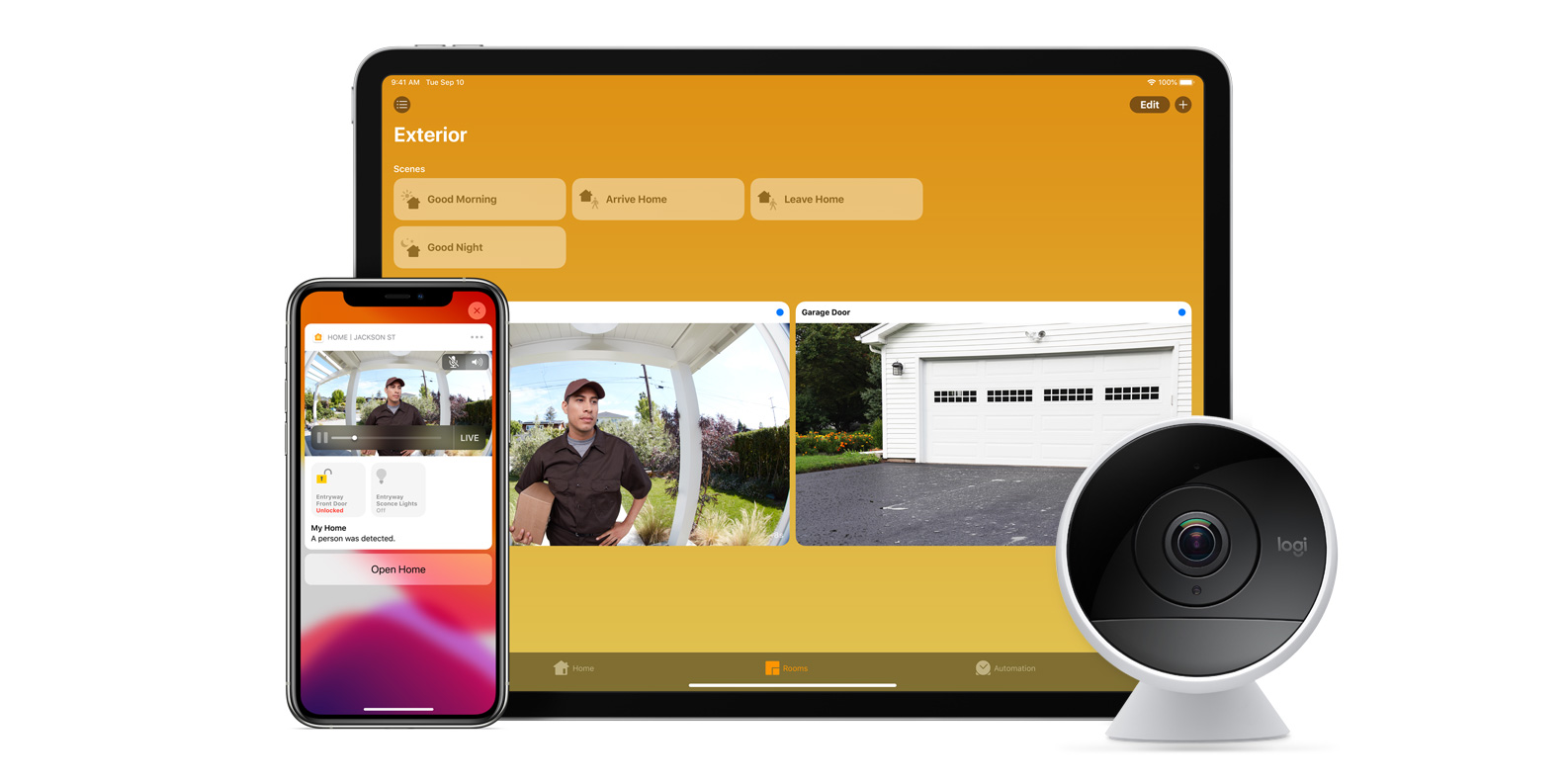
With iOS 13, Apple announced HomeKit Secure Video.

Footage from home security cameras contains your most personal and sensitive data. With HomeKit Secure Video, activity detected by supported cameras is privately analyzed by your home hub using on‑device intelligence to determine if people, pets, or cars are present. When important activity is detected, you and anyone you share your Home app with will receive a rich notification that lets you view the clip right from the Lock Screen. Recorded video is available to view for ten days from the Home app. It’s securely stored for free in supported iCloud accounts and doesn’t count against your storage limit.

While the rollout has been slow, Logitech, Arlo, Netatmo, and Eufy are among the early standouts. With recent privacy issues with Ring, HomeKit Secure Video is likely to continue to grow in popularity. One key benefit with Secure Video is that it works with your existing iCloud storage (200GB and up plan), so you don’t have an extra monthly fee for storage.

HomeKit Router
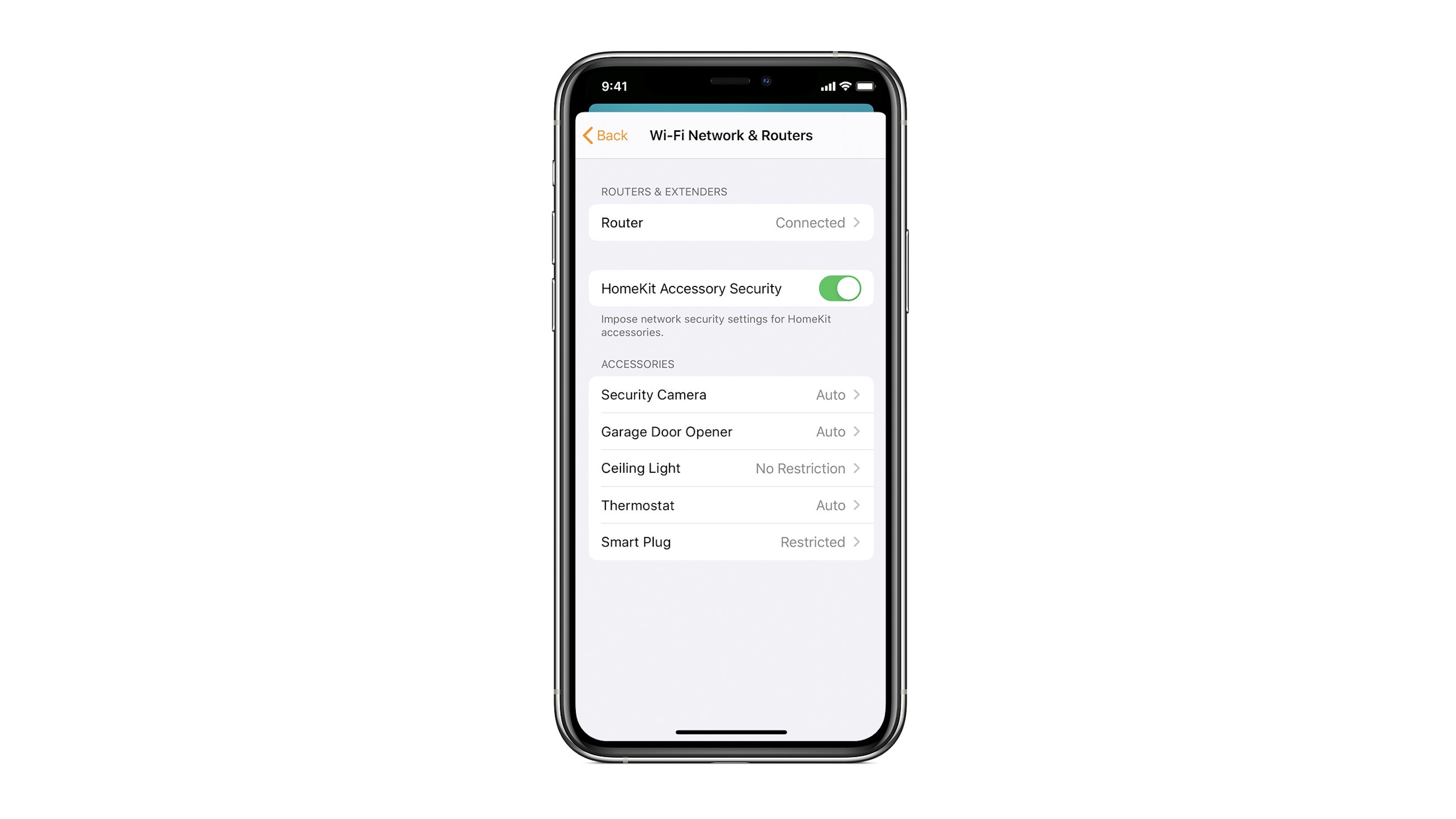
HomeKit Router was also announced with iOS 13, but it wasn’t released until early 2020. The idea behind the feature is you can give granular control to smart home enabled devices to control where on the internet they can reach.

eero was the first company to roll out support in for HomeKit Router.

With Apple HomeKit, eero gives you even more protection of your HomeKit accessories and an easy way to manage what they are allowed to communicate with in your home and through the internet.

There are three levels of security Apple offers for accessories paired with HomeKit routers:

  • Restrict to Home: Most secure. Your accessory can interact only with HomeKit through your Apple devices. The accessory won’t connect to the Internet or any local devices, so any third-party services, like firmware updates, might be blocked.
  • Automatic: Default security. Your accessory can communicate with HomeKit and connections recommended by its manufacturer.
  • No Restriction: Least secure. This setting bypasses the secure router and allows your accessory to interact with any device in your network or Internet-based service.

How Do You Use HomeKit?
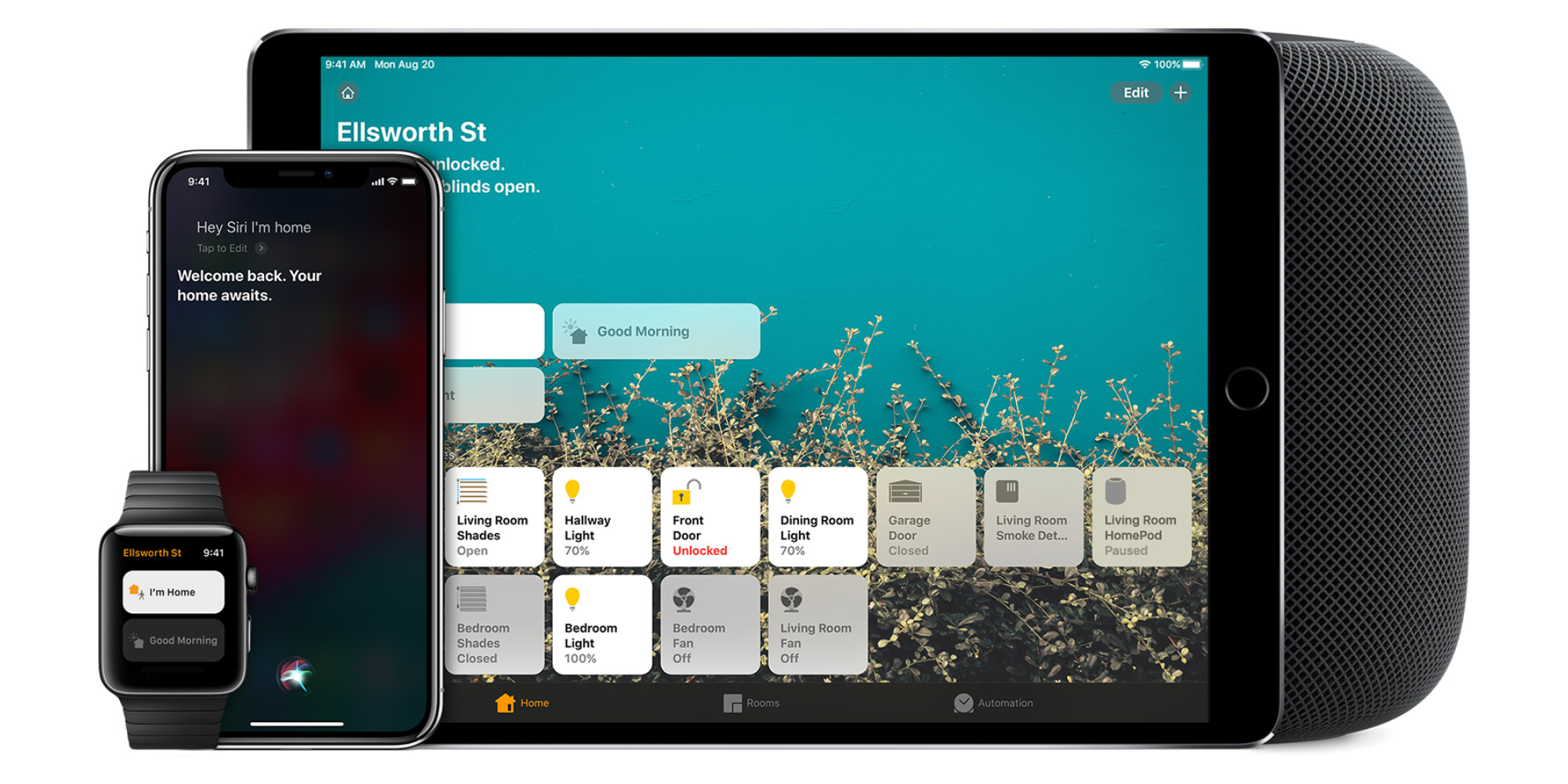
Homekit app

HomeKit devices can be controlled from iPad, iPhone, Mac, Apple Watch, and HomePod. A 4th generation Apple TV (or newer) is an essential Apple smart home device as it acts as a bridge over iCloud to allow access to your devices when away from home.

9to5Mac’s Bradley Chambers does a regular column about the “Apple Home” lifestyle in his HomeKit Weekly column.

Review: VOCOlinc’s HomeKit LED light strips offer the best value, no bridge needed

A week ago we checked out Sylvania’s $60 HomeKit light strip that works without a bridge and costs less than Philips Hue. Sylvania is a known name in lighting, but there’s an even cheaper option available if you’re willing to stray from major brands.

Hong Kong-based VOCOlinc offers a $40 smart LED light strip that works with Apple HomeKit, so how does it compare?


Expand
Expanding
Close

Review: August Smart Lock Pro works with HomeKit and Z-Wave Plus, Doorbell Cam Pro lights up the night

August unveiled its latest generation of smart locks and doorbells last fall with its improved Pro lineup, and we’ve had a chance to test out some of the new features. Smart Lock Pro includes upgraded internals and Z-Wave Plus support, while Doorbell Cam Pro adds a useful floodlight for scaring off intruders and seeing visitors in the dark. Check out our hands-on below:


Expand
Expanding
Close

Smart Home Diary: Ending up with iPhone-controlled blinds after all … [Video]

Once you start down the HomeKit route, the convenience of having everything controlled from a single app is pretty addictive. So these days I view HomeKit compatibility as a pretty non-negotiable item with any smart home tech.

But there are limits. And paying £16,500 ($22,000) for a Lutron system was definitely well beyond them!

However, the thing about having a lot of windows – especially floor to ceiling ones – is that good-quality blinds are expensive no matter what. And in the winter garden (glazed balcony) in particular, which is where we spend a huge amount of our time, we wanted really nice ones.

So when we found that we could have great blinds with iPhone control and promised HomeKit support for a little under half that price, we gulped and went for it … Update: See this piece.

Expand Expanding Close

Hands-on with First Alert’s Safe & Sound HomeKit smoke alarm & speaker at CES 2018 [Video]

First Alert, known best for its home safety devices, has been a relatively early adopter of support for new Apple protocols. The company previously introduced the Onelink Smoke & Carbon Monoxide Detector with support for HomeKit, and this year at CES 2018 is showing off a new product that combines the safety features of a smart smoke detector with the home convenience of an AirPlay 2 speaker.

We stopped at First Alert’s booth to see (and hear) the new accessory in person.


Expand
Expanding
Close

Philips announces Hue 3.0 for iOS, Hue Sync for Mac, outdoor lighting coming soon

Philips Lighting, makers of the popular HomeKit-compatible Hue lights, is announcing several major new initiatives at this year’s CES in Las Vegas. Not only is the company launching an updated version of it’s Hue app for iOS in coming months, an all-new Mac app will be debuting soon in coordination with an over-the-air software update for existing Hue products.

Finally, Philips has promised a line of new Hue products coming this summer…


Expand
Expanding
Close

Nanoleaf announces massively upgraded light panels: square, smart, touch- and motion-sensitive

Nanoleaf – best known for the light panels we reviewed and I covered in my smart home diary back in 2016 – has announced an upcoming all-new version that looks set to put the originals in the shade.

Unlike the existing triangular modules, the new ones will be square – and the previous limit of 30 panels per base station is being increased to a staggering 1,000. You will, though, need a power booster for every 60 additional panels …


Expand
Expanding
Close

Nanoleaf announces its highly-customizable, glowing, dodecahedron HomeKit remote

[Update: In addition to announcing a new, massive smart light panel product today, Nanoleaf has shared that its HomeKit Remote will come in at $50 and be available this spring.]

Nanoleaf has announced today its Nanoleaf Remote that has a really unique design and offers lots of customization to control Nanoleaf smart lighting and other HomeKit-enabled products.


Expand
Expanding
Close

First Alert’s Safe & Sound HomeKit smoke alarm doubles as an AirPlay 2 music speaker

First Alert’s Onelink smart and carbon monoxide alarm (review) was the first to hit the market with support for Apple’s HomeKit, and now First Alert is out with an interesting new version.

Unveiled at CES 2018, Onelink Safe & Sound is a new version that includes a built-in music speaker. The current version includes voice feedback when alarms are triggered, but First Alert says Safe & Sound will actually support AirPlay 2 for real music playback when the feature launches this year.


Expand
Expanding
Close

Elgato unveils the Eve Room and Button, 2 new additions to its lineup of HomeKit devices

From 9to5Toys:

With CES having officially begun this weekend, we’re already seeing a wide range of notable new products. Turning our attention specifically to the smart home, the folks over at Elgato have kicked things off this week by unveiling 2 new HomeKit-enabled devices. Eve’s Button introduces a new way to control connected accessories and the second generation Room upgrades its predecessor with enhanced sensors and an improved E-ink display.


Expand
Expanding
Close

Belkin Wemo Bridge now available for $40, connects Wemo smart home accessories to HomeKit

At CES, Belkin announced that the Wemo Bridge is now available to order, priced at $39.99. The bridge adds HomeKit support to the wide array of existing Wemo smart home accessories which includes smart plugs, dimmers, motion sensor and a light switch.

HomeKit support allows these accessories to be controlled through the native Apple Home app on iOS devices and Apple Watch. It also unlocks voice control with Siri.


Expand
Expanding
Close