Mac

See All Stories

Apple’s Mac lineup consists of MacBook, MacBook Air, MacBook Pro, iMac, Mac Pro, and Mac Mini. The Mac runs macOS for its operating system.

Mac lineup

History

The Mac is Apple’s lineup of computers, and it can be considered the company’s oldest product. The name “Mac” comes from the original Macintosh, which was introduced in 1984 and is also considered the first personal computer for the masses to have a graphical user interface. The first Macintosh hit the stores on January 24, 1984, costing $2,945.

Among all these years, Apple has introduced many different Mac models, ranging from desktops to laptops to professional tower machines. The current lineup consists of the MacBook Air, MacBook Pro, Mac mini, iMac, and Mac Pro. However, there have been other Mac models were discontinued, such as the eMac, MacBook, and iMac Pro.

The history of modern Macs began in 1998, a year after Steve Jobs returned to Apple. Apple had dozens of Macintosh computers at that time, but Steve decided to rethink the entire lineup. In 1998, Apple announced the iMac G3, which ditched the floppy disk and serial ports in favor of USB connectors.

Macintosh and iMac G3.

Unlike the Macintosh, the first iMac was considered a huge success — not only for its technology, but also for its unique design with colorful translucent plastic. Apple quickly expanded the Mac lineup with other models, which included the iBook and PowerBook (which became the MacBook and MacBook Pro) and the PowerMac, which is now the Mac Pro.

macOS

What makes a Mac the Mac is the macOS operating system, which has also had a long history since the introduction of the first Macintosh. Initially called Mac OS, the operating system was rebuilt when Steve Jobs returned to Apple.

The first version of Mac OS X was released on March 24, 2001 with a new interface that is still present in some ways in current versions of macOS. Apple’s desktop operating system comes with many free applications such as Pages, Keynote, Numbers, iMovie, and GarageBand.

With macOS, users also have access to deep integrations with other Apple devices. For instance, you can answer calls and send SMS from your iPhone using your Mac. Handoff lets you switch from one device to the other and pick up where you left off. Apple Watch users can unlock their computer without entering a password, and you can even copy and paste between devices.

macOS Sonoma

Apple’s desktop operating system is also integrated with services offered by the company, such as iCloud, Apple Music, and Apple TV+.

The current version of macOS is Sonoma (version 14), which features new slow-motion screen savers, widgets on desktop, camera effects on FaceTime and other apps, web apps, passkey sharing, improved PDF support, and Game Mode. The update also comes with a new API that lets developers easily port Windows games to macOS.

Architecture Transitions

The Mac has had three major architecture transitions in its history. Apple’s first computers ran on Motorola processors, but the company decided to migrate to the new PowerPC platform in 1994. While this brought benefits at the time, the PowerPC processors were not delivering what Apple expected.

It was in 2005 that Apple confirmed the transition from PowerPC to Intel. Intel processors had become faster and more efficient than PowerPC, which enabled the development of new Mac computers that were more powerful and also more compact. Developers have been given access to a Developer Transition Kit running Mac OS X Tiger with Intel Pentium 4 to update their apps before the transition begins.

Power PC, Mac OS X, and Intel processor.

Apple said that the transition would begin in June 2006 and be finished by the end of 2007. However, the transition to Intel was fully completed in August 2006 when the company replaced the PowerMac with the new Intel Mac Pro.

As the years went by, Apple once again felt the need to have more powerful and efficient processors for its computers. This time, the company was already working on its own chips for the iPhone and iPad. In June 2020, Apple confirmed that it was changing the architecture of the Mac, now from Intel to ARM chips, which are called Apple Silicon.

Apple offered a Mac mini DTK running on the same A12Z Bionic chip as the 2020 iPad Pro. This way developers could once again update their apps ahead of the transition. In addition to being more powerful and energy efficient, the ARM architecture of Apple Silicon chips has enabled Macs to run iOS apps for the first time.

Apple M1 chip | Mac

The first Apple Silicon Macs were released in November 2020 with the M1 chip. The company later introduced more powerful variants of the M1 chip, called M1 Pro, M1 Max, and M1 Ultra. Macs with Apple Silicon have become known for being more powerful while consuming much less power, which has resulted in MacBooks with extended battery life.

In June 2022, Apple introduced the M2 chip, which is around 20% faster than the M1 and also supports more RAM. M2 also has more powerful variants: M2 Pro, M2 Max, and M2 Ultra.

Apple unveiled the M3, M3 Pro, and M3 Max chips in October 2023. The main highlight of this generation is the 3 nanometer technology, the same as the A17 Pro chip. The M3 family also features better GPUs with support for hardware-accelerated ray-tracing.

Current Mac lineup

Apple currently sells a variety of Mac computers, which includes MacBooks, Mac mini, iMac, and Mac Pro. While some of the Macs have already been updated with an Apple Silicon chip, others remain with Intel processors.

MacBook Air

The MacBook Air is Apple’s most affordable laptop and it has become popular for its light, compact design. The 2022 version is powered by the M2 chip and is offered with 8GB, 16GB, or 24GB of RAM. Plus, it has a new, edge-to edge 13.6-inch Retina display.

The laptop features Touch ID and has two Thunderbolt 3 compatible USB-C ports, a MagSafe connector for charging, and a headphone jack. Prices start at $1099 in the US. It’s offered in silver, space gray, starlight, and midnight.

M2 MacBook Air.

A year later, Apple introduced the first 15-inch MacBook Air. It has essentially the same hardware as the smaller version with a similar design, but with a larger display. Prices start at $1299 in the US.Apple is still selling the M1 MacBook Air for prices starting at $999.

MacBook Pro

The 2023 MacBook Pro is available in multiple versions, and customers can choose between 14-inch and 16-inch screen sizes. For the first time, Apple has introduced a less expensive version of the 14-inch MacBook Pro with the base M3 chip. This version has the same design and display as the high-end versions, except that it only has two USB-C ports instead of three.

M3 MacBook Pro

The most expensive versions of the MacBook Pro are equipped with the more powerful M3 Pro and M3 Max chips. The laptop can be configured with up to 128GB of RAM and 8TB SSD. These versions also come in a new Space Black color.

Unlike the MacBook Air, the MacBook Pro comes with an HDMI port and an SD card reader. It also features MagSafe and Touch ID on the keyboard. Apple no longer sells MacBooks with the Touch Bar. Prices start at $1,599 in the US.

Mac mini

Mac mini is the cheapest Mac currently available since it’s basically a desktop without a built-in display or other peripherals. The base model with the M2 chip features one Ethernet port, two USB-C/Thunderbolt 4 ports, HDMI 2.0, two USB-A ports, and a headphone jack.

Apple sells a more powerful version of the Mac mini with the M2 Pro chip, which also comes with four USB-C ports instead of two. Mac mini can be configured with up to 32GB of RAM and up to 8TB of storage. Customers can also opt for a 10 Gigabit Ethernet port. The Apple Silicon Mac mini is only available in silver, while the now discontinued Intel model was available in space gray.

Apple Silicon Mac mini.

Prices for the Mac mini start at $599 in the US. Again, it’s worth noting that it doesn’t come with a keyboard or mouse in the box – you need to buy them separately or use your current ones.

Mac Studio

Mac Studio represents a new category between Mac mini and Mac Pro. It features a design based on the Mac mini, but with a taller body to support the more powerful hardware and also a better cooling system.

The new Mac Studio is targeted at professional users who work with demanding tasks such as video editing, 3D rendering, and machine learning. 

Embraced by creative pros everywhere, Mac Studio now delivers next-generation power in the form of the lightning-fast M2 Max and the boundary-breaking M2 Ultra. It packs outrageous performance and extensive connectivity in an unbelievably compact form, putting everything you need within easy reach and transforming any space into a studio.

By default, Mac Studio already comes with the M2 Max chip, 32GB of RAM, and 512GB SSD storage. A more expensive option lets users customize Mac Studio with M2 Ultra. While M2 Max has a 12-core CPU and a 30-core GPU, M2 Ultra doubles all of those specs. The new chip has a 24-core CPU and a 60-core GPU.

Mac Studio can also be configured with up to 192GB of RAM and 8TB of SSD storage. The machine offers up to six Thunderbolt ports, 10 Gigabit Ethernet, headphone jack, two USB-A ports, and one HDMI port.

Mac Studio

Apple has been rumored to be working on new versions of this machine with the M3 Max and M3 Ultra chips. However, these versions may not be ready until 2025. Bloomberg’s Mark Gurman said in November last year that the M3 Ultra chip “hasn’t yet gone into broad testing” inside Apple.

In the US, prices for the Mac Studio with M2 Max chip start at $1999. The M2 Ultra chip version starts at $3999. Just like the Mac mini, Mac Studio doesn’t come with a keyboard and mouse in the box. You can find accessories for your Mac Studio here.

iMac

iMac is Apple’s most popular desktop computer with an all-in-one construction. It features a 4.5K display in its 24-inch version and a 5K display in the 27-inch version. At the same time, Apple still sells an entry-level iMac with a regular 1080p display.

The 24-inch iMac is the first to feature the M1 chip, the same as in the Mac mini, MacBook Air, and MacBook Pro. This allowed Apple to introduce a completely redesigned model with a slimmer design, which is also offered in seven new colors. Customers can customize the new 24-inch iMac with up to 16GB of RAM and 2TB of storage.

Site default logo image

The company ships the 24-inch iMac with Magic Mouse and Magic Keyboard, plus a Lightning cable for recharging accessories. Prices in the US start at $1299. Apple has discontinued its old 21.5-inch iMac and the 27-inch iMac 5K.

Mac Pro

Mac Pro is a computer built for professional users who depend on extremely powerful hardware. Available in tower and rack versions, it has a completely modular design. That means users can replace RAM, SSD, GPU, and other internal components.

By default, it features four USB-C/Thunderbolt 3 ports, two USB-A ports, and two 10Gb Ethernet ports. However, the ports can be expanded using the PCI Express slots. Apple also ships the computer with a Magic Mouse and Magic Keyboard, but it does not come with an external monitor included.

All models feature Intel Xeon W processors, which are the most powerful processors offered by Intel. Consumers can configure Mac Pro with up to 28-core processor, 1.5TB RAM, and 8TB of SSD storage. In addition to supporting multiple dedicated GPUs, Apple also offers the Afterburner card — which accelerates the decoding of ProRes videos.

The company recently updated the Mac Pro with new graphics card modules, which include Radeon Pro W6800X and Radeon Pro W6900X.

Site default logo image

Mac Pro prices start at $5999 in the US.

Rumors about upcoming Macs

Top stories about the Mac

How-To: Drive a 4K display at 60 Hz with the 2016 MacBook

Site default logo image

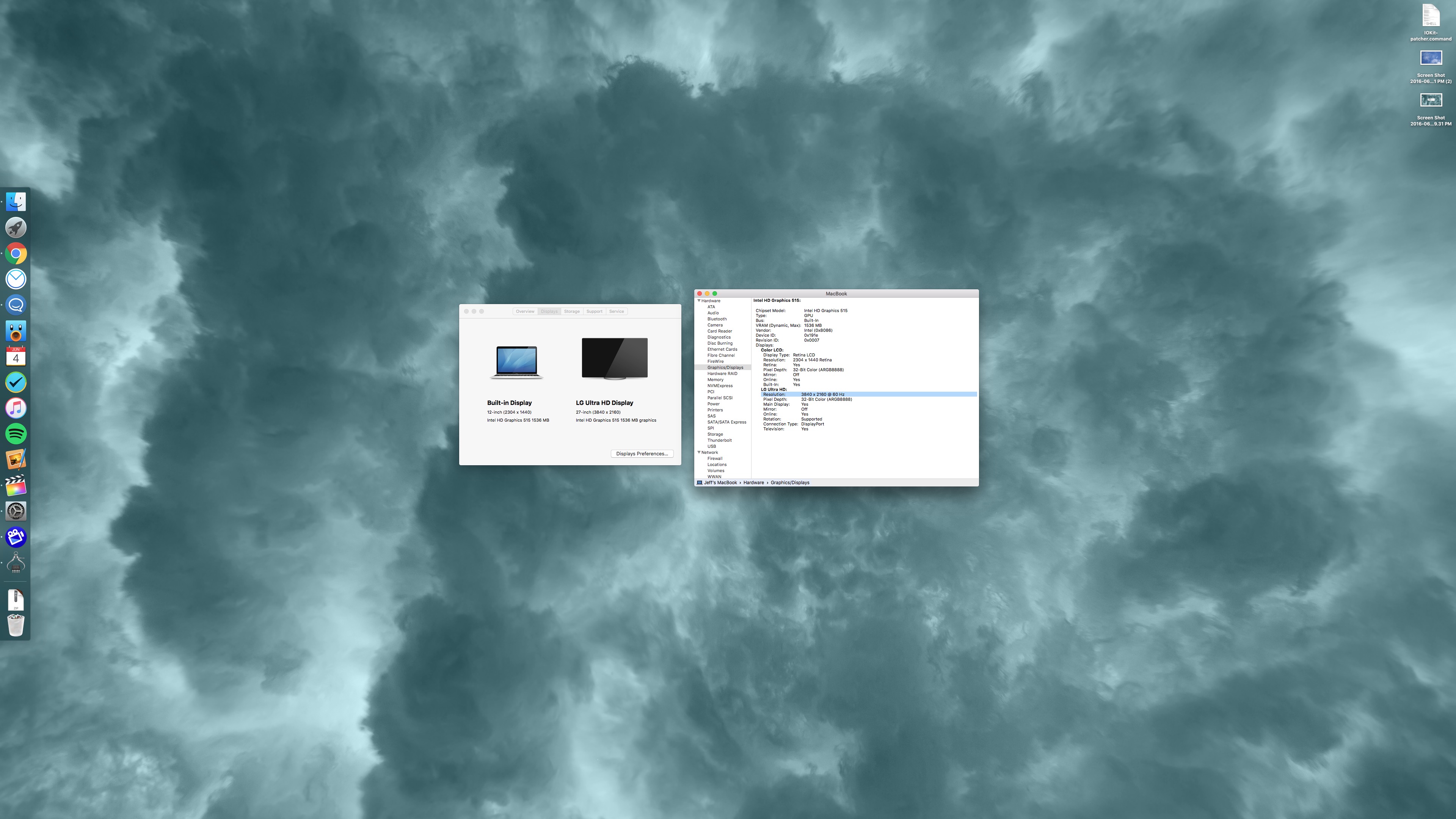
The 2016 MacBook is capable of driving a 4K display at 60 Hz via a single USB-C cable. Such a feat is achievable via an easy-to-apply IOKit patch.

One of the great things about the new Intel hardware inside of the 2016 MacBook is that it’s capable of supporting 4K resolution at 60 Hz. The jump in refresh is a big deal, as anyone who’s tried to put up with running a 30 Hz refresh rate can attest to.

Operating at 30 Hz results in jerky and choppy cursor movement, and in some cases can induce headaches after prolonged use.

Sadly, the MacBook only supports 30 Hz out of the box for 4K resolution. It’s not immediately clear as to why this is, but on its support page, Apple makes it known that 4K resolution is limited to 30 Hz.

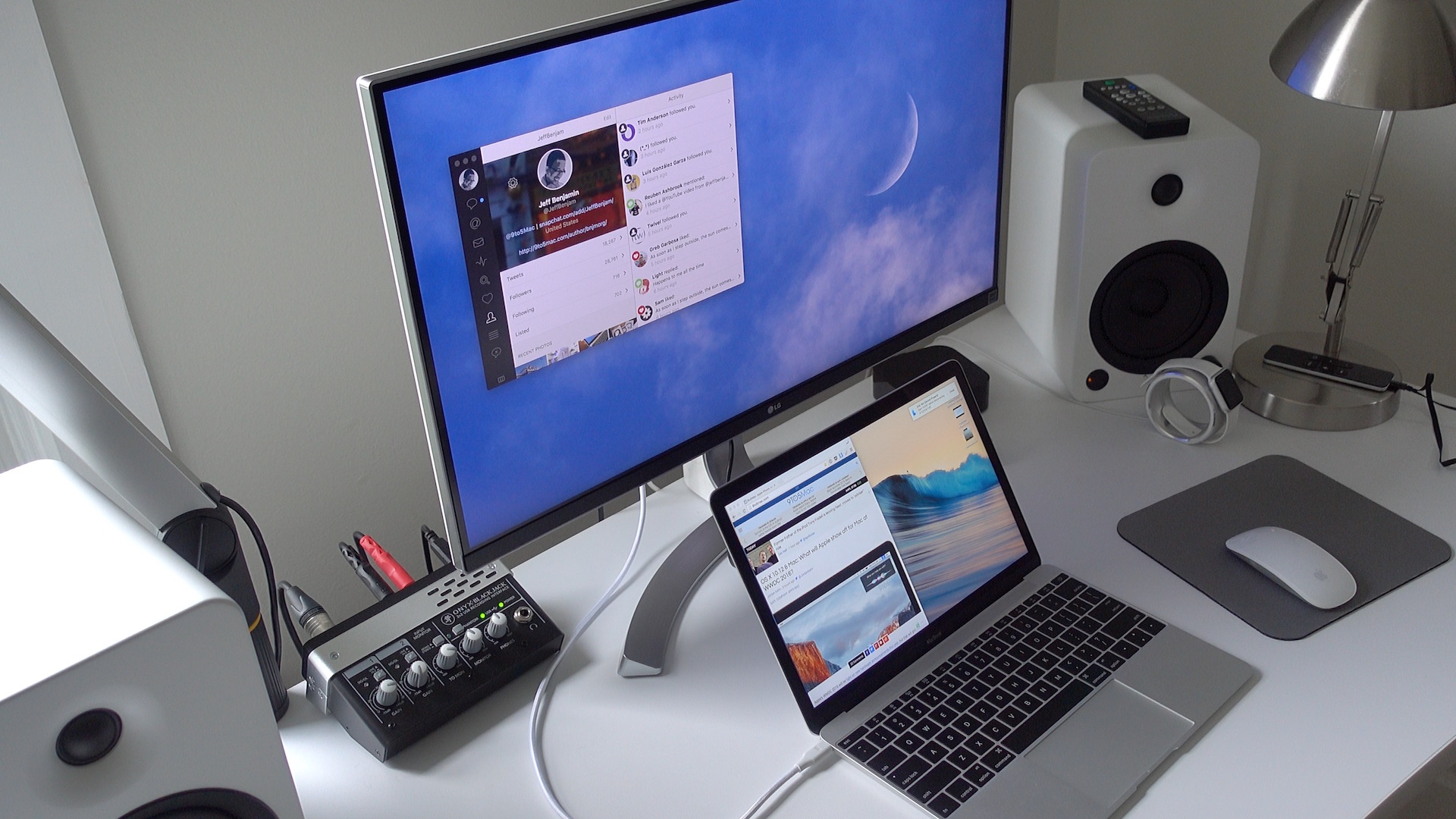
The good news is that it is possible to enable 60 Hz at native 4K resolution and 1080p (HiDPI/Retina) resolution on a 2016 MacBook. In fact, I just did so on the LG 27UD88 4K USB-C monitor that I recently reviewed. Watch the step-by-step process in our video tutorial for the details.
Expand
Expanding
Close

This week’s top stories: What to expect at WWDC 2016, iPhone 7 leaks, Apple’s Back to School deal & more

In this week’s top stories: iPhone 7 leaks, more on the rumored upcoming MacBook Pros with OLED touch bar, what’s in store for WWDC 2016, and much more.

Apple also launched its Back to School promo for 2016, and designer brand Coach started preparing for a launch of its Apple Watch bands next week. Head below for all of the handy links to these and our other top shared Apple stories this week.


Expand
Expanding
Close

Review: LG’s USB-C-enabled 4K Monitor lends single cable simplicity to 12″ MacBook owners, but not without some compromises

Site default logo image

If you’re looking for a 4K display that can be paired with your 12″ MacBook via a single USB-C cable, then your options are fairly limited. It seems that LG is one of the few display makers that has such a monitor available for sale.

LG’s 27UD88-W is a 27″ USB-C-enabled display. Its USB-C port allows MacBook owners to connect a single cable to drive the display, charge the machine, and facilitate data transfer.

As I alluded to in my recent 2016 MacBook post, the 27UD88-W isn’t perfect, but it’s one of the only games in town if you desire a 4K monitor with USB-C connectivity in tow.

If you’re a MacBook owner, should you consider purchasing one? Have a look inside for the details.
Expand
Expanding
Close

OS X 10.12 & Mac: What will Apple show off for Mac at WWDC 2016?

Apple’s WWDC 2016 will be light on new hardware announcements this year, but that will give the company plenty of stage time to show off big new releases on the software side. Siri for Mac, a Siri SDK for developers, an Apple Music and iTunes refresh, Touch ID features, and possibly a first look at new Macs, Apple has a lot of interesting in-development projects it could show off for Macs and OS X 10.12 at WWDC 2016. Below we roundup the rumored features for the next release of Apple’s Mac operating system and explore some of the possible new hardware we might see at the event later this month.


Expand
Expanding
Close

Opinion: Is the iOS vs Android battle headed down the same path as Mac vs PC?

Site default logo image

Yesterday, well-respected venture capitalist Mary Meeker released her annual Internet Trends Report. Inside the over 200 slide PowerPoint were some interesting numbers relating to the continuing battle between iOS and Android. As we reported last night, Meeker’s report showed iOS continue to decline in marketshare, while Android continues to gain. In many ways, the current split between Android and iOS in terms of market share and unit shipments is very similar to the split between Mac and PC shipments and marketshare. And it’s been a long time coming for Apple.


Expand
Expanding
Close

App Store, Apple Music, iTunes and other iCloud services down for some [U: Back up]

Update 2: Apple is reporting that the iCloud.com services have also been restored.

Update: Apple is reporting that the availability of some services has now been restored but several features of iCloud are still down and undergoing maintenance.

As noted by Apple’s system status page, a multitude of Apple services are currently experiencing instability and downtime for some users. The affected services include the App Store, Mac App Store, Apple TV services, iTunes In The Cloud and critical features like Find My iPhone. We have also had a few reports of Apple Music downtime, seemingly repeating the outage yesterday, but Apple’s official status report does not mention any problems with Apple Music at this time.


Expand
Expanding
Close

Apple readying new external 5K Display as current model goes out of stock, may feature integrated GPU

Update: No new Apple display at WWDC … timing unclear but integrated GPU next-gen Apple Display is still in development.

The current $999 (!) Thunderbolt Display is showing its age to put it mildly, now significantly overshadowed by Retina MacBooks and iMacs in terms of screen resolution and quality. Reaffirming earlier reports, we have heard that stock of the Thunderbolt Display at Apple Stores is quickly running out with no indications of more units on the way to replenish availability. This is often a good indicator that a refresh is imminent. We are led to believe that WWDC will be very light on new hardware. However, given the opportunity for cheers in the audience, perhaps Apple could announce the new display at the keynote with a release pencilled in for later in the year.

Independently, we have heard some rumblings about what the new display might offer. Finally bringing it up to speed with its Retina display Mac cousins, the new ‘Thunderbolt Display’ will likely feature a 5K resolution display 5120×2880 pixels. Moreover, sources indicate that Apple will take the display in a surprising direction, specifically suggesting that Apple plans to integrate a dedicated external GPU into the display itself …


Expand
Expanding
Close

Leaked images claim to show MacBook Pro with OLED touch bar cutout, four USB-C ports

Site default logo image

Apple is reportedly set to introduce a major update to its MacBook Pro lineup sometime during the fourth quarter of this year. The update is said to bring a thinner design and a new OLED touch bar above the keyboard. Now, a set of spy shots claim to show the chassis of the refreshed MacBook Pro and where the reported OLED touch bar will be located.


Expand
Expanding
Close

Next-gen Intel Kaby Lake processors on track to launch this year as Samsung unveils new super-small SSDs

Site default logo image

We can usually get a decent idea of what the insides of an upcoming Mac will look like thanks to announcements from part manufacturers. A report last week detailed some of the changes that Apple has planned for its MacBook Pro refresh in the fourth quarter of this year and now Intel and Samsung have both made announcements that could offer a glimpse into what else Apple will introduce…


Expand
Expanding
Close

Limited availability may mean one of Apple’s most outdated products might see WWDC refresh

It’s been true for way too long now that Apple’s Thunderbolt Display is due for a comprehensive upgrade. Apple’s $999 27-inch display has a dated design and has much lower resolution than the Retina 5K iMac for $800 more. For those reasons and more, it’s been on everyone’s Do Not Buy list for quite some time, but that may be about to change.


Expand
Expanding
Close

Review: IXCC’s USB 3.0 to Type-C Adapter is a cheaper way to connect legacy USB devices to your MacBook

Site default logo image

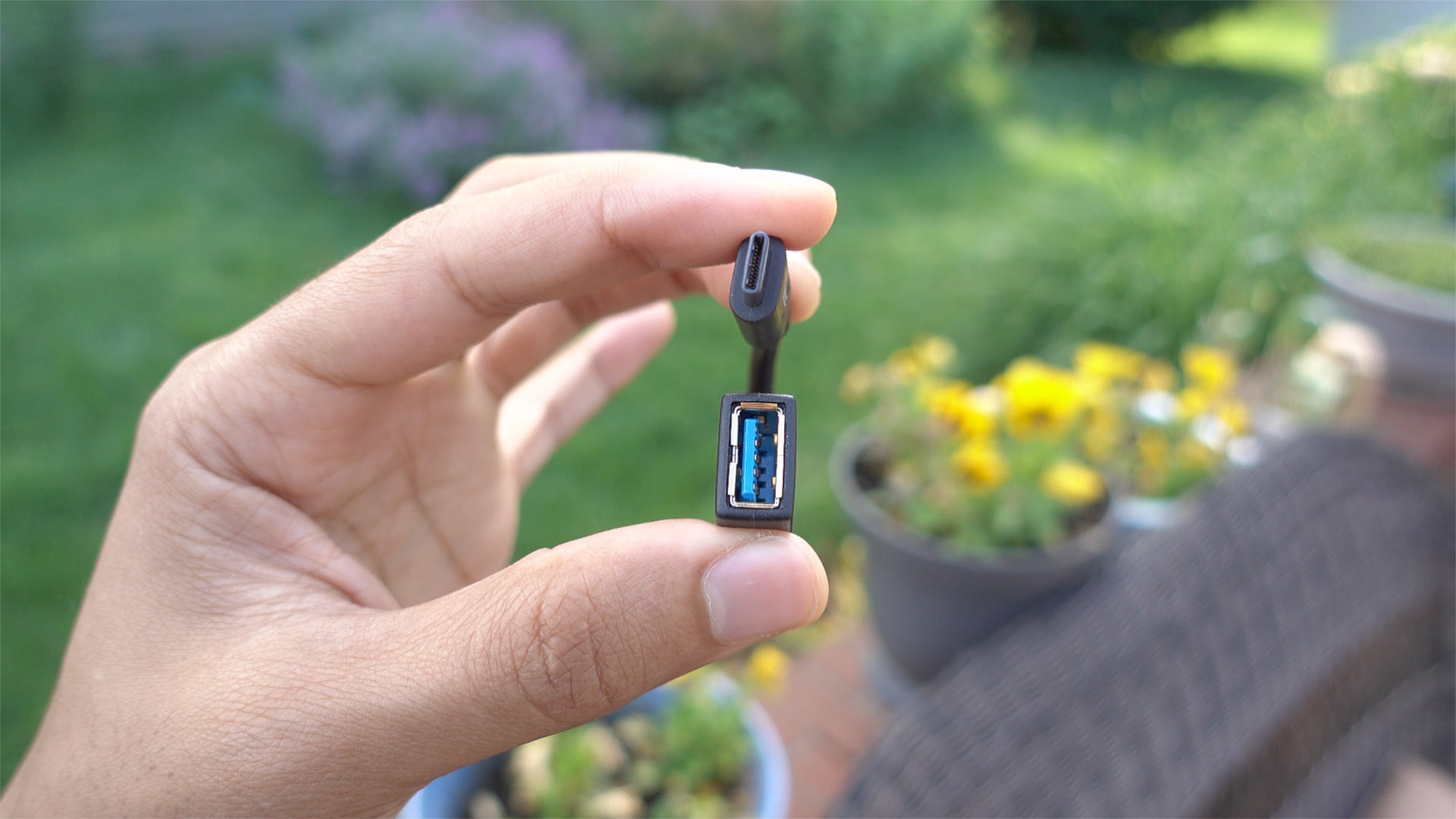
If you own a MacBook and you wish to interface with legacy USB-A connections, you have several options. Apple itself produces a USB-C to USB Adapter, and it’s available for around $19. There’s also no shortage of third-party options available on Amazon and other resellers.

One such option, IXCC’s USB 3.0 to Type-C Convertor Cable, is a cheap and easy way to garner legacy USB device support on USB-C only MacBooks. Have a look at our brief hands-on video to witness the adapter in action.
Expand
Expanding
Close

This week’s top stories: new MacBooks incoming, iPhone 7 leaks, iOS 10 rumors, Siri SDK, & WWDC 2016

Site default logo image

The top Apple stories this week include reports of new MacBook models on the way, the latest rumored specs and features for iPhone 7, our roundup of features in the cards for iOS 10, and reports that Apple is developing dedicated hardware and a new SDK for Siri. As usual, below we’ve collected all of the handy links to these and our other top stories this week.


Expand
Expanding
Close

10 tips for new and prospective MacBook owners [Video]

Site default logo image

As someone coming from a 15″ MacBook Pro with Retina display, adjusting to the smaller form-factor of the 12″ MacBook takes some getting used to. But as brought out in our post highlighting 10 favorite MacBook features, the effort is worth it.

I’ve been using the 2016 MacBook as my primary computer since last week, and I’ve learned a lot about this little machine during my hands-on time. If you’re thinking about purchasing a new MacBook, or if you already own one, consider these tips to get more out of this tiny wonder.
Expand
Expanding
Close

Review: Burkley hardshell leather MacBook Air case, premium leather at a premium price

I’m not normally one for hiding Apple’s gorgeous designs away inside cases, but my 11-inch MacBook Air is used almost exclusively when I’m out and about, so it does normally live in a TwelveSouth BookBook case to keep it safe on its travels. I adore that case, so persuading me to set it aside for an alternative would not be an easy task.

But I was very taken with the leather iPhone and iPad cases I recently reviewed from NY-based Burkley, so I decided to give one of the company’s snap-on leather MacBook Air covers a try. It currently offers these for the MacBook Air only (both 11- and 13-inch) – though it does also have a non-snap-on variation for the 12-inch MacBook.

Burkley likes to mix up its leather offerings for each product, with the Antique Camel Leather I liked last time not available for the MacBook, so I tried the Special Burned Tan Leather. This is a fairly standard tan color in the center, with darker burned-in edges …


Expand
Expanding
Close

Pixelmator for Mac update adds Magnetic Selection, Retouch brushes extension for Apple Photos app, more

The team behind Pixelmator has today released yet another free update to its Mac photo editor, Pixelmator version 3.5 ($29.99 in the Mac App Store). Alongside the usual round of performance improvements and bug fixes, the app includes a few handy new end-user features. There’s a smarter Auto Selection tool and a brand new Magnetic Selection tool to accurately and quickly cutout objects from a scene in a photograph. There’s also a brand new Retouch extension for the native OS X Photos app, integrating refined brush-style edits into iCloud Photo Library. Video demo after the break …


Expand
Expanding
Close

Opinion: Wouldn’t it be nice if the new MacBook Pro had built in 4G like this patent shows?

Site default logo image

Earlier this week it was reported that an upcoming MacBook Pro refresh would bring a thinner design, Touch ID support, and an OLED touch bar above the keyboard. One of the longstanding requests by MacBook users, however, has been an option for cellular connectivity and now it looks like we might be one step closer to that coming to fruition. As noted by PatentlyApple, Apple has recently been granted a patent for a MacBook with cellular connectivity.

This isn’t the first time we’ve heard whispers that Apple is working on MacBook with cellular connectivity. In 2011, a MacBook Pro with 3G connectivity and a SIM card slot from 2007 was put up for auction on eBay with the seller claiming it was an unreleased prototype model, but is it still possible that Apple is considering finally adding the feature?


Expand
Expanding
Close

Poll: Would you prefer an OLED touch bar instead of traditional function keys?

Site default logo image

Many people have been eagerly waiting for Apple to refreshed its entire MacBook Pro lineup with a thinner design, faster internals, Siri support, and more. A report yesterday said all of that is coming later this year in Q4, but added an additional detail: an OLED touch bar above the keyboard that would replace the row of function keys.

This is a new idea that hasn’t really been suggested for Apple’s MacBook Pro lineup before, but it has a variety of interesting possibilities. But with a significant change like that comes a steep, steep learning curve. The quick shortcuts we’ve all become accustomed to using throughout OS X would have an added twist, but could they potentially become easier to access in the long run? In the end, however, it would all come down to whether or not the OLED touch bar improved navigation enough to warrant a few weeks of relearning how to use your MacBook Pro’s keyboard.


Expand
Expanding
Close

Opinion: What can we expect from the 2016 MacBook Pro, and will it be worth the wait?

Site default logo image

The 2016 MacBook Pro is likely to take design cues from the 12-inch MacBook

Apple has kept us waiting a long time for a new MacBook Pro. It’s been more than a year since the last update, and that was a minor one. It added Force Touch to the trackpad, provided faster flash storage, an extra hour of battery-life and faster graphics. All fine as a refresh, but nothing to get too excited about.

The latest report suggests that we’re now going to have to wait until Q4 this year before a new model is released. Unsurprisingly, that report points to a next-generation MacBook Pro with a thinner and lighter design, with cues taken from the 12-inch MacBook. More power-efficient processors should allow a thinner casing without sacrificing battery-life.

But it also suggests a couple of new features: Touch ID, and a touch-sensitive replacement for the function keys on the top row of the keyboard. At first glance, Touch ID might sound welcome but no big deal, and the touchscreen a bit gimmicky, but – executed properly – I think they could make a huge difference to the usability of the machine …


Expand
Expanding
Close

Site default logo image

How-To: Replace open Safari tabs with folder bookmarks in one click on OS X

Safari has changed the way it handles bookmarks and open tabs over the last few versions, which has required me to slightly adjust my workflow each time. The change in behavior is small but one I’ve noticed.

Bookmark folders in Safari on the Mac have an ‘Open in New Tabs’ option that when clicked opens each saved website in its own tab using a single Safari window. A couple of versions back, this button would replace all open tabs with just the bookmarked websites in that folder.


Expand
Expanding
Close

10 reasons to seriously consider the 2016 Retina MacBook

Site default logo image

Yesterday, I bought a 12″ MacBook, and after playing with it for 10 minutes, I immediately knew that I made the right decision. 24 hours later, I’m convinced that this is the best laptop for me, and a much better portable workhorse than something like a 12.9″ iPad Pro. Here are 10 reasons why you should consider going with a MacBook if you’re in the market for something powerful, yet portable.
Expand
Expanding
Close