Mac

See All Stories

Apple’s Mac lineup consists of MacBook, MacBook Air, MacBook Pro, iMac, Mac Pro, and Mac Mini. The Mac runs macOS for its operating system.

Mac lineup

History

The Mac is Apple’s lineup of computers, and it can be considered the company’s oldest product. The name “Mac” comes from the original Macintosh, which was introduced in 1984 and is also considered the first personal computer for the masses to have a graphical user interface. The first Macintosh hit the stores on January 24, 1984, costing $2,945.

Among all these years, Apple has introduced many different Mac models, ranging from desktops to laptops to professional tower machines. The current lineup consists of the MacBook Air, MacBook Pro, Mac mini, iMac, and Mac Pro. However, there have been other Mac models were discontinued, such as the eMac, MacBook, and iMac Pro.

The history of modern Macs began in 1998, a year after Steve Jobs returned to Apple. Apple had dozens of Macintosh computers at that time, but Steve decided to rethink the entire lineup. In 1998, Apple announced the iMac G3, which ditched the floppy disk and serial ports in favor of USB connectors.

Macintosh and iMac G3.

Unlike the Macintosh, the first iMac was considered a huge success — not only for its technology, but also for its unique design with colorful translucent plastic. Apple quickly expanded the Mac lineup with other models, which included the iBook and PowerBook (which became the MacBook and MacBook Pro) and the PowerMac, which is now the Mac Pro.

macOS

What makes a Mac the Mac is the macOS operating system, which has also had a long history since the introduction of the first Macintosh. Initially called Mac OS, the operating system was rebuilt when Steve Jobs returned to Apple.

The first version of Mac OS X was released on March 24, 2001 with a new interface that is still present in some ways in current versions of macOS. Apple’s desktop operating system comes with many free applications such as Pages, Keynote, Numbers, iMovie, and GarageBand.

With macOS, users also have access to deep integrations with other Apple devices. For instance, you can answer calls and send SMS from your iPhone using your Mac. Handoff lets you switch from one device to the other and pick up where you left off. Apple Watch users can unlock their computer without entering a password, and you can even copy and paste between devices.

macOS Sonoma

Apple’s desktop operating system is also integrated with services offered by the company, such as iCloud, Apple Music, and Apple TV+.

The current version of macOS is Sonoma (version 14), which features new slow-motion screen savers, widgets on desktop, camera effects on FaceTime and other apps, web apps, passkey sharing, improved PDF support, and Game Mode. The update also comes with a new API that lets developers easily port Windows games to macOS.

Architecture Transitions

The Mac has had three major architecture transitions in its history. Apple’s first computers ran on Motorola processors, but the company decided to migrate to the new PowerPC platform in 1994. While this brought benefits at the time, the PowerPC processors were not delivering what Apple expected.

It was in 2005 that Apple confirmed the transition from PowerPC to Intel. Intel processors had become faster and more efficient than PowerPC, which enabled the development of new Mac computers that were more powerful and also more compact. Developers have been given access to a Developer Transition Kit running Mac OS X Tiger with Intel Pentium 4 to update their apps before the transition begins.

Power PC, Mac OS X, and Intel processor.

Apple said that the transition would begin in June 2006 and be finished by the end of 2007. However, the transition to Intel was fully completed in August 2006 when the company replaced the PowerMac with the new Intel Mac Pro.

As the years went by, Apple once again felt the need to have more powerful and efficient processors for its computers. This time, the company was already working on its own chips for the iPhone and iPad. In June 2020, Apple confirmed that it was changing the architecture of the Mac, now from Intel to ARM chips, which are called Apple Silicon.

Apple offered a Mac mini DTK running on the same A12Z Bionic chip as the 2020 iPad Pro. This way developers could once again update their apps ahead of the transition. In addition to being more powerful and energy efficient, the ARM architecture of Apple Silicon chips has enabled Macs to run iOS apps for the first time.

Apple M1 chip | Mac

The first Apple Silicon Macs were released in November 2020 with the M1 chip. The company later introduced more powerful variants of the M1 chip, called M1 Pro, M1 Max, and M1 Ultra. Macs with Apple Silicon have become known for being more powerful while consuming much less power, which has resulted in MacBooks with extended battery life.

In June 2022, Apple introduced the M2 chip, which is around 20% faster than the M1 and also supports more RAM. M2 also has more powerful variants: M2 Pro, M2 Max, and M2 Ultra.

Apple unveiled the M3, M3 Pro, and M3 Max chips in October 2023. The main highlight of this generation is the 3 nanometer technology, the same as the A17 Pro chip. The M3 family also features better GPUs with support for hardware-accelerated ray-tracing.

Current Mac lineup

Apple currently sells a variety of Mac computers, which includes MacBooks, Mac mini, iMac, and Mac Pro. While some of the Macs have already been updated with an Apple Silicon chip, others remain with Intel processors.

MacBook Air

The MacBook Air is Apple’s most affordable laptop and it has become popular for its light, compact design. The 2022 version is powered by the M2 chip and is offered with 8GB, 16GB, or 24GB of RAM. Plus, it has a new, edge-to edge 13.6-inch Retina display.

The laptop features Touch ID and has two Thunderbolt 3 compatible USB-C ports, a MagSafe connector for charging, and a headphone jack. Prices start at $1099 in the US. It’s offered in silver, space gray, starlight, and midnight.

M2 MacBook Air.

A year later, Apple introduced the first 15-inch MacBook Air. It has essentially the same hardware as the smaller version with a similar design, but with a larger display. Prices start at $1299 in the US.Apple is still selling the M1 MacBook Air for prices starting at $999.

MacBook Pro

The 2023 MacBook Pro is available in multiple versions, and customers can choose between 14-inch and 16-inch screen sizes. For the first time, Apple has introduced a less expensive version of the 14-inch MacBook Pro with the base M3 chip. This version has the same design and display as the high-end versions, except that it only has two USB-C ports instead of three.

M3 MacBook Pro

The most expensive versions of the MacBook Pro are equipped with the more powerful M3 Pro and M3 Max chips. The laptop can be configured with up to 128GB of RAM and 8TB SSD. These versions also come in a new Space Black color.

Unlike the MacBook Air, the MacBook Pro comes with an HDMI port and an SD card reader. It also features MagSafe and Touch ID on the keyboard. Apple no longer sells MacBooks with the Touch Bar. Prices start at $1,599 in the US.

Mac mini

Mac mini is the cheapest Mac currently available since it’s basically a desktop without a built-in display or other peripherals. The base model with the M2 chip features one Ethernet port, two USB-C/Thunderbolt 4 ports, HDMI 2.0, two USB-A ports, and a headphone jack.

Apple sells a more powerful version of the Mac mini with the M2 Pro chip, which also comes with four USB-C ports instead of two. Mac mini can be configured with up to 32GB of RAM and up to 8TB of storage. Customers can also opt for a 10 Gigabit Ethernet port. The Apple Silicon Mac mini is only available in silver, while the now discontinued Intel model was available in space gray.

Apple Silicon Mac mini.

Prices for the Mac mini start at $599 in the US. Again, it’s worth noting that it doesn’t come with a keyboard or mouse in the box – you need to buy them separately or use your current ones.

Mac Studio

Mac Studio represents a new category between Mac mini and Mac Pro. It features a design based on the Mac mini, but with a taller body to support the more powerful hardware and also a better cooling system.

The new Mac Studio is targeted at professional users who work with demanding tasks such as video editing, 3D rendering, and machine learning. 

Embraced by creative pros everywhere, Mac Studio now delivers next-generation power in the form of the lightning-fast M2 Max and the boundary-breaking M2 Ultra. It packs outrageous performance and extensive connectivity in an unbelievably compact form, putting everything you need within easy reach and transforming any space into a studio.

By default, Mac Studio already comes with the M2 Max chip, 32GB of RAM, and 512GB SSD storage. A more expensive option lets users customize Mac Studio with M2 Ultra. While M2 Max has a 12-core CPU and a 30-core GPU, M2 Ultra doubles all of those specs. The new chip has a 24-core CPU and a 60-core GPU.

Mac Studio can also be configured with up to 192GB of RAM and 8TB of SSD storage. The machine offers up to six Thunderbolt ports, 10 Gigabit Ethernet, headphone jack, two USB-A ports, and one HDMI port.

Mac Studio

Apple has been rumored to be working on new versions of this machine with the M3 Max and M3 Ultra chips. However, these versions may not be ready until 2025. Bloomberg’s Mark Gurman said in November last year that the M3 Ultra chip “hasn’t yet gone into broad testing” inside Apple.

In the US, prices for the Mac Studio with M2 Max chip start at $1999. The M2 Ultra chip version starts at $3999. Just like the Mac mini, Mac Studio doesn’t come with a keyboard and mouse in the box. You can find accessories for your Mac Studio here.

iMac

iMac is Apple’s most popular desktop computer with an all-in-one construction. It features a 4.5K display in its 24-inch version and a 5K display in the 27-inch version. At the same time, Apple still sells an entry-level iMac with a regular 1080p display.

The 24-inch iMac is the first to feature the M1 chip, the same as in the Mac mini, MacBook Air, and MacBook Pro. This allowed Apple to introduce a completely redesigned model with a slimmer design, which is also offered in seven new colors. Customers can customize the new 24-inch iMac with up to 16GB of RAM and 2TB of storage.

Site default logo image

The company ships the 24-inch iMac with Magic Mouse and Magic Keyboard, plus a Lightning cable for recharging accessories. Prices in the US start at $1299. Apple has discontinued its old 21.5-inch iMac and the 27-inch iMac 5K.

Mac Pro

Mac Pro is a computer built for professional users who depend on extremely powerful hardware. Available in tower and rack versions, it has a completely modular design. That means users can replace RAM, SSD, GPU, and other internal components.

By default, it features four USB-C/Thunderbolt 3 ports, two USB-A ports, and two 10Gb Ethernet ports. However, the ports can be expanded using the PCI Express slots. Apple also ships the computer with a Magic Mouse and Magic Keyboard, but it does not come with an external monitor included.

All models feature Intel Xeon W processors, which are the most powerful processors offered by Intel. Consumers can configure Mac Pro with up to 28-core processor, 1.5TB RAM, and 8TB of SSD storage. In addition to supporting multiple dedicated GPUs, Apple also offers the Afterburner card — which accelerates the decoding of ProRes videos.

The company recently updated the Mac Pro with new graphics card modules, which include Radeon Pro W6800X and Radeon Pro W6900X.

Site default logo image

Mac Pro prices start at $5999 in the US.

Rumors about upcoming Macs

Top stories about the Mac

AppleCare+ gets simplified for international iPhone/iPad purchases, expansion to Brazil, Turkey, Spain coming

Site default logo image

In a video this week to retail store employees, AppleCare chief Tara Bunch has outlined some changes coming to the company’s AppleCare+ program for the iPhone and iPad. In the video, Bunch and an associate in charge of AppleCare+ say that the service will now become simpler to add for international customers. For example, if a Hong Kong resident travels to the United States, purchases an iPhone or iPad, and adds AppleCare+ to their purchase, their new device will become automatically registered with AppleCare+ in their home country…


Expand
Expanding
Close

Apple expands IBM partnership to distribute & support enterprise Macs for other companies

Apple CEO Tim Cook with IBM CEO Ginni Rometty

Apple and IBM are continuing to develop their partnership first established just over a year ago as IBM announced today a new program to help large enterprises use Macs within their IT infrastructures. IBM’s MobileFirst Managed Mobility Services will allow its commercial clients to integrate Macs in their workplace with IBM supporting the deployment. Interestingly, IBM says it’s able to roll out the new program to commercial clients thanks to its own internal trial that we previously reported.
Expand
Expanding
Close

How-To: Bring Marie Kondo’s “life-changing” tidying up magic to your Apple products

Site default logo image

Like many other people right now, I’m in the midst of watching my house transform as a direct result of Marie Kondo’s best-selling book, The Life-Changing Magic of Tidying Up: The Japanese Art of Decluttering and Organizing. As the title suggests, the book powerfully explains how to properly keep any room tidy, in the process helping you resolve lingering issues in your life. Thanks to positive press, strong word of mouth, and surprisingly tangible results, Tidying Up is rapidly taking minimalism mainstream, bucking an age-old trend towards hoarding untold quantities of stuff and leaving it scattered around one’s living and working spaces.

As a long-time minimalist, it’s refreshing to see decluttering catching on. But Kondo’s KonMari system — keep only those items that “spark joy” and are actually being used, discarding everything else — has created a problem for tech-savvy readers. No matter how necessary they’ve become in our lives, Apple device chargers don’t “spark joy.” In Kondo terminology, their cables are untidy; particularly if you’ve purchased inexpensive third-party options, they’re not particularly nice to look at.

I knew this was a problem when my wife, inspired by Tidying Up, nearly tossed out the multi-iPad charger our family has used for years. Yes, the charger was creating visual clutter, but we needed it — or something better — to keep everyone’s iPads working. My hunt to find minimalist solutions to our daily charging needs inspired this article. Below, I’ll run through a few options that will help you tidy up your iPad, iPhone, iPod, Apple Watch, and Mac spaces, so you (and/or your significant other) can achieve minimalism without giving up your favorite devices…


Expand
Expanding
Close

Latest OS X El Capitan beta includes more references to 4K 21.5-inch Retina iMac

Site default logo image

We reported back in June that El Capitan beta 2 seed included assets and code references to a rumored 4K 21.5 inch Retina iMac, which would accompany the 5K 27 inch Retina iMac in the family. El Capitan beta 6 was released last night and also includes some juicy references to the as-yet-unannounced 21.5 inch Retina Mac desktop.


Expand
Expanding
Close

Apple releases OS X El Capitan beta 6 to developers

Apple today has released the sixth developer preview of OS X 10.11 El Capitan. Just last week the company released beta 5 to developers, although the update appeared to be very minor and didn’t include any noticeable changes. It is likely that this new beta has a similar focus, with Apple working mainly on under-the-hood bug fixes and improvements. The update carries the build number 15A244d.

We’ll update this post with enhancements as they are discovered. The update is available via the Mac App Store now and via the Developer Center.


Expand
Expanding
Close

Opinion: iTunes needs to be rebuilt from scratch, but not split into separate apps

For some reason, a popular opinion floating around the web these days is that splitting iTunes up into a bunch of separate apps that all do one individual task each would be a vast improvement on the current one-app-for-everything design. “They did it on iOS,” the logic goes, “so why not do it on the Mac as well?”

After pondering this suggestion for a while, I’m fully convinced that doing so would that be an unnecessary over-complication of the entire ecosystem.


Expand
Expanding
Close

Security researchers build on PC vulnerabilities to create first firmware-based Mac worm

While Apple generally puts a lot of effort into making sure that Macs remain virus-free and secure, a duo of researchers, Xeno Kovah and Trammell Hudson, have discovered that many PC firmware vulnerabilities also affect Macs, leaving Apple’s hardware open to attacks on the firmware that can survive OS X reinstallation and system wipes.

In fact, the researchers found that of the six vulnerabilities they tested on PCs from various manufacturers, all but one also affected Macs.


Expand
Expanding
Close

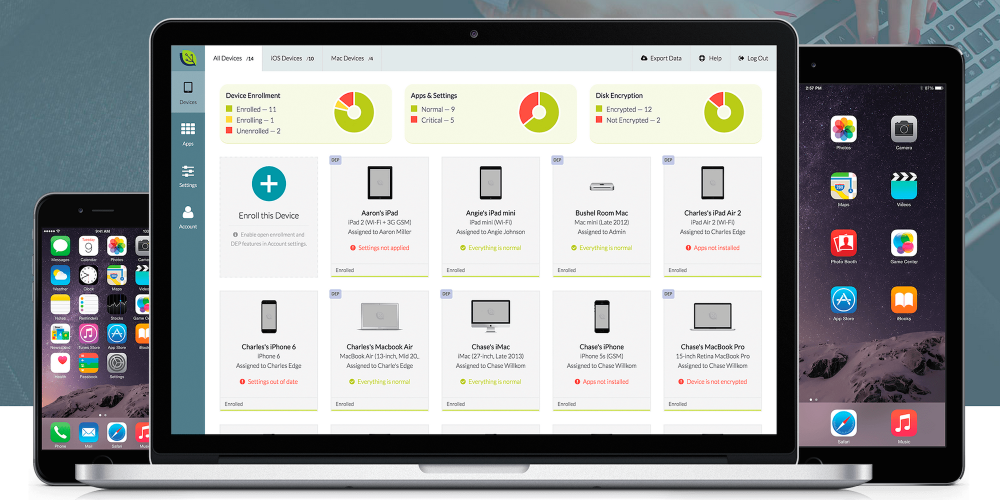
Use Bushel to manage + deploy business iOS devices from anywhere, for free (+ win an iPad Mini 3)

Site default logo image

bushel-01

Update: Our winner has been announced! Congrats!

Congratulations to Jaime Marin—the winner of the Bushel Challenge! Jaime manages Apple devices for a mid-sized produce company that specializes in providing quality fruits and vegetables for their customers, 365 days of the year.  They’ve been able to utilize features from Bushel such as Wi-Fi configuration, app deployment, password policies, and more to streamline work processes for the team.

Thanks to all who participated in the Bushel Challenge—we hope you had a little fun along the way! While there’s only one lucky winner, everyone who participated can still manage up to three devices for free, for life. If you missed the Challenge, head on over to Bushel to learn more and get started for free today.

If you need to deploy iOS or OS X devices to your employees or organization, having cloud access to setup, deploy, and manage your fleet these days seems like a no-brainer. That’s why our go-to recommendation is Bushel, a super easy-to-use and slick web-based app that offers cloud access to deploying and managing Apple devices. The perfect supplement to Apple in the workspace, Bushel — created by JAMF Software — is a few steps ahead of the game. In this article, we walk you through how to use Bushel (which is free for up to 3 devices) to manage your fleet of Apple devices.

In special collaboration with 9to5Mac, Bushel is also offering a challenge to businesses: Try out Bushel and get entered to win free Bushel for life, as well as a free iOS device for your company.
Expand
Expanding
Close

KGI: New iMacs with better displays and faster processors coming this quarter

Site default logo image

KGI’s Ming-Chi Kuo is reporting that Apple will refresh the iMac hardware this quarter. KGI claims that the external appearance of the iMac will remain the same but Apple will update the internal components, such as the CPU, as well as a new screen for improved display quality, for this revision of the hardware.

The report does not mention whether a 21.5 inch Retina iMac is in the offing however, despite an El Capitan beta including 4K Retina artwork for such a product. Kuo doesn’t say it isn’t happening though, it’s just not addressed in this report.


Expand
Expanding
Close

The Logic Pros: Time compression and pitch correction with Logic’s built-in Flex tools

In this week’s episode of the The Logic Pros, Flex audio features are up, with some serious hardware reviews on deck. Next week we will start a mini-series of episodes showcasing some top-notch instruments from the likes of Moog, Native Instruments and more, but first we will dive into Logic’s time compression/expansion and micro pitch correction features:


Expand
Expanding
Close

Mac version of Taig iOS 8.4 jailbreak tool now available

The team behind the Taig jailbreaking app for iOS 8.4 has finally released the long-awaited Mac version of their software. Previously only a Windows version of the app was available, forcing users on Macs to need to rely on other apps or use Boot Camp to tweak their iOS devices.

If, like me, you’re still looking to jailbreak your phone to get a few tweaks that Apple hasn’t yet “sherlocked,” you’ve now got one more way to do so. You can download the free Taig tool from the team’s website. It supports everything from iOS 8.1 and up.

Pixelmator keyboard by Editors Keys review: A no-brainer for Pixelmator users

Pixelmator is one of the best Photoshop alternatives available on the Mac App Store. I’ve been using it for quite some time now, but mostly just using a trackpad or mouse to manipulate layers, access tools and edit functions. There are tons of keyboard shortcuts. And if I had the time or patience to learn them all, I would have. Needless to say, I didn’t. So when I got the chance to check out EditorsKeys keyboard specifically designed for Pixelmator, I jumped at it.

To cut it down to the very basics – This is essentially a wired Apple keyboard with numeric keypad. Except it has custom keys to clearly label the Pixelmator keyboard shortcuts, making photo and image editing much quicker and easier. Simply put: If you use Pixelmator on Mac and you don’t already have a grasp of all the shortcuts, you should get this keyboard.


Expand
Expanding
Close

Site default logo image

Apple issues MacBook FaceTime driver update for Windows users

With Microsoft’s Windows 10 major operating system update launching today, Apple has issued a new driver update for Windows users with 2015 MacBooks, MacBook Airs, and MacBook Pros. Specifically, the FaceTime Camera Driver Update is meant to improve FaceTime camera compatibility with Windows when using OS X’s built-in Boot Camp functionality.

This update improves FaceTime camera compatibility with Windows, and is recommended for all Boot Camp users.

The 1.4 MB software update doesn’t appear to be available through the Mac App Store, but 2015 MacBook owners can download and install it from the Apple’s support site here. Apple also recently released a firmware update specifically for 2015 15-inch MacBook Pro owners.

Parallels 11 to feature always-on support in OS X for Microsoft’s Cortana virtual assistant

Site default logo image

According to a leaked product page on the Australian Parallels page, the popular virtual machine software will support Microsoft’s Cortana virtual assistant throughout OS X. The product page explains that as long as Windows 10 is running somewhere in the background, users will always be able to say “Hey Cortana” and receive a response (via Neowin).


Expand
Expanding
Close

Opinion: A Mac’s longevity is its biggest unsung selling point

Site default logo image

Apple can’t advertise Macs as having ten-year lifespans for legal reasons, and reviewers rarely write about their old computers ten years later — they’re typically focused on each year’s latest and greatest machine. But the average person buys a computer and keeps using it until it stops working, something I note every time a friend or family member “finally” upgrades from an old Mac to a new one.

This morning, Christopher Phin’s article “Saying goodbye to a beloved 2008 MacBook Pro” recalled the many end-of-life Mac discussions I’ve had with people over the years — specifically that their still-working-but-old Macs are so antiquated that virtually every internal component has been replaced in current models. Yet no one ever says they’re switching from an old Mac to a new PC; instead, the conversation is always about figuring out which new Mac to buy, or whether to squeeze a little more life from the old machine with a hard drive to SSD swap or additional RAM.

The superb longevity of Macs isn’t discussed very often, but it’s due as much to the durability of the hardware as the engineering of the software. Let’s take a quick look at what keeps Macs going so long…


Expand
Expanding
Close

The Logic Pros: Automate tedious MIDI edits into a single-click with Logic’s Transform feature

In this week’s episode of The Logic Pros, we will be looking at ways to speed up our editing and song creation with LPX’s MIDI Transform feature. In many cases, manually working Logic’s Piano Roll editor will get the job done, but there are certainly times when editing MIDI performances/events can be a very tedious process. Getting those extended performances just right or zeroing in on problem areas for complex passages can’t take hours (or days) to get right in some cases. But with LPX’s MIDI Transform features we can get many of these types of arduous tasks done in just a few clicks:


Expand
Expanding
Close

Apple ‘Back to School’ promo expected to go international on August 6/7

Apple recently kicked off its ‘Back to School’ promo in the US and Canada, offering customers a free pair of Beats headphones for buying a Mac. The same deal will be rolling out internationally in various countries on either August 6th or 7th (exact date depends on country). Like those in the US and Canada, European customers will be able snag a free pair of Beats Solo2 headphones with a qualifying Mac purchase, or get €200 discount on the Beats Wireless Solo2.

According to French Mac blog Consomac, Angela Ahrendts, the company’s retail chief told employees of its wider rollout plans in a short video:

“In the US and in Canada, in our stores and online, it is the season for Back to School. Kids go back to school in these countries earlier than a lot of other countries. It Will Be launching August 6 and August 7 in additional countries, again aligned to When Your kids and your students Actually go back to school.”

It’s expected that European customers will be subject to the same purchase rules as in the States and Canada. They’ll need to buy an iMac, MacBook, MacBook Pro, MacBook Air or Mac Pro with education pricing to get the free Beats. Build-to-order configurations are eligible, but Mac Mini is excluded from the deal.

This is first year Apple has given away Beats products with its Macs for ‘Back to School’ students. Last year, a Mac purchase got you a $100 gift card, and an iPhone or iPad purchase got you a $50 gift card.

Once the deal goes live in Europe, we’ll be sure to update you. As things stand, we’re expecting the roll out to begin in just under two weeks’ time.

Intel’s upcoming Skylake processors promise improved low power performance & 30% longer battery life

Site default logo image

Intel’s upcoming processor refresh with Skylake appears to be promising for Mac users awaiting a significant performance upgrade. Internal Intel slides leaked by the website FanlessTech describe the year-over-year advancements and performance improvements from Broadwell to Skylake chips. As Apple is expected to include Skylake processors from Intel in refreshed hardware later this year or early next year, these specs give us a preview of what is likely coming to the Mac’s performance.


Expand
Expanding
Close

How-To: Screen record in full 4K/5K resolution at 60fps on Mac w/ the new Screenium 3 app (+ giveaway)

Site default logo image

Screenium-3-4K-screen-recording

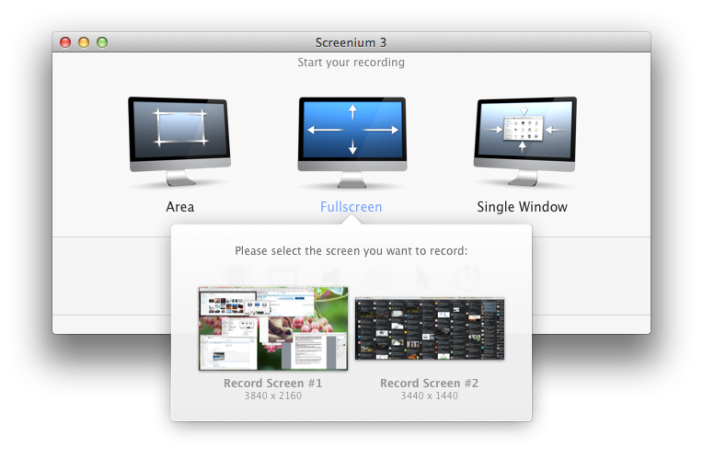
4K and 5K displays are relatively new, but with more and more users upgrading, there is some catching up to do with apps to support the higher resolution screens. That’s why we were pleased when Screenium, one of our favorite screen recording suites, updated earlier this month with some pretty notable new features for Retina, 4K and 5K display users, as well as everyone looking for a solid screen capture solution.

After months of trying different screen casting software and running into issues on 4K and Retina displays, Screenium 3 has finally delivered what we’ve been waiting for. The company has been hard at work on a custom video codec that makes continuous screen recording at 60fps on Retina, 4K, and 5K displays possible, which competitors have thus far failed to match. So if you’ve been asking yourself how to go about screen recording in full resolution at 60fps, here’s how to do it:
Expand
Expanding
Close

Apple’s 2015 Back to School deal: free Beats Solo2 headphones with Mac purchase

Site default logo image

Apple is today launching its Back to School promotion for 2015. This year, it will give away a free pair of Beats Solo2 headphones with the purchase of an eligible Mac.  Customers must either purchase an iMac, MacBook, MacBook Pro, MacBook Air, or Mac Pro with education pricing to qualify, including build-to-order configurations. The Mac mini does not participate in the deal.

Alternatively, customers can upgrade for an additional $100 to a pair of wireless Beats Solo2 headphones, rather than the usual $299 price. The announcement is not yet being advertised on Apple.com apart from a small mention on its rebates page. It is surprising that there appears to be no Back to School promotion for iPads this year, despite Apple pushing the tablet into education markets.


Expand
Expanding
Close

Site default logo image

Apple issues MacBook Pro firmware update 1.0 to address flash storage problem

Apple has issued the first firmware update for its newly released Retina MacBook Pros labeled MacBook Pro Flash Storage Firmware Update 1.0. The firmware update is intended for the new MacBook Pros with Force Touch trackpads and is intended to fix an issue with flash storage and prevent potential data corruption.

This update is recommended for MacBook Pro (mid 2015) models. This update addresses a storage firmware issue that, in rare cases, may cause data corruption.

Mid-2015 MacBook Pro owners can find the firmware update in the Mac App Store or download the 1.9MB file directly from the support document.

Apple releases OS X 10.11 Public Beta 2 to testers

Site default logo image

Following this week’s fourth developer preview of OS X 10.11, Apple has released the second El Capitan public beta to testers. The OS X public beta allows Mac users to test the new features included in the operating system update and submit feedback ahead of its public release later this fall. Participation in Apple’s public beta program does not require a paid developer member account. OS X 10.11 public beta 2 includes the same changes as yesterday’s OS X 10.11 beta 4 release.
Expand
Expanding
Close