Mac

See All Stories

Apple’s Mac lineup consists of MacBook, MacBook Air, MacBook Pro, iMac, Mac Pro, and Mac Mini. The Mac runs macOS for its operating system.

Mac lineup

History

The Mac is Apple’s lineup of computers, and it can be considered the company’s oldest product. The name “Mac” comes from the original Macintosh, which was introduced in 1984 and is also considered the first personal computer for the masses to have a graphical user interface. The first Macintosh hit the stores on January 24, 1984, costing $2,945.

Among all these years, Apple has introduced many different Mac models, ranging from desktops to laptops to professional tower machines. The current lineup consists of the MacBook Air, MacBook Pro, Mac mini, iMac, and Mac Pro. However, there have been other Mac models were discontinued, such as the eMac, MacBook, and iMac Pro.

The history of modern Macs began in 1998, a year after Steve Jobs returned to Apple. Apple had dozens of Macintosh computers at that time, but Steve decided to rethink the entire lineup. In 1998, Apple announced the iMac G3, which ditched the floppy disk and serial ports in favor of USB connectors.

Macintosh and iMac G3.

Unlike the Macintosh, the first iMac was considered a huge success — not only for its technology, but also for its unique design with colorful translucent plastic. Apple quickly expanded the Mac lineup with other models, which included the iBook and PowerBook (which became the MacBook and MacBook Pro) and the PowerMac, which is now the Mac Pro.

macOS

What makes a Mac the Mac is the macOS operating system, which has also had a long history since the introduction of the first Macintosh. Initially called Mac OS, the operating system was rebuilt when Steve Jobs returned to Apple.

The first version of Mac OS X was released on March 24, 2001 with a new interface that is still present in some ways in current versions of macOS. Apple’s desktop operating system comes with many free applications such as Pages, Keynote, Numbers, iMovie, and GarageBand.

With macOS, users also have access to deep integrations with other Apple devices. For instance, you can answer calls and send SMS from your iPhone using your Mac. Handoff lets you switch from one device to the other and pick up where you left off. Apple Watch users can unlock their computer without entering a password, and you can even copy and paste between devices.

macOS Sonoma

Apple’s desktop operating system is also integrated with services offered by the company, such as iCloud, Apple Music, and Apple TV+.

The current version of macOS is Sonoma (version 14), which features new slow-motion screen savers, widgets on desktop, camera effects on FaceTime and other apps, web apps, passkey sharing, improved PDF support, and Game Mode. The update also comes with a new API that lets developers easily port Windows games to macOS.

Architecture Transitions

The Mac has had three major architecture transitions in its history. Apple’s first computers ran on Motorola processors, but the company decided to migrate to the new PowerPC platform in 1994. While this brought benefits at the time, the PowerPC processors were not delivering what Apple expected.

It was in 2005 that Apple confirmed the transition from PowerPC to Intel. Intel processors had become faster and more efficient than PowerPC, which enabled the development of new Mac computers that were more powerful and also more compact. Developers have been given access to a Developer Transition Kit running Mac OS X Tiger with Intel Pentium 4 to update their apps before the transition begins.

Power PC, Mac OS X, and Intel processor.

Apple said that the transition would begin in June 2006 and be finished by the end of 2007. However, the transition to Intel was fully completed in August 2006 when the company replaced the PowerMac with the new Intel Mac Pro.

As the years went by, Apple once again felt the need to have more powerful and efficient processors for its computers. This time, the company was already working on its own chips for the iPhone and iPad. In June 2020, Apple confirmed that it was changing the architecture of the Mac, now from Intel to ARM chips, which are called Apple Silicon.

Apple offered a Mac mini DTK running on the same A12Z Bionic chip as the 2020 iPad Pro. This way developers could once again update their apps ahead of the transition. In addition to being more powerful and energy efficient, the ARM architecture of Apple Silicon chips has enabled Macs to run iOS apps for the first time.

Apple M1 chip | Mac

The first Apple Silicon Macs were released in November 2020 with the M1 chip. The company later introduced more powerful variants of the M1 chip, called M1 Pro, M1 Max, and M1 Ultra. Macs with Apple Silicon have become known for being more powerful while consuming much less power, which has resulted in MacBooks with extended battery life.

In June 2022, Apple introduced the M2 chip, which is around 20% faster than the M1 and also supports more RAM. M2 also has more powerful variants: M2 Pro, M2 Max, and M2 Ultra.

Apple unveiled the M3, M3 Pro, and M3 Max chips in October 2023. The main highlight of this generation is the 3 nanometer technology, the same as the A17 Pro chip. The M3 family also features better GPUs with support for hardware-accelerated ray-tracing.

Current Mac lineup

Apple currently sells a variety of Mac computers, which includes MacBooks, Mac mini, iMac, and Mac Pro. While some of the Macs have already been updated with an Apple Silicon chip, others remain with Intel processors.

MacBook Air

The MacBook Air is Apple’s most affordable laptop and it has become popular for its light, compact design. The 2022 version is powered by the M2 chip and is offered with 8GB, 16GB, or 24GB of RAM. Plus, it has a new, edge-to edge 13.6-inch Retina display.

The laptop features Touch ID and has two Thunderbolt 3 compatible USB-C ports, a MagSafe connector for charging, and a headphone jack. Prices start at $1099 in the US. It’s offered in silver, space gray, starlight, and midnight.

M2 MacBook Air.

A year later, Apple introduced the first 15-inch MacBook Air. It has essentially the same hardware as the smaller version with a similar design, but with a larger display. Prices start at $1299 in the US.Apple is still selling the M1 MacBook Air for prices starting at $999.

MacBook Pro

The 2023 MacBook Pro is available in multiple versions, and customers can choose between 14-inch and 16-inch screen sizes. For the first time, Apple has introduced a less expensive version of the 14-inch MacBook Pro with the base M3 chip. This version has the same design and display as the high-end versions, except that it only has two USB-C ports instead of three.

M3 MacBook Pro

The most expensive versions of the MacBook Pro are equipped with the more powerful M3 Pro and M3 Max chips. The laptop can be configured with up to 128GB of RAM and 8TB SSD. These versions also come in a new Space Black color.

Unlike the MacBook Air, the MacBook Pro comes with an HDMI port and an SD card reader. It also features MagSafe and Touch ID on the keyboard. Apple no longer sells MacBooks with the Touch Bar. Prices start at $1,599 in the US.

Mac mini

Mac mini is the cheapest Mac currently available since it’s basically a desktop without a built-in display or other peripherals. The base model with the M2 chip features one Ethernet port, two USB-C/Thunderbolt 4 ports, HDMI 2.0, two USB-A ports, and a headphone jack.

Apple sells a more powerful version of the Mac mini with the M2 Pro chip, which also comes with four USB-C ports instead of two. Mac mini can be configured with up to 32GB of RAM and up to 8TB of storage. Customers can also opt for a 10 Gigabit Ethernet port. The Apple Silicon Mac mini is only available in silver, while the now discontinued Intel model was available in space gray.

Apple Silicon Mac mini.

Prices for the Mac mini start at $599 in the US. Again, it’s worth noting that it doesn’t come with a keyboard or mouse in the box – you need to buy them separately or use your current ones.

Mac Studio

Mac Studio represents a new category between Mac mini and Mac Pro. It features a design based on the Mac mini, but with a taller body to support the more powerful hardware and also a better cooling system.

The new Mac Studio is targeted at professional users who work with demanding tasks such as video editing, 3D rendering, and machine learning. 

Embraced by creative pros everywhere, Mac Studio now delivers next-generation power in the form of the lightning-fast M2 Max and the boundary-breaking M2 Ultra. It packs outrageous performance and extensive connectivity in an unbelievably compact form, putting everything you need within easy reach and transforming any space into a studio.

By default, Mac Studio already comes with the M2 Max chip, 32GB of RAM, and 512GB SSD storage. A more expensive option lets users customize Mac Studio with M2 Ultra. While M2 Max has a 12-core CPU and a 30-core GPU, M2 Ultra doubles all of those specs. The new chip has a 24-core CPU and a 60-core GPU.

Mac Studio can also be configured with up to 192GB of RAM and 8TB of SSD storage. The machine offers up to six Thunderbolt ports, 10 Gigabit Ethernet, headphone jack, two USB-A ports, and one HDMI port.

Mac Studio

Apple has been rumored to be working on new versions of this machine with the M3 Max and M3 Ultra chips. However, these versions may not be ready until 2025. Bloomberg’s Mark Gurman said in November last year that the M3 Ultra chip “hasn’t yet gone into broad testing” inside Apple.

In the US, prices for the Mac Studio with M2 Max chip start at $1999. The M2 Ultra chip version starts at $3999. Just like the Mac mini, Mac Studio doesn’t come with a keyboard and mouse in the box. You can find accessories for your Mac Studio here.

iMac

iMac is Apple’s most popular desktop computer with an all-in-one construction. It features a 4.5K display in its 24-inch version and a 5K display in the 27-inch version. At the same time, Apple still sells an entry-level iMac with a regular 1080p display.

The 24-inch iMac is the first to feature the M1 chip, the same as in the Mac mini, MacBook Air, and MacBook Pro. This allowed Apple to introduce a completely redesigned model with a slimmer design, which is also offered in seven new colors. Customers can customize the new 24-inch iMac with up to 16GB of RAM and 2TB of storage.

Site default logo image

The company ships the 24-inch iMac with Magic Mouse and Magic Keyboard, plus a Lightning cable for recharging accessories. Prices in the US start at $1299. Apple has discontinued its old 21.5-inch iMac and the 27-inch iMac 5K.

Mac Pro

Mac Pro is a computer built for professional users who depend on extremely powerful hardware. Available in tower and rack versions, it has a completely modular design. That means users can replace RAM, SSD, GPU, and other internal components.

By default, it features four USB-C/Thunderbolt 3 ports, two USB-A ports, and two 10Gb Ethernet ports. However, the ports can be expanded using the PCI Express slots. Apple also ships the computer with a Magic Mouse and Magic Keyboard, but it does not come with an external monitor included.

All models feature Intel Xeon W processors, which are the most powerful processors offered by Intel. Consumers can configure Mac Pro with up to 28-core processor, 1.5TB RAM, and 8TB of SSD storage. In addition to supporting multiple dedicated GPUs, Apple also offers the Afterburner card — which accelerates the decoding of ProRes videos.

The company recently updated the Mac Pro with new graphics card modules, which include Radeon Pro W6800X and Radeon Pro W6900X.

Site default logo image

Mac Pro prices start at $5999 in the US.

Rumors about upcoming Macs

Top stories about the Mac

Realmac Deep Dreamer public beta for Mac turns your images into nightmares

Deep Dream has caused something of a stir online in recent weeks. Google’s neural imaging network has an uncanny ability of taking ordinary images and turning them in to something you’d normally only see if you were sleeping (or under the influence of banned substances). Now, creating your own fun and trippy images is simple.

Realmac just announced that its Deep Dreamer public beta is available to download for Mac, so you can create your own weird pics using a native app. While in its beta state you can buy a full license for $14.99. Once out of beta, a license will set you back $24.99.

If you’d rather use a free service, Dreamscope is a web app which lets you upload any photo or picture and run it through one of its many Deep Dream patterns. The end results is normally weird, scary, or both. There are 20 filters to choose from in total, some scarier than others. Depending on the size of your image, the time it takes to process your nightmare varies. I experienced anything from a few seconds to around half a minute. For extra-trippy effects, re-upload your Dreamscope’d image several times and see what happens.

Take a look at our gallery below and you’ll see some of the virtual hallucinations it conjured up for us:

If you want to create your own, head on over to DreamScopeApp.com and start uploading or check out Deep Dreamer for Mac. There’s also a gallery to look through of images created by others. Some might be NSFW, so be careful where you view them and who you view them in front of. You have been warned…

Live blog: Apple’s fiscal year Q3 2015 earnings call

Site default logo image

Apple earnings day is here at last. Catch up on the company’s latest results here while we await the quarterly conference call between Tim Cook, Luca Maestri and analysts. In summary, Apple reporting earnings $10.7 billion in profit from $49 billion in revenue after 47 million iPhone sales, 10.9 million iPad sales, and 4.7 million Mac sales during the company’s Q3 period. Analysts will likely push Tim Cook and company on sharing more information around Apple Watch sales during the call. The quarter covers the April to June period which includes Apple Watch sales in a number of countries from April 24th and on. Apple’s conference call kicks off at 2 p.m. PT/5 p.m. ET so stay tuned for our live coverage below:
Expand
Expanding
Close

Apple announces Q3 2015 revenue of $49b: 47m iPhones, 10.9m iPads, 4.7m Macs

Site default logo image

Right on schedule, Apple has shared its Q3 2015 earnings results reporting revenue of $49 billion and $10.7 billion in profit during the April to June period. Notably, the company’s Q3 period is the first that includes initial Apple Watch sales as the device first launched on April 24th.

Apple® today announced financial results for its fiscal 2015 third quarter ended June 27, 2015. The Company posted quarterly revenue of $49.6 billion and quarterly net profit of $10.7 billion, or $1.85 per diluted share. These results compare to revenue of $37.4 billion and net profit of $7.7 billion, or $1.28 per diluted share, in the year-ago quarter. Gross margin was 39.7 percent compared to 39.4 percent in the year-ago quarter. International sales accounted for 64 percent of the quarter’s revenue.

While Apple isn’t specifically breaking out Apple Watch sales (or iPod sales for that matter), the company does disclose iPhone, iPad, and Mac sales by unit:

  • iPhone: 47 million units
  • iPad: 10.9 million units
  • Mac: 4.7 million units

While Apple isn’t breaking out Apple Watch or Beats numbers, the ‘other services’ which includes those categories as well as iPods and Apple TV reports $2.6 billion in revenue.

Apple CEO Tim Cook said this about the company’s Q3 results:

“We had an amazing quarter, with iPhone revenue up 59 percent over last year, strong sales of Mac, all-time record revenue from services, driven by the App Store, and a great start for Apple Watch,” said Tim Cook, Apple’s CEO. “The excitement for Apple Music has been incredible, and we’re looking forward to releasing iOS 9, OS X El Capitan and watchOS 2 to customers in the fall.”

Luca Maestri, Apple’s chief financial officer, added this:

“In the third quarter our year-over-year growth rate accelerated from the first half of fiscal 2015, with revenue up 33 percent and earnings per share up 45 percent,” said Luca Maestri, Apple’s CFO. “We generated very strong operating cash flow of $15 billion, and we returned over $13 billion to shareholders through our capital return program.”

Today’s Q3 results follow last quarter’s $58 billion in revenue and 61.1 million iPhones sold, 12.6 million iPads sold, and 4.5 million Macs sold globally. During the same quarter a year ago with the iPhone 5s at the top of the lineup, Apple reported $37.4 billion in revenue and 35.2 million iPhones sold, 13.2 million iPads sold, and 4.4 million Mac sales. Apple reported $13.6 billion in profit last quarter and $7.7 billion during the same quarter a year ago.

The company’s quarterly conference call is scheduled for 2 PM Pacific/5 PM Eastern to discuss today’s results. Stay tuned for our live coverage of the call. Both Cook and Maestri usually review the quarterly results before fielding questions from analysts. With the first Apple Watch sales included in today’s report, the new device is sure to be a major topic of the call.

Apple’s complete Q3 earnings report is below:
Expand
Expanding
Close

Apple releases OS X 10.11 El Capitan beta 4 to developers

Site default logo image

Apple today has released the fourth developer preview of OS X 10.11 El Capitan. The operating system carries the build number 15A226f. Two weeks ago, the company pushed the third beta build to developers after initially introducing the operating system at WWDC last month. Beta 3 brought about a variety of minor changes, including changes to Mission Control, the Photos app, and the Calendar app.


Expand
Expanding
Close

How-To: Go beyond OS X Photos + make amazing wall art from your Mac’s pictures (Part 3)

History will remember the early 21st Century as a turning point for photography — the point at which mainstream photos transitioned from chemical to digital, thereby becoming “print optional” for the first time. Although digital photography has taken small annual steps for 20 years, those steps have collectively evolved early, uselessly low-resolution digital cameras into superior alternatives to their film-based predecessors. Even the tiny cameras built into iPhones take much better-quality photos than Kodaks and Polaroids, and more of them, too: the days of 12-, 24-, or 36-exposure film cartridges and fading exposures are long gone, replaced by all but infinite burst-mode photos that can live on your computer forever.

But some photos deserve a more prominent display in your home than a vault in your computer’s photo library. Apple has known this since the dawn of digital photography. Since iPhoto launched in 2002, Apple has offered photo and book printing services, a feature later added to Aperture and OS X Photos. Yet even though Canon, Sony, and Nikon have introduced high- and ultra-high-resolution cameras capable of creating huge prints, Apple hasn’t updated its apps with new large-format print options. That’s where this How-To series comes in.

It’s possible to use Photos to create large paper prints, but there’s a lot of exciting large-format photo printing work being done now with other materials, including metal, glass, and canvas. Part 1 of this How-To guide looked at large-format metal prints, and Part 2 looked at canvas and glass prints, with tips on composing large-format images. This third and final part looks at several additional options: turning your photos into hand-painted art, printing on brushed silver aluminum, and large-format “behind acrylic glass” photo printing. Each is different from the prior prints we covered, and one is the most beautiful large photo-to-wall art process I’ve yet seen…


Expand
Expanding
Close

Site default logo image

Instagram rolling out user, location, and hashtag search on the web

Nice Yosemite reference, Instagram

Instagram first started as an iPhone-only photo sharing social network and has since expanded to other smartphone platforms, but the experience for interacting with Instagram on the Mac never been at feature parity. Today Instagram is making small steps to improve the experience with using the service on the web by introducing the ability to search for content using the official Instagram website.
Expand
Expanding
Close

Site default logo image

Apple issues Mac mini EFI firmware update 1.8 to address USB keyboard problem


Apple today released a firmware update for the Mac mini to address a USB keyboard-related issue. Labeled Mac mini EFI Firmware Update 1.8, the update is intended for Apple’s previous Mac mini generation (late 2012) released before the most recent hardware refresh.

Specifically, Apple says the update “addresses an issue that may prevent a USB keyboard from being recognized after the system wakes from sleep.” Owners of the late 2012 Mac mini desktop computer can find the firmware update available in the Updates tab of the Mac App Store. The file measures in at just over 4 MB and requires a system restart or directly from Apple.com.

Apple releases beta versions of OS X 10.10.5 and iOS 8.4.1 to developers

Site default logo image

Apple has just published two new software betas for developers on its Developer Center. The new betas cover both OS X Yosemite and iOS 8, with what appear to be bug fix releases on each platform. You can find the change logs below. We’ll also include a running list of changes.

Apple recently distributed iOS 9 beta 3 to developers and beta testers, and OS X 10.10.4 to the general public. iOS 8.4 was released around the same time to introduce Apple Music support on mobile devices.

Expand
Expanding
Close

Pixelmator for iPhone and iPad adds ‘Dynamic Touch’ brush strokes, better Repair Tool, more

Site default logo image

Pixelmator for iPhone and iPad has today been updated to version 2.0.2 bringing even more features to the popular image editor for iOS and Mac. This update adds a new kind of brush stroke called Dynamic Touch, which simulates pressure sensitivity by examining the size of the finger input that touches the screen. Larger surface area produces thicker strokes on the canvas. Similarly, using just the tip of a finger results in fine lines in the app.


Expand
Expanding
Close

Apple releases iTunes 12.2.1 w/ fixes for Match and Beats 1 issues

Site default logo image

Apple has released a maintenance update to iTunes 12.2 that addresses issues related to Apple Music, iTunes Match, and Beats 1. The release specifically mentions resolving an issue where songs from iTunes Match would become classified as songs from Apple Music, which would result in unnecessary DRM being added.
Expand
Expanding
Close

How-To: Go beyond OS X Photos + make amazing wall art from your Mac’s pictures (Part 2)

Your digital photos were never intended to remain trapped on your computer’s hard drive. Apple’s original 2002 version of iPhoto proudly included physical book and photo printing services, adding new books and various types of cards every 2-3 years. Since early digital cameras took low-resolution photos, Apple’s services focused primarily on small prints. But over the past decade, cameras have really evolved: there are now 36-Megapixel Nikons, 42-Megapixel Sonys, and 50-Megapixel Canons. Unfortunately, Apple didn’t update iPhoto or its later Aperture and Photos apps with additional large-format printing options to keep up with the higher-resolution cameras many people are using.

Even if you don’t have a high-end DSLR, there are ways to turn more typical 20-Megapixel images into large pieces of wall art — if you’re willing to look outside Apple’s photo apps for printing services. And amazingly, even recent iPhones and iPads can create 43-Megapixel ultra-wide panoramas that will look stunning on one or more large canvases, as shown in the photo above.

What’s the best large format to choose for your photos? That depends on the type of images you have, and the results you’re looking for. To illustrate the options, I reached out to a number of popular photo printing services to see how digital photos would look on metal, glass, and canvas — large-format alternatives Apple doesn’t offer. Part 1 of this How-To guide looked at metal prints that apply dyes and gloss directly onto aluminum surfaces. Today, Part 2 looks at large-format canvas and glass prints. And the last part, coming next week, will look at several additional options that provide unique twists on these options. Inside, you’ll see how each process has its own unique appeal…


Expand
Expanding
Close

Site default logo image

Internet’s new addressing system now mainstream, says Apple – prioritized in iOS 9 & OS X 10.11 betas

With the Internet running out of standard 32-bit IP addresses (known as IPv4), the switch to IPv6 – which offers 128-bit addresses – has been quietly underway for some time. Apple says this work has now progressed sufficiently for IPv6 to be considered mainstream, and it is prioritizing the use of the new addressing system in the public betas of both iOS 9 and OS X 10.11.

What both operating systems previously did was to try both old and new addressing systems and use whichever responded fastest. Both platforms now prefer IPv6 even if it is slightly slower, explained Apple CoreOS Networking Engineer David Schinazi in an Internet Engineering Task Force post.

If the first reply we get is A and we’re expecting a AAAA, we start a 25ms timer
– If the timer fires, we send out the v4 SYN
– If we get the AAAA during that 25ms window, we move on to address selection

In other words, IPv6 is used if it’s up to 25ms slower to respond than IPv4. Based on testing to date, says Schinazi, that means both platforms will be using IPv6 addresses around 99% of the time.

Via TNW

Possible class action suit in preparation as Retina MacBook owners report ‘staingate’ screen issues

Site default logo image

A possible class action suit is in preparation over multiple reports of what appears to be anti-reflective coatings flaking off the screens of Retina MacBook Pros, resulting in a stained appearance. Most of the machines affected seem to be 2013 models.

A group calling itself Staingate says that it has a database of more than 2500 people affected by the issue. More than 1800 of them have joined a Facebook group, a petition has been created, and lawyers Whitfield Bryson & Mason are collecting details of owners for “potential legal action against Apple related to staingate” … 
Expand
Expanding
Close

Mac OS X El Capitan public beta to be released today for free (U: Available)

Site default logo image

Update: The OS X El Capitan beta is now available via Apple’s website. Instructions on how to enroll your device in the program and update can be found here.

Apple’s public beta of OS X El Capitan will be released today, according to Apple’s website. The build is meant to be tested by users wanting to preview the upcoming version of the operating system, which will be released for free this fall. Users can sign up to be an OS X Beta Program member on Apple’s site here.


Expand
Expanding
Close

Microsoft releases Office 2016 for Mac to Office 365 subscribers

Site default logo image

Earlier this year, Microsoft unveiled the entirely redesigned Office for Mac 2016 preview and introduced a variety of new features to go along with the fresh appearance. Today, Microsoft has released the official public build of Office for Mac 2016. In order to use the software, you must have an Office 365 subscription, which runs $99.99 per year or $9.99 per month.


Expand
Expanding
Close

Here’s everything new in the latest iOS 9, El Capitan, and watchOS betas

Site default logo image

Apple earlier today began rolling out the third betas of iOS 9, watchOS 2, and OS X 10.11 El Capitan and we’ve been digging into each of them, trying to figure out what is new, changed, and improved. Most of the changes come on the iOS 9 and watchOS 2 side of things, with the new OS X 10.11 beta focusing mainly on under-the-hood changes. Read on for all of the changes…


Expand
Expanding
Close

Opinion: Will size alone be enough to sell a bigger iPad?

There isn’t any question that Apple’s working on a larger-screened iPad: early details leaked in 2013 and have been followed by dimensional drawings and prototype shells over the past year. All of the leaks suggest that the “iPad Pro” or “iPad Plus” will be nearly identical to the iPad Air 2, except with an almost 13″ screen and four (rather than two) speaker grilles. Few of the leaks have suggested major new design elements, such as an extra connector port, an integrated stand, or a stylus; no one believes Apple will even rotate the rear logo to signify a preferred horizontal orientation. In short, the “iPad Pro” will likely be a bigger-screened iPad Air, much as the iPad Air was just a bigger version of the iPad mini that preceded it.

Despite once-credible reports of an early 2015 release, the big iPad was apparently pushed back at least twice so Apple could focus on making more iPhones. Since it’s supposedly been rescheduled for a fall release, I wanted to pose a question: given what we (think we) know about it, do you believe a bigger-screened iPad without other major design changes will be compelling enough to succeed?…


Expand
Expanding
Close

How-To: Go beyond OS X Photos + make amazing wall art from your Mac’s pictures (Part 1)

Apple knew it had something special to share with the world when it released iPhoto in 2002: in addition to printing 20″ by 30″ poster-sized photos, the original iPhoto’s “most stunning feature” (according to Apple) was a page layout tool that quickly turned digital photo collections into printed hardcover books. These were Apple’s acknowledgements that tangible photos still had value in a digital era, and it subsequently added calendars, greeting cards, softcover books, and letterpress cards to iPhoto. Apple’s newer app Photos for Mac hides these options under the File menu at the top of the screen, and hasn’t expanded on them, a shame considering how nice the results look.

But apart from including the poster options in 2002, Apple never added “large-format art” to the list of things its photo apps could produce. Back in 2002, digital cameras were so low-resolution that they struggled to produce pixel-free 4″ by 6″ photos, so it’s no surprise that Apple wasn’t trying to build a market for large prints. Thankfully, a lot has changed since then. Canon currently sells two 50-Megapixel cameras, Sony has one 42-Megapixel camera, and Nikon offers four 36-Megapixel cameras. iPhones and iPads can create up to 43-Megapixel ultra-wide panoramas. A large, properly-composed print from any of these cameras (or even the more common 20- to 25-Megapixel cameras people are using today) will look amazing hanging on the wall of your home or office… if you know how to do it.

I wanted to see what the best options were for large-format photography, so I reached out to a collection of excellent art print services to see how digital photos would look on metal, glass, and canvas — materials Photos doesn’t offer. In Part 1 of this How-To guide, I’m looking at large-format metal prints that apply dyes and gloss directly onto aluminum surfaces, with results as saturated as Apple’s famous “nanochromatic” iPod nanos. A new Part 2 looks at large-format canvas and glass prints. Read on for all the details…


Expand
Expanding
Close

Review: Moshi’s iGlaze, iVisor, ClearGuard & Muse enhance & protect the 12-inch MacBook

Site default logo image

Dedicated accessories for Apple’s 12-inch MacBook with Retina display are still rarities at this point with the new design being different in every dimension than other MacBooks in the notebook lineup. For new MacBook owners looking to keep the $1300 and up machine in pristine condition, Moshi has a whole collection of premium accessories designed for the 12-inch MacBook. Today we’re taking a look at Moshi’s iGlaze 12, iVisor, ClearGuard & Muse 12: a lightweight hardshell case, bubble-free screen protector, ultra-thin keyboard cover, and slim fitting sleeve case for MacBook owners.


Expand
Expanding
Close

Review: Bowers & Wilkins’ P5 Wireless hits new highs in Bluetooth headphone luxury

Back when white earbuds dominated the market, Beats by Dre proved that mainstream customers were willing to pay $300 for large wired headphones and nearly $400 for wireless versions — even plasticky, overly bassy ones. The subsequent shift towards big headphones nearly killed makers of premium in-ear models, leading many audio companies to mimic Beats’ formula. But there were holdouts: iconic audio companies including Bowers & Wilkins refused to compromise their materials or change their sonic signatures to match Beats. Instead, B&W offered premium-priced headphones made from premium-quality materials, and let customers pick between plastic Beats or metal and leather alternatives.

Today, Bowers & Wilkins is debuting P5 Wireless ($400), a Bluetooth version of last year’s luxurious P5 Series 2 (and the since-discontinued original P5). Mixing chrome, brushed aluminum, and ultra-soft sheep’s leather, P5 Wireless is virtually indistinguishable from P5 Series 2 apart from its ability to operate with or without a 3.5mm audio cable. Classy in ways that even the top-of-line Beats Pro can’t match, P5 Wireless is the first Bluetooth headphone I would recommend to fans of classic premium audio gear…


Expand
Expanding
Close

Latest MacBook hub on Kickstarter is the neatest yet, with form-fitting design

Site default logo image

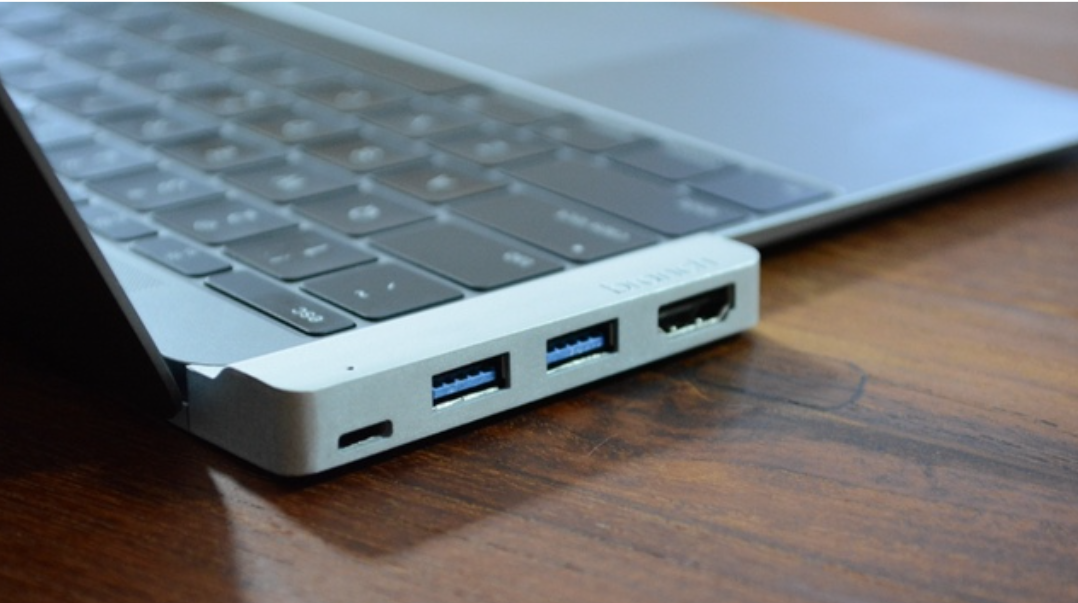
Ever since Apple launched the single-port 12-inch MacBook, we’ve seen a flurry of companies offering to add the missing ports back in through various adapters, hubs, docks and more. Latest to the party is Branch, a Kickstarter project whose USP is its ‘form-fitted’ shape, which is naturally available in each of the three MacBook colors.

The emphasis here is on packing the essentials into an extremely portable unit, providing USB-C pass-through, two USB 3.0 ports and one Mini Display port capable of driving a 4K monitor. The company had originally pitched with HDMI (shown above), but said that it has switched to Mini DisplayPort following feedback from Kickstarter users … 
Expand
Expanding
Close