HomeKit

See All Stories

HomeKit is Apple's home automation framework that lets you control connected accessories from your iPhone, iPad, Apple Watch, HomePod, and Siri.
Your home at your command.

What is HomeKit / Apple Home?

Along with several other new APIs for developers, Apple announced HomeKit in June 2014, which allows all home automation accessories/devices to work together in harmony with iOS. The API allows home automation developers to centralize all home automation without needing separate apps to access each device’s specific features. These devices include locks, lights, cameras, doors, thermostats, plugs, switches, and more.

HomeKit allows for secure pairing with devices and the ability to control individual devices. It also makes it possible to group several home automation devices into scenes that allow for easier control of any automation device in specific situations. One of the coolest features available with HomeKit is the ability to control any home automation accessory with Siri based on certain commands or scenes previously configured with these devices.

In 2016, Apple introduced a new Home app that came with a modern look, relatively easy-to-use controls, and access to accessories and scenes from anywhere on iOS 10. Apple’s new built-in Home app arrived on the iPhone’s Home screen, plus you can access a ton of functions from the Lock screen or anywhere on iOS from the new Control Center once you have a HomeKit accessory set up.

In 2018, Apple released the HomePod. It was a way to interact with your connected home devices through Siri using a standalone device.

In 2020, Apple announced that tvOS 14 would gain access to the Home app. iOS 14 is also bringing improvement to the Home app UI.

HomeKit Secure Video
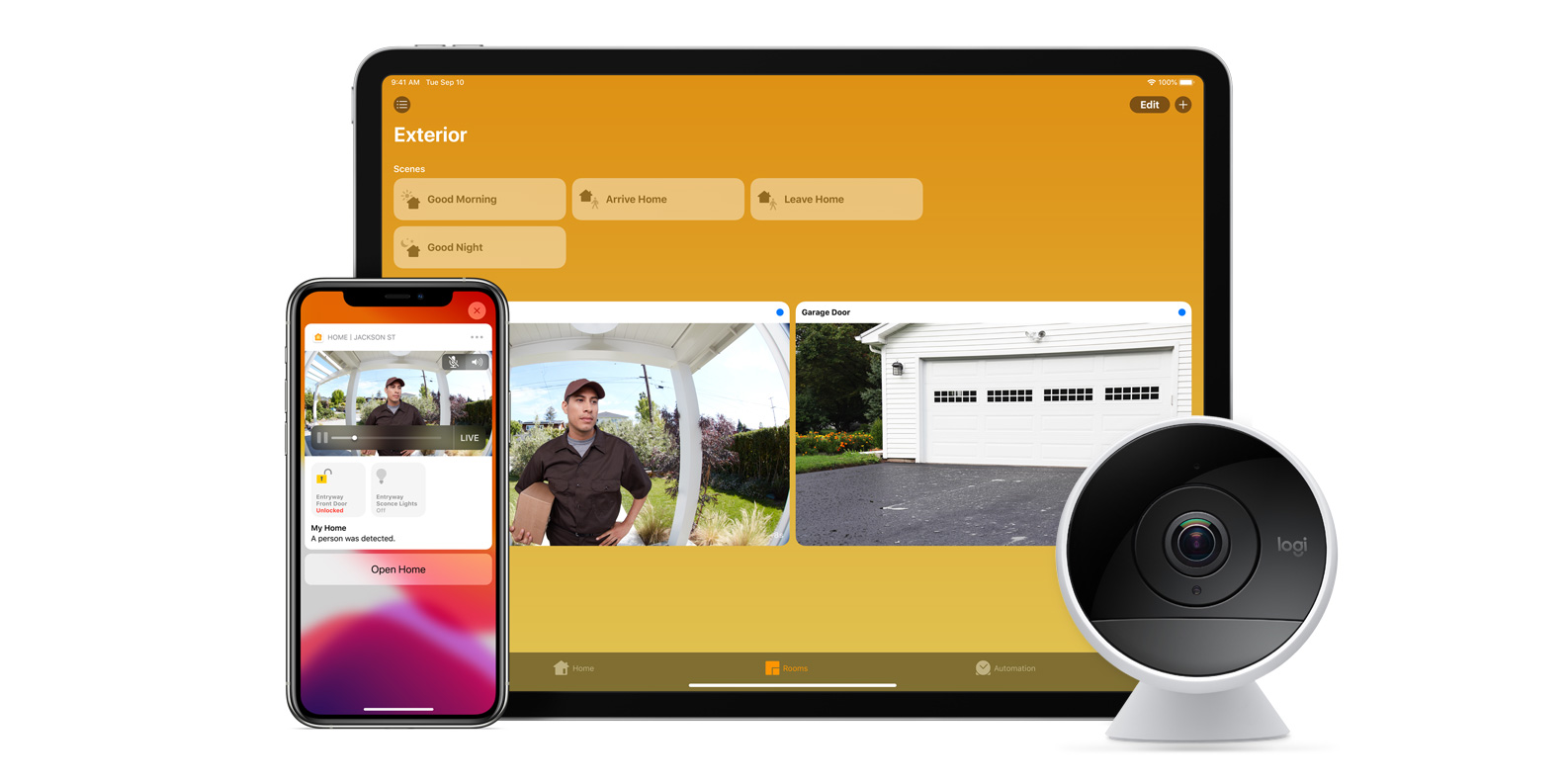
With iOS 13, Apple announced HomeKit Secure Video.

Footage from home security cameras contains your most personal and sensitive data. With HomeKit Secure Video, activity detected by supported cameras is privately analyzed by your home hub using on‑device intelligence to determine if people, pets, or cars are present. When important activity is detected, you and anyone you share your Home app with will receive a rich notification that lets you view the clip right from the Lock Screen. Recorded video is available to view for ten days from the Home app. It’s securely stored for free in supported iCloud accounts and doesn’t count against your storage limit.

While the rollout has been slow, Logitech, Arlo, Netatmo, and Eufy are among the early standouts. With recent privacy issues with Ring, HomeKit Secure Video is likely to continue to grow in popularity. One key benefit with Secure Video is that it works with your existing iCloud storage (200GB and up plan), so you don’t have an extra monthly fee for storage.

HomeKit Router
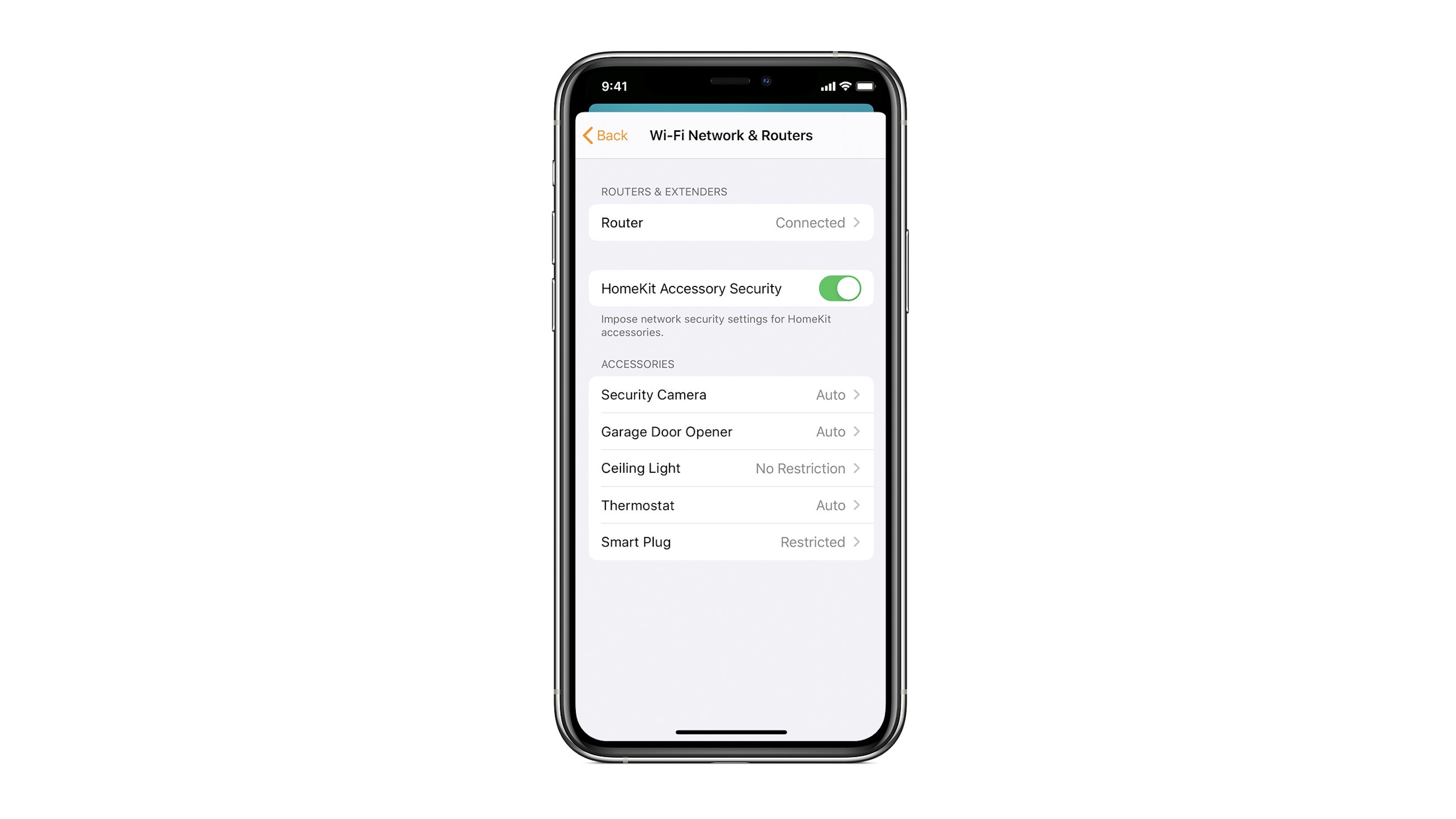
HomeKit Router was also announced with iOS 13, but it wasn’t released until early 2020. The idea behind the feature is you can give granular control to smart home enabled devices to control where on the internet they can reach.

eero was the first company to roll out support in for HomeKit Router.

With Apple HomeKit, eero gives you even more protection of your HomeKit accessories and an easy way to manage what they are allowed to communicate with in your home and through the internet.

There are three levels of security Apple offers for accessories paired with HomeKit routers:

  • Restrict to Home: Most secure. Your accessory can interact only with HomeKit through your Apple devices. The accessory won’t connect to the Internet or any local devices, so any third-party services, like firmware updates, might be blocked.
  • Automatic: Default security. Your accessory can communicate with HomeKit and connections recommended by its manufacturer.
  • No Restriction: Least secure. This setting bypasses the secure router and allows your accessory to interact with any device in your network or Internet-based service.

How Do You Use HomeKit?
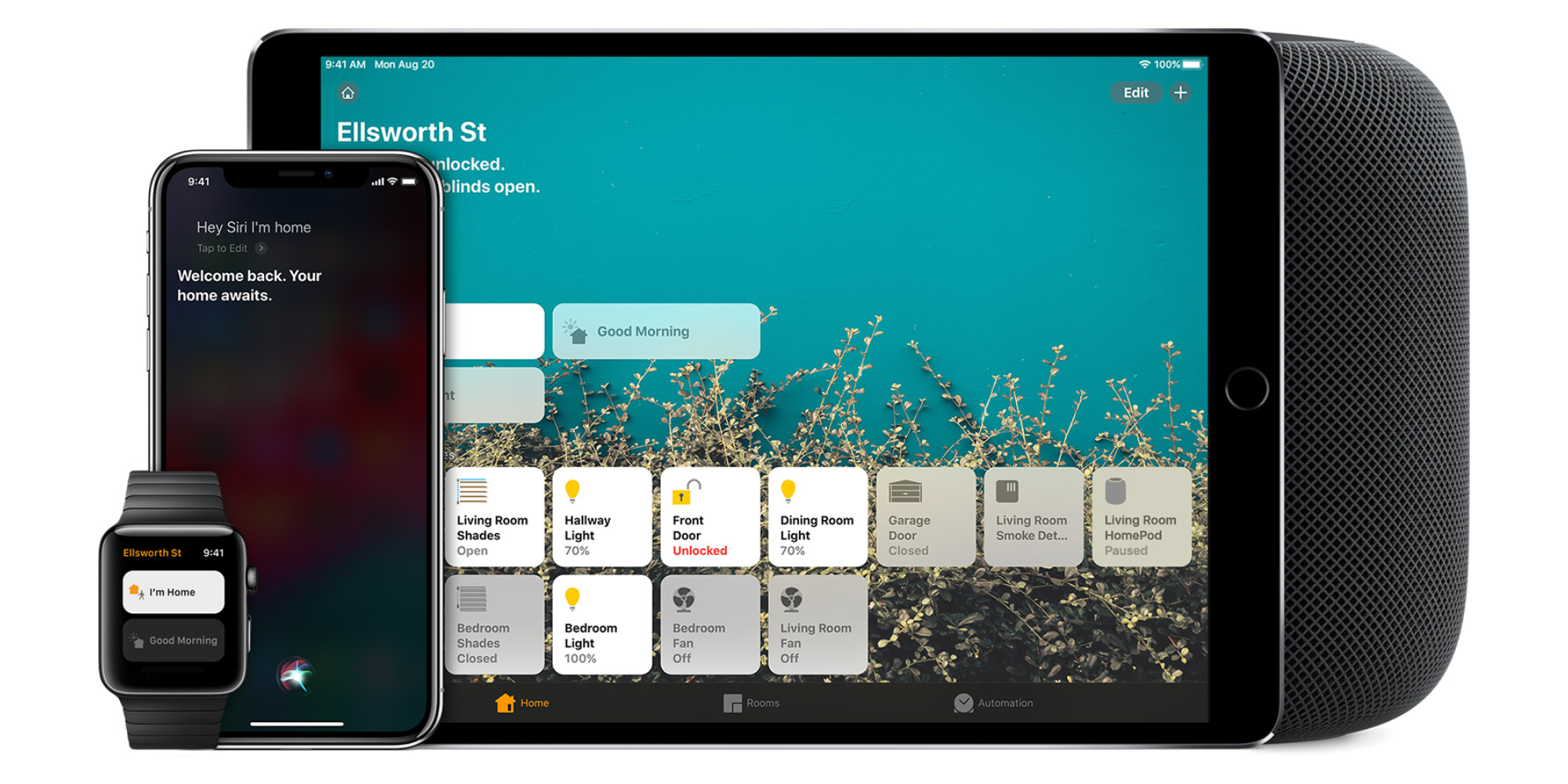
Homekit app

HomeKit devices can be controlled from iPad, iPhone, Mac, Apple Watch, and HomePod. A 4th generation Apple TV (or newer) is an essential Apple smart home device as it acts as a bridge over iCloud to allow access to your devices when away from home.

9to5Mac’s Bradley Chambers does a regular column about the “Apple Home” lifestyle in his HomeKit Weekly column.

Level debuts new Level Touch HomeKit-enabled touch-sensitive smart lock

Today Level takes the wraps off of its latest HomeKit-enabled smart lock, Level Touch. Similar to the Level Bolt, which we reviewed earlier this summer, Level Touch is designed to be inconspicuous thanks to a design that tries hard not to bring attention to itself.

As its name alludes, Level Touch is touch-enabled, allowing users to lock their doors upon leaving the house with just a touch. Level Touch is available to purchase now for $329, and except for a screwdriver, comes with all of the necessary installation hardware. Read on to learn more about the newest smart lock option to arrive on the scene.

Expand Expanding Close

HomeKit Weekly: August Wi-Fi Smart Lock is the gold standard of smart home products

August Wi-Fi Smart Lock

As someone who loves technology, it’s easy to get excited about new things. I love to tinker with the latest gadgets, but I know for those who aren’t into this stuff, that seems like a nightmare. My wife doesn’t get excited about new technology, though. As long as it makes her life easier, she’s content. She wants it to work. Right after Christmas of 2019, I purchased the 3rd generation August Smart Lock Pro. Since then we’ve absolutely loved every aspect of it. A few weeks ago, I decided to upgrade to the 4th generation August Wi-Fi Smart Lock. Read on to hear more about August Wi-Fi Smart Lock, and why it’s worth upgrading to the latest generation.

Expand Expanding Close

HomeKit Weekly: Hands-on with Aqara Smart Home Starter Kit

Aqara Smart Home

Aqara is a manufacturer that’s pretty new on my radar in terms of smart home support, so I was excited to get to use their devices and see how they work with HomeKit. This week, I want to take a look at the Aqara Smart Home Start Kit and the Aqara Water Sensor to see how easy the setup is, how to connect it to HomeKit, and how it works day-to-day.

Expand Expanding Close

HomeKit Weekly: eufy’s new indoor cameras support HomeKit Secure Video for under $50

eufy pan and tilt

After years of not much news around HomeKit cameras, it seems like we’re getting new cameras regularly now, and it’s great to see the products begin to finally mature. Over the past few weeks, I’ve been testing the new eufy Security 2K Indoor Cam Pan and Tilt camera. I also have been testing the eufy Security 2K Indoor Cam and recommend you check out Chance Miller’s review of the product as well to decide which one is best for you.
Expand
Expanding
Close

HomeKit Weekly: New to HomeKit? Here’s what should be in your HomeKit starter kit

Apple HomeKit

Because my entire home is filled with HomeKit products, I often forget that some people are getting started with HomeKit and other smart home platforms, so I wanted to take some time this week to explain some basics of how to get started with HomeKit and what products should be your first purchases. Read on to learn more about HomeKit, and what items should be your first purchases in your Homekit starter kit.
Expand
Expanding
Close

[New availability and missing features] Yobi B3 beats the smart home industry to creating an affordable HomeKit doorbell

HomeKit doorbells are like unicorns. Mythical and make-believe, yet they still hold a place in our imagination. But what if they were real? HomeKit doorbells, not unicorns, that is. Turns out they do exist, and they’re as magical as any HomeKit enthusiast would expect. Especially if you’ve been waiting for years to get your hands on one.

Yobi B3 is the star of the HomeKit doorbell category. With an affordable price tag and a consumer-friendly design, Yobi is made to fill the massive gap left by Ring and other popular smart doorbells.


Expand
Expanding
Close

HomeKit Weekly: Is the eufyCam 2 Pro worth the upgrade over the eufyCam 2?

I’ve written about my eufyCam setup in the past when considering HomeKit Secure Video. I have multiple outdoor cameras, the wired Eufy doorbell, and I am testing various indoor eufy cameras for an upcoming review. As you can see, I am all in on Eufy as my camera manufacturer. They are low cost, reliable, and work well with HomeKit. For my smart home needs, that is all I am looking for in a camera. I recently picked up a eufyCam 2 Pro to compare the quality to my existing cameras and expand my outdoor coverage.
Expand
Expanding
Close

HomeKit Weekly: Is OneLink Safe and Sound smoke and CO detector worth the steep price for AirPlay 2?

I have been eyeing the OneLink Safe and Sound for a few months now, and I decided to pull the trigger a few weeks ago and see what it’s like in day to day use. My house is seven years old, so I’ll be looking to replace all of the smoke detectors in the next few years, so if I wanted to go for a smart home route, I wanted to have time to spread out the purchases.
Expand
Expanding
Close

Review: Abode Iota HomeKit security system is the most compelling option on the market with great flexibility and functionality

Abode Iota HomeKit security system review

Abode became the first DIY security system to launch HomeKit support last year which was an exciting development for those tightly integrated with Apple’s ecosystem. And in just the last month, the company has rolled out an all-new iOS app and updated plans that offer everything from free self-monitoring to 24/7 professional monitoring with cellular and battery backup. Follow along for a detailed look at why Abode’s versatile Iota security system is a great choice for home/business and the HomeKit experience it offers.


Expand
Expanding
Close

Hands-on: Level Lock easily converts deadbolts into HomeKit smart locks [Video]

Level Lock

Recently I got my hands on the Level Lock, a HomeKit-enabled connected home product that allows you to convert your existing deadbolt into a smart lock. The premise of Level Lock is extremely simple, and might be a good choice for those that want to keep the look of their existing hardware, while benefiting from smart features like HomeKit support.

Should you consider the Level Lock? Watch our hands-on video walkthrough for the details.
Expand
Expanding
Close