iPad (2021)

See All Stories

Apple's tablet debuted in 2010. Since the original version, it's expanded into multiple screen sizes and Pro and non-Pro options.

The iPad is Apple’s base tablet model. In its ninth generation, the iPad focuses on being the perfect tool for education and people who seek a bigger screen to read and surface the web compared to the iPhone. With Apple Pencil and Smart Keyboard support, the iPad has never been better.

History

Site default logo image

The iPad is a line of tablets designed and developed by Apple. It was originally announced in 2010, three years after the first iPhone was introduced. With a 9.7-inch screen and with iPhone OS 3.2 the iPad was a success, hitting 1 million tablets sold in over three months, half the time the first iPhone took to reach this mark.

Steve Jobs then unveiled the iPad 2 in March of 2011. About 33% thinner than its predecessor and 15% lighter, the second generation used the A5 chip, twice as faster as its predecessor. The iPad 2 also introduced front and back cameras that supported FaceTime video calls.

The successor of the iPad 2 wasn’t a success at all. The third generation was introduced in March of 2012 with a Retina display and the A5X processor. The problem with this tablet it was too heavy and the battery didn’t last long enough. In October of the same year, Apple announced the fourth generation with the A6X processor, HD FaceTime camera, improved LTE capabilities, and the Lightning connector.

At this October event, Apple also introduced the first iPad mini. In 2013, Apple went with the first iPad Air and the iPad mini 2. In 2015, the company introduced the first Pro model, with two different sizes.

Site default logo image

In March of 2017, Apple announced the fifth-generation iPad with the A9 processor. It was a budget option compared to the other tablets. It was in 2018 that the company brought expressive news to the base iPad line. The sixth-generation had the A10 Fusion processor and fully supports the first-generation Apple Pencil.

A year later, the seventh generation was announced with a larger 10.2-inch display and support for the Smart Keyboard as well. It retained most of the specs of the previous model.

In September of 2020, the eighth generation was introduced alongside the fourth-generation iPad Air model. The eighth generation received an upgraded processor, now with the A12 Bionic, while keeping the same storage options: 32GB and 128GB.

In September of 2021, the ninth generation was introduced alongside a redesigned iPad mini. This iPad now features the A13 Bionic processor, True Tone support, and new storage options: 64GB and 256GB while keeping the same price.

iPad 9 Specs

Site default logo image

The ninth-generation iPad launched in September of 2021. Available in two colors, Silver and Space Gray, this tablet is made of 100% recyclable aluminum, and supports the first-generation Apple Pencil and Smart Keyboard.

With thinner bezels, the product comes with a 10.2-inch Retina display with a fingerprint-resistant oleophobic coating, and True Tone support for the first time, which adjusts screen content to the color temperature of a room.

This tablet uses the A13 Bionic chip, the same available on the iPhone 11, 11 Pro, and 11 Pro Max. It has an “all-day” battery with up to 10 hours of surfing the web on Wi-Fi or watching videos.

The iPad also comes in 64GB and 256GB storage options and Wi-Fi and Wi-Fi + Cellular versions.

Revamped cameras

Site default logo image

For the first time, this iPad shares the same FaceTime camera as the M1 iPad Pro with the Center Stage experience. With a new 12MP Ultra Wide front camera and Neural Engine, users can enjoy even more engaging video calls.

As users move around, Center Stage automatically pans the camera to keep them in view. When others join in, the camera detects them too, and smoothly zooms out to include them in the conversation. Center Stage makes video calls more natural in FaceTime as well as third-party video-calling apps.

Its main camera is the same: 8MP, f/2.4 aperture, and digital zoom up to 5x.

iPadOS 15

Site default logo image

The ninth-generation iPad comes with the iPadOS 15. Previewed during the WWDC21 keynote, the new operating system brings a redesigned Home Screen with widgets and App Library support.

On iPadOS 15, FaceTime group calls can finally appear in a grid, so it’s easier to see everyone. It’s also possible to share your screen, listen to Apple Music songs together, or watch Apple TV+, HBO Max, Disney+, and others while in a call.

In the productivity section, Apple, unfortunately, didn’t bring all the features pro users wanted to take full advantage of their new M1 iPad Pro, even though Apple made it easier to rely on multitasking features.

There’s a new multitasking menu on the top of the screen. When you click there, it’s possible to see what configurations you can use on Split View or just go to Slide Over with just a tap.

The experience with an external keyboard allows users to get more done with all-new keyboard shortcuts and a redesign of the menu bar.

With the Quick Note feature, users can use the Apple Pencil to add a quick note. They just need to slide the pencil through the bottom right corner to the center of the screen and start writing.

iPadOS 15 launched on September 20. Learn more about it here.

iPadOS 15.1 features

One month after releasing iPadOS 15, Apple released iPadOS 15.1 More notable, the company finally brought SharePlay support for the iPhone, iPad, and Apple TV. Unfortunately, Universal Control wasn’t one of the features added with this new version. Here’s what else is new:

Translate

  • Mandarin Chinese (Taiwan) support in the Translate app and for system-wide translation

Home

  • New automation triggers based on the current reading of a HomeKit-enabled humidity, air quality, or light level sensor

Shortcuts

  • New pre-built actions let you overlay text on images or gifs, plus a new collection of games lets you pass the time with Siri

iPadOS 15.2 features

apple-music-hey-siri-plays-voice-plan-9to5mac-2

Five weeks after releasing iPadOS 15.1, Apple is releasing iPadOS 15.2. It brings more features that were expected to launch alongside iPadOS 15 but, unfortunately, Universal Control is still nowhere to be seen. Here are the top features of this version:

  • Apple Music Voice Plan is a new subscription tier that gives you access to all songs, playlists, and stations in Apple Music using Siri
  • App Privacy Report in Settings lets you see how often apps have accessed your location, photos, camera, microphone, contacts, and more during the last seven days, as well as their network activity
  • Communication safety setting gives parents the ability to enable warnings for children when they receive or send photos that contain nudity
  • Digital Legacy allows you to designate people as Legacy Contacts so they can access your iCloud account and personal information in the event of your death
  • Apple TV app: Store tab lets you browse, buy, and rent movies and TV Shows all in one place

iPadOS 15.3 features

Six weeks after releasing iPadOS 15.2, Apple is releasing iPadOS 15.3. This update foregoes new features in favor of under-the-hood bug fixes and improvements. One of the most notable changes here is a fix for a Safari vulnerability that may have been leaking your browsing history and Google ID data to the websites you visited.

iPadOS 15.4 features

iPadOS 15.4 finally brings one of the most important features expected from iPadOS 15 and that got delayed: Universal Control. Here’s everything new with iPadOS 15.4:

  • Universal Control: This feature allows you to control your Mac and iPad using the same keyboard and mouse/trackpad. Universal Control needs iPadOS 15.4 and macOS Monterey 12.3;
  • New Siri voice: Siri has a fifth American voice. Apple says a member of the LGBTQ+ community recorded the voice and it’s non-binary;
  • More emoji: iPadOS 15.4 also brings new emojis. You can discover all of the new characters here;
  • Shortcuts automation: Adds support for running Personal Automations in the background without requiring a pesky banner notification.

You can learn everything new with this update here.

iPadOS 15.5 features

Different from other software updates, iPadOS 15.5 only improves the Podcast app experience, as Apple focused on Wallet changes for the iPhone this time:

  • Apple Podcasts includes a new setting to limit episodes stored on your iPhone and automatically delete older ones

iPadOS 15.6 features

iPadOS 15.6 is yet another small update for iPad users. Here’s what’s news:

  • TV app adds the option to restart a live sports game already in progress and pause, rewind, or fast-forward.
  • Fixes an issue where Settings may continue to display that device storage is full even if it is available.
  • Fixes an issue that may cause Braille devices to slow down or stop responding when navigating text in Mail.
  • Fixes an issue in Safari where a tab may revert to a previous page.

iPadOS 15.7 features

iPadOS 15.7 only brings bug fixes and some security improvements as the company readies the iPadOS 16 release.

Education

Site default logo image

Apple describes this iPad as the go-to tablet for education. For several years the company discounts this tablet up to 10%.

Apple is always promoting ways students can use the iPad to learn new things: using Augmented Reality, the Apple Pencil, and how to code with Playgrounds.

The company says the “App Store is the best place to discover apps” for education purposes:

Let your curiosity run wild with iPad. The App Store is the best place to discover apps that let you get a leg up in geometry, learn a new language, and attend virtual classes. You can even use augmented reality to learn something exciting, like watching the history of spaceflight unfold in your living room or making characters from your favorite book literally leap off the page.

Release date: When Apple will launch the ninth-generation iPad?

Apple launched the iPad 9 on September 24, 2021.

Pricing

iPad (2021) pricing starts at $329 for the 32GB storage option with Wi-Fi only. The prices can go up to $559 with the 128GB storage option and WI-Fi + Cellular. Here are the full prices of the ninth-generation tablet:

  • 32GB with Wi-Fi: $329
  • 32GB with Wi-Fi + Cellular: $459
  • 128GB with Wi-Fi: $429
  • 128GB with Wi-Fi + Cellular: $559
  • Apple Pencil (1st generation): $99
  • Smart Keyboard: $159

Lower prices may be available from Apple’s official Amazon store.

iPad (2021) Review

Site default logo image

Soon, we’ll review the ninth-generation iPad. As for now, you can watch our video review of the eighth-generation iPad, as we described it as the “best value tablet you can buy:”

“The iPad 8 was never meant to be a huge update. But even still, I think this is easily the best value tablet you can buy. For $329, this tablet has so much to offer: The performance, the great battery life, and the Apple pencil functionality. I’d highly recommend you pick up this tablet if you simply need an inexpensive tablet today that’s going to last you for three to four years with no trouble.”

iPad Deals

Over at 9to5Toys, you can find the best deals on the iPad and other Apple products. Download the 9to5Toys iPhone app to receive push notifications for new deals as well.

Rumors

As of now, Bloomberg‘s Mark Gurman said in his Power On newsletter by the end of 2021 that Apple plans a new entry-level iPad for 2022. In June 2022, 9to5Mac exclusively reported the details of the tenth-generation iPad model.

According to Filipe Espósito, this new entry-level tablet will pack the A14 Bionic chip, 5G compatibility, and, for the first time, USB-C connectivity, unlocking new experiences with the second-generation Apple Pencil. Its display will also increase, although it’s unclear whether it will have the same design as the M1 iPad Air.

This iPad could be released in October of 2022.

Site default logo image

9to5Toys Last Call: Retina iPad mini $50 off, Klipsch speaker system $110, Philips Hue smart LED Kit $80, more

Keep up with the best gear and deals on the web by signing up for the brand new 9to5Toys Newsletter. Also, be sure to check us out on: TwitterRSS FeedFacebookGoogle+ and Safari push notifications.

Today’s can’t miss deals:

iPad mini 2 w/ Retina display and iPad Air from $250 shipped ($50 off)

Klipsch ProMedia 2.1 THX Certified Computer Speaker System $110 shipped, $93 (open box)

Philips Hue Lux LED Starter Kit w/ bridge and two connected home light bulbs: $80 shipped (Reg. $100)

Giveaway: iDevices iGrill Mini Bluetooth Grilling Thermometer for iOS/Android ($40 value)

More new deals:

More deals still alive:

Holiday Gift Guides:

New products/ongoing promos:

Best Bluetooth Speaker of the Year: JBL, Beats, Bose, UE Boom, Jawbone, more

Site default logo image

(TL;DR: Winner, best size, best sound, runner-up best apps, best budget, best $300)

It has been a solid year and a half since our last Big “Best Portable Bluetooth speaker” competition, though we’ve done tons of updates to it in the months since.

A lot of our favorites are still around while others have been updated and new players have emerged. And what about our previous champ: the Ultimate Ears Boom? Spoiler alert: a new winner has emerged. Read on to find out who takes our Best Portable Bluetooth Speaker award…
Expand
Expanding
Close

Review: Mad Catz’ C.T.R.L.i and Micro C.T.R.L.i bring overdue competence, fair pricing to iOS game controllers

Apple’s iOS game controller design guidelines were clearly inspired by Microsoft’s Xbox controllers, but Mad Catz has taken the concept a step further: its new C.T.R.L.i ($60) and Micro C.T.R.L.i ($50, available for $46) for iOS look so much like Xbox One game controllers that you might struggle to tell them apart in a dark room. While the full-sized C.T.R.L.i is very close to the Xbox One controller in footprint and weight, Micro C.T.R.L.i squeezes all of the same functionality into a smaller but nearly identical shape.

Best of all, since they’re more reasonably priced than earlier iOS controllers, both are good enough to recommend to any iOS gamer… assuming you own or want some iOS games with controller support.


Expand
Expanding
Close

Amazon’s Kindle for iOS app updated w/ Goodreads integration, Audible progressive play, more

Site default logo image

Amazon pushed out an updated version of its Kindle for iOS app today bringing a list of new features to the reading app.

Kindle for iOS now includes integration with Goodreads, the social cataloging service it bought last year, allowing readers users to share book progress and completion status, quotes, and more Kindle to Goodreads. iPad Kindle app users now have access to Amazon’s Book Browser to view book descriptions and customer ratings; Kindle Unlimited customers (30-day free trial) can download books directly from the Book Browser. The new version also adds a feature called Audible Progressive Play, which allows audiobook listeners using the Amazon-owned Audible service to play content as it downloads.

The update also adds new ways for users to access information and details about Kindle books. Check the extensive change log of the latest version below for more information:

Expand
Expanding
Close

Some Genius Bars are being repurposed for the holidays, but other changes loom

Site default logo image

As they’ve done in years’ past, some Apple retail stores this holiday season will repurpose the Genius Bar for additional product space, pick-ups, or other uses as Apple attempts to make the shopping experience for customers as smooth as possible, 9to5Mac has learned.

The repurposing for the holidays will only arrive in some stores depending on needs and traffic, with some stores scheduled to use the Genius Bar area to complete express sales and hold products scheduled for pick-up. Other changes, however, will go beyond the holidays as the stores under new retail chief Angela Ahrendts evolve to better deal with increased foot traffic.
Expand
Expanding
Close

Production of next year’s A9 chip reportedly underway, Samsung may take 100% of orders

Site default logo image

Production by Samsung of the A9 chip destined for next year’s iPhones and iPads is underway, according to a report in Korea’s Electronic Times.

According to industry insiders on December 11, Samsung Electronics began production of Apple’s A9 in the Austin plant in the US using the 14nm FinFET technology. Samsung has production lines capable of FinFET process production in Austin, US and Giheung, Korea, but began to produce A9 only in Austin as it is in the initial stage.

It had been reported back in July that Samsung had received some orders for the chips, which the company effectively confirmed in October when the president of the company’s chip-making division said that profits would improve once it began supplying its latest-generation chips to Apple …


Expand
Expanding
Close

Apple files patent for flexible display that deforms to provide tactile feedback, builds on Apple Watch feature

Site default logo image

The USPTO has today published an Apple patent application for a flexible display which deforms when touched to provide tactile feedback. Actuators beneath the display would create bumps or ridges in the display to simulate buttons and other virtual objects. The patent also describes a speaker and microphone that could work through the display, potentially making for sleeker and more water-resistant devices.

Electronic devices may be provided that contain flexible displays and internal components. An internal component may be positioned under the flexible display. The internal component may be an output device such as a speaker that transmits sound through the flexible display or an actuator that deforms the display in a way that is sensed by a user. The internal component may also be a microphone or pressure sensor that receives sound or pressure information through the flexible display. Structural components may be used to permanently or temporarily deform the flexible display to provide tactile feedback to a user of the device.

The display described would be sensitive to both touch and pressure … 
Expand
Expanding
Close

Grab a big iOS App designer bundle (MSRP: over $1000) for only a few bucks

Site default logo image

From 9to5Toys Specials:

Specials.9to5toys.com is running a **special** on an iOS app designer bundle that up and coming iOS app designers will likely want to take advantage of.  This is an “NYOP bundle”, meaning that people can name their own price to get 2 courses (Learn Mobile Web Design Using Bootstrap & Learn To Build Cross Platform Apps). Or, if you beat the average price, you’ll get the entire bundle (7 courses & assets). This evening that is only a few bucks plus 10% goes to charity of your choice and high bidders get a chance to win a Gold iPad Air/ iPhone 6. The bundle includes:


Expand
Expanding
Close

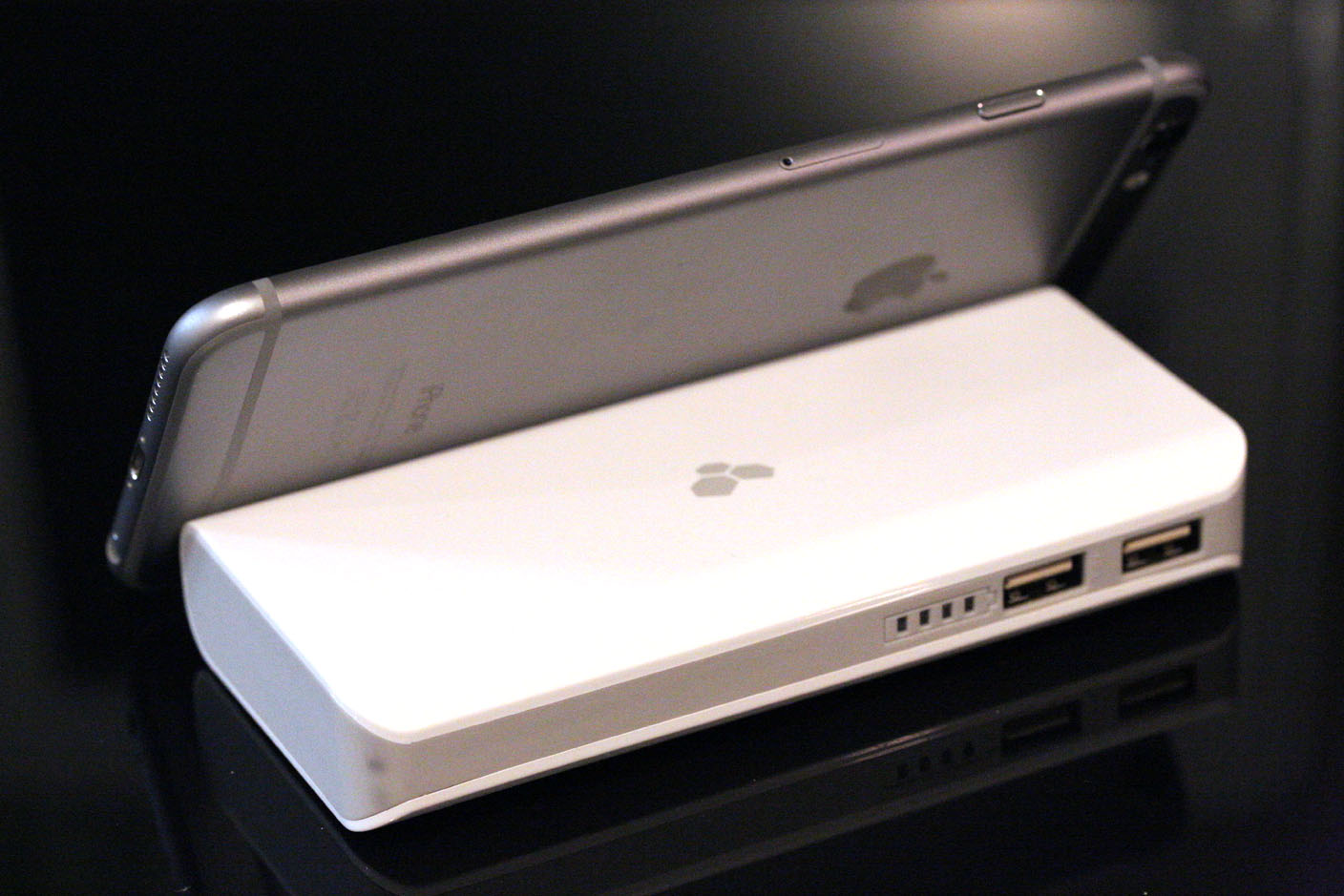
9to5 Guide: The best iPad, iPhone + MacBook battery cases/packs

Earlier this week, I walked through a great collection of iPad, iPhone, and Mac products that I’d strongly recommend. Today, I’m here to help you choose an excellent spare battery for any portable Apple device. You can trust me because I’ve been testing Apple batteries for over a decade, conducting hours-long tests to learn how each new Apple device consumes power, and how quickly each battery replenishes a given device. If you want to learn more about why I’m recommending the specific batteries below, I discuss key factors worth considering at the bottom of this guide.


Expand
Expanding
Close

Apple & IBM announce first batch of MobileFirst iOS apps for enterprise

Site default logo image

Following an announcement earlier this year that Apple was teaming up with IBM to deliver a number of enterprise solutions, today Apple has officially announced the first wave of iOS apps being released through the partnership. As part of IBM’s “MobileFirst for iOS,” Apple and IBM today announced 10 new apps designed specifically for businesses including banking, retail, insurance, financial services, telecommunications and for governments and airlines.

“This is a big step for iPhone and iPad in the enterprise, and we can’t wait to see the exciting new ways organizations will put iOS devices to work,” said Philip Schiller, Apple’s senior vice president of Worldwide Marketing. “The business world has gone mobile, and Apple and IBM are bringing together the world’s best technology with the smartest data and analytics to help businesses redefine how work gets done.”

The apps launching today through the partnership include Plan Flight and Passenger+ for the travel industry, Advise & Grow and Trusted Advice for the banking and financial industries, Retention (insurance), Case Advice and Incident Aware for government, Sales Assist and Pick & Pack for retail, and Expert Tech for telecommunications industries. Apple notes that the apps offer customizable experiences and are “managed and upgraded via cloud services from IBM specifically for iOS devices.”

In addition to the new apps, which Apple described in more detail in its press release below, Apple noted other services that will go hand-in-hand with the apps. Those include integration with IBM’s Mobile Platform and Enterprise solutions as well as AppleCare for the Enterprise, Apple’s new business specific tech support service introduced as part of the IBM deal.

Apple’s full press release is below:


Expand
Expanding
Close

Apple releases iOS 8.1.2 with fixes for bugs including ringtone issues

Site default logo image

Apple has released iOS 8.1.2 as an over-the-air software update for iPhone, iPad, and iPod touch users running iOS 8. The latest release contains bug fixes for users as well as a fix for a problem regarding ringtones purchased from Apple being removed from devices. We’ll check out the software release for any significant changes or issues and update accordingly.
Expand
Expanding
Close

Site default logo image

Panic’s Transmit App no longer allowed to ‘send’ files to other services, developers request reprieve

In a blog post today, Mac/iOS developer Panic explained why a recent version of its venerable Transmit FTP/File transfer app no longer uploads to iCloud, and it turns out, other services:

Transmit iOS 1.1.1 is out, fixing a few bugs in our surprisingly powerful file management app for your iPhone or iPad.

Also, at Apple’s request, we had to remove the ability to “Send” files to other services, including iCloud Drive.

In short, we’re told that while Transmit iOS can download content from iCloud Drive, we cannot upload content to iCloud Drive unless the content was created in the app itself. Apple says this use would violate 2.23 — “Apps must follow the iOS Data Storage Guidelines or they will be rejected” — but oddly that page says nothing about iCloud Drive or appropriate uses for iCloud Drive.

If the issue is just iCloud Drive, why did we remove the other destinations? We had no choice. iCloud Drive exists in this sheet.

The developers are taking their case public a few days after the app update was released in an effort to persuade Apple to change their minds in this case.  Seems like a no-brainer. What say you Apple?

Apple announces iTunes Best of 2014: apps, music, movies, TV shows and books

Site default logo image

Apple has announced its favorite apps, music, movies, TV shows and books of the year, with Elevate – Brain Training declared iPhone App of the Year while number puzzle game Threes! won iPhone Game of the Year.

For the iPad, ‘desktop-class’ image editor Pixelmator took the top slot, with the gorgeous Monument Valley winning best game. Both Threes! and Monument Valley previously won Apple Design Awards at WWDC back in June … 
Expand
Expanding
Close

Chance’s holiday gift guide: the products I use everyday

Site default logo image

I’ve already broken down the best gifts for students this holiday season, but now it’s time to talk about the best gifts for all the Apple lovers in your life. These are most of the products that I use on a daily basis. Whether I use them on-the-go, while working, or pretty much 24/7, these are some of the best products that have earned a coveted spot in my daily routine.


Expand
Expanding
Close

Apple planning to support 500 Apple resellers in India, focusing on iOS devices – report

Site default logo image

An Apple Premium Reseller store in India

Times of India has put numbers on its earlier claim that Apple was planning to open a collection of iOS-centric stores in India. It now says that Apple plans to support 500 new resellers in the country as part of a major expansion program into smaller towns and cities, where Samsung currently dominates.

Apple reportedly sold a million iPhones in India in the 12 months to September 2014, helped in part by a cheaper 8GB version of the iPhone 5c, and is said to expect sales to treble in the following 12 months following the rollout of the iPhone 6 in October … 
Expand
Expanding
Close

iPhone 6 Plus captured 41% of all US phablet sales; iPhone 6 best-selling iOS device – Kantar data

Site default logo image

Kantar data shows that the iPhone 6 Plus managed to take a 41% share of all US phablet sales for the August to October quarter, despite only being on sale for a little over one of those months and significant supply constraints.

Unsurprisingly, the smaller iPhone 6 also outsold the iPhone 5s in the same period, taking 33% of all iOS device sales against 26% for the 5s, 18% for the 5c and 10% for the 6 Plus. This is line with multiple sources suggesting a 3-to-1 ratio of iPhone 6 vs 6 Plus sales … 
Expand
Expanding
Close

Samsung appeal against Apple’s $930M award for patent infringement begins today

Site default logo image

The latest court battle between Apple and Samsung begins today, with Samsung appealing against the $930M it was ordered to pay Apple for patent infringement in the first trial between the two companies. Samsung is arguing that the amount awarded was “excessive and unwarranted.”

It’s of course not the first time that the sum awarded has been disputed. Apple was initially awarded $1B in damages, with $450M of that later cut and a retrial required to determine a revised sum. The retrial awarded Apple $290M instead for that element of the case, giving Apple a revised total award of $930M … 
Expand
Expanding
Close

Mozilla confirms Firefox for iOS to be released in the future

For over four years, Mozilla has expressed that it has no interest in porting its Firefox web browser to the iPhone, iPad and iPod touch. Under the leadership of new chief executive Chris Beard, however, that mindset appears to have changed, as TechCrunch reports that Mozilla has recognized a need to release Firefox for iOS in the future.
Expand
Expanding
Close

Site default logo image

iFixit shares ‘iPad Air internals’ wallpaper for seeing what’s underneath the surface

We’ve already seen them rip open the iPad Air and more recently the even thinner iPad Air 2, and by going somewhere no ordinary iPad owner would ever dream of going, iFixi has shared high-resolution wallpapers of what exists underneath the surface of our displays.

Below you can view and download wallpapers of the internals of iPad Air with LTE (1), the iPad Air with WiFi-only (2), the iPad Air with LTE zoomed back to reveal more (3), and the iPad Air with WiFi-only zoomed back to reveal more (4).

iFixit recommends disabling parallax (Settings>General>Accessibility>Reduce Motion>On) and pinching out a bit when setting your wallpaper, but the end result should give you an inside look at your iPad Air’s internals behind your app icons as if the LCD screen was completely see through.

Eddy Cue discusses Apple’s ongoing ebooks litigation in Fortune interview: “we have to fight for the truth”

Site default logo image

Apple SVP Eddy Cue with Beats founders Dr Dre and Jimmy Iovine

In a new interview with Fortune, Apple’s SVP of Internet and Software Services Eddy Cue opened up about Apple’s ongoing ebooks litigation ahead of the company’s December 15th appearance before a federal appeals court. Apple formally appealed the ebooks antitrust ruling earlier this year after a judge ruled in favor of the Department of Justice in 2013 claiming that Apple conspired with ebook publishers to raise prices.

“We feel we have to fight for the truth,” says Cue. “Luckily, Tim feels exactly like I do,” he continues, referring to Apple CEO Tim Cook, “which is: You have to fight for your principles no matter what. Because it’s just not right.”

Earlier last month, U.S. District Judge Denise Cote approved a $450 million settlement under which Apple will not be forced to pay any fees if it wins the upcoming appeal.
Expand
Expanding
Close

Site default logo image

Mockup video gives a sense of the size of the long-rumored iPad Pro

[youtube=https://www.youtube.com/watch?v=tkzt_nl-7ok]

Following last week’s claimed leaked schematics for the long-rumored larger iPad, in which the screen size was shown as 12.2-inches, a YouTube channel has put together a mockup video putting the size into context.

The video by tech channel Canoopsy shows the iPad Pro mockup compared in size to everything from the iPhone 5 through to the iPad Air 2 – then places it against a 13-inch MacBook Pro, showing that it is almost exactly the same height and just a little less wide.

The idea of a 12.2-inch display was first posted by MacOtakara, which also suggested a 7mm thickness. Most previous rumors had pegged the screen size at a slightly larger 12.9 inches. Mac Fan claimed that the device will have four speakers, to ensure stereo sound in both horizontal and vertical formats.

KGI recently suggested that the iPad Pro will be launched in Q2 of next year.

Via tip

Site default logo image

Updated Dropbox iOS app gives you quick accesss to renaming files and folders, more

Dropbox announced today that an incoming update hitting the App Store today will offer the ability to rename fils and folders and more.

Today’s update to the iOS app includes a new “more actions button” that will let users rename files, folders and access other functions: We’ve added an easy-access more actions button next to the sharing icon in the upper right-hand corner that leads to a set of file options so you can quickly do things like rename or move a file…To rename files straight from the Dropbox, simply choose Rename from the more actions button as you’re previewing. Rename folders by swiping to the right from the file list view and tapping the rename icon.

Dropbox also points out that the latest apps have a new disappearing toolbar that provides more screen real estate when viewing files and folders in addition to a few other new features. Our new toolbar disappears (and reappears) as you need it, leaving valuable screen space for a full view into your photos or important files. Simply tap once anywhere within your photo or file to toggle between the toolbar and full screen.

That new disappearing toolbar (which was present in the last version of the app as well) includes an edit button for Microsoft Office files as part of the company’s recent integration with the Office mobile apps.

The updated Dropbox app for iOS, version 3.6, will be arriving on the App Store today.

What’s New in Version 3.6

• You can now rename your files and folders!
• Swipe right on a folder to see more actions, including rename.
• We’ve moved a few things around – there’s a new more actions button (⋯) when viewing files
• On iPhones, the more actions button (⋯) also includes the full file na

Cyber Monday: The best iPhone, iPad, & Mac accessories on sale today

Site default logo image

A ton of great deals on accessories for iPhone, iPad and Macs have gone live today for Cyber Monday in addition to the many Black Friday deals still running from the weekend. Today is your last chance to get in on most of these discounts and in some cases might be your last chance to get your hands on these products before the holidays.

Head below for our roundup of the best deals available today on cases and accessories for your Apple device. 
Expand
Expanding
Close

Best iPhone 6/Plus wallet cases: Pad and Quill Little Pocket Book and SurfacePad from TwelveSouth

Site default logo image

For all of its greatness, Apple Pay hasn’t nearly killed the need to take your wallet with you wherever you go. But if you are like me, it has lightened your load a little bit. Instead of carrying around 5 credit cards, I now carry around one each of debit and credit. Combine that with some other de-Costanzifications (scan insurance cards and health club cards for instance) I’ve made recently, I can now consolidate my wallet into a few card slots.

What I’m getting at here is that I can follow the lead of my wife and now consolidate my iPhone and my wallet finally. I’ve chosen two amazing iPhone 6 and iPhone 6 Plus cases from my favorite iPhone case manufacturers to get me there: Pad and Quill’s Little Pocket Book ($60 -$10 off for Black Friday) and Twelve South’s $50 Surfacepad
Expand
Expanding
Close