Latest

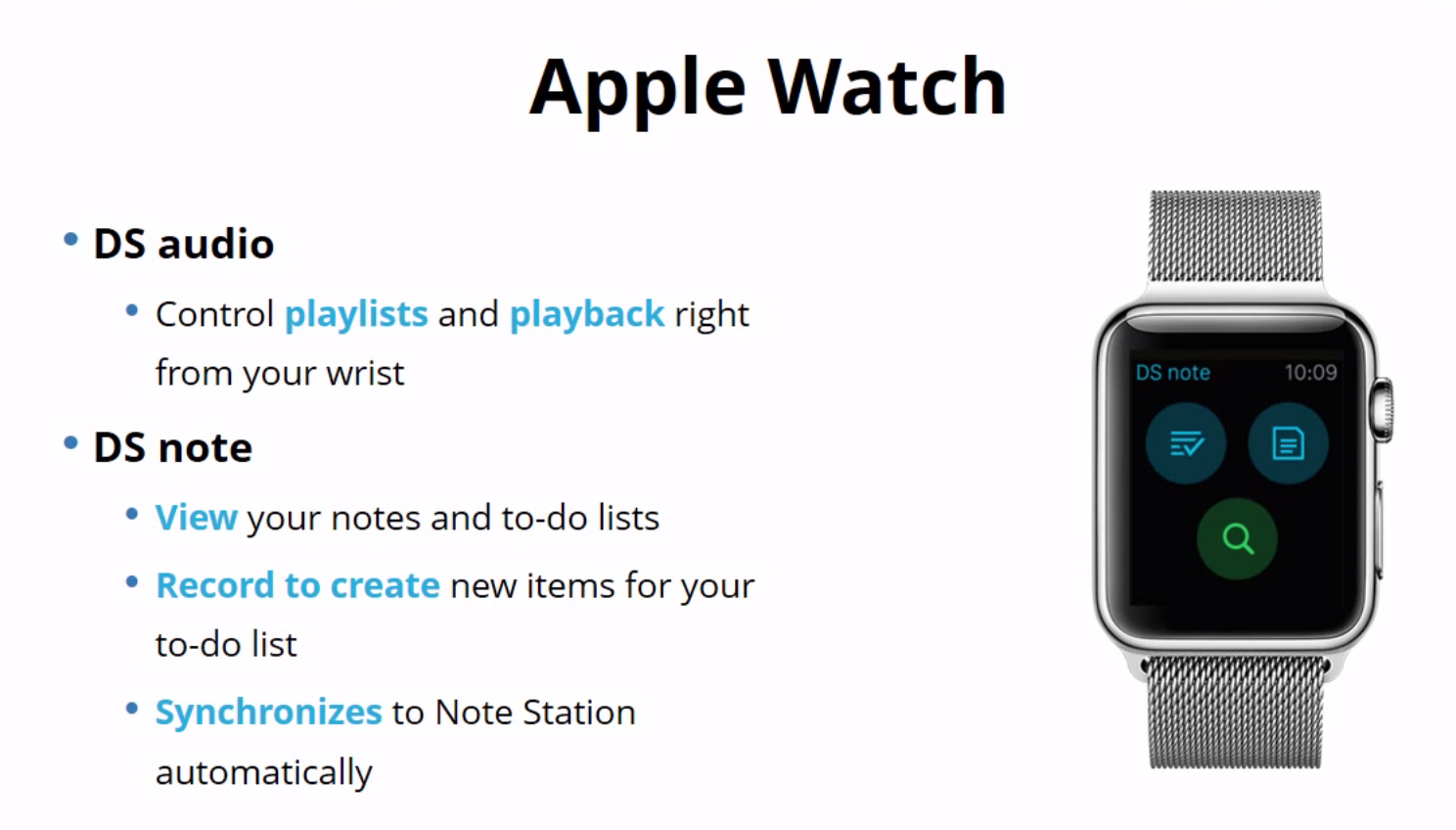
Synology shows off Apple Watch apps, its first router & new hardware for upcoming DSM 6.0 OS

Synology-Apple_Watch

Update: The DSM 6.0 beta is now available to download. 

Today Synology is announcing a number of updates to its popular network-attached storage products including its first Apple Watch app, a new version of its DiskStation Manager web-based operating system, and new hardware including the company’s first router product. 
Expand
Expanding
Close

Fantastical 2.5 adds Split View & Slide Over, 3D Touch, watchOS 2 app + complication, more

Fantastical 3D TouchFantastical 2.5 is out now with new multitasking features for iOS 9 on iPad, a 3D Touch app icon on iPhone 6s and 6s Plus, a native Apple Watch app on watchOS 2 with its own watch face complication, and much more. Both the iPad and iPhone plus Apple Watch updates are available for free for current Fantastical 2 customers. The new versions come just two weeks after Split View in Fantastical hit the Mac with OS X El Capitan. See the new features in action below:
Expand
Expanding
Close

Mini-review: Cookie Cookie, the iOS app you’ll only open once but appreciate daily

FT Cookie Policy Screen

Cookies have a bad rap, with assorted non-techies describing them as ‘tracking your web activities,’ as if they somehow enabled someone to sit and watch what you do. The reality, of course, is that the most they can ever do in the way of tracking is note that you saw an ad on one website and later visited the online store to buy the product. Mostly what cookies do is simply recognize who we are when we return to a website – and they are easy to block if we really want to.

But the mainstream media got carried away, politicians got involved and it became law in Europe that any website using cookies had to inform visitors with a message that had to be actively dismissed. Most U.S. sites erred on the side of caution by following suit, subjecting almost all of us to pointless and annoying notices.

Cookie Cookie is an iOS app that does one thing and one thing only: does its level best to hide all cookie notices. You’ll only ever need to interact with it once. Open the app, then go into Settings > Safari > Content Blockers to allow it to run – and you’re done.

It can’t work perfectly, as there is no 100% reliable method for detecting cookies, so the app searches for them by name. More precisely, it uses CSS queries to look for HTML elements containing the most commonly-used names: cookie-notice, cPolicy, cconsent and so on. When it finds one of these, it hides the HTML element. The result is a web largely free from annoying messages you have to dismiss to get on with your day. In a few days of using it, I’ve found it blocked almost all of them.

So long as the app is open in the background, it will sit there silently doing its job on both iPhone and iPad. Cookie Cookie costs $0.99 from iTunes, but we have a few giveaway codes you can use – when you use one, please paste the code you used into comments afterwards so people can see it’s gone.

NFMEAW37TJLX
TH34PPJTE6WA
T37R3MXYFNNA
KYYYRYNJ9PNW
HL4RJE6RN6HA
HRLW9A3LR3T4
3M4T3KE6L9FA
HPLYJPFPH69M
PH9T7TE6JLMN


Twitter launches its ‘Project Lightning’ curated news & events feature called Moments

Twitter

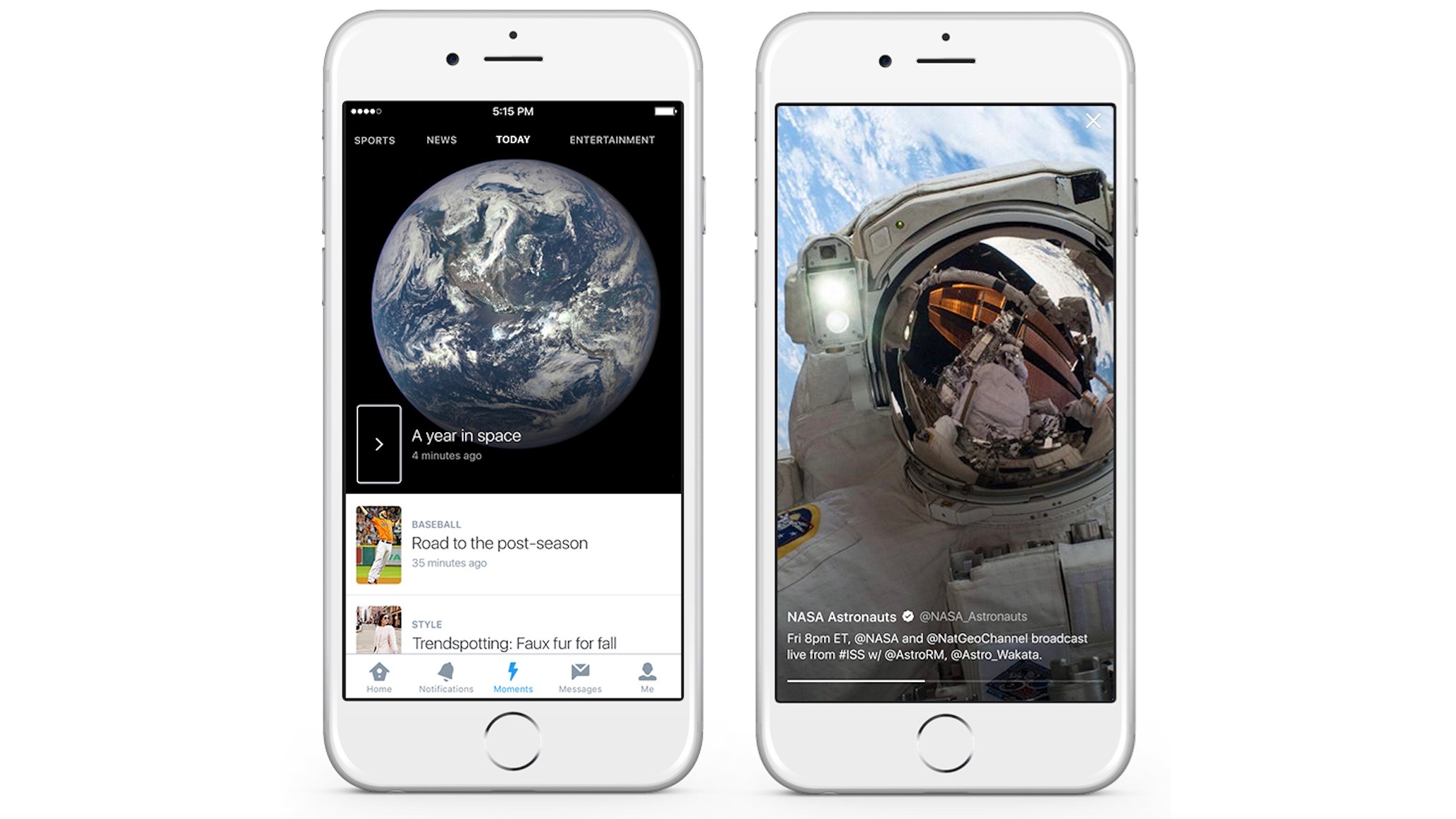
Just a day after Jack Dorsey was named permanent CEO of Twitter, the social network is launching a big new feature in its app called Moments. What started as Project Lightning showcases for a lot of users the best part of Twitter: keeping caught up with in-the-moment news that you care about. The new Moments feature can be found behind the lightning bolt icon through Twitter’s mobile apps and on the web in the US.
Expand
Expanding
Close

YouTube for iOS updated w/ Material Design interface, in-app video editing tools

Screen Shot 2015-10-05 at 7.44.23 PM

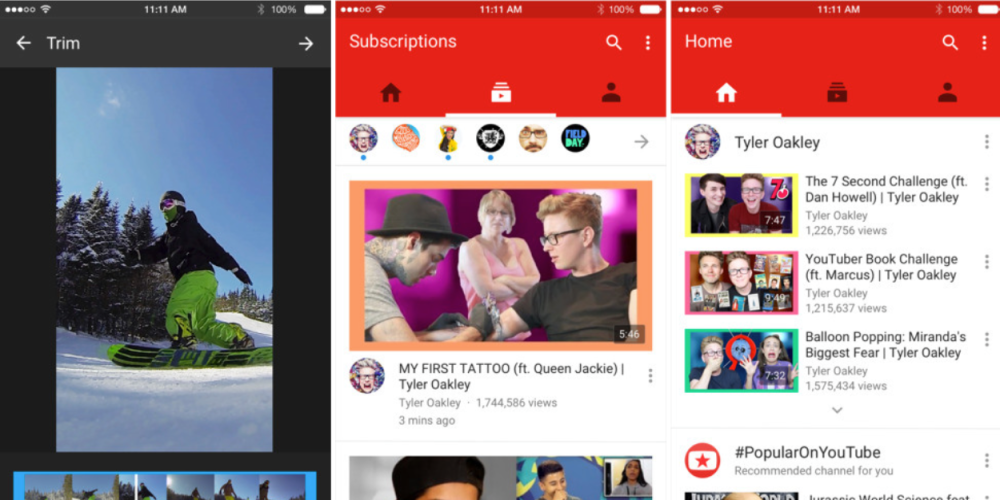
After a long time in scattered A/B testing, YouTube today has updated its iOS app with a brand new design very reminiscent of its Material Design theme that has graced its other iOS apps recently, as well.

YouTube says that the new interface makes it even easier to find and discover new content. Recommended videos, favorite channels, and subscriptions are all directly accessible from the homescreen of the app by either swiping left and right or tapping on the icons. As you can see in the screenshots above and below, a variety of other changes are also present when it comes to the interface of the app.

In addition the redesigned interface, today’s update also brings in-app editing tools to YouTube on iOS, a feature that will certainly be welcomed by on-the-go vloggers.

The redesigned YouTube app makes it easier to find what you love. Now your recommended videos, favorite channels, and subscriptions can be accessed by tapping each icon or swiping your screen. You can also create fun videos on the fly with new in-app editing tools.

 The latest version of the YouTube app is available now on the App Store for free.

First look: Using Apple’s new Audio Unit plug-ins in iOS 9

iOS-9-AU-plugin-remaster

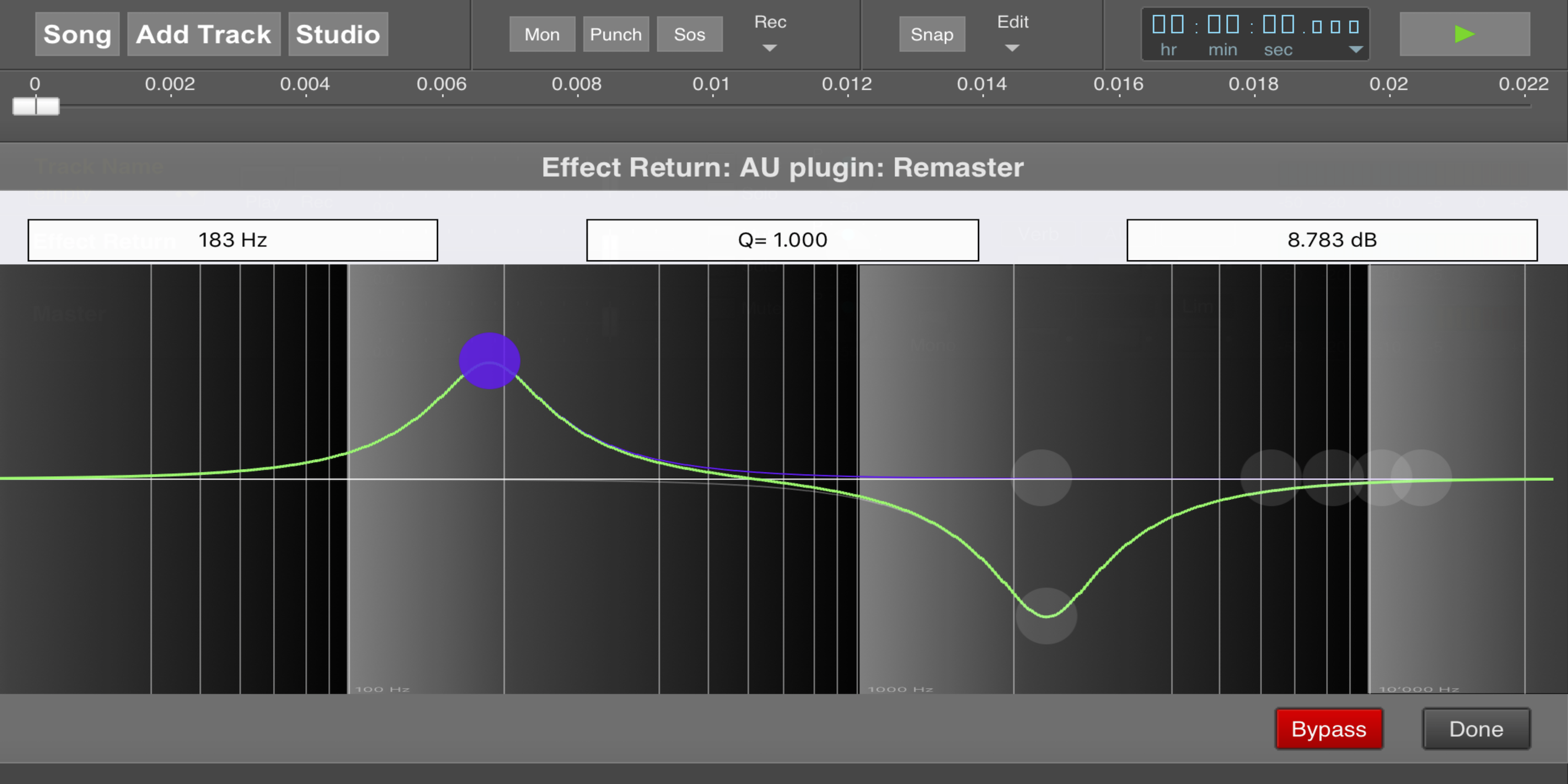
With iOS 9 released late last month, Apple introduced a full-fledged audio plug-in framework for the first time on its mobile devices, allowing iPhone and iPad apps to implement support for third-party audio plug-ins just like on a Mac.

In fact, the audio plugin framework comes in the form of Audio Unit version 3, an updated version of the file type Apple has long used on the Mac for audio plug-ins in professional-class apps like Logic Pro.

Now that iOS 9 is available to all, we took the feature for a test drive using a couple of the very first apps to update with support…
Expand
Expanding
Close

Adobe debuts Photoshop Fix + Capture CC, Mix + Lightroom iOS and desktop updates, more

Photoshop Fix on iPad

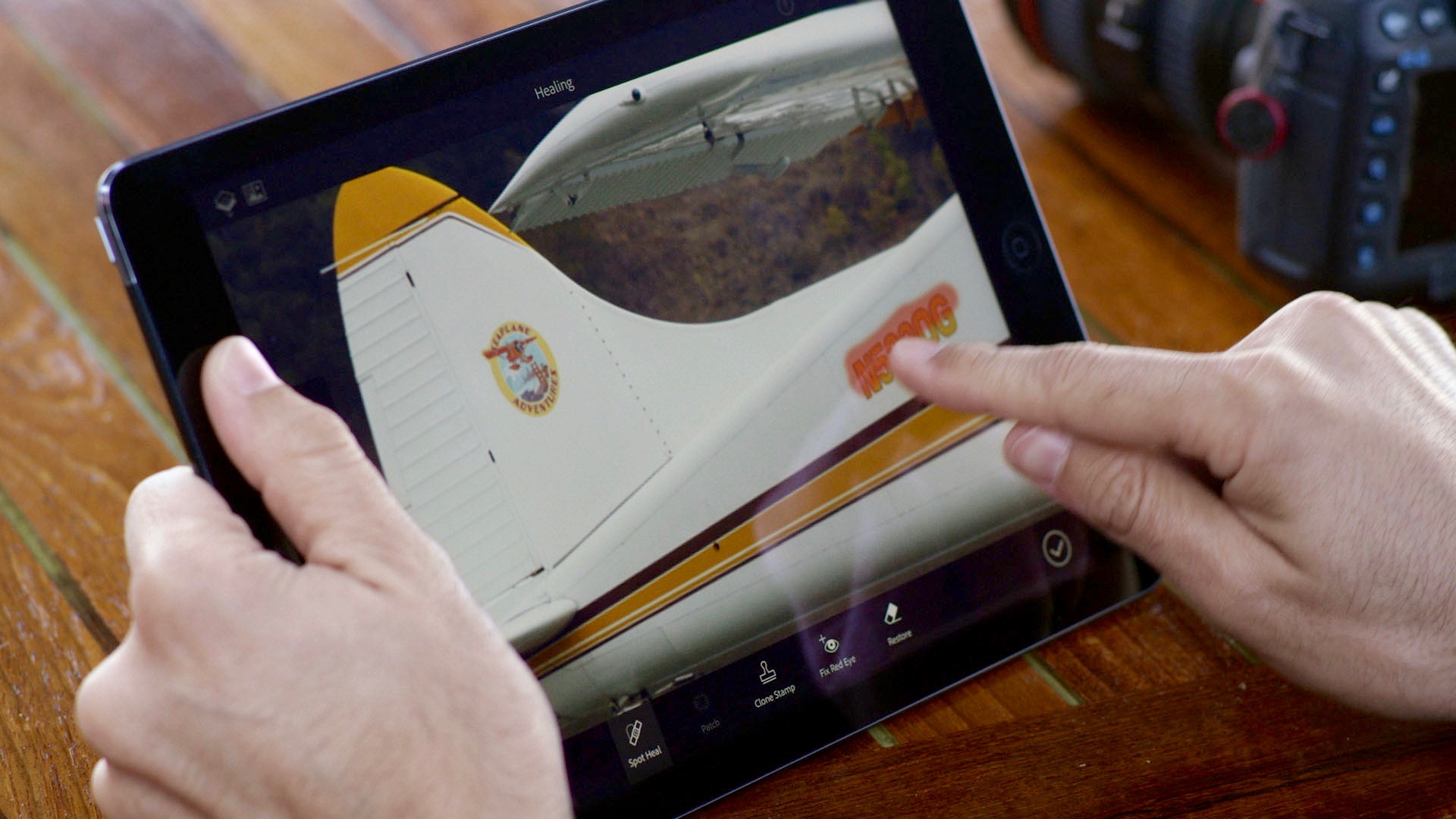
With Adobe Max Creative Conference kicking off later today, it’s time for the wraps to come off the latest advancements in Creative Cloud including new apps for iPhone and iPad.

New from Adobe this year is the Photoshop Fix image retouching iOS app (seen above), Capture CC for iOS and Android which turns images into color themes and brushes, enhanced versions of Photoshop Mix for image composition and Lightroom for iPhone and iPad with new features, a new Portfolio tool for sharing and promoting graphic design work, video content coming to Adobe Stock, plus annual updates to CC desktop apps and CreativeSync.

Many of these apps and updates are available today with others coming later this year, and we’re expecting to hear even more news out of Max which kicks off at 9:30 am PT/12:30 pm ET later today including new details on what Adobe is calling Project Comet (Update: details here), a UX design solution on desktop with a mobile companion. Read on for all the details on the latest from Adobe so far.


Expand
Expanding
Close

‘The Martian’ gets official iOS/Apple Watch game as movie hits theaters

The-Martian-ios-app-01

‘The Martian’, Ridley Scott’s new sci-fi film starring Matt Damon, gets an official iOS and Apple Watch game tie-in just as the movie hits theaters in the US this weekend. The game was developed by Little Labs on license from Fox Digital Entertainment and with a little help from the author of the original book that the new film is based on.

The game mostly consists of text-based strategy gameplay, prompting players to make decisions to help Astronaut Mark Watney (played by Matt Damon in the movie) through solving problems after finding himself stranded on Mars.

The game puts Mark’s life directly in the hands of the player as they use resources on Earth to aid him in navigating the most harrowing of circumstances. Like the film and novel, the game incorporates real science to tell Mark’s story of survival on Mars and highlights iconic moments from both mediums to give players an authentic experience.

And the entire gameplay experience is available as an Apple Watch app, pictured below:

The game is available for $2.99 on the App Store as a universal download for iPhone, iPad, and Apple Watch. That includes the whole game; there isn’t any in-app purchases or downloads. The official trailer from Little Labs is below:

[youtube=https://www.youtube.com/watch?v=5pugqzJKGB4]

Macphun debuts Creative Kit 2016, six Pro photo editing apps with OS X Photos plug-ins

macphunck2016

Macphun, maker of elegantly powerful photo editing tools including Tonality, Noiseless, and FX Photo Studio, has announced the impending release of Creative Kit 2016 — a bundle of 6 of the company’s Pro apps for a discounted price of $150. Creative Kit 2016 includes:

Noiseless CK (reviewed here) and Tonality CK (reviewed here), separately capable of eliminating various types of noise from images, and converting color images into beautiful black and white versions — both highly impressive, as our reviews discuss;

FX Photo Studio CK, a filter, frame, and brush-based photo editing tool that lets you convert simple photos into pieces of art; and

Snapheal CK, Focus CK, and Intensify CK, apps to erase unwanted items from photos, add lens effects such as blurs, or enhance subtle details in your images, respectively…


Expand
Expanding
Close

Skype iOS app updated with support for Slide Over, Split View and more

ipad_splitscreen_maps_6-3

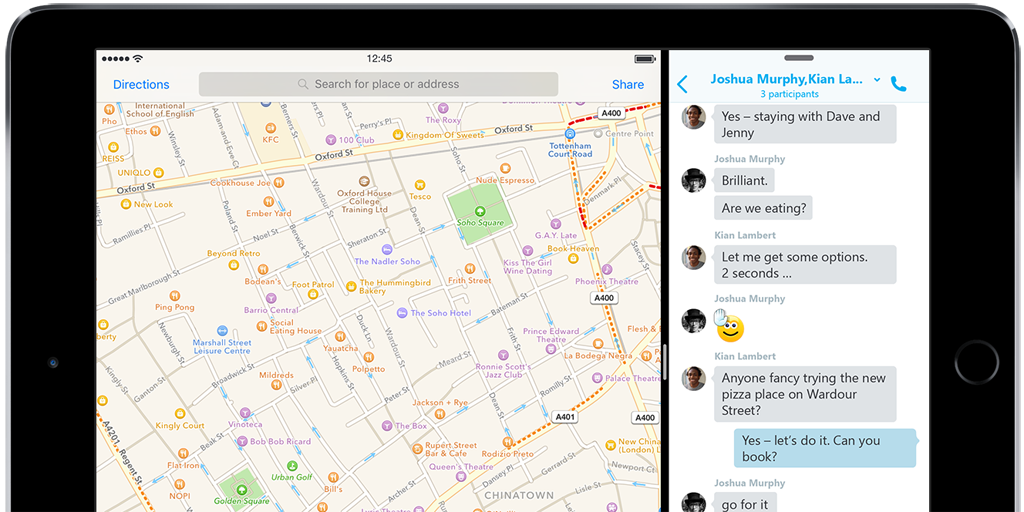
Microsoft has updated its Skype for iPhone and iPad apps to add support for two new features in iOS 9: Slide Over and Split View. This follows close behind its update of the Mac app to add Split View in El Capitan.

Millions of people use Skype every day to share URLs and photos. iOS9’s new Split View and Slide Over capabilities let you use Skype while using another app alongside it, making sharing your content even better. Imagine you’re planning a night out in London with a group of friends using IM or a group voice call. Now you can share links to bars and restaurants and decide on the best place to meet without having to leave the app, just click on the shared content and bring it alongside your Skype conversation. It’s a great way to get things done together … 


Expand
Expanding
Close

HBO Now updated with iOS 9’s picture-in-picture iPad feature

HBO NOW iPhone iPad iPod touch 21

One of iOS 9’s most useful features on modern iPads is the ability to playback videos from the Home screen or other apps using picture-in-picture. Video services have to opt-in to supporting PIP, though, so it means App Store apps must be updated before the feature works.

HBO has done just that with their iOS 9 update for iPad, supporting picture-in-picture when you leave the HBO Now app while you’re watching a movie or TV show. The feature is only mentioned in the update for the standalone HBO Now service, however, so the HBO Go version which requires a cable subscription may not support it.
Expand
Expanding
Close

Skype for Mac now supports Split View on OS X El Capitan

Skype for El Capitan

Just in time for Apple’s official release of OS X El Capitan, Microsoft is out with a new version of Skype with features only available on the new operating system. Available in Skype 7.13 for Mac, the messaging and video chatting app now supports Apple’s new Split View feature for running Skype side-by-side with another full screen app. 
Expand
Expanding
Close

Popular Reeder 3 RSS client hits the Mac App Store with redesigned themes + OS X El Capitan features

Reeder 3

Timed cleverly with the launch of OS X El Capitan, the popular RSS client Reeder is officially out with version 3.0 today with full support for OS X 10.11. As we first saw in Reeder 3’s public beta, the latest version of the feed reader includes a selection of Yosemite and El Capitan style themes with translucency and modern design.

OS X El Capitan users will benefit from new features including using Reeder in split-screen mode next to other supported full-screen apps. The new version also supports Apple’s new system font, San Francisco, plus a lot of customization options to make the reading environment best fit your needs. Check out the full release notes below:

Expand
Expanding
Close

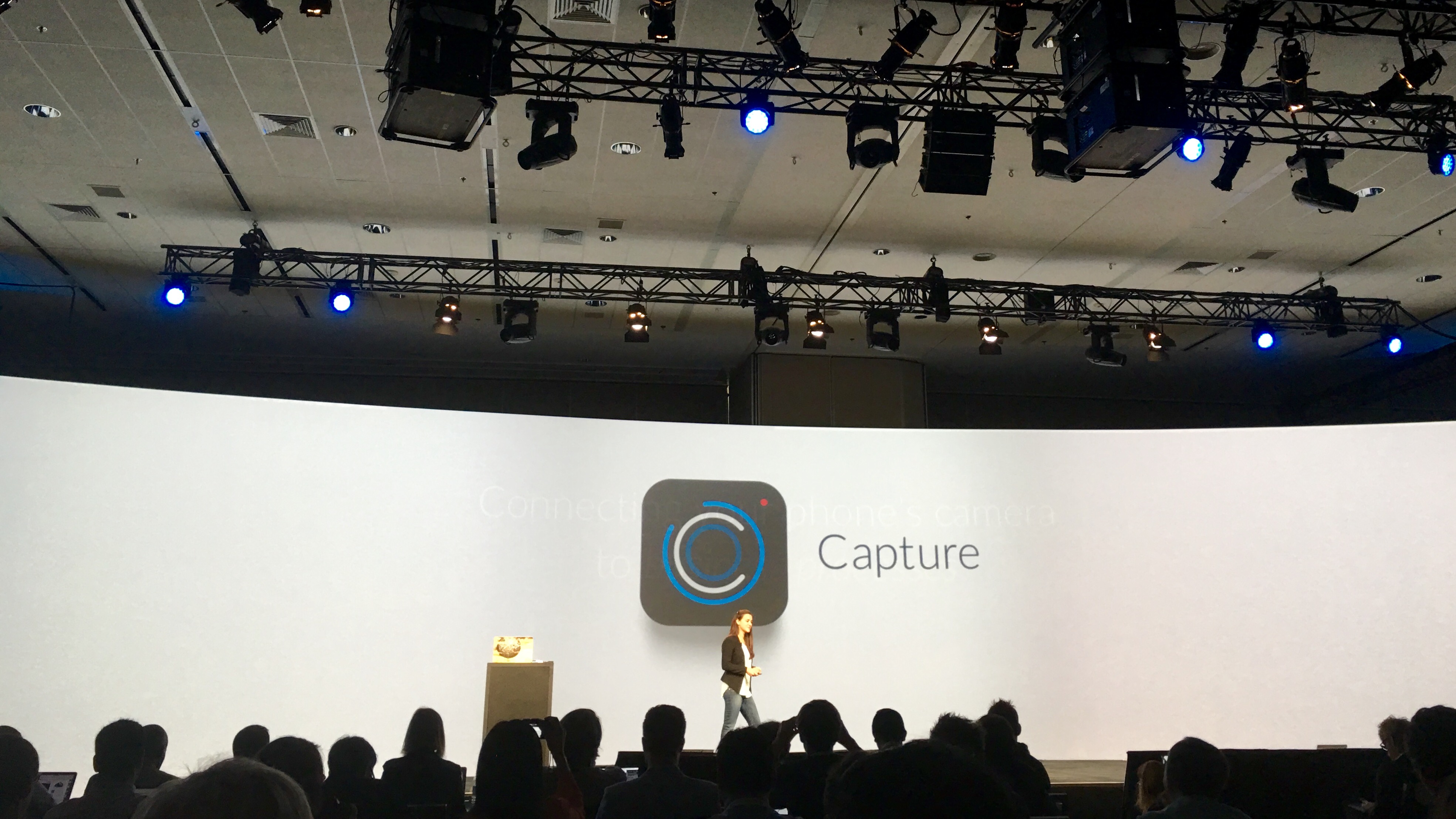
Box debuts ‘Capture’ iPhone app that lets businesses create workflows using the camera

FullSizeRender 3
After chatting with Tim Cook about Apple and the enterprise at BoxWorks today, Box took the wraps off a new app for business customers using the iPhone camera. Box Capture is an iOS-only app with enterprise-friendly features like security compliance built on Box’s mobile software development tools.
Expand
Expanding
Close

iPhone 6s camera compared to every previous generation iPhone (Gallery)

Camera-plus-iPhone6s-comparison-01

There has been a lot of opinions floating around about the new iPhone 6s camera, its upgraded 12 megapixel sensor, 4K video capability, and the other software side improvements with iOS 9. Our own photographer Ben Lovejoy put the device to the test in his ongoing diary series. But this latest photo gallery from the people behind the Camera+ app gives us a look at how the camera has improved not just over last generation, but also over all other previous generations of iPhones in a side by side comparison.
Expand
Expanding
Close

Roundup: The best apps with 3D Touch to try out on your new iPhone 6s

Screen Shot 2015-09-25 at 13.12.54

The iPhone 6s and iPhone 6s Plus launch today, with a pressure sensitive 3D Touch screen being touted as one of the phone’s flagship new features. Apps can take advantage of 3D Touch in many ways, such as using firm presses to reveal quick actions on the Home screen or use Peek and Pop metaphors to quickly preview content from within the UI.

Naturally, Apple has added 3D Touch features to its own apps. Try firmly pressing on a link from within Safari, or quickly call one of your Favorites by using the Phone app’s 3D Touch quick actions. You can even force press on the keyboard to enable trackpad cursor input. However, as is true in most cases, the most interesting innovations come from the third-party App Store community.

We’ve compiled a list of the best third-party apps that have updated to include 3D Touch features, so you can try them out on your brand new iPhone 6s and iPhone 6s Plus …


Expand
Expanding
Close

Adobe shows off upgraded Photoshop and Premiere Elements 14 with camera shake removal, motion titles, more

Photoshop Elements 14

Adobe is out with its annual Photoshop Elements and Premier Elements updates, which let you quickly edit and share your photos and videos from the desktop. The consumer friendly Photoshop Elements 14 and Premier Elements 14 includes handy new features that everyday photographers will appreciate including dramatic camera shake and haze removal tools for enhancing images plus motion titles for creating profession looking movies.
Expand
Expanding
Close

Apple Store app on iOS updated with iPhone 6s support, iOS 9 bug fixes

Screen Shot 2015-09-24 at 5.41.10 PM

As the iPhone 6s and iPhone 6s Plus gradually become available around the world, Apple this evening has rolled out an update to the Apple Store app on iOS. The update brings the app to version 3.5 and includes a couple of minor changes.

First off, Apple says the update is an “iOS compatibility update,” meaning that it fixes any issues that may have arisen with the launch of iOS 9 to the public last week and the subsequent release of iOS 9.0.1. Furthermore, the update adds support for the iPhone 6s. At this point, it’s unclear what specifically this means. We’ll have to wait until we get our hands on an iPhone 6s tomorrow to be sure, but it could mean support for features like 3D Touch. Or it could something more minor, such as simple compatibility updates.

Nevertheless, the latest version of the Apple Store app for iOS can be downloaded from the App Store now for free.

Fantastical 2.1 for Mac now includes OS X El Capitan’s split-screen feature + much more

Fantastical 2.1 for Mac

Fantastical 2.0 notably upgraded the smart calendar menu bar utility to a full-sized calendar app in March. Following that massive release, Flexibits is back today with the first big update that builds on that it.

Fantastical 2.1 for Mac adds full El Capitan support ahead of OS X 10.11’s release next week (which should be welcome news to El Capitan public beta and developer testers now). In addition to general stability that you would expect, OS X 10.11 support includes El Capitan’s new split-screen feature for viewing and resizing two full-screen apps side-by-side.

Fantastical’s developers say the new release also fulfills the vast majority of feature requests after version 2.0 that users have requested. The result is more refined Fantastical 2 for Mac with an extensive change log that likely includes something for everyone:
Expand
Expanding
Close

Pixelmator for iOS 9 adds iPad split-screen multitasking, 64 megapixel image editing, more

3. Pixelmator for iPad and Multitasking

Pixelmator today released the latest version of its photo editor for iPhone and iPad, Pixelmator version 2.1. The update brings full support for iPad iOS 9 multitasking, the ability to import and edit 8K resolution images, Open-In-Place document management across iOS and more.

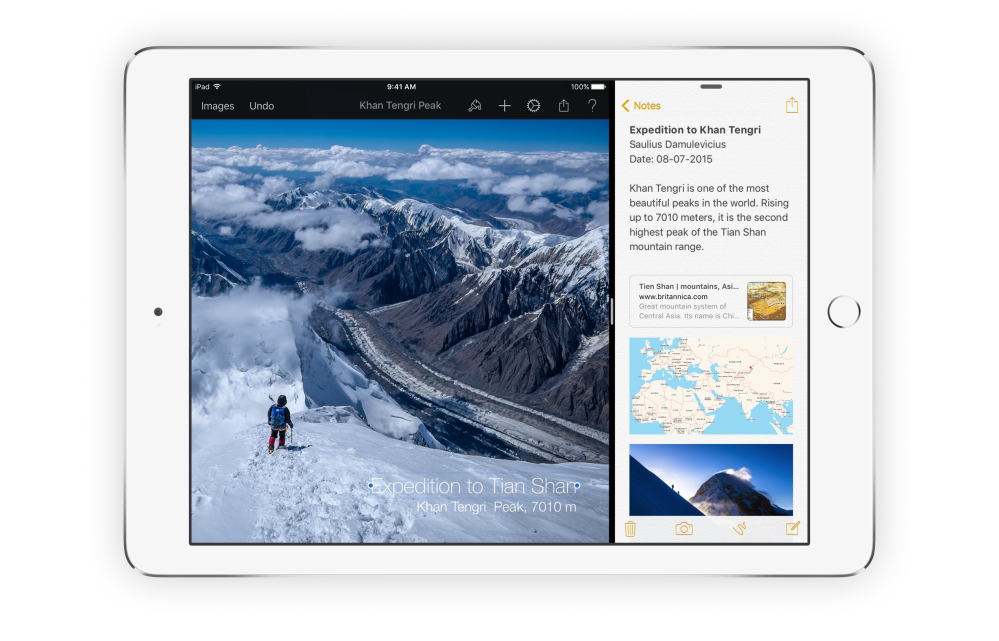
As part of general improvements for iOS 9, such as adoption of Apple’s new system font (San Francisco) in the UI, the primary change is the addition of the iPad multitasking support. This means Pixelmator can now be docked to the side of the screen using Slide Over. On more recent iPads, you can also pop Pixelmator into Split View for true 2-app side-by-side multitasking.


Expand
Expanding
Close