Apple Music: Features, Devices, Pricing, Lossless, and more
Apple Music is a streaming service that includes 50 million songs and is available on iOS, macOS, HomePod, Apple TV, Apple Watch, Sonos, Fire TV, Amazon Echo, and Android.

Apple Music is the company’s music streaming subscription-based service that was released on June 30 of 2015 in 100 countries. Apple Music has over 90 million songs in its catalog and offers the ability to download your favorite tracks and play them offline.
With the possibility of listening across all your favorite devices, Apple Music offers new music personalized for every user, curated playlists from Apple’s editors, exclusive Radio, video clips, and original content. Recently, the company introduced a HiFi quality for the service up to 24 bits at 192 kHz.
Here’s everything you need to know about Apple Music.
Table of contents
- Everything about Apple Music
- Apple Music HiFi: Lossless, Hi-Res Lossless, Dolby Atmos with Spatial Audio
- What headphones are compatible with Apple Music Lossless and Dolby Atmos support with Spatial Audio?
- How to activate Apple Music Lossless
- How many songs are available in Lossless?
- How much data does Lossless use?
- What are Dolby Atmos and Lossless audio?
- Does HomePod stream in Lossless? What about Spatial Audio?
- How to find songs with Lossless and Dolby Atmos labels?
- iOS 16 Apple Music features
- Apple Music Replay playlist
- Apple Music vs. Spotify
- Apple Music walkthrough
- Upcoming streaming service Apple Classic
- Deals
- Apple Music Awards
- Apple Music for Artists
Everything about Apple Music
How and where can I listen to Apple Music?

Apple Music is available on a variety of devices: iPhone, iPad, Apple Watch, Apple TV, Mac, HomePod, CarPlay, PC, Android, Sonos, Amazon Echo, Samsung Smart TV, Google Nest, PlayStation 5, and the web.
To be more specific, the service needs at least iOS 10 and watchOS 2.2 to run on your Apple devices. Here are the devices available:
- iPhone 5, 5C, SE (1st generation) or newer;
- iPod touch (6th generation) or newer;
- iPad (4th generation), iPad mini 2, iPad Air (1st generation), iPad Pro (1st generation) or newer;
- Apple Watch (all)
- Apple TV (4th generation) or newer;
- Samsung Smart TVs from 2018 or newer.
It’s also possible to listen to it on your browser, just type music.apple.com. A subscription is required.
How much does Apple Music cost? Does it have a family plan? What about a student one?
Apple Music is a subscription-based service and it doesn’t have a free tier like Spotify, although you can try it for free for three months. As for now, the service has four subscription tiers available. Here they are:
- Voice Plan: $4.99/month;
- Student: $5.99/month;
- Individual: $9.99/month;
- Family: $14.99/month.
With a Student or Individual subscription, you can:
- Listen to over 90 million songs, plus your entire iTunes library;
- Enjoy songs in Dolby Atmos, Lossless, and Hi-Res Lossless at no extra cost;
- Listen online or offline;
- Stream ad-free music and music videos;
- Download 100,000 songs to your library;
- Access across your devices;
- See what your friends are listening to;
- Original shows, concerts, and exclusives;
- Live and on-demand radio stations hosted by artists.
A family subscription offers:
- Access for up to six people;
- A personal account for each family member;
- Share your existing music library however you want.
Individual and student subscriptions have the same benefits. To apply for a student subscription, you just need to verify your college credentials with UNiDAYS every year while you’re studying.
Apple Music is available on all Apple One bundles as well. Learn more here.
Apple Music Voice Plan
Apple released in December of 2021 the “Apple Music Voice Plan,” a new subscription tier for the service for $4.99/month. Users have Siri as their main way to listen to songs.
According to Apple, starting with iOS 15.2 users can subscribe to the Voice Plan through Siri by saying “Hey Siri, start my Apple Music Voice trial,” or by signing up through the Music app. Once subscribed to the plan, users can request music be played across all of their Siri-enabled devices, including HomePod mini, AirPods, iPhone, or any other Apple device, and when using CarPlay.
Subscribers can ask Siri to “Play the dinner party playlist,” “Play something chill,” or even “Play more like this” for a personalized music experience. Unfortunately, it’s important to note that Spatial Audio and Lossless quality won’t be supported with this low-cost plan, as well as lyrics, and music videos.
This new option is available in Australia, Austria, Canada, China mainland, France, Germany, Hong Kong, India, Ireland, Italy, Japan, Mexico, New Zealand, Spain, Taiwan, the UK, and the US.
Is Apple Music the same as iTunes?
This is sort of true because, in macOS Catalina, Apple killed iTunes. The Music app is where you can find all your songs, bought on the iTunes Store, ripped from a CD, or downloaded via Apple Music.
iTunes Match
Before Apple Music, there was iTunes Match. The service uploaded your music library from the Apple Music app on your Mac or iTunes for Windows on your PC. Then you could access your music library on all of your devices that have Sync Library turned on.
Since Apple introduced its music service, the company encourages users to subscribe to the service, since you get all of the benefits of iTunes Match, plus access to the entire Music catalog.
Apple Digital Masters
Since Apple Music launched, Apple offers most of its catalog over the Apple Digital Masters label. With the AAC format over MP3, the company says the Advanced Audio Coding achieves the portability and convenience of compressed and encoded digital audio while retaining the audio quality that’s indistinguishable from much larger digital files.
With Apple Digital Masters, artists can offer higher-quality tunes. Taylor Swift, Paul McCartney, Billie Eilish, and Sigrid, for example, offer their catalog with this label.
In June 2021, Apple released Apple Music with Lossless and Dolby Atmos support with much greater quality.
Apple Music HiFi: Lossless, Hi-Res Lossless, Dolby Atmos with Spatial Audio
In May of 2021, Apple announced it was bringing lossless music quality options to its entire catalog at no extra cost, starting in June. Apple said lossless quality would be available for more than 90 million tracks in the Apple Music library by the end of 2021. Although it didn’t happen, most of the service’s library is indeed available in this higher quality.
Alongside lossless, Apple launched support for Spatial Audio music with songs authored in Dolby Atmos. Users can listen to select albums with an immersive 3D sound space on AirPods 3, AirPods Pro, AirPods Max and Beats headphones with an H1 or W1 chip. Apple says thousands of Dolby Atmos are already available.
What headphones are compatible with Apple Music Lossless and Dolby Atmos support with Spatial Audio?
Apple says Dolby Atmos is supported by iPhone, iPad, Mac, and Apple TV using any pair of headphones. This includes AirPods, AirPods Pro, AirPods Max, BeatsX, Beats Solo3 Wireless, Beats Studio3, Powerbeats3 Wireless, Beats Flex, Powerbeats Pro, and Beats Solo Pro, but there are a few differences.
For example, no Bluetooth headphones will offer Lossless quality. Apple says that AirPods Max with a wired connection can offer a similar sound to Lossless, but to stream Hi-Res Lossless quality at 24 bit at 192 kHz it will require another headphone with an external DAC.
One of the features available with iOS 15 for AirPods 3, AirPods Pro, and AirPods Max is “Spatialize Stereo,” which uses head-tracking for an immersive sound experience.
How to activate Apple Music Lossless
With iOS 14.6 or newer, follow these steps:
- Go to Settings, then Music
- Click on Audio and set Dolby Atmos to Always On
To listen to between Lossless and Hi-Res Lossless:
- Go to Settings, then Music
- Click on Audio Quality and choose between Lossless and Hi-Res Lossless for cellular or Wi-Fi connections
How many songs are available in Lossless?
Apple said that by the end of 2021, all of its catalog would be available in Lossless, but the company didn’t reach its goal, because it doesn’t require artists to upload a Lossless version of their tunes. Even though, as of 2022, it’s possible to say that most Apple Music catalog is already available in Lossless.
How much data does Lossless use?
- Lossless audio files will use significantly more space on your device. 10GB of space could store approximately: 3,000 songs at high-quality AAC, 1,000 songs with Lossless, and 200 songs with Hi-Res Lossless;
- Lossless streaming will consume significantly more data. A 3-minute song will be approximate: 1.5MB with high efficiency, 6MB with high-quality at 256 kbps, 36MB with Lossless at 24-bit/48 kHz, and 145MB with Hi-Res Lossless at 24-bit/192 kHz. Support varies and depends on song availability, network conditions, and connected speaker or headphone capability.
What are Dolby Atmos and Lossless audio?
Dolby Atmos is an immersive audio format that enables musicians to mix music so it sounds like the instruments are all around you in space.
Lossless audio compression reduces the original file size of a song while preserving all of the data. Apple Music is making its entire catalog of more than 90 million songs available in lossless audio at different resolutions in Apple Music, “Lossless” refers to lossless audio up to 48kHz, and “Hi-Res Lossless” refers to lossless audio from 48kHz to 192kHz. Lossless and Hi-Res Lossless files are very large and use much more bandwidth and storage space than standard AAC files.
Does HomePod stream in Lossless? What about Spatial Audio?
Yes, HomePod and HomePod mini stream in Lossless quality, as long as you update your smart speaker to version 15.1. Follow these steps to enable the quality:
- Open the Home app on your iPhone running iOS 15.1 or later;
- Click on the Home icon on the top left corner
- Choose “Home Settings” then click on your profile
- In “Media,” click on the “Apple Music” tab
- Toggle on “Lossless Audio”,
Only the original HomePod can stream songs with Dolby Atmos and Spatial Audio support. To do the same with the HomePod mini, you need to have a pair of them synchronized with an Apple TV 4K. From the Apple TV, you can play songs in Dolby Atmos using Apple Music. Learn more about it here.
How to find songs with Lossless and Dolby Atmos labels?
Apple Music is highlighting content that’s available in Spatial Audio in the Listen Now, Browse, and Search tabs
- In the Browse tab, check out all playlists made up of all Spatial Audio music like Hits, Hip-Hop, Pop, Country, Rock, and Jazz
- There are also sections for “New Music in Spatial Audio” and “The Best of Spatial Audio”
- In the Search tab, there’s a new Spatial Audio category in the top left
- Apple Music is using this as a hub for all the Dolby Atmos Spatial Audio content including videos, music, tutorials, featured albums, new content, and more
- If you want to see if a specific album or song is available in Spatial Audio, pull it up in Apple Music
- Underneath the album artwork and play button, look for “Dolby Atmos”
- You can also quickly tell if a track is playing in Spatial Audio by:
- Looking just above the play/pause button in the Music app when looking at the song (shown in the top image above)
- Or opening Control Center (swipe down from the top right corner) and long press on the headphones icon > look for Spatial Audio playing in the bottom right and Dolby Atmos below the volume slider.
You can find the full how-to here.
iOS 16 Apple Music features
With the release of iOS 16, Apple Music offers a few new tweaks:
- Sort playlists by Title, Artist, Album, and more;
- Favorite artists;
- Volume HUD has a tweak on the Apple Music app. It looks similar to the bar that shows the length of the song;
- When searching for albums, playlists, singles, etc, you’ll notice that the covers are more rounded;
- The Apple Music widget in the iOS 16 Lock Screen is now different. It also shows the devices you’re listening to (a HomePod, AirPods, Beats earbuds, and even wired headphones);
- When using SharePlay via Messages, it now synchronized activities like movies, music, workouts, games, and more with friends while chatting in Messages;
- Apple Digital Master label is now closer to the song information, while Dolby Atmos and Lossless quality are shown closer to its cover;
- You can drag and drop songs to add next in the queue;
- You can move music from a HomePod to another without it AirPlaying to the other HomePod;
- There’s a new music and podcast preview on the Lock Screen.
Apple Music Replay playlist
Apple Music has a Replay playlist of your most played songs of each year from 2015 when the service launched.
The feature doesn’t have much, but by the end of every year, you can enter the Replay website here and see how much you listened to your favorite artists, your top 100 songs, and play counts for your top albums.
With iOS 15, by the end of the “Listen Now” tab, you can find all your Replay playlists as well. Apple Music Replay 2022 is already available.
Apple Music vs. Spotify
The main Apple Music competitor is Spotify. They’re both very similar. While AM is a better choice for those who already have a long-time iTunes catalog purchased, Spotify is the key music service if you love recommendations and algorithm-curated playlists.
With Spotify raising its prices, Music becomes a solid choice if you bundle it with Apple One. By the beginning of 2021, 9to5Mac compared both services so Apple users could know which was best for them:
Starting with Apple One, I think is more convenient to pay one subscription for a lot of services rather than paying only Spotify for one service. With the Apple One Family plan, I have 200GB of iCloud storage, Apple TV+, Apple Arcade, and Apple Music, and I can share all of these services with my family. For $19.95 a month, I have way more benefits instead of paying $9.99 per month for Spotify individual plan or $16.99 for a family subscription that only includes the music service.
Read more:
- Apple Music vs Spotify: Are you considering switching?
- Spotify for Apple Watch adds highly anticipated offline playback support
- Apple Music adding lossless streaming to the entire catalog at no extra cost, Spatial Audio support with Dolby Atmos
- Spotify doesn’t want us to be friends
Apple Music walkthrough
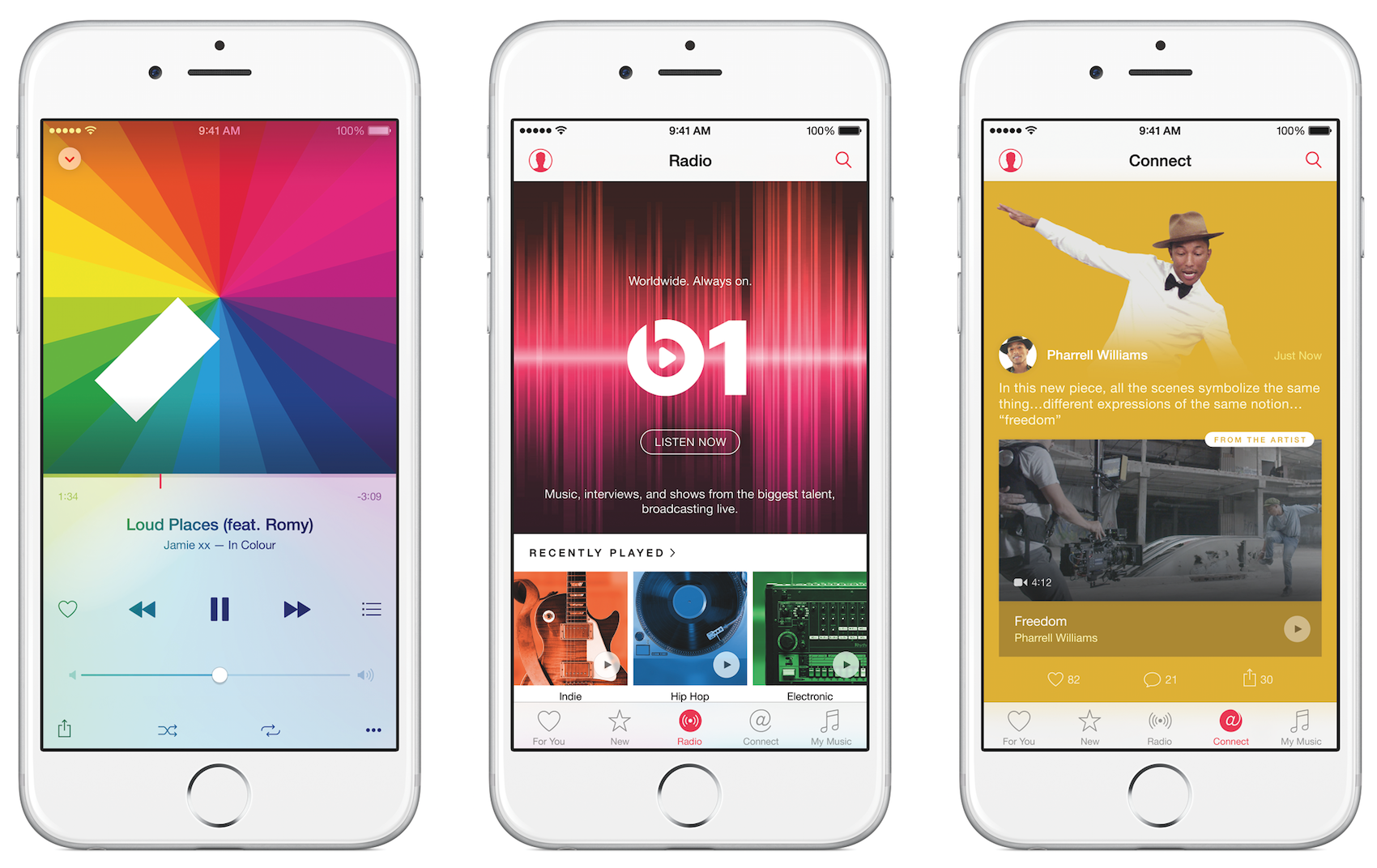
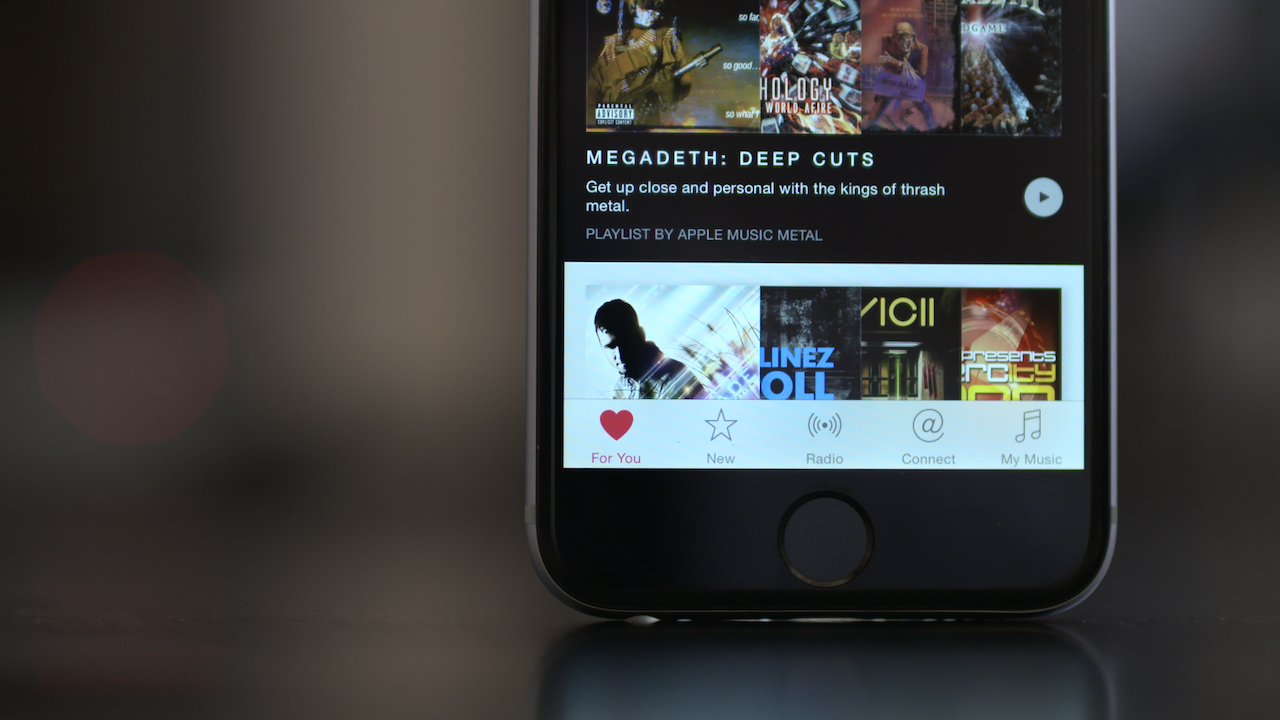
As on iOS 15, Apple Music has five tabs on the iPhone. In this guide, I’ll explain what each tab does. There’s also your Profile on the app.
Listen Now
“Listen Now” is a section based on your favorite picks. It shows your recently played songs, what your friends are listening to, and stations and mixes just for you. At the end of the page, you can find the Replay section with your top songs by each year.
iOS 15 introduces a new “Shared With You” section where you can find songs your friends shared via iMessage. When you click on their names, you can reply to the message.
Browse
The “Browse” section is curated by Apple editors. You can find the most listened-to songs everywhere, new releases, what’s trending, exclusive playlists, Spatial Audio songs, the Daily Top 100, and what’s coming soon.
With iOS 14.5, Apple introduced its City Charts, a bunch of playlists with the Top 25 songs of over 100 cities around the world. It’s updated daily. You can learn more about it here.
Radio
Apple Music Radio is the rebrand of Beats 1. Introduced in 2020, it offers shows, interviews, and everything else you expect from a radio. Apple Music Hits and Country are people’s favorite stations.
“Apple Music is home — it’s home to artists, it’s home to fans, and it’s home to incredible music,” said Zane Lowe, Apple Music’s global creative director, and host. “I’m an obsessive music nerd. I love searching for the most exciting new artists and playing them right alongside the most essential, established artists of our time because great music does not know the difference and the service’s fans just want to hear great music.”
Library
The “Library” section is where you find your added songs. You can opt to listen to them online or offline. The offline songs are also available in the “Downloaded” tab.
You can edit the section to appear just the tabs you use, such as “Playlists,” “Artists,” “Albums,” and “Songs,” while toggling of “Genres,” “Compilations,” and others.
Search
You can search on Apple Music and in your library. You can also browse categories or write a part of a lyric to find the song.
Now Playing
The Now Playing screen shows the song, album, or playlist you’re listening to. You can enjoy the “lyrics view”, AirPlay your song using your speaker, Apple TV, Smart TV, wireless headphones, and see what will play next. In this section you can “Shuffle,” turn “Repeat” on, and toggle the “Infinite” button, to keep playing similar songs after a playlist or album is over.
In the “Now Playing” section, you can also share the song or the lyrics on Instagram and other social media platforms, and let Apple Music know if you love the song or want the service to suggest less like this.
With iOS 15, you get a small label above the play/pause button indicating whether the song is streaming in Lossless, Hi-Res Lossless, or Dolby Atmos.
Profile
At the top of the “Listen Now” section, there’s your Profile. You have to click on your photo, then “View Profile.” In this section, there are your public playlists, what you recently listened to, who you follow, and who follows you.
The social part was never Apple’s strong move. These public playlists you can share with everyone and you can see who adds your list to their library, which is nice. But apart from that and the possibility to know what your friends are listening to, there’s not much to do here.
Upcoming streaming service Apple Classic
By the end of August of 2021, Apple announced it was acquiring the music streaming service Primephonic. The company plans to integrate “Primephonic playlists and exclusive audio content” into Apple Music. According to the announcement, users will also find “better browsing and search capabilities by composer and repertoire, detailed displays of classical music metadata, plus new features and benefits.”
Apple Music plans to launch a dedicated classical music app next year combining Primephonic’s classical user interface that fans have grown to love with more added features. In the meantime, current Primephonic subscribers will receive six months of Apple Music for free, providing access to hundreds of thousands of classical albums, all in Lossless and high-resolution audio, as well as hundreds of classical albums in Apple Music’s Spatial Audio, with new albums added regularly.
In February 2022, 9to5Google discovered references on Apple Music code showing that Apple intends to call its dedicated classical music app Apple Classical. You can learn more about it here.
Deals
Apple Music already offers three months for free for new users, but now and then the service adds a deal to attract users.
This time, if you’re in the military or a veteran, there’s a special offer where you can get four months of subscription for free. If this is the case for you, there are only a few steps you need to follow.
The offer can be accessed through this link, which will redirect you to an authentication webpage on Apple’s website. To get a special code that provides up to four months free of Apple Music, all you need to do is log in with an ID.me account. However, even if you’re already an Apple Music subscriber, you can get an extra month of subscription for free through the same page.
Not only that, but Apple is bundling 6-month free trials of Apple Music with purchases of eligible AirPods and Beats products. The free period is available to new buyers of AirPods and Beats headphones as well as existing owners.
Customers have up to 90 days to redeem the offer, after first pairing the newly-purchased headphones to a device. Existing owners of AirPods or Beats have up to 90 days from the time that they upgraded to the latest iOS version.
Apple Music Awards
Apple Music Awards honor achievements in music across five distinct categories and winners are chosen through a process that reflects both Apple’s editorial perspective and what customers around the world are loving most. The award recognizes the best and boldest musicians of the year.
Apple has designed a series of physical awards that represent the extraordinary craftsmanship integral to creating music. Each award features Apple’s custom silicon wafer suspended between a polished sheet of glass and a machined and anodized aluminum body. The result of this multi-month process, before it is sliced into hundreds of individual chips, is stunning and distinctive. In a symbolic gesture, the same chips which power the devices that put the world’s music at your fingertips sit at the very heart of the Apple Music Awards.
Here are the categories and which artist had won in each one of them:
- Artist of the Year: The Weeknd (2021), Lil Baby (2020), and Billie Eilish (2019);
- Breakthrough Artist of the Year: Olivia Rodrigo (2021), Megan Thee Stallion (2020), and Lizzo (2019);
- Songwriter of the Year: H.E.R (2021), Taylor Swift (2020), and Billie Eilish and Finneas (2019);
- Top Song of the Year: “Driver’s License” by Olivia Rodrigo (2021), “The Box” by Roddy Ricch (2020), and “Old Town Road” by Lil Nas X (2019);
- Top Album of the Year: “SOUR” by Olivia Rodrigo, “Please Excuse Me for Being Antisocial” by Roddy Ricch (2020), and “WHEN WE FALL ASLEEP, WHERE DO WE GO?” by Billie Eilish (2019).
In 2021, Apple also introduced a new category that recognizes local artists from five different regions: Africa, France, Germany, Japan, and Russia. Here are they:
- Africa: Wizkid (2021)
- France: Aya Nakamura (2021)
- Germany: RIN (2021)
- Japan: OFFICIAL HIGE DANDISM (2021)
- Russia: Scriptonite (2021)
As of now, Billie Eilish and Olivia Rodrigo are the artists with more Music Awards with three awards each. Billie Eilish has won in 2019 as “Artist of the Year,” “Songwriter of the Year,” and “Top Album of the Year,” while Olivia Rodrigo won in 2021 as “Breakthrough Artist of the Year,” “Top Song of the Year,” and “Top Album of the Year.”
Apple Music for Artists
In 2021, Apple revamped Apple Music for Artists webpage. According to the company, the new webpage (available at artists.apple.com) is the new “centralized home” for artists to find the tools and information on how to get their music ready for Apple’s streaming platform.
Through the new “Create” tab, artists can get some helpful tips on how to use Apple’s devices and apps to compose a song. The company highlights things like the Voice Memos app, GarageBand, and Logic Pro with third-party plugins. Apple also encourages artists to edit music videos with Final Cut Pro and content for social networks with the Clips app.
The webpage also has a “Release” menu that provides in-depth details about the process of releasing songs on Apple Music, which includes finding a trusted distributor, choosing a good image for the artist page, and uploading lyrics to the songs.
Artists can also share Milestones with fans. This new feature lets artists share an achievement on Twitter, Facebook, and even Instagram Stories.
“Share your big moments right from the Apple Music for Artists iOS app. With just a few taps you can let your fans know about new playlists featuring your songs, how many Shazams you have in a given country or region, and other notable milestones you’ve hit on Apple Music.“
Learn more about it here.