iPad (2021)

See All Stories

Apple's tablet debuted in 2010. Since the original version, it's expanded into multiple screen sizes and Pro and non-Pro options.

The iPad is Apple’s base tablet model. In its ninth generation, the iPad focuses on being the perfect tool for education and people who seek a bigger screen to read and surface the web compared to the iPhone. With Apple Pencil and Smart Keyboard support, the iPad has never been better.

History

Site default logo image

The iPad is a line of tablets designed and developed by Apple. It was originally announced in 2010, three years after the first iPhone was introduced. With a 9.7-inch screen and with iPhone OS 3.2 the iPad was a success, hitting 1 million tablets sold in over three months, half the time the first iPhone took to reach this mark.

Steve Jobs then unveiled the iPad 2 in March of 2011. About 33% thinner than its predecessor and 15% lighter, the second generation used the A5 chip, twice as faster as its predecessor. The iPad 2 also introduced front and back cameras that supported FaceTime video calls.

The successor of the iPad 2 wasn’t a success at all. The third generation was introduced in March of 2012 with a Retina display and the A5X processor. The problem with this tablet it was too heavy and the battery didn’t last long enough. In October of the same year, Apple announced the fourth generation with the A6X processor, HD FaceTime camera, improved LTE capabilities, and the Lightning connector.

At this October event, Apple also introduced the first iPad mini. In 2013, Apple went with the first iPad Air and the iPad mini 2. In 2015, the company introduced the first Pro model, with two different sizes.

Site default logo image

In March of 2017, Apple announced the fifth-generation iPad with the A9 processor. It was a budget option compared to the other tablets. It was in 2018 that the company brought expressive news to the base iPad line. The sixth-generation had the A10 Fusion processor and fully supports the first-generation Apple Pencil.

A year later, the seventh generation was announced with a larger 10.2-inch display and support for the Smart Keyboard as well. It retained most of the specs of the previous model.

In September of 2020, the eighth generation was introduced alongside the fourth-generation iPad Air model. The eighth generation received an upgraded processor, now with the A12 Bionic, while keeping the same storage options: 32GB and 128GB.

In September of 2021, the ninth generation was introduced alongside a redesigned iPad mini. This iPad now features the A13 Bionic processor, True Tone support, and new storage options: 64GB and 256GB while keeping the same price.

iPad 9 Specs

Site default logo image

The ninth-generation iPad launched in September of 2021. Available in two colors, Silver and Space Gray, this tablet is made of 100% recyclable aluminum, and supports the first-generation Apple Pencil and Smart Keyboard.

With thinner bezels, the product comes with a 10.2-inch Retina display with a fingerprint-resistant oleophobic coating, and True Tone support for the first time, which adjusts screen content to the color temperature of a room.

This tablet uses the A13 Bionic chip, the same available on the iPhone 11, 11 Pro, and 11 Pro Max. It has an “all-day” battery with up to 10 hours of surfing the web on Wi-Fi or watching videos.

The iPad also comes in 64GB and 256GB storage options and Wi-Fi and Wi-Fi + Cellular versions.

Revamped cameras

Site default logo image

For the first time, this iPad shares the same FaceTime camera as the M1 iPad Pro with the Center Stage experience. With a new 12MP Ultra Wide front camera and Neural Engine, users can enjoy even more engaging video calls.

As users move around, Center Stage automatically pans the camera to keep them in view. When others join in, the camera detects them too, and smoothly zooms out to include them in the conversation. Center Stage makes video calls more natural in FaceTime as well as third-party video-calling apps.

Its main camera is the same: 8MP, f/2.4 aperture, and digital zoom up to 5x.

iPadOS 15

Site default logo image

The ninth-generation iPad comes with the iPadOS 15. Previewed during the WWDC21 keynote, the new operating system brings a redesigned Home Screen with widgets and App Library support.

On iPadOS 15, FaceTime group calls can finally appear in a grid, so it’s easier to see everyone. It’s also possible to share your screen, listen to Apple Music songs together, or watch Apple TV+, HBO Max, Disney+, and others while in a call.

In the productivity section, Apple, unfortunately, didn’t bring all the features pro users wanted to take full advantage of their new M1 iPad Pro, even though Apple made it easier to rely on multitasking features.

There’s a new multitasking menu on the top of the screen. When you click there, it’s possible to see what configurations you can use on Split View or just go to Slide Over with just a tap.

The experience with an external keyboard allows users to get more done with all-new keyboard shortcuts and a redesign of the menu bar.

With the Quick Note feature, users can use the Apple Pencil to add a quick note. They just need to slide the pencil through the bottom right corner to the center of the screen and start writing.

iPadOS 15 launched on September 20. Learn more about it here.

iPadOS 15.1 features

One month after releasing iPadOS 15, Apple released iPadOS 15.1 More notable, the company finally brought SharePlay support for the iPhone, iPad, and Apple TV. Unfortunately, Universal Control wasn’t one of the features added with this new version. Here’s what else is new:

Translate

  • Mandarin Chinese (Taiwan) support in the Translate app and for system-wide translation

Home

  • New automation triggers based on the current reading of a HomeKit-enabled humidity, air quality, or light level sensor

Shortcuts

  • New pre-built actions let you overlay text on images or gifs, plus a new collection of games lets you pass the time with Siri

iPadOS 15.2 features

apple-music-hey-siri-plays-voice-plan-9to5mac-2

Five weeks after releasing iPadOS 15.1, Apple is releasing iPadOS 15.2. It brings more features that were expected to launch alongside iPadOS 15 but, unfortunately, Universal Control is still nowhere to be seen. Here are the top features of this version:

  • Apple Music Voice Plan is a new subscription tier that gives you access to all songs, playlists, and stations in Apple Music using Siri
  • App Privacy Report in Settings lets you see how often apps have accessed your location, photos, camera, microphone, contacts, and more during the last seven days, as well as their network activity
  • Communication safety setting gives parents the ability to enable warnings for children when they receive or send photos that contain nudity
  • Digital Legacy allows you to designate people as Legacy Contacts so they can access your iCloud account and personal information in the event of your death
  • Apple TV app: Store tab lets you browse, buy, and rent movies and TV Shows all in one place

iPadOS 15.3 features

Six weeks after releasing iPadOS 15.2, Apple is releasing iPadOS 15.3. This update foregoes new features in favor of under-the-hood bug fixes and improvements. One of the most notable changes here is a fix for a Safari vulnerability that may have been leaking your browsing history and Google ID data to the websites you visited.

iPadOS 15.4 features

iPadOS 15.4 finally brings one of the most important features expected from iPadOS 15 and that got delayed: Universal Control. Here’s everything new with iPadOS 15.4:

  • Universal Control: This feature allows you to control your Mac and iPad using the same keyboard and mouse/trackpad. Universal Control needs iPadOS 15.4 and macOS Monterey 12.3;
  • New Siri voice: Siri has a fifth American voice. Apple says a member of the LGBTQ+ community recorded the voice and it’s non-binary;
  • More emoji: iPadOS 15.4 also brings new emojis. You can discover all of the new characters here;
  • Shortcuts automation: Adds support for running Personal Automations in the background without requiring a pesky banner notification.

You can learn everything new with this update here.

iPadOS 15.5 features

Different from other software updates, iPadOS 15.5 only improves the Podcast app experience, as Apple focused on Wallet changes for the iPhone this time:

  • Apple Podcasts includes a new setting to limit episodes stored on your iPhone and automatically delete older ones

iPadOS 15.6 features

iPadOS 15.6 is yet another small update for iPad users. Here’s what’s news:

  • TV app adds the option to restart a live sports game already in progress and pause, rewind, or fast-forward.
  • Fixes an issue where Settings may continue to display that device storage is full even if it is available.
  • Fixes an issue that may cause Braille devices to slow down or stop responding when navigating text in Mail.
  • Fixes an issue in Safari where a tab may revert to a previous page.

iPadOS 15.7 features

iPadOS 15.7 only brings bug fixes and some security improvements as the company readies the iPadOS 16 release.

Education

Site default logo image

Apple describes this iPad as the go-to tablet for education. For several years the company discounts this tablet up to 10%.

Apple is always promoting ways students can use the iPad to learn new things: using Augmented Reality, the Apple Pencil, and how to code with Playgrounds.

The company says the “App Store is the best place to discover apps” for education purposes:

Let your curiosity run wild with iPad. The App Store is the best place to discover apps that let you get a leg up in geometry, learn a new language, and attend virtual classes. You can even use augmented reality to learn something exciting, like watching the history of spaceflight unfold in your living room or making characters from your favorite book literally leap off the page.

Release date: When Apple will launch the ninth-generation iPad?

Apple launched the iPad 9 on September 24, 2021.

Pricing

iPad (2021) pricing starts at $329 for the 32GB storage option with Wi-Fi only. The prices can go up to $559 with the 128GB storage option and WI-Fi + Cellular. Here are the full prices of the ninth-generation tablet:

  • 32GB with Wi-Fi: $329
  • 32GB with Wi-Fi + Cellular: $459
  • 128GB with Wi-Fi: $429
  • 128GB with Wi-Fi + Cellular: $559
  • Apple Pencil (1st generation): $99
  • Smart Keyboard: $159

Lower prices may be available from Apple’s official Amazon store.

iPad (2021) Review

Site default logo image

Soon, we’ll review the ninth-generation iPad. As for now, you can watch our video review of the eighth-generation iPad, as we described it as the “best value tablet you can buy:”

“The iPad 8 was never meant to be a huge update. But even still, I think this is easily the best value tablet you can buy. For $329, this tablet has so much to offer: The performance, the great battery life, and the Apple pencil functionality. I’d highly recommend you pick up this tablet if you simply need an inexpensive tablet today that’s going to last you for three to four years with no trouble.”

iPad Deals

Over at 9to5Toys, you can find the best deals on the iPad and other Apple products. Download the 9to5Toys iPhone app to receive push notifications for new deals as well.

Rumors

As of now, Bloomberg‘s Mark Gurman said in his Power On newsletter by the end of 2021 that Apple plans a new entry-level iPad for 2022. In June 2022, 9to5Mac exclusively reported the details of the tenth-generation iPad model.

According to Filipe Espósito, this new entry-level tablet will pack the A14 Bionic chip, 5G compatibility, and, for the first time, USB-C connectivity, unlocking new experiences with the second-generation Apple Pencil. Its display will also increase, although it’s unclear whether it will have the same design as the M1 iPad Air.

This iPad could be released in October of 2022.

iPod shuffle supplies mysteriously dwindle in stores and online

Site default logo image

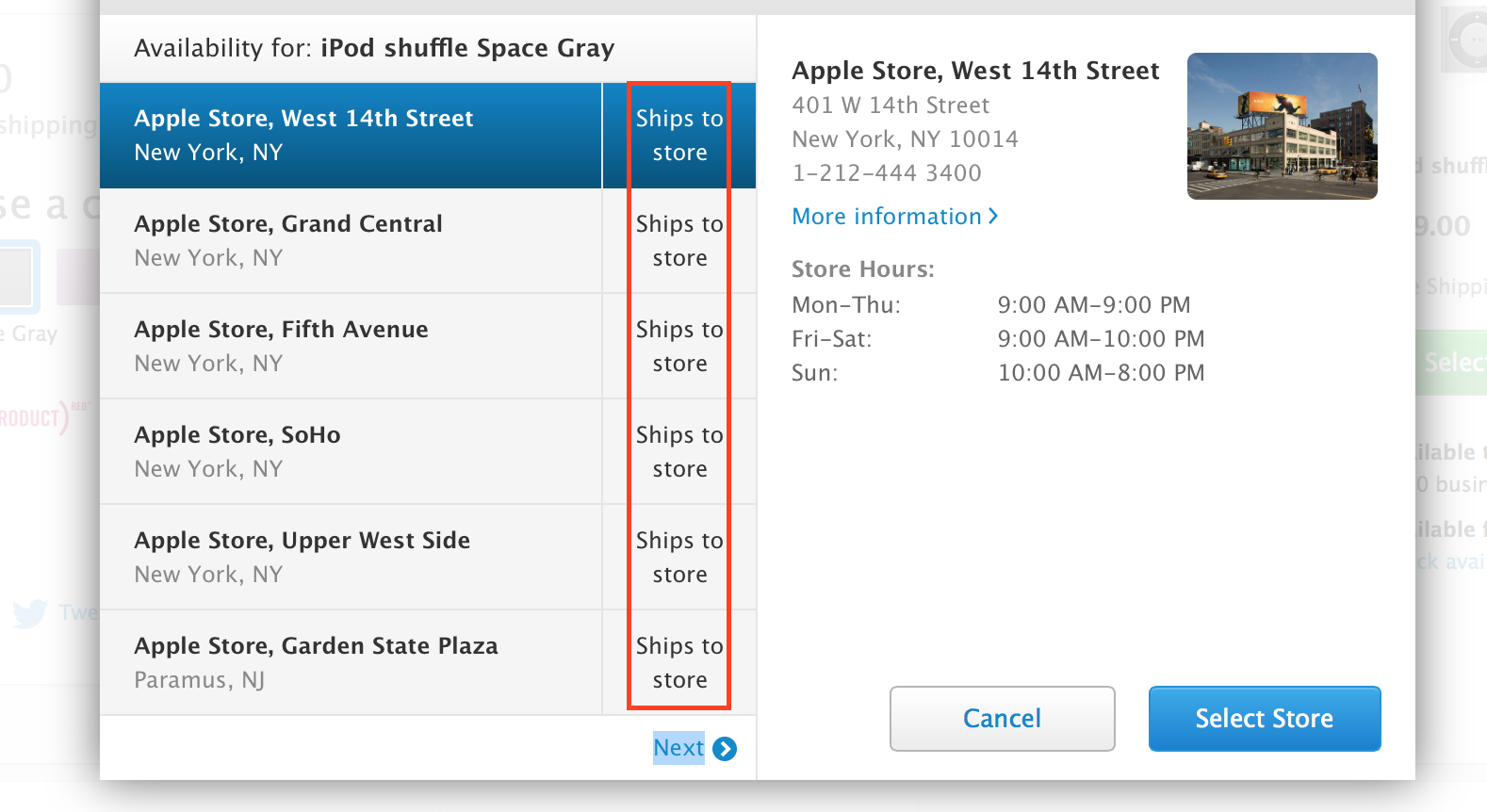
“Ships to Store” indicates store has no units in stock

If you’re trying to buy Apple’s cheapest iPod, the $49 screen-less Shuffle, you may be in for a difficult shopping trip. According to multiple sources, supplies of the iPod Shuffle are dwindling across Apple’s physical retail and online channels. In fact, Apple has warned its retail employees that Shuffle supplies will be short for an unspecified period of time and that customers seeking to buy a Shuffle via a retail store should be directed to Apple’s online store…


Expand
Expanding
Close

The best cases for the new iPad Air 2 & iPad mini at CES 2015

Site default logo image

Yesterday we kicked off our running list of the best iPhone cases on show at CES 2015, and today we’ve started collecting the new and interesting iPad cases we’ve run into at the show. Some of the notables include a new case from AT&T that gives Wi-Fi only iPads access to LTE data in addition to a battery pack and microSD slot, and a new folio case from Incipio that adds a small display for smartwatch-like notifications without opening the cover.

Head below for the full list of the new iPad cases, most of which are scheduled to arrive sometime in the weeks and months to come.
Expand
Expanding
Close

iHome debuts speakers, headphones, iPhone + iPad cases for Disney’s 2015 Cinderella blockbuster

Just ahead of Disney’s release of Cinderella, the highly anticipated live action movie version of the classic 1950 animated film, Apple accessory maker iHome today took the wraps off of a collection of elaborate new iPad and iPhone accessories.

(Photo credit: Benjamin Hendel)

The star of the collection is this model replica of the new Cinderella Golden Coach, which is currently on display at DisneyWorld in Orlando, FL. iHome’s upcoming version is called the Carriage Bluetooth Speaker, a highly intricate, sub-$70 version with a mesh, globe-shaped speaker in the center. As our photos show, the level of detail in the Golden Coach is really impressive, including faceted gold that almost looks bejeweled.

iHome has also developed a pair of Cinderella headphones, complete with a jeweled blue butterfly on the side – key to the movie – and noise isolating earbuds with blue jeweled sides and fabric cabling. Both feature in-line microphones and remote controls.


Finally, there are also some bespoke iPad and iPhone cases, including a quilted iPhone flip case with golden accents and a hand strap, a butterfly-laden iPhone 6 hard shell, and a quilted purse-like case for the iPad with a golden strap.

Disney’s Cinderella will be released in theaters on March 13, with the new lineup of iHome Cinderella accessories to follow.

9to5Mac’s CES 2015 coverage brought to you by:

The best iPad, iPhone + Mac accessories at the 2015 CES

Site default logo image

There are thousands of new Apple accessories at the 2015 CES – so many that it’s hard sometimes to separate what’s truly cool from everything else. Starting with HomeKit-integrated accessories, here’s our running list of the best new iPad, iPhone, and Mac products 9to5Mac has seen at the show. We updated this article on January 9, 2015 – the final day of CES – to include our last batch of top picks.


Expand
Expanding
Close

Just Mobile shows super-thin Lightning LED cable, reversible USB car chargers, new Bakpak batteries

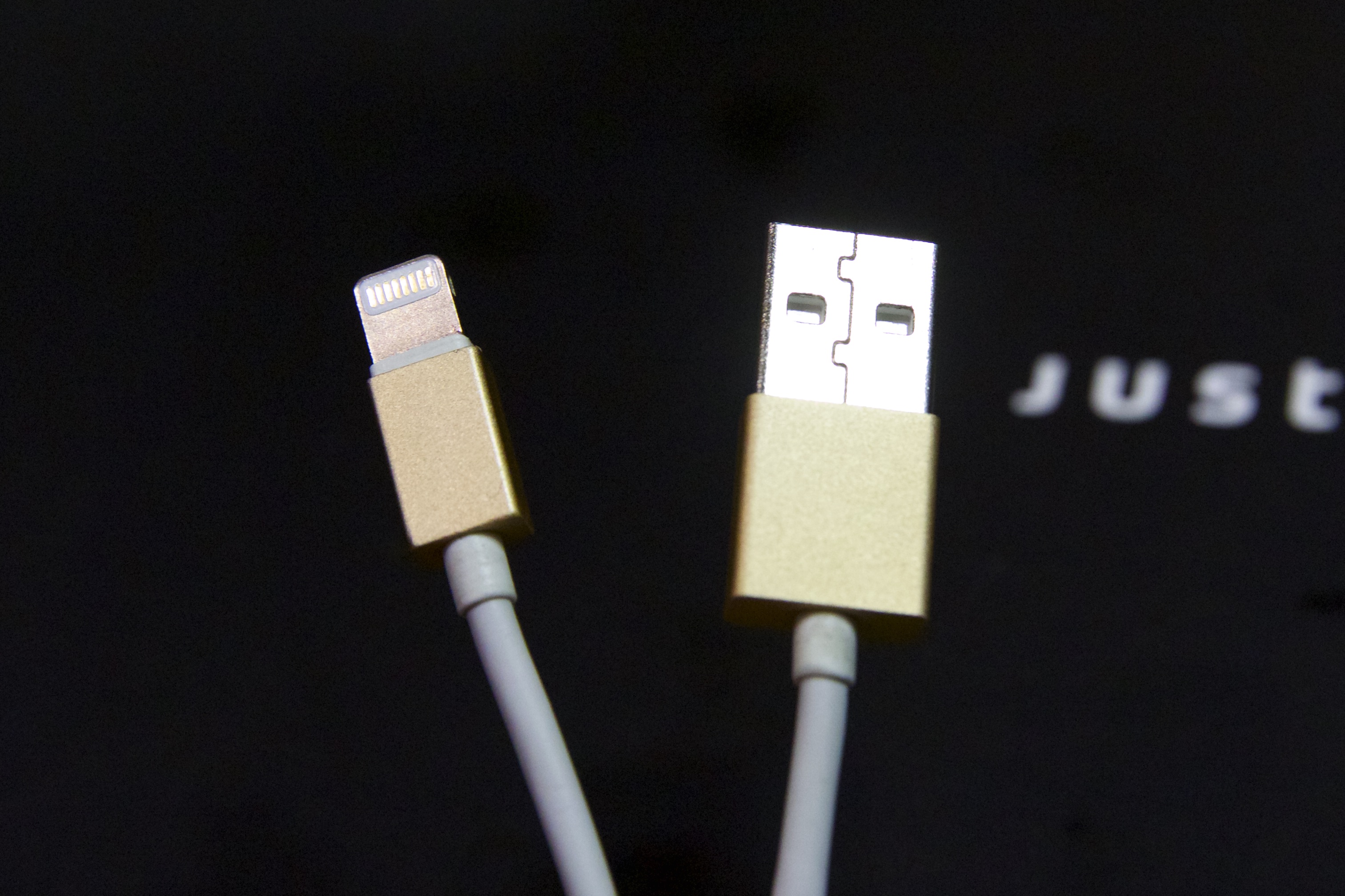
Up until recently, Apple accessory makers were unable to make Lightning cables with plugs as thin as Apple’s — they were required to use thicker plugs that sometimes had problems connecting to cases. At the 2015 CES, Just Mobile showed AluCable LED ($25), which uses newer Apple connectors to create the thinnest metal-jacketed Lightning cable yet, removing case compatibility issues while adding metallic style. Markedly improved over the prior AluCable at the same price, the new gold version matches the latest iPhone and iPad colors, as well.

The USB plug notably has a MagSafe-style LED built in that shifts color to indicate charging status, just like Apple’s laptops. Photos of that feature, plus details on a new reversible USB car charger, a new iPhone battery pack, and a golden version of Just Mobile’s iconic Encore stand, are all below…


Expand
Expanding
Close

Site default logo image

Apple says iOS 8 now on 68% of iPhones and iPads

Update 1/20: App Store Distribution Data updated today revealing iOS 8 adoption has climbed 1% from its previous measure at 68%. iOS 8 adoption now measures at 69% of active devices according to App Store data captured January 19th. The rate increase is in line with MixPanel’s increase to roughly 71% now up from roughly 70% toward the start of the month.

Apple has shared its latest App Store Distribution Data on iOS 8 adoption to report that some version of its current mobile operating system is installed on 68% of iPhones, iPads, and iPod touches. Apple tracks the rate of iOS 8 adoption based on devices accessing the App Store with the current data being captured on January 5th, 2015.
Expand
Expanding
Close

Popularity of the iPhone 6/Plus sees Apple make market share gains around the world – Kantar

Site default logo image

Worldwide smartphone sales data from Kantar shows that strong iPhone 6 sales helped Apple achieve market share gains in all but one of the nine countries surveyed. iOS increased its market share in the US, UK, China, Australia, Germany, France, Italy and Spain – with Japan the sole exception.

In the US, Apple’s share of the smartphone market jumped 4.3% year-on-year in the three months ending in November to 47.4%. No surprise that the iPhone 6 was the best-selling phone in the country, capturing 19% of all smartphone sales … 
Expand
Expanding
Close

Site default logo image

iPad-controlled wireless power system charges devices via WiFi up to 20 feet away

While some have been disappointed that Apple hasn’t yet incorporated wireless charging technology into its devices, charging pads are really almost as clunky as wires: you still have wires going to the pads, and you have to put your device in a specific place to charge them. What we really want is true wireless charging, where power is beamed directly to the device through the air.

Which is exactly what Energous has been demonstrating at CES with a system it calls WattUp, reports Engadget.

WattUp […] works using a mix of RF, Bluetooth and a lot of patent-pending technology. The transmitter is where most of the magic happens. It communicates with and locates compatible devices using low-energy Bluetooth. Once they’ve established contact with a device, they send out focused RF signals on the same bands as WiFi that are then absorbed and converted into DC power by a tiny chip embedded in the device. These transmitters can be built into household appliances, TVs, speakers and standalone “energy routers.”

What looks like an oversized Internet router beams power up to 20 feet, so have enough of these – or transmitters embedded into other devices around the home – and your portable devices are powered wherever they are. All that’s needed is for the receiving devices to have the necessary chip.

Energous used an iPad app to demonstrate switching power between devices, but the plan is to build intelligence into the system so that it beams power to devices automatically depending on how much charge they have left. Once your phone has enough power, it switches instead to powering your iPad. As you move around the home, power transmission is handed off to the next source in much the same way as your phone switches between different WiFi networks.

Energous wants to license the technology to manufacturers, and Apple would clearly make a very attractive target.

The clunkiness of charging pads is, I think, why Apple hasn’t yet adopted wireless charging. This, not pads, is the way charging should work, and sooner or later this – or some equivalent tech – is how our iDevices will be charged. I’m very much hoping for ‘sooner.’

9to5Mac’s CES 2015 coverage brought to you by:

GoodReader app forced to remove some iCloud Drive features to comply with App Store policies (update: reversed!)

Site default logo image

UpdateGoodReader 4.8.1 has now been released and the iCloud functionality has returned without explanation. It is unclear what prompted the reversal, although it is likely that Apple has once again backtracked on a public App Store decision.

Continuing the string of controversy regarding App Store approval in recent weeks, an update pushed through by GoodReader ($4.99, iPhone and iPad) earlier today shows that the company has been forced to remove some significant iCloud Drive features, in order to comply with iCloud Drive usage guidelines and remain in the App Store.

Specifically, the GoodReader update removes the ability to add folders, remove folders or move files around the iCloud Drive storage location. The update notes reference a ‘usage policy’, although it is unclear what document the company is referring to.


Expand
Expanding
Close

Apple dominates holiday giving, iPhones & iPads making up more than half of mobile device activations

Site default logo image

Data from Yahoo-owned analytics company Flurry shows that iPhones and iPads comprised more than half of all mobile device activations between 19th and 25th December, at 51.3% – almost three times as many as second-placed Samsung.

Apple accounted for 51% of the new device activations worldwide Flurry recognized in the week leading up to and including Christmas Day (December 19th – 25th). Samsung held the #2 position with 18% of new device activations, and Microsoft (Nokia) rounded out the top three with 5.8% share for mostly Lumia devices. After the top three manufacturers, the device market becomes increasingly fragmented with only Sony and LG commanding more than one percent share of new activations on Christmas Day.

The company notes that while Chinese companies Xiaomi, Huawei and HTC didn’t reach 1%, this reflects the fact that Christmas is not celebrated in their home market … 
Expand
Expanding
Close

9to5 Guide: Hello, new iPad owner! Here are the best accessories to buy right away

It’s Christmas Day, and if you were especially nice this year, you may have just found a new iPad under your tree. Apple’s tablets are able to do incredible things right out of the box, but they’re also easily damaged, and there are accessories that really help to expand their capabilities. If you want to make sure your iPad performs at its full potential, it’s a good idea to protect it and accessorize right away.

That’s why we’ve put together this guide to help new iPad owners choose the best accessories across a variety of different categories. Our top picks range from stands and cases to speakers, keyboards, game controllers, and much more. We also explain what’s near-mandatory, what’s optional, and what you can safely skip. Read on!


Expand
Expanding
Close

Microsoft continues to target the MacBook Air w/ new Surface Pro 3 ‘Switch’ site

Site default logo image

Microsoft has never been shy about trying to convert MacBook Air users into Surface Pro 3 users. Despite being in a room filled with MacBooks, Microsoft targeted Apple’s laptop head-on at its initial Surface Pro 3 announcement event.

Now Microsoft is further highlighting the differences between the MacBook Air and Surface Pro 3 with a new online campaign (via ZDNet) intended to encourage Mac users to feel comfortable trying out Microsoft’s latest tablet.

Whether you’re considering Surface Pro 3 or have recently purchased one, we want to say thank you! We designed Surface Pro 3 to make you more productive in every aspect of your digital work and life. We’re truly humbled you’re here, and we’re excited to see what you do with your new Surface.

The recently launched microsite is the latest in a campaign largely led by ad spots (the latest holiday spot is almost pleasant) mocking the MacBook Air’s lack of touch screen, stylus, and more compared to Microsoft’s Surface Pro 3.
Expand
Expanding
Close

Review: Just Mobile’s TopGum adds glam + a magnetic charging base to a 6,000mAh battery

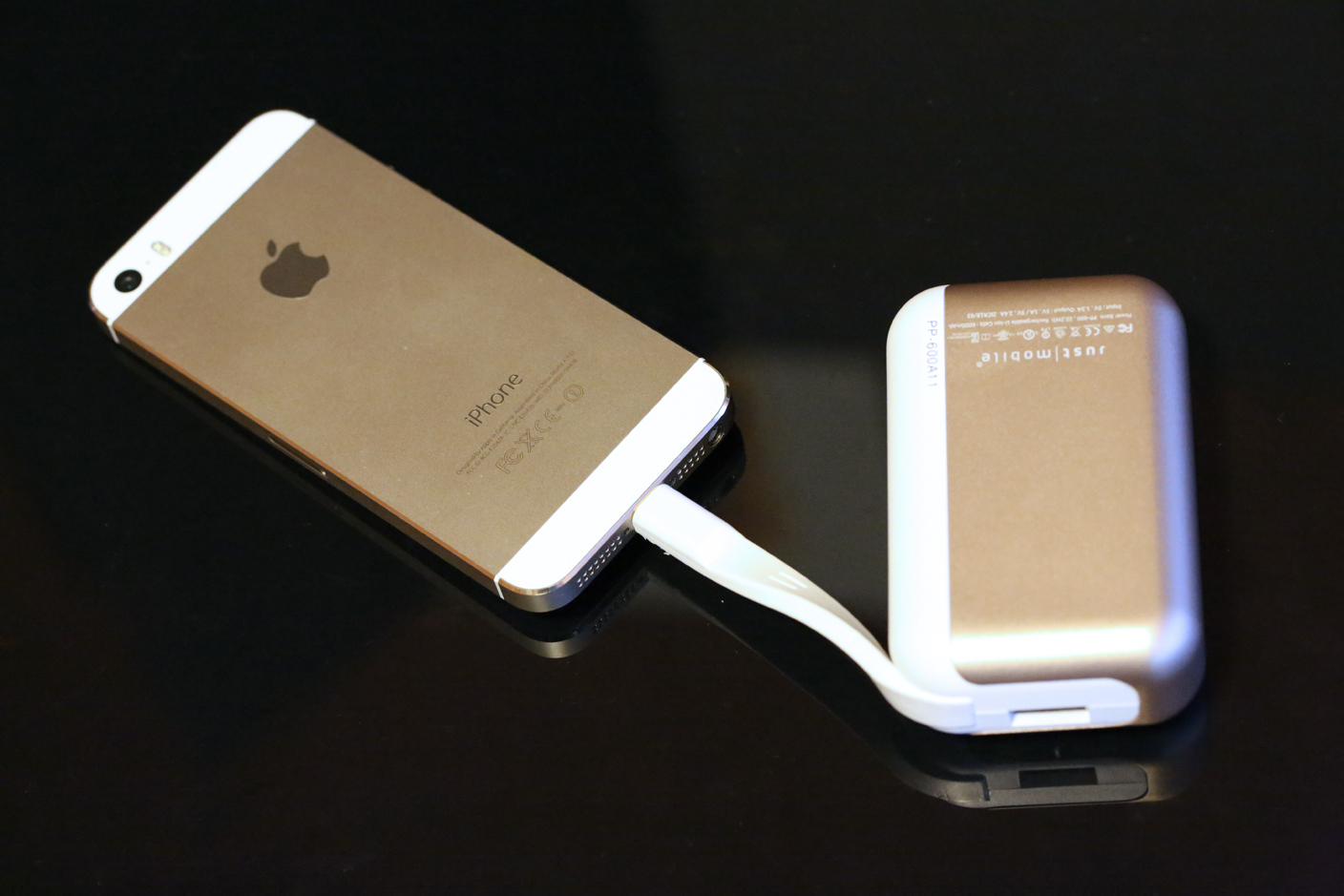
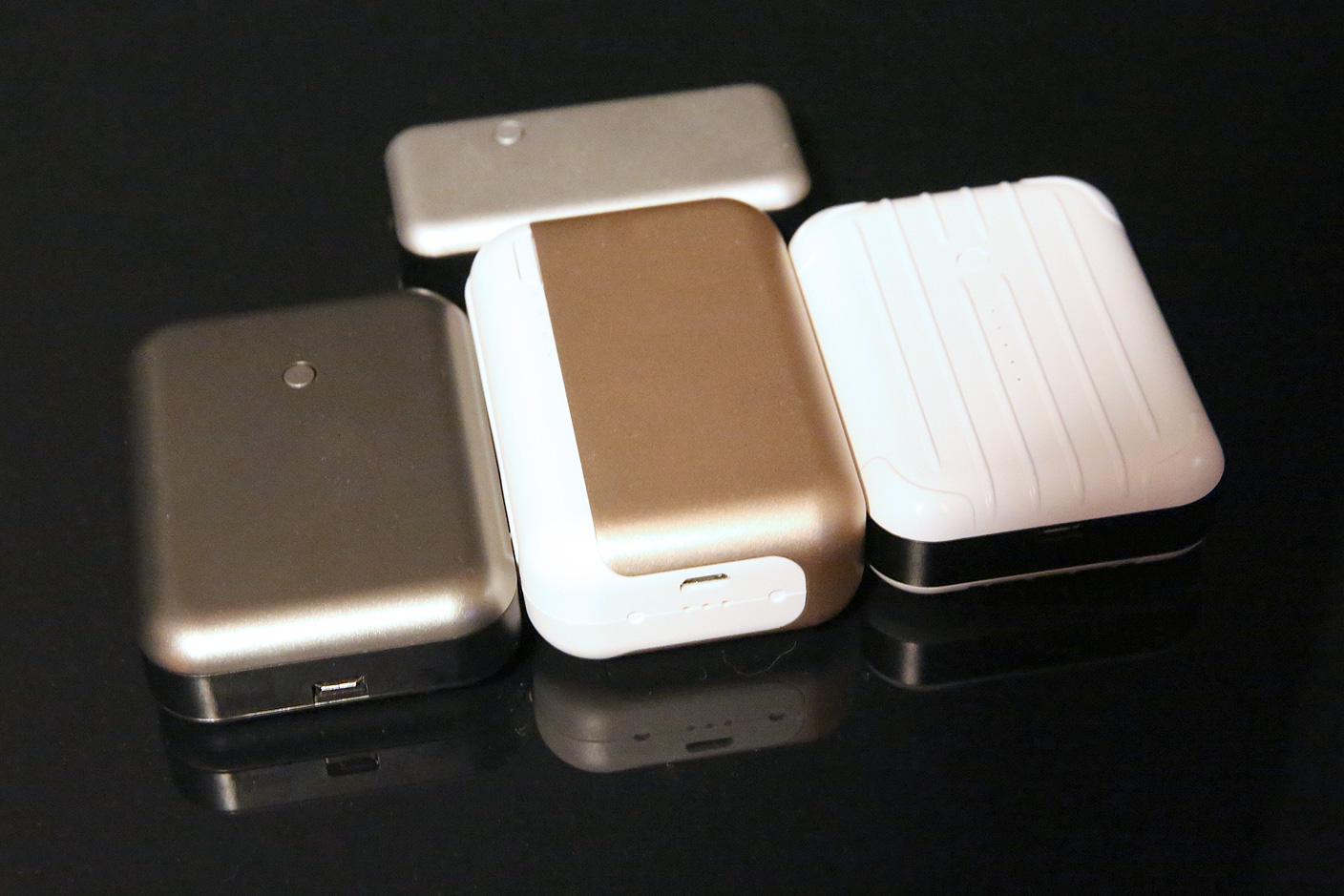
The secret to understanding USB battery pricing is that you tend to get what you pay for: cheap batteries lose their charges faster and can bulge and leak over time. Other companies specialize in selling atypically nice batteries that last longer and work better. Just Mobile is a leader in quality batteries: for the past six years, its Gum series (shown below) has spanned every Apple device type, size, and speed, but it has never built a Lightning cable into a battery before. That changes with the January release of TopGum ($80), which advances the company’s prior state-of-the-art Gum++ model in two ways: an authentic Lightning cable’s integrated into the battery’s left edge, and a matching magnetic battery charging dock is included.

Of course, these features – and a choice of gold or gray metal exteriors – come at a premium over typical all-plastic batteries, so if you don’t need the cable or dock, you’ll be equally well-served with the company’s earlier batteries. Read on for the full story.


Expand
Expanding
Close

Review: iHome’s iBN10 sheds the dock and alarms for a minimalist new four-speaker design

Site default logo image

I’ve reviewed a lot of iHome clock radios over the past nine years. They weren’t all formulaic, but there was a very clear evolutionary line from the original 2005-vintage, iPod-only iH5 to the iPad-ready iDL95 released last year: take two speakers, stick a clock in the middle, center a dock on the top, then make the enclosure sort of flat but pleasantly curvy. iHome had a winning general concept and look, which it updated annually with small feature, color, and shape tweaks. But its new $120 model iBN10 breaks the mold in several ways.

The dock’s gone, the clock has been glammed up and shifted to the right, and there are four speakers inside, rather than the standard two. iBN10 is also atypically handsome, built and billed as an “executive music system” by discarding the faux metals that iHome’s midrange speakers have become known for, and adding speakerphone functionality. This isn’t iHome’s first Kleenex box-sized speaker, but it’s definitely the most sophisticated.


Expand
Expanding
Close

Savage Interactive debuts Procreate Pocket, bringing iPad illustration tools to larger-screened iPhones

Site default logo image

Demonstrating the types of apps that will increasingly migrate from Apple’s tablets to its larger iPhone 6 models, Savage Interactive has released Procreate Pocket ($3), a shrunken-down version of its signature iPad app Procreate. Widely admired for its professional-grade drawing tools, Procreate previously enabled tablet users to compose multi-layer illustrations using numerous brushes and a mistake-friendly, multi-layer Undo tool.
Expand
Expanding
Close

Site default logo image

Review: Imation’s Link Power Drive adds 16/32/64GB of storage to a compact 3,000mAh Lightning battery pack

There wasn’t really a market for hybrid batteries and external flash drives until this year, when Mophie’s Space Pack seemingly came out of nowhere, impressively nestling 16 or 32GB of additional flash storage inside a 1700mAh iPhone 5/5s battery case. But having demonstrated the value of combining these features together, Mophie’s $150 to $180 asking prices were high enough to keep some people away, and the requirement of an iPhone 5 or 5s was similarly somewhat limiting.

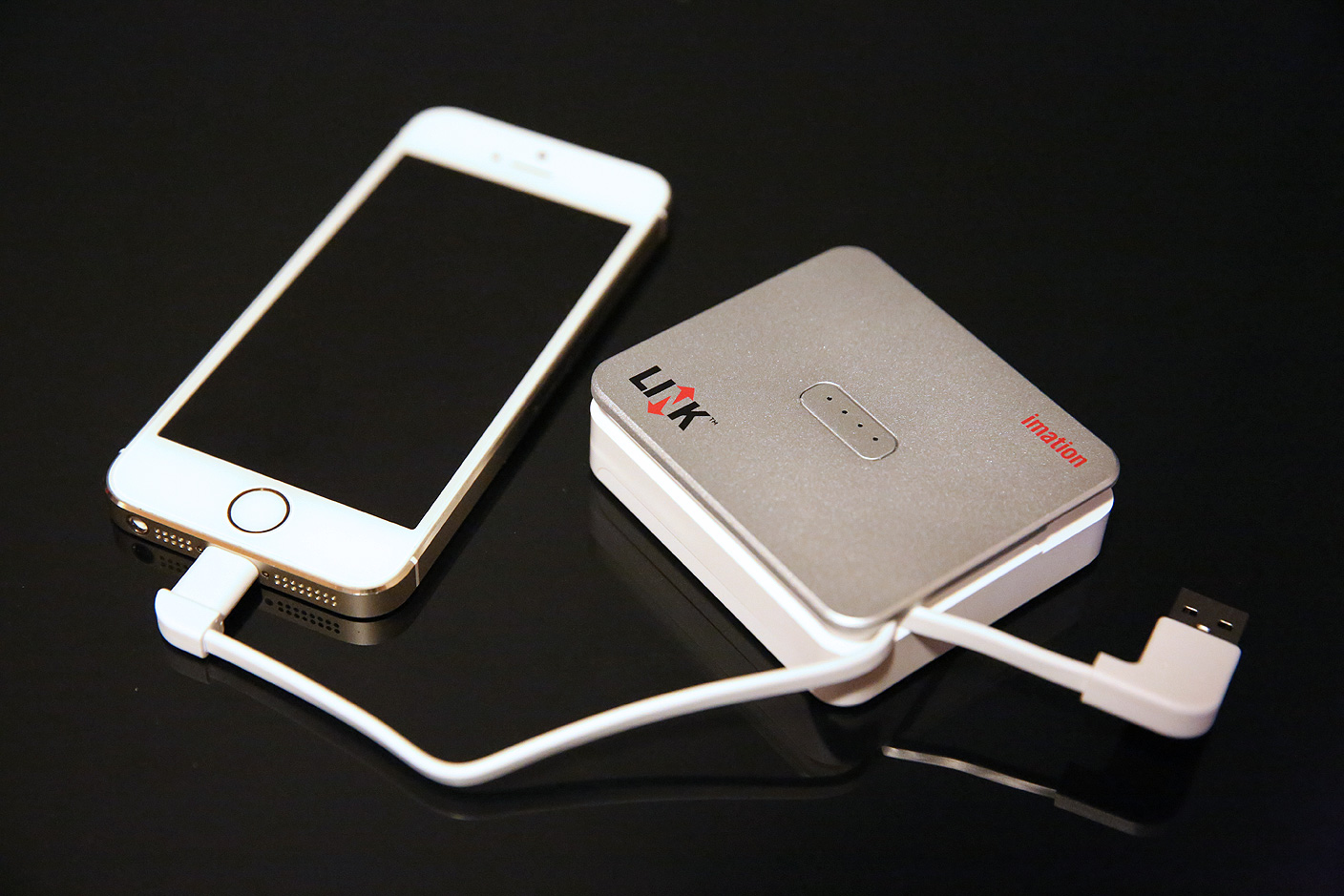
Imation is trying something different with its Link Power Drive, a small plastic box with a silver top and white base. There are 16GB, 32GB, and 64GB models, each equipped with a 3000mAh battery, a Lightning cable, and a USB cable. The MSRP of the 16GB unit is less than any Space Pack, and the 64GB model has twice Mophie’s top capacity for the same MSRP — except Imation’s street pricing is much lower. Better yet, every model works with whatever Lightning-equipped iOS device you might have, and there’s enough battery power to completely recharge any iPhone except the iPhone 6 Plus. All you need to do is carry the accessory around separately, attaching it when needed.


Expand
Expanding
Close

Should Apple double the RAM in next year’s iPhones and iPads? [Poll]

Site default logo image

2 x 1GB RAM in iPad Air 2 shown in orange (ifixit.com)

A Taiwanese financial news site cited by Apple Toolbox claims that Apple plans to double the RAM in next year’s iPhones from 1GB to 2GB, and the iPad Air from 2GB to 4GB.

As sources of Apple-related news goes, the citation has to rank somewhere in the Digitimes arena, but it was a Taiwanese supply-chain rumor (dart throwing?) that correctly predicted the previous RAM doubling from 1GB in the original iPad Air to 2GB in the iPad Air 2 – albeit a prediction made rather closer to launch … 
Expand
Expanding
Close

Site default logo image

Adobe Illustrator Line & Photoshop Sketch iPad apps gain Pencil/Wacom stylus support, auto save, more

Adobe updated two of its creative iPad apps today with new features and additional Bluetooth stylus support. Both Illustrator Line and Photoshop Sketch were updated to version 2.1 and picked up support for FiftyThree’s Pencil Bluetooth stylus and Wacom’s Intuos Creative Bluetooth stylus when drawing in each app. Both new app versions also added the ability to auto save sketches to Projects and your usual performance improvements.
Expand
Expanding
Close

Apple seeds third iOS 8.2 beta to developers

Site default logo image

Apple today released the third iOS 8.2 beta to developers for testing. The first iOS 8.2 beta was previously released alongside WatchKit to allow developers to test app functionality ahead of the upcoming Apple Watch release while the second release went out last week. We’ll update with any significant changes found in the latest iOS 8.2 beta release.
Expand
Expanding
Close

9to5 Guide: The best iPad stands, docks, and cases with built-in stands


iPads need stands. Whether you’re watching videos, long-form typing, or making FaceTime calls, it’s a chore to hold the iPad upright for extended blocks of time. To address that need, Apple launched the first iPad with regular and keyboard docks, but quickly gave up on them in favor of simpler folding lids called Smart Covers.

If you’re looking for an iPad stand or dock, you can do better than that. We know because we’ve tested lots of options for Apple’s tablets. Following up on our guide to iPhone 6 and iPhone 6 Plus docks, we’re looking today at the very best of what’s out there for every iPad, covering four broad categories: simple portable stands, simple desktop stands, cases with integrated stands, and charging docks.
Expand
Expanding
Close

Site default logo image

Watch Jimmy Fallon’s ‘Oprah Moment’, gifting The Tonight Show audience iPad Air 2’s

[hulu id=lqyna__lnmz36pprgionzw width=704 thumbnail_frame=73]

Alongside Justin Timberlake, Jimmy Fallon has become the voice of the iPhone 6 with Apple releasing a continuous series of ads featuring both entertainers. Fallon also sits behind a MacBook on the set of The Tonight Show on NBC, something that he brought over from his time hosting Late Night on NBC.

Now Fallon’s Tonight Show is giving the gift of Apple, specifically to the studio audience from last night’s taping as each attendee was gifted with a brand new iPad Air 2 as part of this week’s holiday gift giveaway segment. See the clip above (and wish you were there!) …

(We know Hulu works in a very limited number of countries and will post the YouTube clip when available.)

Site default logo image

Sony “stuck in 1992” after hacks – except for Macs, iPads and iPhones

A Sony employee has described the company as being “stuck in 1992” following the massive hacks, with employees desperately trying to avoid using any technology that could be compromised, reports TechCrunch.

“Some people had to send faxes. They were dragging old printers out of storage to cut checks,” she said. “It was crazy.”

The company is even encouraging staff to avoid using phones – presumably including the company’s own Android Xperia smartphones and tablets – in favor of face-to-face meetings.

There has, though, been one exception to the ban on modern technology: Apple kit.

“People using Macs were fine,” she said. She said most work is done on iPads and iPhones.

Sony may need to buy a few extra Macs, with some departments having only one or two computers for the entire office. It is, she said, like “living in an office from ten years ago.”

App Santa returns this year w/ up to 60% off popular apps for iPhone, iPad, & Mac

Site default logo image

After first grouping together last year to offer huge discounts on popular apps from independent developers, App Santa is coming to town for the second year in a row with up to 60% off popular iPhone, iPad, and Mac apps to celebrate the holidays.

This year App Santa includes discounts on over 40 paid apps for iOS and OS X from developers including Tapbots, Realmac Software, Agile Tortoise, Readdle, Supertop, Junecloud, and more. The discounts kick off today and will run through December 26th giving you a chance to save money for yourself or gift apps to your family and friends. Check below for a list of confirmed App Santa apps this year:


Expand
Expanding
Close