
HomeKit

See All Stories

HomeKit is Apple's home automation framework that lets you control connected accessories from your iPhone, iPad, Apple Watch, HomePod, and Siri.
Your home at your command.

What is HomeKit / Apple Home?

Along with several other new APIs for developers, Apple announced HomeKit in June 2014, which allows all home automation accessories/devices to work together in harmony with iOS. The API allows home automation developers to centralize all home automation without needing separate apps to access each device’s specific features. These devices include locks, lights, cameras, doors, thermostats, plugs, switches, and more.

HomeKit allows for secure pairing with devices and the ability to control individual devices. It also makes it possible to group several home automation devices into scenes that allow for easier control of any automation device in specific situations. One of the coolest features available with HomeKit is the ability to control any home automation accessory with Siri based on certain commands or scenes previously configured with these devices.

In 2016, Apple introduced a new Home app that came with a modern look, relatively easy-to-use controls, and access to accessories and scenes from anywhere on iOS 10. Apple’s new built-in Home app arrived on the iPhone’s Home screen, plus you can access a ton of functions from the Lock screen or anywhere on iOS from the new Control Center once you have a HomeKit accessory set up.

In 2018, Apple released the HomePod. It was a way to interact with your connected home devices through Siri using a standalone device.

In 2020, Apple announced that tvOS 14 would gain access to the Home app. iOS 14 is also bringing improvement to the Home app UI.

HomeKit Secure Video
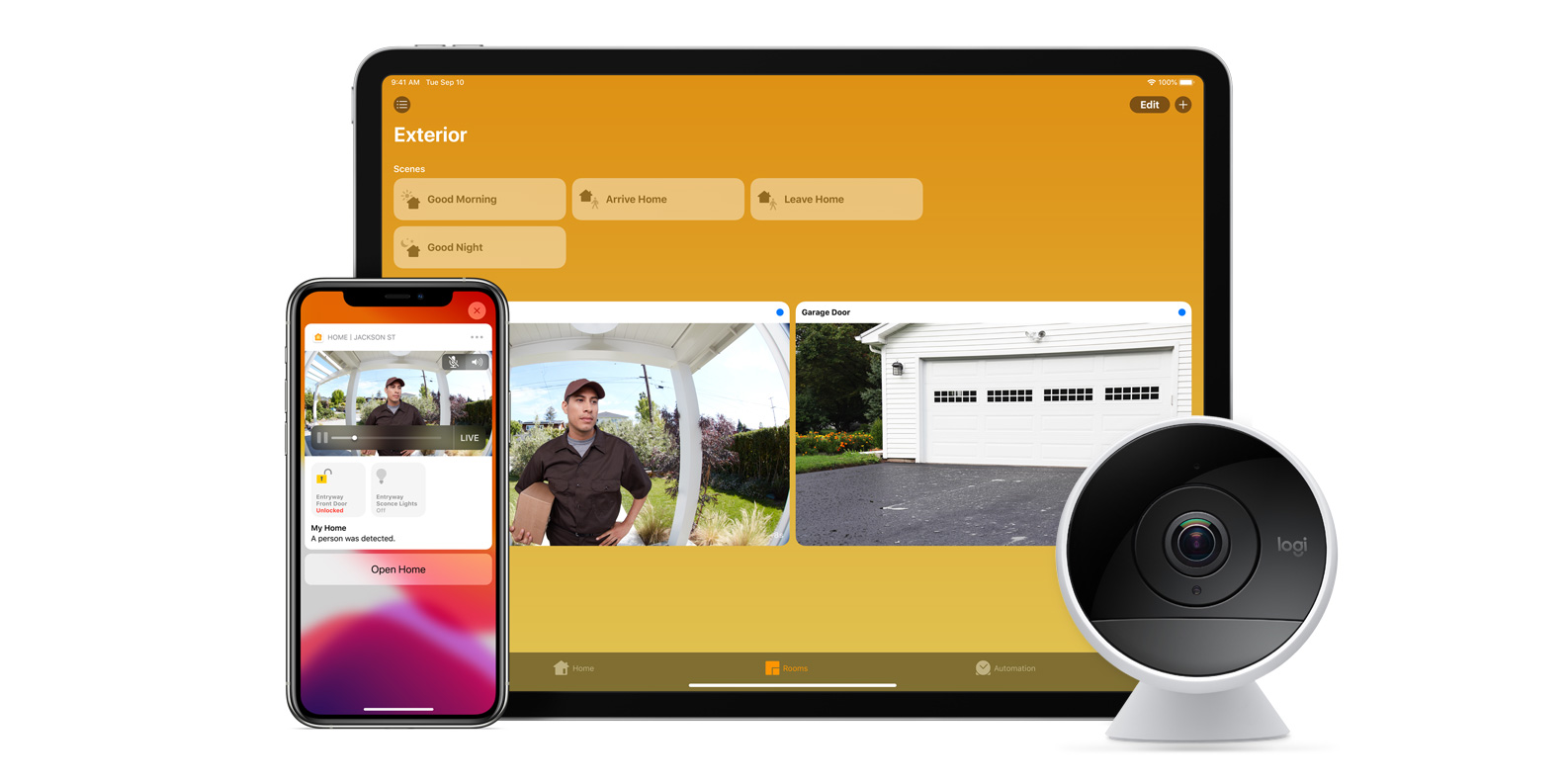
With iOS 13, Apple announced HomeKit Secure Video.

Footage from home security cameras contains your most personal and sensitive data. With HomeKit Secure Video, activity detected by supported cameras is privately analyzed by your home hub using on‑device intelligence to determine if people, pets, or cars are present. When important activity is detected, you and anyone you share your Home app with will receive a rich notification that lets you view the clip right from the Lock Screen. Recorded video is available to view for ten days from the Home app. It’s securely stored for free in supported iCloud accounts and doesn’t count against your storage limit.

While the rollout has been slow, Logitech, Arlo, Netatmo, and Eufy are among the early standouts. With recent privacy issues with Ring, HomeKit Secure Video is likely to continue to grow in popularity. One key benefit with Secure Video is that it works with your existing iCloud storage (200GB and up plan), so you don’t have an extra monthly fee for storage.

HomeKit Router
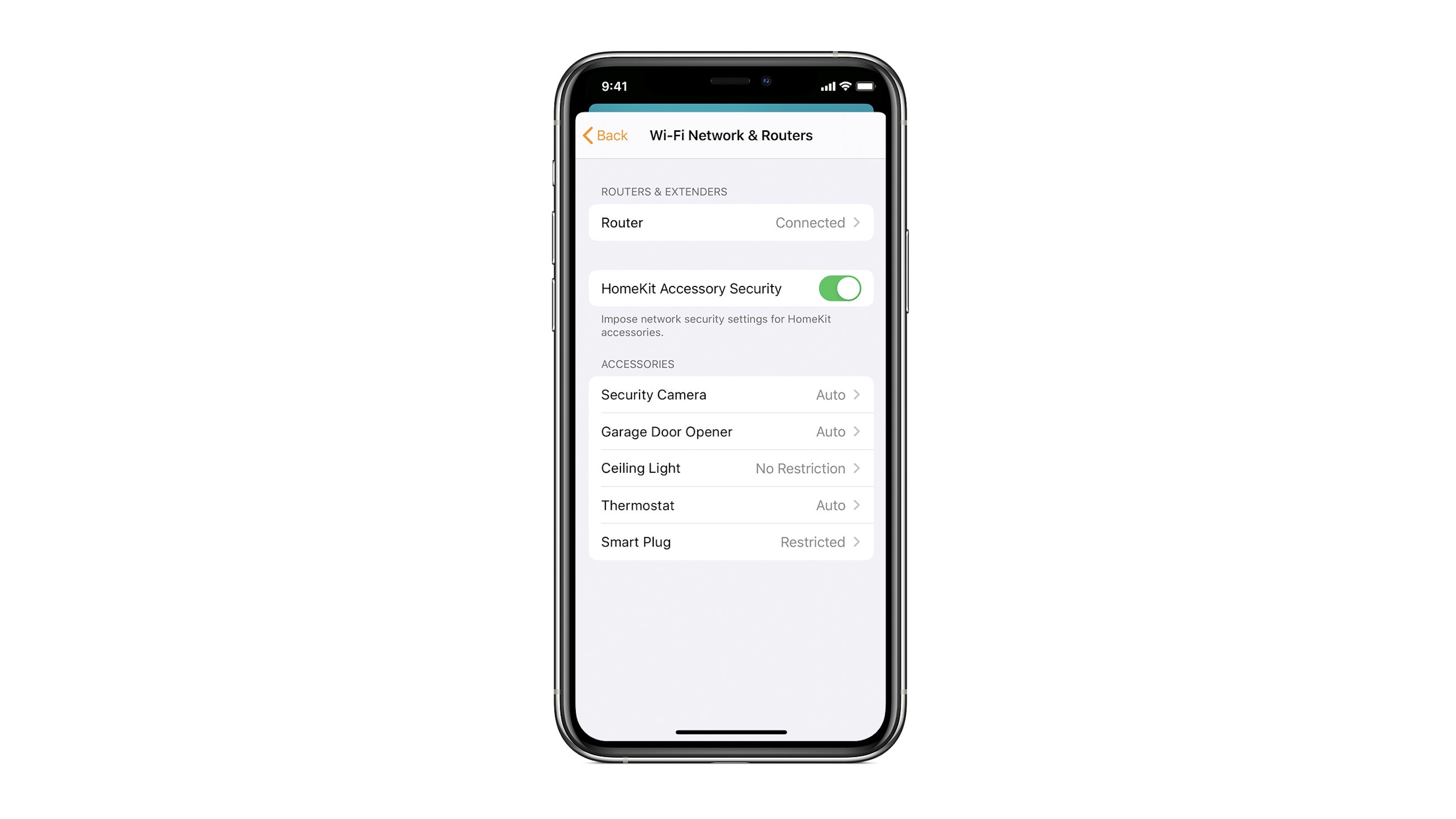
HomeKit Router was also announced with iOS 13, but it wasn’t released until early 2020. The idea behind the feature is you can give granular control to smart home enabled devices to control where on the internet they can reach.

eero was the first company to roll out support in for HomeKit Router.

With Apple HomeKit, eero gives you even more protection of your HomeKit accessories and an easy way to manage what they are allowed to communicate with in your home and through the internet.

There are three levels of security Apple offers for accessories paired with HomeKit routers:

  • Restrict to Home: Most secure. Your accessory can interact only with HomeKit through your Apple devices. The accessory won’t connect to the Internet or any local devices, so any third-party services, like firmware updates, might be blocked.
  • Automatic: Default security. Your accessory can communicate with HomeKit and connections recommended by its manufacturer.
  • No Restriction: Least secure. This setting bypasses the secure router and allows your accessory to interact with any device in your network or Internet-based service.

How Do You Use HomeKit?
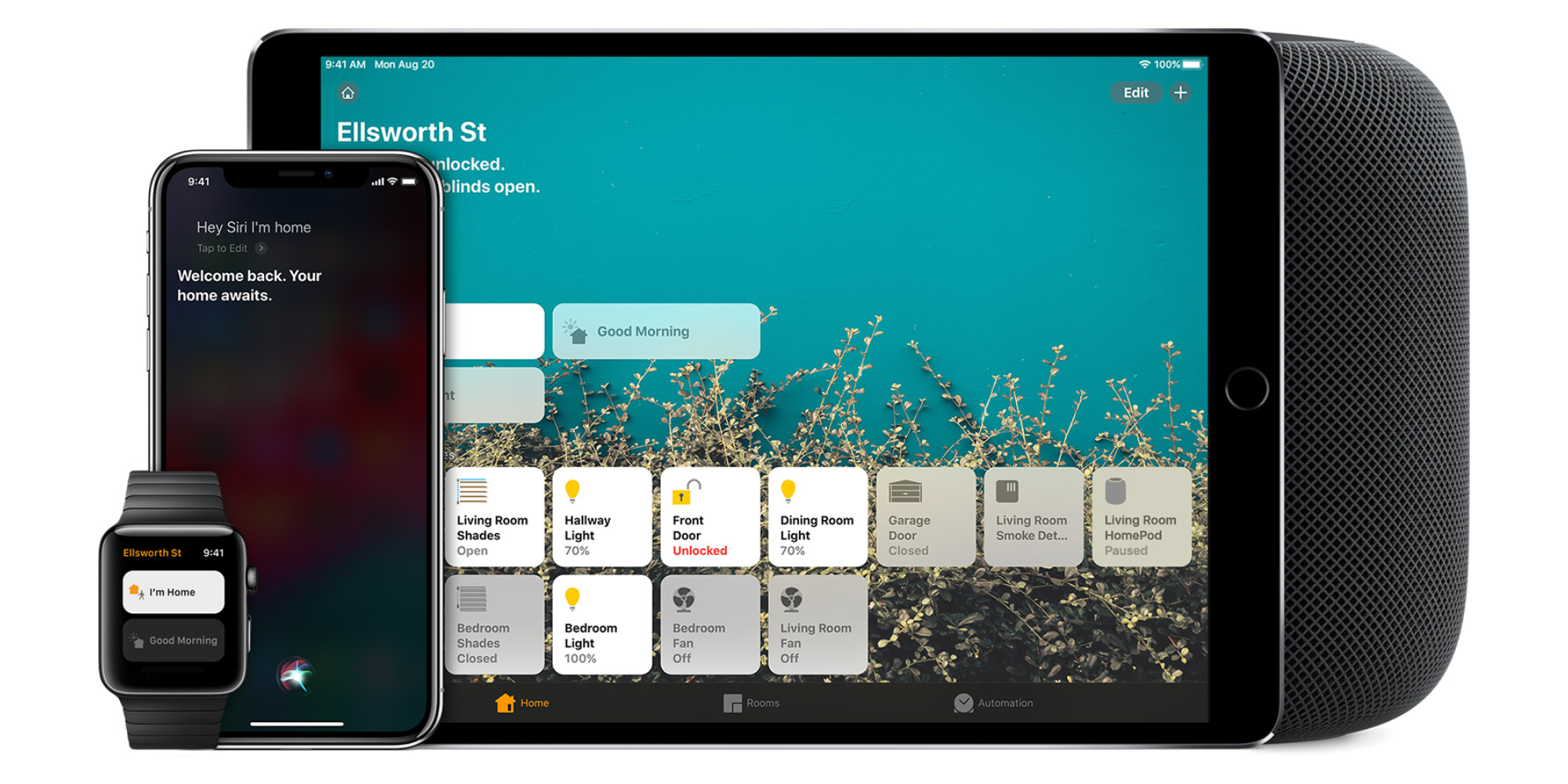
Homekit app

HomeKit devices can be controlled from iPad, iPhone, Mac, Apple Watch, and HomePod. A 4th generation Apple TV (or newer) is an essential Apple smart home device as it acts as a bridge over iCloud to allow access to your devices when away from home.

9to5Mac’s Bradley Chambers does a regular column about the “Apple Home” lifestyle in his HomeKit Weekly column.

Philips Hue app redesigned from scratch; dynamic scenes coming later

Philips Hue app redesigned from scratch

The Philips Hue app has been redesigned from scratch, greatly simplifying things like renaming lamps and moving them between rooms. Things that once required delving into the settings, sometimes two different places in Settings, can now be done right from the main screen.

The company says that there is more to come later in the year, including Dynamic Scenes, where the colors change gradually over time …

Expand Expanding Close

HomeRun 2 is a powerful way to control HomeKit scenes from your iPhone or Apple Watch

One of the benefits of using HomeKit for building your smart home is that there is a robust ecosystem of third-party apps to build on the experience. A few years ago, Indie developer Aaron Pearce released the popular HomeRun application for controlling HomeKit scenes from Apple Watch.

HomeRun 2 is hitting the App Store today with several new features for controlling HomeKit from your Apple Watch or your iPhone’s home screen.

Expand Expanding Close

Huge Eufy privacy breach shows live and recorded cam feeds to strangers [U: Statement]

Huge Eufy privacy breach

Update: Eufy has acknowledged the issue, and made a statement – below.

A huge Eufy privacy breach has resulted in both live and recorded camera feeds being shown to complete strangers. They also have complete access to the account, including control of pan-and-tilt cameras where fitted.

The issue was first noted on Reddit, and an Eufy cam owner at 9to5Mac has been able to confirm that he saw the same thing …

Expand Expanding Close

HomeKit Weekly: Eliminate problems from dry heat with the VOCOlinc MistFlow

VOCOLinc MistFlow

While it’s entering the humid months here in the southern United States, I am always on the lookout for new HomeKit devices to simplify my life. In the dryer months, my family uses humidifiers to keep our rooms from drying out at night. I recently acquired the VOCOlinc MistFlow smart humidifier for my HomeKit setup. Let’s dive into all it can do.

Expand Expanding Close

Smart home alliance from Apple, Amazon, and Google now called ‘Matter,’ first products coming this year

Back in 2019, Apple, Amazon, and Google teamed up with the Zigbee Alliance to announce the “CHIP” alliance for promoting smart home devices that work across multiple platforms. As the first devices certified by this alliance are expected to hit stores in 2021, the companies behind “CHIP” announced today that the project will have a new name: Matter.

Expand Expanding Close

HomeKit Weekly: Ecobee SmartCamera strikes the right balance of price and premium build quality

Ecobee SmartCamera

In the process of building a new house, I’ve been putting a lot of thought into what I want to do camera-wise. I’ve even considered putting in Nest cameras outdoors (bridging to HomeKit via Starling Home Hub) and then HomeKit cameras indoors. As part of that process, I’ve been purchasing every HomeKit camera on the market, so this week, I am looking at the Ecobee SmartCamera as a potential option to build around.

Expand Expanding Close

Eve unveils 3 new HomeKit accessories with Apple-supported Thread connectivity [Now available]

Eve HomeKit device Thread support

Last month, Eve shared a deep dive into how Thread works and why it could be the future of smart home devices. Now the HomeKit-only device maker has announced three new products that are getting upgraded to include the useful Apple-supported Thread connectivity.

Update 4/27: After a short delay from the original launch date, the new Eve Energy smart plug with Thread is now available. Meanwhile, the new Apple TV 4K is another option to pick up a Thread-enabled HomeKit hub.

Expand Expanding Close

HomeKit Weekly: Indulge your weather obsession with the Netatmo Weather Station

Netatmo Weather Station

Before I became an adult, I rarely worried much about the weather. Now, I somewhat obsess over what’s happening and what will happen. After tornados ran through my town in 2020 (yes, a tornado during a pandemic), I especially watch the weather much closer in the spring. Dark Sky has been my weather app of choice with occasional use of Carrot Weather. Both apps are fantastic, but I am taking my weather monitoring to new levels by adding the Netatmo Weather Station into my HomeKit environment.

Expand Expanding Close

First smart home products using new Apple, Amazon, and Google ‘CHIP’ tech could ship this year

Back in 2019, Apple joined Amazon, Google, the Zigbee Alliance, and over 170 other companies to work on a new smart home standard called CHIP. After some delays, new smart home devices will be able to get certification for CHIP late this year which means we could see the first products arrive on the market in Q4.

Expand Expanding Close

HomeKit Weekly: HomePod mini finally makes Siri reliable for HomeKit in every room

There’s been a lot of discussion about Apple’s decision to discontinue the original HomePod and its relation to what the future of Apple’s Home strategy will become. I highly recommend that you read Zac Hall’s piece on this topic. This week, I want to look at the positive aspects of where Apple is at with its Home strategy. After filling my house with HomePod minis, I’ve now discovered how essential having a voice-driven Home assistant in every room is for your home. Read on to learn why, despite having a lower-quality music speaker, the HomePod mini and HomeKit are the perfect match for each other.

Expand Expanding Close

HomeKit Weekly: Eve Cam packs reverse orientation switch and flexible installation with HomeKit Secure Video

Eve Cam

As I mentioned a few weeks ago, my wife and I purchased some land that I am starting to think through what some of the HomeKit setup I will end up having as I’ll install everything during construction instead of having to retrofit it. One of the things I am thinking through is cameras. There are several ways I could go. Part of me thinks I should stick with the eufyCam setup I have now, but then part of me wants to look at something hardwired to power like the Logi Circle View. To better prepare my decision-making, I am attempting to test all of the HomeKit cameras on the market to see what I want to include in our new house. This week, I am taking a look at the Eve Cam.

Expand Expanding Close

HomeKit Weekly: Building a hands-off HomeKit experience with the Eve motion sensor and automations

Eve Motion Sensor

When someone asks me why now is a great time to get into home automation and build out a smart home, I tell them that we’re finally at a place where you can build off of a platform instead of having to buy everything from a single vendor. A product from one company can create triggers to turn on products from other companies. For people in the Apple ecosystem, as long as you see the HomeKit logo, you know that you’ll be able to control it from the Home app and from Siri using your iPhone, iPad, Apple Watch, or HomePod. This week, I want to look at the Eve motion sensor to show you why having motion sensors in all of your rooms is a key part of automating your smart home environment.

Expand Expanding Close

Comment: The state of Apple TV and end of HomePod warrants a Home strategy roundtable

Apple’s Friday night move to suddenly pull the plug on HomePod after three years has created a messaging problem. Is everything OK at home, Apple? That’s the question being asked by customers who have invested in Apple’s smart home pitch.

You can trust that Apple will continue to make new iPhones and Macs for the foreseeable future, but Apple’s home products resemble Google’s betting strategy more than Apple’s usual commitment to focus and delivery.

Expand Expanding Close

HomeKit Weekly: HomeKit Secure Video 2.0 – it’s time for an upgrade

HomeKit Secure Video, in my opinion, is one of the prime examples of what makes Apple great and terrible at the same time. HomeKit Secure Video is the most secure way to record footage inside and outside your home, but it can also be one of the most frustrating Apple technologies at the same time. This week, I want to discuss how Apple can continue expanding HomeKit Secure Video to solve its problems while making it a better service at the same time. Let’s dive into what Apple can include in HomeKit Secure Video 2.0.

Expand Expanding Close

HomeKit Weekly: How iOS 15 can take HomeKit to the next level

Spring will be here soon, which means it’s officially time to start thinking about the summer of iOS 15 and macOS 12 betas after WWDC. From my vantage point, HomeKit is at a real crossroads for Apple. It’s a platform that I have invested thousands of dollars in. Still, it’s time to take it to the next level with expanded product categories, increased automation with Machine Learning, and increased stability – particularly with HomeKit Secure Video. Here are some things I want to see in HomeKit with iOS 15.

Expand Expanding Close

